Member Talks - How to be Video-Ready For Any online Event

Anne Ravanona, Dr Susan Tapper, Marie Boone Clark, and Mohua Dikurta teach female founders how to look and sound professional on video calls. They cover lighting, microphone choice, background setup, and platform selection across Zoom, Teams, and StreamYard. Rehearsal and backup plans matter more than expensive gear.
Chapters
So welcome everybody to our first ever member talk from InvestHer community that we are making external so everybody can feel the love, can feel the tribe that we have within the investor community, where we are a global community of women entrepreneurs from around the world supporting each other as we get ready for funding. So we are really focused on female founders, on, and on getting ready for funding. And today we are absolutely thrilled to have our very first webinar where we showcase our members And the partners of our members to share their key knowledge with you. And what better way to start off this series than talking about what we're talking about? Look at us now, we are all here on Zoom, we are on a webinar. And today, given what's happened with COVID if you're like me, we are living on either Zoom or GoToMeeting or Hopin or Google Meets, all of them. And so it's so important for us to put our best foot forward when we are speaking online in no matter what context. And this talk today came out of a conversation that we had in our member chats, our weekly chats within our membership, where one of our members, you know, had talked about some frustrations with her experience using tech. And so We said, okay, let's come up with this. And so Marie said, let's build this, let's do something. And Susan said, yeah, let's do this. So we're gonna get going today. So I'd really like to formally welcome our 3 speakers today. So we have Dr. Susan Tapper from the United States, and she is many things, Susan, among others. I think today the label I'm gonna go with is a leadership expert. You have so many wonderful hats. So today we're gonna say a leadership expert 'cause you're going to share some of your Susanisms, guys. This is what I call them from Susan. We also have Marie Boone Clark, who is also a very seasoned executive. And today the hat I'm giving you and we're sharing is like your business development hat, Marie. Again, you are also an entrepreneur. So both Marie and Susan are entrepreneurs and members of Investor Community. And today they're sharing one aspect of their hats, if you will, because like most women, we have several hats. And last but not least, I would love to welcome Mo Thakurta, who is our resident videographer, professional film director. So if you want to know how to do this the right way, she's your lady. Okay, so I want us to get started. And to begin with, just to let you know, you're gonna go away at the end of this webinar, you're gonna go away with so much more knowledge about the things to think about when you are projecting yourself. Who do you need to be thinking about with regard to your audience? How do you need to position yourself depending on the type of online event that it is? What are the kinds of client testimonials and client stories that you want people to be having? And so you're going to be hearing on that, and of course practical tips to say How do we wade through all these different types of technology? How do we get the sound right, the video right? How do we position ourselves correctly? And Mo is going to give us a lot of incredible tips. So now I'd love to start off with Susan. So very, very great to start with you. Mo, would you like to share your slides, or I don't know if Susan, if it's easier for you to share them directly so that we Off we go. There we are. There we are.
Perfect. Thank you, Anne. It's such a pleasure to be here with you. I'm always excited about everything that you have to offer your group because we're an incredible diverse group, as you can tell, and we reach everywhere in the United States, all over the world. And what's exciting is this presentation is applicable to everyone who has to be on Zoom, and that means either every day or you know, special events. So we're gonna just give you some key tips on how to set the stage. And my introduction, as Mo and Marie will follow up with some really awesome how-tos, is just to speak to the value. And the value is incredibly important because we all want value no matter what we're doing. So setting the stage is key. So Mo, if you'll just roll that over so our audience can see. And it really doesn't matter what your purpose or what your visual presentation length is. Setting the stage from a technological standpoint is really key. You want to have a successful discussion, a successful presentation, and you want to foster that success. So the first 15 minutes can be crucial, and capturing your audience's attention is absolutely fundamental, and in a good way, because just imagine You go to a concert. Everyone loves concerts, or almost everyone I know loves a concert. So you're sitting there and you're waiting. Probably you've got a good ticket, maybe 3rd, 4th row, and you're waiting for this exciting presentation by either your best band or your best singer. And while you've been there for about 45 minutes, you've been anticipating, and they walk onto the stage and all of a sudden the mic doesn't work. It starts screeching and they have all these technological issues going on. What happens in your mind? The experience is just frustrating. You've probably paid $100 or more, maybe even €100, which is a lot more, and you just are like, what is going on? You've already had this really bad taste in your mouth. So this is something we want you to see the value of how not to have that happen to you when you're doing an important presentation. And so we're just gonna talk to you about how that can be set up. And And you can mitigate those problems. So go ahead and roll over for me, Mo. Next slide.
There it is.
So we're not talking about perfection. Perfection is not the key, but it is about being intentional. Now, you can't control everything that goes on in your house. I have a dog that barks whenever I get on the camera, it seems, and he has a lot of noise in the background. And so I try to mitigate that. What's important is your content. While it is very important, so are the details of your delivery, and that's what we're going to share with you today. You want to keep your audience engaged with as few distractions as possible, and one of the things you'll note is, you know, where's the camera? How do I talk in the camera? And how do I read what I'm going to say? That's probably one of the toughest, but we're going to learn how to do some of that. You want your audience to experience your message, so when they experience it, they're going to engage more deeply. And how that happens is you value how you present yourself so your audience understands that you also value what they are expecting. Remember that your audience is always thinking, what is in it for me? We call it WIIFM. And, you know, they're there and their time equates to money, equates to a big value. So spend the time wisely and Make it count. Next slide. And one of the ways you can do that is to establish your own style, and there are some suggestions here that I hope you look at. We will provide this PowerPoint for you at the end of the program, but the key is, while you're very, very passionate about your topic, probably either in your presentation style or if you're setting up an opportunity for an investor, you want to balance what your own personal passion is with what your your audience perceives. And so you really need to study your audience. And these are just some key things. They may not be your style, but these are just some things that I keyed out for you. You want to create the urgency, but you don't want to get into the hard-selling capture. And you want to lead with ease, not desperation. These are 2 key points. There are others there. Be invitational, personal, and polished is good, not slick. So these are just some fun things to think about while we're learning from Marie and Mo, and I believe Marie is going to contribute now some key points for us as well. So thank you.
Thanks, Susan. I think it's important first for us to sort of ground ourselves into why this is important. As a founder, you have a myriad of demands on your time, your energy, your focus, everything from finance to web design to whatever, right? And so why am I worried about how I look on a Zoom call? And I think we should— I'm going back to one of my business mentors and someone I admire hugely, and that's Pauline Brown. But I want to ask you a question first. Why do we have a fascination with brands like Louis Vuitton or Apple? Is it because no one matches their quality? Likely not. Marketing brand experts contend it's because as consumers, we feel them. It's like these companies and the people who lead them have identified How to decipher what resonates with us, right? They've embedded this knowledge in their brand in all of their strategies, not just one thing. So when I say Apple, you automatically have a mental vision of their products, the logo, the company. Good, bad, or indifferent, you feel something. The same holds true for say Louis Vuitton, Mercedes-Benz, Vespa. You likely get my point. So why is it relevant for this discussion? Because as the founder of your organization, you're setting the aesthetic strategy for your company. In some instances, many might actually see you as the brand. Next slide. As a friend and financial whiz is often to say, stakeholders invest and advocate for your organization based on how you make them feel. We have to remember that people, not machines, buy the vast majority of products, services, and people, not machines, invest in our companies. And guess what? People are emotional. They make decisions based largely on how a product, a service, a company, or even a person makes them feel. The ability to create this feeling about your organization and yourself is called aesthetic intelligence, and it was coined by Pauline Brown. Pauline is a former executive with LVMH, and she defines aesthetic intelligence as it's about eliciting a sense of delight and rousing the imagination through sensory experiences. It's about managing what's seen, heard, and yes, felt about you and your company, your brand. As founders, we are challenged with understanding how aesthetics plays a role in every aspect of our business. I was having a conversation recently with someone in our organization and she said, does it really matter what the card says? And I said, yeah, it does. It matters. And the perfect example to And I couldn't explain it to her any better than this. I ordered a $25 box of cosmetic wipes from Chanel. If you guys haven't done that experience, you need to do it. It's a $25 box of like the little things you use to remove your makeup, right? It comes packaged in this beautiful box and you take the tissue paper out and then there's a little box with the Chanel logo and inside you have $25 worth of cosmetics box. And so yes, you could go to Target if you're in the US and buy them for $3.99, but there is nothing more luxurious than this little Chanel box. And my comment to my coworker was, this is why it matters. So anyway, our perceptions in terms of virtual communications— what perceptions are drawn from settings that you take calls? Are you in an office? Are you outside in a gorgeous garden, as Anne is so apt to do? Or perhaps you're propped in bed on a pillow. What message are you conveying to your audience? What do they infer from seemingly innate things like poor camera angle, horrible lighting? Do you have second sound problems? Tech and sound problems. Some researchers would contend that 64% of us Make passive judgments based purely on aesthetics. Thus, the impetus for this conversation. So, to share some insights about how to create an aesthetically pleasing virtual interaction is Mohua Dikurta.
Thank you, Marie. Thank you, Susan. That was awesome. I want to talk a little bit about how to do online events, and I'll cover a few different things. And towards the end, we are also. Going to talk a little bit about questions. If you have any questions at the end, I'll be happy to answer them because it's— though it's only online events have been there for a long time, but we have really experienced them in the last year like nothing before. So you— we— it's still growing, it's evolving. So I really want to, uh, touch on various things. It might be a lot of information at one go, but I can— I have tried to break it through and there are a lot of things you need to learn as you go, and I'm learning as I go because it's a pretty new area and it's growing really fast, and the software is growing very fast as well. So I want to talk a little bit about, about the current landscape, what's happening, and what is the opportunities and challenges that we are experiencing. So Brightcove, one of the streaming companies here in the United States, said that they streamed 8.1 billion more videos this year than last year. This is just one streaming company that I'm talking about. So you can only imagine the statistics have grown like never before. And video is growing like at really a very fast pace. So how do you keep up with all of that? And part of the growth is not just produced videos, it's virtual events like this, what we are doing just right now. This has added a lot to the video production abilities that is happening all over the world. So virtual events have really grown. There are multiple different kinds that are happening. So we'll talk a little bit about the different kinds as I go through the presentation. And also one of the things I have realized that has happened, events like this has helped to drive the sales and the marketing verticals all over the world. We have also realized that virtual events has, you know, a lot of the times free to attend. It's very easy to attend. It's very easy to connect and also reach a bigger audience, which is much more cheaper in a lot of different ways. And, um, but having said that, it also— the production has grown so much that it also comes with newer challenges that I will talk about. We have realized that we started with Zoom meetings in March last year, and now we are doing, uh, streaming, streaming Oscar events. So when we are doing things like that, our challenges has actually grown over in last one year. So people's expectations have grown with your, uh, With online events, the way you appear has become very important. You have to almost treat a virtual event like an in-person meeting now. It's no longer like okay, let me take that meeting wherever I am. So you really have to think through. So I want to. I am Motakurta. My company is Aramba, and I do video production and live streaming for small businesses and nonprofits, and a lot of women-led businesses here in United. States. We offer digital content for marketing and web and for live streaming purposes and for digital content for web and social media. So I want to talk today about how can you reach your customers and your clients and create more leads through virtual, virtual content and virtual events. So let's go to the next slide. Location. One of the most important aspects before you jump in is to look at that room that you're choosing where you're going to do your meeting from. So you have to choose a room that is quiet and you will not get interrupted during that period of time. As a space, take a space which is very simple background, no clutter, because what happens when we look at a screen, we We are always— we are not just looking at you, but we are looking at everything around you. And as human beings, we judge you. So we want to make sure—
we want to make sure— Okay, so I want you to use me here as your example, because guys, okay, my background is cluttered. It is. So Mo, how can I make this even more impactful? And what should I remove? Because this is truly what I have because I want to show my universe that I am passionate about women, women entrepreneurs, diversity, and so on. And it's true when you look on it. What's your professional opinion of how I can do things better? Let's use me here.
I can— so, and that is great. I love, you know, the aspect, but we can use less of it. So I think, you know, we can definitely take one or two of those, your favorite pieces, and we can keep it there. So I think just using less. And also I will talk about lighting. in a minute and maybe something that we can add to your background. Also how your screen is divided, like on the left-hand of the screen that we see Global Investor and on the right-hand side we see the books. So it's pretty equally divided, but in the right in the middle behind you, I see a lot of, a lot of books. So that kind of is taking my attention from the left of the screen to the right of the screen with multiple different ways. I'm like, okay, I am reading this, I'm reading that, I'm reading this. So that's a lot of information to towards me. Um, so definitely I would take what is most important to you, Global Investor, and then couple of books. Yes.
So, um, being practical, we would— I'm not going to do it live here, obviously, but I would remove some of these. Would I remove this? Like, would it be better just to have the globe? It's the symbol of us being global. Like, practical tips like that. I have Let's Get Funded because it's important. That's what we are. But you can't really see it up there, can you? So, and it's words as well. So what would you— how could I make that better, Mo?
So I would remove all the books right behind you, not right there, not behind your head, right behind you. Yes, that whole— and maybe bring it down, you know, funded. So I can't read that very well, the one on the top. Yeah, bring it that behind you, maybe get funded, let's get funded.
So where would that be though?
Instead of the globe, where the globe is right now.
Okay, right. Look up now, guys. You see already? How's that?
Yeah, so that's— and then even I will reduce the number of books behind you and, um, right behind you all. Yeah, there's a lot of—
Yes.
Yeah.
Okay.
Keep it as simple as possible. Maybe get a green plant. a small one somewhere and, you know, giving people a little bit of, uh, rest, some place to rest their eyes, because right now I'm not able to rest my eyes.
But— Love it, rest your eyes. Perfect. I just wanted to be— um, okay, so Tina's saying she only sees Moa's presentation, so I want to— maybe let's make the screen a little bit bigger. Does that— if you can see That's just with your view mode. Do you want to guide her as to how Tina can make sure she's seeing our faces as well and that what I've been just— what we've been looking at?
Okay, so Tina, you can, um, on the right-hand side you should be able to see gallery view, speaker view, and gallery view. Do you see that? It's also— hold on, let me see, because she's an attendee, so sometimes attendees will only see the views that been there on the webinar that's been set up. So you might have set it up on— I can't change the view for her because I did not set the meeting.
Yeah, but it's— so Sylvia can see both. So I think it's just on how— what— where it's through Eventbrite. You say using Eventbrite, not Zoom, but it is going through to Zoom.
Tina, look at the right-hand side on the top, Tina, and you should be able to see the gallery if you are given multiple view options. There's a speaker view, gallery view, and you should be able to see all the speakers on the gallery view and the speaker and the presentation on another screen, and you can change the screen positions as well.
And just to confirm, Mo, if she's on a computer, that's where she'd find it, correct? But if you're on a mobile device like an iPad or your iPhone, Tina, then you would actually look— there are 3 little dots that you'll probably see across the bottom, and then there are 3 little dots Click those 3 little dots, and that's where you're given the option of changing your view.
If not, Mo, turn off— can you turn off the slideshow for one sec so she sees my background? Because otherwise she's missing what we're talking about. So that she can get— and I'm gonna just make the view into speaker, so I'm speaking, of course. So this is it, Tina. All right, and for anybody who had the same issue, so I've already put this Let's Get Funded used to be up there. These are the books Mo's telling me I need to get rid of, right? So, and I will be, Mo, thank you very much. I need to put a green plant. Now she can see both, excellent. And I need to kind of tidy up this bit here. That's it, and I'm sure there's more. Go on, Marie.
I would submit that the, to your left, the books from Mrs. Obama, et cetera, those are fine, I think.
Yeah, because I want to keep those books directly behind your head.
Yes, because we really can't see them. And like, technically Mo would make me change this picture, I know, because you see it but you don't see it. Um, now I, I want to discuss the Global InvestHer. I know, Mo, that she's wanting to advertise, um, or have that highlight, but is there a way in to just have the top of that showing the Global InvestHer part but that woman's face The photograph to me is distracting. That is just busy. So maybe where you have— if you frame your logo.
Yep.
And then drop that down. That would be cute. So again, behind that is another set of shelves, right?
There's a lot of books. And okay, so I love it. We're doing this live. This is how we do it, ladies. And gentlemen, you see, so that's— so is a lot of books. And but is that easier on the eye, Mo and ladies? Is that easier than having the lady's face?
Now look, I don't think so. I still need to see less books. I feel that it is still distracting. It's a lot of different colors. And I know I love books too, but it just becomes too much. Yeah, too much. Like I'm looking at, you know, Michelle Obama in Everybody on the right-hand side. Then I have red color here, and it's lots going on.
So that would be the question.
And yeah, it might be.
No, what do you think, Marie? Do you think we can come up with a smaller, a smaller, you know, way to present the logo and the global investor instead of a yeah.
Yeah, I would take that upper part, the logo, frame it.
Yes.
And then that second shelf where you have the red books and that sort of thing, that's where I put the frame. So just in front of the books. And then in that top shelf, if you resize those books by color and size, rearrange them by color and size, that'll be more pleasing. I know you guys will never invite me to your house.
No, no.
But it's those things that, yeah, that you think about when you're, when you're setting up a commercial or whatever in my past life. But, um, because you wanted to look lived in, and obviously it's a functioning office.
Yeah.
Um, so if the frame is on the second shelf with your Global Investor, my eye is going to catch that, go up to your face, and then it comes over to Let's Get Funded.
So I want to make sure I've understood. So I would move this kind of here, but cut— like, we cut it and frame it here so there's nothing else behind it?
Absolutely.
Here we take everything out so it's just clean. There's nothing there. It's because my head is here and this is not distracting you. Yeah, so then we have a nice flow. Okay, what about the gadgets and stuff at the top?
We don't see them.
I know a little bit, but take it out. I would just keep it. Yeah, keep— yeah.
Or what would you do with the feminist pillow? Where would you put the feminist?
Oh, I love that.
I do too. I think right near Global Investor would be great on the next shelf all by itself with like There. Highlighting.
Yeah.
And I think, and tell me if I'm wrong, Mo, if she moved the books to the top, you would see them and you'd have to do them in color, like lighter to darker, right? That your eye sees it, you— it recognizes it, categorizes it as a book, and then it moves on. It's when things are not in order that your brain can't categorize it.
Yeah.
Yes.
Yes.
Okay.
And yes, Susan's, Susan's background is very neat. The little interesting chalk skis, but see how her books are in color?
Yeah.
The books are— that's, that's sort of what you want to replicate. And I think the other difference, Anne, is with the books by Clinton, Obama, et al., is we know what they are. So when I look at them, I see them. So sometimes if you want to leave the books for functionality, if you put a book this way so that I can see the COVID My eye catches it and then I move on.
Yes.
Okay.
Susan, is that a virtual background?
It is, and I did that for a reason. Shall I take it off so you can see why? And then you can, you can show what does not need to happen, but I keep in background for me my office wall. It's very distracting. But I use it for a couple of different presentations, so not for this type of presentation, of course, but when I do different kinds of conversations, I point to some of these things on the wall that are important. So yeah, very cluttered, very busy.
I think, you know, some good lighting would actually look really, you know, even bring some of those things up, so it It's not a bad, you know, yeah, it's not at all bad that you have all those. It looks like, you know, a part of you. It gives— it adds a little bit of personality, definitely. So I think it's a really good idea to have them, but maybe having less of them and adding some lighting, some good lighting, would be really a great way to go with it.
Good idea. I think what I like is that it's further away, that it's not immediately behind her.
Yes.
The distance. It's really hard, though, to set up a stage for the, for the call, but then be functioning. Because right now I'm sitting on the edge of my desk. My desk is actually over here. But behind my desk is a red sofa that I know Mel hates. So I just didn't have it on for you guys.
So one of the things is you bring up a really good point, Marie, is that, you know, how close you are to the wall for lighting purposes. It's actually very important that you give a little, a good, good amount of distance between the wall and you if you can, if your room allows it. And you put a light right behind you so that you can kind of differentiate between yourself and the wall. It makes it more 3-dimensional and it makes it more it gives you a nice little depth. Otherwise, it just, it looks like you are a part of the wall. So that's the problem with, one of the problems with 2-dimensional images. And that's how in video production we do it. And even for virtual production, we kind of make sure that we have 3-point lighting. That is, you have a lighting on the side, right in front of you on the key light and main light. Either you make a window that will be one of your lighting, Or get some lights to make sure that you have enough good key source of lighting coming to you and some sort of fill light so that your face is evenly lit for most purposes. And I'm going to share—
Yeah, go keep sharing because this lighting piece is something I really want your tips on because I actually have professional lights, but I obviously don't have them positioned in the right places. So you can show us how after. Keep going.
Yeah. Let me go to— oops, let's go to— so this is one of the common— what people have is if you look at the lighting here, she is kind of little lit with the space with computer lights, and then she has no light here, and her background is all in dark. Her wall is not lit well, but this is what you most normally see in Zoom a lot of the times. And then if you go to something like this, which She is a little more well-lit. So what she has done is she has used a window in front of her to, you know, give her that source of light. She has also put a light right behind her computer to give her a source of a key light. And that's what I have done too. I have done a key light right on my face so that my face is a little more evenly lit. It's because we can't really have a studio kind of a feeling inside your bedroom. rooms or inside your office rooms, but we can— what we can definitely do is bring in some lights to give that effect where you look better and you have a much more, you know, seamless, better experience. Also switch on lights in if there are other rooms that are visible. Like in my house right now, what I did is the room behind me, I lit up that light. We always, we always want our backgrounds to have some sort of a depth. So you want to add some lights. Like for you, Anne, I would add a little bit of a light in one of those, um, in the background there between you and the— yeah.
Is that better? Or like, how would that be?
It's a little too hot, but maybe if it's on a dimmer, we can actually dim it a little bit and it won't be so bright.
So yeah, because I don't— I can't— it is very bright. I can see that. I just want To change the bulb. It's not a dimmer, but that's a really good tip because now it looks— and I have professional lights in front of me and I have another one actually to the side, but it's not really hitting me, but it is over here. Maybe, I don't know.
It's a little far away, I feel, that way, because I don't see the light on your face on the right-hand side. So, um, yeah, yeah. So it's a good way to look at it is a 45-degree angle. For television, that's what we generally do. For your key light is at a 45-degree and your fill light is at a 45-degree angle. But in our Zoom purposes, we actually, we cannot have that much. If we don't have that much room, it's better to bring it right behind the computer. Then you are not going to get a whole lot of, you know, hotspots in your face. One of the problems we see always noticed with Zoom is the hotspots that appear a lot of the time. Also, it's a little trick. You have to play with it for a few minutes and see what works the best. And, you know, test it out with multiple angles and see what works the best. And that's what we did, Marie and I did multiple times on a blog post that we would place like, okay, let's get a, you know, let's get a lamp from another room and see how it looks. How does daylight look versus orange light, the tungsten light. So everything looks different. So you want to choose daylight because daylight bulbs actually make it look a more seamless daylight experience versus the tungsten experience.
Hmm.
And of course, makeup and hair adds a lot of value. I would say that even if you are doing your regular meetings, just make sure that, you know, do your hair and a little bit of makeup can go a long way and add value to your meeting. It's— I think of it as an in-person meeting. So, and if you're a big— if you're speaking on a big event, actually go and get professional hair and makeup done. I think it's, uh, it gives you that confidence, it adds value, and you appear more successful. And I think it's a really good way to go if you're going for a bigger, um, talk or, um, or having a bigger virtual conference. But even every day, I would say definitely add some makeup and get your hair done. Let's talk a little bit about webcam. So some of the things that people can buy, I feel I have— we have worked on a lot of virtual conferences and we have realized a lot of the times people don't have really high-end computers. High-end computers come with embedded good cameras and that's great technology, but if you are unable to afford that, I think it's a great idea to actually get a webcam. And webcams nowadays are not very expensive. At the very end of the presentation, I do have a link to an Amazon webcam which you can buy and clip it on the top of your computer. Your image will be so much more better than what you are using, and I think all of us are going to be online for a very, very long period of time. It's not going to go away. It's a great investment to have, and the same thing I would say for Same thing, I'm going to talk about audio in a minute. And the same thing about audio that I would definitely say, please get an external microphone as soon as possible because it adds so much value to your audio because the microphones that is embedded in these are not the— in the laptop is not the best. Yeah, Anne has already got a nice little microphone. That's awesome. Yeah.
Yeah, because I do podcasts, so sound is super important and we need it to be. So yeah, it's worth the investment, isn't it, Mo? Because I mean, you do, you do really hear the difference in the audio quality afterwards when you're editing. Oh, you can really hear the difference.
Yes, absolutely. Marie, you have—
I was going to ask, so a lot of the webcams come with speakers, uh, or microphones rather, What's your position on that? Are they not good? Do they pick up ambient sound? Let's chat a little bit about that.
Yeah, so webcams do come— a lot of them come, uh, come with embedded microphones. If you don't have anything else, it's an okay thing to— it's not a bad investment, you know, go with it. But if you can afford another separate microphone, I would totally go with a separate microphone. Um, uh, even the USB kind that you find nowadays on, um, on Amazon all the time, and they're not very expensive. And again, I do have a link, um, uh, to a Blue Yeti microphone, which are great. You know, they, they're $100, but it's totally worth the money. You just plug it, it's easy to use. You plug it into your computer and you're good to go. So, uh, webcam embedded ones are great, but it kind of is similar, you know, Webcams are meant to do the camera work. The audio comes as a part of it. So it's not really where they're putting in the money, the technology. So they are putting their money in the camera. And that's where the microphone, the way it is created, is not good. So you always want to have an external microphone. And the same with when we shoot with video cameras, we always rely on external microphones. We do not use the camera microphone that is in there.
Hmm.
Script placement, you want to play with that. If you're going for a speaking engagement, you definitely want to make sure that you put your scripts right underneath your camera because you want to make that connection to your audience and you're going to look directly into the computer, into the camera when you're talking. So again, please spend some time working on that, practice it a few times, and again, I will go for— go with an example. Maria and I did, we did that quite a bit to make sure. It's difficult to read and talk at the same time. So you have to go and get some practice for making sure that you got that script down. And it takes a while to figure that out.
There's another little tip, Mo, that I got from a different— from another expert. I'm just sorry, I'm moving for a second. But look what I have. I have a little Post-it with the smiley person, which is my audience. And I have it stuck right behind my camera so it reminds me, and it's yellow and the little person is smiling going, hey, I'm here! And so it's like to say, that's where I'm looking. I'm not looking down here, I'm looking at you guys there. So I just thought that was a very cool tip that I got from another expert, and I said, oh, I like that one.
I'm going to remember that. That's a great tip. That's an awesome tip. Yeah, I love that. I'll remember that. All right. So some of the things I definitely want to talk about, the platforms. There are lots of different kinds of platforms nowadays. So, and depending on what you're doing, even for a meeting like this where we are using Zoom, you know, Zoom, BlueJeans, Microsoft Teams, you really, if an email comes to me about getting on a meeting, I first actually figure, see what kind of a, you know, platform we are using, because even for me, I'm like, okay, I need to download BlueJeans. I don't have it. You know, or I didn't do my download Microsoft Teams. I don't have it. I use Zoom all the time. So spend that 15 minutes extra to see because it's not as easy as I think. I get anxiety every time I have to figure out a software last minute and I have to log in. So I always try to make sure that my audio and video works before I go in. And you know, you have Hopin, Axle Events, and streaming platforms on the other side. These are generally for bigger events that we use. I know TEDx. Uses Hopin. Axle Events is used a lot by nonprofits and small businesses because this is a great— Axle Events is actually pretty affordable and they're very good to use, a good tool for where you can do multiple speakers at the same time. You can do branding, you can do sponsor booths, and for networking as well. We at Aramba, we do use OBS and Wirecast for helping us to livestream our social virtual events. And OBS and Wirecast are 2 different softwares which helps you to actually brand your events. And they are— there's— OBS is free, but it's got a very high learning curve. And Wirecast is easier to use, but it comes with a price. So all these platforms kind of comes with a price, especially if you're doing a bigger event. You want to make sure that when you do these events you are able to utilize it for the right purpose. So the different types that we have come across over the last year is of course webinar, virtual events, and virtual conferences. Webinars are great. You know, Zoom allows us to do it very easily. Virtual events also can be done via Axle Events. And then virtual conferences, you can get an MC where you can actually donate brand and make it fun and interactive. So one of the challenges that I've noticed with virtual events, of course, is how do you make it more interactive? How do you make it more engaging with your audience? What are the things that you need to do to make it— have people stay there for the entire period of time? That's, that's a big problem. So I'm going to show you, and I think that's where branding comes in. Your branding really needs is so important when you are doing virtual events like this. So let's look at the branding here. So this is something that if you look at the left-hand side of the screen, we did a virtual event for Black Maternal Mental Health Virtual Summit, which was in February or March. We created that, but we created all the branding for them, their blue color, blue logo. We kind of made sure that, you know, we had the logo all throughout, we had their tag, we had their name of the person. And even when they were presenting, we kind of created their PowerPoints kind of was embedded within the branding. Whereas if you are looking at a different— so the reason why I'm doing this is if you are hiring a virtual event company, you want to ask Ask the right questions. You want to make sure that you are getting what we are doing virtual event. A lot of people don't know what you can get. There's a lot you can get through this process, and this was a six-hour event that we had done, and we had breaks, and we had an. MC in between. We had people come in and join giveaways and stuff like that. So we created really high engagement all throughout the show because even though it was a 6-hour show, what we really— we had 50% engagement all throughout, and that's very high for a virtual event when it is 6 hours. Generally, 30% is what stays throughout the show because people will come in and go out. They are not going to stay for the entire show. So you have to make it as engaging with videos, with polls, with asking questions, giving them enough breaks. So a lot of things can be done. And if you look at this, this is another event that we had done, which is making sure that people can reach to your social media. So you can create all of the— these all need, again, a lot of prep work ahead of time. You can definitely do something like this on the right-hand side where there is no branding and the person is really small and you just have a PowerPoint presentation. That's no fun. But you can do a lot more where your background can be changed. You have the, you know, name of your show on the top. Then you have pictures come in and you can also have your social media handles all at the bottom of the So we have a question actually from Susan.
She's asking, is one platform better than any other for hacking or user-friendly options?
Hacking. So the one of the— I think hopefully the softwares will get better. We have done a lot of research over the last one year because of exactly the same question, Susan. Is OBS allows you to do a lot of these things. OBS is a great platform and it is free, but it has a very high learning curve. It takes a long time to figure out things. How do you have— so one of the— so how we are talking in Zoom, if you have multiple people talk, how do you screen capture? How do you put the other person on the screen? And the bigger challenge is not just video, it's actually audio. How do you make sure you can hear the audio on the other person? So a lot of times we had figured out, faced problems like your video and audio will not sync. So it's, you have to really sit and work on that software for a very long period of time to figure out all the nuances that can come with it. And not only that, it is, so OBS would be my suggestion to go with it. There is another easier software that you can use is called StreamYard, and StreamYard gives you some of the options, all these options, but also StreamYard does not allow a ton of video. We do a lot of video, so we use OBS and Wirecast. Does that answer your question, Susan, a little bit?
It does help. Oftentimes I'm on I say I use Zoom professional Zoom account because I'm on confidential conversations, and when that happens, I'm always concerned about what is the potential for this to be hacked. I've never had it happen, but I've heard horror stories, and so I just wondered what your opinion was on that. Was one better than the other?
As on depending exactly depending what you're what you're doing, Blue. BlueJeans is a better option security-wise, definitely. And I've heard that.
Yeah.
Yeah. So BlueJeans is definitely— their privacy settings are much more stronger than what we have on Zoom. And even if you look at— let's look at Axle Events. If you're doing a bigger multiple speakers and multiple people and networking and security is your concern, you definitely want to use one of these private networks like Axle Events and Hopin. And even Vimeo does it nowadays, but Vimeo is also expensive. Zoom, one of the things that I have realized what people love to use, you have to really look at what your audience wants at the end of the day and what they're most comfortable using. And that should be your driving factor when you are choosing one of these platforms. We did this 6-hour event and my suggestion was to go with Axle Events to our client PSI, but they were like, no, my clients are in Austell, Georgia. They don't use that much of, you know, software. They do not want to learn something new again. We are going to use Zoom. So we did all this in Zoom, but we actually had a virtual camera from OBS that actually projected to Zoom. So you can do a lot of different things. You can still use Zoom and one of your other platforms, but you still can get the branding, but you really, the driving factor should be what does your audience want at the end of the day? Do you wanna make it easy for them or difficult? Not exactly difficult, but is your audience okay to learn a new software?
Hmm. Which ties in very nice to how Susan kind of kicked off this conversation around it is very important to think about the audience. You can't forget them and what's going to be the best place for you to meet them and how you interact with them and how you make them feel. And you've been giving some really good tips, Mo, as to how to keep the momentum and the engagement going, especially if you have a long event. So that's really good. Thank you.
Yeah, thank you so much. It is just, it's amazing, like the prep time though it takes for events like this, people underestimate. They're like, okay, yeah, I have an event in 2 weeks, can you guys do it? No, we cannot. It is impossible to do an event with branding, having your speakers and make everything run smoothly. Because we— it's still all running on Wi-Fi. It's still all running on a lot of technology. So you have to make sure that you have multiple rehearsals, make sure everybody's computer works, make sure they have, you know, what we did right in the beginning of this presentation, that how they present themselves, does their audio work, video work. So we do multiple of those rehearsals. And if you're hiring again, producer to do this for you, please make sure you ask them for rehearsals because on the day of you do not want to find things that can go wrong. And things go wrong all the time. It's— it has happened to our events.
And I think that would be great for some of our attendees, like some people with us live, to share some of those horror stories and like get your question, like ask some advice as to how to handle that a bit differently. Sylvia is asking a question and she's asking, what about other engagement tools like polls, Mentimeter, word clouds, and rooms? So what would be your, your take on those tools, Mo?
Yeah, I think the polls are great. Again, you want to add branding to your polls when you're asking them. So I think ahead of time, we're all— so we do a very solid run of show ahead of time. So we say, okay, we are going to have sponsor video right in the beginning. Who are our sponsors for the event? And we give them a nice little video for all our sponsors. Then we have a little sponsor, sponsor videos which are 30 seconds or long where they come in and talk about their product and thank people on there. So you can use videos, Mentimeters, and those polls for engagement. They are excellent ways for lunches.
Sorry, Mo, because I'm, I'm, I'm, I don't know what a Mentimeter is, so I'm learning something really new now. Can you share with us what that is?
Mentimeter is another website, so you can actually plug in. I have used it a few times. We used it for learning about, you know, what are— so it was a marketing call that we were on, and it was, what are your best ways to market What is your top three marketing in in? I'm trying to think. Hold on. So, what are the top three things that you use for marketing? And people kind of came up with there, and they give you examples. So it's almost like a poll, but it is immediate, and you can see it as and when it happens. So Mentimeter is great. Another great website that they have, and it's pretty new. I don't think it was. Was there even. I used it only last year and this year, so I don't think it's that old. So any of these things will add a lot of engagement. I would definitely say videos. We also do lunches, like interactive lunches, virtual lunches. So we will send people like, hey, we'll make a sandwich together. Get, get— this is the— our chef has planned for this. So things like that. So you can There's a lot that one can do on virtual events. It's not restricted to just, okay, I'm just— it's going to be only this, flows this way. We add music to it. We add MC on it who comes and introduces the breaks and the person coming up next. So a lot of fun stuff can be done. So, but make sure none of this can be done without prepping. Do not do this without planning and prepping for this. Even a small webinar will take, take us a good 2 to 3 weeks to set up for it, like an hour-long webinar with videos and sponsors and speakers coming in. 3 weeks is minimum, and for a longer event, anywhere between 2 to 3 months is very, very common if you're doing registration. We had a PSI Georgia had 750 registrants on that we took 3 months to actually prep for that entire event and had a really smooth sailing webinar. That's one of our first webinars, which was— there was no problems. But the horror stories, Anne, that you were talking about, and I'll share some of the horror stories that we had during a virtual event, was one of them was the internet was so worked. So it was more of an internet issue. The Wi-Fi was so overworked because there were 6 people on the Wi-Fi.
Do—
Though we were hardwired, it still became a problem after a point of time where people's visuals were not clearly visible. They were breaking up. So, and we had to shut down the program, froze. What do you do when you have something like that? So you have to think through what you can do. So we had a backup slide saying, we will be there in a minute. Hang in there. We are having technical difficulties. Then when it happened second time, we had a little video play of all, with all pictures in there of the attendee, of the organization. So people had something to watch and see while this was, while we were fixing in the background. So definitely prepare for all the problem areas that can happen when you are doing a virtual event because—
I love those tips. And I mean, building on that, Sylvia was saying, She likes about Mentimeter. I just went, yeah, Mentimeter. She says, great, you ask questions and people answer on their phones and you see responses immediately. You just send them the link. So I do like that and I haven't used it before. So thank you for that tip, Sylvia. I'm definitely gonna try and use that moving forward. And I love as well, Marie was saying that she had a client that did a virtual wine test tasting. Ooh, like that one. They arranged with the vineyard to send wine and cheese together. guests beforehand, and it was a teeny budget but got rave reviews. So it's about what, like what Susan was saying in the beginning and Marie, it's like, what's the experience that you want to give your participants and your attendees? What's the whole experience? And I loved what you were saying, Mo, about, you know, getting a chef to prepare a sandwich. If you have a long thing and you have a long event, what are the ways to break it up? And Susan said that she had a lunch delivered at the same time for a virtual lunch event. So that was pretty cool. So you're online and then suddenly everybody's getting their lunch delivered. That was nice.
That was cool.
And Sylvia said, I did a flower arrangement course online with fresh flowers sent home. You see? So it's really cool. So how can we bring those things in? And I think the other point to what I think Sylvia was saying earlier was around group Breakout groups, they can be a really good way to break up the flow and to get people to network. I think the only thing with breakout groups is you need to tell people how long they're gonna have in advance because 5 minutes is never enough. I hate it. I don't know about you guys, especially even if you've got 5 people in that group. I don't know, what's your experience, guys, with the breakouts?
Too short. 5 is too short, but that's a typical number. But it's always, you know, it leaves you wanting more. I don't know if that's good or bad.
Yeah, yeah.
So breakout rooms, I, I don't like, I don't like breakout rooms on Zoom. The only reason I cannot brand it as much as if you have a huge, like 600 different people registrants doing their breakout rooms, that time is not conducive. You can actually do with the smaller groups. That's actually Breakout rooms are great for smaller groups, but I think for a bigger, bigger audience, it's kind of hard to do. But you can do it on one of those other virtual platforms that I talked about, which is, which is Accel Events and Hopin, where you can choose where you want to go. They give you an experience of like, okay, I want to not go to this room, but I want to go to that room. And you can do that. But I don't think Zoom has the capability yet until and unless the host does it ahead of time.
I think we need to choose up of either we let them go into anyone or we put them into specific rooms. And Sylvia is saying that she also has mixed feelings about rooms, who coordinates them, and half the people are lost. To your point, it's like, which room do you go to? Although one tip I would say, I have seen— I was part of an online training given by an accelerator a few weeks ago, and what they did was they made sure they pre-assigned moderators in each of those breakout rooms in advance. And so each of I was one of the moderators, for example, and they gave us a virtual screen. So it was orange in their branding, so they could clearly see in the breakout room who was the moderator. So I think that's a workaround, Mo, for people who want to use— like, especially with what you're saying with branding, there is that workaround. So you could make sure that whoever's a moderator will just have your branded virtual screen.
Yeah, I agree. Marie, you had a point here.
Oh, I was just— I was going to say the other benefit I see in having a designated moderator is that you ensure that there's a flow to the conversation, because sometimes when you do the breakout room and no one knows anyone, that 5 minutes can seem really long.
Yes, really does. Okay, so I want Do you want us to move along? We're slightly over on time already. Is everybody still good to stay on for a couple more minutes as Mo wraps up and we grab any more questions? Just want to make sure that that's okay for those of you who want to stay with us. Just type yes in the chat box so we know we got you with us. That'd be great. Excellent. See, Sylvia, I love it. Go for it, Mo.
Okay, so it's just a few more things. If you are sharing this, though, I'm not going to open these up. They have all links to the webcam, lights, and audio that I was talking about. It's not a huge investment, maybe $300 in total, $350 in total, but I think it's, it's going to create a huge impact in your business. And I think it's a great investment to have because you'll appear very confident, successful, and look amazing on camera. Some of the quick tips that I want to give you guys is if you have a Zoom background, if your space is cluttered, Quickly switch on the Zoom background because there's a lot of audio and videos. There's audio video settings where you can find this. One of the problems that I have had with Zoom backgrounds is it does take much more of your Wi-Fi bandwidth, so it can be a problem. And also, they are getting better with the Zoom background. Like Susan's looks really nice, but if you move around a whole lot, it You know, it takes things off of your head or, you know, so that's been only my— I don't like that personally because it's visually a little— throws me off a little bit, but that's my only pet peeve with Zoom background. Wired connection is what you want to do if you are on a very important meeting. Get off the Wi-Fi, get onto a hardwired Ethernet cable. And it will make your life so much easier and even your audience's experience. Especially for virtual events, if you're hiring that company, make sure that they go and test the connection there. It's absolutely— like, there's no way around it because they are going to have issues if they don't do that. And look into the camera and make sure that you're talking directly to the camera. So those are a few things I would highly highly recommend that you do when you are on a Zoom meeting. And I think that's it from me. I'm gonna wrap up with that thought because it's just, we are not going to go away if we embrace this technology and let's do better. I love it.
And thank you so much, Mo, for sharing your professional tips and insights with us and doing it live. I think that's really cool that we could actually see what you were doing live. Marie, Susan, would you like to add anything while I invite our attendees to please do feel free to add your questions to us all here. We have a couple coming through. Yeah.
I just wanted to add one thing. In the chat, I placed a link to my dear friend who is an author and was one of the first women sportscasters, as well as a woman referee. So when we talk about being presentable. Things have changed. Things are all over the board, male, female. It's not a gender thing that we're trying to present, but these are key elements that I think are important. I just wanted to address that because she does a much better job of talking about her experience in early TV when women were not really appreciated for their skill. So it is about skill, But these are key things that are for everybody. I just want to put that out there.
I love it. Thank you. So if I want to invite any last questions from anybody— Marie, would you like to add anything?
No, I think a huge thank you to Mo for her taking the time and to the audience for joining us. And I echo Susan that I know a lot of times we as feminists, we push back a little bit about the whole, I have to wear makeup and all that. And particularly in my world, dealing with clinicians who it's like my brain that they're hiring as opposed to my looks, that at the end of the day, psychology still says that there are tiny little things that matter. So finding a way to balance your individuality with what your audience is expecting is key. Yeah.
Yes, I really like that. And I think the other thing is to you know, stay true to yourself. So yes, be careful. Like, I love the example you gave earlier where there was somebody who was doing the webinar from their bed, or hadn't— I had heard other horror stories of, you know, professional professors or other people who are doing TV interviews or other webinars, live webinars, and you see an unmade bed behind them. It's like, really? Couldn't you have made the bed or just put a virtual background? You know, we really don't need to We can see your bed. I know you're stuck in quarantine in your hotel, and you can at least maybe position the camera differently, you know. So that's excellent. So I want us to wrap up and say thank you so much to all of our speakers. Thank you so much, Mo, for all of your professional guidance and tips. Also to Marie and Susan for your insights and tips as well. Gabriella is saying great Great speakers, wonderful tips, truly enjoyable webinar. Thanks for organizing. Thanks, Gabriella, for your feedback. It's always wonderful. So for those of you who are watching this as a replay on YouTube, you will catch a link in the description below to be able to download the slides. I know that Moha will have access to information about her business if you would like to learn more about her services and how she could be of help, of service to you and your small business. business or bigger business, you'll be able to find out there, as well as all the social media links to all of our speakers, because you've heard from Marie and Susan, they said they were just wearing one hat today, they have many, and I thank you both so much for sharing your wisdom with us. So thank you all, you will catch the downloads in the link below on YouTube, and for those of you who are coming other way, you will also get a link to download. So thank you all for being with us, and thank you so much.
And thank you, Marie, and thank you, Susan, and all of you who attended this. It was amazing experience.
I loved it so much. Thank you, Mo. It's wonderful. Take care, everybody.
More from Anne


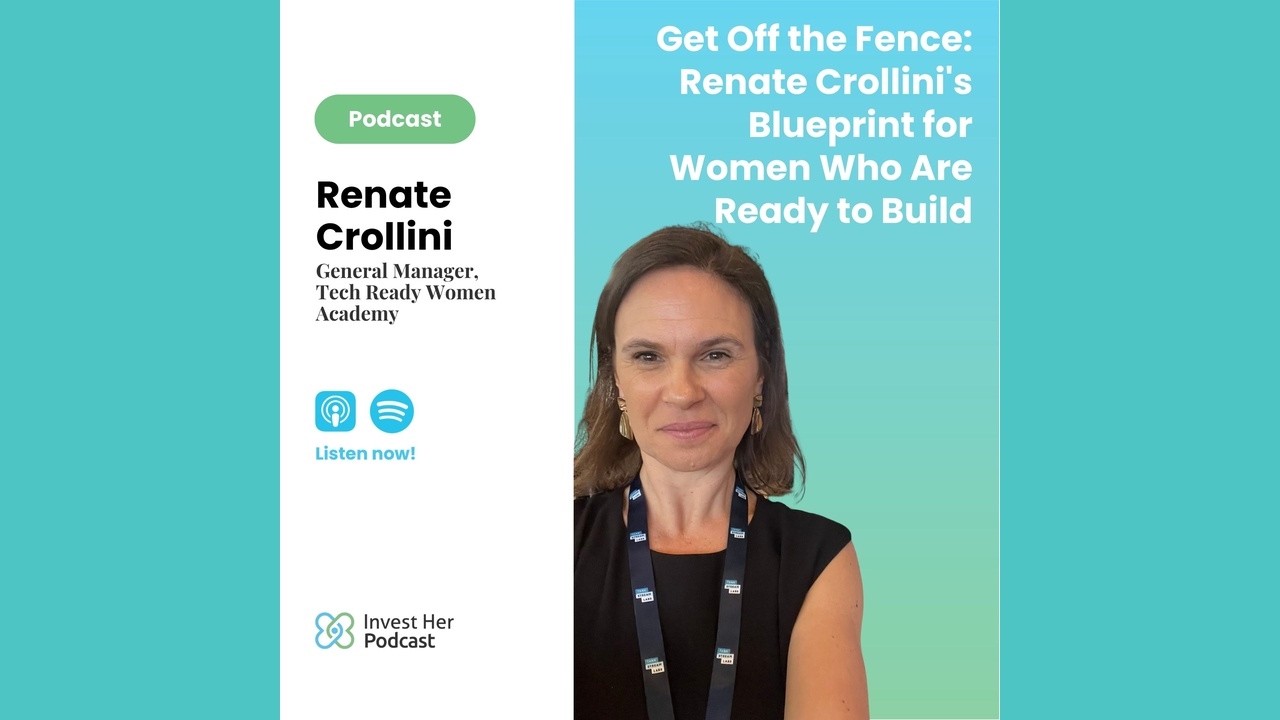
🎙️ EP69: Get Off the Fence: Renate Crollini's Startup Blueprint | InvestHer Podcast

🎙️ EP68: Radical Truth: Robert Rubinstein Exposes the Impact Investing Illusion | InvestHer Podcast

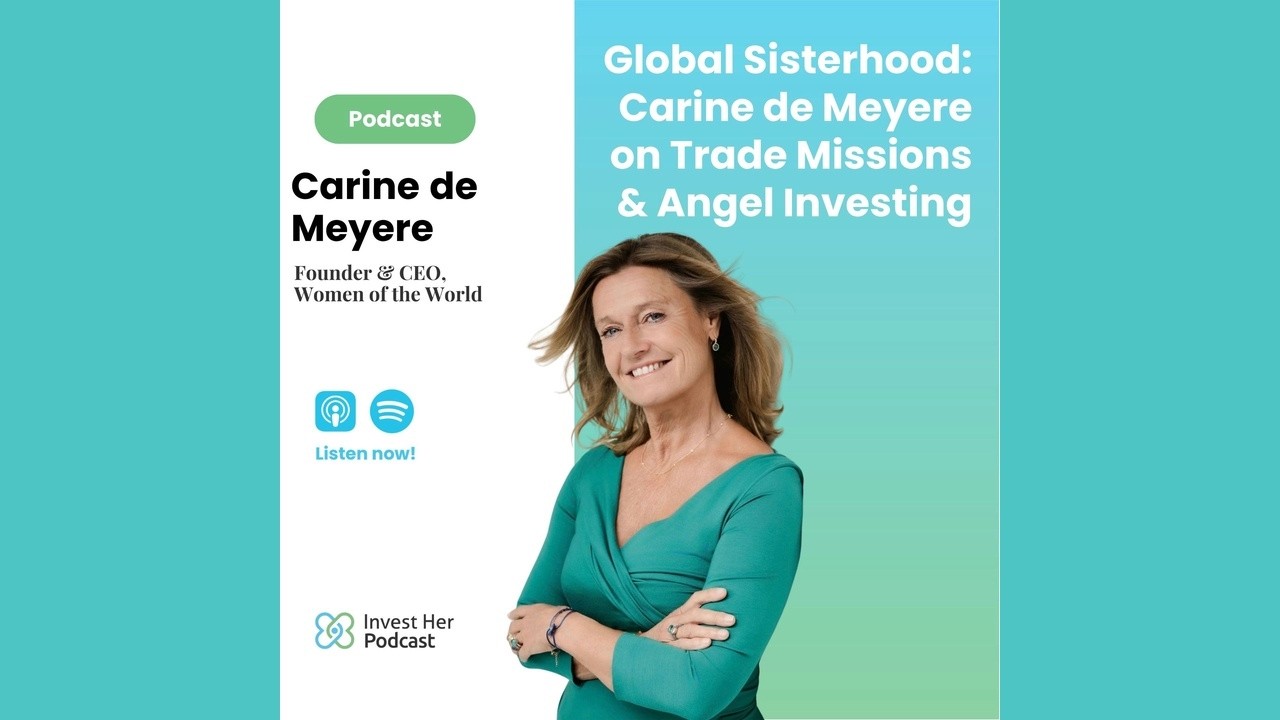
🎙️ EP66: Global Sisterhood — Carine de Meyere on Trade Missions | InvestHer Podcast

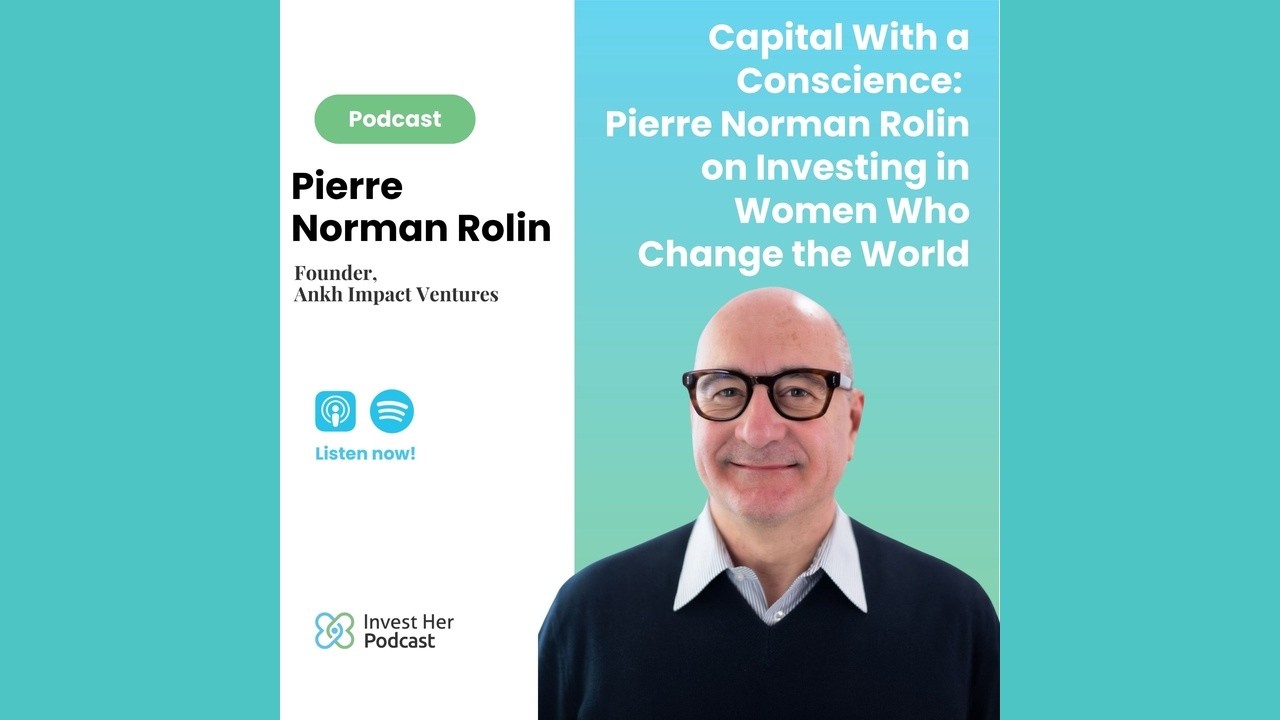
🎙️ EP65: Capital With a Conscience: Pierre Norman Rolin on Investing in Women… | InvestHer Podcast
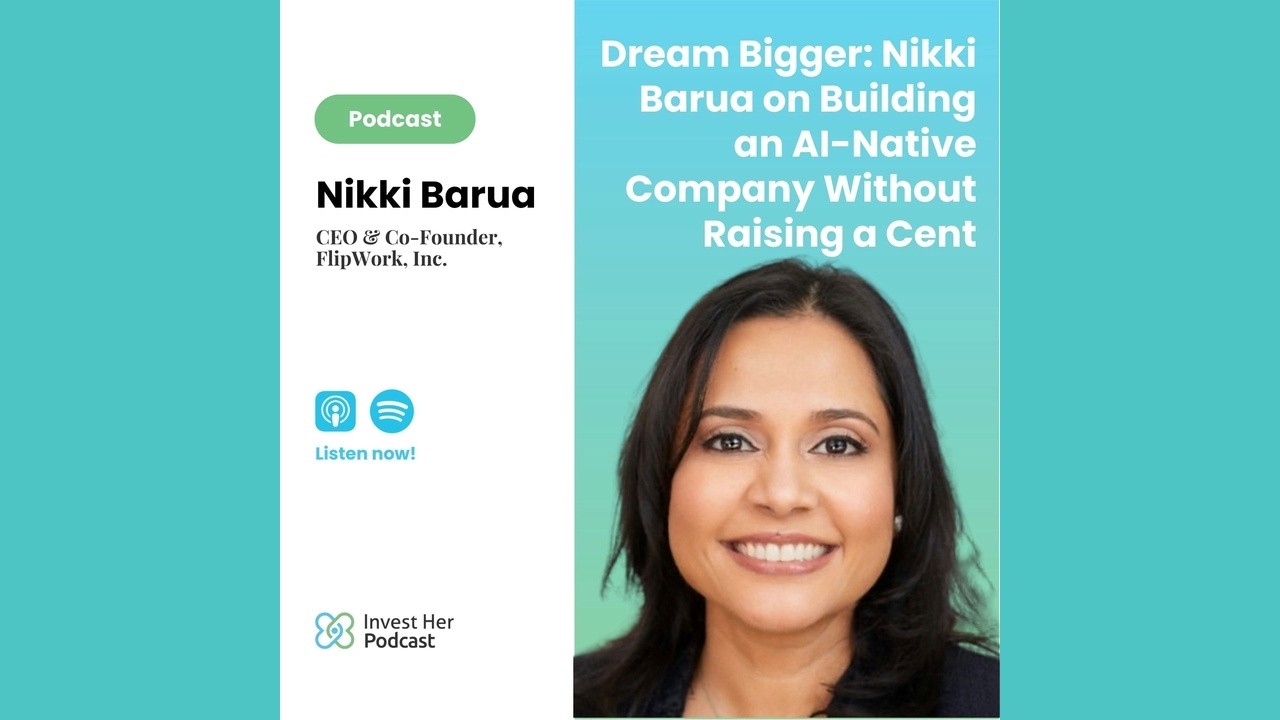
🎙️ EP64: Dream Bigger: Nikki Barua on Building an AI-Native Company Without… | InvestHer Podcast