Create 30 pieces of content every month easily using this equipment and setup
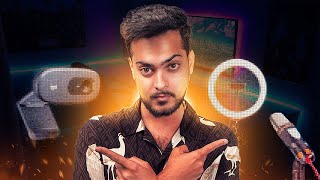
Areeb Mirza outlines practical, no-nonsense equipment and setup recommendations to help creators produce more content quickly. He emphasizes simplicity and speed — favoring reliable ring lights, good wireless lavalier microphones (Hollyland Lark M2, DJI mic), sturdy aluminum tripods, and optional teleprompters — and gives basic setup guidance (directional lighting ~45°, secure tripod, plug-and-play mic connection).
Chapters
Hey guys, welcome back to a brand new video. And in today's video I just want to talk about simple equipment needed for content creation for your business. So this is still something that a lot of people fall short on. Like they don't know what equipment they need, they don't know what specific setup to make to just create content. And sometimes they over complicate things, sometimes they want it to look a certain way and they just don't create. Now the worst thing you could do with content creation is not create. Like if you're going onto this venture of creating content you're not creating, then what's the point, you know? So it requires the right tools and equipment and the document about to show you will cover the essential pieces of gear you will need to up your content creation process and achieve professional looking results. From lighting to audio to camera gear. We'll talk about all the key investments that you will take to up your content game. If you already have equipment, maybe you can just take some tips and tricks and then perhaps set it up correctly or, or if you don't have anything at all or you're looking to up your equipment, this video is perfect for you. And also if you're somebody who has time and want to use that time on creating good looking content, this is specifically for you. Now let's talk about a ring light. Now let's start with a ring light. A lot of you guys have ring lights, but they're usually the lower quality ones, the bad ones. We don't want that. Now I have like a couple of lights. They're all professional lights, they're not ring lights. But the thing with, when it comes to content is you want to simplify your setup as much as you can. Because if the setup you're using is not simplified, you're just not going to create content. If you always have to figure out 12 different moving parts and you're always putting the slider here, putting this camera here, having a background set up, you're not going to create content. Like I would much rather you have 50 mediocre pieces of content a year rather than just two because that too is not going to take you anywhere. And in your head it might be mediocre, but like mediocrity is not defined by you. All right, now let's look at the two ring lights we have here. All right, now the first one is this Tati ring light with 60. Like it's, it's a phone, it's also a phone stand. So you can just like literally just Put your phone over there and watch yourself great content while having that glow onto you. So it's a fantastic light for like a two in one setup. It also comes with the remote 89, not that bad at all. And if you can't invest 89 or $100 or like however much money you're willing to spend on content, that would kind of just define the quality you will be able to achieve. Now the next one is this ring light. It's an 18 inch ring light. There's nothing special. I'm not going to go over the specifications because it just doesn't matter. When I was picking up these equipment, I was only checking for the size of the ring light because I wanted to act as a professional light. But it's big enough to kind of COVID your whole face from at least one angle. So this light kind of does that pretty well. And it also has like a phone stand in it. So you can put your phone in it and just have it directly facing towards you. But we'll talk about why you might not want to do that and just get a separate tripod. All right, next one. The next one is a good microphone, like an actual good one. A lot of you guys just buy those $20Amazon microphones and they just don't sound as good. Like whenever I hear a video with bad audio quality which has bad audio quality, I just instantly don't like. I skip it. Because you could have the best professional looking video. But. But if the audio quality is bad, nobody's watching. So even over here, audio is crucial for engaging content. The built in microphone on your phone or camera device may work, but upgrading to a dedicated microphone will take audio quality to new heights. I have two links over here as well, but the link is already in the description so you can just check it out. So the first one is. The first one is the. So the first one is The Hollyland Lark M2 wireless lavalier microphone. And this is specifically for iPhone. So you can literally just connect it to your iPhone and just connect it to your shirt and then you're good to go. Like, you see this, see this thing over here? It literally just connect right onto your phone and then you just connect the wire to your shirt and that is it. And then you just press record and you have like crystal clear audio. Like, this is a very fast setup. So remember when I talked about the speed of execution? Like you want to start creating content as fast as you can. This is fast. And. And then the next link is the DJI mic. Now this is $250 and it is one of their first mics, so it is still discounted.
It used to be a bit more, but this could also connect to your iPhone and you can just clip this onto your shirt or magnetically attached it to any part of your shirt. So it just doesn't even like. If you're wearing like a tight dress, it just doesn't even ruin aesthetics. This specific mic I put in there is just to future proof it. If you don't want to upgrade a mic for a long, long time, this is the place to go. They both come with cases. They're both very good investments.
The choice is up to yours. The Holly line is good, too. The DJI mic is good too, but if you ask me, I would just pick the DJI mic and then just call it a day because you won't have to upgrade for a long time. The Hollyland one is good, too. Hollyland is a known company, so yeah, one or the other. It's up to you. All right, now the next one is a tripod. Now, a lot of you guys have these plastic, unsteady tripods, and trust me, I've had my fair share of those. I've used so many plastic tripods for phones and cameras, and they're not worth it. They're just not worth it. Like, if you put them outside, like, the wind will take it. They're so light. They're just not good. Just buy like. Like the good ones aren't even that expensive. Like, let me pull up this link here. So the link I have over here is if it loads okay over here. So it's like a phone tripod. It's like $40, and it's also quality. Let me see what specific material it's made out of. So it's aluminum, 6.6 pounds. It's heavy enough, so it's going to keep everything steady. And that's what you want. Like the one. The. One of the main jobs for a tripod is to keep things steady. If your tripod isn't steady, it's not doing its job. You need to change it, like, right now. So $26 is not even $40. It's $26. Like, get this today, like, you need a good quality tripod. And I choose this one specifically because off your phone, if you have a professional camera, I won't get this. I would get something more steadier because of the weight distributions. The heavier the equipment you're going to put on the tripod, the heavier the quality tripod you need to do like the tripod needs to support the weight you're going to be putting on the tripod. So the phone is usually. Phones are usually pretty light, so a tripod like this is easily going to take care of it. So that one's pretty simple. Now let's move on to optimizing your setup. In fact, I have one more that I didn't put in here and which is a teleprompter. Now, this is an optional one because it does require a little bit of tweaking and setting up. But once it's done, the content process itself is going to be very smooth because you literally just have to get the teleprompter, connect it there, put the phone behind it, load it up with the script. That's the busy part. But now you just read off whatever you put on there. Let's say you wrote it. Like eight scripts in there, like eight video ideas. You just sit in one place and literally just read it. Like one video, second video, third video, fourth video. You're just reading it. That's it. That's pretty much it. So teleprompter usually helps with the content creation part itself. It might take a little bit longer to set up, but as soon as you start recording, you'll be done with the recording process by itself, faster. So if you calculate the time, like done recording and then time setting up and then just do the math, it doesn't really take that much time.
All right, now we have optimizing your setup. So this is like, once you have the stuff, what do I do with that stuff? That kind of question. So directional lighting. We have a plug and play light. The ring light is just plug and play. You don't have to like do all those fancy wiring songs. Just plug and play into a random socket. Just have it like at a 45 degree angle from you. So like, so like directly from here or from here, like, it needs to be angled, it can't be straight on or it can be just like from one side. We need it at an angle. And I'll tell you why.
Number two, the audio mic. I already told you, the audio mic is pretty simple. So literally just take the wireless receiver, connect it to the phone, and then just wear the wireless mic. That's it. You just have to turn it on, then connect it, turn on and connect. If you can do these things, you can use a wireless mic. Number three, tripod. We already talked about a steady tripod. That's enough. It just needs to be sturdy enough. And I also wrote if it's wobbly, spend more. You will either buy four wobbly ones or a one good one. One of them will last.
And then teleprompter. We just talked about teleprompter. It's pretty easy to use. You basically put a script on your iPad, on an app or another device and put it in front of a teleprompter. Now you can just read off the screen while looking directly into it. This is how the setup image looks like. Like the light is over here. All right. Conclusion. Simple setup is equal to more content. Complicated setup is equal to quality. Might be a little bit better, but no content. So your goal with creating content, especially short form content or even any content in general, even YouTube videos. I've seen people recording with their iPhone, getting more view. Like the only reason I'm not using an iPhone is because like we have the studio over here so might as well use it because I'm then literally just don't have the studio for any point then. So simple setup is equals to more content. Complicated setup is equals to quality. Might be a little better, might be a little bit better, but no content. So that's all I have for this video. Hope this helps. Hope this gives you like a clear visual of what you need, what stuff you need to get to give you that stepping stone of content creation. And yeah, I hope to see your content very, very soon. Tag me into it. I would love to see it. Also before leaving, make sure to check my newsletter out. You get stuff exactly like this, but a very short, precise version with links. I've sent five short emails Monday to Friday. They're extremely short and these are like topics. I also make YouTube videos about short form content about but you get it like firsthand like as soon as the newsletter is done, then a week or two after you might see see me talking about it. So yeah, five short emails, pretty solid. Just subscribe to it, you won't regret it. It's like I actually give put a lot of thought into it and if you are a service based business and you're looking for one on one help with creating content and just using your social platforms to generate booked calls, just click on the calendly link, book a call and we'll go from there. I'll see you tomorrow.