You can now edit your Ads & VSL's using GPT Astra 6.
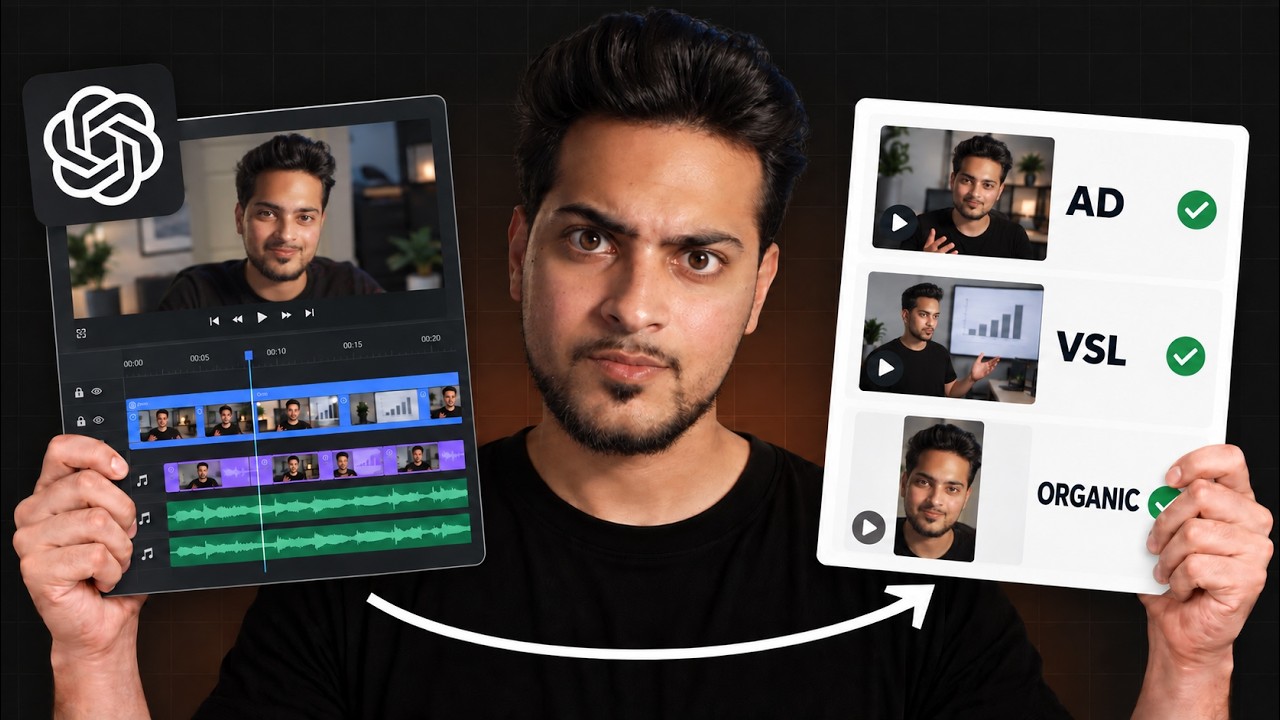
Areeb Mirza shows how to use GPT Astra 6 to edit VSLs and ads in Adobe Premiere Pro and After Effects. A 15-minute raw video becomes a finished piece in 45 minutes. You upload footage, structure the timeline, prompt Astra 6 to control plugins and generate motion graphics, then refine with reference videos.
Chapters
So the video you're seeing on the screen right now is actually completely edited by GPT Astro 6, and I'm going to be pretty much walking you through how you can edit VSLs, ads, YouTube videos, pretty much anything you want using GPT Astro 6. And I've documented every single thing into this specific ChatGPT window, which I have open right over here. Now, one thing I will say is we are using Premiere Pro and After Effects for this. Now, before, of course, that kind of like turns you off because, you know, AI is not fully autonomous in doing stuff for you. If you If you actually put in the effort and let's say download Premiere Pro and After Effects, you don't actually have to learn these softwares. You can just give it to Astra 6 to open it and just do the work for you. That's something you can entirely do. So it might be an additional step, but it's a one-time step and it can actually get you a lot done. Now keep in mind, like this is an entire video which I have it on my YouTube channel already. Like this was just entirely done by, you know, Astra 6, like from the cuts, from like, you know, the presentation, every single thing was just made by Astra 6. Apart from, of course, like the presentation was generated by Astro 6 too. But of course, like this was a concept entirely written by me. I was talking about a DM funnel and how you can make, of course, you know, cash using DM funnels on Instagram and pretty much kind of like how to structure that. So that was a video. If you are interested in that, it's in the channel. Just type in DM funnel, it's going to pop up. So this specific video that I made, which of course if you want you can check it out, it's called the DM funnel video. I recorded into 3 different sections. So one of them is just kind of like the main presentation where I did. And then the 2 very small clips I recorded towards the end was the hook and then also the, the ad break, meaning just me talking about, you know, how we have a content agency and stuff if people are interested in working with us. So this is pretty much kind of the 3-step process of this specific— what's it called— video. All I did was I put all of the slides inside of the timeline. I just put the raw footage over here. I put the raw footage over here. And one thing I did, I put the main scene over here and then I also just made a quick reference on how this needs to look like. That's all I did. This literally took me less than a minute to do. But if you are, like I said, doing a VSL or an ad, chances are you don't even need to do this. You can literally just drop the raw file, the one raw file, and just ask it to edit it because I just personally like to record the video first, then I like to do the hook at the end, and then I like to do the ad break separately. But if you just do it in one full sweep, You'll be fine. Okay, cool. So this is basically what I gave it and I went to Astra 6 and then this is basically the conversation transparently. So I just went up there and I was like, hey, can we do a full edit using Premiere Pro and the Higgsfield plugin? So I basically, you know, just got my Higgsfield, it connected to Premiere Pro and it just did everything for me. And then I basically gave it— this is not necessarily in a super expert prompt. This is just me giving information to AI on what exactly it is that I'm trying to do. So I was like, yeah, the Premiere Pro window is open. I'm not sure if the HixFill plugin works, but this is the Instagram DM video. I have the hook separately recorded. And then of course the green track is basically an overlay track of me presenting the actual presentation. So this is all the information that is said to GPT. And then from there I just basically told it, I'm like, okay, so for the hook, I actually want the hook done to— I want the hook to be done inside of After Effects because After Effects If you don't know, you can get a lot of custom motion graphics. You can just do a lot of cool stuff in After Effects. Chances are the favorite motion graphics you've seen ever is made on After Effects because that's how powerful the software is. So I was like, okay, just put the hook into After Effects, edit with motion graphics, make it look all nice, use some Instagram animations or bubble animations, make it look fancy, color correct the footage, make sure that every single presentation matches what I'm saying and that it's a very interactive video. Use some transitions, some light ones between the break and also the video. This is how we want it to be edited. Is it doable? And it says very doable. And it just kind of goes through it and it just kind of gives me a quick overview. I was like, yeah, let's do it. And then it just kind of like worked for 33 minutes and it gave me kind of like my first industrial draft. Now the first draft it gave me, like it was fine, it was, it was this entire thing, but it was still missing some things. And I'll show you kind of like what it gave me first because this is just one of those things where we have to make sure that we're just kind of like consistently speaking to AI as well to kind of like get the result we want and then save those prompts so we can kind of like make that process repeatable. So basically this is what the initial, what's it called, graphics look like in the hook. So it's fine, but the pop-up stuff, it just looks like AI made it. Like if anybody knows how AI makes videos, like this is something where we can clearly know AI made it. And then from there we're into ChatGPT. I was like, what are we using to animate these, by the way? Oh, sorry, before I said that, I was like, I think the hook needs to be better edited in terms of motion graphics and visuals and some overlays so we can really drive home the point a little bit. Maybe some smooth zoom in, zoom out. Effects as well. Again, super vague. I could have been a little bit more specific, but then again, this is just something I wanted to test out to see even if it kind of like, you know, does a good job. And then from there it kind of like gave me another version which I wasn't again super happy about. It was this one over here. It did some, of course, you know, more animations and added some zoom like, like I told it to do, but nothing necessarily super crazy. Like I said, it still looks like kind of like, you know, an AI chatbot made it and it doesn't necessarily fit the theme. That's, that was something that was kind of like bothering me. So if I go over to Astra 6 again and then from there I actually kind of gave it a reference video of what it did yesterday. This was the reference. So this is, this is kind of like what prompted me to even use AI in the first place because I was like, okay, so it can do some cool stuff. So I was like, that still doesn't necessarily look like the one I want. I made a sample yesterday. I want this to be made something similar to that. And then from there it actually made me something that was extremely good.
This local ad strategy, which I'm about to show you, can literally get you your first 3 to 4 clients from social media within the next 30 days. Now, this is the same strategy some agencies might charge you a couple thousand dollars for just to implement it. And within the next 15 minutes, I'm just going to give it to you away for free and exactly what thought process you need to have, what exactly you need to do, and also a done-for-you script which you can literally just implement after watching this video. Let's get into it.
So that's pretty much kind of like the version I was impressed with. I was like, yeah, This is good. As you can see, there's no prompts after. I was like, this is good, let's do it. Also, behind all that, I know the hook's the most important thing. Like, it also just made me this entire timeline pretty much right off the bat. Like, it had made all— it had made cuts already. It pretty much like analyzed the entire transcript and it kind of like did every retake. It corrected every retake. So that was pretty amazing as well and super helpful. And then of course, like, I was also able to do some manual adjustments, nothing necessarily super required, But for example, let's say over here the scene changes. Maybe I just— if I just wanted to kind of like have it play a little bit more longer, I can just do that. But that's not necessarily something that's required. That was just me being a little bit nitpicky. But yeah, overall it did a kind of like a very fantastic job. And other than that, like the main— the only thing it didn't do is actually color correct the footage for me. Now keep in mind, I didn't necessarily put emphasis on it. I could have just told it like, hey, can you color correct this footage for me as well? Because it's just a very small enhancement because the lighting and everything is like fine on my setup. But this is kind of like a very small adjustment that I just had to kind of like make by myself just so we can kind of like get the colors right as well. But that's pretty much all it took. Like this was literally, I recorded the video, this was like 15-minute video. And then after that it literally took me like 45 minutes. Not even me, like I was just doing other stuff behind the scenes. Like AI literally did this entire video for me and me collectively, I may have spent less than 10 minutes. to make sure everything is corrected compared to, you know, sending it to an editor. And then of course, God knows when you get that back. So like that process has been completely eliminated. So like I said, this is something you can definitely use to create like, you know, VSLs. You can use this for like ads, you can use this for a lot of other stuff. You just need to know, you just need to be a little bit more clever on how you prompt. And like I said, like download After Effects and Adobe Premiere Pro onto your computer, even if you want to learn the basics of it. Like I highly suggest doing that. Now, if you enjoyed this video, make sure to check out this video as well. This video is another video and it's related to Claude, and I think you're really gonna enjoy this one.