How to Create High Converting Meta Ads Using AI
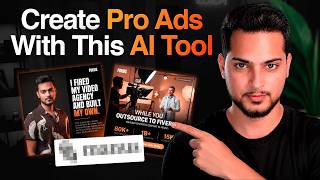
Areeb Mirza shows how to use Manus, a Meta-owned AI tool, to generate high-converting Facebook ads. Feed it your website, logos, and design references, write a prompt with your offer and desired style, and the AI produces multiple ad concepts you can refine and save to a brand library for weekly use.
Chapters
Listen, if you want to create high-converting meta ads using AI, just like the one you're seeing on the screen, watch this entire video because I'm going to lay out the entire framework on what exactly you need to do, what prompts to use, and what framework pretty much I've outlined for you to actually get this type of result. Let's get into it. Now, before we do get into it, there are a couple of things you need to have pretty much in place so we can get the best possible output we can. Now, of course, you can choose to skip this, but I always recommend to have certain stuff ready. Because AI is all about input and output. Like, how good is your input so you can receive a decent output? So you need to have kind of like a website. If you don't have a website, then please have one. References, like, you know, what kind of designs do you actually like already? That's going to be super important as well. So we can actually, you know, try to at least match it or create something familiar or similar. So references usually help your case a lot more. And of course, assets like have your logo ready, have your images ready. Multiple images. The more images you have, the better. And of course you can do kind of like a quick photo shoot with your iPhone as well. Just kind of like scan your entire face because you're gonna get way more accurate results if you just do it that way. If you do want to use yourself in the creatives, this is something I've noticed where if you have kind of like an image of yourself in the creative, it tends to do a little bit more. It just tends to perform a bit better. But of course it all comes down to the offer as well because if you have a good image, but you know, the offer at the end of the day doesn't make sense, then it's not going to convert. So it needs to be offer first and then of course image. Now, of course, coming back over here. Now, I didn't necessarily do anything kind of like special. I just had these ingredients. I just told this AI tool, which is, by the way, it's called Manus. Now, if you're not familiar with Manus, it's an AI tool owned by Meta. They bought it from some Chinese company, and I've been using it for a long time. So this is something you can perhaps use like a tool, like maybe like Claude. I mean, you can use like free pick text field. I personally like using Manus because I can just input text and And I can actually just, if I need something changed here, if I, for example, don't want this logo over here, I can just tell Manus and it'll just change it for me instead of just going to a dedicated image generation tool and then just, you know, just kind of messing around with it. I personally haven't had better, like good results using a dedicated image generator compared to what I have over here. So let's talk a little bit more about, you know, just the prompt we've used as well. So I'm just going to put myself over here. Perfect. Cool. So even the prompt you'll notice is nothing super special. I just have all the right ingredients present and I just use the right keywords for me to get a good output. So I just attached some previous examples which are not even that good. Like these are my reference points which I had made by an actual designer at one point. And then I basically told it like, hey, I want to use this chat to be your ad creatives maker because another one of goal, another one of the goals for this specific conversation is not only for me to have creatives just like once, I want to have creatives reoccurringly. So what this tool can do is you can literally just tell it like, hey, every single week on a Sunday, maybe I need 5 creatives ready to go. So it would just remember all of your preferences and just come up with offers like different angles of your current offer and pretty much just give you creatives that you can launch pretty much every single every single week, you can just upload them to the Ads Manager and you're pretty much ready to go. All right, so let's just go to the prompt. So I want to use this chat to be your ad creative maker using a Google Nanobanana 2 or Pro. I personally like Pro a little better, but 2 is definitely better in certain instances. So for our offer, and this is pretty much where I attached our websites. And then step 1, learn more about the offer by visiting both websites and previous creatives we've made, which are okay-ish. I basically am identifying or signaling AI, like I don't necessarily like these. I'm not a big fan of these. So it doesn't necessarily just copy this exact style, which is important, but I want them to have a better design and more creative headlines, offers, visuals, and angles. So these are kind of like the key ingredients I want in there. Of course, visuals are super important to me because if it's a good visual, it's going to sell better. And I'll say I'll need 5 a week. I like the design style of the last one. Knowing this, create me one ad creative. Feel free to use images from the websites and request assets if you need anything. I will take whatever, I will do whatever it takes to get the best performing creatives. So this is just me basically signaling AI like, hey, if you have any questions, just feel free to pause, ask me for some assets because the goal is to get high performing creatives and beautiful looking creatives as well, which actually do something. So whatever it takes, whatever you need, just let me know and I'll just make sure I deliver it to you. So over here, of course, it'll study both Focus websites and existing creatives, then design fresh ones for me. And it kind of goes through this entire process. And then the first one that it makes me is this DIY content trap, which I believe is this one. And this is pretty good because this is basically comparing our services to maybe some certain objections that the clients may gave us or something. So this is already right off the bat a good one. Now of course, a quick things that would help me, that would help the AI make the next 4 of the week and ongoing batches even stronger brand assets. So it was like, hey, can you share the official logo for me? Can you share your photos? Can you share real screenshots? Can you share top-performing ads? Can you give me your target, a target audience for this batch? So I basically, you know, provided, provided it with a lot of assets. I was like, here's my logo, here's my pictures, here's some of the results. Save these assets and pretty much use this on a recurring basis. Now from there, soon as I delivered these results, that's where I got pretty good results. Now, of course, it saved it and I was like, okay, I'm ready to go. If you want me to kind of like, you know, just create 4, I can go ahead and create 4. I was like, yeah, sure, let's start with 4. And then from there it actually went ahead using Google Nanobanana Pro, even though I told it to use Nanobanana 2. But I think it just found Nanobanana Pro to be more efficient in this one. So I mean, I'm not complaining. The result was, the result was a result. And then from there it just gave me kind of like 4 concepts. Using of course the logo, which of course we provided over here. And then as you can see, my shirt image shirt is pretty much similar over here. We have the logo over here. So it just kind of like matched all of that specific stuff and then made me creatives just like this. And these are like very good creatives. I'm super happy with this. So saving all assets to a dedicated brand library so I can pull from them every, for every future ad creative, which is going to be extremely important. Because if you haven't already realized, especially in today's, like how ads work in general, they just require you to have a lot more creative volume. So I run a lot of video ads as well. But image ads is something I didn't necessarily want to hire out somebody. I just wanted, you know, something to be done for me on a recurring basis where I can just take those creatives and I can just upload them on my own. So this is exactly what the system is doing. This is just taking all this information and I'm building kind of like my own graphic designer for ad creatives specifically. And just like this, it gave me 4 very good results here. I really like this one. It has my picture here. It gave a cool little angle. This one is also a good one. We don't do case studies, we do receipts. This might be good for retargeting, but it also shows up to 1 million views in 90 days. While you outsource to Fiverr, we build cinematic in-house content. The brutal math of doing yourself. So this is pretty good as well. And I basically give it feedback as well. I was like, nice, these look lovely because I want to indicate AI that I actually like this output. So I can actually save that information and feedback as well. Like, okay, so the user actually likes these. Why does he like these? So it's just going to save all that information. And now you might still have to go a little back and forth with it anyways for the future creative, just so you can make sure that the actual creatives that you're making is kind of like according to what you want, because when I give it more angles, I was like, hey, I want to make very simple creatives as well because I was just trying out different angles. So it did make me those, but I didn't necessarily like how it kind of came out. It was too big, the logo was messed up. And then of course, with a little bit of refinement, which you might need to go through, that's where the output become— became kind of like a little bit more consistent. And I really liked it. And I think another thing I like about this specific software is you can literally just control-click on this one and then you can make changes to this specific creative over here. And then from there it can literally just go ahead and, you know, just do updates to that specific creative just for you, pretty much all done for you. So yeah, I mean, this is pretty much all it takes, guys, to make high-converting creatives on a very consistent basis. All you need is to use a tool like Manus. You need to have kind of like these things prepared for yourself, the website, the references, assets, and then actually just talk to it for like 10 to 15 minutes, be satisfied with the output, and then just make this into an automation. And then literally you can ask Manus to do this for you on a recurring basis. All you have to say is like, hey, can you just automatically generate me 4 concepts every single week? And then from there you'll have pretty much creatives coming to you every single week on this specific tool, which you can just download, upload, and they're ready to go. So which also pretty much satisfies the Andromeda update as well because you have consistent creatives going on. Now this also depends on, of course, on your ad spend. So let's say if you're just spending $50 to $100 a day, maybe you only need, you know, 5 creatives, like 5 image creatives on a biweekly basis or even like a monthly basis. If you're spending more, you might need more creatives. So this is where you can, of course, use a tool like this. To, you know, just give, give you a heavier output. Now, of course, if you want to double down on this, depending on which level you are, you can just literally give this to your EA or VA as well. Tell them exactly that what you want and they can just use this on your behalf. So instead of you hiring like another designer or, you know, just like an entirely separate person to do this for you, now your EA and VA can have that skill as well, like another human just using this for you. And they can just make sure they're quality checking everything. Every single thing is good to go. So you can have those creatives ready-made according to what you specifically like on a very consistent basis. Cool. All right. So that is all for today's video. Hope you got some value out of this. And if you are a 6, 7, or 8-figure business owner and if you need pretty much help with either like organic content or ads, that is something we do quite well. We have a Calendly link or, you know, our website down in the description below. If you want to check that out, be my guest. And I'm happy to, of course, speak to you to see how we can help you pretty much scale further using either content or ads. And I'll see you in the next one. Take care.