META ADS UPDATE! No Bad Phone Numbers anymore
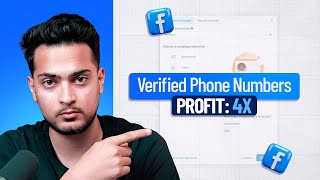
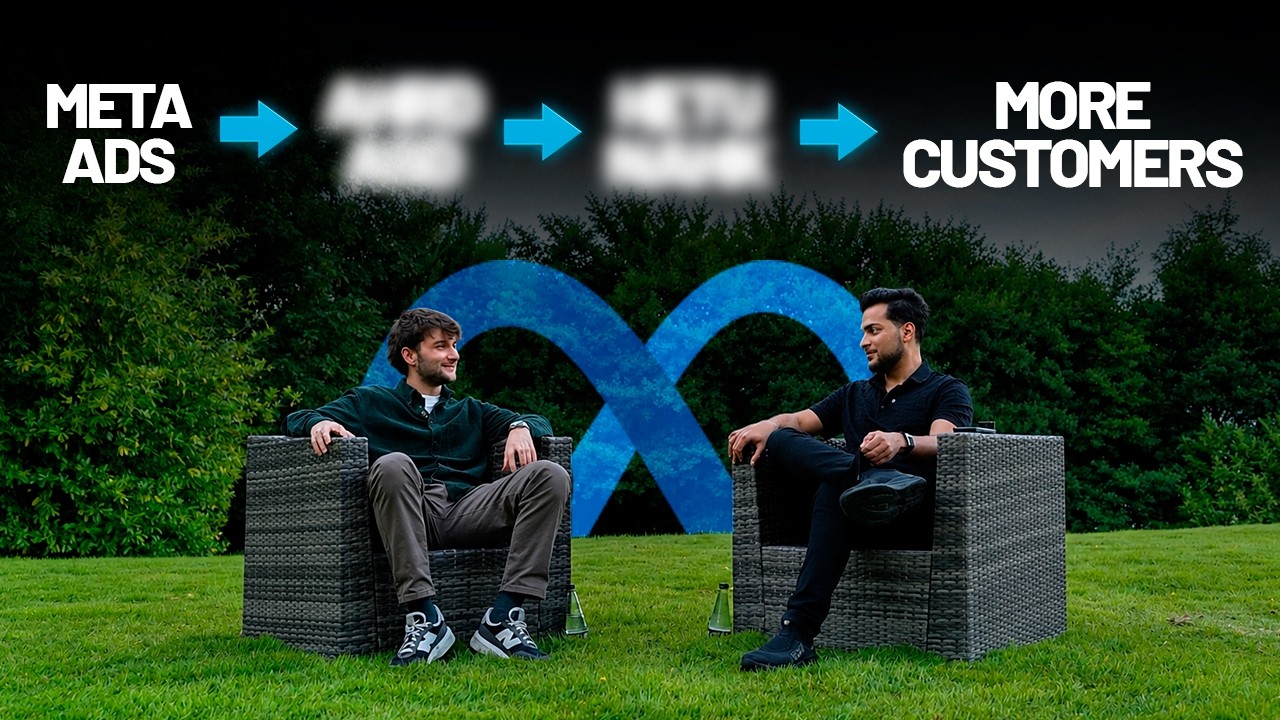
Areeb Mirza demonstrates a step-by-step method to generate qualified leads using Facebook/Meta Ads Manager (Leads objective + Instant Forms). He walks viewers through creating a campaign, recommended budgets and targeting, building ad creative (video/image + hook/headline), and designing high-intent instant forms using conditional logic and one-time-passcode phone verification to reduce invalid phone numbers. He also covers privacy policy, end-pages, campaign naming, and simple lead delivery automations (CSV download or Zapier).
Questions this video answers
Less than 15 minutes.
Start with $20 per day (he also recommends $50 or $100 per day in many cases).
Use the Leads objective and Instant Forms (lead forms) — not Awareness, Traffic, Engagement, or Instagram Boost.
Require leads to verify their phone numbers with a one-time passcode (OTP).
Use the Learn More CTA (he states it performed best in tests).
Chapters
So here's how you can generate qualified leads for your business in less than 15 minutes. And if you follow this pretty much step by step, you don't have to hire any agency, you don't have to hire pretty much anybody in house, you can be generating qualified leads for your own business in literally less than 15 minutes and potentially save yourself thousands, if not tens of thousands. So let's pretty much sort of get into it. So the first thing you have to do is pretty much log on to adsmanager.facebook.com do not use business suite and do not use Instagram Boost. These two do not work. Don't use it. Stay away from it. The main thing you want to use is adsmanager.facebook.com and if you don't know how to use it, it's so simple. So all you. And if you don't necessarily have an ads manager set up, you can perhaps watch a video on how to set it up. But it's extremely simple and it's just one of those things where as soon as you watch a video, you will have way more information compared to what you have now. So don't panic. It's extremely simple to use. So as soon as you're in adsmanger.facebook.com and if it's your first time logging in, you'll have to just complete a few steps. And after that, we can pretty much straight get into it. So what you're going to do now is you're going to click on Create, you're going to click on Create, and then you should be able to just follow me step by step. Or if you want to just, you know, save this video and just do it on a later time, that's completely fine, too. But make sure you follow it exactly step by step. Because Facebook has added some amazing features, of course, across the years, and we want to make sure we're maximizing pretty much every single thing as we go. So from there, we're going to click on leads. We don't want awareness, we don't want traffic, we don't want engagement, we don't want app promotions, and we don't necessarily want sales. Because if you're a business, if you're brick and mortar, if you're a service, if you're a coach, you want leads. And if you were ecom and something, of course, I guess sales could work. But let's say we're only. We want actual qualified leads or prospects. So we're going to click on leads and then we're just going to click on continue. And now from here, of course we'll have, you know, our ad campaign.
Pretty much, you know, ready to be customized. So as soon as you open it, you'll be greeted with some other options. So one thing I would leave alone is campaign budget. By itself you don't necessarily have to do ad set budget. I would just leave it at campaign budget. Start with $20 if you can. It's a good testing budget. And then from there of course we're getting more leads. You can always just increase the budget. But start with $20 a day if you can. I usually recommend starting with like 50 or sometimes even $100 a day. But $20 I guess perhaps is fine, depending on the business. Of course, this is another caveat I want to add is if your business is a little more complicated, meaning it takes a little bit more effort to get a qualified lead, or let's say you are a high ticket business, meaning like your product maybe costs like 3,000, 5,000, 8,000, it will by definition is going to cost you more to acquire a lead, let's say compared to, let's say a credit service which might be $200, $400. So in your case you need to be spending a little bit more to acquire leads compared to like a credit repair company who are lower ticket, they charge 400, so their leads might cost $8. But you can kind of like see the benefit. Like even if, let's say your cost per lead is at like $100 per lead, like a qualified lead who's you know, has the funds to purchase, if you close them, your returns are 30x. This person's return is still, let's say if they get like a $5 $10 lead and they close it, it's going to be relatively the same math. But you might be making more money. So very important, very, very important to kind of like keep in mind. Okay, so after that we just click on next or you can just click on ad set budget over here. Oh, sorry, ad set. And then from here what we want to click on is we only want to do instant forms at this moment. And of course there's a lot of other things we could do, but for now we don't want to complicate it. We only want instant forms, meaning we only want leads coming into our specific business. And from here you pretty much scroll down. You can of course select a page from right now. It's like a default page selected. I'm just going to leave it at that because this is an example. But Please make sure to select the page, which is your business page.
Because that's the page that's going to be used for advertising. From there you just scroll down and we're going to be seeing if we're missing anything special ads category. Oops, I went back. Alright, let go.
And then from there. Okay, this one's going to be important. Make sure you choose the location. So the cool thing about Facebook is you can pretty much go in depth as you know, targeting like a specific zip code if you wanted to. Let's say for some reason you only target, you only sell to people on a specific zip code. In that case, good luck. But you can pretty much do anything you want if you want to do like a specific city. So let's say if I just do like, I don't know, like Fort Lauderdale.
As you can see, like it's going to capture the entire Fort Lauderdale. And I can also choose pretty much the radius miles I want to choose as well. So 15 miles from Fort Lauderdale, it's pretty simple. Simple enough. And let's say that's pretty much the location we want to do. And you can do multiple locations as well. It's not necessarily just Fort Lauderdale. Let's say you also want to do like New York City.
As you can see, like I have more cities now and you can pretty much go crazy with this. But, but another caveat I want to add to this is of course as a beginner or as somebody kind of like, you know, just getting into this, you might get super excited, you might add in like tons of locations, you might edit a lot of things. But as someone who's been doing this for a while, it's best to just choose a couple of locations. Of course location is important. Let's say if you can can serve a certain market, you want to make sure that you put in the markets you do serve. So but if you are in a case super broad, I would just click United States and that's pretty much it. But and if you're local, I would just pick that local city and just do like 50 miles and that's pretty much it. And I would let Facebook do the magic and I'll of course get to it in a bit on how Facebook does its magic. But trust me, you just have to leave it broad because targeting in 2025 and 2026, some people don't understand. It's kind of like the easiest thing you can do. And I'm pretty sure even you yourself come across for like 20 to 30 ads on a daily basis. But you only decide to click on one or two. And you have to ask yourself this. Like, those people who are showing you those ads are targeting you properly, but you're not clicking on them. So the main component of ad is not necessarily targeting. It's the clickability of the ad. Because if someone's seeing your ad but not clicking on it, I would mark that as kind of like a failure of a campaign. So the clickability of the campaign needs to be there. And that's just step one. It's just somebody clicking on the ad. Step two is, of course, qualifying them to make sure if this person is even worth speaking to in the first place. Because the last thing you want as a business owner is, you know, spending 20 hours a day just speaking to unqualified prospects. Now, of course, depending on what your stage you're at, you might have to, because you need to make sure that you're maximizing every single lead you could. But this is a concept a lot of people perhaps just don't know or don't understand. But I'm here telling you now, and I hope it makes sense with the example I gave you. Like you yourself, I'm pretty sure see a lot of ads, but you only click on one or two. And all those people who are showing you those ads are targeting properly, but you just skip over them. So very important to know. All right, so after here, that's pretty much it. The main magic happens in this new leads ad set. You can either click there or you can click on next. I'm just going to click here.
And then from here, of course, just connect your Instagram account. Over here, I can just connect my Instagram account and that's pretty much it. And it shows me an error. That's no worries. I can always just select new page and do it. Oh, it's gone already. It's fine. All it usually needs is like an Instagram connected to the Facebook page. And don't panic. Like, if you don't even have an Instagram account, it'll just create like a dummy one for you. And it's not going to be an actual page. It's just going to pretend it's a page and just show your ad on Instagram anyways. So some of these errors are pretty much easily ignorable. And then even nowadays, like, we live in an era. We live in an era where you can take that error, paste it in ChatGPT and just ask it what's wrong? And ChatGPT is literally going to give you a Step by step on how to solve that. So if you're somebody who's kind of like completely, you know, not technology savvy, just of course, follow the steps I'm doing. And also just any errors that come up that are not perhaps seen in this video, you just take that to ChatGPT, ask it what, what needs to be done next, and it's going to tell you exactly what you need to do. Perfect. All right, now over here, of course, is where the magic happens. So we're going to be putting out our ad creative. So this is the video that is going to go inside or image that is going to be displayed to the world and also the form which is going to be applied as soon as somebody clicks on the ad. So video is which attracts the person, gets a click. And the form is where it qualifies a person and then sends them, sends the lead towards you. So very, very important. And this combo needs to be kind of like done properly. So even setup creative, it's pretty simple. All right, so what I'm going to do now is open ChatGPT and this is where you can pretty much, you know, make your image creative. If you don't necessarily have, have, you know, like, if you don't have time or if you don't want to necessarily create your own image, this is where you can use a tool like ChatGPT to just pretty much speed up the process for you. And of course, in an ideal scenario, I would want you to do, use a video to do this, but just for the start of sake, just for the sake of starting, you could use an image creative to do this for you. So even over here, I just asked it like, hey, so can you just make me a. I'm making a YouTube video. Can you just make me like a dummy ad creative to use an ad creative is just a term for like, you know, what creative is being used, which image or video is being used to display that ad. And I was like, okay, I meant visual because it thought I meant video. And then it just kind of like created me some, what's it called, some script. So over here. So it did a pretty decent job. And as you can see, even the spellings and stuff like ChatGPT is like so good. It just nails it every single time. So even a leads by itself, even this by itself, like, of course, this is dummy data. If you give it kind of like a little more, a little more information about what you're building business is what you're trying to do, what your offer is And I'll give you a little pro tip. Whenever it comes to making it creative, people don't necessarily care about the process, how you do it. They only care about the outcome or the offer that you have. So just focus on the result or the offer. If your offer is better than your competitors, highlight that. If your results are better than your competitors, highlight that. But nobody cares about the process. Oh, we do it nicely. Nobody cares. So another pro tip you could perhaps use to make sure that, you know, you, you're generating qualified leads. So we can just take this one. I can, you know, save this image. And then another thing I want us to do over here and I can have this uploaded as well. So to upload, it's pretty simple. All you do is set up creative and then click on image ad. And then from there what you have to do is click on upload. From there you will just pick the image. I just cut that part out because of some private information. And then I was just going to click on next.
If it allows me. Give me one sec. There we go.
Perfect. And then of course, have this as original. Don't try to be like Fizzwell will give you some recommendations, but I want you to ignore them. So for example, let's say if it wants you to fit it this way, as you can see, this looks ridiculous. Like you don't necessarily have to do this. So just do original, original and then just do next. And then from here you will need a primary text headline, description and a call to action. Another pro tip, call to action. Always just do learn more. Of course you might think, but areeb I want to use sign up or you know, I want to use apply now. No, just do learn more. It's the best call to action. We've done multiple tests. Learn more is the best. And then from there it's pretty simple. I don't know why the image isn't displaying. I just need to refresh. ChatGPT perhaps, but it's completely fine. We've already used the image. After that I just asked it like, hey, now can you create me my primary text headline, description and a hook for this ad creative? And from there it was like, here you go, clean, simple, perfectly aligned. And the creative that you just generated. And then I copy this.
And I'm just going to paste it here. And another thing I like to do, as you might have noticed, is I said hook. So on this specific stuff, I just like to have a hook. And then the hook is pretty much the first thing they read. If they see the ad. And I like to have this at the very top. So as you can see now, it says, tired of getting leads who never pick up? Try this setup. So it's a pretty good hook. Like the whole premise of a hook is to, you know, capture people's attention and make sure that they click on the ad. So that's what it does. And of course, we want to make sure that the hook is more visible inside of the actual ad creative itself, whether it's a video. If it's a video, you just say it at the start. If it's an image, you need to make sure it's visible. Okay, now we're going to go to the headline, copy the headline, paste it here, and then now we're going to go to the description. You don't need to go crazy with this information, guys. Let's just keep it super simple. Of course, with the primary text, if you're especially a brick and mortar business, what I like to do is just add in some more credentials in there too. That usually does the job. From here, I would listen to the music. I would just click on customize, see if the music kind of makes sense. But all of this is pretty much you can just accept it, which is fine.
And that's pretty much it. I mean, for the actual ad creative itself, that's all it takes. Like, if I click on add, you're like, your ad is pretty much ready to go. Now what it needs is of course, the form itself. So over here, what I'm going to do is click Create Form. Now on this form, of course I'm going to give it a name. For this example, I'm just going to name form one and then make sure you name your forms properly. Because for some reason, Facebook doesn't let you just edit the same form again. So if you made a mistake, you'll have to create a duplicate of this form. And then as you can see, the story gets a little complicated because you'll have like 20 different forms. And then it'll say like, form one, copy, copy, copy, copy, copy. So you just name it properly. I just like to do a number sequence so I can just tell myself, okay, so just use the latest one. So form number nine, this ninth variation is something I want to use. But of course, ideally you just want to, you know, capture this head on. So another thing I would want you to do is click on hire intent. Because let's say in the past you hired an agency or if you hired somebody and you're just getting a lot of Unqualified people. Maybe the phone numbers aren't working or just something's off about them. I always tell my people, whenever you're marketing, of course, give it like a 90 day period, like market for longer because there's always an opportunity cost to the point where people actually kind of like discover you to the point where they want to buy. So let's say you start running your ad and people discover you on month of January, but they actually have the problem in the month of March. And at the month of March, your ad would have been effective because they've been seeing it for a while. But since you don't necessarily exist, you're not posting perhaps content, you're not running the same ad again, they're just going to go to someone else. So the longevity and the repetition of a campaign is kind of extremely important. And that's something I want you to do, kind of memorize as well. Because if you only do this for 30 days, if you only test it for 30 days, get a couple of leads here and there, it's not going to work because whenever a new campaign starts, Facebook, you need to give Facebook enough time to learn as well, which is if it's a low spend, you need to give it at least 30 days or at least a couple of weeks, of course, if it's a higher spend. And then Facebook needs, you know, lesser time to do it. But you have to make sure you don't necessarily just stop and do something else after like 30 days. You have to make sure Facebook ads work. That's why a lot of people advertise it in the first place. You just need to kind of like know the know hows of how to do certain things. So, so you can actually trust the process. All right, so that being said, we're going to click on hiring intent and then we're going to require leads to verify their phone numbers with a one time passcode. This is going to make sure we're not getting any necessary like you know, to spam these or incorrect leads. We have to make sure that these leads actually put in their phone number and enter the code. And then of course this is going to get you lesser leads compared to lesser, more volume because anybody could just apply. But again, like it doesn't matter if you get 10 leads and you only speak to one of them and the nine of them are just there to good look on paper, I would rather you only get two. And you know for a fact that those two are going to pick up or at the very least the Phone's going to ring. So this is where we want to pick high intent. Now we're going to click on next. And this is where of course, information. You can also use ChatGPT to just, you know, fill out for you. So if I come over here and then I can just do a split window.
So I asked it, I mean, just give me a conditional logic form for it with a welcome page and an ending page and it is this one. And for you, what I would recommend is you all, I'm assuming, know your customer best so you know what a qualified customer is and what not a qualified customer is. You can feed that information to ChatGPT and just tell it like, hey, can I get, you know, like a five question form to, you know, put into the Facebook or instant form where I can ask my, where I can ask my customers to qualify them. Ideally I would want, I would want like two radio buttons which is they click yes, no or choose an option. And then of course if they choose the wrong option, we just close the form. And then some of them could be, you know, single line answers where they actually like fill out the entire form. Sorry, fill out the entire answer of that specific question. And depending on the detail, that could be kind of like a very qualified lead. Okay, perfect. And then of course from this five that I mentioned, the full name, business, business email and best phone number does not matter. That does not count because that's something we're going to get anyways. These are five additional questions apart from full name, business email and best phone number. Okay, so I can just build one over here. So what type of business do you have? And I'm just going to jump onto the questions part. Let me do the intro and greeting first real quick. So I'm just going to do this.
And then I'm going to add a description, which is fine. I recommend having a custom image uploaded, maybe something that's more nice because it just gives it a nice little touch. So that's me personally. I like doing that. I'm going to go to next.
I'm going to add a question and then this seems to me kind of like a conditional logic question. So I'm going to add a multiple choice. What type of business do you run?
And then let's say in this case this person only targets the ad I'm making. Let's say we only target like online services or local businesses and we do not start. We know we don't target E commerce, which in our case is actually true. We don't necessarily work with products, we only serve service based business owners.
In our agency. And then I can click I don't necessarily like using other as much.
And then make sure to turn on conditional logic. And then from here I would just click on if they choose E Commerce, which is a lead I don't want, I would just mark them as closed form. And then this one, of course they would go to the next question which I need to create first before I actually tell it to go to that question. Okay, add question and then let's see the other one. Is this also a revenue qualifier or a radio button one? And this is a question, this is one of my favorite ones because it's easily like a question to you know, like qualify disqualified people. So yeah, this is like revenue qualifications are always fun.
Okay, let me just do that real quick.
Perfect. So let's say if it's less than $10,000, you can't necessarily work with them. So I would just end the page over there too. And then for the rest of the question it could be labeled towards the next one. And then we're going to go back and then make sure that every, everything is connected, you know, pretty seamlessly. And of course I'm not going to necessarily do all the questions but, but you can of course add this one and then if they say no, then you can perhaps just close the question and then you know, you have another multiple choice question and then add the actual ending page, which I'll come over here and the privacy policy, I'll just go walk through, walk through some of the additional steps too is.
Let me talk about description first. So over here on the description you just put something like. And of course just make sure you do your own research on what needs to go over here. But in our case what we use is like we never share.
Your information with third parties without your permission or like whatever the actual correct legal term is. Do your research, just put that over here. And then privacy policy. Already have your privacy policy ready. If you don't have it, I highly suggest you get that made before advertising and just have that over here 99% of the time. If you already have a website, the privacy policy I'm assuming you've already worked on, you can just copy that link and paste it over here. And then from there it's going to be the review screen where they actually just, you know, review all of their answers and their information, which is fine. And then end lead, end page form is pretty much the next steps on what they, what they expect to happen. So for Example, let's say if it's a qualified lead, this is what they'll see. Thanks for all set. And let me just full screen this now.
But if you want them to do something else or if you want them to kind of like, you know.
If they're all set, then this is pretty much it. Or you can just say something like.
We will.
Contact you within.
The next 24 to 48 hours. Please stay on the lookout.
In the meantime, we highly.
Encourage you to check out our website and then you can put your website over here. And then of course, for the headline.
I always like to add a little bit of a human element to it.
Nice, you're approved. I mean, whatever this is, these are just examples. Of course, whatever is relevant to your business, you, you can just add those there. And of course, call to action is just something like, I could just do something like click here. That's it. Because people need direction, like as long as you have. And this is even when making a landing page in the future, let's say if you want to generate leads using a landing page, even on that page when you design it, it needs to be super simple. Like, don't have too many buttons, just have one button which does one thing. And of course you can have duplicate of the same button, but make sure it only does one thing, which is take them to the next step of the page. So this guiding people on a very straightforward manner is extremely important. And then the E2 is pretty much for people who are disqualified. So over here, this always, most of the time, pretty much looks the same. What you can also do is just also put your website link over here. Let's say if it was a mistake, they could just go to your website and perhaps reply if they wanted to. But I wouldn't necessarily worry about that much because people get into this jumble of like, hey, what if they mean this? But what if they are qualified? But if they're less than 10,000, I guess we could sell them. No, just keep it super straightforward. That's it. You can always come back and just do some changes. But if you do that right now, you're just going to slow down the whole process or just going to mess something up. So just keep it super straightforward. And then of course, as soon as this is done, you click on Create Form. Of course, everything is green, all the questions are connected. Usually if this is on exclamation mark, what you need to do is to go back and make sure that every single thing is connected to each other. And then of course Check the last question as well. And then from there, you know, you just click done. And that should be pretty much it. You should be able to go.
And then you just click publish over here. And that's it. Another thing, of course, an advice I can give you is making sure that your.
What'S it called, your campaign names are properly kind of like adjusted because let's say this is kind of like the start of everything and then a couple months from now you're just bawling and just, you know, posting who's spending a lot and you're running a lot of ads. At that point you would need some organization. So yeah, that's pretty much it. This is a video on, you know, how to generate qualified leads for yourself without hiring anybody. And this is going to generate you qualified leads without having to hire anybody. And another step I recommend, which I'm not going to necessarily go super in depth about in this video, is what happens after a lead comes in. Because another thing you can do is pretty much check this on a daily basis and just download the leads from here. So if you go to the ad set level or the ads you're going to go to.
Let me check where it is you're going to go to result and then as soon as the lead comes in, you'll be able to download it over here. It's going to give you a CSV file but if you want it emailed to you, you can also build some automations using a software like Zapier. So you can just come in here and even Zapier is extremely simple as well. As soon as you sign up you can get greeted with Copilot AI Beta and, and it'll just instruct you on what to do. Even over here you can just type something like Facebook lead to Gmail and then it's just going to give you kind of like the entire setup and then all you have to do is just click a few buttons, make sure you have all the right information. And now all the leads, as soon as, as soon as one comes in is being automated to you on your actual phone and you're pretty much ready, set, go. But other than that, that is pretty much it. And if you do need of course help with, you know, building something like this, let's say you're like arib, I generally don't have time. I just want somebody to do this for me. I have the budget, I have the money to spend, but I just want this done properly. There's a calendar link in the description. We do more than ads or we have a whole content system where, you know, we help you like script, record, edit, publish, pretty much do everything for content too. Because our goal for business owners that we work with is for have them to do less on the creative side and do more on what they actually signed up on for when they wanted to start their business. So basically you do what you're good at and we'll take care of all this media related stuff. But yeah, I mean, other than that, that's pretty much it. And I'll see you next week.