Create the Landing Page for Your Business in 6 Steps with Swaminathan Ganesan | The AskAviArya Show

Swaminathan Ganesan, founder of Swipe Pages, walks through building mobile-first landing pages that convert. The conversation covers A/B testing, integrating marketing tools, and the six-step process for creating pages that actually work for your business campaigns.
So in this case in a responsive mode which we've designed so far, what we basically done is use the same content that you created for desktops for your mobile version as well. But it's like basically using, let's say I wanted to. Would I use the same shirt that I'm wearing on my 4 year old son? It would definitely not fit in.
Hey guys. This is Avi Arya, father of two girls, six dogs, husband to a superwoman, a streetcar racer turned hotelier, now social media marketer and founder of Internet Mobiles. Welcome to my channel. Staying true to our tradition, the first thing that we always like to do is to talk about our hero story. You know, who are we, where did we come from, you know, what, what built me as a person and then we talk about the company. So over to you, tell us a little bit about yourself.
Okay, so I mean I'm Swami, I'm from Chennai, so it's a hot place. But there are a lot of cool folks here. So I'm an avid cricket fan. I have a 4 year old son and Kanois year of good typography and I watch a lot of sci fi movies. So that's a bit of personal about me. And like from a business perspective, I'm also the founder of Swipe Pages. And prior to starting Swipe Pages, I mean I had a business which was into WordPress themes and plugins. So we had a very, very successful business back then and then I burnt the option base, sold the business off last year and fully focused on Swipe Pages at the moment. And the whole story, the reason, part of the reason why we started Swipe Pages was from my experience back with the WordPress theme business, we found that Landing pages was like super critical because I made like millions using just a single page and my website hardly had any traffic. So I kind of knew the importance of having a killer landing page there. And we also had a wealth of data like 30,000 websites that powered using our themes and plugins. So we knew that majority of the traffic was actually coming from mobile devices. There was a great shift in trend over the period of years. So we were in the theme business starting from 2014 and by towards 2017 and 18 we saw that over 50% of the traffic was actually coming from mobile devices. And there was great emphasis on mobile performance and experience from Google, from Facebook and so many of the big giants. So even now the stats show that Facebook, all these social media platforms, nearly 80, 85% of the traffic comes from mobile devices. But what we noticed was Most of the platforms, the products that are out there in the market were not mobile first or mobile driven. And we saw a vacuum in that space and we thought if landing pages are so critical and then you need a mobile first and mobile LED approach. So there's a vacuum here and we decided to get in. So what we wanted to build was a frictionless platform, a simple and easy to use platform that's affordable for most users and then it's mobile LED and mobile driven. And so once you do that, we knew that your conversion rates or at the end of the day, most people run their campaigns to generate more leads or sales. So, so we knew if you had something that was fast, smooth, frictionless and mobile led, naturally you were offering a great user experience for your prospects and customers, thereby generating more leads and sales for your own business. So that's the story behind Swipe Pages.
Lovely. So Swami, a lot of our members over here, we have about 115 people who've joined us today and they want to know how to do webinars, they want to know how to do Facebook ads, they want to know how to sell products, services online. And so we have, we, we want to give them an explanation on how this exactly works. Are you going to share a presentation or behind the scenes demo? How do you want to take this?
I would love to show you a demo of our product.
So guys, how many people are ready to see how Swipe Pages works? Just say, let's do it in the comment box. We need to pump up the energy. Awesome. So Bhaskar, can you please make Swami the co host?
I know that you run a lot of campaigns yourself, so. Right. For your own business. So do you agree that a majority of the traffic comes from mobile?
You know what? Yes. I took me time to get used to it, but because it meant that people are not going to see what I want to show them in that it's fully, you know, like a film director when he makes a movie on 36 mm, he wants you to see how the taxi stops in front of the railway station and how Victoria Memorial Railway station is so large and the taxi is so small and the guy sees Bombay for the first time, all of that. But unfortunately everything is compressed to this. So now everything has to be seen over here. And not only that, you have to make sure that he makes a transaction over here as well.
Exactly.
So everything has to be optimized for mobile. And then when I look at myself and my team as well, I know that most of the work that is happening or all of the content. All my videos are being viewed, reviewed, edited on the mobile and sent back to me. They don't even look at my videos on. Even my editing team doesn't look at my video sometime on. So that is the reality of today's absolutely all about mobile.
Awesome. So, on the contrary, from our business perspective, a lot of our traffic actually comes from desktops. But from what we've seen from our customers campaigns is that for most businesses, it's true that there's a significant shift towards mobile and with 5G and other technologies coming in, and that trend is actually going to stay. Okay, so let me just actually go ahead and present my screen so that I can give everyone here a demo.
Can you please make him the host? Thank you.
Done.
So I'm just going to unmute myself and just be a spectator.
Great. So could you all confirm that you're able to view my screen?
Oh, yes.
Okay, great. So let me just get started. Okay, so once you sign up to swipe pages, this is the first screen that you're probably going to see. So it's just a simple dashboard. Welcome. Just go ahead and. I mean, what. Just go ahead and create your first page. Let's keep it really simple. So give your page a title. And then we have three different page types that you can choose from. So it might seem overwhelming at the beginning, but what we've done is the kind of page type that you choose depends on the kind of campaigns that you're running. So if you're, if you're predominantly running Google search ads, then I would probably go with amp. Page AMP is actually a technology that was introduced by Google to solve the mobile page speed or the mobile page experience problem. So you might actually, a few months in the past, you might have seen search results on Google with the Flash symbol next to them. So you tap on those links and they loaded almost instantaneously. Those are AMP pages for you. They've removed this Flash symbol now, but it still works. So what happens is in the case of an AMP page, if, in case you're viewing an ad or a search result on a Google in Google and through your mobile. And what happens is Google preloads the page and caches it to its server. So when you actually tap on the link, since the page is already loaded on the background, it almost appears instantaneously for you. So by loading pages almost instantly, what happens is that your bounce rates reduce substantially. And actually Google found that over 50% of the users bounced off a page. If a page took more than three seconds to load. But an average page used to take about 6 seconds to load on 4G connections. So which is why AMP was introduced. And even now, if you're running Google search ad campaigns, you're better off choosing an AMP page where it reduces your bounce rate, it gives a great page experience score, and it also benefits. You also benefit from lower cost per click. And let's say you if majority of you. In fact, we introduced the smart page just today. What we've done is let's say you're running omnichannel campaigns like most marketers do. So people run ads on Google, Facebook, Instagram, LinkedIn and various other sources. So you have a mixture of traffic, which is desktop and mobile, and a combination of. So it's from different sources. One of the disadvantages of AMP is that it's a highly restrictive framework. So what you cannot do is you cannot use custom JavaScript, you cannot have live chat widgets or heat maps. So what gives you terrific speech load times, Its benefit is primarily restricted to a Google search result. So what we did was we've done almost all the optimizations that is done on an EMP page because that's, I mean, when you actually create a page on our platform, we do a host of optimizations, which is what makes them load fast. And if you've seen most of our reviews or heard about swipe pages, people call it the fastest landing page builder in the whole world. I can confidently say that everything that we do at swipe pages we do to make things load really fast with a smart page. What we did was we introduced something called as mobile slides. So let me just go jump in here. So a mobile slide. Let me just share. I'll show you some of the templates here. Okay, so this is a mobile first experience that we actually brought about. So what we did was we thought, okay, people, the behavior on mobile phones is completely different. Just like Avi said, you have this very small screen real estate that you have, which is what people would have to use and where you would have to present all your content and information on your offer. And the user behavior on phones is completely different. Let's say you might have actually picked up a phone during this webinar, scrolled through your social media feed, probably clicked on an ad or something, and then you just get back to doing whatever you did. So people use their smartphones in between meetings on the go, so they use it in chunks. So the user behavior is like very short intervals is how a phone is used. And there are loads of distractions, like a call coming in, a notification popping up. So you have very little time to grab a user's attention. And he's on a smartphone. So it's not just the screen real estate, but also the changing user behavior that we need to address. And it's a problem that we wanted to tackle because majority of your traffic is actually coming from mobile devices. But your conversion rates on mobile devices is two to three times lower than desktops. So what we thought was why not bring in an interface with bite sized snackable content, something that felt more like social media stories. You all know you all feed on Instagram and social media stories, right? So the whole reason why they've become grown so popular and is used across all social media platforms is because it's a, it actually keeps the users really engaged. That's why it's been, I mean it probably started off in Snap, Snapchat I believe, and then it's been adopted to every other social media platform there. So people love to snack on content. So what we thought was why not build the same kind of experience for the web, offer them bite sized snackable content which is crisp and you use a lot of imagery and graphics and videos to tell your story. So you may not have the same grandeur or the space that you have on a desktop, but you can still tell a really effective story with rich media. And since it's small content, it's easy to absorb and understand. So we brought mobile swipe pages, which was something that we introduced very recently. And then SmartPage is something that we just launched today. What we wanted was not all traffic actually comes from mobile devices. Let's say you advertise predominantly on social media. You might get like 80, 90% of your traffic from mobile. And you also have targeting options where you can just pinpoint and pick. Let's say even an Android user, iOS user. So you have such targeting options as well. But in the, in the event that what most marketers do, they predominantly they use omnichannel advertising. So advertise multiple in multiple places with just a single campaign. So we've introduced something called as a smart page where you could create a responsive page, then run your campaign, see how it's performing, see the conversion rate difference between desktop and mobile and create a mobile specific experience. Then let's say you want to optimize your mobile experience. Create a mobile experience just with a toggle or a switch of a banner. I'll show you later. You will be able to automatically switch traffic or route all traffic which is coming from a phone to a mobile specific experience. So you give users what they want, and so that's how you actually boost your conversions. Because when you're running on a running advertisement, you know that every click costs you money. So you better optimize it. So let me go ahead and create a smart page where I can actually show you the working of the entire app. So you can start off with a smart page, you can then convert it into an EMP page, where you can start with an EMP page and then convert it into a smart page. So it works vice versa. So we've got a lot of great templates here. So we have about 50 templates and the great team, I think Avi's team is also working on a number of templates which will be exclusively available for his customers. And let me just pick a template here. I could also start off with a blank template, but I'll probably pick a template, show you around, and then show you the functioning in detail. So this is our page builder. It's fairly straightforward. What you see here is the preview of your actual page. And on the left you have certain controls. You choose options and modify controls on the left and you actually preview the results in the right panel. And various things that you actually see on the page here are what we call as modules. So when I hover over on some items here, you might see the blue outline showing around them. So in this case, this is a text module. So this is a button module, this is an image module. So we have about 20 plus modules which you can actually drag and drop onto a page. Say I want to add some text here. Just quickly drag and drop them, drop it onto a page. I can just click on text and start adding it, editing it. Right. So let's say I have an image. Abby, I took the privilege of using one of your images from Google.
Awesome.
So I can just resize the image here. Everything's just point, click and change. So let's say I want to edit some of the settings of a button. I click on a module, all its settings actually pop up on the left panel here. So I can change the button here. So I have different options. So you basically have different options for different modules to make them work. So I can change sizes, shapes, I can change background colors if I wanted to. So everything is done with simple point and click. Right. So it works the same for all modules. So we have multiple modules on the page. You just drag and drop them onto the page wherever you want, and you click on them and then Start editing them. As you change settings, you actually preview the changes on the right. And let's say I want to change the colors and typography of this page. I can just go to the global settings here and start changing fonts. And I can even change the color of the color scheme of the whole page. In just a single click, everything in the page gets updated. It's fairly straightforward to use. I'm just showing the very simple use cases. We have a lot of powerful functionality too, where you can actually multiple select items, edit them all in one go. For example, like this, change its color, everything in a single click. So we have a lot of advanced functionality and we have a number of modules. But if I don't know how many of you here are designers, but if you, if you're not great with design, what I would tell you is don't hesitate or just don't meddle around too much with the design. Start off with a template. Choose something really simple. Build simple stuff. Be really clear and crisp with your layouts, choice of colors and your messaging. Because what needs to stand out is your offer, is your message and your content. So you can start with a template, then modify the content and the images and everything else on the page to your liking. But if, in case you want to start something from scratch, let me just show you a few things. So the page builder as such is organized into sections. So sections are the ones which actually span the whole width of the page. What I see here is a whole section. This again is a whole section. And inside section I can see there are multiple rows. For example, this is a row, this is a row. So you see two blocks here, right? So these are nothing but columns. So what I have here are sections, rows and columns. So the page builder is like a grid style page builder. The reason is because it actually adapts to various screen sizes automatically, right? So because users are from are on a whole host of devices with different screen sizes. So you actually want your page to adapt to different screen sizes. So which is why we use the grid style system and you have sections, rows and columns, and inside which you actually have modules. The modules are the ones that I actually showed you earlier. So let's say I want to add a new section. Just click on the plus button here. I can build a blank section, choose multiple, I mean choose a blank row and a column and then start adding modules. But what we've also done is, apart from the initial templates that I showed you around about 50. So you can choose. We've built a Lot of pre built blocks for various content use cases, something like, let's say introductory content. I have a lot of blocks which actually you can use it as a starting point. These are like blueprint, wireframe like blocks. So what it gives you is like a great starting point so you can quickly prototype your whole page. All these blocks have been pre built by our team, experts and designers. So what it means that it's already been optimized for all the screen sizes. So what I can do is I can just quickly add something and another section here that's a review block. So what it gives me is that I'm quickly able to. These are, you may see that these are not like designed to your style or probably our brand. But what it gives you is like a great starting point in terms of layouts. So there are about 80, 85 plus blocks. All you have to do is like change the content to your liking. And obviously if you wanted to build something from scratch, I told you, you can add your own sections, customize the way in which your columns look, add modules to it. And we've got all the controls that you need. Let's say every font control that I want, it's already available here, so there are tons of options. And for the pros we have like all the advanced options here. Like you can control the margin, spacing, border, box shadow, whatever you want could be controlled. Say I wanted to add box shadow here, easy, right? So I want to customize the font very specifically. Anything that you look to customize, I mean it's very simple enough for beginners. What we wanted to do was we wanted to build something that's really easy for beginners and advanced enough for the pros. So I mean I don't, I want to take up too much time on the builder because there are a lot of other things that I want to show you. But we've got like great help docs if you want to explore the builder more. Best thing is get started with the trial, explore the builder, just play around with it for a while and you'd get a hang of it like really quickly. One thing that I quickly wanted to show within the builder is that you could actually customize the page for different screen sizes. Let's say I wanted to edit for the mobile. As you can see, it's already auto adapted and looks great. So most cases if you're using templates or even if you're building out pages, what happens is that there's very limited modifications that you would have to do to make it look good on mobile. But let's say you wanted to customize it further. Even here, say I wanted to change the font size. So this would be very specific to mobile. I can change the spacing and adjust the spacing and everything else. Whatever modifications that I make here, except for the content is all specific only to mobile device. In the same manner, I can actually switch between different screens and edit it or basically optimize it for different screens. Most use cases, what I would suggest is that you build it for desktop and it auto adapts to all the other screen sizes and wherever necessary go and optimize the designs. So let me just save this page and head back to the dashboard. And meanwhile as you're building, you might want to preview the changes. So you can click on the preview button here, it would open up and this is actually not, this is not the actual published page. This is like to help you preview how the page would look. So let's say you had invited a few of your team members, they wanted to have a look at it. So, so that's best. You can just preview it before you are actually making your campaign live. So talking about making your campaign live the way you do it is by publishing the page. So just hit publish and in a typical case you would connect your own domain. So I'll come back to that when I head over to the dashboard. Let's say I want to quickly publish to one of my swipe pages domain, right? I probably may not have the right permissions myself to go ahead and publish a page. So just head back. Okay, so once I head back, so if I wanted to connect my own domain here, just go here, choose my domain, choose a subdomain here. Let's say subdomain is like the prefix before a domain. So if in case you want to set up your main website on swipe pages, you will probably enter something like www.butsince my website is hosted elsewhere, what I'm going to do is give it a subdomain. So most people have a website but run their campaigns using landing pages. So in which case they would connect subdomain something like offer landing, Black Friday, anything that you want, choose a subdomain and you would be prompted with the DNS settings. So it might seem like a number of steps, but it's actually fairly straightforward. All you have to do is like copy the settings here, head over to your domain registrar wherever it's registered. Let's say you bought your domain and godaddy and you have your DNS records there. What you do is go log into GoDaddy, get onto your DNS manager. This is setting it fairly straightforward there. Just add a CNAME record and then paste this value that you provided, copy it, pasted it there, then click next. Finish the process. Typically, DNS changes take about 24 hours to propagate, depending on the domain registrar. So what will happen here is that you don't have to do anything. You try to connect the domain automatically every few hours to see if the DNS is propagated. If it doesn't, what you can do is you can come here and manually connect it too. So once connected, you will be able to publish landing pages to your own domain. Right. So just quickly give me a second. Since I have my domain connected on these platforms, I think I can actually publish pages here. So I already have a few pages here. So here's a page that I've already created, so let me just go ahead and publish it. So since my domain is already connected here, it shows up here by default. I just hit on publish, wait for a few seconds for the magic to happen. So we actually perform about two dozen performance optimizations in the five seconds that you actually saw. So to make your page load ridiculously fast. So here it is, your page is live. You actually can start posting it on, posting it anywhere, like start running advertisements with it. So you're ready to go. So once you actually create and publish your page, that's just the starting point. Like we said, like most of you are already learning to create webinars, create advertisements and so on. So when you actually create, we have, if you actually created a webinar page, for instance, you might have a sign up form. And what you would want is to capture those leads and send it to your CRM or your email marketing software. So which is where integrations actually come in. So in this case, I don't think I have a form on the page. Let me just go and add a form quickly. Search for module here, form drag and drop it. So the form is on the page. Right. Let me add an email field here. Okay, so if I wanted to make the fields like required fields, I can just go and click make them required email field required. Right. So my form is ready. Just go. Whenever you make any changes to the page, you would actually have to republish it in order to make it live. So since I've modified the page, I'm going to head back to the dashboard. Okay, so this is where I actually go ahead and let's say, let me just visit the page. Aggressive caching okay, so I just submitted the form there and my lead is already on the dashboard here. So as just start running your campaign and start seeing your leads flow into the system. And here is analytics. So what we show here here is that you're able to see the analytics based on different dates. So we only show you like the essentials. So obviously there are comprehensive analytics platforms like Google Analytics. You could have hotjar, whatever you want. You could actually connect to any of them. I'll just come there in a minute. But what we wanted to do was something really simple. So where some of the key performance metrics are, you want, you want to see your unique visits and your conversion rate. So we show that out of the box and you can actually set your conversion goals based on form submissions or link clicks. Both of them are tracked by default. So let's say you're running an E commerce campaign. So instead of a webinar registration, what would happen is you would connect the buttons on the page to something like Instamojo or Razorpay checkout URL in which case you would want to track your conversions based on link clicks. That's also tracked automatically for you. Your leads, as I said, starts flowing in here and you can actually select your leads and export it as a CSV file. But in most cases you would want to run automations or send it to your CRM or your store, your email marketing software, in which case what you would have to do is connect with an integration here. So as you can see, we have direct integrations with many of the most of the popular email CRMs and automation platforms. And if you don't find anything that you use on the list here, you can actually use Zapier or Integromat. These services let you connect Swipe Pages with thousands of other apps out there in the market. And we also support webhooks. So in case, I mean, if your service supports webhooks, so that's also fairly an easy way to connect lead data from Swipe Pages to the other platform. So once I actually connect my this case, I've already connected my HubSpot account as well as my Mailchimp account. So what I would do is if not, I would actually go ahead and connect an account. It's just slightly straightforward there. You click on this, it will take you to HubSpot. You just log in, authenticate the app and come back to Swipe Pages service. Done. We just head over to the integrations tab here. So what I would have to do here is map the form fields on Swipe Pages with the properties or contact properties that you have in your CRM or your marketing software. In case, let's say I'm connecting to HubSpot, let's choose my account, choose some of the lists, whatever list that I want the lead data to go to. Continue map the fields. Most of it is mapped automatically for you, but you can also auto generate new contact properties and if not, you can just choose the appropriate value from here. Once mapped, just continue and finish. That's it. So what happens is any new leads that actually come into Swipe Pages are now automatically sent to HubSpot as well. And here are the settings that we have. So coming back to the One of the most critical parts of running a campaign is where you want to actually track, measure how your campaigns are performing. So in which case you want to install tracking codes. So we have direct integration with Google Analytics ID and Facebook Pixel, where you just have to copy and paste the ID and we would automatically include the scripts. But there are various other tracking software. Say for example, Google Tag Manager is something that's really popular with marketers. So in which case Google Tag Manager would give you a script which you can actually paste it on the head or the body. So wherever they ask you to paste the script, you can just place it in the appropriate location here. So I mean if you're running real world campaigns, my advice would always be to have something like hotjar, which allows you to track your heat maps and mouse movements as well as set up event tracking. Set up Google Analytics and Google Tag Manager as well to track your conversions coming back to variance or this is one of the most interesting and critical parts. Okay, I just showed you the standard page builder. I haven't shown you how you go about building, making it into a smart page, right? And then I also want to show you something really important here which is running experimentations. Amazon, Google, I mean any other, any major product that you see actually runs experiments, runs a lot of experiments because conversion rate optimization is a process. It's not like a set it and forget it thing. So it's something that you actually keep optimizing over a period of time. So I mean, I'm pretty sure Avi and his team will be running a lot of AB testing or running a lot of experiments. Even on that, even if they're sending out an email campaign, they would probably experiment with their subject lines. So you as a marketer would, when you're running your campaigns, always experiment with your ad copy, experiment with your target, change your Ad copy, change your targeting appropriately, change your messaging on the landing page. It's not like you just you put a red button and then a green button and you expect magic, your conversion rates to increase dramatically. So there are certain articles which may prompt you in that way. But the ideal way to go about it is running an experiment properly. So in which case, let's say I need two variants to @ least create run an experiment. So let me just go about and create a new variant here. So what I can do is I can just clone an existing alien that I already have instead of starting off the blank page. So now that I've actually cloned it, let me just go ahead and make some edits to it. Background color. Okay, right. So I mean in this case I've just changed the colors, but in an actual campaign, not just change the designs as such, but run with different messaging. So I think copy is like a key aspect when you want to increase your conversions. So try out different messaging, try out different offers. So let me see, I mean what I've done is I've just created a simple variant here. So what I can do is I can just turn on AB testing mode. So once I actually make any changes like this, I would have to republish my page here, but I can actually adjust the variant weightage. Let's say I'm running with three different variations instead of two. So I could choose to send 50% of my traffic to variant A, 25 to variant B 25 to variant C and so on. So this is what the variant weightage means. You adjust the variant weightage and traffic would be split or routed to different variants accordingly. Let me just go and republish my page. If I probably open the page in a new browser, I should be able to see the new variant. Now that I've actually created two new way to the second variant, I can also see how my variants are performing in the analytics area. So this is where I measure my results so I can see how much of my traffic is being sent to different variations and which one is actually converting better. In fact, today what we released was a new ability to check for traffic sources. In this case you can actually see how your campaigns or your page is performing in different traffic from different devices. In this case, I think all my traffic is actually come from desktops, so none from mobile. But this lets you actually filter out and measure your results for different devices as well. So always run experiments and measure your results, make optimizations accordingly. So let's say now that I've actually run my campaign here. And this page actually works really well on my mobile too. So it would have been automatically responsive. Let's see how it actually would look on a mobile device here. This is how it would look. And everything is placed. It looks well, it looks great and so on. But in some cases what you want to do is you find that your mobile conversions or your campaign is not performing on mobile device as expected. So I told you a number of factors which actually affect mobile conversions. Not just the screen size, it's the user behavior too. So primarily the user behavior because the attention span of users dwindled in smartphones and they also use certain really short bursts or short chunks. So you might want to alter your content for a mobile device. So in this case in a responsive mode, which we've designed so far, what we've basically done is use the same content that you created for desktops for your mobile version as well. But it's like basically using, let's say I wanted to, would I use the same shirt that I'm wearing on my 4 year old son? It would definitely not fit in. So then why would I use the same content that I have for desktops on my mobile device as well? What we've introduced is a way where you can create a mobile specific experience. So what I can do is, let's say, let me go ahead and create a mobile slide show it to you. Instead of starting off from a template that I had, I think I actually jump started into a blank page. But we have a number of slides here, so I know a lot of you might be, might not be used to building something specific for mobile, but we are team of designers have done a great job in adding a number of templates again for different kinds of use cases for you to get started really quickly. So let me just go ahead and offer the template here. Okay, I have something like this here. So in this case what we do is we build things as slides so everything that you see on the page is nothing but a slide. So, so I add a new slide by clicking on the add new button here. So I can keep adding slides. A slide. So what happens is on a smartphone, somebody views a screen, there's only one piece of content that he actually sees on the screen at a time. It's not like he's being cluttered with a bucket load of information. So your customers actually see only one piece of content at a time. And, and it has rich media like you tell us, you tell it like a story, right? You can use imagery, you can use videos and like text that really stands out. Simple copy, just cut out all the bloat. So when actually people are reading through content or browsing your landing page, what users are actually doing is not reading, but skimming and scanning. So which is why if you have a lot of content, they're still searching for the information that they want. They just scrolling up and down and seeing for the offer or trying to absorb certain information that you have on the page. What we are doing here is that by building it as simple slides or one piece of content at a time, you are reducing the cognitive load of a prospect. So he is just focused on one thing at a time and you are able, you are able to grab his attention and convey what you want in a limited or really short span of time. So that's what you do. So again, our mobile builder works very similar to our desktop builder. So you in, in that instance what you saw was sections, but here you've got slides. So we got a lot of templates. Again, what would, what you would typically do is say click on the slide. I can change the background if I wanted to. Right. So let me just. In this case, what I have are something called slides and boxes. In the earlier case you saw sections, rows and columns. Here you have slides, boxes and modules. Add my content here. Let's say I want another box at the bottom. Add another box. Basically I just drag and drop stuff onto the slide. Add another image here. Go ahead, edit the image. In that instance, all the settings that you had to change was on the left. But here, given that we just designing for mobile, we have a lot of screen real estate and we thought why not use the screen real estate. So we moved the options to the right. So but all the options, all the controls are all almost the same. So which is you, you would have the same familiarity as you move away from different printers. Let's upload an image so I can adjust the width and height accordingly and I can actually make it work. Actually, people are reading through content or browsing your landing page. What users are actually doing is not reading, but skimming and scanning. So which is why if you have a lot of content, they're still searching for the information that they want. They're just scrolling up and down and seeing for the offer or trying to absorb certain information that you have on the page. What we are doing here is that by building it as simple slides or one piece of content at a time, you are reducing the cognitive load of a prospect. So he is just focused on one thing. At a time and you are able to grab his attention and convey what you want in a limited or really short span of time. That's what you do. Again, our mobile builder works very similar to our desktop builder. So you in that instance what you saw was sections, but here you've got slides. So we got a lot of templates. Again, what you typically do is click on the slide. I can change the background if I wanted to. In this case, what I have are something called slides and boxes There earlier case you saw sections, rows and columns. Here you have slides, boxes and modules. Add my content here. Let's say I wanted another box at the bottom. Add another box. Basically I just drag and drop stuff onto the slide, right? So add another image here. Go ahead, edit the image. So in that instance you all the settings that you had to change was on the left. But here, given that we just designing for mobile, we have a lot of screen real estate and we thought why not use the screen real estate. So we moved the options to the right. So but all the options, all the controls are all almost the same. So which is you would have the same familiarity as you move away from different builders. Let's upload an image so I can adjust the width and height accordingly and I can actually make it work way I want. So what I will do is keep your content nice and short and crisp. Use titles, don't use too much text. So and convey what is really critical. Cut out all the jargons, all the adjectives and the bloat. So something that I commonly see is people use things like here's what our clients say. So I mean in a bright and bold headline. So actually when your users are scrolling down, they're only seeing that statement but not at all reading the client testimonials. But in this case what we're doing is with the slide there are no unnecessary titles or bloat. So you would get to the content directly and you would use something like videos here and rich imagery so you can use background videos if you wanted to. So something like this, I have a nice background video which is playing at the back there. So I would just use ratings. I would just call it like rating. This is what my clients have rated. I wouldn't say what my clients are. No unnecessary text here. I just get to the point straight away. It's just bite sized content. People just crawl through, they absorb your content. So again we have some great docs you can actually go ahead and best way to learn about how the builder works is to explore it Just get your hands dirty on it. If you have any questions, our chat widget is right at the bottom corner here. You can reach out to us and we've got a great support team. Let me just save this content here, go back to the dashboard. So now that I've actually built out a mobile slide and I have a responsive variant now that, I mean, let's say I've been running a campaign, I have 1,000 visits and my mobile page isn't converting as expected. So what I've done is created a new mobile specific experience to send your mobile traffic. All I have to do is just turn on the toggle, hit the publish button, that's it. So we do all the heavy lifting here. So if this page is visited on a phone, for instance, it would start serving you the mobile specific version here. So all the analytics, you can actually see how your campaign is performing on a responsive page or on a mobile slide and make that call. So ideally, like I said, conversion rate optimization is a process. So what you do is you go ahead, go with, go ahead, go with the process in a step by step manner. So you create a page, start running your campaign, run experiments, see how your campaign is performing, create mobile specific experiences. If majority of your traffic is actually coming from mobile, because I think I can show you one of the client campaigns here. So it's just running a massive campaign today. And we actually, if you see this person running just on this day, I can see the number of visits he's run 37,500 unique visits just to this page. And majority of his traffic is coming from mobile. So see, just filter the traffic source here. So since we launched it, just about you might see some discrepancy here, primarily because we just rolled out the analytics, the new analytics today evening, and even since then there's about 1800 unique visits to this page on mobile with a 7.5% conversion rate. And on desktops the conversion rate is 20.85%. But look at the total number of visits. This is 259 people. So this is what happens to a lot of people. So, so on a lot of campaigns you're losing a lot of money on mobile. Look at the conversion rate difference three times, right? Seven and a half and 20. See, a lot of your ad spend actually goes waste. The best way to actually double your revenue is by doubling your conversion rate, not by doubling the amount of traffic that you have. So which means if you have to double your traffic, you have to spend a lot of money, but doubling your conversion Rate it is done through optimizations. So do all the optimizations like I suggested. Experiment with your ad copy, experiment with your messaging, experiment with your designs, change your landing page, measure, track, always do. Measurement is key. So track it with Google Analytics, hotjar and various other scripts and then you. I am really confident that once you actually optimize your page, you would start seeing tremendous results. And we at Swipe Pages, what we wanted to do was we wanted to provide you with all the tools that you needed to run a really effective campaign. So this is pretty much about Swipe Pages because at the end of the day, I mean to just summarize and what we saw through from the beginning, to launch your campaign, what you have to do is go ahead, just create a landing page, press three steps, choose a template. Once you're done building your page, go ahead and publish it. So before publishing what the first step that you would have to do is connect your own domain because that's where you would run your campaign. Connect your domain, it takes about 24 hours or sooner depending on your domain registrar. Once your campaign is live, run a, run a B test, set up tracking codes, then connect your integration, see your leads flowing. We've got a lot of exciting new things coming up in the pipeline. So what we wanted to do was we are rolling out funnels for E commerce capabilities, specifically with integrations for an Indian audience. So we'd be rolling out integrations with Razorpay and Insta Mojo, whereby you will be able to sell your products directly on Swipe Pages. Right now we have an E commerce integration. It actually works with Stripe where you add your products to Stripe. You just connect your Stripe account here and it just creates an instant one click Stripe checkout page and you'll be able to connect your landing page directly to Stripe. But what we are actually working on is on a complete suite of e commerce capabilities where you are able to connect more than one gateway. You are able to create a funnel where you interconnected landing pages. You start off with a lead capture page, then you drive down to a sales page, then you drive it onto an order page, then you upsell and downsell. So a full fledged funnel capability. So something like clickfunnels is actually coming up. We have a lot of other exciting features coming in as well. And so our objective is like I wanted to show you, it's not about the product, it's about what you actually get from it. So we, anybody, we have a great team that actually is customer driven. So we want to help you launch your campaigns effectively and we want you to succeed. So. And we just provide you with all the tools that you need to succeed. So if you have any questions, I'm actually.
Yes, I'm sure we have questions. Thank you. Okay, so we're going to take one question from. Guys, can you please post your. So you know what we're going to do, Swami, is that we have a small community we have on Facebook, but it's very, very active. So if I can invite you to be part of that community for a couple of days and you know, that would be awesome because people would love to ask questions on a regular basis and then after a couple of days, we won't bother you.
But no issues at all. I'm here to answer.
So, guys, will it be a good idea to have Swami on our inside VIP inner circle Facebook group? Awesome. Great. Okay, so we'll take questions. You can put your question not in the chat, please put it in the Q and A. Please put your question in the Q and A. Can we embed modules? Aditya said, can we embed modules like a video player code or maybe some HTML code snippets directly into the page builder?
Of course you can. So we have something called, like I said, we have like 20 plus modules, right? I'm just quickly going back to the builder and what we have is like 20 plus modules. One of it is a HTML module. So you can just go here, choose a HTML module, drag and drop it to your page and add whatever you code you want. So if you want to add some custom HTML of sorts, you have a section where you can add custom CSS, custom JavaScript code as well, apart from the tracking scripts. So of course, yes, you can embed video.
Awesome. Swami, when can we have funnels in swipe pages? Is it possible to create website experiences.
Right now, the way in which people actually we have users creating funnels already. So funnels is nothing but a series of connected landing pages. So what you typically have here is when you have like say form submission, somebody submits a form, you actually can redirect them to a different page. So you connect a person from step one, which is like your lead capture page, down to your order page, then you can actually link it down to a stripe checkout currently. But in the subsequent, in the immediate future, we're talking about weeks here. So in the next probably six weeks, we would have full fledged funnel capability where you wouldn't have to manually connect these pages, but be able to see how the traffic is flowing and across pages. You'd have multiple payment gateways and an order form built in and you would be able to upsell and downsell accordingly. But right now what you would have to do is connect all these pages manually.
Okay, lovely. What about SEO, sir? Is there any option with which we can add our keywords?
Yeah. So here, if you go to the global settings here you can see SEO settings. So you can change the title, description, meta, keywords and other of the page. Let's say you wanted to optimize your social sharing settings. That's also there. So you might want to set your ogg tags, meta tags, your images for your social share images and so on. So all the settings are available and even within the page for on page optimization. So let's say you have these buttons and you wanted to set something like make it the no follow link, give it a title. Any SEO settings that are required for in page optimizations, they're actually available. But in most cases, since people are running advertisement campaigns, SEO is not a priority. But if you're setting up a website, then yes, you want to use all these settings.
Okay, got it. Awesome. So Swami, I believe you have an offer for our community.
Yeah, we do. So we have a special offer whereby we are offering our startup plan for $149 instead of the usual 228. But what we've also done is something create something called as an ultimate plan. So we want it to be something really exclusive to the Internet moguls or audience. So as a part of this plan, you would be getting our marketer plan, which usually retails for about $600. For $249. That's about 60% off. 60, 65% off. And what we also done is we provided all the features since it's the ultimate plan, all the features on our platform, we have something called as Global Blocks. I probably didn't cover that during the demo, but which is exclusively only available to our agency customers. That's also in this plan. And we also bumped up the traffic to 150k. And we also, I mean smart pages, the one that I showed you is also available only on the Ultimate Plan. So that's for. That's available for 249.
Okay. So guys, anybody who's interested in working with swipe pages and you want the link to buy the program, just say link and Bhaskar will give you the link. Bhaskar, do you have a link or anybody from the team has a link, can put the link in the comments. And.
And what we're offering is a 14 day, no questions asked. Leefran so we want you to go ahead, try out the platform and start running your campaigns. Because, like, look, we want you to succeed. So think big, start small, act now. Go ahead, create your campaign. Don't give yourself any excuses. Run that campaign. Go start your see your leads and sales flowing.
Awesome. So it's a 14 day free trial, guys. So get the free trial and in 14 days, no questions ask refund. So go and try it out. And the other thing I wanted to add for all of you people is what we so, Swami, we've been working for a few weeks to be able to make sure that you get the right offer. Now you got an offer which is 60, 65% off from the market. On top of that, to make the offer even more sweeter, what we've done is for 52 Industries, we are building landing pages based on the trainings that we've given to all of you people on how to have the hook, the story, the secrets, the end offer, hero introduction, all of that. So we have created our own landing pages on swipe pages for your industries. So when you go through our training and I tell you, start with the hook, go with the hero introduction, go with the three secrets, and finish with a call to action. The same templates have been used, the same format had been used in every template. So you can just change your hero introduction, just put your call to action. So for every industry, it's ready to go. It has taken a lot of time and that's why we took time to come to this stage. Some new industries are still being built, but it just makes your job very simple. You've got everything done, but all of those things are available only with Swami's package. We've not done it with any other clickfunnels or anybody else. We've done it only with Swami, because Swami said, I said you have to give us a deal that our audience doesn't find anywhere else. So, guys, we have an exclusive deal. If you want it, just say link and connect. And also, Swami is going to be part of our Facebook group as well, just for a few days, because, you know, he's got 20,000 other things to do just for a few days so that all of you people can really get swipe pages into your own companies, into your own systems and, you know, have access to the founder. I don't think this happens anywhere else that the founder of a tool is there to, you know, himself come and help you to understand how the tool works. So if we can all I can.
Even share my phone number. I mean, you guys can actually bother me on WhatsApp too. Because I love interacting with customers. So we learn a lot from customers. We. That's how we know what we have to develop in the future. Because we ask for feedback.
What we do is we'll immediately invite you into our Facebook. Bhaskar, please invite Swami into our Facebook group, the inner community. And what I do is we put up. I'll ask you to please put a post there and say, hey, I'm here, Ama, ask me anything. So let the questions flow so that when your questions are answered over there, the other people who are not part of the meeting today can also learn. And in the next few days, the momentum can build up.
Sounds great.
So Bhaskar will send you the link to the Facebook group. On that Facebook group, my request is only just put up, you know, picture of yourself like pages and say, here is my offer, here's my link. And Ama, ask me anything. So whatever questions guys, you have. Guys, you think it's a good idea that all of you people have access to your Q and A? Not only right now. So for the next few days, you can ask questions on the Facebook group as well. So let's do it right now. Bhaskar, please give the link to Swami. We'll make that happen. Awesome. So guys, you have the link. You have access to Swami now on the Facebook group, it's a 14 day trial. If you like it, continue with it. If you don't like it, there's no question asked. But with this kind of an offer, my personal recommendation to you is jump in. All of you people, 110 people over here. Take the 14 day trial. Start building your landing pages. Do it as a homework, do it as an exercise. At the end of 14 days, you take a call. So don't hesitate to invest in yourself with a tool with a deal like this. This deal will not be available outside of this community. So. Yes. So Bhaskar has given the link. Bhaskar, please also give Swami the link to join the our Facebook page. Okay, so that's what we have. So yeah. So Bhaskar, are you showing the offer on the screen? Yes, Sukriti, that's the idea. I have an existing Swipe Pages account. How do I get a deal in that?
So she can actually visit the link directly. So if she visits the link, that she would be taken to a page where she could choose between the plants.
Okay, so what you can do is.
She could just go ahead, create a new account. And we will transfer all the pages from the old account, that existing account that she already has over to the new one.
Awesome. Nikunj, I hope that helps you so you will be. So guys, this is how it's done. You put your name, your email, your password, you create your account. The Internet mobile swipe pages. 14 days, no questions asked, refund. Here are the. Here is what is included. Internet Moguls Ultimate Internet Mogul starter. Swami's given us everything over here. Everything that a community can ask for. Awesome. So Swami, the name of our page is Internet Moguls of the World, our Facebook group. I will just give you access. What's the plan for B2B pages if the traffic is lesser?
So yeah, that's the startup plan is what would. Is what they would ideally need. But in spite of the even if they have less traffic, they would still. I would still going recommend going in for the ultimate plan. Primarily because it's just a fraction like you're paying like $100 over on top of B2B most of. In most of your cases your lead value is probably like really high. So. And your cost of acquisition is also probably high. So you might have less traffic, but you still want to optimize for conversion. So with smart pages and with a B testing enabled and the ultimate plan, I think that's still what I would go for.
Got it. I think that makes sense because you've included everything in that.
Yeah.
Okay. So guys, can we all give a big, big, big. Bhaskar is sending you the link right now. And guys, can we give a. So again, once again, Swami, my request would be just create a post and say this is the offer. This is who I am. And Ama and I know that people will start flooding in their questions on that group right away.
Sure.
Awesome.
So I'm just waiting for the link. I could also probably get the link From Bhaskar on WhatsApp or elsewhere too.
Yes. So Bhaskar is sending it to you right away. Awesome. So guys, can we all. Yes, obviously every deal is a limited time offer. So make your make your decision whenever you want, whenever it's convenient. So guys, can we all give a big Internet Moguls thank you to Swami to spare his time and give us all this information and a crazy, crazy offer.
Thank you. Thank you guys. It's been an honor to be here and to meet a lot of budding entrepreneurs.
Awesome. Thank you, Swami. Look forward to staying in touch and look forward to working with you.
Thank you so much for the time, Avi. So it was great talking here. I mean, it was a fantastic platform for us to go ahead and pitch our product. And we might have given us a. Given you a great offer, but I think it's. It's a fantastic platform. So thank you once again for the amazing opportunity.
No, I started using it first for the last two, three months, and that's when I offered it. I think it's fantastic. And everybody asked me what we're using, and we're using Made in India.
Yeah.
All right. Awesome. Thank you, Swami. Take care.
Bye. Thank you. Take care. Bye. Bye.
Okay, ladies and gentlemen, boys and girls, that was Swami from FlightPages, the founder that you'd been waiting to meet for a very long time. So all of you marketers, connect with Swami inside the Internet Moguls of the World page. Ask him questions, get your question answered, get the deal and start experimenting. One thing I would like all of you people to do is to download for 14 days. At least download it for 14 days and then make up your mind. Don't make up your mind on how much money you want to spend right now. Make up your mind on testing the tool right now. Just take it. There are 110 people over here. Take the tool, test it, do a few pages, and see if it's working for you. If it's working, go ahead. If it's not, refunded. Sounds good. So anybody who's got an existing deal, Swami saying, you can come and we take, give you this deal as well. So this never happens. No SaaS product company does this. So if you want to get a better deal, do this over here.
More from Avi
The strongest mindset doesn't begin with meditation. It begins at home. Before you conquer the wor

The strongest mindset doesn't begin with meditation. It begins at home. Before you conquer the wor
Your mindset isn't something you fix once. It's something you train every single day. Just like yo

Don't build a company just because your friends are. Build one because you're ready. A startup is
Everyone dreams of becoming the boss. Very few understand what that really means. The moment you b

Most entrepreneurs say, "I don't have time for coaching." The truth? You don't make time for what

Over hiring doesn't always solve problems. Sometimes, it creates them. Having a small buffer in you
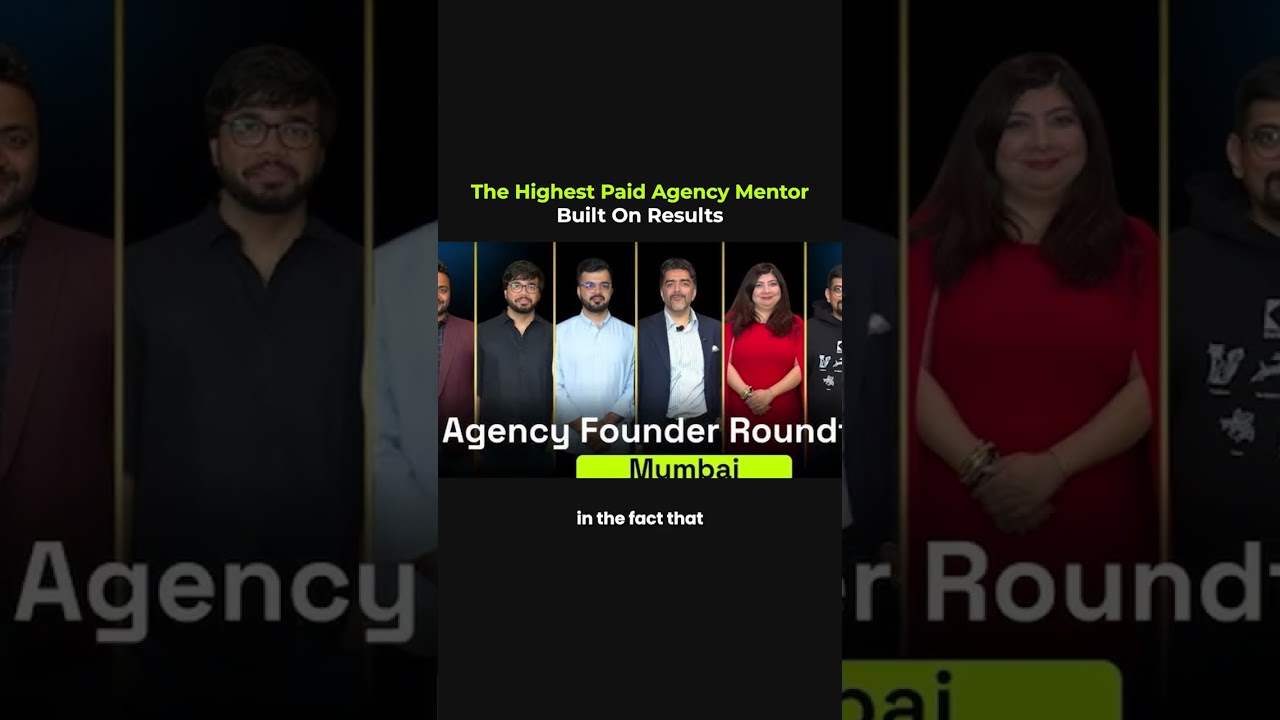
"The highest-paid" isn't the goal. The highest-value is. People often ask why premium mentorship co
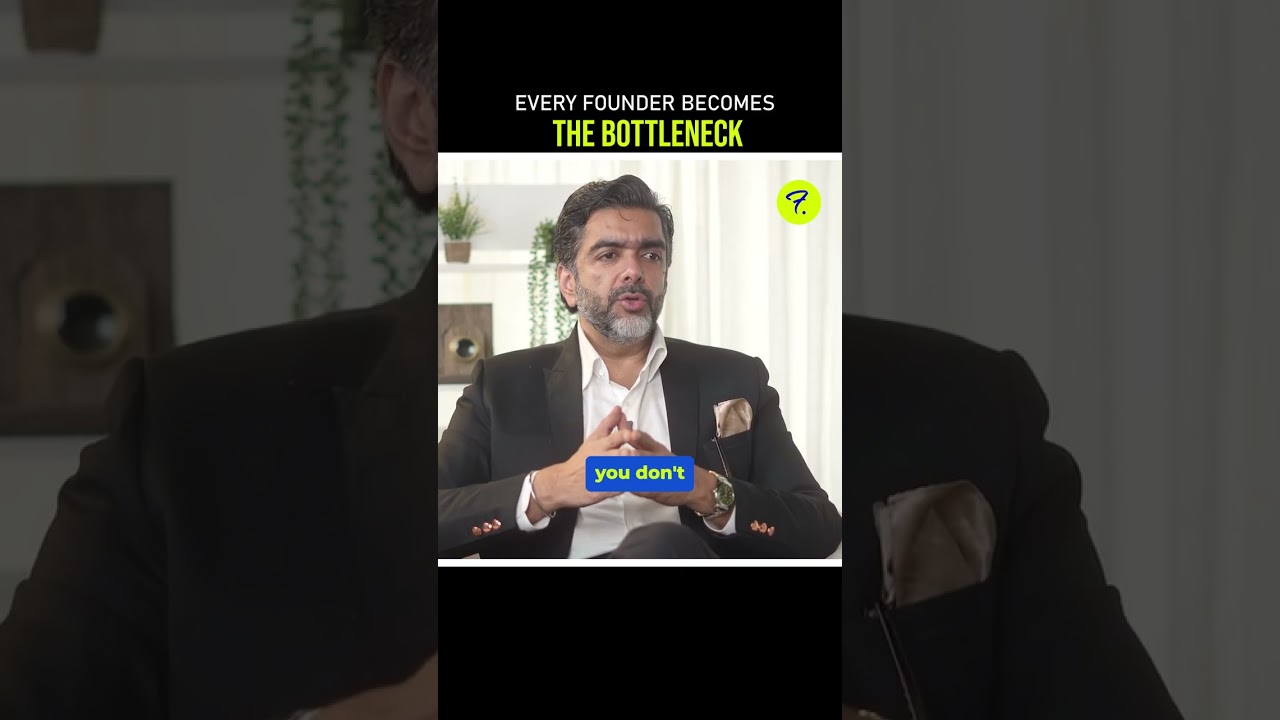
The founder will always be a bottleneck... at some stage. The goal isn't to pretend you're never th
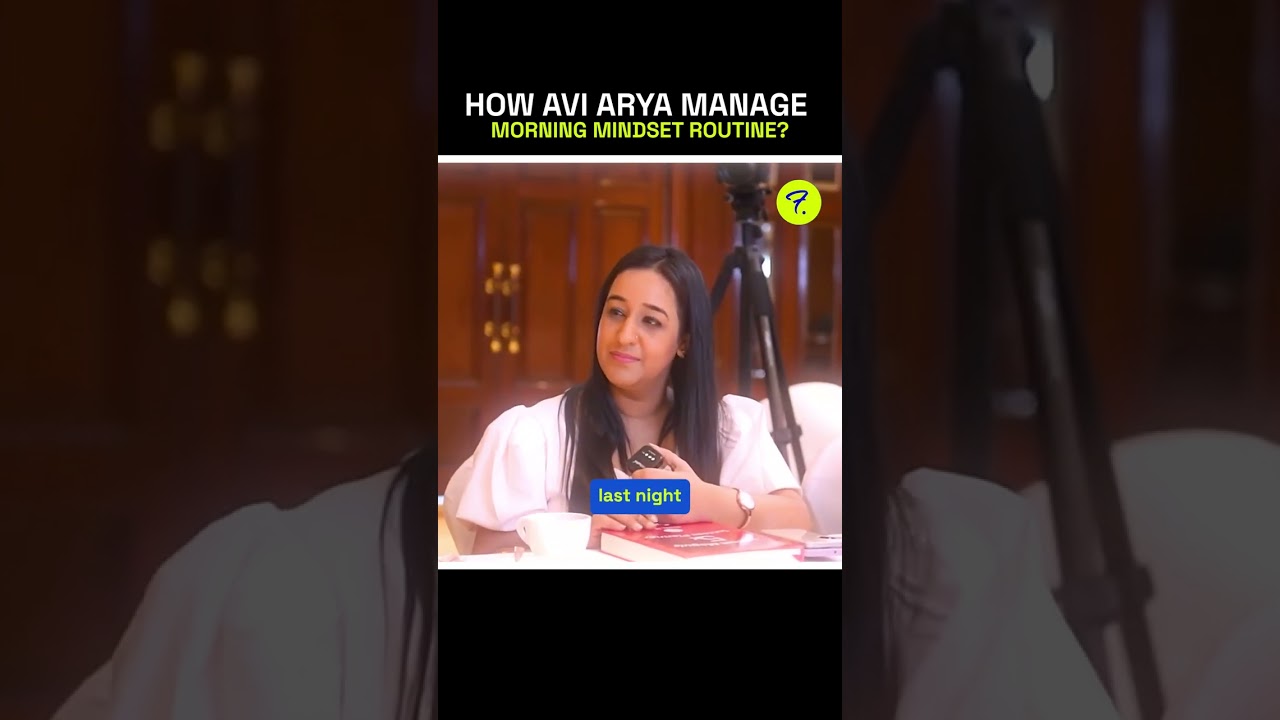
People ask me how I stay consistent with my morning routine while traveling across countries and tim
People ask me how I stay consistent with my morning routine while traveling across countries and tim