Create your own professional grade studio at home using low cost DIY equipment | Ask Avi Arya Show
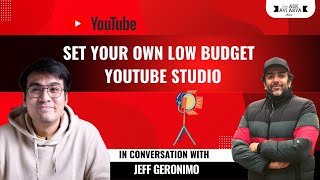
Avi Arya and Jeff walk through building a professional home video studio on a budget. They cover lighting, acoustics, camera gear, and audio equipment with practical tips for live streaming and video production.
Left side. Then my reflector here, which is the fill light. It's a lesser power for your fill light is literally filling in your shadows. Okay. Filling in your shadows for you to be able.
Jeff is here. Jeff, welcome to the Internet Moguls of the World Thursday masterclass. You can switch on your video and be with us. How are you doing?
Hi Avi. Hi. I'm fine. And it's late night here in the Philippines and it's after work actually. So I've already done my task for today and for tomorrow I'm just readying my tasks. So that's all for me.
Thank you so much for taking the time out. Guys, can we all give Jeff a big, big, big Internet moguls welcome. Alrighty, Jeff, just a quick follow up. Are we going to do a presentation format or a Q and A?
It's comfortable for me to do a Q and A rather than the present day so that we can have the engagement so we can ask questions or we can engage with the, with the attendees. Right? With the, with the attendees right now.
Awesome. So guys, I wanted to give you a background. Jeff is one of. I think I'll tell you how I came across Jeff. Jeff and I have a common thread called Rob, Rob from Tubebuddy and I saw Jeff's videos I think is one of the top 10 creators online. It's just amazing. The pictures, the videos, the audio, the studio setup, everything was off the charts. So I reached out to Jeff and I wanted to make a big announcement to all of you people. Jeff has created a video on how to set up studio and he's given us a thing for the Internet Moguls of the world in the learning management system. We are dropping that video and giving it all of you people as a gift. Today Jeff has taken his time to actually create a very, very, very, very, very high end video on what lighting, how to set up a studio, all of that. And he's created a course and that course is going to be launched on the Internet Moguls of the world for all of you members. You're going to get access to it in your LMS after today's chat.
Yes, that's right. So watch that guys.
What's that?
Watch that, watch that video.
Watch 100%. You have to watch that video. Every single aspect of that is so beautifully curated.
Thank you, thank you, Abby. Also thank you for this platform, Abby. Because my goal is to actually before I start my YouTube, I'm just projecting that even only one person that I can get impact on their Lives on his or her life. It's okay with me. It's totally great. It's fine. And I'm totally blessed right now that I get to meet you. I get the chance to meet this awesome people right now. So thank you, Abby, for this awesome platform.
Thank you. Thank you so much for being with us. So, guys, Jeff is a master at creating videos, at setting up an online studio, at setting up his audio equipment. He knows everything about everything at this age. And he works for large brands like Canon and all of these amazing brands reach out to Jeff and he is very, very busy. We went back and forth almost six months, actually. Yeah, we went back and forth six months because when I spotted Jeff and his work six months ago, I was like, you need to come in and you need to show your work to our community. So for all of you people who are wanting to set up their own studios, how to do a webinar, what kind of videos to make and all of that, we're going to be taking some of your questions. So what we're going to do is how we going to do. This is Bhaskar from our team. Bhaskar, Aryan, are you here? Okay, so Bhaskar and Aryan, what they're going to do is they're going to be taking a. They take a picture of Jeff and me together like this and they're going to post this picture on the Learn social media group online, on the learn social media group and on Learn social media. Bhaskar, just send me the picture. Okay, Bhaskar is sending me the picture. I'm going to post this picture on Learn social media and I'm going to. You going to post your questions over there.
Like I know that.
Okay, just give me Bhaskar just WhatsApp me the photograph because I want to take the questions that we're going to be putting on the group. Okay, all of you people who don't have approval to the group, we've approved all your requests. Don't worry. Awesome. And okay, so what I'm going to be doing is I am going to learn social media. I'm going to start with saying, Jeff is here. What are your questions for Jeff? So you go to learn social media. You go to learn social media and put down the questions that you want to ask from Jeff on that Facebook group and we're going to take your questions right away. In the meantime, Jeff, before the questions keep coming in, I just was hoping if you have anything on your laptop, any short video or just maybe one minute, I wanted them to See your magical work. Maybe an access to your YouTube channel. I want to see the lighting that you do. The cameras, they'll be put in the question.
So I'll check my YouTube channel first so I can project my channel so they get to see the overall look of it. Okay.
How old are you, Jeff?
I'm 25 years old, so.
25?
Yes. I'm not that young. I'm not that young.
What do you say if I. You're. You're just born, man. If you. If I had your talent at 25. Oh my God. So guys, that is Jeff's channel. Just can you show us tips?
My channel, yes. So I resume my live stream every weekend. So I have a weekender livestream. That's my segment. So I get to invite people from my network like my mentor, my colleague. So we talk about content creation weekly or sometimes pursuing career or about work from home. It's just a random team, random thing within the content creation and career life of our fellow content creators. So this is my channel. So I, as you can see, it's not that well branded in terms of thumbnails because I believe that every video should be independent on one another because they perform independently to one another. So that's why my thumbnails are not. If you can see, my branding is all about yellow, gray and podcast type. But not all videos are on yellow thumbnail. So let's see here the YouTube video lighting. So I'll off the audio. So I had this tutorial about YouTube lighting and explaining about the key light, explaining about the fill light and there you go there. And explaining about the practical lights. So basically this video was shot just using a one light source. Yes, you heard it right. This is just a one big, not that big, one light source only. So I just have this light. Desk lamps. Desk lamps on the background and one filler light which is not a light source. I not technically a light because it's just a reflector. So as you can see, you can achieve already those cinematic look if you're. You're up to that kind of quality. Quality. But I also have this back then I also have this format where it's kind of light and bright theme. So as you can see, it's not that flashy, flashy looking studio, but it, it's working. It's working. So. So later on I'll tell you why I'm not a fan of if you have a budget for that you can acquire. But I have this motto in life in terms of gear acquisition and YouTube setups. So just to give you a background there, it's also more of a business kind of decision. That's the reason why I'm not that acquiring so much equipment right now for YouTube. So this is my first ever setup when I committed YouTube content creation. As you can see, there's a big change with the setup. But. But the setup here is the same as what you can see here in the background. So nothing much expensive gear or expensive upgrades that I've acquired since then. So that's it, Avi.
So, guys, before moving ahead, Bhaskar, please put the link to the Facebook group. For all of you people who don't have access to the Facebook group, please click on the link because I'm waiting for your questions on the Facebook group.
Okay.
Yeah. So if everybody's got the link to the Facebook group. Yes. So Srinivas has put the link to the Facebook group. All of you people, the access, it's for everyone. You can all come in and we will approve your request and you can start posting your questions. Jeff, can you show us. You know what? I want to start with Ricky. Ricky has a question over here. He says, what should be the ideal length and breadth of a studio?
Come again, Avi?
The length and breadth of a studio, how large, how wide should it be?
Oh, I'm not that particular with the square meters or the exact size of a room because as you can see what the one that I shot, I think that's just, I think 5 by 8ft size. And it's just small, so it's workable. But right now I have this estimatingly 12ft by, I think more than 20ft. 12 by 20ft. So I think that's kind of big for a.
So you're saying you're short at 5 by 8ft, so it's almost like a cupboard.
Yes. Or less of a table. That time, the time that I started my educational content. So I'm shooting at that kind of space because I'm just here in our living room. So I need to occupy just a small space because it's for us in the house. So I cannot occupy all of it. So there you go.
So as small as a place, as a table, Just a table. Five feet. Eight by eight feet. Or a small kitchen. Or in your living room, just one section. That is what you can do. In terms of lighting. In terms of lighting, people with little or no budget, what is your idea.
For a light for lighting? I think if you have literally no budget at all and you want to start your content creation, let's start with the content creation first so you can shoot outside your house. That's the most practical way you can do your content because basically our main light source is the sun. So it's free. But take note, it might be that noisy if it's kind of busy outside. So bear in mind with that. But I can see a lot of content creators shooting outside, shooting within their environment with proper health protocols. Right. So I think shooting outside is also good. But if you will shoot inside your house, I have this 150 watts continuous LED light with a soft box of a size of 120 centimeter. So why 150 watts? You can go up until 60 watts. I think that's a great choice. Already the 60 watts LED light. Use LED light, guys. So why 150 watts? Because I chose this kind of light because I want to have big control over my equipment. I want to control, I don't want to be limited with the equipment that I have. So it's better to reduce the power of the light source instead of having the limitation of going up more than 60 watts. So I acquired 150 watts for me to be able to use it on my other thing like corporate work or corporate deals, brand deals or such things. So yeah, I'm using 150 watts at 50% power right now. So around 60 or 75, I think. Got it.
So if. Can we also, you know, like light from the back. There is one light that you put at the back of your studio which gives you a sort of a fill light, makes the studio look bigger. And then I saw that you have a light coming on your face. What is the difference? So if people, all of these people over here, if they have only two lamps at home, okay, can they use one lamp at the back and then one just coming on the face?
This, you just need to mind this, guys. You need to remember this. Your key light must be stronger than your fill or your practical lights. So I'll show you.
Key light is the one which is coming on your face.
Yes, yes. That's the light is the one which.
Is coming at the back and filling up the space from here.
Yes, I'll share this one.
Yeah.
Okay, so as you can see here, so you can see the light coming from in front of me, 45 degree angle of the. The frame. So I'll have to draw here. So this is my setup. The room is dark.
Later you have to make sure the room is dark.
Yeah, you, you need to be reminded that there's no spill light. Spill your Room lights must not spill in your frame. Okay. So that we can prevent the color cast of that room light. For example, keep it dark, have a.
Completely dark room and then play with the light.
Yes. If I turn off this key light, it's totally black. Okay. I just. I can just see the screen monitor. So that's all. But other lights, it's totally black, turn off. Okay. So as you can see, this is the fill. This is the key light. It is the strongest light source that I have in my room. So if you want to have a fill light, so to speak. So the fill light should come, not the opposite side because it should be side to side with the key light. So as you can see here, I have the fill light on this side, but it's not technically a light because I'm just using a reflector, I think. You know the reflector, right? The silver one, the circle.
So can we see that on your video?
I'll show you. Okay. I think it's here.
So right now you just have. Yeah, there we go.
Yeah, there you go. So as you can see in my behind the scenes, just one big light there, no other light reflector. It's not a light. It's just a silver thing, a circle, silver thing that I place on my right side. So key light on my left side, 45 degree angle. Then on my right side, it's a reflector. Again, it's not a light, it's a reflector. It can be your fill light. So from this setup, as you can see, you're having that Rembrandt feel, the cinematic one. Then if you install your fill light, you can have this flat. Not too flat, but lighten up shadows in your face so it's not that distracting or kinda too dark. In your videos. Then to add the. This is okay already, right? This is okay already. But if you have this kind of desk lamp or a household lamp in your house, you can use it as a background to add a spice in your frame. So I have this practical lights that can change colors. So the lamps are I think around just below $50. I think it's super cheap. And I just installed it with Philips hue bulb. There you go. Can you hear me, Abby?
Loud and clear. You can hear me as well, right?
Yes, yes, yes. So there you go. So that's how I light up my frame. So as you can see right now I'm just using one light, no other fill light at all. Because it's in my dead center right now. So if I placed it on my left side I'll have this shadow here. I think I can show you. So there you go. I have this shadow here, so I need the fill light there. So if I'll put it dead center up a little bit because I have eyeglasses, so it would not reflect on my face. So there you go. Dead center. No harsh shadows in my face, but just here around my neck. But it's. It has this good separation already. So the separation on the background affects also the lens and your camera affects that quality also. So just to mind you.
Okay, got it. Excellent. Now.
So I think there's a question here. Can I answer these questions?
Abby, please, please go ahead.
So near me, Goel is asking, how do you define key light and fill light? So your key light is your main source of light. It's the strongest light source of your frame. There you go. So the setup you've seen earlier, so this is my key light. It's placed on my left side. Then my reflector here, which is the fill light, it's the lesser power for your fill light is literally filling in your shadows. Okay. Filling in your shadows for you to be able to cancel all those hard shadows in your face or on your subjects. Okay. So that's the use of fill light. Then I'm just putting practical lights behind me just to add that spice. Okay. That's the flavor of your. That's the flavor of your frame. So if you have those desk lamps or house lamps in your house, or the small. The small LED lights, use that one because it could be a something for your frame. And also, and also, my thing is not that too, what can I say? Colorful frame. I don't want that too. Colorful frames. So. So I don't want that too. RGB looking frames. That's the reason why, as you can see, I'm just playing around with one light and one fill light always. And just a little bit practical lights to just add spice a little bit in my frame.
Right. So I'm going to recap for everybody. Complete dark room one light coming in from a 45 degree angle from your left and from your right. If you have a reflection light coming over here from your face, and there's a reflector over here. If you don't have this reflector, you can have another light over here, light source here as well. And maybe two or three feet behind you, you can have a desk lamp, which gives your studio a depth of field, makes it look bigger.
Yep.
So this is how you create a cinematic experience. Your video.
Yes.
So that was a very nice Explanation of question of the lighting guys, how many people got this? Just say got it in the comment box.
I think Padma, it's coming up. Okay. Padma is asking reflector and feel like is the same thing. No, no, no. Feel like is the concept. Okay. The idea, feel light, meaning filling in your shadows from your key light. So anything, any light source can be your fill light. Any light source can be your key light. So in my case, I have this bigger light, which is my key light and my reflector to fill in the shadows in my face. So it serves as my fill light. Okay.
You can start with any one light and the opposite light is going to become the fill light because you're filling it the gap. So this light is putting light over here. You have to fill up the shadow you put at the other one. So, yep, the opposite light is going to be the fill light.
Yep. As you can see, as you may notice in Avis face right now, he has this shadows from his cap. So if you will put a beauty dish or some reflector below his face, it will fill up, fill in, fill in the shadows so you can see his face clearly. Same with me. If I'll put my cup here so you cannot see my eyes. So I need a fill light here. So this whiteboard, you can see this whiteboard. Right. So it can serve as fill light.
Also interesting.
There you go. So if I put a cap, it will lessen the shadows in my face. So there you go.
Lovely. So that was about creating a cinematic experience. Right. A lot of people want to create something which is like my YouTube channel should look like a. Just give a cinematic experience. Put the lights off, put a fill light, put a key light, fill light over here. And I love the light at the back just two feet behind you. It gives a depth of field, makes your studio look better. Yep, that's number one. Now let's go into the acoustics. Right. Okay. Make sure that there is no echo. Like, do I need foam? Do I need carpets? Do I need to. Do I need to shoot inside my bed in, you know, under the. Under the quilt? So I sit inside my cupboard. Some people actually sit inside the cupboard because that's the best place to make audio.
Yeah.
So what do you do for acoustics?
Okay, so for my acoustics, as you can see, the room is filled up with furniture right now. So that's one thing. Your room must filled up with things like furniture or your gear or your equipment or your anything, your chair, your desk. So it would reduce the reverb inside your home. Or inside your room. Then, then just at Rivia, I don't have any acoustic foams installed here. So my goal is to lessen my cost, to lessen my expense in YouTube content creation because I'm not earning that much right now in this content creation and as a business, if you're owning a business right now, if you're also an entrepreneur, you need to cut cost first because you don't have any revenues. So for me, I need to be resourceful before I expand my equipment or invest in. Because if it's usable right now, then why I cannot make it usable, right? So I'm just using actually this rode mic back then. But right now you can see I have the lapel mic. So this rode mic. So I'm just using an extension from here to my camera. Then I'm installing a tripod for my mic and I'm putting just out of the frame and closer to me like this one, so I'll have the proximity of the mic. So the closer your mic is, the bassier your voice can get. Can get. Okay. The tighter your voice can get. So in your next video creation or content creation, try putting your mic closer to you to lessen the ambient, the ambience, okay. The ambiance of your room. But, but if you still have this reverb, if you clap, if you clap your hands and there's an echo, echo ringing around in your home, you need to install acoustic foams. Okay? So clap your hand, discover where that echo is coming from, then install acoustic foam right there. But for me, in my case, I don't experience any reverb. The, the way I talk, it's loud, right? I might produce echoes. But no, it's not. Sometimes the acoustic foams get to just a decoration. But if, if you really, really check your audio quality, sometimes it's just with the mic you're using. Okay, so the mic that I'm using right now is a mid hump mic. So I'm adding an equalizer, take note, equalizer in my, in my audio graphic equalizer in my video editing software. So around 500k kilohertz to 2000 kilohertz. I reduce it to half. So my, this is 250 kilohertz. I hope you're seeing it right. This is 2,000 above, 2,000 above kilohertz. Okay. So my mid this, since this is a mid hump mic, I want my voice to be bassier, to have that broadcast quality sound. I put my equalizer like this. So it's like this one. So my mids are kinda low, but not that too low. It's just a little tweak and you will see the difference. It will make your voice that tight but not too bassy. Okay. So this is the low end of your voice. So I raise this up and I raise a little bit this one. So the, the, the. The. The lowest kilohertz. I'll max it down because to have that high pass filter. Okay. So it looks like this one in the graphic equalizer. So I hope it's clear. I hope it's not that too technical.
Where is this graphic equalizer?
It's in Premiere. It's available in Premiere Pro. Also in Final cut. So just check your audio effects. They have this bass lift or bass boost or high cut. Don't use the high cut or high boost. So just use the bass boost or bass increase bass. I think they have this name also increased bass.
Even GarageBand has it.
Yeah, I'm also recording using GarageBand in my music channel. So I have a music channel. But yeah, they have this one. So you have also the graphic equalizer there then where you can drag. You can see the graph. So you can drag the mids already. So Nahush Kubalkar said, Boya M1 mic is great and cheap. Actually, this lavalier mic is I think competitor of this Boya M1. So there you go.
Awesome. So tell me one thing. Can you hear me better now or can you hear me better now?
Yeah, I can. I can hear loud and actually you're loud and clear.
Okay. Because what I'm doing is I am using. Can you. Can you give us some tips on. See, what I'm doing is I'm using this now. I just got this. Right. I'm sure you know about this very.
Yes, yes, yes, yes. So.
And I put in a headphone for this. So I've got the audio technica.
Mm.
But I wanted to go the lowest house route because I use a micro and I don't want to stay close to the mic. And so therefore I can move around if I have this. If you have a regular mic in front of you, you have to move. You have to make sure you're close to it.
Yep. To have that. To have your voice to be heard and clear. Okay.
Right. So my voice is clear right now for all of you people. You can hear me loud and clear.
Let's wait for their answer. Not that much. I think you need to. I need you. I think you need to increase the volume.
I have full volume right now here and in my head, that's why I wanted to ask this question again. Because in my head, I can hear myself so loud.
I think in your. I think that's the preamp. So in your mixer you can hear yourself loud and clear, but the preamp or the audio signal that coming from your mixer to your laptop is cutting the signal off. So it's not that always what you hear in your mixer is always what the computer gets. So we have this booster, we say booster for audio so that it boosts your. Your, your, your mixer to your laptop.
How is it now? Is it better? There you go.
There you go. It's better.
Is it already better, guys?
Yep. Okay, so what have you done?
I just prayed and got the powers of good audio. The God of good audio.
Okay.
I just made a few tweaks. There's so many settings over here. Okay, great. Alrighty. That makes sense. So, guys, how the audio now, on a scale of 1 to 10, I think it's better. Okay. Because what I'm doing right now is that. See in my head, in the headphones, I can hear it almost like a radio sound speaking. Yeah, it's like a mic radio sound, but on the other side. How are you hearing the sound?
It's okay. It's not peaking at all.
It's not peaking. But is it. Is it giving that radio sound or. Not yet.
I have that. It's.
Better.
Yep.
Okay, so I'm going to work on the sound in the next 20 minutes before I let you go, we're going to fix the proper radio. Okay, so we have lots of more questions coming in. So you said, you know, find out if you have echo. If you don't, if you have echo, then you can put some acoustic panels. You can go to Amazon and you can type acoustic panels and they're like rubber panels. You can just. They have. They have some of them already have built in glue. Just put in the glue and everything works right? So it just is perfect. Now what you need to do is what if you don't have those acoustics? What, what do you do then if.
You don't have acoustics? I think you can also add a D reverb. So it's okay. I'll type D reverb. So there's audio effects in Final Cut, Premiere Pro, or any other audio software. Just search on your audio effects. They have this D reverb. So you add that on your post. Because we cannot do. Do anything. If there's still echo you. If there's still echo you. You need to put a. Another furniture or equipment or just install an acoustic foam which is much cheaper. So you can put acoustic foams.
I've also seen that some people put in very large, very thick, thick mesh curtains. Curtains.
Ah, yeah, yeah. But those curtains are somehow. I'm not that. Okay. Because if you're in your home, in your house, it would, it would trap so much things like if you need higher power air conditioning and also because it, it attracts heat. No, the body temperature you exceed create in your house will not go outside. And also it's quite a hassle because you need to, to place it just with the hanger. Okay. Rather than installing an acoustic foam, wherein you can put those acoustic foam where the echo is coming from. Okay. So the acoustic foams are much more flexible than the crystal curtains because you need like what you can see, you need those hanging, hanging bars for you to be able to use those, those curtains.
So you're saying if you have a equip, you have a setup where you can't put in stuff like this, then you can use the acoustics. What about carpets? A lot of people say that carpets also absorb sound.
Ah, yeah. It also adds to your, it also adds the, I mean, dampening of your audio. So, so curtains helps. Okay. It would tighten up your audio a little bit, but not that too much. Okay. So put, just put your curtains below you where you speak. So it would help.
Got it. So we spoke about. Now let's talk about, you know, your gadgets. So what can. What. You know, when I see your videos, it seems that you spent tens of thousands of dollars on cameras.
I don't have that money, abhi. So there you go. I'm using this old Canon EOS M50. You can search it on YouTube and YouTube people will burn this right now, this Canon EOS M50. But. But for me, if it's still usable, then I'll go with it. Because sometimes YouTube video content is more of a hype than the real thing. So for me, if it's recording, if it's okay with my light, who people will shoot with no light at all. And you're at home, right? You don't need low light. Think you don't need low light capability if you're shooting at home? Okay. Mind that my ISO right Now is around 100 or 200 only with this kind of light, if you have the 60 watts light, your ISO will go up until 500 to 640. And that's enough. Okay. You will not go past 800 and you will not get that noisy image from your. Your footage. Okay, so I'm using this EOS M50 and it's okay. It's shooting 1080p. Why 1080p? Because if you want to shoot 4K and if you want to shoot 8K footage, you need to consider also your workhorse. Okay, so I have this 2018 MacBook Pro with 16 gigabytes RAM with upgraded SSD and the. The processors.
So for editing, for post.
Yep. And it's quite a lag when using 4k and 8k. Just imagine that.
So what about phones? Can I use my phone to create a YouTube video?
If the. If the question is if I can use my phone to create video, then the answer is yes. But if you will ask me if what I will choose phone or camera, I think. What's that in your. What's the conversion in dollars. I need to convert in dollars. $2,000 phone versus a $1,000 camera. I'll go with the $1,000 camera. Why? Just imagine, even though there's so much megapixels out there with your phone, look at the sensor. Can it be bigger than my thumb right now? No. Right? No matter how many megapixel there is, the sensor would be this small. The sensor of this camera, this $1,000 camera is that big, right? So not saying the bigger the sensor, the better the image quality. But. But. But the noise handling, the. The image quality you can get without AI processing is better than my phone. Okay, so I have this iPhone 12, but I'm not using this phone for my content creation at all. Why? Because still, it would look okay when I watch through my phone and my IG story and my Facebook story, it's totally fine. It gets the work done. But if I will watch my YouTube video in a 4K TV shot with the phone, I can see the pixels. So 4K 4K image quality is not made equal. Okay. The 4K of this phone is not equal.
Equal.
The same with the 4k of this phone. The 4k from DJI Mavic Pro is not the same with the. With the quality of the M50. The 4k of the. I think other cameras is not the same with the M50 or EOS R. So it's totally different. Okay. As Sid Harbaj said, I have 111,000 subscriber. Until 100 I created. Yes, yes, yes. I think the quality is subjective. Right. If you want to have that cinematic feels, it doesn't mean that you have the. The quality that I have. And you will. You will earn the Subscribers, okay? Subscribers are big. You can gain subscribers even when you're using your phone. Because earning a subscriber, meaning you have a good quality content, okay? Meaning good quality content doesn't equate with the good video quality. Mind that, guys, good quality content doesn't mean good video quality. Doesn't mean good setup quality. Doesn't mean good gear that you have. You can have the gear that you have and you can gain 1 million subscribers because of the content when you're using your phone. Because earning a subscriber, meaning you have a good quality content, okay? Meaning good quality content doesn't equate with the good video quality. Mind that, guys, good quality content doesn't mean good video quality. Because of your keyword search, because of your description, because of your thumbnail. And that's a different story. Okay guys, so I hope that makes us clear. So you cannot equate that. Ah, I'm using a phone and I have 1 million subscribers and phone is better than camera. It's totally different. Doesn't mean good setup quality. Doesn't mean good gear that you have. You can have the gear that you have and you can gain 1 million subscribers because of the content. You're comparing an apple and an orange. As cliche it would sound, that's totally the fit for it. So if you will compare the images so they have the same as because of your keyword search, because of your description, because of your thumbnail and that's standard. Already we're comparing the image quality. As I've said earlier, the sensor will not be bigger than this lens. Okay, A different story. Okay guys, so I hope that makes us clear. So you cannot equate that. Ah, I'm using a phone and I have 1 million subscribers and phone is better than camera. It's totally different. Guys, you're comparing an apple and an orange and the sensor of this one is definitely bigger than my phone or any other phone out there. No matter how many megapixel this is. If there is. If I will watch my video shot in phone in a 4K resolution, it would. It. It would sound. That's totally the fit for it. So would I. I will see the pixels. Okay, so better. I'm. I'm using if you will compare the images. So there they have the same as this one. Shot at 1080p and rendered at 4K. So that's it. So yeah, standard already we're comparing the images image quality. As I've said earlier, the sensor will not be bigger than this lens. Okay, just to add.
Yeah, please go ahead. Please go ahead.
This is my M50 and I'm using my EOS R for. It's a full frame camera. So I'm using. And the sensor of this one is definitely bigger than my phone. This as my webcam. Right now using the EOS webcam utility. I'm not using any cam link or elgato or other video capture or any other phone out there. No matter how many megapixel this is. If there is. If I will watch my video shot in phone in a 4K resolution, it would it.
Oh, sorry. So what was that? You're not using multiple. You're not you. So you're. The feed right now is coming from your DSLR or your.
I will see the pixels. Okay, so better I'm. I'm using. Yeah, it's coming from a dslr.
So you're getting a DSLR feed into your zoom without a cam link.
Yep.
Okay.
This one shot at 1080p and rendered at 4K.
Did you know that's possible?
Yeah. So that's the reason why if you have a Canon camera or any brand right now you have. So that's it. So yeah, just to add.
Yeah, please go ahead. Please go ahead.
This is my M50 and I'm using my EOS R port. It's a full frame camera. So I'm using these two things. You already have the webcam and you also have the camera for your video content creation. So I'm using the EOS webcam utility application. So I'm just connecting it via usb. Guys. Not this as my webcam right now using the EOS webcam utility. I'm not using any cam link or any elgato or other video capture card.
Oh, sorry. So what was that? You're not using multiple. You're not you. So the feed right now is coming from your DSLR or your webcam?
Yeah, it's coming from my DSLR. So you're getting a DSLR feed via HDMI. So some out there saying HDMI of M50 is not clean. Okay, HDMI out. But if you use USB EOS Webcam utility and you attach the M50 via USB, you will get the same quality as I have right now.
Wow.
Yep. And what I said earlier, our webcam, you can see the webcam. The sensor of it will not be bigger than my thumb. Okay, just. Just imagine your thumb is bigger than the webcam. So how come it will be. The sensor of it will be bigger than your thumb. So the. The sensor of a. A Camera is still bigger and the image quality that you can get is much greater. Okay.
So when you keep your camera on, if you keep your camera on, you keep it on. Okay. You have it plugged into a powered source. So that's fine. What about, you know, so, so, so, so you always keep it plugged into a power source. So you always have a battery over there. The only thing you have to worry about into your Zoom without a cam link.
Yep.
Okay. I didn't even know that's possible.
Yeah. So that's the reason why if you have a Canon camera or any brand right now, you have these two things. You already have the webcam and you also have the camera for your video content creation. So I'm using the EOS Webcam utility application. So I'm just connecting it via USB, guys, not via HDMI. So some out there saying HDMI of.
M50 is the memory card. If it runs out. If you do a long video.
Ah, no, no, you don't act. Not clean. Okay. HDMI out. But if you use USB EOS Webcam utility and you attach. Actually if you, you plug in, if you use your EOS Webcam utility, you need to remove the memory card. So you don't have any memory card. I don't have my memory card installed in my camera right now.
So then you record on an external.
Device like Zoom M50 via USB. You will get the same quality as I have right now.
No more variable.
Yep, yep. Then you can record also your, your confidence.
Wow.
Yep.
That's.
And what I said earlier, the, our webcam. The. You can see the webcam. It, it, the sensor. So there you have it.
Now, Jeff, I just want to shift gears a little bit.
A lot of it. It will not be bigger than my thumb. Okay. Just, just imagine people over here.
They don't. They also do YouTube videos, but we also do a lot of live. Like, you know, I'm doing a live video right now.
Yep.
So give us some inputs on how we can make a very cool life happen.
Very cool. Your thumb is bigger than the webcam. So how come it will be. The sensor of. It will be bigger than your thumb. So the sensor of a camera is still bigger and the image quality that you can get is much greater. Okay.
So when you keep your camera on. If you keep your camera on.
Okay. In terms of gear. Right.
In terms of how the effect comes out, you know, your videos are. It just seems like such a multi million dollar, you know, sort of setup. And then you make it so easy and say, I Just used everything that was lying around at home. So how do we do that?
Okay, so first you keep it on.
Okay. You have it plugged into a powered source. So that's fine.
Thing is you need to. Okay your priority is making your.
What about you know, so, so, so, so you always keep it plugged into a power source so you always have a battery over there. The only thing you have to worry.
About is self clearer inside the frame of your live stream. Okay so all of my live streams I'm using my M. Is the memory.
Card if it runs out, if you do a long video.
Ah no, no you, you don't actually not any webcam out there, not any other phone. Sorry sorry for all the phone users out there. Actually if you, you plug in, if you use your EOS webcam utility you need to remove them. But I'm just using my DSLR camera most of the time and I can use it for my live stream memory card. So you don't have any memory card. I don't have my memory card installed in my camera right now.
So then you record on an external.
Device like just mind you the, the battery of M50 would last only for 1 1/2 hours so. Yup. Yup. Then you can record also your, your conference. So if you will do a live stream. So you need to cut it off before one and a half hours. So my EOS R can last up to two and a half to three hours depending on your. So there you have it.
Now Jeff, I'm just want to shift gears a little bit a lot of.
On the use of it but yeah, so most of the time I'm using my camera.
People over here, they don't. They also do YouTube videos but we also do a lot of live like you know I'm doing a live video right now.
Yeah. So it looks good it the desktop feel the.
So give us some inputs on how we can make a very cool life happen. Very cool.
The, the. The subject is good. Next is your lighting. Okay so I have this light, this simple light. You can acquire any light but as long as it has this live. Okay. In terms of gear. Right. In terms of 60 watts power or 150 watts power. Okay so get a light with a 60 watts power.
The effect comes out. You know your videos are. It just seems like such a multi million dollar you know sort of setup and then you make it so easy.
And say I just use or 150 watts power. Then put it in front of you above not, not straight in front of you Right. So you can see the, the.
Everything that flying around at home. So how do we do that?
Okay, so first the light is above me, 45 degree angle. So in front of me. Okay.
Okay, got it. So I'm going to take more questions from what we have over here. Guys, by the way, are you enjoying this? Are you enjoying this session? Is it worth Jeff staying awake late at night for us?
I think they have question is you need to. Okay. Your priority is making yourself clear inside the frame of your live stream. Okay so all of my live streams I'm using my M50. Not any webcam out there, not any other. Regarding the, the webcam, I think I hit. I hit some spots there. So. So guys, if you. You're asking with the USB right? Okay. Okay. So some cameras guys, we need phone. Sorry for all the phone users out there, but I'm just using my DSLR camera most of the time and I can use it for my live stream. Need to understand that some cameras, especially the entry level cameras doesn't have all the features for us content creators. So that's the reason why we have this camera specifically for us. So if you will look a camera for you or you want to upgrade your your gear from just mind you the. The battery of M50 would last only for one and a half hours. So if you will do a live stream so you need to cut it off before one and a half hours from an entry level camera you need. If you want to create videos from it, you first need to look for the mic input worse. So my EOS R can last up to two and a half to three hours depending on the use of it. But yeah, so most of the time I'm using my camera. So you cannot force, you cannot force your camera to record an audio so it looks good the desktop feel from your mic without any mic input. Okay. There are some bypass where you can record also using your USB or HDMI but it's always better to record using your 3.5 millimeter audio jack. So for the. The subject is good USB for, for the EOS Webcam utility I'm using this USB right here there. Okay so I'm plugging it here. Then I'm plugging it to my MacBook so it's only USB. Guys, there you go. So three simple steps. Download the EOS webcam utility, connect your camera to your laptop. Then you can see the EOS webcam utility on your video conference wherein you can see the EOS webcam utility option there. It's not an app. Next Is your lighting. Okay, so I have this light, this simple light. You can acquire any light, but as long as it has this 60 watts power or 150 watts power. Okay, so get a light with a 60 watts power or 150 watts power dot then put it in front of you above, not straight in front of you, right? So you can see the. I can show you the light is above me, 45 degree angle. So in front of me. Application. You cannot find it in your program files. You cannot find it in your application files. You will just see it when inside a conference or obs or Zoom or Streamyard. Name it Restream eCamm. So you can use EOS webcam utility. Okay.
Okay, got it. So I'm going to so on. When you go to your sound source, when you see select a speaker, select a microphone. Take more questions from what we have over here. Guys. By the way, are you enjoying this? Are you enjoying this session? Is it worth Jeff staying awake late at night for us? Phone. You see it there?
No, no, no, no, no. Sorry sorry. You cannot use a mic. You cannot use the mic input. I think they have question of your. Your. Your camera if you will use it as livestream camera. Okay so you need an external source like me. So this lavalier mic is connected in my 3.5 millimeter jack of my MacBook.
Okay so the mic is coming from the MacBook and where you're saying we'll be able to find get the feed. The feed will come from your video sense.
Regarding the the web community. I think I hit. I hit some spots there. So so guys, if you you're asking with the USB right? Okay okay. So some cameras guys. Okay so for the mic it will come from the the MacBook so it's still in the audio source of need to understand that some cameras especially the entry level the zoom okay for the camera. If you install the EOS webcam utility, you can find it in the video source.
Okay in the video source. Got it.
Cameras doesn't have all the features for us content creators. So that's the reason why we have this camera specifically for.
And when it comes to. When it comes to, you know, sort of. Do you do have you ever. Do you have like a cloud lifter?
So if you will look a camera for you or you want to upgrade your your gear from ever used it.
In a live setting?
No, no, no. I I didn't use cloud from an entry level camera. You need if you want to create videos from it Ufer lifter. Because I'm using Back then I'm using this one. There's need to look for the mic input. So you cannot force. So the preamp inside this. This mic is powerful. Yeah, yeah. Because it can, it can also be used. You cannot force your camera to record an audio. Just put it above your camera and it's okay. So you need to use cloudlifter if you will use dynamic mics. Okay. From your mic without any mic input. Okay. There are some bypass where you can record also using your USB or hdmi but it's always better to record or condenser mics. The one that you can see in the most YouTubers like the Shure SM7B using your 3.5 millimeter audio jack. So for the. I think it's popular for us. Right. Shure SM7B, Shure SM57 or the Blue Yeti or the USB for the EOS Webcam utility. I'm using this USB right here. There. Okay. So I'm plugging it here. Then I'm plugging it to my. What other. What other mic out there? The podcaster. The. The RODE mic. Yep. So if it's a condenser, you need to use a cloudlifter because what I said earlier, what I've said earlier, the preamp of those mic MacBook so it's only USB guys. There you go. Is a little bit weaker. So you need a boost. So three simple steps. Download the EOS web. Need a booster. So that's what cloudlifter is. Webcam utility. Connect your camera to your laptop. Then you can see the EOS webcam utility on your video conference doing okay. So you need that cloud lifter if you will acquire those mics. But, but, but if you will use this kind of mic, you don't need any cloud wherein you can see the EOS web community option there. It's not an app. Cloud lifter.
Okay, got it. So do you, if you don't have a cloudlifter, do you some. When in post, if you're not doing a live and you're doing something for your YouTube in post, do you use something to lift the volume?
Yes, actually you can adjust the volume of your. Of your application. You cannot find it in your program files. You cannot find it in your application files. You will just see it when inside of your audio in your editing software. They have this conference or Observation Zoom or Streamyard. Name it Restream eCamm. So you can use EOS Webcam utility gain level so you can adjust 5 decibels to 10 decibels. Okay.
Got it got it. So guys, bring in your pour in your questions. Let us know from Jeff. We have a few minutes left. We have about 10 minutes left. Get in your questions. Just Jeff has just played around little bit with his focus. So on. When you go to your sound source, when you see select a speaker, select a microphone. You see it there?
No, no, no, no, no. Sorry, sorry. You cannot use a mic. You cannot use the mic input.
It's come closer to his face. You can see He's a handsome 25 year old boy. That's why he's of your.
Your camera. If you will use it as livestream.
Oh, that's why you're getting more views.
Yep. They have questions here. Can you use a sound card with shure mic in live sound card meaning audio interface camera. Okay, so you need an external source like me. So this lavalier mic is connected in my 3.5 millimeter jack of my MacBook.
Okay so the mic is coming from.
The MacBook and right audio interface like this one. So what you need to do when you use Azure SM7B the setup would be your Shure SM7B attached to the.
Cloud lifter where you're saying we'll be able to find. Get the feed. The feed will come from your videos.
Then from cloudlifter to this one, then from this one to your laptop. Okay. So the audio signal source. Okay, so for the mic it will come from the MacBook so it's still in the audio source of your Cloudlifter cannot be converted to your laptop without this audio interface or the sound card. Okay. Okay. The zoom. Okay. For the camera, if you install the EOS webcam utility, you can find it in the video source. Okay.
In the video source. Got it. And when it comes to. When it comes to.
So what to use to make curses to record video presentation other than Camtasia. So you can use a stream. You can use streamyard actually so it records your live stream while you're presenting. I think think media is using streamyard also.
You know, sort of. Do you do have you ever. You have like a cloud lifter, have you ever used it in a live setting?
No, no, no. I didn't use cloud. So for their recorded live streams or I mean recorded content. So you can use streamyard Me I.
Also is a good tool to be able to do that. So tell us about now I want to talk to you, I want to shift gears a little bit and come to you about multiple cameras. Right.
Okay.
Do you use an Atem mini or do you use Stream Deck?
Lifter because I'm using back then I'm using this one. So. So the preamp inside this mic is.
And how do you use multiple cameras in a setting?
If you will use a multiple camera setting? Yeah, yeah. Because it can also be used definitely you will use a Atem mini or I think stream deck is for the buttons only the software and the switching. But the multicam setup signal should create from the eight just put it above your camera and it's okay. So you need to use cloudlifter if you will use dynamic mics. Okay. Or condenser mics. The one that you can see in the Motem mini first. Okay.
For all of you people know is a device which is a video switcher. So you can have four, five cameras in different parts of the studio.
Most YouTubers like the Shure SM7B you.
Don'T need to get up and change or you don't even need to go to your video settings and change flip of a button, you can have different camera angles showing. So any. Any other.
I think it's popular for us. Right? Sure. SM7B they have questions here if they can use GoPro. Actually you can use GoPro. You can use GoPro. They have also this app where you can plug eshure SM57 or the Blue Yeti or the. What other. What other mic out there? The podcaster. The rodeo GoPro straight to your laptop. Okay. So just search the app from GoPro so you can use that one. But yep. So if it's a condenser you need to use a cloud but for GoPro users you need to use a higher lifter because what I said earlier, what I've said earlier, the preamp of those mic light source because again because of the sensor size and the lens size of it, even though it's two point for those who are is a little bit weaker. So you need a boost, you need a booster. So that's what cloudlifter is choosing or looking for a lens or a camera with F2 point doing. Okay, so you need that Cloudlifter if you will acquire those mics. But, but, but if you will use this kind of mic, you don't need any cloud 8 labeled aperture. The the blur effect that cloud lifter.
Okay, got it. So do you. If you don't have a cloud lifter, do you some when in post, if you're not doing a live and you're doing something for your YouTube in post, do you use something to lift the volume?
Yes, actually you can adjust the volume of your. Of Your you can get is different also differs also with the focal length that you are using. For example, what I'm trying to say is if your focal length is f 2.8 which is the aperture so it affects the blur the blurriness of our background. So the aperture affects it. So even though of your audio in your editing software they have this gain level so you can adjust 5db to 10db if it's at its low at F2.8 you cannot get that blurry background. Okay. That super blurry background. Why? Because bokeh or the blurry effect affects also B. Okay.
Got it, got it.
So focal length affects also the blurry effect. So meaning you need.
Guys bring in your. Pour in your questions. Let us know from Jeff. We have a few minutes left.
We have about 10 minutes a higher focal length which is the 50 millimeter. We have the 100 millimeter as I think if you're familiar with it with.
Your camera left get in your questions. Jeff has just played around little bit.
With his focus the 18 millimeter like that. So you need 50 millimeter.
It's come closer to his face. You can see He's a handsome 25 year old boy.
That's why he's and above to achieve also this kind of bokeh as you trivia.
Oh, that's why you're getting more views.
Yep. They have questions here. Can you use a sound card with. Yeah guys, I'm using just F4 right now and even if I'm at F4 you can see the blur because of the focal length also. So it also affects the bokeh. So if your mic in live sound card meaning audio interface. Right, Audio interface like this one. So you acquire an equipment the future and it says F2.8 also look for the focal length because if it's a wide. So what you need to do when you use a Shure SM7B the setup would be your Shure SM7B attached to the cloud lifter focal length. So definitely it. It's just a small effect on your your background.
Got it.
Okay. Then from cloudlifter to this one. Then from this one to your laptop. Okay. So the audio signal from it.
So Jeff, we would also like to send you the request to join our Facebook group as well just so that later you can see how many amazing people have sent in questions and what the feedback. So guys, we are also going to be putting the same on our Instagram.
Channel from your cloudlifter cannot be converted to your laptop without so you can.
All follow and See what amazing work Jeff is up to?
This audio interface or the sound card.
Okay, we just have a couple of minutes left. Jeff. I just wanted to take this conversation to a. So for people who find it difficult, a lot of people are saying, hey, this is. This is class five stuff. I'm in the.
Okay so.
Nursery. Okay, let's make it simple. People who have just started off, they have nothing.
No camera, no what to use to make curses to record video presentation.
Yeah. Just nothing. They want to start shooting content. What should they do?
Okay. Other than Camtasia. So you can use a stream. You can use streamyard actually. So if you're just starting off and you don't have any equipment, what I can suggest is just. It's cliche but just press the record button so it records your live stream while you're presenting. I think think media is using streamyard. Also don't mind. We have a joiner here who has. Yeah. So for their recorded live streams or I mean recorded content. So you can use streamyard. Me, I also use.
It is a good tool to be able.
He has or she has. I don't know if what.
How to do that. So tell us about now. I want to talk to you, I want to shift gears a little bit and come to you about multiple cameras.
But he has this 111,000 subscribers with just using a phone. So don't mind the video quality.
Do you use an Atem mini or do you use Stream Deck? And how do you use multiple cameras in a setting?
If you will use a multiple camera setting, definitely you will use a Atem mini or I think first if you're starting out, don't stress too much with the equipment. Don't stress too much with the gear acquisition syndrome. Okay. Don't be too high. Trim deck is for the. The buttons on only the software and the switching. But the. The multicam setup signal should come from the up with the Internet. Just focus on your content. Okay. So Atem mini first. Okay.
Mini for all of you people know is a device which is as I've.
Said in the video that Avi will send to you, the video switcher.
So you can have four or five cameras in different parts of the studio.
And you if you're in content creation, you need to make your workflow as easy as possible. Okay. Because as Toddy Robbins says, complexity is the enemy.
You don't need to get up and change or you don't even need to go to your video settings and change flip of a button. You can have different camera angles Showing. Yep. So any.
Any of execution the complex it is for advice. They have questions here if they can use GoPro. Actually, you can use GoPro. You can use GoPro. They have also this app where you can plug your hue the harder it is to upload or to publish your content. Okay so if you're starting out just right now, if you plan your GoPro straight to your laptop. Okay, so just think to start your content, scratch all these advices. It's search the app from for GoPro so you can use that one. But. But for for GoPro users you need to use a higher light source because again, because of the sensor size and the lens size helpful in the future. Okay, but. But don't think all of our advices of it. Even though it's two point for those who are first right now. But click the record button and improve your content. That's the best advice that you can get right now. Okay. Because equipment can go. You can make you choosing or looking for a lens or camera with f 2.8 labeled aperture. The blur effect that you can get is different. Also differs also with the focal length that you are using or can make you further in YouTube journey because of the quality, but better content. It's better. For example, what I'm trying to say is if your focal length is f2.8, which is the aperture, so it affects the blur, the blurriness of our background. So the aperture affects it. So even though. Okay, it's. No one can beat better content.
No one can beat better content. But it means better storytelling. That means better transformation.
Yeah, it's. If it's at its low at F2.8.
You cannot get that means better outcome. So my last question to you is.
When you think of that blurry background, okay, that super blurry background, why because bokeh or the blurry effect affects also focal length affects also the blurry effect. So meaning you need creating a video.
Your light, camera, action, all of those things you're an expert at. How do you come up with the story ideas? Or how do you come up with an idea saying this is what I'm going to teach you. Go to Tubebuddy and find out ideas and then you write down what is your process of actually scripting a video.
Scripting the higher focal length, which is the 50 millimeter. We have the 100 video. So I got this from Rob. So this is the framework limiter as I think if you're familiar with it with your camera, the 18 millimeter. Like that. So you need 50 millimeter and above to achieve also this kind of bokeh as you three be. So I start with the hook. A very quick hook. Three to five guys. I'm using just F4 right now. And even if I'm attack seconds. That's it. Hook. Then quick backstory. So what's this video is all about? Then after that quick backstory F4. You can see the blur because of the no YouTube intro. I scratched my YouTube intro already. And focal length also. So it also affects the bokeh. So if you acquire an equipment in the future and it says F directly straight to the point value number one. What's your tip for this video? Then proceed to value number 2. Value number 3. Then 2.8. Also look for the focal length. Because if it's a wide focal length so definitely it. It's just a small effect on. After your video say your call to actions. Okay. In your. Your background.
Got it.
Okay. The like hit the share button. Hit the subscribe button. So that's totally got it.
So Jeff, we would also like to send you the request to join our Facebook group as well.
For my content ideas, I always start with the.
Just so that later you can see how many amazing people have sent in questions.
Big idea first. Then divide it into sub ideas. Then this sub ideas.
Then what the feedback. So guys, we are also going to be putting the same on our Instagram channel. So you can all follow and see what amazing work Jeff is up to.
Is my video. So this videos will be created.
We just have a couple of minutes left. Jeff. I just wanted to take this conversation to a. So for people who find it difficult, a lot of people are saying hey this is. This is class five stuff. I'm in the nursery. Okay, let's make it simple. People who have just started off, they have nothing. No camera, no gadgets, nothing. They want to start shooting content. What should they do?
Okay, so if you're just starting off and you don't have any equipment. What I can ask playlist. So for this big idea. Okay. So that's it.
Interesting. So Bhaskar, can you quickly just play a two minute clip of the gift? So Jeff, Jeff has given all of you a gift which is an amazing video production that he's done only for the Internet moguls community. Guys, would you.
How many people suggest is just. Huh. It's cliche but just press the record button. Don't mind. We have a joiner here who has. Yeah.
Would like to see what Jeff has given to all of you people today. Okay. So Bhaskar can we just play a quick clip of that.
He has or she has. I don't know if what. But he has this 111,000 subscribers with just using a phone. So don't mind the video quality first. If you're starting out, don't stress too much with the equipment. Don't stress too much with the gear acquisition syndrome, okay? Don't be too hyped up with the Internet. Just focus on your content. Okay?
So.
Hey guys, what's up? This is Geoffronimo and thank you for watching this video. First of all, thank you Avi for inviting me here to share with you fellow Internet moguls my insight about the must have gear for you to. As I've said in the video that Abby will send to you, if you're in content creation, you need to make your workflow as easy as possible possible, okay? Because as Tony Robbins says, complexity is the enemy of execution. The complex it is for content creation. So for this video we will talk about roles of gear in our content creation. What camera suits you, what are the audio equipment you need, what lighting equipment you should invest in, what computer minimum you the harder it is to upload or to publish your content requirement you should have. I'll also share with you my ideas. Okay? So if you're starting out just right now, if you're. You're planning on when is the time for you to consider upgrading your gear to start your content. Scratch all these advices. It's helpful in the future, okay? But, but don't think all of our advices. Certainly content is king when it comes to content creation no matter how first right now, but click the record button and improve your content is as long as your.
So guys, how many people just absolutely loved the one minute video that we showed you? So all the amazing topics that Jeff has covered, all of this is available in the learning management system. All of you people have access to the learning content.
That's the best advice that you can get right now, okay? Because equipment can go, you can make you or can can make you further in in YouTube journey management system.
I'm going to give you a link to all of you people, the learning management system. We are already uploading this video. By the end of today you will have that video go through it and let us know what you learned. Because every single thing is explained in beautiful detail over there, Jeff, because of the quality.
But better content, it's better. Okay? No one can beat better content.
No one can beat better content. But it means better storytelling. That means better transformation ideas that means better outcome. My last question to you is when you think of are you also the fastest keyboard typer in Philippines? I just saw you type a book. I just thought you write. I just heard you write a small book over there.
No, no, no, my typing speed is slow.
Actually creating a video, your light, camera, action, all of those things you're an expert at. How do you come up with the. Okay, alrighty. So great. So guys, can we story ideas or how do you come up with an idea saying this is what I'm going to teach. Do you go to tubebuddy and find out idea all give a big, big, big thank you to Jeff for joining us today. All the way from Phillips. And then you write down what is your process of actually scripting a video?
Oh, scripting the video. So I got this from Rob. So this is the framework.
Been staying away. What's the time right now over there?
It's 12:47 midnight, 1:00 clock at night.
Thank you so much. Really appreciate it. It's like I said guys, we have been going back and forth for six months. Jeff has created a video.
So I start with the hook, a very quick hook, 3 to 5 sec seconds, that's it, hook. Then quick backstory.
So what for us and he has come here to do this. One of the, I think one of.
The topmost experts this video is all about. Then after that quick backstory. No YouTube intro. I scratched my YouTube intro already.
And words in content creation and amazing, amazing human being. Jeff, I look forward to seeing you in Vancouver and if you don't come in the next one year I think I'm going to drop by Philippines and come and see you soon.
I'm hoping also to come there in Vancouver directly. Straight, straight to the point. Value number one. What's your tip for this video? Then proceed to value number two. Value number three. Then after your video say your call to actions. Okay. Hit. I think it's just a future plans.
Okay. I look, you have so many friends here. We have so many common friends here, you know.
Yeah.
And all of these people from Tubebuddy.
I'm just typing my the like hit the share button, hit the subscribe button. So that's totally my social handles.
Yes, please do that. Please do that. So guys, for all of you people.
Who want to follow it for my content ideas, I always start with the big idea first.
Then Jeff's amazing content. These are the YouTube channels. This is his Instagram. Please follow him here.
So in my Instagram you you cannot see any content. I Mean tips there because it's for divided into sub ideas. Then this sub ideas is my video. So these videos will be created for my food photography shoots and my other photography stuff. Okay. As playlist. So for this big idea. Okay. So that's it.
Interesting. Awesome.
And also my desk set up.
This is really, really cool stuff.
Thank you stuff.
Thank you very much and look forward to seeing you soon again. Guys, can we all give a big, big, big Internet mogul thank you to Jeff.
Thank you guys. I hope I.
So Bhaskar, can you quickly just play a two minute clip of the gift. So Jeff. Jeff has given all of you a gift which is an amazing.
I made things clear and I hope with the time limitation video production that.
He'S done only for the Internet moguls community. Guys, would you how many people would like to see what Jeff has given to all of you people today? Okay. So Bhaskar, can we just play a quick clip of that?
I hope I made myself clear because my English speaking is not that good. So bear with me guys.
Always perfect. Always perfect.
Thank you.
Just one request. Please do join our Facebook group because all the people are there. And so Bhaskar, can you please give the link to Jeff for the Facebook group so you can see all.
Hey guys, what's up? This is Geoff Eronimo and thank you for watching this video. First of all, thank you Avi for inviting me here to share with you.
Fellow Internet the questions coming in and how vibrant the community. We are about 30,000 people in the Facebook group.
Wow. I'll answer those questions I think tomorrow after.
No, no, no hurry. No, you don't need. We just want you to be with us there. You don't need to.
Okay. My insight about the must have here for YouTube content creation. So for this video we will talk.
About with all of that. We just want to show you what's happening inside the community.
Okay. Okay. Okay. I'll. I'll join out roles of gear in our content creation. What camera suits you? What are the audio equipment you need? What? Actually I'll join right now.
So.
So you're. You're posting the video here, right? In the learn social media.
No, on the. What we've done there is. We've just posted pictures of you today and how you're explaining it.
Oh the learn social lighting equipment. You should invest in what computer minimum.
Media is or only for our VIP members. I mean the. The video is only for our VIP member requirement.
You should have. I'll also share with you my ideas.
And it's already being put into the learning management system. So all the people over here are going to have access to it.
Okay. Okay. So I'm already joined here in the learn social media. When is the time for you to consider upgrading your gear? I think. Okay, I've accepted your invite back.
Alrighty. So I will just. You, you will? Great. Thank you so much.
Thanks. Certainly. Thank you. Thank you for giving me this platform.
Thank you. Take care. See you soon.
Content is king when it comes to content creation, no matter how good your production is, as long as you're so.
Guys, how many people just absolutely loved the one minute video that we showed you? So all the amazing topics that Jeff has covered, all of this is available in the learning management system. All of you people have access to the learning management system. I'm going to give you a link to all of you people, the learning management system. We are already uploading this video. By the end of today you will have that video. Go through it and let us know what you learned. Because every single thing is explained in beautiful detail over there. Jeff, are you also the fastest keyboard typer in Philippines? I just saw you type a book. I just thought you write, I just heard you write a small book over there.
No, no, no, it's I, I, my typing speed is slow actually.
Okay. Alrighty. So great. So guys, can we all give a big, big, big thank you to Jeff for joining us today? All the way from Philippines. Staying away. What's the time right now over there?
It's 12:47 midnight, 1:00 clock at night.
Thank you so much, really appreciate it. It's like I said guys, we have been going back and forth for six months. Jeff has created a video for us and he has come here to do this. I think one of the topmost experts in content creation and amazing, amazing human being, Jeff. I look forward to seeing you in Vancouver and if you don't come in the next one year, I think I'm going to drop by Philippines and come and see you soon.
I'm hoping also to come there in Vancouver. I think it's just a future plans.
Okay. I look, we have so many friends here. We have so many common friends here, you know.
Yeah.
And all of these people from Tubebuddy.
I'm just typing my social handles.
Yes, please do that, Please do that. So guys, for all of you people who want to follow Jeff's amazing content, these are the YouTube channels. This is his Instagram. Please follow him here.
So in my Instagram you, you cannot see any content. I mean tips There because it's for my food photography shoots and my other photography stuff.
Okay, awesome.
And also my desk setup.
This is really, really cool stuff. Thank you. Thank you very much and look forward to seeing you soon again. Guys, can we all give a big, big, big Internet mogul thank you to Jeff?
Thank you, guys. I hope I made things clear and I hope with the time limitations, I hope I made myself clear because my English speaking is not that good. So bear with me.
Always perfect. Always perfect.
Thank you.
Just one request. Please do join our Facebook group because people are there and so Bhaskar, can you please give the link to Jeff for the Facebook group so you can see all the questions coming in and how vibrant the communities we are. About 30,000 people in the Facebook group.
Wow. I'll answer those questions, I think tomorrow after.
Don't hurry. No, you don't need. We just want you to be with us there. You don't need to. We don't want to bother you with all of that. We just want to show you what's happening inside the community.
Okay. Okay. Okay. I'll. I'll join. Actually, I'll join right now. So. So you're. You're posting the video here, right? In the Learn Social media.
No, on the. What we've done there is we've just posted pictures of you today and how you're explaining it. The Learn Social media is only for our VIP members. I mean, the. The video is only for our VIP members and it's already being put into the learning management system. So all the people over here are going to have access to it.
Okay. Okay. So I'm already joined here in the Learn Social media group, I think. Okay, I've accepted your invite back.
Alrighty. So I will just. You. You will?
Great.
Thank you so much.
Thank you. I look forward to. Thank you. Thank you for giving me this platform.
Thank you. Take care. See you sooner.
More from Avi
The strongest mindset doesn't begin with meditation. It begins at home. Before you conquer the wor

The strongest mindset doesn't begin with meditation. It begins at home. Before you conquer the wor
Your mindset isn't something you fix once. It's something you train every single day. Just like yo

Don't build a company just because your friends are. Build one because you're ready. A startup is
Everyone dreams of becoming the boss. Very few understand what that really means. The moment you b
Most entrepreneurs say, "I don't have time for coaching." The truth? You don't make time for what

Over hiring doesn't always solve problems. Sometimes, it creates them. Having a small buffer in you
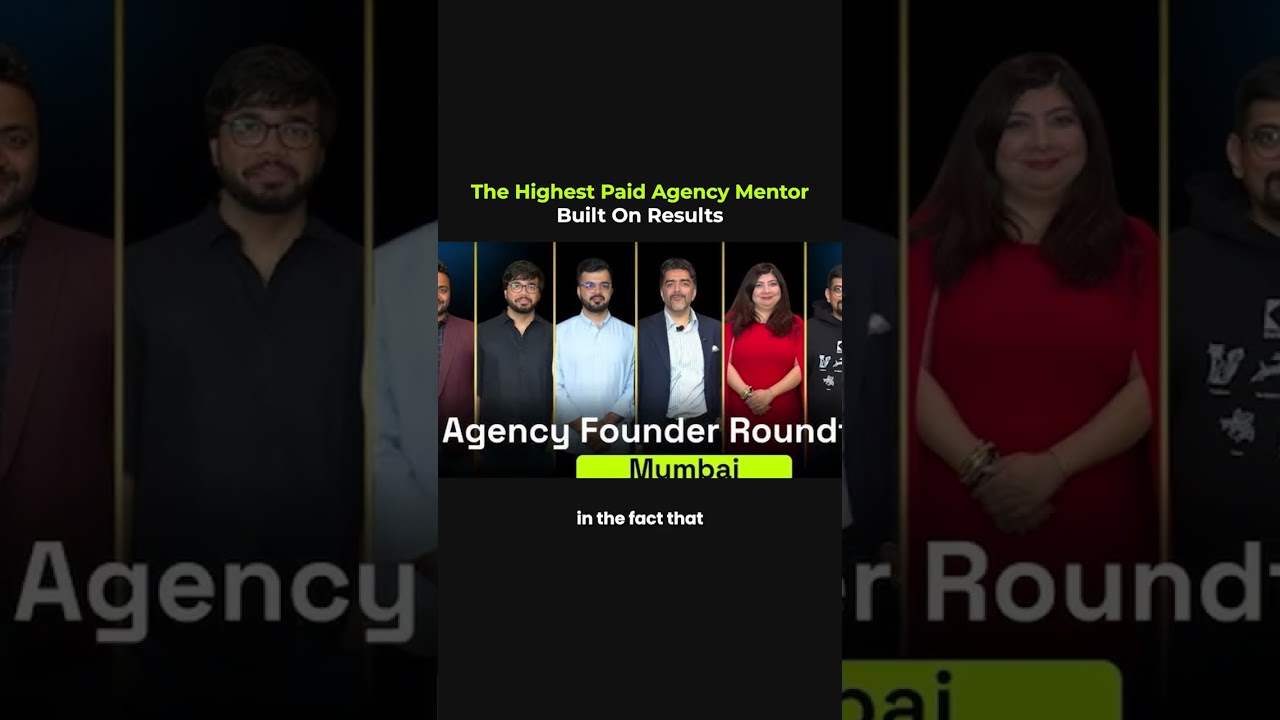
"The highest-paid" isn't the goal. The highest-value is. People often ask why premium mentorship co
The founder will always be a bottleneck... at some stage. The goal isn't to pretend you're never th
People ask me how I stay consistent with my morning routine while traveling across countries and tim
People ask me how I stay consistent with my morning routine while traveling across countries and tim