How to create videos that convert without using high end equipment | Jouhar - The video strategist
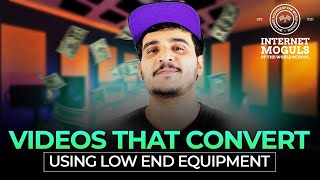
Johar, a video strategist, shares how to make converting videos without expensive gear. He covers overcoming camera fear, building branded layouts with mobile apps, and marketing videos on Instagram and other social platforms.
Hi guys. In this video you will learn from Joe how to get over camera fear and how to create an awesome studio. The lighting, the effect, the sound and how to create videos without fear. Enjoy the video and let me know how it went.
Hello folks, I'm Johar, your video strategist. I'm making this exclusive video for the Internet moguls of the world, so school. Thanks to Avi Arya for inviting me to share my work. In today's video we are going to discuss about 1. Overcoming camera fear.
2.
Positioning your brand before you create videos. 3. Video making 4. In short, video making tips and tricks. And 5. Marketing your videos on social media platform. So this video is going to be.
Absolutely productive for you.
So stay tuned till the end. This is something we all go through at a point in our life and it's very similar to stage fright which.
You know that you cannot overcome stage.
Fright without getting on a stage in a similar context. You cannot overcome camera fear without facing the camera. And before I give you the most important actionable tip that I can offer you to overcome camera fear, let's just kill some myths. Having a high end equipment like a DSLR camera or a mic like this will not create a high quality content. What creates a high quality content is the message you provide, is the value you provide through your videos. It can be emotional, it can be educational, it can be entertaining. And the clarity of that particular message or the value is much more important than the clarity of the video. So you need to always make sure that whatever you convey is very clear and simplified. And the reason behind giving importance to your message is because your target audience are looking for value, are looking for emotion or like and makes you feel.
Like something is not right.
So as you can see, you are not alone. Every one of us go through the same kind of problems when we start off creating videos. All you gotta do is keep practicing. Talking about practice, this is the most important actionable tip that I can offer you which is do offline practice. When I say offline practice, it's all about recording a video and watching it.
You don't need to upload the video which you recorded.
All you got to do is record and watch it. This makes your brain accept the way you look and the way you sound. Eventually helping you improve the confidence in videos and also improve the way how you present.
2.
Positioning your brand before you create videos, why is it important? How will it help you create the right content to help you grow in the right way? How can we execute this? So if you ask me why is it important? Without having a clarity about what your brand is all about, you cannot create video content that can attract your potential client or students to your ideal audience. So that your ideal audience get attracted to your videos, which is the negative space for representation of some sort of charts or text. A for action basically means the center of attraction of the video. In this particular video, I am the center of attraction. And the factors we consider when we talk about action layer, it's all about the lighting and the audio.
Future editing process.
Right, without further ado, let's jump into it. Tip number one, pick through how to.
Create a master layout for your IGTV videos for your particular personal brand or business. All right, so without further ado, let's jump into it. I'm going to open my inshot and then you can choose video. As you can see, I already have a few videos which I have been editing, so never mind. And you can choose new. Instead of going for choosing a video, what you can do is click on blank and then click ok. So you have a blank layout already in your hand. You can maybe, maybe you can extend it a little bit. And then so by clicking on the canvas, you can actually choose the dimension of whatever layout you're going to, you know, upload. Let's say it's an IGTV, it's going to be 916. So if it's going to be a YouTube, it's going to be 16 by 9. Or if it's going to be a post, you can use a one is to one or four is to five dimension. So I'm going to show you guys how to create a master layout for IGTV which you can actually tweak and you know, reuse this idea for other kind of post. Like, you know, four is to five or one is to one or even 16 is to nine videos as well. So for now I'm going to, you know, create the 9, 9 is to 16 IGTV layout and show you guys how to create a master layout in that particular frame.
Cool.
So as you can see, this whole canvas is the place where you can actually add your brand color. So I usually what I do is I choose my brand color which is already there in, you know, in short, if you want a brand specific color code, you can do that as well by maybe adding the image option over here you can choose a canvas which you have already pre made and saved, let's say by using Canva or something which has the exact color code of your brand. So you can choose that, that and then add it into your background and click ok, so now we need a video, right? We need a video to start off with. So what you can do is click on pip option picture in picture option and then choose a video. So I'm going to choose a video. So we have the video in the frame right now over here. So I'm going to rescale it and I'm going to make it pretty big and filling the frame perfect. So it's in the center, it's filled in the frame and you have the video ready to be rolled. Right.
So right after this, the next thing.
Which we need to do is fix a position for our title text and the subtitle text. All right, so I'm going to click on text, let's say I'm going to add title goes here. All right? And I'm going to choose my brand font, which is called Build Titling sp. So now you might think that how can we have a brand font ready to be used in insharp? So there's this option called, you know, download over here on the right and you can actually import font into Inshot, which is already there downloaded in your mobile device. So what you can do is you can download your font, you know, from the Internet, whichever font you have been using for your brand on social media platforms, you can download it into your device and then import that font into Inshot using this, you know, import option. And in, in short, for the text, so you can select and you can actually import. So I've already, you know, imported a few, couple of fonts which I usually use. So I'm going to go for my brand font and click. Ok, cool. So I'm going to place it over here, let's say I'm going to place it in the center. Voila. We have a title text fixed right now. So the next thing which you need to make sure is that it always starts from the video beginning and it always ends till the video end. So when you edit it, it's going to be, you know, a fixed thing and it's going to be there for the entire video. So next thing is I'm going to add a subtitle text. Subtitle text goes here. Perfect. So for the separate text you have to change your font. All right, so this is something which is very design stuff. So if you know that your subtitle text has to be something very subtle and smaller and minim rather than it being very bold like the title text. Right. So I usually use, you know, this font called Huawei Font Light for my subtitle text. So I'm going to choose that and click OK and make it much smaller than the title text and place it over here. So now and also I'm going to add it, you know, make sure that it starts from the very beginning and still stays till the end. So now you might think, is this the subtitle text?
Like the closed captions?
No, it's not the closed captions. So this is specifically for a particular section of the video. Let's say from this, you know, timeline point to this timeline point, I'm going to talk about a particular what is a topic. Then I'm going to split it and make sure that that particular topic summary goes over here. Right. Topic one summary go goes here. Perfect. So I'm going to click okay, and then you have that topic once summary over here and then it keeps changing, you know, whenever topics change. So you can play around with that and the next what do you say? Add on Bonus tip I I can give you guys is to add a logo of yours in the master layout. So to do that all you got to do is go to stickers and then instead of choosing anything which is already there in the. In short, you can actually go to this image option over here. And yeah, as you can see, I've been using a few elements in my videos. Never mind that. What you can do is click on this add option and choose a logo which is already saved in your mobile device and add it onto your frame and then click ok and then maybe resize it and then place it. All right, I'm going to place it over here. Perfect. It. Okay, I'm just going to place it again. All right, great. It looks great right now for me. And you know, also make sure that it starts from the very beginning and stays till the end. Now, you know, as you go, you can actually change the subtitle text, the title text, even the logo if you.
Want to change it.
You can add logos as well. You know, if it's a collaboration, if you want to add multiple logos, you can do that as well using the sticker option. So we have a pretty good basic layout which is already ready right now. You might think, how can I change, how can I replace the video in this next time? If I want to upload a new video and I want to change everything accordingly, how can I replace the entire video? To do that all you got to do is go to pip option, then click on the video which you already have, and then you need to Slide across the top options and you can see an option called Replace. You can click on that, choose another video and then you know, click ok. So as you can see over here, before we click ok, you can see the option where it shows drag to select a particular section. So you can, you know, choose a particular section of that video from here right away. Also, if not, if the video is longer or shorter, you can actually adjust the entire elements accordingly. Once you click ok, it's totally fine. It's totally editable. All right, so I'm going to click ok. Awesome. Now I have my new video over here and it is great. So I've already changed the video. Now all I need to do is go to the text option, change the subtitles, change the title text and voila, we have a master layout already over here. All right, so now to give you guys an add on tip, instead of using this subtitle text, which is like a summary text, you can actually go to kapwing.com and auto generate your subtitles in Kapwing and then you can even edit it in that platform itself and then download that video and upload it into your social media platform. So you can do that as well. So just, you know, giving you guys an extra bonus over here.
Great. As you can see, these tips and tricks can help you create a master layout for your brand and eventually making your editing process much easier.
So next time when you create a.
Video, all you got to do is replace the video and replace the text, all other graphical elements, the way how things are positioned, the layout, everything stays the same as a brand. 5.
Marketing your videos on Instagram now when.
It comes to marketing your videos on social media platform, all your agenda comes under these three major categories which is grow, nurture and sell. Growth is all about increasing your followers and establishing your online presence. Nurture on the other side is all about concentrating more on your existing audience and creating in depth conversations with your followers. And finally by sell, I mean to create content that promotes your product or service. Now in context to videos, especially on Instagram, if you are at the early stage and if you're concentrating more on growth, then these are the type of content that you need to create in the order of most important from top to bottom, which is reels in feed, videos, stories and live with guests. And the style of content that goes to this stage would be short or bite sized content which is basically easy to understand. It can be entertaining and it can be relatable. Now if you have already established your online presence and if you have a strong community in your Instagra, then you can concentrate on nurturing that relationship with the audience. Now the type of content that you can create in this particular stage would be IGTV stories and solo lives. Solo lives are where you basically go live alone and have a Q and a session with your existing audience and have that in depth conversation with each of your followers. Now the style of content that goes in this particular stage would be rich in information, story driven where you try to portray who you are, what your business is all about, or what your brand is all about. Basically have in depth conversations with your audience. And finally if you are at the stage where you're trying to sell your.
Product or service, then these are the.
Type of content that you need to create to attract your audience to your service or product. IG feed or carousel Stories, reels and IGTV talking about IG feed or carousel. It's all about having that last slide.
Dedicated to promoting your product or service in context of whatever you have taught.
In that particular carousel. Now the style of content that goes in this particular stage would be having a proper direct to response, basically having a clear cut call to action or at least it should redirect the audience to a particular link where they can.
Avail your product or service.
Now to keep it simple, if you are at the early stage and if you're concentrating more on growth then you can create 60% of growth style content, 20% of nurturing and 20% sell leveling up. If you are concentrating more on nurture kind of content then you can create 60% of nurturing kind of content, 30% of selling kind of content and 10% of growth style content. And finally if you are already trying to sell something on social media platform, if you're only concentrating on that then you can 50% of selling style content, 30% nurturing style content and 20% growth style content.
I hope you enjoyed this video I created for the Internet Mughals of the world. If you guys like my content, please do share this, subscribe to this channel and also make sure you check out my Instagram. My hero story is I am a graphic designer turned video strategist. I've been working as a freelancer for almost 13 years and right now I have created a personal brand where I'm helping content creators, entrepreneurs and small business owners create amazing branded valuable videos just by using their mobile phone. So if you want to catch me in action, check out my Instagram.
This is Johub, your video strategist signing off. Watch out and take care Hi, guys.
I hope you loved the video as much as I did.
More from Avi
The strongest mindset doesn't begin with meditation. It begins at home. Before you conquer the wor

The strongest mindset doesn't begin with meditation. It begins at home. Before you conquer the wor
Your mindset isn't something you fix once. It's something you train every single day. Just like yo

Don't build a company just because your friends are. Build one because you're ready. A startup is
Everyone dreams of becoming the boss. Very few understand what that really means. The moment you b
Most entrepreneurs say, "I don't have time for coaching." The truth? You don't make time for what

Over hiring doesn't always solve problems. Sometimes, it creates them. Having a small buffer in you
"The highest-paid" isn't the goal. The highest-value is. People often ask why premium mentorship co
The founder will always be a bottleneck... at some stage. The goal isn't to pretend you're never th
People ask me how I stay consistent with my morning routine while traveling across countries and tim
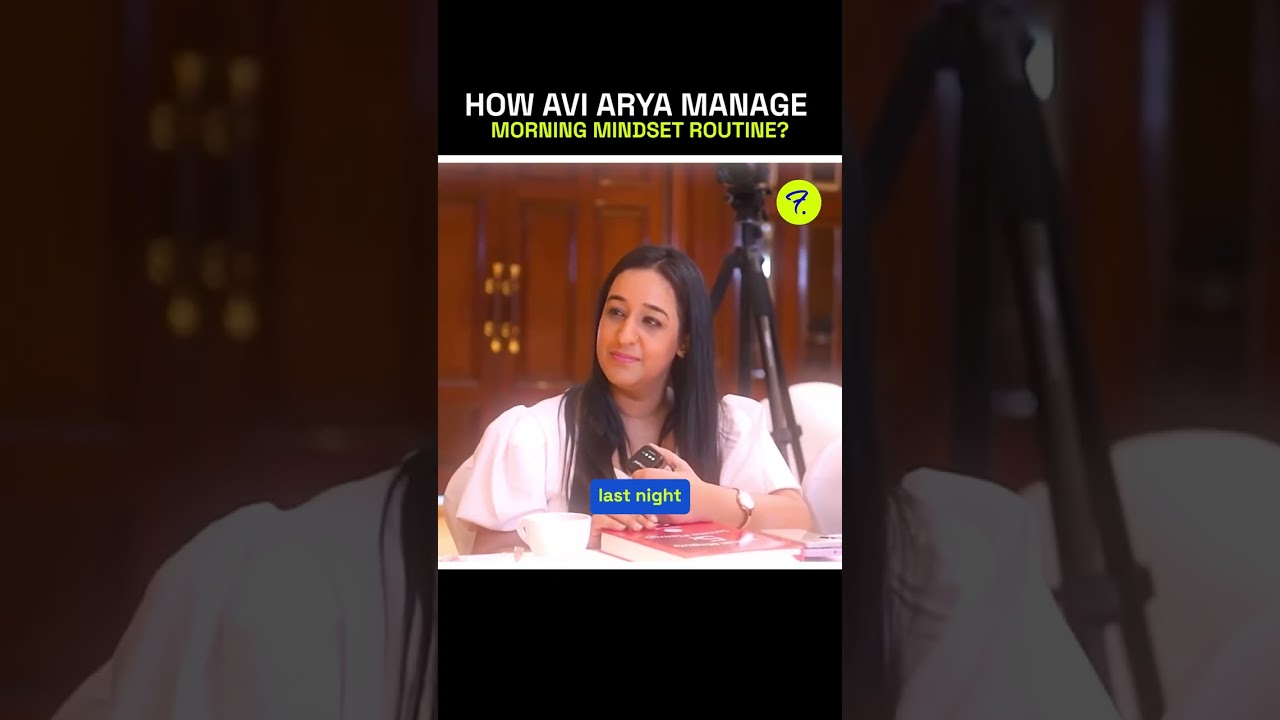
People ask me how I stay consistent with my morning routine while traveling across countries and tim