Which Tool Should you use for Multi-Streaming? Video Tutorial | The Ask Avi Arya Show
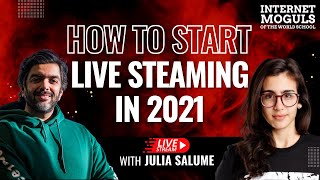
Avi Arya and Julia Saloom walk through Restream, a tool that broadcasts your live stream to multiple platforms at once. They demo the software and show how creators can reach bigger audiences without running separate streams on each platform.
You don't have to have like a fancy studio to multi stream because I know that sometimes it can be, it can sound intimidating, like it sounds like requires a lot of technical support and it doesn't. And I think that this is the first myth that I have to break down and say like it's easy.
Hey guys, this is Avi Arya, father of two girls, six dogs, husband to a superwoman, a streetcar racer turned hotelier, now social media marketer and founder of Internet Moguls. Welcome to my channel. Ladies and gentlemen, boys and girls, welcome to another Internet Moguls of the World masterclass where we get in experts from different parts of the world to be able to teach you how you can get known, get leads and get sales. Now about six months back I started using a system, a system, a software called Restream and it completely changed my interaction with my audiences at one given time. I can do what I want, which is to be able to go on multiple channels. This was a distant dream for the longest time. Now it's possible and for all of you people who are going live, but they want to go live on multiple platforms at one point in time I going to bring in Julia to help us do that and before that she's going to come introduce herself, have a conversation with you. So without further ado, Julia, welcome to the Internet Moguls of the World masterclass.
Oh, hello everyone. Thank you, Avi, it's good talking to you again.
Nice to meet you again. How's, how's everybody? How's everybody? How's Anya? And how's everyone back everyone?
Great. A lot of stuff going on, a lot of new features coming in the oven. So I just hopped out from a product meeting as well. So soon we'll be launching new features and yeah, the product is just getting better and better.
That is fantastic. So a firstly, thank you very much for taking the time out. You know, this is a community of very hardworking entrepreneurs who are working on our system, which is the Micro Video Mastery system to get known, get leads, get sales. This they're going live, they're restreaming, they're doing all of that. My name is Avi Arya, father of two girls, six dogs, husband to a superwoman, a streetcar racer turned hotelier, now social media marketer and founder of Internet Vogels. Over to you.
Oh, well, my name is Julia Saloom. I'm not going to tell you where I'm from. I'm going to let people guess by my accent because I love doing it and very proudly doing my 30 under 30 less is like 30 countries under 30 years. So that's my. Something that I'm really proud of. Free time ballerina and ukulele player and. Yeah, that's it.
Well, that is quite an achievement, those 30 countries. And that's something on my, that's something on my bucket list as well. To make sure that I spend more time to explore the world as soon.
As the world is back to normal.
I know, I know, but you know what? Like, I just got myself a new bicycle and I am out and about every day. I'm discovering new parts of my city every day. So I.
So, yeah, it's been great. I'm doing a lot of like trip. I live in the uk, so I, I actually got to travel to a lot of different regions. So I just came back from Wales. It was like an amazing hiking. Like 13 kilometers of like nine waterfalls, which is like so good to get back and like out in nature and connect and just like find a balance.
So 13 kilometers, nine waterfalls and.
Yep.
Can we see all of that on your Instagram?
Yes, actually you can. I think. I do think I'd updated the stories. It's all there.
We're just gonna, we're just gonna ask you for your Instagram as well. You know what? The. What? The one thing that the pandemic has taught us all is tomorrow is just not guaranteed. Just have fun, you know?
Yep.
Just. Yeah, don't. Don't overthink it.
Just don't get attached to your plans. Make sure that you don't regret anything, you know, because if you don't plan, if you don't do today, you might not be able to do tomorrow. So just get done it.
I love. I've never heard somebody put it like that. Don't get attached to your plans.
Yep, that's it. I mean, that was, that was a big, big lesson for me.
100%. 100%. You know, so many, so many people have been. So many plans are uprooted and it's. I mean, it's, it's painful when you uproot something, but larger scheme, in the larger scheme of things, amazing new beautiful communities come together as a result. And at the Internet moguls of the world, we are dedicated to bring in people who are going to use their passion and their skills to be able to create businesses. A skill which does not warrant a certificate behind your wall. A skill which comes from what you love to do and how you can add cheer to the world. So welcome once again. Thank you very much for taking this time out for all of the 76 entrepreneurs over here, we hopefully hit the 100% mark very soon. Julia, tell us about Restream and how people can use it. Time, efficiency, reaching out to a lot of people. How does this whole magic work?
So thanks everyone for being here and I'm glad to know that you're already live streaming. So the idea of Restream is just to make live streaming as seamless as possible. I will start saying that one of the biggest benefits of Restream is that you can just start with your PC. You don't need to have any fancy PC there because like you don't have to download as a cloud software based. So you just need to open a tab and you can start streaming. I had my computer was like, I just upgraded this year but before I had it for five years and it was still like working like no problems whatsoever. So I think that this is a big, big point on it. So you don't have to have like a fancy studio to multi stream. Because I know that sometimes it can be, it can sound intimidating, like it sounds like requires a lot of technical support and it doesn't. And I think that this is the first myth that I have to break down and say like it's easy. So easy. Let me share my screen here with you guys. So you all, for all of those who already created an account, you can see. One second. Okay, let me just go back here. Restream IO not the reply Restream Studio. There you go. So you'll see this page. Okay. So logging in, logging in with my personal one. It's not a problem. Yes. So you see this page and this is your starting dashboard. What you can learn from this dashboard, you can see on your left hand bar all the functionality. So you have the main dashboard, you have the live studio that you can enter here or here you have the events tool, you have all your video storage. So every time you go live with Restream, all your videos are automatically stored so you can download them later and you can separate all your tracks, you can repurpose this content and yeah, here you can schedule and think this is my favorite tool ever. So what you can do is like once you go live, especially if you are like Avi for example, like he's based in Canada, he has a lot of people in India. How can he be do the best for his community with the short time he has? So you can just go live on a community. You can download this because it's automatically safe and you can reschedule that live stream with that content, that interview, to go live again in a more convenient time zone for your audience.
Right.
So you can book the interview with your guest with the people that have to talk to the time zone of the person. And that's the benefits of this global world right now. And you can just repurpose this to micro content all over social media like Instagram, Twitter, LinkedIn or just reschedule this. Like it's not one or the other. You could do both.
Right, sorry, sorry. But that is a fantastic feature a lot of people don't know about. So you're saying I can do an interview right now that we're doing with you, and then for a lot of so and after this interview is done, I can schedule it to go as a live stream even after it's not live? Really?
Yes, that's true. I don't know how it works with Zoom in terms of downloading the content, but with Restream, if you're just doing like live straight on Restream, you don't even have to download. You just reconnect and restream it again.
That's fantastic. So, guys, I hope you understood this is a very important tip. When you have done your recording, you say tomorrow morning at 2 o', clock, you want to go live. So we started this feature six months ago. When we started eight months ago, when we started working with Restream, I was going live three times a day and most of the times I was not even there. So that sort of grew my Facebook following because people were seeing me every day. And. But what we did, Julia, was we had somebody who was moderating the comments. So it was, you know, it was a live interaction to that extent.
Yes. So that's the best thing. Yeah, that's absolutely. That's a great point, Avi, because the best thing of live streaming is the interaction to have of the community.
Right.
So you want to make sure that you still get to answer all the questions because otherwise people will just be frustrated with like watching something and not being able to ask questions. So you can have someone from your team or even you can be up without having to depend on your guest schedule.
Right.
Just answering those questions is an absolutely plus once you are repurposing this content in different time zones. So just to give you guys an idea of how easy it is, that's it. Right, so this will be like rescheduling this video here. So if you're downloading for somewhere else, you can just upload a video. It's really really easy to work with. Yeah. And here you are channel. So let me go back. We got carried on talking about this more advanced features. But let me start from. From scratch. Do you, do we have questions? Avi, can I?
Yes. So we'll take the questions towards the very end. That's absolutely fine.
Okay, can everyone hear me? Because I can see the varun is saying that he couldn't hear me.
I think we can hear you loud and clear. If somebody cannot hear, I think you'll have to fix your. Your video and your audio because most of us can hear her fine. Loud and clear and yes. So all of you people who have questions, we'll take a last 10, 15 minute Q& A. But we'll allow. And I will also stop interrupting. Sorry, but I saw a great feature. I wanted to tell people but we were fine. Finish. We let you finish before we come in.
I love questions and I love like comments because like you know your community better than I. So if it's something that I say like Julia talk more about does that they're gonna like let me know.
Fantastic.
So when you start off like here I already have some, I have a couple of like mock up accounts. So here you will see that I already did part of the process that are adding. Adding the channels that I'd like to go live to. So it's as sim as simple as it looks like. Once you click and add channel, you're just gonna choose which one you'd like to go to connect with. So let's say so we're going to connect with YouTube and we'll ask you to authenticate with your credentials. So I already have my account there, but it's just like carry on. Is this a normal process of creating connecting accounts?
Right.
So mine are already created here. So you can see that I have my YouTube channel here.
Right.
What does it mean that it's offline? It means that the account is connected. If I go live right now, I won't be going to any of the destination. The destination has to be on. So it's important to understand the difference between having your account set up and having your account toggle on. Which means that once you go live, those are the accounts that are going live. Okay. So you toggle all of them. I'll be going live to all of them. If I toggle them off or just part of them off, I'll just gonna be on two accounts. There are other ways to see and keeping tracking at this and you're gonna get to it. Okay. So the second Thing and it's. I would say that is the, the main part of what we can offer as as a studio is here. If you go, go to the. The Live Studio. It's a simple browser tab because I didn't have to install anything like anyone like typing those on your navigator and your browser will get access to it. Okay. Just log on to your account and this is a simple like chat that it looks like basically like a Google Meets it which allows you to go to multiple platforms. So the idea is you have the functionality with the easiness. Like the idea of making Mood Streaming as easy as a phone call or company meeting.
Right.
So here on setup, let's start from this. Let me change this bit here. You can see so from my dashboard, I remember that I only had two accounts toggled on. So those are both of them. I have to validate my credentials if anything goes wrong, if any credentials are not valid at the moment. If you change your password, we're going to let you know that I have to reconnect here. Okay. And here I also can update and change it. Like even before I go live, I want to go add another destination. I still have this option. Okay, so preparing to go live, I'll choose, I'll choose a title. So let's put Restream demo and how to use Restream and I will update it. So now all of them, you see that you have the Restream demo here you can go. You don't have to update manually every one of the destinations. So it's one description to all of them once you update. So if I change the name here to Webinar one and updated, all of the descriptions in all the platforms will be updated. Okay, so moving on, on our right side menu, so we have the graphics sections which I absolutely love it because it gives such a like a professional feel layer. And choose the webinar.
Right.
So you can make it look like a regular overlay. We have our ones, but you can upload your own. If you create something on Photoshop or Canva, you can just upgrade it. Oh, bear in mind that I have the Pro plan. So all the features that I'll be talking about as a Pro plan, which is the most popular and honestly the most complete, not even me as an employee have the need to have something more advanced. So that's what we recommend for most of people. If you created an account with RV link, you also have discounts. So it's pretty affordable. And so yeah, adding costumes, overlays, it's a Big plus you can change just to make sure that you are being truth to your brand and you have all the best that we can offer in terms of personalization. You can change the color according to your logo. So for example here, Ava, Suzie and Bright Red. Not sure if we're using the right hash code, but you can just type it here just to make sure that you're being so compliant with your brand. Update your logo. You can allow participants, I will tell you later why participants name has to be toggled here. Different designs and when can you see those designs? So before I get to it, let me just show a video clip. So before going live you can have countdown which looks so much more professional and help any type of delay in case of your guest is logging in. So let me just quickly show you this. So yeah, so once the countdown is over, I mean once you click countdown and normally what recommended to people is click the countdown, hit go live and then everyone will see that it start. This stream is starting. But you make sure that you have the like buffer time to have guests on to give all the introductions on time.
Right.
This is a new tool that we just launched. Once you play with different layouts, you can see a little bit of a background, right. So we have static backgrounds where you can put your logo, you can put the event that you're hosting, all the branding and thumbnails that you need. And to add some more like extra level movement to your live stream, you can also add now movement to it. So you have animated backgrounds which is quite cool. And we had so many questions for it. So yeah, just like playing around, we do have a lot of samples as always, you can upload your own. And that being said, so we go back to the theme here and why this, this bit here is important. Should just stick with the style. So if you go to captions you can just type something that you'd like to highlight for your community. For example, here you can go through 30 platforms at once. So while I'm talking about it, I can just switch things that I'd like people to pay attention to, right? Just to guide their look to something that is very, very valuable to them. So for example social media following. So we can add two layers. We can just continue restream, follow us on Twitter. You can just create it at the same time we're talking and just add this caption. Super, super easy. Okay. And talking about bringing things to the screen. What else can you do once you have the chat? And this is my, I would say my Second favorite tool. What is the main concern of people going live in different platforms? Let's imagine you don't have restream. If you want to go live to Facebook and YouTube, you would need two devices, phone and a computer or two computers or two phones.
Right?
And people will be talking to. And you guys have been live streaming, so you know how crazy the comments can be, right? So imagine you looking at two screens trying to follow up everything that people are asking and everything that that is going on in the chat.
Right?
So we've restream because we're also sending the sign to all the integrated platforms. We're also grabbing the comments from them. Okay. So all of them will be showing in one place. So you only have to look at one place. Okay. If someone is asking a question and you're doing a Q and A, what can you do? You just highlight the question here. Okay. So this will come with the name of the person and that's why I'll say back here that the participant name should be allowed. So this will come with the person name. You will see in a sign which platform they are talking from, their question, their comment.
Right.
So bringing the questions inside the recorded platform and especially for like repurposing content, this is great because if you're purposing in another time and people have good questions, you want to make sure that you talk about it and you guide people who are watching the recorded one to make sure that they, they see what you're talking about and not just reading a comment that they cannot see on their end.
Right.
So if people for LinkedIn, for example, is asking something that you are highlighting, you want to make sure that people from Facebook know that you got this comment somewhere else, if it makes sense. And the extra level of interaction and bringing things to the screen and making sure everything is on video and is recorded, we have the chat overlay. So all the comments that you get once you enable the chat overlay will come to your screen.
Right.
So not everyone, again, you are. If you are watching just on YouTube, you're making your comments there and you only can see as an audience, you only can see YouTube comments.
Right.
As a host, I can highlight LinkedIn comments and everyone, you know it's coming from LinkedIn or I can just enable the chat overlay and all the comments from all platforms are coming to the screen. We have, if you have like any connectivity issue we have here in the corner, I'm just trying to move this around a little bit, but I'm clicking and it's not dragging around here we have our amazing, amazing support team. They are like real people live 24 7. Okay. And every time that I get an email from one of our partners via email, I go here and I ask them because they're really like less than like two minutes you'll get a response. And they're absolutely amazing. So friendly and they are so up to date with all the types of problems that can happen. For example, like I know that Facebook from time to time they change their, their algorithm and there you have to. So if Facebook is off, for example they just updated their algorithm in the way that they promote live video, this might affect it. So maybe something in the end platform and they will do a full investigation for you to make sure that you're deep diving and fixing the issue. Make as and always that it's like. And every time it's possible of course fixing so it never happens again. Although if it's something on end platform you're always going to have to fix it because you're also subject to it. But yeah, I would always say go to our live help with like screenshot what you're seeing and just ping them and they are on it. I think most of you know like Instagram don't allow any third party applications. So once we're talking about live streaming and integrated platforms, imagine this as a two lane street, right? So you send the sign and you received a sign. How? That's how we send you your video and we get your messages.
Right.
So it's a two way route. With Instagram there is a roundabout, like a little bit quirky way of doing it. Because the catch with Instagram is that is only allowed for mobile and even on your Insta, like on your PC you have limitations. You cannot post pictures from your PC.
Right.
So the trick is there is an application. It's called Yellow Duck.
Yeah.
Is it? Right, they have many like I know that this one is quite popular. Yeah, let me just check here. Yeah. So what they do is they trick your Instagram to think that your computer is your phone. So personally I haven't used it just yet but, but I know that works for many, for most of people it's just a little bit quirky in terms of as I was saying, this will become one way road.
Right.
So we'll be sending our sign to Instagram will not be hearing back because it's a quirky integration.
Right.
So for this type of setup we call RTMP connection. So that's, that's what this RTMP here means.
Right.
It means that you are building a one way connection to a platform that restream is not natively integrated. Which platforms are this? Any platform that it's not on this page. It could be, for example, your website.
Right.
Restream not natively integrated to your website. So what are you going to do is you're going to build an RNTMP connection to your website. And every time you go live to your YouTube page, you also can go live on your website.
Right.
Although depending on the platform that you're using to host your website, if someone comment there, we're not going to hear back because it's not a native integration. And this is something very important to observe every time that you're talking about softwares. What is a native integration and what is a connection?
Interesting. So Nidhi had a question. She's saying that my YouTube doesn't give me an option to connect with Restream.
So you have to go to Restream to connect to your YouTube. Okay. So.
So Nidhi just like. Yeah, can you just show that again? Thank you.
Sure. Let me, let me delete this and we can do it. So YouTube here, connect YouTube.
It asks for the username, password and.
Yes, this is, I have this border is not letting me to. There we go. So yeah, so you allow. We're never going to post anything without your consent. Okay. We do have a go to your YouTube dashboard. Okay. So this is. Do you, are you. Do you use your YouTube account often? I don't know who asked this. I don't remember my phone verification because what happened with mine is like I don't go live often, so it's most likely just validating that me. That I am myself.
That should happen pretty easily.
Yes. I don't have my phone with me right now, but make sure that this is what is happening with you. You have to validate that you are yourself. And if you're having any other type of issue, I would say just go to our support dashboard. But remember that the path for authenticating for like connecting to YouTube is restream to YouTube and then you validate your YouTube and you should go back to restream.
Right, right. So if the phone number is validated, then maybe restart the process and start.
Yes, exactly.
Hmm.
Okay. Can. Can she confirm that? Is this what is happening? We're just guessing here.
Yeah. So Nidhi, is that exactly what's happening? Yes. She said yes.
Yeah. So just let's try to validate your account to prove that you are yourself. It's pretty basic validation process. And yeah, it should bring you back to Restream page.
There are a couple of people who are saying that we did the same. Phone is verified, but it's still not going through. So should we start restarting the app?
I mean, yeah, you can reset the page, but it looks like it's a, It's a new YouTube process. What I would say, I would say go for the, our support chat. Because if this is something like seasonal, if they're like YouTube changed something on their process yesterday or today, they will be up to it. They will be more sure.
Because, because we know.
Because maybe this is something that I just missed because I'm not streamer.
I'm not streaming every day because I'm doing it. I'm doing it and I'm having no problem with it. So.
So, but, but you, you stream often.
Right?
So.
Right, right, right.
So maybe that's it.
Awesome.
Maybe just a new step for new connections that they are building so we.
Can go to the chat and we can, we'll fix it.
Yes. Is this in the bottom right corner here?
So you know what I, what I've been doing, I go live on YouTube, I go live on my Facebook page and I go live on my Facebook group and I'm not even there. I just, I've loved that. But I tell people, guys, for all of you people, I tell people I'm going live, but this is a recording, so it'll show live. But in my opinion, be 100% transparent and honest with your consumer.
Yeah. Don't try to trick them thinking that you are there.
Right. So tell them I'm using technology to re. Bring everything to you. And my team is engaging in the chats or I'm engaging on the chats. People will still appreciate the, the, you know, the system, the technology, but it's best to be transparent. And that's how it happens. But the thing is, what I did was last year when we started working with Restream, we were doing three streams a day and I was doing a web 75 webinars in 75 days. So I was on a roll and brace yourself. We grew our audience. We grew our audience by 126,000 people on various channels in 75 days. Because we were just going all out. We were all out on every channel. We were there almost 20 hours a day. We were everywhere. So this is what helped because what happened was just like right now with the lockdown and everything in India, in many parts of the world, everybody's glued in. So if you want to capture their attention. And you have a tool like Restream, then all you need to do is get some good content and then repurpose it. Make sure it's everywhere when you're going to sleep, people are sort of engaging with your content. Why not? I mean, I always look at it as saying, this is a TV station now, why should I have put on, why should I have my TV station on one hour a day? I can have different programs repurposed, rescheduled, recorded ahead of time so that people who get up in the middle of the night, even when I'm sleeping, can see my program. So that's how I see it, building an audience throughout the day. You know, the more you can do it, the better it is.
And yeah, I think it's a lot of like working smarter.
Right.
Instead of just like working more. So if you can repurpose your content, you have like what is like one hour of your time in terms of effort, right. The preparation time to do it. And you have like this one hour breakdown in like a series of like six 10 minutes videos through a cough to cover a whole week. And posting in the social media.
Right.
Another thing we did, Julia, as a, as a use case was what we did was that. So I would interview somebody and I would say two, three interviews back to back, or like right now, what I'm doing. And then I would announce on my stream, going live with Julia at 6 o', clock, going live with Julia at 8, going live with Julia at 12, going. So every two hours, the timer like you showed, the timer is going, going live in two hours and the same episode starts again. So people who've missed it and we send automatic emails to people saying if you missed it 9 o', clock, if you missed it 12 o'. Clock. So in the next 24 hours, about 30% of my audience would have seen everything. And then, you know, then that's amazing call to action that you have and, you know, sort of make.
Yeah. And I think that one thing that I learned once I started, like streaming more and attending as guests for other people is that the Internet, we hear a lot about Internet haters, but actually the communities are so much more friendly than it's. So people will understand. So no one will be like bad mouthing you because you are not live 100, like 24 hours a day. People will understand that you have a schedule and you have, you are just doing the best to serve your community.
Right.
So just be upfront about it, Just be clear and transparent with your community and they will understand just carrying on. Let me do something here. And this is a trick. So if you just untoggle all your channels and you go to the live studio. If you hit go live, what gonna happen is you'll be going live to nowhere. And you want to be careful with this. But you can use this in your favor. So let me just do a quick test here. I'm going live nowhere. I'm just gonna play around a little bit with captions and here back on the graphic sessions, I can just change my background and I will end the stream. Okay, end of the stream. What happens now? You automatically gonna see the download recordings, right? Okay, so if you come here, you can download the full video. You can just an audio one or you can if you have. And this is important for people who have podcasts, so you can split different audio tracks for each one of the guests that you have.
Right?
So you can just download it. If you want to download a quote for someone, you can just get one audio track and just split it. Okay, you can access right now. And if you're trying to do it after the time so just ended your stream, it's late at night, you're jumping into another interview, something like that. You can just go back here on your lifetime in YouTube video storage and on the recording tab, you still have the video here. And what I was saying about you don't even have to download it. If you just come to the three dots here, you can just reschedule this and it just like pop up a different window. So you can already reschedule without having to download and upload again. So you don't risk losing any video quality. Quality. Okay, so this is a good trick. Really good one. So do we have questions about the studio itself? Oh, just let me just show something else.
Sure.
Very basic menu here. Mute and unmute yourself. Cancel image here. Okay. You can add the names if you need it and share your screen. And this is the link to invite guests. Okay, so it's you have a one evergreen link. And for all the people, doesn't matter if you are going live this week or if you're going live next week. It's one link only. If you'd like to refresh it, you can ask it. But there is no need of keep changing the links every time you have to rebook a session or especially if you have a recurring community meeting, you know where like, oh, every day, 3pm afternoon on a Monday, I go live. So I go live with three other members of my community. You can just have A recurrent calendar with this link. And it will be the same link forever until you ask to request it. Okay, and can let me do a trick here? Can we drop this? I would love to show you guys how easy it is to accept people and how can I go back here? A lot of. A lot of people on. But let me drop this link here so you guys can join me on the studio.
All right, guys, you got the link to join her live on the studio.
Not many people. Like five people I know.
The first five.
The first five I will just on. So if you're presenting and you have a panel for more people and you guys who have the experience to go through the process right now, they're just going to ask. You don't have to install, you don't have to download anything. Just a tab, your name and you will be. You have a message saying that you're waiting for the host. So we'll be on what we call a green room. Okay, so on this green room, you are here. And people, hopefully they're going to start like showing up here. They're not in the stream right now, so I can add them or remove them as this part of their segment.
Right.
For the show. Again, here we're talking a little bit more of different complexities for a stream. Of course, if you're streaming just by yourself, you don't have to have all this level of setup.
Right?
But streaming with other people is so much fun. You know, a lot of people, a lot of people say, avi, I'm sometimes I'm shy. I don't want the spotlight on me. Bring in a guest or bring in multiple guests and the spotlight goes away from you. You are the interviewer. The other person has to give answers. Number two, you're running out of ideas. What should I talk about? How should I add value to my audience? Get in somebody smarter than you, like I did today to be able to inform people on what they could do and how they can do it better. There's so many amazing benefits of getting guests on your. And we teach people, create micro videos, send requests to people and say, this is what I'm doing. This is my community. Would love to have you live. And then that piece of content lives on your YouTube, lives on your podcast, lives on your restream and you can use it in so many different evergreen content. Yes, a hundred percent.
Well, people are getting a little bit shy. But what had happened here? Just to give you guys an idea, let me add. Is this.
So, guys, how many of you have Clicked on that link to go live with Julia 5. If you have, you know, like, click on that link, go live five of you. She's going to accept you live right now.
You can just join me. Yes.
Yeah. So she's given the link. Just click the. Smash that link and go live with her.
Let me just. Oh, there we go. Have a person here, you see. So it will be just a window like this one that I can just. Once I toggle this. Hello there.
There we go. Nikon.
Just like, how are you?
Great.
So just to show off here, some of the. We have a little bit of echo, but we have different layouts.
Live on cnn, the nine o' clock show.
Hi, Sonia. So we can just spotlight different people. So now the room is full. We have 10 people here.
Right.
That's the amount we can have to go live here in Restream. Let me put everyone on the screen here.
Fantastic.
There we go. Right, and thank you, guys. You're already demonstrating. The private chat is just between us. So whatever we're talking here, people who are watching is just. They're just watching things on the screen so they don't see what is going on. If someone else has any connectivity problems, just let us know here. And the host will just carry things on as. Yeah, someone else doesn't have. Like if you just mute yourself. Thanks everyone who joined. I was just like canceling you all.
Start your own show. Bring in the guests, make them feel so special and important. You see what's happening on CNN and Fox every day. Bring in people, spotlight them. You know, do whatever you want. The best part is you can take this and do it on multiple channels at one point in time. And then like Ricky said, save the. Save the content and repurpose it.
Yes. Just changing the layout here a bit. We can just. Oh, okay. See, as easy as this is fantastic. Okay.
And I know I'm going out to.
Any channel right now, Peru, but. But yeah, if I just like hit. If I change my setup here, just toggle them on and hit go live. We're live. That simple. Yes. You can do webinar with restream. Do we have more questions on this whole setup? Yes, 10 people. Do you have you. I mean, not people watching people? No, no limits for audience. So the limit of the audience will be the channel.
Right.
So how many. If you have 100k people, this will be streaming to your YouTube and you can have 10 people on the screen. But yeah, as a guest. So you have no, like limit of audience. Just go to your channel.
Any Limit on how long we can go live.
No limits of time, no limits of bit rates, no limits of Internet connection, nothing.
So this is a Ukraine based company.
And yeah, it's our founders are Ukraine and company headquarters right now are in Austin, Texas.
Okay. So it's amazing how I met all of you guys when the first Covid happened and you just needed a tool to go live on multiple channels. And you guys just right time, right place and boom. That was fantastic.
Yeah, that was a lot of work on the background, but I can imagine it was so great. It was great because we do believe that that's the future of communication.
Right?
Life content is not. It came to stay. And so it's just a matter of like when you'll be shifting to it because that's the way to go forward.
You know how I'm crazy like that? What I like about Restream is what I did last year. What I like everybody to do is if you can go live 24 hours and say that 10 people in my company, you know, I schedule it or say everybody can go live for an hour or whatever, keep bringing in guests, have a TV channel which is working throughout. And I promise all of you people these audacious goals, somebody is going to do it. Your TV channel going live is your TV channel. You have 30 people watching you that 300. You have 3,000 overall. People come and go. People will switch channels, but they're coming keep coming back to you. Your background, your tv, your shows plan, your online brand in such a way. You're talking about travel, you're talking about coaching, you're talking about whatever, parenting. Imagine you have a channel people can log into at any given time. All your favorite TV channels. You know there is something, you know, your favorite show is announced at 9, 10, 11, but then the TV is happening 24 hours and you can log in there. Something at the other is happening. And every hour of that tv, every minute is monetized either through ads or call to action. This is no different, guys. There is just imagined in your head. This is the new TV and you will follow what everybody on TV has been doing. There is absolutely no limit to what you can do with this.
Yes, that's very, very well said, Avi. Thank you. So we got a question here. If you can go to your Facebook page right now you cannot because you have to be the host to go out. So we are on my studio, so I could just toggle on. So for example, this is my Facebook page and these are two different Facebook groups, right? So now, if I hit go live, we're going out for the three destinations, Right. The host is the one that is sent you the link.
Right.
So if I send you this, I'm on my studio and those are the configurations. If I want to go to your Facebook page as well as a guest, I will get your credentials or connect for reasons of security, I'll connect to them and then restream to your page as well. But as a guest, you could do anything that a host can. And what I do normally as a host is. One second, I got back to that question is I have everyone on and I work as a co producer. So I toggle myself off and you don't see me, but I can. For example, Sonia is just doing a presentation and she's asking to bring all the comments on the screen. I can do it hidden in a hidden way. So if you have someone from your team working for you, responding the comments, highlighting the comments. Right. So for example, now I have Avi reading the questions for me. If we're reading on Restream, he could just, instead of speaking up, he could just highlight the comment that he wants me or the question that he wants to me to respond to.
Right.
So you all can. You all can share your screen. So let me just. Who got the question? So Mohit, let me just untoggle some. You can. If you could share your screen right now. You can. You don't have to be the host to share your screen. There you go. Let's spotlight your question. Your screen here and there you go. Yep. So it could be just a spotlight. And here I will make this will. I would hide all the, all the faces toggle on. Okay. So you don't have to be the host to have any of the functionalities of a host on Zoom.
Right.
The only manner of the host here is to send it out the invitations and set up where you're going live to. Got it.
Lovely.
Any more questions? We had another one. Which window are you talking about? Can you get any of the audience live to ask a video question? You could just drop your link and ping them to invite you to invite them to your studio, just like I did with you guys.
So they come into the green room, you get a notification that this particular guest is waiting. And if you want to bring them in, that's.
You just toggle on when it's. Yeah, when you feel that's a. What is a play local video. Okay. So going live on a website, if you are restreaming, if you are recording your stream, you can Go it. Right, Right. Now this is like Avi's webinar. So it's not connected to your account. Once it's connected to your account, you can go to any channels. I think that I got. I think. I hope I got your question right, Ricky. So we need to remove someone out of ten. Okay, so let me remove everyone to be fair here.
Good one. I hope people are like, this is.
I don't want anyone to think it's personal. So there we go. You just toggle people off. And now because I'm the invisible co producer, I'm off as well. So I'm back. I'm back on. So what is a play? A local video. Okay. So if you have a sponsor, for example, if you have an advert from a product or a course, what you can do is add a source playing a local video. Let me see if I have anything here. Okay, so I do have this one. I think this is a bit too long. Yeah. So it comes as it was a guest.
Right.
But is a local file. So it could be any pre roll from an advertising call to action from a course. As soon as start playing it, it plays as an advert and it goes back to what Avi was saying about thinking of this as a tv.
Right.
So you know.
Oh, that's Anya right there.
Yeah, that was recording for one of our meetings. We did something really curious with this and I think it's a good, good case because you can just record it.
Right.
And bring it on as a guest. Anya did an interview with herself. So she was live and she already had recorded her answers. So she knew where she would pause and everything and brought like two onions on the screen and she was interviewing herself.
I would love to. That is so fast. That is such a cool idea. I want to do that.
Yeah, that's great. That's fun. What I have is I can go live on the website with my live can. And it would be like every live going. Everyone. Every time that you go live, you have to make sure that you set up to go live on your website. If it's. If your website is always here and always. I'll toggle on. Every time you go live, you go live on your website. Did I get this right? Avi, help me out here.
Yes.
Did you understand this way?
Yes. And also the thing is that to go live on the website, you need different settings, which is, you know, you'll have to talk to support for that. It's just like the ins. It's just like for what you.
Yeah, that Would be okay, I will leave. Guys, this is going to drop and interesting here. So everyone can stay in the green room. Imagine you have connectivity issues, right? Your Internet dropped and you are the host. So what you can do here is because the link is the same, you don't have to create a new meeting. So even if you have Internet connections, your guest will still be on the stream.
Nice.
Okay, so for your website, let me leave here. For your website, you'll have to do the rtmp, right? Okay. This year support can guide you. This, this can be. It's normally you have to go on your website, set up to get stream key, that's how it's called. But support can help you. And even here on our YouTube channel, let me show you. YouTube restream, we have so many guides. So on the playlist there is a playlist only with tutorials. I'll show you. That's my favorite one. This is live stream of Restream. Yeah, Restream guides and product updates. So another thing it's useful to say it's every two weeks we are launching a new feature. So this last week was the animated backgrounds that I show you guys. We also launched like last month we launched the split audio tracks for podcasts. So every two weeks you have a new video with a new tool and a new tutorial.
Right.
So here you can see absolutely everything that you can use to take the extra step.
Right?
And one of them is your rtmp. Okay. So I would highly recommend this one. It's like two and a half minutes video. If have any issues, any questions, still you can contact support because it will depend on your PC configurations. Yes, I think that's it. We cover a lot. That was like there was this session went from beginner to advanced very quickly.
It did, it did. But guys, all of you people, what are the top three takeaways for all of you people? So Julia, thank you so much for your time. We asked you for an hour. It's almost over now. This is an awesome community. Every single person here is an entrepreneur. Every single person here is working hard to make sure that they're able to scale their business, take it online and be able to work remotely from anywhere in the world, spend the time that they've saved using all of this back into their families. So very close knit, very strong community over here. And guys, all of you people, can we please give a big, big, big, big thank you to Julia in the comment box.
I'm loving to hear how they're going to use it. That was a Great exercise, Avi. You're welcome, people. I'm really, really happy. Happy to help. The whole Restream community is also very close. We do have a Facebook group that will recommend Restream Community. I recommend you to join as well. Avi is using Restream for a very long time, so he is a great person to give all the examples of how he's using the repurposing the content.
Right.
And being on a comment. Great tip. So, yeah, I hope to see you streaming and sure. I'm sure they're going to bring you great results.
All right, Julia, thank you very much. Your time. I look forward to very welcome in the next influencer meeting that we have together.
Happy. Happy to judge you. Be there.
All right, take care.
Bye, guys.
More from Avi
The strongest mindset doesn't begin with meditation. It begins at home. Before you conquer the wor

The strongest mindset doesn't begin with meditation. It begins at home. Before you conquer the wor
Your mindset isn't something you fix once. It's something you train every single day. Just like yo

Don't build a company just because your friends are. Build one because you're ready. A startup is
Everyone dreams of becoming the boss. Very few understand what that really means. The moment you b
Most entrepreneurs say, "I don't have time for coaching." The truth? You don't make time for what

Over hiring doesn't always solve problems. Sometimes, it creates them. Having a small buffer in you
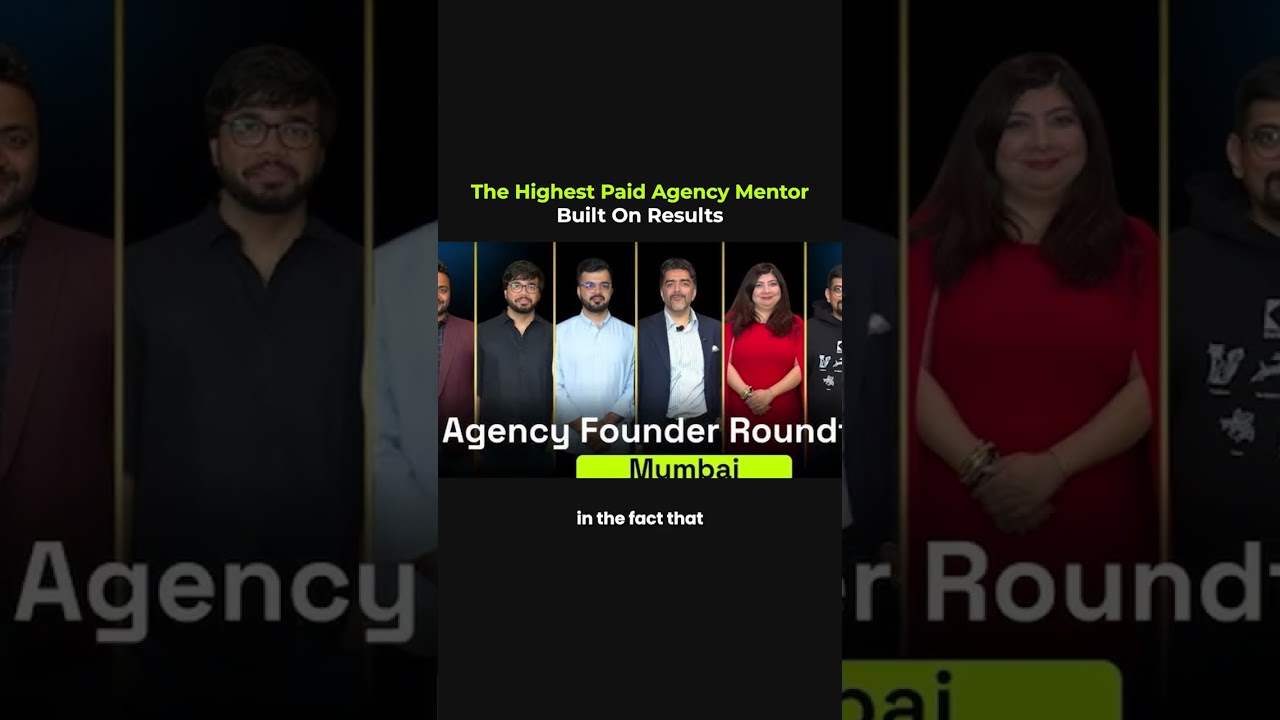
"The highest-paid" isn't the goal. The highest-value is. People often ask why premium mentorship co
The founder will always be a bottleneck... at some stage. The goal isn't to pretend you're never th
People ask me how I stay consistent with my morning routine while traveling across countries and tim
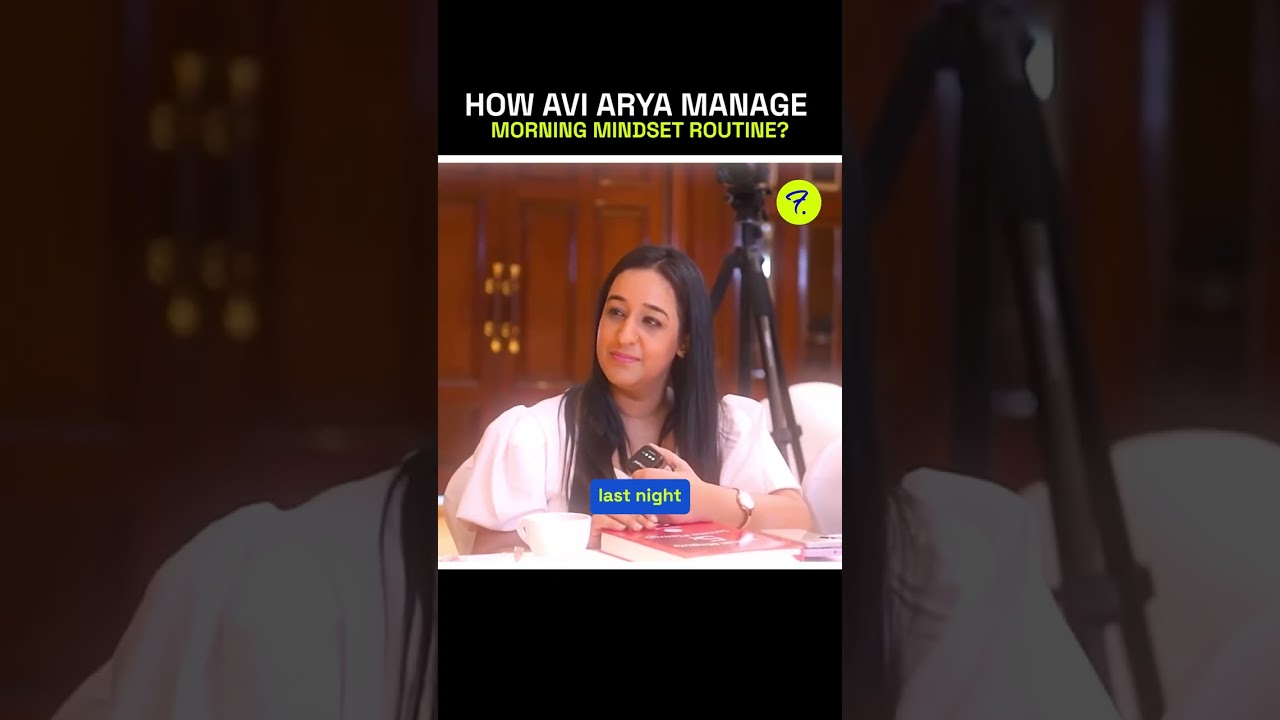
People ask me how I stay consistent with my morning routine while traveling across countries and tim