Complete Performance Max Campaigns Course (2+ Hours) - The Only PMax Tutorial You'll Ever Need
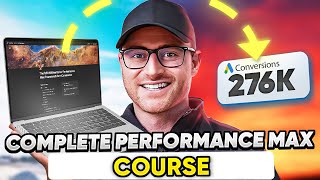
Austin LeClear breaks down Performance Max campaigns using $50 million in Google Ads revenue. He covers campaign structure, asset groups, audience signals, and bidding strategies, emphasizing that you need at least $50 per day budget and a solid product feed to make it work.
Chapters
We have generated over 50 million in revenue from Performance Max campaigns. We've tested everything we've purchased and taken probably every Performance Max course out there. And what I've decided to do is take everything we know about Performance Max campaigns, from fundamentals to setup and structure, all the way to optimization and create this video for free and give you everything we know about Performance Max campaigns. What to do with a brand new campaign, what to do with a Performance Max campaign that you've been running for months and it's doing well. How do I continue to expand in scale now? What to do in certain scenarios where bidding's not matching the results, what to do with poor performing products, what to do with top performing products, what to do with multiple brands mixed into one Performance Max campaign. How to go about building the best asset groups, how to use audience signals correctly, how to use search signals correctly, how to see the insights of your Performance Max campaigns. Clearly that they're hiding inside the Google Ads interface and much, much more. So all of that is going to be in this video. Again, we've generated over 50 million using the advice that I'm going to give to you for free. Also, you'll notice you're going to see me using a notion doc in some of these videos. You can get access to that notion doc from the link below. All you have to do is sign up. We actually have a full free Google Ads community called PPC Launchpad and inside of there is our free full Performance Max course. It's essentially what you're going to get in this video, except it's broken out in different modules that are easy and digestible. So if you're inside of your account and you want to go to the bidding section, for example, you can easily go do that inside the school community, inside the broken out modules in the Course. However, you're going to get everything in this YouTube video that's in the course. But if you want the extras, if you want the Notion doc that I'm going through to be able to cross reference and you want the community to ask questions and you want the module videos broken out very easily for you to go back to while you're working in your account, then just hit that link in the description. It's going to take you to a page, we'll ask for your email and name and a couple quick questions and you'll get access to the actual community and then you'll have full course access there as well. But stay tuned. Everything you need to know about how to run Performance max campaigns in 2024 is in this video. I hope you enjoy. Let's go. What is Performance Max? So think of Performance Max as every campaign type available in Google Ads lumped into one campaign. Google knew a lot of advertisers were stuck just using a search and shopping ads if you're E commerce and that was about it, right? Maybe a little bit of remarketing on the display side. You got to remember, Google only cares about continuing to increase their own revenue. They are a publicly traded company. Their quarterly earnings reports will tell you everything they're trying to do in the direction of their company. So if you've been following them for the last year, you know they've been hammering, trying to increase YouTube ad revenue. So sure enough, like in Performance Max, they started forcing YouTube in there. So is this beneficial to advertisers? Yes and no, in my opinion. But it is Google's world that we're living in and this was an effort for them to try to force advertisers to start utilizing all of their placements, even though we know as sophisticated advertisers some of the placements that they're, that they're forcing you into. This black box of Performance Max probably isn't producing the best roi. However, Performance Max does work wonderfully in most cases if you can set up structure correctly, which is why you're taking this course and what I'm going to show you. But think of Performance Max as smart shopping, but with dynamic search ads and YouTube baked into it. So smart shopping, you had the display remarketing going on there as well, but you didn't really get the search aspect of it or even the YouTube. And performance max kind of takes smart shopping and puts it on steroids, essentially because you're now getting all these other placement types. But Performance Max is audience focused. It's not keyword targeting based. So you're not actually telling Google, go find or show my ads for these keywords. And they give you limited reporting on that as well. We'll, we'll, or I'll walk you through some of those insights later in this course. But it's audience focused, so it's more intent based versus like actual keyword, which is a big difference. I think the future of Google Ads, or at least what Google's going to probably force advertisers into is, is going to be more keyword less, if that's even a word of a, of an advertising world. It's going to be more intent based and not so much focused on you bidding on specific keywords. So heavy lean into Google automation and goal focused. So basically give it a goal whether that's a CPA or a roas and it will go hunt for you at that goal. It is not manually bid options. It very much is maximize conversion or conversion value and then eventually you can switch over to a cost per acquisition goal or return on ad spend goal. We will talk about bidding and everything you need to know on how to make all of this work. But to start, what the heck is Performance Max? If I'm sure most of you already kind of are aware or if not know what performance max is, but just think it's a all ad placements that you get forced into in kind of this black box campaign. And in this course I'm going to show you how to get around all of that. How does performance Max impact your search campaigns? Because performance max has search ads a part of it. What happens then to your search campaigns that you currently are running? So a few things here. One is the best way of looking at this is this table down here. So if it's an exact match keyword, let's say LG tv, you have added as an exact match keyword in one of your search campaigns and someone searches that the search campaign is where the ad should be shown for so it would override your performance max campaign in that particular case. What about broad or phrase match keywords? So with broad or phrase match keywords it comes down to ad rank. So Google claims performance max or higher ad rank is how they're choosing that. So they're going to yield to performance max campaign. But if you have a higher ad rank on your search campaigns that then it says it will funnel that over. In this case, what I have found, you're going to still make money and be able to bid and advertise on those broad and phrase match inside of your regular search campaigns. You're also going to see some of that data though inside of performance max campaigns. At the same time, I don't know of a way of fully controlling that. That is where I just kind of lean into hey, what are the results? Are things working, my search campaigns making money and hitting our goals? Is the performance max campaign or campaigns working and hitting the goal? Then fine, I live with it. I don't know how you could actually prove this is 100% correct. There are cases where people try to force their search campaigns to take all the search. I don't think it's possible. And so you're trying to go against Google in that case. And listen, we're all about finding ways of not letting Google fleece our clients or our own selves, our own accounts money. Sometimes you have to kind of go against what Google's recommending and find the more sophisticated routes or loopholes that benefit you as the advertiser. But in some cases you just can't go against Google. And, and this is one of those cases, there is no way of fully controlling some of that search traffic. So Google claims hey ad higher ad rank then it's going to go to search but you will find your phrase and broad match keywords that you're targeting. You're going to find some of those search terms inside of that performance max campaign as well. However, the importance though of an exact match keyword because they do claim they yield to the exact match and it goes to the search campaign rather than the performance max campaign. That to me still shows the importance of exact match if you can make it work in your standard search campaigns. Google is kind of going towards this more broad and well, mainly broad keyword based targeting for keywords. However, we still are adding exact match for this purpose. If we're running performance max campaigns, this gives us back a little bit of control of those exact match if we can make them profitable in regular search. There are cases though where you may see your exact match keywords still showing in some of those insight reports in the performance max campaigns. There could be several reasons for that. You see can your campaign this would be your search campaign is limited by budget. So during that time where the campaign has spent the budget, all of those searches then will flow over to the performance max campaign keyword may have a low search volume status attached to it. You would know this though but that has happened. Creatives like ads or landing pages have been disapproved. Well if it gets disapproved then performance max will take all of that then or all campaign or ad group targeting isn't met. So just know use this table or references table in some of these cases. If you're trying to figure out in your account how your search campaigns are working alongside a performance max just know exact match should override PMAX and then broad and phrase it's going to come down to ad rank. All right, so impact on other campaign types. This is going to be very simple in regards to just being able to cross reference this. So we've already talked about search campaigns exact match keywords. Google says search campaigns. If it's broader phrase it's higher ad rank if it's standard shopping campaign. If you have a standard Shopping campaign built for alongside a Performance Max campaign, which there are cases to do that. We talk about that in the structure, setup and structure section of the course. Performance Max will take priority. However, we we will run a catch all in many cases and still see products that we have in Performance Max showing in standard shopping. So I don't know if it's a hundred percent, but Google claims Performance Max will override standard chopping. So just know that when you do the setup, display or remarketing it, they claim higher ad ranks. Same with YouTube, Discover, Discovery and Local. They're just claiming all right, higher ad rank wins. So that is why Performance Max campaigns aren't the end all be all. You don't just. You know, in the beginning when it first came out, there was many advertisers talking about all you need now is Performance Max. Not true. We run pretty much all campaign types still alongside Performance Max. Now Performance Max has become sort of the ultimate campaign to really get to work. But doesn't mean you can't run standard shopping. Doesn't mean you can't run standard display remarketing campaigns or YouTube discovery. A local. You don't want to 100% just rely on Performance Max. You can still as an advertiser run a lot of that. But just know if you do have Performance Max set up, this is how the rankings are going to be on what Google yields to in regards to that ad impression. If you have all those campaign types set up alongside Performance Max. All right, terminology. Don't worry, I'm gonna go more in depth on all of these later on in the course. So this is just a quick terminology breakdown. So if I mention these things and don't go too in depth, just know I will be getting into the weeds on all of these later on in the course. So first off, asset groups. You're gonna hear a lot about asset groups with Performance Max campaigns because that contains all of your ad creative. It's gonna contain your audience signals and product listing groups which I I have the definitions down below here. On think of asset groups as your ad group in a standard campaign. So it's just an ad group on steroids because it contains way more assets to it than what a normal ad group has been in the past for Google Ads. So just think asset group contains simply all of your assets. Then you have audience signals. I will go more in depth on audience signals, how to build audience signals, and how to think about your audience signals and how they behave. Just know though, there are no keywords in Performance Max. So you're not, you're not adding exact match, broad match or phrase match keywords like you would a standard search campaign. It is audience signal based, but it is not a target. So your audience signal does. That does not mean that Google's only targeting that audience. It is nothing more than literally a signal. So hence the name audience signal. It pings a signal to Google's machine learning to go look for searchers that look close to those audiences that you give to it. So for example, if you had an audience signal of remarketing audiences that you give to it, all you're saying is hey, hey Google, go find other people who look like my remarketing audiences or even just go target my remarketing audience list. Google though will not just stop there. It is just a good place for it to start, right? Then once you get enough conversion data inside your performance max campaign, especially at those asset group levels for those particular products, the machine learning just starts taking off and doing its own thing. So it's going to start expanding its reach and finding other audiences that look similar to the conversion data that you're now getting for those products inside of that asset group. So just know audience signal means a ping to the machine learning to just kind of steer it in that direction. But it's going to go off on its own over time. It is not an absolute targeting mechanism. Then you have listing groups. Listing groups are nothing more than your product groups that you know fetches your product from your product data feed. And then you can segment and split listing groups out just like you did in smart shopping campaigns or standard shopping where you segment out by your product groups. That is just what a listing group is. It's just basically the product feed that you have in Merchant center and you can split it out just like you did product product groups back in those old campaigns. All right, pros and cons of performance max campaigns. This is my own opinions, so take it for what it is. But you'll notice my con list is pretty big and my pro list isn't. But here's the thing, pros. It works, right? It works. And when it does work, it works very well. Now there are in some cases where performance max does not work for us and we are using standard shopping campaigns alongside of other campaign types. However, for most of our E commerce clients, performance max is now sort of the 80% of where revenues being generated, if not more. So it works. And if you can get it to work, it works really well. So that's the pro, right? And it's going to hit other channels that most advertisers I put lazy in here previously ignored. This was part of Google's sort of forcing advertisers into the Performance Max to start utilizing some of more of the top of the funnel ad placements like display and like YouTube. And so you are going to get further ad exposure on these placements where as before, most people were just stuck on shopping ads only, on search ads only and then maybe a little bit of remarketing. So this kind of forces you into those other channels that can be a pro and a con. But I'm giving it a pro here. Just give the pro list one more bullet point. Cons, no real insights. We will go through some of those insights in this course further but it is a bit of a black box. There are some loopholes around to getting some of these insights to help you make decisions based off data. But for the most part it, it is a black box and I hate that. So to me that is a con. Limited control. I have a full section on optimize it. Optimizing Performance Max campaigns. This is not a set it up and forget it, you're done, go be on your way. Absolutely not. It still takes a human controlling the machine. You know, Google wanted everyone to believe that Performance Max was just like plug everything in and off it goes and you're going to hit all of your goals and get rich. That's not the case. So there is limited control but there are levers that can be pulled which we're showing you or I'm showing you in this course but for the most part there is limited control. So a lot of these are very hackish optimizations that, that I'm going to be showing you but they, they have made this a black box cannibalization. This to me is a con. We talked about earlier in the course about how Performance Max works alongside other campaign types like Search, like display, like YouTube and standard shopping. It will, from what I have seen it will take what's working a lot in a lot of cases from your other campaigns and then loves to take credit for some of that. So it does seem to cannibalize those other campaign types. Just know it will do that. So to me that's a con. No easy way of adding negative keywords. I talk about this later on in the course on how to do it but there isn't, you know, in most campaigns you can just go in literally to the negative keyword. So setting and start adding negative keywords in there. That is not possible with Performance Max campaigns, at least as of today. And so you have to take some extra steps to add negative keywords. That's a con. Lots of ways to spend happening and limited controls to stop it. So this is Google forcing you into some of those other ad placements. I know 100% there's waste, it's been taking place but I as the advertiser can't do a whole lot about it. And that drives me insane. Makes Google money at the expense of advertisers. That just drives me nuts. And so that's a real con. Performance Max can have wild swing. So you're going to talk or I'm going to talk later on about why conversion tracking is very important. Having the right conversion data, solid conversion data, and then enough conversion volume as well. If you don't have some of these fundamental structures in place, Performance Max can be very finicky and really tough to manage on on lower volume accounts as well. So it can have these wild swings that are just very annoying to deal with. It does seem to have gotten better over time. It's the machine learning probably has adapted now that a lot of advertisers have been utilizing Performance Max for a while. And so it has enough data, Google Ads has enough data for the performance Max machine learning to have gotten smarter. But it still is a very finicky campaign type. Learning phases can take kind of too long in my opinion. Sometimes you'll make a change and you've got to gut it out for a week or two. I am not a huge fan of that. I think this will improve as time goes on. So right now a con but hopefully there's some improvement there. I hard to diagnose at times when things go sideways. Like I said, Performance Max can have wild swings. When those swings happen, sometimes you're looking at the account like what the heck just happened? How, how do I prevent this? I have seen impressions 10x in a day and clicks 10x in a day and you have no idea why you didn't make a change. Something just happened in the machine learning where the machine learning went down some crazy rabbit hole and all of a sudden you've got, you know, a thousand clicks that day. How'd that even happen? And so you don't know because it's a black box. So these weird things do take place at times and if it goes sideways, you have to be very careful on how you steer it back. So it's very hard to diagnose what, what goes on when the machine learning wants to to go a bit Wild at times URL extension Make sure to add exclusions for your URLs you don't want. This is talked about later on in sort of the optimization and setup and structure course videos but it acts as DSA and so it can just send traffic to like blog posts and things if you don't exclude those out and which I'll show you. So you have to be very careful. So you think oh I'm I'm just targeting my product pages or my homepage with my, my asset group. No, if you have URL extent final URL expansion on it will just crawl your website and and then it goes into more of a dynamic search ad behavior. And I have seen in cases where it is spending or sending a lot of traffic to irrelevant pages like informational blog pages when we know those pages don't generate measurable revenue for the campaign. So you have to be very careful on that fraudulent so this whole course is E Commerce focused. It's E Commerce focused for one reason. I do not like Performance Max for lead generation. We have tested hundreds of thousands of dollars for our Legion clients for Performance Max. I'm not kidding. Hundreds of thousands of dollars have been spent testing. I know there are guys out there or agencies or media buyers who have made Legion work. We do have a few that have that seem to work okay. But 90% of the time what I have found with Legion is it is complete spam. In my opinion, it's fraudulent traffic we have had in some cases we turn Performance Max on for a Legion play and sure enough the leads that are coming in are absolute garbage. It's definitely bot traffic. And so how Google is able to monetize this what in my opinion is fraudulent traffic is beyond me. But it happens. So this is why this course is aimed at E Commerce only because for the most part here at Grow My Ads our agency, we only run Performance Max for E Commerce clients. For Legion I have, I've seen just nothing but horrendous results from it and then not 100% sure this is true machine learning at times. More on that later. But sometimes when you'll split asset groups you'll. You'll notice that it could be the same listing group that you're targeting and you're just testing a different audience signal. Potentially you'll notice also the impressions and clicks just get split 50 50. So it's not actually machine learning. It seems more of like an engineer mechanic on how that works. And so it really does feel like it was just like if this happens, do this, that's not how machine learning works. So Google tries to claim performance max is this full sort of machine learning into Google's algorithm and that's why it's so much better. But then there are cases where I've seen where we're testing like this machine learning that looks like an engineer function. And so to me, better. That's a con. All right, my thoughts on performance max overall, if you even care when it works, it works really well. And Google is going to continue to favor and push advertisers into using performance max. So my thought is learn to adapt. Learn to use it in your favor, not Google's. If you're taking this course, you're on the right path, but it works. I know there's a lot of people that complain about performance max. I do too at times. But we live in Google's world as advertisers on Google Ads. And so adapt or die is kind of how I look at it. Despite what Google made it sound like when they first launched, Performance max is not the end all be all to Google Ad campaigns. So don't be lazy and just throw a performance max campaign up and think. That's all you have to do. Think strategically. How does performance max fit into my overall account strategy to achieve what I'm trying to achieve with my Google Ads account? I've seen way too many times where a lazy advertiser just throws up a performance max campaign with all their products thrown into one asset group and they call it a day. That's not how you make money and maximize Google Ads. And so performance max is just a piece to the game. It is not the whole game, despite what some people have said out there. Always know performance max will yield to finding the lowest hanging fruit first and it will always go after the easiest conversions when possible. When we get to the bidding and budget section, you'll hear me talk about controlling your performance by budget, sometimes not actually by bids. And that's because when you govern the spend, it forces the machine learning to go back to what's the least resistance, the least or the lowest hanging fruit for conversions. So it goes easy and then it starts expanding out. But that's why you do get some of those cannibalizations from your other campaigns. Because performance max is just trying to find easy conversions in the beginning. I have seen performance max campaigns where 90% of the conversions were brand terms and the rest probably were was remarketing. So you need to stay on top of this, especially if you are a lower spender. We will get into some of these details later in the course too. But Performance Max, you know you can't add negative keywords very easily. So some people will set this up without doing any other steps. The steps that I'm going to be showing you further in the course and all of a sudden you look at the data and you're like, oh, this is just brand terms and remarketing. So just remember how Performance Max behaves and that is it is going to target low hanging fruit. Easiest conversions first, then it will expand out. So just be careful in the beginning stages of launching a Performance Max campaign and make sure you're getting not just brand conversions and remarketing, but also some of that non brand stuff. Performance max 100, 100% spends your money on wasteful placements. Gives you no control over it. Drives me insane knowing that exists. But you have to live with it. There's not too many levers you have. Unfortunately against that there are things, some account structure optimizations that I'll talk about later that can help prevent some of this. But just know performance max is 100. Wasting some of your spend. It's just going to happen. Don't over complicate this. Start basic, then evolve more on this in the campaign structure sections. I have had so many conversations around Performance Max and some people just go way, way too overboard, way too in the weeds, way too complicated. Look, this is one of the smartest campaign types Google has launched, so I will give them that. Your job is just to feed it good data and steer it to make you a lot of money. That's it. So don't overcomplicate this. I've done audits where, you know, they spend literally $100 a day total and yet they have 20 performance max campaigns running. And you're like how this will not work. And so don't overcomplicate it. Follow the course material that I have presented and we've generated over 50 million in revenue from our findings, testings and roll with that. Do not over complicate and try to get too in the weeds on this. You don't need to. I think less is more when it comes to Performance Max and I'm going to show you exactly that further on. All right, Essentials to set up and structure Performance Max campaigns. Number one product feed. Make sure you have an optimized product feed. I can't tell you how many audits I've done where their feed is just hot garbage. And I'm like, look, why you're investing all this money and trying to do all these hacks to make performance max work. When you need to spend some time and money optimizing the feed itself, most advertisers just ignore this, especially the shop. A lot of Shopify advertisers, you know they have a Shopify e commerce store. You can easily create a product feed. Shopify and Google Ads makes that very simple to do. Usually the feed though is just junk unless their product pages, titles and everything are already really optimized. And then you know, they try launching and running that way. I have not only a huge blog post guide on feed optimizations, I have like a 30 minute YouTube video that I've released for free. It also has a full cheat sheet guide from what I have found moves the needle the most on your feed optimizations. You know a shopping feed has a million different components to it. You don't need to optimize all of those. It'd be great if you can. But in most cases there's just a few attributes that if you spent your time on and working with, you can really 10x your results from. And I show you a case study in that in this YouTube video. So go watch that YouTube video. I'm not going to rehash that here. I'm giving it to you, completely baked it in and embedded into this guide and that will show you exactly what you need in regards to optimizing your feed. I even recommend feed providers that fit certain budget types depending on who you are as an advertiser. And so go check that out when it comes to the product feed. But just know product feed means a lot, especially as an e commerce advertiser. And when it comes to the performance of your performance max campaigns, then $50 plus daily budget. If you can't spend at least $50 per day testing performance max, then I would just hold off. I would run, you know, whatever other campaigns you are running right now. I have not seen many cases where performance max does well at a lower than 50 per day budget. That could change in time as the the machine learning gets better. And I'm not saying it's not possible. I'm just saying from our experiments, $50 per day seems to be the bare minimum that I'm comfortable with running. Otherwise it just gets way too hard to make it work and it suffocates itself out. So if you're wanting or if you're not currently advertising with performance max or setting up a performance max campaign, then just know you need about $50 per day minimum before I would even recommend testing performance max then correct conversion tracking and settings. I'm not going to do a full course on conversion tracking and conversion setup, but if you feed bad data to Performance Max you are going to get bad results. So correct conversion tracking is vital to the success of your Performance Max campaign. Few highlights here. Use Google Ads tag, not a GA4 import. We've seen time and time again in audits. People are using the GA4 import, not using the Google Ads tag. There's many reasons why you don't want that. I'm not going to go into all of them. One of the top reasons though you want the Google Ads purchase tag is because you can set up enhanced conversions. You cannot set up enhanced conversions on a GA4 import and enhanced conversions gives you more attribution back. So we have seen there's better and more accurate attribution inside of your Google Ads account when you're running the Google Ads purchase tag, not a GA4 import. So very important if you are running a GA4 import right now, set up a Google Ads purchase tag with enhanced conversions, let it run for 30 days under secondary, not primary and then reassess. Then look at how does that tag compared to my GF4 import and then a switch over. But do not just set up a new tag and switch over. I'm not recommending that. So you've got to give that time. If you don't have the Google Ads tag set up first, set it up, put it in secondary, let it run for 30 days plus let it get some data, then switch over to it before just hacking out GA4 Import. Make sure enhanced conversion tracking is set up. Already mentioned that with the Google Ads purchase tag and then go after purchases only for Performance Max. I have seen time and time again where all of a sudden I'm I'm reviewing someone's Performance Max campaign setup and then I look at the conversion settings and they're literally going after shopping cart visits and purchases. And the you would think that makes sense. It doesn't. I have a full YouTube video as well. I will make sure to bake that into this course material. But there's a huge difference in how shopping cart visitors behave versus a purchaser. Just because someone hits your shopping cart does that doesn't actually mean that that's a good audience. It could mean the smart bidding goes and finds more of those cart visitors, but none of those cart visitors end up converting. I have seen that happen. So you remember Performance Max yields to trying to find the easiest least resistance conversions it can. So if you have your campaign set up to track a macro conversion which would be a purchase and a micro conversion which would be someone visiting your shopping cart but not purchasing it will yield to just finding a bunch of shopping cart visitors. That's it. And that will not translate into maximizing the performance of your performance max campaign. So you want to feed it only purchase data. That is the only conversion tag you should have set up for your performance max campaign, especially as an E commerce account. This is different in the lead generation world, but for E commerce I only want purchases in there and so I only want my purchase tag to be the only conversion that the smart bidding machine learning is learning off of. Right Campaign Structure Best Practices this is where most people I have found over complicate things with performance max. They build out way too many performance max campaigns, way too little budget set to each campaign and then do not get enough data and the results are horrible. So keep it simple. When you're just starting out, the goal is to consolidate as much as possible. Less is more when it comes to performance max. When you have less complication and segmentation, you have more data to one campaign. And the machine learning seems to do better when you have more data baked into one campaign. So I'm not suggesting blasting all products in one asset group and just calling it a day. Asset group structure tips will come later. But to start that can be fine. But over time you do want some segmentation and consolidation. But and I'll go into what I'm recommending for that. But don't go in especially if you're just starting out and build out 20 different performance max campaigns. That's just not going to work. So less just think less is more on performance max. You want as much consolidation of data into one campaign now one campaign doesn't rule all. I will go into advanced campaign structures, especially if you've been running performance max campaigns and have a lot of data now. But in the beginning I actually really do for the most part only recommend about one campaign and one shopping campaign. Again, I'll talk about that later. But you want as much data in one campaign as possible. It just seems to work better that way. So consolidation is key. You need 50 plus conversions per month from a performance max campaign for it to run smoothly. I'm not saying there's not an advertiser or performance max campaign out there right now that probably runs just fine and it gets less than 50 conversions per month. But 50, 30, 50 plus conversions in a month from a performance max campaign seems to be the key number to be hitting in order for that performance max campaign to not be finicky to work with or for it to go sideways or suffocate itself out. And it makes it way easier to manage. So what happens is a lot of people want to over segment when they really could be running just one performance max campaign campaign. With asset group breakouts. They're running like 20 different performance max campaigns and they don't have enough budgets on those campaigns. And those campaigns are getting like five conversions each. That is horrendous. It will not work. So you're better off consolidating those campaigns into one and instead of five per campaign, now all of those are grouped into one campaign. And now the machine learning has better data to work with because of the consolidation. So when you're starting off consolidation and less is more is key. I know I've said that about 20 times, but just I'm trying to really imprint that into your brain. Don't over complicate this, especially in the beginning now. Reasons to segment campaigns and and there's many and again I have an advanced optimization or advanced campaign structure module that we'll be going through. But reasons to segment and how you should be thinking of segmentation. Best sellers versus low performing product product categories this is for budget and bidding differences. Our best sellers we're going to be bidding differently than our low performers. I'll be breaking that out later. Campaign settings that could be location targeting. Maybe you have a campaign where you're only targeting Alaska and Hawaii for whatever reason or it's a different country. So campaign settings settings can be a reason why you have to segment seasonality. When there are certain products that do really really well for certain holidays or seasons, sometimes it makes sense to break those out into their own segmented campaign types. Halloween's a perfect example. If you sell Halloween costumes that is normally only very popular during Halloween. So that would be one where maybe you break that out individually into a its own own performance max campaign and then ramp it up and have more aggressive bidding on that because it's going to do better than your other product types or categories during that particular season. So sometimes segmentation for season makes sense. New products or product categories to test. Maybe you are bringing on a new line of products that you have never sold before. Sometimes it's better to test those in their own performance max campaigns just to get some data on them and and have performance max really push them. There are cases where it's fine to test them inside of an existing performance max campaign. Maybe set it up in an Asset group. But there are many cases where it's better to just build a new performance max campaign with those new products or new product categories and run it as a test campaign reassess then what you're going to do with the structure there. But that's a reason to be segmenting campaigns. Zombie products then is one. I'll talk about this a bit later too. Zombie products are nothing more than products that get zero impressions and clicks inside of your main performance max campaigns. You will over time as you're running performance max campaigns, you'll look in the product data and start to see that there are products that Google just does not give any love to anymore. So they'll have one impressions one in clicks forever. Remember Google, especially if you're running bidding for a target roas over time Google is going to know what group of products do really well, what audiences do really well to hit that goal and then it just kind of stays within that groove. It's very conservative then on branching out to try to experiment with these other products. So in those cases you want to take those zombie products out out of your main performance max campaigns and split those out into their own zombie campaign to force Google to start giving those products impressions and clicks. More on that later. When you're first starting out, campaign structure is very key. So strategy when you're just starting out with performance max, what I recommend and what I normally find works the best is start with a best selling products or product category performance max campaign. And then these are just products you know already sell really well on your website from other channels, organic, social, whatever it may be. You just know, hey, these are our top sellers based off of our numbers. Start with those segmented out into a best sellers campaign and then the asset groups will be broken out by the product categories or brands. Then build one campaign for mid to low performers where you then exclude your best sellers. So your mid to low performing products will be excluded from your bestseller campaign. Then you'll have a mid to low performers or your best sellers are excluded from that. That way they are segmented out and there's no cannibalization happening there. The goal is to find products here that actually turn into bestsellers and then you peel and stick them over into your bestseller campaign. But you won't know that until you give them a fair shot in this mid to low performers campaign. Then a catch all standard shopping campaign I run always that is just in case there's an issue with a campaign. Like something gets disapproved, you forgot to segment a particular product or a product category. So that catch all is literally a safety net. So bestseller campaign and then your asset groups will be split by product categories or brands. Mid to low products will be excluded. Then you have a mid to low performers campaign where your bestseller products get excluded from and your asset groups then are split out by product categories or brands. Then catch all shopping campaign. People ask me all the time, do I exclude my best sellers and mid to low performers then from that? Yes you can. I at times get lazy and don't and I actually don't see any issue with doing that either. If you remember back in the previous sections, performance max will take priority over standard shopping. You will see some overlap at times. I don't think it's that big of an issue. So sometimes I'll just run a catch all literally with all products and I don't even segment or I don't exclude anything from it. This from what we have seen works really, really well when you're just starting out. However, pro tip, if you don't have the budget to generate at least 50 conversions per month from your mid to low performing campaign, then just stick with a best sellers campaign to start and let your mid to low performers live in your catch all shopping campaign. So remember I talked about earlier how you need at least 30 to 50 conversions per month inside one campaign, otherwise it's going to be really hard to make work because it doesn't have enough conversion volume for the machine learning and smart bidding to be in that groove that it needs to be in. So if you're just starting out and you only have a $50 per day budget, you can't split bestsellers and mid to low performers. Then I would just take best sellers, put my $50 per day budget just to that best sellers campaign, and then let my mid to low performers run inside my catch all shopping campaign. So this structure works well when you have the budget. But if you don't have the budget, then just run one campaign with your best sellers and then let everything else run in a standard catch all shopping campaign. And then based off of that, the data of your standard shopping campaign. If you start to get products or product categories that are performing really well, peel and stick them off into your bestsellers performance max campaign. Foreign. Advanced campaign structure. So this is for someone who's running performance max campaigns. They've got a lot of historical data. Now they know bestseller products, they know bestseller product categories or types and brands and everything else. So they have lots and lots of data to work with. With. So this is where you start evolving your structure too. It's going to look like this. You're going to have your best sellers, which we've already talked about, and your mid to lows will be excluded from the bestsellers. And then asset groups will be split out by product categories or brands, depending on what strategy seems the best for your particular store. Then you're going to have a mid to low performers where bestsellers are excluded. We talked about that in the previous section. Then we're going to add a different layer to it. We have the zombies now. So the zombies are products that do not get any impressions or clicks in your mid to low performers. Again, Google is going to really favor certain product categories over time because that's where it knows it can get the heat and conversion data from. And then it just starts ignoring some of those other products. That doesn't mean those products can't work. You just have to give them a little extra love and force Google to actually give them impressions and clicks. The best way we have found to do that is creating what is called the zombie campaign. So you take a bunch of your onesie 2z click and impression products over an extended period of time. It could be could be 30 days, it could be three months, it could be a year, whatever. You'll know when you look at the product data of what products Google's not giving any love to. You then group those into a zombie performance max campaign. Make sure your best sellers and mid to low products are excluded from that zombie campaign. Again, you have to have the budget to run this. So you you want best sellers to basically never be capped at that point if it's hitting your goal. Your mid to low performers needs to have enough budget to still be able to hit 3050 conversions a month from your zombies. I still would recommend a $50 per day minimum budget to. You may not ever get the zombies to work but but you want to give Google the ability to actually ramp it up and $50 per day budget minimum to make that happen. Then we will have our again catch all standard shopping campaign like we do for our others. Okay, so pro tip. If you are a big account and big spender, then duplicate this structure for product categories when necessary. So you may have a bestseller campaign and a mid to low campaign for just automatic office furniture in a bestsellers campaign. A mid to low campaign for bedroom furniture. This structure literally could be built based off of brands or product categories. It depends though on your ad spend level and the size you're at. I have client accounts where you'll see this structure, but it's again, Office Furniture Bestseller, Office Furniture Mid to Low performance performers, Office Office furniture zombies and then a catch all shopping campaign. The catch all shopping campaign normally is one for everything. So I don't have just an office furniture catch all so you don't have to worry about that. But Office furniture zombies, Office Furniture Mid to lows, Office furniture bestsellers. Then I may have Bedroom furniture bestsellers, Mid to Low performers and Zombies, but that's because I have the budget. Because you know, in some of the client accounts that we have, we're spending hundreds of thousands of dollars per month just on performance max campaigns. So we can have a more advanced big structure with lots of performance max campaigns. Where that segmentation though we're all sudden you are now getting into 10 plus performance max campaigns. Where that breaks that I've mentioned many times is when you don't have the budget to make that work. And also you're not getting the conversion volume you need per campaign. So this is high spending accounts that are getting away with this in most cases. If you're not spending, you know, 50,000amonth, 100,000amonth in most cases. Well again, less is more. So in most cases, one best sellers, one mid to low, one zombie tends to work the best as long as you don't have too crazy of a difference in product types and categories. So that also goes back to how many SKUs do you have and how many product categories do you have? So it gets a bit complex. But again, you can run all that at split asset groups inside of the performance max campaigns. You don't have to necessarily go split those off into their own performance max campaigns. But if you have the budget, then it does make sense over time and it does perform better. We've seen wonderful results from doing that, but we have the budget to actually make that happen. What if products don't do well in mid to low performance max campaign? So that's something that happens too, right? So you build these mid to low performers and they're like, well this thing's not doing well at all. Or you have product categories that just don't do well. So build one campaign for your best selling products and product categories. We, we already know that. Build one campaign for mid to low performers and then over time what you're going to be doing there is moving products that do well from this campaign into your bestseller campaign. Then build the standard shopping campaign. Okay, so move poor performing products and product categories from the mid to low performers to a standard shopping campaign where you actually can have more manual control over them. You can still run your catch all campaign as an ad group in this campaign and then make sure to exclude these products or product categories from that. And then once products or product categories prove themselves in the standard shopping test, moving them back into the mid to low or even the best sellers, depending on what the performance is. Why do I recommend that? Because in the mid to low performer performance max campaign, if you have product categories or products that just aren't doing well, I still don't want 100% give up on them. I want to test them out one more shot. That one more shot actually lives back inside the standard shopping campaign where I have a little more granular control. The question you might ask though is because it might be a bit confusing, you're like, well, I'm running a catch all shopping campaign. Do I put those mid to low performers in the catch all or do I build a separate individual standard shopping campaign for forum? You can actually do both. So you can run them in the catch all and then just segment them out as a product ad group and then exclude them from your catch all all products ad group if that's what you're running. If you don't want to do that, then exclude them from your catch all and then create a standard shopping campaign just for those poor performing mid to low performers. That way you have as much granular control over them to try to amplify and get those to work. And then if you can't get those to work in the standard shopping, then it might be time to discuss with yourself or a client. If you're running client accounts, excluding those products literally altogether and never spending another dime on them. But that is, you know, all these filtration processes are in place to make sure, make sure it's not Google's algorithm not giving them the love they deserve. That's the reason they're not getting impressions and clicks are working and you're giving it multiple chances. So it's going from a performance max mid to low performance campaign into standard shopping where you have more granular control over the bidding, over what search terms are being shown for it. And then you're trying to make them work, whether it's individual products or product categories, you're trying to make them work in that standard shopping campaign. If they start to work, you revive them, right? If they start to work, then test moving them back into one of your performance max campaigns where you get the amplification of impressions, then if they don't do well in performance max. I've had that happen. I just move them right back into standard shopping. So hopefully that makes sense. But don't just give up on them. Start moving those poor performers back over into a standard shopping campaign structure. Then we did talk about this earlier. If you don't have the budget, this to me a lot of times instead of running a mid to low performing campaign, a lot of times I find myself running a bestsellers performance max campaign and then just a standard shopping. So my standard shopping campaign may look like what you would see five years ago in a standard shopping campaign. Very well developed ad groups by product types or brands or maybe even both. And so they're segmented out clearly. But then I'm just running basically my. My performance max campaign is my alpha kingmaker campaign. That's where just all my top products and product categories live and everything else is just being ran inside of a standard shopping campaign. There is no issue running this structure. You don't have to have that mid to low. The mid to low works if you have the budget and I do prefer it, but sometimes I'll make it easy on myself. Run a best sellers, run a standard and then if there's products that do really well my standard shopping, I'll exclude them from here and then put them in the best sellers and see how they do. This will be dependent again on your skus how many product categories you sell in your budget. But there's no issue running this. It's just a simpler version of just kind of excluding out the mid to low performance performance max K campaign and just running best sellers and standard shopping. I like it at times and it does work a lot for especially lower spenders. And over time, you know, just sometimes your standard shopping campaign does really really well and you don't really need that mid to low performance max campaign in there. Now make sure in these scenarios you're running regular display remarketing campaigns then because. Because the standard shopping campaign will not be. Those products will not be getting remarketed inside of your performance max campaign because they're excluded. So always make sure to be also running your regular display remarketing campaign setup too. You're going to miss out on that if you're just running those products or product categories inside standard shopping. Right. Asset, group structure, options and best practices. So option one is feed only. You probably have heard of this. This replicates smart shopping. So you're just running a product feed with no assets. The only inventory your ads will show on then are shopping ads. And then the dynamic Priority product remarketing ads. There's no way for it to show search or YouTube or any of that because there is no assets for performance Max to build those type of ads from. So this we run a lot now as of today it's still available but Google could make it where you no longer can actually do a feed only asset group. I will have a separate section in the course here of how to build a feed only asset group out as well as how to just build regular asset groups out. But just know feed only you can run and it replicates smart shopping. This is a very conservative way of testing performance max and I like it. In some cases we're only running feed only asset groups. What I have found though is if you get a feed only asset group to work and it's and it's humming along and it's performing well and you've been able to really grow it, then the next phase is starting to add assets to the asset group to really increase, amplify your ad impressions then and that's how you then start growing and taking that particular campaign to the next level. So if you want to start with feed only you can but eventually you might cap out and then adding assets to it will help you start growing it further. Option two, which is what I just talked about in regards to adding assets, that's all asset groups. So you're giving Google now the ability to show your ads on all of their ad inventory. That's display and YouTube and demand and Gmail and Discover etc. So this is what Google originally intended for performance max to do. You know the, the feed only is a bit of a, a loophole which I could see Google stopping, putting a stop to it. But again as of today it's still available. We'll see how long that does last. If you're just starting out, I do recommend a lot of times feed only asset groups and then once you get the success add the assets to it. But there's your two options in regards to actually running asset groups inside your performance max campaign. So best practices. The goal of asset groups is to group related products or product categories and then create the most relevant creative to match those products. Makes sense. Right? Again, your asset group is a group of assets and those assets should make sense because you're at the end of the day you're still trying to show the right message to the right audience at the right time. So grouping and I've seen this many times where people will run all their products inside of one asset group. Well if you sell different product categories. How the heck are you going to create assets that make sense and resonate for all of those products? You don't. You end up with just generic crap. And so that is why your asset groups normally are going to be split by product categories or product category slash brands or brands depending on your E commerce store and your product feed and the amount of brands and product categories that you have. But you do not want to lump everything into one asset group and just leave it like that. That is going to be generic. So what I have in regards to like an example here is you know, you'll have a best sellers performance max campaign, but that doesn't mean and this is for you know, one category, right? Or maybe they're running multiple product categories inside of this one bestsellers performance max campaign. But asset group one would be men's shavers. And then the women hair dryers will be a different asset group. Because now inside of my asset group for men's shavers, I can literally build out images and ad copy, text and video around men's shavers that we sell women's hair dryers. If I mixed it inside of the same asset group would not make any sense to have women's hair dryers being shown with men's shaver assets. And so that is why you would split that out into its own asset group. And then inside the women's hair dryer asset group you would have women hair dryer images and ad copy and everything else. So another pro tip here, don't build out duplicate asset groups just to test different audience signals. Google just will split out your traffic between them. So I've seen a lot of times people will build, they'll have a men shavers asset group to one audience type. So they'll have an audience signal maybe that's like remarketing based. And then like well let's test an in market one. So then they'll duplicate the min shavers asset group and then they'll put in a different audience signal. That's the only difference between those two. Everything else is the same. Assets are same ad copies, the same products are the same. They just test a different audience signal. Google then just splits impressions and clicks between the two. And so we do not recommend that don't just go ahead and duplicate. To test a bunch of different audience signals does not make sense at that point. I'll talk about audience signals in the next module. So I mentioned this earlier in the course but audience signals, there are no keywords. Your audience signal just helps steer Google's machine learning in the right direction. Think of it as like GPS to it, it does not mean targeting. So if you give it an audience signal of you know, someone who's in the market to purchase office furniture, that does not mean Google's only targeting people in market for office furniture. No. If you're just starting out a brand new performance max campaign or even maybe a brand new asset group with products that Google does not have a lot of conversion data on, the audience signal is there to just kind of help steer it in the right direction. But Google will go off on its own over time. So Google will not just target your audience signal, it is simply a ping to the algorithm on telling you or telling it what audiences are important to your products. Once it starts getting conversion data, then it starts learning, then it starts doing its own thing. It does not care about your audience signal anymore at that point. That is why I think audience signals need to be kept simple. Audience signals can include custom segments. It can include remarketing audiences, interest and detailed demographics like in market and infinity. I will have a section where I'm building out audience signals or showing you how to build out audience signals and we'll go through each one of those best practices though for audience signals as I mentioned, keep it simple. I like keeping audience signals simple. For custom segment targeting, take time, top performing search terms and create a custom segment audience based off of that. It's one of my favorites to do so. If you have let's say you sell LG TVs well then I would build a custom segment targeting LG TV keywords that I know perform very well for our search campaign. So I'd build that, add that as an audience signal and let it rip. For new accounts, create a custom segment on keywords and then competitor website URLs layer in some remarketing audiences like website visitors and card banders. I like to add a little mix there for brand new accounts to give Google a little more juice and then over time no audience signal at all. If I have a performance max campaign that I've been running and it is just killing it and performance is hitting my goal and I'm continuing to grow it. I a lot of times if I'm building out new asset groups won't even give it an audience signal because at that point Google knows already and so I I've tested this where I'll put an audience signal to it and then I've tested it where I don't on again this is for for a campaign, a performance max campaign with lots of historical data to it for those products, then I have actually seen no difference in if I give it an audience signal or not. I think if, if you go and do research on or start looking at performance max sign like YouTube videos or blog posts out there, even podcast, I think in our community we over exaggerated the importance of audience signals. I really do. When I first started testing performance max campaigns too, I was under the belief audience signals are going to be like everything and this is kind of now replicating a lot of what you're doing on like Facebook advertising. I don't think that's the case. I actually don't think audience signals are really that important. I think they're important in the beginning, but then once you start getting conversion data and dialing in the campaign, I think audience signals are just kind of there. I think it still pings the machine learning, but I think the machine learning at that point just kind of goes and does its own thing. It's got millions of data points. So you giving it these audience signals, it already knows those signals. It already knows the audience because it's now been learning off of conversion data for a extended period of time. Time. So to me, audience signals are important in the beginning, not so important later on when you have lots of conversion data and have been running a perform performance max campaign, successfully hitting your performance goals for an extended period of time. So you can literally test if you are for whatever reason segmenting an asset group out, you can test no audience signal and you'll just be fine. I've talked about this before and I'm going to it again. Don't duplicate asset groups just to test different audience signals. Google just splits your traffic. It's like an engineering formula that they put into it. It's not machine learning. So if you have, I think I used an example earlier, but if you have LG smart TVs as an asset group and you're targeting custom segment audience for keywords and you're like, hey, let's now also test an in market audience. So you just duplicate that asset group and build an asset group for LG TVs. Same ad copy, same everything, same products of those LG TVs, but now you're just targeting an in market audience. If you look at the data, you're just going to see a split of clicks and impressions between those two. That's all Google's going to do in that scenario. So I have seen accounts get absolutely wrecked. They'll go in and split the Same asset group 10 different ways because in each one of those asset groups, they'll have different audiences they're trying to hit. So 10 different asset groups that are the exact same products, the exact same ad copy, everything's the same. The only difference is the audience signals are different. All they have done now is splintered the impressions and clicks 10 times and it kills accounts. I have seen accounts get totally wrecked by doing that. Less is more. You've heard me say it a million times. Think of that as well when it comes to audience signals. Okay, so quick update. I talked about how one of my favorite things to use when building audience signals was search terms through a custom segment audience that is no longer available. They're phasing that out for something called search themes. I have an entire section on search themes. Not everyone will have access to search themes yet. That's coming in 2024. Some accounts though, they're already pushing the beta into them. So within our client portfolio we have accounts that have search themes. And if search themes are available in the account, you can no longer use custom search term audiences. And in the accounts that don't have search themes available to it yet, you're still able to use the custom search term audiences. So in this case, if you are going through and building audience signals and and you see search themes, you will not be able to build a custom search term custom segment audience. So in that you're going to want to use search themes again, I have a full section on that, so just go check that out. So in that case, for building out audience signals, I still like to include customer data. And then I'm using now search themes instead of the ability to use the custom search terms audiences that I once loved. But it's the same thing, it's just upgraded. Again, I talk about it further in the search theme sections. So go check that out. Asset best practices first, here are your asset requirements. I'm going to give you the link to Google's developer page on this as well. This is going to show you, you know, you've got headlines, you can have up to 15 headlines and you have 30 characters max there. You have long headlines that you can add five up to five two with 90 character max. You have descriptions that you can add five 90 character max, their business name for images. You know, here are the actual recommended sizes of those images. You can have marketing, square, portrait, logo, landscape logo, etc. So here's all of that spec information as well as for YouTube videos and the call to action breakdown. Again, I'm going to have, you know, building out asset groups and building out performance max campaigns completely as well in the course so that you'll have modules you can review that that as like a visual. Not just this guide, but here's all the information you need from the spec standpoint right here for you. And you can also just go straight to, to Google. So best practices though in regards to actually adding some of these assets in. So for ad copy text, biggest ad copy needle movers I've seen are call to actions, your offer. So like price and promotion, if you have a better price, lower price or you're running some sort of promo that seems to do really, really well and then benefits and features. So when you're adding this ad copy text inside of your asset groups, these are your sort of needle movers. Also Pro tip. You don't need to write 15 headlines in some cases. I just don't. So if you're, if you're just filling in fluff or variations of the same headline then just, just stop. You don't need 15. So I've seen people, you know, they add 15 headlines and you look at the headlines, you're like dude, you've said the same thing five times. It's just with one or two word variations. So you may have like free shipping and then free shipping online like that, that means the same thing. You have free shipping. So don't just add fluff. And if you find yourself adding fluff then just stop adding it. You don't need 15 headlines images things to avoid adding text or logo over images. These can look better bad in a final form, especially if it's on mobile. Blurry images, generic images unrelated to your asset group products. This goes back to, you know, someone who tries to run all products inside of one asset group and then they just have generic stock images and it's like, all right, you're trying to show an LG smart tv but your images you're showing are like stock images of people in an office. How does any of that make sense? So none of this should be, you know, groundbreaking for you. But I, I, you know, I've done a lot of audits where I see a lot of these issues. Be a creative person. This is just coming down to what images make sense to my products, what ad copy makes sense and is going to really move the needle for the, the people who see my, my ads out there in the wild. YouTube videos. Okay, this gets kind of hard because you know, if you don't give Google a video, they'll go ahead and create an auto generated video. That looks horrendous. So you want to avoid not giving it a YouTube video. This gets tough. If you don't have a YouTube video, then in some cases you have to live with the auto generated one. Sorry, it's what Google just does. I hate it because to me it's like they just forced Google or Sorry, they forced YouTube ad revenue gains for themselves by doing that. They know exactly that's the reason why they did it. But obviously they publicly would never state that. You don't necessarily have to have a video yourself. If you find a video on YouTube from, let's say it's a customer and they do a testimonial or something of your product you can actually use that you may want to, you know, tell them that that's what you're doing. But that's potentially something you can do or you can, there are resources out there. Even if you just go to like fiverr or upwork where you can have a quick 30 second video made. Basically if you're going to, if you, if you're going to do video, you have to just. All you want is something better than this auto generated one that Google makes. And so you do need to probably take a little bit of time here. I don't think you need to go do a full crazy film production for this video. So don't spend an insane amount of time and resources on it, but do spend some time giving it a good video. And what I have found is over time video views start to drop as the Performance Max campaigns running because Google knows it can't really hit your return from YouTube and so in the beginning it may launch a lot of YouTube views and then it starts slowly not showing any or if it does, it's like one or two a day. So it's very small. I recommend to our clients all the time. Customer testimonial videos seem to work the best for YouTube, especially for performance Max because most of the video views it's going to show inside of Performance Max tends to be remarketing anyways. And so customer testimonial videos are huge. I've got some videos here for Home Reserve Furniture company that they have done some excellent customer testimonial videos. I know because I, I run their account and helped with these video creations. So here's some examples for you just to give you some inspiration. If you don't want to do customer testimonials, there's product demos, educational, entertaining or even user and influencer generated content. If there's an influencer out there that did a video on your product, you may ask, hey, can we use that for our own purposes? And so yeah, product demos do well. There's many ways to go about it. These are just some of the top ones that I've seen work. Also, you know, we run our own YouTube remarketing ads and I'm, I'm giving you kind of our video here that we run too and I've had a lot of success. You'll notice it's customer testimonial based. So all of these are pretty much customer testimonials but hopefully some good inspiration for you then. Product feeds, we've talked about that previously. Go watch how to optimize your Google Shopping feed video I did on first for free on YouTube. It's got everything you need to know there in regards to optimizing your feed. Huge, huge needle mover though for you. You want to have a well optimized feed for your performance max campaigns. Asset extensions. A lot of people forget about these. Just add relevant extensions, keep it simple. So available extensions. These will be at the campaign level. You can add site links, you can add call outs and prices, call structured snippets, location lead forms, in some cases promotions. Just add the ones that make the most sense for your campaign or asset group. I'm not going to go individually into these again. You'll see me build out a performance max campaign in this course in separate modules that you'll have available to you. So if you want the visuals of these asset extensions and what they look like and how to add, I'll have video resources resources for you later on. All right. Bidding and budget. This gets over complicated by a lot of people as well. I'm going to just simplify this for everyone because I don't think it has to be too crazy. So new accounts or new performance max campaigns, what do you do? So start with maximize conversion value or maximize conversions. That's a bit more aggressive with no troas cap. So if you're just getting going, your only goal is really to start getting data. You're not going to be profitable day one. You probably won't even be profitable in the first month or two. So if you can't gut that going into it, then just don't even run performance max campaigns. Okay. Go buy a billboard or something, I don't know. But you have to go into this knowing your goal in the beginning, especially on a new account or a brand new performance max campaign is investing in getting data and seeing what products or product categories are going to Work really well and then optimizing around that. But you want to get 30 to 50 conversions inside your campaign over a 30 day period and then start working around it. So started off hot, started off with max conversion value or max conversion with no troas cap and just let it rip and give it a good enough budget. Again, I recommend $50 per day. Let the campaign run for a week or two then and in some cases you have to go longer, switch to a T row as. But this is going to depend on, you know, like I said, budget and conversion volume. So if you after two weeks have enough conversion volume, let's say you've done 30, 50 plus conversions in that two week time frame. Now you can start moving and fine tuning the campaign and your bidding into a troas cap. So for example, if a campaign is hitting a 250% ROAS, you can't just flick over to a 400%. Your goal might be a 400% return on Aspen, but you literally can't just go, all right, Well I want 400. And the smart bidding is going to be like, I only got 250. So Google's machine learning is going to struggle. It won't even know what to do. I have seen campaigns completely get suffocated out because they added too high of a ROAS goal on their bidding. And then you look at the performance of the campaign and you're like, you never even hit that. How is the smart bidding supposed to go? Hit a goal that's literally impossible because it's never been hit. I say impossible. It's not impossible. You have to groove. You have to massage the campaign and bidding to it. So if the campaign's hitting a 250 over a period of time of letting it run on the max conversion or max conversion value bid strategy, then what you need to do instead is set the t ROAS to 10 to 20% above the current ROAS performance. So in this case my goal is 400, but I'm only hitting 250. That's okay. least I have conversion volume and it is hitting something. So I'm going to now flick over to a T roas of maybe like 270. And that's not too far from what we we're currently hitting. But I'm also telling Google, hey, I need you to do a little better. Then let it settle for a while. So once you flick over to that trs, let it settle for a week or two, reassess the data, then you want to start incrementally increasing your T ROAs up to your desired goal. That is why, you know, when I talk to clients or when I do audits, I'm like, hey, you've got a brand new performance max campaign you want to launch. Or let's say it's a brand new account, even, which is even harder. You're not going to probably hit your goal for at least 90 days in what looks like success is by the end of 90 days, you have data that's proving to you that this is actually going to work long term and you're confident in the data that you can optimize to start hitting your goal. Now, I'm not saying you can't hit your goal in the first month. That happens too. But you, you might not be able to get there right away. And it's because of this. It's because you have to start very aggressive on the bidding. You have to be aggressive on getting conversion volume. And Google's going to get that conversion volume for you. Probably not at the performance goal goal that you want or the return on ad spend that you want. And so it's going to take time. Your goal then is to start massaging the bidding and, and work with the machine learning over time to really groove it into that 400 row eyes goal in this example. So just because it's only hitting the 250 in the beginning does not mean you can't get it to 400. You just have to work it to 400. And that will take time. Time. This is not something that happens overnight. So being very, very upfront and candid there that you got to work with this in these learning phases that it goes through. So when you, when you set your roas goal to 270, in that case, it's not going to magically hit 270 overnight. You got to give it a week. Then if it's consistently hitting 270 after about a week or two, then you bump it up again. So maybe you go to 270 to 300. All right, well, now there's a learning phase that's going to take place inside of the smart bidding. And now it's got to figure out, how can I hit 300? And so it's working its way up, but you're kind of feeding it and grooving it along the way to your ultimate goal of 400%. In this scenario. Control your roas with budget. I love this. A lot of people forget about this. So let's say you've been running your performance max campaign for an extended period of time now and you're limited by budget. It shows you're limited by budget on there. So if your campaign is hitting your desired ROAS goal and you are limited by budget, you will probably notice when you increase budget, the roas will dip. And so there are times it's like, hey, we can't, we can't increase spend any higher because every time we do our roas dips and then we're unprofitable now. Well, this is due to Google expanding your offer audience reach. And so in a lot of those cases, if you expand your or increase your budget, Google's going to start, you know, expanding your ad impressions. Well, you may see the roas dip, but give it a week or two to try to let Google smart bidding work in the machine learning. Work with the new data that it's gathering at this higher spin range now, it may never hit your goal again at those high levels you'll know that and you'll have to dip it back down once. But that is why you know, you're like, hey, at $100 per day spend, we were hitting our goal 400%. Then I went to $150 per day spend and our ROAS dipped to 300%. Well, it's because Google's going off and expanding your ad impressions. And so on the flip side, if your campaign struggles to hit your roas goal with increased spend, then start decreasing your budget back. This forces your smart bidding to decrease your audience reach and it goes back to what it knows works the best. Again, you've heard me say this many times in this course. Performance Max loves the low hanging fruit. It's always going to go after the least resistance. So as you constrict the budget, you get more efficiency. And so in those cases, if you just reduce your budget back down, all sudden, your roas will start to increase because the ad impressions now have are going to start to shrink down to what the smart bidding knows is higher converting traffic. And so in some cases we will actually not even mess with bids. We'll actually mess with budgets if we're trying to dial in roas on campaigns that are struggling for us. So, so you have a lot of control at the budget level and sometimes you can ignore even trying to dial in the bids. If you have a campaign that's been running for a while, has a lot of historical data, has been hitting your performance goals or your bid goals before, but now you're in a state of expansion and now you're losing the efficiency Start testing budget control, and then you'll notice the differences in the performance at lower and higher spends. So one thing pro tip, do not increase bids or budgets in big swings. Smart bidding does not like big changes. So to be Safe, work in 10 to 20% increments, whether it's on budget increases or bid increases. Now, I say that, but if you're a 50, if you start a campaign at $50 per day, you're okay going to $100 per day. Once you get that campaign dialed in, what I'm talking about is going from 100 to $1,000 per day or something massive or even 500 to 1,000 is a really big jump. But on the smaller end, the smaller budgets, you can jump those up quite a bit and be safe. But once you start spending a lot of money, you know, big jumps in dollar amounts, Google's smart bidding does not like. Same with bids. You can't go from 300% troas bid to a 600%. You can't just double it. It will break it. It will almost rebel against you, the smart bidding. And what you'll see, and I've, you've heard me say this before, is the campaign will start suffocating now. All of a sudden, your impressions go down, your clicks start to go down, and it's basically saying, I, I can't get your goal. You set it too high. So that is why work in small increments. Massage your campaigns to the performance goals that you want over time. All right, creating audience signals. So you would do this inside of your asset group and it may look different. Google's updating the interface all the time, but the mechanics are all to be the same. So you're going to go find the signals section or the audience signal section. In our case, through pretty much all of our clients, we now have access to search themes. So if you don't see search themes, just know search themes are coming to your account. Google's claiming early 2024. I'm recording this towards the end of 2023. And so your account may not have search themes yet. In that case, you would use a custom segment and you would input search terms there. I can't even show you that because I no longer have access to that. But if you don't see search themes yet, don't freak out. It will be coming to your account. You just need to use the custom search segment portion of your audience signal build out. In this case, I have to use search themes because that's what we have access to. So for this audience signal that I would be building, I would be adding in my top search themes for this product category that I'm building around. And this is for sectional sofas. So I would be putting in a lot of our sort of top terms here. Love sack alternative sectionals. I'm not going to go through all of this. We have the whole section on search themes. Again, you do not need to add all 25. I sprinkle in a handful. If I do have 25 that are all unique and I'm not being redundant, then yes, I will maximize the 25. However, if I'm just being redundant and just you know, putting in different versions or phrases of sectional sofas that aren't quite unique, you're just wasting your time in my opinion. Google knows what these are. So this is more just pinging to Google. Hey, these are terms that would relate to this particular asset group that you're building for the products that are. You're targeting it within it. Also with search themes it's bridging the gap between you know what search terms it may show for actual search inventory, just not non search inventory. And that could be like lovesac alternatives. We do not have lovesac copy on our web page, our product pages for this category. The reason being is lovesac is like a competitor. So in that case, you know, Google might miss the fact that we do want to show ads for lovesack alternative searches because we know they, they do well. We are a competitor to lovesac and we are a cheaper, better option in many cases. And so this to me is huge because if I didn't add that Google might not show search inventory or search ads for us for this asset group because there's Gonna Be no LoveSac alternative type search search terms within there. So that's me just pinging to sort of the AI like hey, go also try to find or show our ads for these type of searches as well. So I'm not going to build out all 25 here. Just you know, you would add in your, your search seems that makes sense for the asset group and product category that you're targeting within that asset group. Then I like to sprinkle in customer lists. So I have, if you go to this, your data, if I go to customer list, I have an updated list here at least through August. So I'm going to add that. I'm also going to add in usually like I can do an all converted or all converters if I don't have a customer list. And then I like to kind of just Sprinkle in also in all visitors in this case, I'm just going to use the all 30 days. So we have all 30 day list there. This is going to, you know, give it some, some of that remarketing audience too. Again, this is not targeting, I'm not telling Google to only just target these audiences. This is just giving it sort of signals to search for people who have show the same intent as the data that I'm providing to it. And then also there's this additional signal so you have interest, demographics, life events, et cetera. We could add. So an in, in market audience here might make sense to add in for probably just sofas. And then yeah, there's not too much more here that I would want to probably add. So I'll keep it at sofas on this one. Then additional, you have demographics, right? I normally don't do anything with this. I just let the algorithm figure it out. It does a pretty good job. I do know in this case our demographic is normally going to be 25 or older, not 25 or younger. Like we don't have any customers within that age range. So here I may put that in there. Again, this is not like I'm excluding anyone under 25. I'm just pinging to Google. This is the age group that we're kind of in. So you can go ahead and go in here and try to do that. Like our customers definitely female, 90% female. So I could also do that. I have not seen a huge difference in doing that and not doing that a lot of times. The algorithm will figure it out. So I don't play around too much with demographics, only do it if it's absolutely necessary to you or just test as well. So in this case I probably would leave gender alone and, and I'll just, you know, keep this age 25 and hopefully signal to Google stay away from anyone who's younger than 25 if, if possible. Again, this now if I saved it turns into an actual audience and I would name this, you know, mix or whatever you want to name this whatever you want to name your audience signal because this is containing a lot of different. I have my data, I have search theme data. Usually on something like this I'm adding like this would be sectional sofa and then I'd probably add mix meaning I've got a mix of different audience signals in here, not just one test of an audience, like not just remarketing audience or not just search theme audience. So I've got a mix that I've, I've Given it, name it, whatever you want, doesn't really matter. The name has nothing to do with how it behaves. So again, before I wrap this up, audience signals are just signals. So. So everything I just put in here is just signaling to Google. This is what I think you should be looking at. Based off of the insights that I have. It will go beyond what you give it. It's gonna do what it wants. But this can help steer it in the beginning. I know I've said that a million times throughout this course, but it's just very important because there's still a lot of misinformation about that and people I've talked to where they still think they're targeting these audiences and that's not the case. So again, I'm in the camp that audience signals are important to jumpstart a brand new campaign. They're important to jump start a brand new asset group. They are not that important though, once a campaign's finally tuned and performing and hitting your goal at that stage. In many cases I don't even use audience signals, but that's on a campaign. It's already dialed in, it's already optimized and it's already hitting my goal and now I'm just doing some structural changes. A lot of times I don't even use audience signals then. Brand new though. Use the audience signals, ping to Google's AI and give it some information and insight that you know what your customer searches or what your customer looks like. Help steered in the right direction in the beginning, but just know Google is going to go off on its own over time. It's not specifically just targeting what you give it. All right, so if you don't want to run assets, you just want to run a feed only asset group. It's simple to set up, but sometimes it is finicky because it's a loophole. So the first thing to test is just going into creating a new asset group and then you just skip everything but making sure your products are set up here. So inside my listing group I'm using all products save. Then I'm giving it nothing. So it has no headlines, I'm giving it no descriptions, no images, no videos, nothing. It is using some logos, information that it's already pulled. But that's fine. Business name, that's fine. Basically I'm not touching anything and let me actually name this feed only and I'm just going to do test then audience signals. If you want to add audience signals, go ahead. I'm not going to in this case Just to make this really simple, I'm just going to hit save. Now once that is saved, here it is Feed only test. You'll notice there's no no assets there. So this thing is set up to run only feed only and check your make sure to check the listing group to make sure that the products are actually enabled there. What happens if that doesn't work? Sometimes you will get an error. Then in that case what you want to do is go to an existing asset group and then you're going to go to the settings of it, these little three dots and you're just going to hit duplicate this asset group. And so now we're going to go in, it's going to duplicate everything. It's doing this new asset generation. This thing's in beta so you may not see this. It's a bit annoying. Basically just hit skip. I don't know why it's doing that because I just am copying an asset group so that's very weird to me. But basically I'm going to come in here and I'm just going to delete everything. So all of the headlines, the final URL even. Because with a feed only it's going to use your product pages so you don't even need to give it the final URL. So this is a bit annoying to have to do it this route but it's what we have to do. And then I have to get rid of all of these images. So no images. Business name is fine. A lot of times it's going to be pulled anyways. I have video here so I'm going to pull video and boom. So then this is all. So my it's pulling the same audience signal I already had. So I'm going to do feed only test two and then I'm going to hit save and then let me double check. So here's feed only test to no assets listing groups. Fine. Boom. So very simple. Foreign. How to set up a performance Max campaign complete guide. So I'm inside of an account. I am going to create a new campaign. You can choose your objective for E commerce. Normally it's going to be sales. If you were doing lead generation then you can click leads. Here's the thing, I most of the time just hit create without a goals guidance. All choosing one of these settings does is it optimizes the settings it's going to show you during the build out to make it easier for you. I don't necessarily need that. I already know the settings I need. So a lot of times I'm just hitting create a campaign without a goals guidance that does not interfere in how the campaign performs. Whether I click this or this, it just gives you different options. So this basically I'm telling Google give me all of the campaign options available. I'll choose what I want. This is going to try to steer you in a simple optimized way of building out a campaign that's around sales. So again I'm just going to click create a campaign without a goals guidance. Then I am going to select performance max and conversions. I only want purchases do not for performance max. Do not put in anything else in here. Phone calls maybe, but I stick to mainly just purchases. But definitely no add to carts, no micro conversions. You only want your macro conversion. And for this it's going to be purchases. So I have purchases selected. Then I have my merchant center account linked. So we're all good there. And where should people go after they click your ad? So this is going to give you or at least Google information then for the dynamic search ad piece. So I'm giving it our website and then simply name it. And in this case I'm just gonna put test. Boom. Okay, bidding. This is a brand new campaign I'm building out. In the course I have a full bidding section on what to do and when with your bidding. But if you're just starting out, stick to conversion value or conversions and do not put in a target. You need to get data and conversion volume first. Then you move over to setting target. So starting out, don't actually put a target in there. So I'm gonna have it set to maximize conversion value. Customer acquisition optimized campaign for acquiring new customers. In the course I talk about this in the optimization section only. Choose this if you specifically have a strategy and know what the customer acquisition strategy or setting does. For this case, I do not want this on and I would say 90% of the performance max campaigns we run, we have this turned off only in specific cases where we're running a unique strategy where we want no remarketing potential in the campaigns and we're only trying to laser in on new customer acquisition that we have that turned on. But in most cases, even on the accounts that I audit, most cases this is turned off. Then next. Okay, so location United States is where we sell. So I'm going to click United States. I'm going to show you after I create this campaign, it's a highly important setting to go back and check because you actually need to go input a different setting for locations that they do not give you the option to do when you're actually building the campaign out. It's a very sneaky thing by Google. I mean again, a money grab in my opinion. So I'll show you what to do after we build that out on why you need to go back to your location settings. Once you complete the build out of the campaign languages, I'm just going to have it set to English. If you want to go a little more broad you could just put all languages but English is fine. Automatically created assets. Google's going to have this checked. In fact it had it even hidden. So you have to kind of click this down button. This is giving Google the ability to expand your URLs. I talk about that in the course. And also text assets as well. It's giving you. It's giving Google the ability to create different headlines and text assets based off of the landing pages and what it's crawled on your website and what it believes could improve click through rate for your ad copy. If you want to be conservative in the beginning then go ahead and turn these off. There's nothing wrong with that. And then if you get your campaign working and you want to start trying to scale it further, you could come back and turn these on. If you're going to leave them on then I still do recommend you need to exclude some URLs here. I talk about that in the course as well. But a lot of times you're going to want to take out like blog URLs if you have any other sort of article based URLs. Those are huge. So but a lot of times I don't want to send to my blog traffic because it's not set up to be monetized in steering that traffic into purchases. So for this I am going to set it to URL contains blog to get exclude. So that's a basically a rule to wipe out all of my blog pages. Do not crawl the blog, do not send any traffic to my blog. But I am allowing Google in this case then to expand the URLs that's going to send traffic to to. If I have it turned off then what it's going to do is only send traffic to the URL. I give it inside of the asset group which I'll show you when we build those out. Or if it's a product ad, then the product page of that specific product shopping ad. So turned off, very conservative, turned on. You're flicking on the dynamic search ad piece of the campaign. So I'm going to turn it off for this case. But I do run this a lot of times. In most the campaigns I don't find any issues with it and I tend to have better performance. But I do make sure I'm excluding URLs that I do not want Google to crawl and send traffic to. But for now we're just going to have this turned off. Then more settings, ad schedule. I have it all day. If you have, you know, for whatever reason, weekends or days that you just absolutely don't want to run ads, then this is where you would set that up. But I don't need to do that for this campaign. Then start and end dates. Don't even mess with this. Do not put an end date. I don't know why you would. I have audited accounts where they would have end dates and then they just kept building new campaigns once they would end. So it's just like don't add an end date. You don't want this campaign ever to end. And if you need to shut it off, you can just manually pause it out yourself itself. So no settings there. You need to change campaign URL options. If you had some unique sort of tracking templates that you need to set up, this is where you would do it. We have auto, you know, tagging setup, so we're fine there. Brand exclusions. I talk about this as well. In the course, if you want to exclude your brand terms from the campaign, you can do it through a brand exclusion. So I already have this set up, so I'm just going to go ahead and actually put that in there. This now make sure none of my brand terms are going to show in this campaign. And for this performance max campaign, I do not want my brand term showing. So I actually am going to add a brand exclusion. Now this is a debatable thing. I actually don't care. But if a client's like dead set on not showing brand terms inside of their performance max campaign because they, they don't want the potential of it skewing the data too much and then we will add a brand exclusion if they don't care. And it's more like, hey, we just want to make money. And if, if this helps with the performance max campaign, then fine, then we leave it. So there's no right or wrong in whether or not excluding brand terms or not. However, if you do exclude brand terms, you definitely need to make sure you add a standard shopping campaign. I talk about that in the course as well. You need to make sure you're capturing those brand searches then. Otherwise, if you exclude it from performance max and that's the only place you have shopping ads running. Then someone searching your brand name, your Google will not populate or show any shopping ads because you've excluded it from the only place you have shopping ads living. So that is why then you would have to build out that additional shopping campaign again explained in greater detail in the other modules of the course. So for here I actually am going to exclude it so because I already have that built out. So we're going to hit next. Okay, so asset generation. This is a beta. You might see this, you might not. This is kind of using AI for Google to give you recommendations on what your ad copy should be. And so it already knows a lot about, you know, our website because we are an existing advertiser. If you're like brand new, we may not have a lot of this information but it's pulling the stuff from our website. So here I can actually use AI and I'm gonna hit generate assets and it's actually going to start populating assets for me now. This is pretty bad still. We actually don't sell kids furniture. So and and chairs is not a big thing thing that we want. Home furniture store is way too generic and so a lot of these are like super bad. So I'm just showing you do not rely on this. But if you want sort of, yeah, this is crazy kids furniture. We do not sell kids furniture. We sell kid friendly furniture, but we don't sell kids furniture. So yeah, Google's AI is clearly still not that great. Here's a real life example of that. So I don't want that. I'm going to go ahead and remove all of this. I'll make sure to fast forward through that so you don't have to see that. Okay, so I actually went ahead and removed all of what Google put in through that asset generating AI process. None of it was that great. I went ahead and put in some headlines here. You can put up to 15, I've got five that I'm adding. If you can add all 15 and it is all unique, then do it inside of the course on asset creation. You know I talk about you don't need 15, especially if you're just repeating yourself. Some people I'll see they'll put like shop online and then shop online today. That is not going to move the needle on anything. That is just adding fluff in my opinion. So if you can't add a headline that isn't different in some way to the headlines that you have already added Then don't do it. And so to me sometimes less can be more but if you can add up to 15 or more than 5 actually then then go for it. The I will love having more to test but only do it if you can move the needle. That's call to actions testing call to actions. That's offers and promos if you're adding that and features and benefits. So for here in this case I just have five solid headlines that I want on this one I have my final URL going back to the campaign setting piece of that final URL sort of extension or expansion. If I have that turned off then if someone clicks one of my ads, whether it's display or search, this is where they would go. Then if it's a product ad they go to the product page. Now if I have final URL turned on the final URL expansion this is no longer the only URL they'll go to. So just remember that piece piece. But in the ad I have this set up as to where I want the traffic to go. I've got my long headlines, I have my descriptions. All of that is plugged in here. And again go back and look in in the course for the asset section for for more details on optimizing assets listing group. So this is actually your products. So I actually don't want all products right. I only in this case want sectional sofa standard sectional sofas. So I now have my product type split out. A lot of people will forget and also they just run all products inside of an asset group that they meant to actually segment by a product type. So don't forget this piece here and you'll actually want to double check too once you finish the campaign build out then images. So if you've got a lot of good creative go ahead and add that. We I have an asset library that I've used for this account many times. So I've got a ton of good creative. If you don't have a lot you can actually put your website in and it will crawl your website. So let me just use the homepage here and see what it does. So this has crawled some images on our website. This isn't too bad. I'll just actually add all three of these then. Generated. This is in beta. They're actually. Yeah it's pretty cool. These are actually AI generated images I believe. Let me go here. So I don't want to use this because we don't sell this furniture. This is not real but this is something new that's Google's coming Out where it's generating images with Google's AI. Pretty cool. I'm sure this will evolve in time, but I don't want that because this would be false advertising. I don't sell any of that AI generated furniture. So I'm going to go in and add some more images here of some of the ones that we've already had in our asset library. You know, the more the better in my opinion when it comes to images. But I get it. You may not have 20 images. So use what you can. Go to the optimization asset section of the course and I talk about everything you need to know in regards to optimizing assets. Logos. This will pull from Merchant center if you don't already have a logo. So sometimes you don't need to worry about that. I already have logos set up for this account. Business name. So this is Home Reserve. It's a furniture company. Videos. I do have videos that we have ran and tested in the past. So I'm adding those. Those are from our YouTube channel channel. If you do not have. So actually let me remove these. Okay. So no videos now. If you don't have a video, Google will automatically create one. In most cases you do not want that. They look horrendous. It looks like a PowerPoint from early 2000s. Stay away from that. Google will automatically create a video. So give it something. And if that means you have to go create a simple video optimization asset piece. I talk about video a lot. You don't need to go crazy with some like $10,000 video production, but you want to give it something that way. Google's not out there building AI generated videos for you that look absolutely horrendous. So in our case we have videos. So I've gone ahead and added those in. Then our extensions. SiteLink extensions. Go ahead and add those that make sense. Sense. So we already have a bunch made so I'm going to go ahead and add those call outs. You can or sorry call to action. You can set this to automated. A lot of people do. I don't for E commerce. A lot of times though I go and just hit shop now. I don't need to let Google test different ones. I just, I want you to go shop. Go shop my furniture. So promotions. If you have a promotion you can add that here. Pricing. If you want to add pricing you can go ahead and do that here as well. This is sectional sofas. So I'm going to add my sectional sofa price extensions there Calls. We actually do not want calls for this account. So I don't have that set up. And then call outs. I'm going to add some call outs that we already have in here. So we've got 60 day no risk trial washable, 10 year warranty. Where was that? Pet friendly is huge. And then where is washable? That's always a big one. Boom. I'm gonna hit apply structured snippet. I've got these built out too. So these are types of sectionals that we we sell. Now in this case because I'm only targeting sectional sofas, I could actually do some of our more popular sectional sofa brands or sorry, not brands but actual products of our sectional sofas because we have many different styles. So I could create I believe a style boom, boom, boom. But most people are shopping us wouldn't know what those styles are yet. And so I'm actually going to leave it here. We have type. So even though this is a sectional sofas asset group that I'm building, I I'm okay allowing it to show. Hey, we also have you know, love seats, chairs, ottomans etc so I'm gonna have that in there as well. Lead form. I do not have that. Don't need that for e commerce location. Don't need that either. Then there's some other things if you want to change the display path of what that would look like. So we could do sectional. This would be for like text, ad base and stuff. Not huge and some of these other settings aren't that that important as well Then now I'm down to my audience signal level. I talk about audience signals in its own complete section in the course. So I'm not going to go in huge detail but let me go ahead and add some search themes again. There's a full search theme section as well if you haven't checked that out in the course. So I'm just going to add a few here. Boom. Okay then audience signal. I have some saved audience sign signals are ready so I'm going to go ahead and add that in there again. If somehow you missed the audience signal section of the course, just go back in the course and review everything there is to to know about building out audience signals, how they operate. So I'm gonna hit next budget. They're gonna give you a budget recommendation obviously set what you are comfortable with. I as, as you remember I don't like running anything under $50 per day for this account though. You know we have a very large budget. So I'm okay starting actually at $1,000 a day. Then it's going to review. So let's see how long Google can take on this. Sometimes it will take a little while. Okay, so the review is complete. Everything looks good. Then I'm going to hit publish campaign. All right. All the hard work's done, right? Well, no, it's not. So you need to go now into the settings of that campaign again and double check everything. So you can do that by actually hovering over the little icon near the campaign or a lot of times I like to go inside the campaign. Then I go to the settings. Now if you remember when we were adding in locations, I said they hide a setting that's very important there that you need to go back and look at and change. That's what I'm going to go do right now. So. So I've added in location and now I'm going to go to campaign settings. Boom. You see this location options dropdown that you have now? They hide that during the actual campaign build out. It's hilarious. They do that again. Very sneaky and a greedy move by Google. Drop this down. Here's your target settings. You want this set to presence. This is people in or regularly in your targeted locations. If you have it set to presence or interest. What this is doing is allowing Google to show your ads to. To people that may have interest in the United States. It's. It's too loose. So when we have had this on, what we find is you'll get a lot of traffic from other countries, mainly India. India's really big on there and we don't ship furniture other than the United States States. So I don't want any traffic whatsoever from anywhere in the world. So I'm actually going to just put presence people in a regular that does. Google does a really good job of honoring that. At that point, you can go crazier and actually go into your advanced target settings. And actually you would do that one second. So I would have that saved. Make sure this is saved. Yep. You would go to your location setting here and then you would go to the exclusion. If you want to get crazy, you can actually go in and just start excluding the rest of the world. So I don't want Canada, I don't want Mexico. I have at our agency, we have like a full sheet of basically every country in the world that will layer that on. You don't necessarily need to do this again. This is like an extra cautionary step to do. A lot of times Google will do a really good job of honoring that target setting that I just showed you. But if you want, if you're suspicious, go Ahead and start excluding all those other countries there. Let me hop back into settings then. Okay. I just want to make sure goals are good purchases only. Perfect. That's all I want customer acquisitions turned off. That's what I want my feet. Merchant center feed set up. All good. There it is. I don't have any feed. I don't want a specific feed, label or anything. So I want everything set up there. So all products from all feeds. That's perfect. Store locations. We don't have any actual physical stores, so this is nothing to me. And then campaign settings, we're good. Language is set automatically. Created assets. Remember I have this turned off right now. This is something I would go back in once this campaign is working and dialed in on my targeted goal. I could go in here then and actually turn on text assets and final URLs. But as I've mentioned, exclude URLs that you don't want Google to send traffic to. Mainly blog posts a lot of times, but you could have other article type posts on your website. Even gift card pages. I've seen gift card pages get crawled by Google and you start seeing gift card search terms. You don't want that. So go in. Exclude any pages you wouldn't want Google to send traffic to. You don't need to worry about privacy policy pages or anything like that. Google already knows what all of that is. For the most part it's blog and informational type pages that we exclude out. Then I go to asset groups. So I just built this asset group, right? I want to make sure that I did not accidentally put all products in here because this asset group should have named it right. Shame on me. This asset group is for sectional sofas only. We sell ottomans, we sell love seats and many other types of furniture. This is for sectional sofas only. I have seen many, many times where during the build out like I just showed you, people forget to actually go in to the listing group level and segment out down to the product type that the asset group is built around. So then what happens is they end up blasting all products inside of their asset group. And now I'm showing ottoman product ads around. Sectional sofa ad creative doesn't make sense, right? So always double check this. Go to this listing group section. Boom. This is set up correctly. Everything else in all products is excluded and my standard seat sectional product category is enabled. So everything looks good. There you have it. Very, very simple to set up. Now it's time to start getting some sales from it. And then later once you get the data you See, start optimizing. Go back through the optimization piece modules in the course because now the fun just started. But that doesn't mean the work's done. Campaign Structure I'm not going to redo a whole video on this because I've talked about it. Inside of the Setup and Structure section under Advanced Campaign Structures. This is how you should be reviewing your strategy and structure for your Performance Max campaign or campaigns. To me, campaign structure is one of the biggest needle movers. It's one of the largest differences that I see from Performance Max campaigns that work and Performance Max campaigns that don't work and bleed money. So go back to the Advanced Campaign Structures section, review that and just know to me this is the biggest needle mover that you can be making when optimizing your Performance Max campaigns. Foreign. Mike Rhodes Performance Max Script this is a free script from Mike Rhodes. If you don't know who Mike Rhodes is, he owned an agency called Web Savvy out of Australia. Mike Rhodes has been in the game forever, one of the OGs of the game I guess and came out with this brilliant script that was for free and this allows you to see your actual placement costs and a nice visual. So with Performance Max sometimes it's hard to know where your spend is going and the reporting is a bit clunky inside of Performance Max campaigns while actually in in Google Ads Mike created this script. It runs automatically. He has in this GitHub thing he has like a whole loom video on how to set it up. It's very simple to get going. Anyone can do this. Check his LinkedIn out if you want to learn more about him and what he's up to today. I think he sold his agency so he's got something else now where he's teaching about scripts and AI and very fascinating guy, highly intelligent and this script is a must have if you're running Performance Max campaigns. Let me show you also an example. I'll. I'll hop into one real quick. Okay, so I am inside of a Google sheet that is running the Microads Performance Max script. This has given me a breakdown of cost for this campaign and you can see that shopping cost is about 25% if not more of my total costs from this Performance Max campaign. You can see what potential display video and then also search. So this one, it is a unique account but this one is mostly search. So search is the dominant sort of cost for this Performance Max campaign and then probably a little more display than what I would want and thankfully video is a slim amount. So this gives you an idea of where Google is actually placing your ads inside of the performance Performance Max campaign and where the costs are for that. You can also check out sort of table stats. You can see where you're at in regards to your return on ad spend at the shopping level and video level and search level. You can look at individual asset groups. It's. It's a fascinating, fascinating script and again must have. So go get this installed in your account. Mike Rhodes on the GitHub link has a loom video on how to do it. Super simple. Go get it set up. Insights Insights is where the money is at. So this is the most information Performance Max is really going to give you. And it really is. It's useful in regards to looking at search terms and what's converting, even though you might not know where it's converting whether it's shopping or search. But if you have high converting search terms and Performance Max, it's usually a good idea to start building those out in regular search campaigns if you haven't already. You can review top performing audiences for other efforts, whether it's display efforts, YouTube efforts. So getting an idea of some of those top performing audiences they give you and then you can also just review your general performance. So I'm going to hop into the Insights tab of an actual Performance Max campaign just to give you a quick breakdown of what it looks like and how I review that data. Okay, so I'm inside of the Insights tab of an actual Performance Max campaign of a client account. You can see performance trends here, how we're doing last 28 days compared to the the previous. Obviously things are looking pretty good for us here. With conversion value up 56% right now. Here's the search term Insight. So here you can actually go and choose different dates. Historical Data started at March 2023. They give you a little insight there. This is perfect. This is what you want to be looking at. You can even hit this view detailed report. Again, it's very tough knowing where these converted. Was it shopping or was it sold search? However, if you're using Mike Rhodes Performance Max script, you can sort of get an idea of where most of your conversions probably are coming from when it comes to these search categories that Performance Max shows you. This is gold because we look at this and start deciding okay, do we want to or should we be building out based off of conversions volume of some of these? Should we be building these out in normal search campaign campaigns as well and testing them in those search campaigns? Again, it is important to also Be testing some of this in regular search campaigns not relying on performance max 100%. So this is where the gold lives. This Insights tab is everything you need really or or get from Performance Max in regards to some of the top insights. Here's audience insights here. This is something. This is a furniture retailer so it makes sense that living room home decor home furnishings are some of our top end market audiences. This is a weird one. Mother's Day dining. That's interesting. I don't know what I would quite do with that quite yet, but it's in there. So sometimes you do find some interesting audience segments but this is all good stuff. This can be utilized again for display campaign efforts or YouTube campaign efforts if that's what you're running. If you're running anything separate to Performance Max, you'll have audience data to review to kind of help steer you there. Then they also give you asset insights. I will talk about assets later and how to optimize those further. But this gives you sort of what appears to be working best with particular audiences. So you can actually look here at action game fans and see which one of our ad techs works the best. And so some of these like highly reviewed modular sofas made in the USA seem to resonate there with these action game fans. And if we look at pet supplies, this is going to be stain resistant fabrics. That makes sense, right? Of course that headline would really resonate with a a pet owner or someone. And this is we're going to assume they're a pet owner if they're in the market for Peter pet supplies. So again I'm not always running test net with just in market audiences but if we were to start running YouTube cold campaigns for this account, I would be absolutely looking at this data. What in in market audiences are doing really well within Performance Max. You'll see Living room and market is 81% share of our conversions. So probably a good in market audience to test if we want to do a cold campaign and then what is resonating with them in our creative, well that's going to help steer the strategy of the creative of that YouTube video. Same if we were doing display. Asset optimization. Keep this simple, you do not need to over complicate this. Just go change out poor performing assets for new asset tests. So what you should be monitoring is you know ad copy the images and the videos and if you're testing or if you're swapping out some of these creatives with new creative to test, start testing the big movers. That would be so Big needle movers, potentially for the ad, that would be a call to action. An offer like prices or promotions, if you're running that. And then benefits and features. A lot of accounts that I've audited where they're, they're doing a test. It's kind of like what is the test? You barely change the ad text. That's if it's already a low performing asset and you change it just a little bit, it's not going to do anything. You're not going to move the needle. So big test. There are going to be usually these top three right here and then with the images and videos that's a bit different, but you'll kind of notice some patterns with low performing images and then you'll swap those out with what you think might do better. I'm going to hop into a real asset group and then I'm going to go through the asset report and show you how I would be looking at this. Okay, so I'm inside of a performance max campaign at this asset group level. So I'm going to go to this asset group and hit view details. This is now going to give me sort of a breakdown of my assets. So that'd be the headlines and descriptions and videos and images, etc. And how I look at this. Usually I like to a lot of times filter by the asset type. That just gives me an idea. You can obviously filter by anything here that you would want, but I just start going through what's low. So here, low performer in this asset group is stain resistant fabrics. For whatever reason, this is low compared to my other headlines. So this is something I would be changing out. What would I change out? That would depend. I would look at my other headlines, see what, what I'm testing there and go back and look at. Maybe it's a call to action. Maybe it's a, are we running a particular promotion or offer at that time? If not, then it's going to be a features and benefits and what else can I test or reword? If I still kind of want to test the stain resistant fabrics, is there another way of saying that that could move the needle for me? More than likely not because in this case, for this asset group, it's just already being tagged low. So I may actually move away from anything in regards to stain resistant fabrics and choose a different headline to test. That's a different theme of our features and benefits. Same thing here we've got a lot of the long headlines. All of those look pretty good right now. This one, you know this asset group's been dialed in. We've been managing this account for several years. So a lot of tests have taken place here. So I don't have too many. It looks like right now that I actually even need to move out which is good news. Here's a well, here's another low quality image. So I would get rid of this image completely and then add a new image to it that we would test and I would also look at what is performing. So this is the best performing image. Why is that? Is it because there's a person in the image? So it's very much lifestyle with the person seems to work best. So I may go find another image now that has a person in it. So quick little insights there. Just reviewing this. So now we conclude, hey, if the image has a person in seems to perform better now that's something I could go back to the client, start asking for more creative and testing that specific thing. So this is how you look at it. Keep it simple though, just go through and is it low performing? Remove it and test something differently. You don't have to go too crazy with it or over complicate the process of this. Settings. This is a very easy setting to switch over. However, a lot of people forget they'll have this set to presence or interest and when you have it set to that. So Google's definition here is people in regularly in or who have shown interest in your targeted locations. They also recommend this. Of course they do. We noticed performance max and they've it's gotten better. But especially in the beginning it got very loose with this. So you may have your target setting to United States. So that's what you're geotargeting your ads to because you don't sell to any other country or ship to any other country. Google gets loose though with this presence or interest and all of a sudden you'll look at the location reporting and see impressions and clicks. Usually a small amount. So nothing where it's like spending thousands of dollars but enough to be like why am I paying for a click? For someone who's in Italy, you'll start seeing that in the location reports and over time if you let that go, we've done audits where we show hey, I know it's not much but $100, $200 a month on these clicks. All of a sudden you add that up through a year and you've spent, you know, 1,000, $2,000 on absolutely waste. And you just lined Google's pockets from one simple setting that could be switched over. So I'm going to hop in, show you where this is at. It's super easy to set up. Just make sure you actually do have this set up. Okay, so I'm inside of a performance Max campaign. I'm at the settings level. And all you do now is come down to your campaign settings. You go to locations and you will then go to this location options. And here you go, here's target. And just make sure you have it set to presence people in regularly in your targeted location. Simple. Final URL expansion. At first I was very conservative with this, but now that we've been managing performance Management Max campaigns for a long time and have enough tests in place, I do recommend setting this up. However, if you want full control, you're nervous about what Google or where Google's sending traffic and you just, you kind of are a control freak in the moment. Then have this turned off. However, we have seen better results when utilizing final URL expansion. This turns on basically dynamic search ads for you. So this gives Google now the ability to send Traffic to other URLs on your page that they've indexed that they believe is relevant. And also they can change some of your ad copy to match some of the content that they find on your landing page. So again, if you've ever run dynamic search ads before or dynamic search ad campaign, this operates exactly like that. If you don't have this turned on, then the final URL that you give your asset group is the URL that your search ads will go to. So I actually don't like that sometimes. Then I'm looking at the Insights inside the Insights tab, which we've talked about in this course and I'll see search terms and I know they're ending up at a homepage or a product category page where I know if I had final URL expansion turned on, then Google more than likely would send them to a better page than they're going to. So I recommend testing this or having it on. I have not seen this hurt performance at all. Usually it helps increase it. There is one thing you need to remember to do though, and that is exclude URLs that you don't want to send traffic to, just like you would do for a dynamic search ad campaign. So I'll hop into into a campaign and show you the settings real quick of this and how to set this up. Okay, so I'm inside of a Performance Max campaign. You're at the settings level and you come down to campaign settings. You go to this automatically created Assets portion. Then here is when you would hit text assets and final URL. You can't have just final URL on, they block you from that. So you do have to give it both. And this is the piece that you should be adding. It's the exclude some URLs. So here you would come in. I usually use rules, but you can add actual URLs. Like if you have a blog on your website, sometimes I'll test it. But a lot of times Google can pick up these high search volume broad terms because you have a blog post about it and it starts sending traffic there. And if the blog posts are not set to funnel traffic into actually purchasing, a lot of times it can be wasted ad spend or at least not hit revenue numbers that you need. So I will usually go in and start adding those pages that I do not want Google to send traffic to or index or have any search terms being indexed from. And this gives you some control back. So a lot of times I'm looking at blog pages, I'm looking at FAQs. They do a pretty good job of avoiding like privacy and policy pages or shipping or anything like that. I have seen though gift card pages, if you have like a specific gift card page, I've seen gift cards get picked up. So also now you're showing traffic for gift card terms. So be careful with some of those. You don't have to go too crazy with this. But just like you would with a dynamic search ad campaign, go in and start excluding some of Those very obvious URLs or even URL rules. Like it'd be like that, like blog. So this would wipe out any blog page, add those, exclude them. And that gives you some control in regards to knowing Google's not sending traffic to pages that you wouldn't want Google to send traffic to. Negative keywords and placements. So there is no easy way to add negative keywords. Google was very greedy on that. And so you have to go into contacting Google support or there is a form, I've added it in here to make it nice and convenient for you that you can come in and fill out. You give them your information. You can add negative keywords, topics or even placements from this form. So just know there is.
More from Austin


Google Ads Negative Keywords: The RIGHT Way to Find and Add Negatives in 2026








