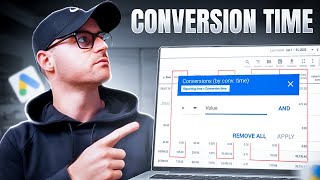
Austin shows how Google Ads' standard conversion metric attributes sales to click date, while conversion-by-time attributes them to purchase date. When Mr. Stickman clicks on October 1 but buys a PS5 on October 10, the two metrics show different ROAS: 3.17 vs. 3.4. Using conversion-by-time data reveals your true performance and lets you bid more aggressively.
Chapters
Hey, this is Austin from Grow My Ads. And in today's quick video, I'm going to talk about the difference between conversions versus conversions by time. It is something that confuses a lot of people. It's actually very simple. So I'm going to break it down using a stick figure example and show you how to actually get the conversion by time metric in your account. So you can view the difference between the conversion column and the conversion by time column inside of your account to give you a better clarity of what your actual revenue or conversions currently are if you're looking at present data. So let's go ahead and dive in. All right, so I am inside of an account. This is an E Commerce client. This is the present time that I'm filming this. So this is in October of 2023. And so the time frame I have here is October 1st through the 10th. And you'll notice I have my conversion columns up. So conversion so far for this time frame 82.24 in my conversion column. Conversion values about 28,000. This is an E Commerce client. So this is, these are purchases and actual revenue ROAS is 3.17. Then if I go to my conversion by time, wait a Second, it's actually 89 conversions. Revenue is actually closer to 30,000 in revenue and my ROAS is actually a 3.4. So a little better than what's actually showing just in my conversion columns. Well, why is that? Let me show you an example with Mr. Stickman here. Mr. Stickman wanted to purchase a PS5. So he clicked this wonderful PS5 Google Ads text ad and he clicked that ad on October 1st. Okay. However, it took Mr. Sickman some time to actually save up to buy this PS5. So he didn't order the the actual PlayStation 5 until October 10th. So how would that click to add and then 10 day timeframe for him to actually purchase? How would that populate inside of the Google Ads account? So the conversion for his PS5 would populate as a conversion for October 1st when you're looking at just the conversion column. So again that would be this column here. However, looking at conversion by conversion time, his conversion for the PS5 would populate as a conversion on October 10th there was the actual day he purchased. So it's very simple. Conversions are when the click happened. Conversions by conversion time is the day or time that they actually made the conversion. So someone may click an ad and may take 10 days like Mr. Stickman. And that is going to populate differently between these two metrics. Well, why is that important? It's important because this current account that I'm looking at, which is going to be blurred out but does not sell PlayStation fives, I just use that as a fun example with Mr. Stickman. But in this account, if I'm just looking at the conversion column and the conversion value column, not the conversion by time, it looks like my performance is actually worse than what it really is. So it shows. I only have 82 conversions and I've only done 28,000 in revenue out of 3.17. The reality is, revenue wise, because this actually tracks better with back end sales, we've actually done about 30,000 in revenue and conversions are about 89. So our ROAS is trending more in this 3.4 range, not the 3.17 range. So why is that? Well, again, if, if Mr. Stickman was in this account and he clicked an ad in on October 1st but didn't buy until the 10th, I'm not going to see that until the 10th when that purchase actually happens. And so the conversion that happened from October 1st when he clicked would not even populate until after he makes the purchase, which was on the 10th. So if there is a time delay between clicks and purchases with your customers, which most businesses do have, especially in E commerce and especially if your average order value is on the higher end. So if you sell furniture, your delay from click to purchase is going to be much higher than if you sell $10 toilet paper. I don't know what toilet paper costs, but if toilet paper is $10, there you go. So someone buying toilet paper versus someone buying a PlayStation 5, huge, huge difference in the time from click to purchase. Okay. And so it helps then when you're looking at the account and trying to see present day performance and how you should be now navigating the optimizations. Because if I was stuck on just the conversion column, the conversion value column, and looking at this 3.17 number, I'm thinking, shoot, my ROAS is worse than what it actually is. It's actually actually a bit higher. It's at this 3.4. So I can be a bit more aggressive, which hopefully generates more sales versus if I'm just stuck on this data here, I'm now potentially going to be more conservative within any of my optimizations and potentially prevent the increase in extra sales I could have gotten if I was a little bit more aggressive because I'm looking at the actual present data there. So how do you even get these metrics? And you'll notice I have a ROAS by Time, it should say by conversion time or sorry, it just says buy time there. How do I even get all of this? So go into this columns, little icon, hit modify columns. If you go to the conversions setting here, you'll have the ability to add these buy time numbers, right? Boom, boom. Then how do I get that row as by time? Because that's nice because they, they actually don't offer that as sort of a preset metric here. So you go to custom columns and then you go to this row as well. It looks like somehow we have two in here. So this row as by time, I actually, or our team created this as a custom column. And so here you just take the conversion value by conversion time, divide it by cost, and that's going to now be your return on ad spend by conversion time. So we build these out for all of our client accounts, especially if there's delays like this particular account we're looking at. If I just hover over my conversion column here, this will actually show me. Google says, hey, it takes up to five more days after an impression for most of your conversion data to be reported. So it shows about 24 conversions by around that point up. And it says you're going to probably get 2.2 more conversions because not all the conversions have populated based off of the time it takes on average for your customers to purchase here. And that's pretty accurate, right? Because my conversion by time columns of 26.29, so it's like almost on the money there. And so this helps you go check in your account what is the average time it takes for your conversions to actually populate and be reported and what's the delay? If you're not using the conversion and if there is a delay and you're not using the conversion by time metric, then you are hurting yourself. You're impacting sales that you could be getting because you're probably being too conservative. Then with your bidding and other optimizations that you might be making, hopefully that makes sense. I will see you on the next video. Thanks, Sa.