How to Spy On Competitors Google Ads (FREE)
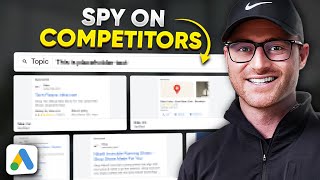
Learn to spy on competitors' Google Ads using free and paid tools. The native Auction Insights report shows impression share and outranking metrics. Google's Transparency Center lets you search any advertiser and see their recent ad creatives. SpyFu reveals estimated spend and historical ads, though its spend numbers are often wrong.
Chapters
Okay, in this video, I'm going to show you how to spy on your competitor ads on Google Ads for free. There's also a paid solution too that I'm going to show you, but you don't necessarily need it, so let's dive in. Okay, the first area, and this isn't going to give you the actual like ad copy or anything, but this is a good place to start within your competitor research. So there is a report called Auction Insights in Inside of Google Ads. All you do is you go to Insights and reports here and then you're going to go to Auction Insights. I actually have an entire video on this already. So that video will be in the description below. If you want to go deeper into this here, I can now see though some of my top competitors in the space. Right now, Google's not going to show me their ads, at least not inside of the Google Ads interface. But here, if I want to do competitor research to start looking at who's running what ads, I can see who are my top competitors. Right. And they give you these impression share metrics, overlap rates and outranking shares quickly within this Auction Insight report. Again, I go deeper into the weeds in that, in that other video. But this is a good place to start. That way you're not just looking at like random competitors who you might not actually even overlap with within the auctions. Okay, so you now know who your top competitors are, at least in the ad auctions that you're in with. There is something for free called Ad Transparency center that Google has now. It's not, again, it's not in the Google Ads interface. So just go Google, Google Ads Transparency center. And you're going to find this. So here you can actually go in and I'm just going to go type in a random platform. So let's just do a random company. Let's do gnc. Gnc. If you're not from the US and not aware of them, they're like a supplement company. So they sell resellers of supplements and vitamins and all that. So all I did was find it's based off of their advertiser. So most people now realize you have to verify your business based off your payment profile as an advertiser on Google. So you can search any company. Right? Like, let's look up Lulu Lemon. And there we go. So we've got, you know, well, they've got multiple. So they have Canada, Japan, Hong Kong. So here I'd probably have to go into further research, but like, let's just look at the Canada version. Right. I can now see Lululemon ads. I can see what they're running. I can see some of the creative that they're running for their, what looks to be some form of like their shop in here. So you can actually dive further into, you know the, the copy. It doesn't give you like much beyond that. It will say like last shown. So this was last shown today, which is cool. So they updated this pretty quickly. So here you can kind of go through all of this, look at it again. Let me go hop back in and I'll just type in GNC again. And here I can sort of see GNC's ads. They have these formats so we can look are they running video? So for whatever reason they're not able. Oh, there we go. I was able to hop in. You can kind of see what video campaigns they're running. You can see then text ads. So what are they running there? You can see image, any sort of image ads here again, a lot of these look like to me dynamic product remarketing ads. But they do. You can see sort of the creative that they might be running. Whether this is performance max or standard display potentially. Again it's not going to tell me like what campaign type these are firing in and then it is sorting by most recent. So you'll know these are fairly recent. So again if I click this one, it's going to tell me last shown. And it literally was last shown as of today for this sort of image creative that's being shown here. This is totally free. Honestly, this is really all you need. So again, use the Auction Insight report, find your top competitors, go search them on the Ads Transparency center that Google provides and just go check out all what they're running. Hey, real quick. I promise this will be fast. If you run Google Ads and you want to learn more, you want more access to me and some support and mentorship. I have a group called PPC Copilot. Inside of this group you will get my courses. I've got free resources, Q and A recordings, lots and lots of ongoing training and I do a weekly Q and A along with a video feedback review. That means people will send me videos of their account. They'll like do a screen recording so I can see the actual data and I'll watch it and I literally respond back with a video review that is going on right now inside of PPC Copilot for lots of different of our students getting tremendous value. So if you want to get more access to me, you want to take more of my courses and get some more of my ongoing training. Go check out PPC Copilot. The link to that group will be in the description below. Maybe you don't care about learning more. Maybe you're a business owner or you are a director of marketing at a company and you're like, hey, I just need someone to get in, get under the hood and help us with our current account. We don't have time to learn more. I don't want your stupid courses or training and I don't want to be a part of Q and A calls. I just need experts on my team to help me. Well, we offer, if you qualify, a free account review of your Google Ads account. So if that is, you go get that free account review. It's absolutely practical advice that myself or my team will actually dig into your account and provide you recommendations on how to make more money or save money depending on the situation of your account. So again, if you qualify, go fill that out and get the free account review from my team. All right, back to the video. Okay. If you want to go paid route and go deeper into the weeds, again, I don't think you need to do that. You can use the transparency center Google provides absolutely free. I that gives 99% of you pretty much all you're going to need when it comes to looking at competitor ads. However, if you want to go deeper into it, there's a tool called SpyFu. So Spy Fu. I can just type in. So here I've got, I just put GNC.com back in here. This is going to give me some data in regards to like organic stuff, but also paid stuff. By the way, it's going to say estimated monthly Google Ads budget. This number. Do not take that number to heart. It's always way off. Like, you know, I'll give you an example and I think it's because they don't pick up like display or shopping ad costs potentially. But like homereserve.com, it says we spend $8,500 per month. I can tell you we spend 10x that. So that number is just absolutely way off. I think it's mainly, again, I think it's mainly just pulling estimated ad spend from search ads only. I could be incorrect on that, but based off of my research of using this tool, that's what it feels like. So GNC.com though says they're spending $82,000 a month. I'm going to 10x that number for GNC. They're probably a million dollar per Month spender. Now they have lots of different tools here. I'm not going to get into that. If you want to go check out spyfu, go check them out. I'm not an affiliate or anything, so this is just me sharing their tool, a part of this sort of research process within finding competitor ads because it is a tool that will provide this information. So here we can go into PPC overview, right? It's going to give us some information how long they've been an advertiser and then it gives you some keywords analysis and stuff too. I don't really care about that for this. What I do care about though is ad history and I do think this is kind of interesting. You can see top ads, right, Based off of the history that, that they've been running. Why is that important? Well, it's important because if they've been running ads for a long period of time, it probably works for them. Right. And that's a good way then of sort of doing some research on your competitors in regards to, hey, they've been running these ads forever. What are unique about some of the ad copy that they're using within it? And if you want to learn about creating ads and getting creative and processes with that, I've got videos or at least a video on that. So any, any type of ad creation stuff, I will have those videos mentioned in the description below if you want to go deeper into that. Within the competitor process though, what I like to look at is what themes they're using, what offers are they using, what's their feature and benefits, call to actions, things like that. So here, you know, you can see GNC right now they're doing a bogo discount on protein and they're doing a lots of clearance stuff here that potentially could be new, like a newer sale that's going on right now. And this allows you to kind of look at different time frames here. This isn't really that great but you know, gives you kind of updates if, if they are running certain specials and you're trying to catch that, right? So here you've got this keyword section too. This you can actually see like ads that Spy Fu was able to scrape for certain keywords. Some of these look to be like they're not. GNC's not targeting. Some of these probably specifically these might be firing from like a dynamic search ad. Maybe even a performance max is possible just given the fact that this ad copy is very generic in regards to. It's not super specific to like this term, but if you're going through some of this for, for some of your competitors, you can kind of see at least potential ads that are firing for the keywords that they're, they're targeting if you want to get deeper into that. Otherwise, what I like to look at really is just like the top ads. I look at the top ad section, I see what my competitors have been running for the longest period of time and then I just kind of try to find patterns within those historical top performing ad. It's not performance based by the way, it's just history based. But again, if they've been running it for a long period of time, it probably works for them. Not always. There's some dumb advertisers out there, so that's not always the case. But I look here and I like to, I just like to look at are there patterns, is there patterns to call to actions, features and benefits? They're calling now any sort of specials that it seems like they're always running. So I'm trying to find those patterns within the ads they're running historically the longest. Again, you can go into the weeds and all of this. I don't really think that's necessary. And to be honest, I don't use Spy Fu a lot. We do use it every once in a while and that's why I do have a subscription on it right now to show you again, not an affiliate to it. This is a paid option though if you want to go further into spying on your competitor ads. There you go. You now know how to spy on your competitor ads for free. And then also if you want to go to the paid route and use SpyFu, I showed you how to use SpyFu as well. So you can go there as well. Hope you got great value from this. I will see you on the next video.
More from Austin


Google Ads Negative Keywords: The RIGHT Way to Find and Add Negatives in 2026








