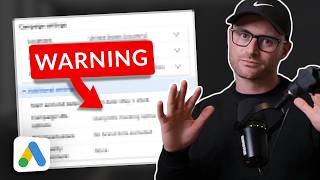
Google Ads Performance Max has a hidden setting that auto-generates text assets from your landing page, forcing feed-only groups to serve search ads and drain budget. Turn off "Automatically Created Assets" in campaign settings and manually delete any auto-created assets in each asset group to fix it.
Chapters
Hey, if you are trying to run a Feed only asset group in your Performance Max campaign, you must check this setting, otherwise it absolutely kills Feed only. And what happens is you actually are no longer just showing product ads and dynamic product remarketing ads, but now you're going to be showing on search because of a sneaky setting that Google implemented. So I am in an account. I'm going to have a lot of this blocked, like blurred out because this is an audit and so I can't give away too much information with like the copy that is being seen. But you can see like here they're trying to run no feed, right? And I probably will have like the titles, you know, blurred out and whatnot. But you can see like there's no full assets here. So they're trying to run a feed only. However, watch if you hit View details and you go into this now shows you the assets, right? Well, you see the source column come down here. You see automatically created. What is automatically created? This is Google automatically creating long headlines, Headlines and descriptions, right? And so again, unfortunately I've got to have like the copy probably blurred out, but I'm showing you asset type here, headlines, long headlines and you're seeing, you know, the source, source automatically created. This is no longer Feed only. Feed only. You would not have any of this. By the way, how did I find this? I found this through utilizing the Mike Rhodes Performance Max script. I talk about that script in my Performance Max course. The description to that course will be in the video below. It's like a couple hour long or we have a free school community. The course is for free in that community. And I have a whole section on optimization of the Microads PMAX script. We've, in the audit we realized this was happening because you can see, hey, wait a second. This is should be mostly, if not all, shopping, placement costs, clicks and conversions. And instead we're actually getting, you know, less shopping than we thought and anticipated. That means to me like, oh, other placements are happening. And again, this was an audit, so this is not a client account. But we looked. This is happening. How do you fix that? You, you have to do two things. So one, you have to go back into campaign settings. Then you're going to scroll down to this campaign setting called Automatically Created Assets. If you have this turned on and you're trying to run Feed only, you no longer have Feed only because Google is going to go ahead and create text assets for you based off of your landing page. So you have to go in and you have to Turn this off. And then usually I turn video off. Video enhancement off too. Feed only should only be. Basically you're trying to replicate what smart shopping used to be, right? And so you only want shopping ads there. And then you also want the remarketing component of the performance max with your shopping ads. Cause it will still show remarketing product ads with your, you know, your actual products. And so you're going to get the shopping component and you're basically duplicating, you know, or, or mimicking what smart shopping used to be before performance max came out. This kills that. These settings absolutely kill that. So you have to come in, you have to check those off. I check the video off. Then you hit save. But you're not done. You have to go back into the asset group. Then you've got to go back into this view detail setting. And then anything that says automatically created, you have to go in and you hit remove. So all of these headlines hit hit remove. That will clean those up. And then Google can't go automatically create anymore because you just turned the auto creation setting off within the campaign settings that I just showed you. There you go. If you are running feed only, make sure you check that setting. Hopefully I saved some of you some money. I found this through an audit, right? They had no idea, they thought they were running feed only this entire time and sure enough, I showed them this and they didn't know it existed. So hopefully you guys got some value from this. If you are running feed only and didn't know this existed. Sneaky Google obviously trying to, you know, make some more money for themselves. Not you. Listen, if you are a business owner or you know, director of marketing at a company and you run a Google Ads account, this, I found this through an audit and we do that completely free. Now you have to qualify. So we do ask some questions through the form field that you have to go through. We get too many inquiries to just do free audits for everyone. So you're going to have to spend a certain amount and you will have to, you know, have been running ads for at least six months. But if you qualify, we give the audit completely free. So for this company, I really, they could hire us or not, I don't really care. We give this information to them and they can do whatever they want with it. And so if you're running ads or business owner director marketing for a company working internally or whatever and you want our expert sort of third eye on your account reviewing and giving you some recommendations, go check the free audit link out that will be in the description below. Go simply fill the form out. Takes like a minute and you can schedule then a call with our team and we will have an audit turned around to you fairly quickly with some great recommendations on how to improve your account. If not, no worries, I'll see you in the next video.