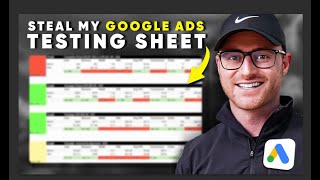
Austin from Grow My Ads shares a free Google Sheets template his agency uses to track every test in client ad accounts. The sheet records before/after metrics, notes, and dates so you can isolate what actually moved performance and stop guessing when accounts drop. Available free in the PPC Launchpad community.
Chapters
Hey, this is Austin from Grow My Ads. And in today's video, I am going to give you for free the exact simple Google sheet that we use to track all of the tests that are being made within our client accounts. There's nothing worse than having an account go sideways. Results are decreasing. Then you're wondering, okay, what the heck happened? Then you find yourself spending hours in the weeds of the account trying to figure out what changes were made. You have to shuffle through the change history, and there's absolutely no clarity in the before and after data of what took place. To prevent that and to make sure you operate your account like a scientist, we have a very simple Google sheet that we use at our agency here, Grow My Ads. We manage millions of dollars per month, each month for our clients. And this sheet, we don't need software. We don't need to spend thousands of dollars on fancy tools. We just have one simple sheet. And it has made a massive difference in making sure we're operating our accounts at the highest level for the success of our clients. So let's go ahead and dove in. I'm going to show you exactly what it is, and again, I'm going to give it to you free. Or you can take a screenshot and build it yourself in Google sheets. So let's dive in. Okay, here we go. This is the simple testing sheet that is behind millions of dollars here at Grow My Ads. Obviously, this is a template that you can make a copy of. This will be in our school community called PPC Launchpad. This is free, and I will have this available in the classroom section for free, where you can actually go and make a copy. So if you want it, just go sign up for the free community. And then in the classroom section, you'll be able to find free resources. This will be in there. Okay, so what is this sheet? How to use it? Basically, when you go and make a change. For example, I was in a consultation the other day, and they've made 10 different changes they were telling me about, all within the last, you know, few days. And I said, do you have any record of these changes? Like, what days did you make them? And, like, no, we just kind of, you know, we just know. And I'm like, all right, well, that's great. But what if I'm using a fake name? But what if John gets hit by a bus? How do we know what was done? Well, then we've got to go into the change history, and you got to try to sort of solve the puzzle of what is the before and after of these changes. And so when we make a change, we're not just, okay, I think this is the right change. Let's just guess and hopefully it does work. No, we want to see when was that change made, what day? Right. So here we have a before and after, and we know over in the note sections the exact change and the exact date of that change. So then we'll have before and after data that we can populate once we have concluded the test. So this gives us. And when we're reporting back to our clients. So if you're a freelancer or an agency, or even if you're in house and you want to report this back to a boss, this gives you. Instead of just saying, well, the test failed, this gives you. Here's the exact journal of notes when we'd made the test, and here are the before and after. This is how a scientist would behave and operate. And this is how we want to operate our accounts. So I always hated, especially in the early days when I was running an account and I, you know, in some cases would be making too many changes and sure enough results would start reducing or I would have a negative impact taking place. And I had no idea why. Then I found myself spending hours and hours in the account weeds trying to figure out, all right, what changes did I make and when did I make them and was it this change that would have caused this issue? This. Then if things go sideways, we can hop into this sheet and obviously we have this sheet per client for our clients, and we can see, okay, what tests were being done during the period of time and would this test have the impact that gives us absolute clarity of what was going on during those time frames within the account. Now, there are other methods of doing this. We just have found simple. Google Sheet has made it so much easier. And if you're managing clients as a freelancer or an agency, this is really great, great stuff to even show. It just shows how you're operating the account at an extremely high level. This template was actually built off of a real scenario here. So you'll see how we showed failed tests. We have one test, obviously, you can change these metrics column headers here. In this case, we were running with, you know, revenue and roas and average order value. So this was pretty much E commerce driven. But just change these metrics to whatever success metrics you're looking for and what you need to see and before and after during those tests that you're making. I also caution this will help too. Again, if you're A freelancer, an agency. A lot of clients are always like, well, how many changes did you make this month? And it's like, you know, you have to explain it's not the amount of changes, it's the changes that were made and that will make a massive impact. So it doesn't matter if someone comes in and clicks a button a million times and makes a million different changes. You could come in and make one change and it was the right change that could actually significantly impact the longevity and performance of the account. This is a good way, though, of showing in some cases, I know analysts or media buyers feel the need to go into the account and make a change every day. You don't have to do that. You should be making isolated tests where you have before and after data to assess whether that test was successful or not. And this simple sheet just allows you to track that. And this is great then to also bring to clients so they know, okay, wow. Most clients are very impressed by this, which is hilarious because it's just a free, you know, Google template that we created. But it's like, oh, wow, these guys are operating tests in a very controlled manner, which is what you should be doing in the first place. But they know at least we're on top of this data and we're looking at the before and after and we're running their account at the highest level. I always like to say like a scientist in this case, because we're journaling before and afters of the data. So I hope this makes sense. Again, if you want the free sheet, it's in our school community here, PPC Launchpad. So if you go to school.com PPC you can join. I will obviously have this in the description below. And then there'll be a free resources section in the classroom section of the community. And the link to go make a copy of the sheet will be available to you or if you just hit pause. You can probably build this yourself if you'd like. There you go. There is the free, simple Google sheet, behind millions of dollars per month and ad tests that we're managing here at Grow My Ads. And you don't need to spend all this money on fancy software and tools in some cases, especially when you're just really needing to journal before and afters of big tests that you're making in your accounts. I hope you got great value from this. Again, if you want this sheet for free, it's in our free Google Ads community called PPC Launchpad. The link to that community will be in the description below. If you sign up, you go to the classroom. There'll be a free resources section. In the free resources section, you'll be able to find the link to the sheet and you would simply just go in, make a copy. Boom, there you go. Or again, just take a screenshot and make this yourself if you want. So again, hope you got good value. I'll see you in the next video, Sam.