A Guided Tour of Notion's Core Features and AI Tools
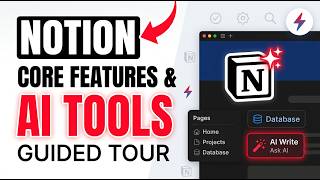
In this live coaching session, Brad Costanzo walks his audience of business owners, executives, and creatives through a hands‑on tour of Notion, covering its core building blocks (pages, databases, blocks, templates, and the marketplace) and demonstrating how to assemble custom dashboards, task boards, knowledge bases, CRMs, and client portals. He highlights Notion’s flexibility versus more rigid tools, showing how to import and customize free or paid templates, create inline databases, and set up views and automations. The demo then shifts to Notion AI, where Brad showcases AI‑generated content, custom agents (Morning Brief, Email Assistant, Content Planner, Calendar Optimizer, etc.), and the ability to command Notion via plain‑English prompts to build project boards, summarize pages, generate proposals, and create diagrams. He explains integration points with Google Drive, Slack, Gmail, custom GPTs, Claude/ChatGPT, and demonstrates a third‑party transcription tool (Granola) that feeds audio transcripts into Notion for summarization and note‑taking. Pricing and plan details (Business plan, AI add‑ons, seat licensing) are discussed, as are sharing options (private, guest, public publishing, template duplication). Throughout, Brad emphasizes the iterative, experimental nature of Notion, encouraging users to start with free templates, explore AI agents, and gradually build a personalized “second brain.”
Chapters
So in just a moment, I'm going to play you a clip from one of my AI Amplifier, uh, coaching program calls. And one of the things we did in here was discuss Notion and how Notion works, especially with some of the features in AI. The attendees are my clients who are all business owners, executives, professionals, creatives, and entrepreneurs. And one of the topics was Notion. Now Notion's been around for a long time. I used it to run most of my life. And I'll say that I am far from the world's best expert in Notion. I'm always learning something, but I thought that you might get something out of this clip, me showing people a tour around Notion, how to use it, and what are some of the things it can do. So if you like it, please let me know in the comments. Okay. So what the hell is Notion? Overall, Notion is a dashboard where you can, in essence, build anything you want and grab a lot of different templates that already exist. In fact, I had Manus create a Notion presentation. I'm not going to share it. Because it's a little bit basic, but it's a way to— it can be a second brain, it can be a CRM, it can be a database, it can be a place to just jot notes down, it can run your whole business. It's got AI and agents, and it's a little bit overwhelming in what it can do. But think about it as it's a container that allows you to build, borrow, annotate, et cetera. But I found this thing really boring. Okay, what, what all is it? So we're just gonna dive right in. So if you come into the main thing of Notion, you just look at where's the Notion homepage kind of looks like. Where is my little home inbox over here? I can't even find my just normal home screen. I think there's normally a home screen. Meetings, home. Maybe I'm on it, but usually there's like a whole dashboard. I don't see it. Anyway, this is my really sloppy area here on Notion. This is, and we're moving, Lauren and I are in the middle of reconfiguring this, but these are all just little pages you can link to. I've got link to my intellectual property. If I click here, this is an inline— this is a table, like a little database. So I can say this is stuff I'm working on, this is stuff in progress, this is stuff that's already done. And if I click into a table, it just looks like this. It opens up in a sidebar. I can keep notes. I just put whatever in here. I type a slash command and I can do all different types of— I can drop a video in, I can drop a file. It's really amazingly, what do I call it? Just versatile. But the versatility can create a lot of confusion because you're like, where do I start? I don't even know what to do. And once more, this is not what I would call well organized. What we've been working on down here is, and this is not finalized, but think about this as a company dashboard. And this is right now filled with a lot of sample data. Like you can see this, but all of this I can drag, drop, change. But you can see these would be, hey, these are tasks that I'm focusing on. If I want a quick look at what tasks, if I want to look in my projects and I want to look at these differently, right? There's a lot of different ways. This is almost like Trello. And you can just see that I want a new view. How do you want it to, how do you want it to look? If I come back to the homepage, all of these can be links and all I have to do if I want to set something up here and I want to do a callout, I want to put something Test. Yep. In essence, put it where you want it. So the buildability piece is cool and it's the best way to get started with Notion and to go, how do I even do this? You come over down here to the, the marketplace and this is a lot of fun because they have templates. So you can say, I want a template for work. What have people done? Marketing template. And sometimes you can buy them or there's a lot of times there's free templates. I think if I look up, I think I can filter by free, but I can just also come down here. Where's all the free ones? Let me go back to all templates. I want to show you Marketplace. They add so much, guys. It is a little bit overwhelming. I apologize for being a little scattered on here because Where is the free ones? So one of the free pieces, cool work. Where's the price tag? Because what's cool about the free ones, and this is the first time I've ever seen the free ones not just show up here, is you can take a look at it, you can bring it in, you can play around with it, and you can say, oh yeah, I like this, import it into my account. Am I missing it? Any of you Notion users? Am I missing anything simple? Like, why are there no free templates? Oh, here's one. Maybe they just bury them. So somebody else has built this, right? Here's what's included. And if I want to preview it, I click preview and my Notion is really slow today. So the, in essence, this is what somebody else has built and yes, it is slow. All right. So somebody built a calendar. Now I don't know if I would ever use this, but I can see it. And if I want to add it to my account, I just click add. And I know that Lauren did some of this when she was building out ours. You just find other people's templates. Yeah, it looks like it might work for me. I'm going to import it. People sell their templates. You might see something for free, for $15. Here's a, here's a little dashboard. If I like this, I click on it. And if it's configured in a way I like it, I just bring it in. And then once I bring it in, I can customize it until my heart's content. And this is a great way to poke around and learn about Notion. And you can do a lot of this on a free account. I may have to, I may have to shut this bad boy down just and reopen it. All right. But if I, if I bring it in, if I click add, I want to, nope, I want to move this over here. I want to add something here. This is one of the biggest differences between this and something like a ClickUp or another, let's just say it's a CRM or another dashboard program. A lot of those other programs are designed with more, it's like, we've built the scaffolding, we'll give you a little bit of editing capability, but in general, you're coming to us because we built it. Notion is the place where you just get to play and build whatever the heck you want. But once more, it can get a little bit overwhelming if you don't know where to start. So I'll show you some of the most basic ways I use mine right now. So over here, I just have a tasks board. And yeah, the, this, so here's just a bunch of tasks. This is me, this is Lauren, these are no assignee tasks. So I can click into this, right? So I can see here, wow, the lag, it's usually instant. Let's see if there's something I'm running in the background that I can maybe kill. Because this is a bit annoying. Did it kill my Notion? It sure— I, I actually did. Okay. Hopefully this speeds it up. So I've got tasks so I can see tasks here if there's subtasks. If I want to add different properties, like I just want to add something else, I click add. I choose what I want to do and I put it in there. So you get to build it the way you want it. So this is one of the ways that I just look at tasks. I can look at my people. I can look at things I'm focusing on. I can look by project, personal priority, et cetera. I've got a quick little knowledge base, right? Hey, if I, if I want to capture a quick little idea, I just hit a, I can put a button here. I put idea. I can say, is this work, travel, author related, et cetera. And I just type in my idea. Or just a new note. So all my little quick ideas can pop in here and I can go back to them. I'm going to add to the AI piece of this in a second though. If I've got a sales CRM, I can do it like this. If I'm working with clients, I make it look like this. I've got a place for funnel changes if I'm making it right. So it's, everything looks a little bit different and you can just build out whatever you want. I even have a list of like all the custom GPTs I build. So I can come in here and I can say, all right, here's one I created. It opens this up. I can go full screen. I can say, all right, this is the type, this is the status, any tags, what's the URL. I can put the system prompt down here. So it's just a great visual way to store damn near everything you do. Templates also make it work really well. I always say if you're, if you're new to this, start with other people's free templates. And then you'll get in there and then you'll start to poke around and okay, now I get, I understand how to create something. And so, but they, it all links to each other. This is a gigantic database and that comes in really handy when it comes to, when it comes to the AI aspect, which is where I'm going to focus the majority of this on. But if I were to come back over to what I was on a second ago. AI Accelerator. All right. So here's just where I keep my notes. Right? So I come in here and just created a little database. And like last week, these are ideas like every the week before I'm always coming up with things. Okay. I might want to share these things. And then Lauren, whenever we're done, the show notes she puts in the thing, she also puts it here. So let's say yesterday, today, whatever. I just go in. I go, what did I talk about the past couple days? Okay, we talked about token optimization, auditing financials, advanced AI workflow, all these things. And then today I come over here, I bring the topics back over. Did you kill my topics though, Miss Lauren? I had a whole list of topics in here. I think you overwrote them. Nope, I didn't touch it. Oh, maybe I didn't. Maybe I was going to. I think I was going to do— I was just going to grab these. Bring them in here. I can make this thing a toggle, right? I can say, make this a toggle list so it's collapsible. Also, I paste something in here. If I put paste and sync, that means if I make changes in here, it makes changes elsewhere, which is cool. You don't have to, but you can sync them up. There's just so many little things you can do. And then I created this little Notion overview. Right? So what I did here is create an outline, which I'm not following, about how to go over this. But how, how Notion works. Pages, databases, right? Everything is like a block. You just say, here, add this thing, and like, this is a block. I can move these things around as much as I want. I can just say, yep, here we go. Hierarchy, navigation, breadcrumbs, right? Like you can see, I can go back a page. I can go back multiple pages. It just makes it really easy to find things. If I want to create a page right here, let's just say I want to go page delete me, and then I can add whatever I want. I can add an inline database. I can say, what do I want to build? Project management tool. Now it opened up the AI down here. And it can build these, the AI can build a lot of what I want in here and it can do the things for you. So I can say, let's just see, I haven't actually done this exact one. But, and by the way, yeah, I'm seeing questions come in. If there's any good relevant questions, Lauren, please interrupt me. Okay. So look at what it just did. Okay. I just turned that new database into a usable project management tool with all this stuff. Oh, thank you, Notion. It didn't have any of this before. It was blank. So now I can enter things in here, like test. I can go this way or I can open it up. And I can say, okay, this is due here. Who owns this? Brad Costanzo. What's the priority? What's the— what project is this associated with? What's the status? So I didn't even have to build it. The AI can be really wise and you can tell it here, build with this. But also, if I have a, if I have a big database of stuff like this we've covered, I can come down here and notice that it is, I am mentioning this page. That means, look, anything on this page, that's the only thing I want you to work with. Otherwise, it looks at the whole Notion. But I can say What did I cover in the show notes on 5/6? Obviously, I can click into it, but I can just talk to it. And it'll bring it up. So it's a really easy way to kind of talk to your database. Especially if you're messy like I am, it's like, shit, cool. This is— here's what you talked about. Right? If I want to do a new chat, what else can I do? I, they had, they now have custom agents, which I'm going to show you in a minute. I can create a diagram based on a page. This is new. I've never done this. I can summarize this page. I can analyze it for insights. So there's a whole lot of things I can do with this, including I can add other sources. I can click, bring in stuff from my Google Drive, bring in stuff from over here, upload. There's, it's so many things you can do. You can give it searchable web access, or I can even personalize this and make it look different, but I don't know, create a diagram based on the page. I've never clicked on this. As I do this, I'm going to read through some of the— Walter, the cool thing about Notion is very malleable. Yep. You can create custom views to show your data any way you want. Absolutely. August Bradley's PPV Pro business template. A lot of people make money just building, building and selling Notion templates. So if you're the type of person who loves creating stuff like this and you're really systematic and methodical, you can build these, sell them for $50. $100. Anybody else has Notion, they'll see it. They can buy it and install it immediately. Okay. So look at this. Cool. AI. So it just created a little diagram. I've never seen it do that before. Right? Show notes, brainstorm database. Yeah. Ideas and notes. Great. So now when we get to AI once more, you can come down here and do a whole bunch of stuff. I can also, like I did this, I just got a client the other day. Let's see where I did this. And it was clients here was Ian and it's, I blow him up. So I come over here and in this I had call transcripts. I had an AI summary of the call transcript. I have his emails, all this other stuff. And I can come over here and I can just say, based on everything in this page, create a one-page proposal agreement for what he wants. I don't know, I'm just, I've already closed this private client, but you can create client portals here. I'm gonna create this client access page. But so here's what it did. It just read everything on this and it created a proposal based on some of the stuff we talked about, et cetera. And I can just copy that and then send it out however I want, right? So it's very useful in this piece. I can also share a page, right? I can share privately with people. I can have collab— like internal collaborators on my team. Or I can publish it to the web. And an example of that is I've been working on this guide to Hermes Agent, which I think some of you guys may have heard about. Looks like this. So I can put— and by the way, pipe in if I'm going way too scatterbrained, but Notion is a little bit scattered, right? It's like you can do so many things. So I'm just trying to give you a little taste. But this page here, I put— I input my logo. Melanie has a question. Yeah, hit me, Melanie. And you could connect, which you probably can, but I'd love to see you do it. Take Claude Cowork and then you can just talk to Claude Cowork and brainstorm, hey, add such and such to my Notion board and create a proposal, put this in, blah, blah, blah. That's where I was gonna go next. And it does it. Yeah, because if your tools like Claude, ChatGPT, Notion, or Manus or whatever you're using are connected to this, which is really easy. Claude Code can do it, or Claude Cowork, it can do it. Or you just come right in here and you use their AI to do it for you. So the versatility is crazy. And if I want to share this, which I technically wouldn't want to share this as a, with these things on it, so I have to change this. But if I go to publish, I can say publish, I can stylize the content, I can turn search index on or off. I can allow you to duplicate this page as a template in your own Notion so you can do it. I can embed it elsewhere. If I click off and I just click view site, what it does is it creates this page. Now, once more, I would want to take it off of here and make it just its own page. But now this becomes like a shareable page. And if I'm in my Notion and I make changes, it just updates it on the web. It's not the prettiest link, but it's, it'll have my subdomain notion.site slash the page name. And you see I can, but, and once more, I can change the way it looks, but it's really useful to share things with other people. And when I share it, I can also allow you to, if I share it this way, if I say anyone on the web can view it, can comment, can edit, probably wouldn't do that, but I can say, hey, anybody on the web can comment on this thing and do other stuff. I can even make it expire. So you've got internal use, you've got external use, you've got so many different things that you can do with it. And once more, if you're in, let's say, Claude Cowork or just Claude in general, or ChatGPT, if it's connected, I can say, hey, what are some of my tasks today? It'll go, it'll go into my Notion. It'll pull from my task list. Or I can say, add this task and it'll do it. So the interactivity of all this stuff is pretty, pretty fun. I can, with AI, I can also come down here to just new chat and I can do a big chat. And once more, what are you connected to? Right? MCPs, all this other stuff. Connect to my things. It has a whole meeting notes thing if you want to use it for meeting notes. And just like using Claude or all the other stuff, I can just talk to it in here. I can ask it questions. But then in one of the cool things in here, I can just say, yeah, create a page that does this. I need to give a brief presentation on How to use Notion AI specifically. Can you create a new page under the main Accelerated Intelligence page, which is a Notion presentation? Choose how Flow— oh, that's for Whisper Flow. All right. So I can come in here, do it, and then boom, it's inside. I don't have to copy paste. This is like, I get really torn between using file folders and doing all this other stuff versus just doing everything in Notion because I've been using Notion for so long. But look at what it just created for me. Right? It created this. Not real visual. That's all right. I didn't tell it to make it real visual. But if I were to open this up, I could come down here and say, take each one of the numbered main lists and make those the same heading, but make it a toggle and then collapse all of them. So I, what I wanted to do is just make these like collapsible toggles. Instead of going through and right-clicking it and doing it manually, this should format it the way I wanted it to. This, you guys finding this interesting at all? Hope. Very useful. Done. Look, see, it just did it. Boom. So I can add stuff, I can change it, I can, you know, I can ask questions of it, but I can also then have it create. So yeah, once more, the usability of this is really great. This was the other one I had created for you guys. Where was it? If I go into— oh, the other thing, like, if you notice here, I've got multiple Notion windows open. So I can have one on one screen. Like, I got this Notion, and I've got that Notion. It's— so I can have one Notion open here, one Notion open there. So the versatility is really killer. AI Accelerator. I come back over here. This was the page I was presenting with before. All right, so what have I covered? Core building blocks, databases. I kind of covered that. That's just, that looks like an inline database. You can, if you use Airtable or Google Sheets or whatever, you can just store everything in Notion if you want. The other kind of cool part here is, once more, you can open things in new tabs. They have these little automations, right? So this is a little, this is a little, what do you call it, task list. And if I come in here to automations, I can say this is a very basic one. If I click, if I, like, I have a little column that says checkmarks. When I click done, set status to done, like crazy basic. Or if tags contain Gmail task, then replace project with, I don't even know if this is active. I think this is an inactive one, but yet you can say when a status when assignee is changed to Lauren and whatever else, do— I can edit a property, I can add a page, I can send an email, I can send a webhook, I can send a Slack notification. So this isn't set up, but let's just say that I give Lauren a task. Notion will send her a notification, but if I wanted to send her a send this to— I don't know if I can do a direct message. Like right now, it would just drop that in the general Slack notification. But hey, if I do this, send that to— send that to Lauren. Okay. But yeah, automations, really cool stuff. Now recently, they've come out with their own agents. And I am not super excellent at this, but I will show you some of the way this works. So if you are using Notion. This is what it looks like. This is a template. So this just says, give me my morning brief. Do any of you guys who use Notion, do you, have you started to use the Notion agents yet? Because it says here, I'll gather information from your calendar, mail, Slack, Notion to build your brief. Let me pull everything at once. And I'll show you the way that this gets set up behind the scenes. While it's pulling it up, I can just do this. So I can look at settings. So I can manually run the agent. I can say whenever there's a new chat, I can say when agent is mentioned, or I can say daily at 7 AM, run this, run this every single day. These are the instructions right here. Every morning you, you create me a brief in the morning briefs hub. Here's the workflow, do this, here's your actions, and you just write it in plain old English. Add these things. Now, does it need web access? Yes or no? Does it need— it just needs Notion page access. It needs to be able to view everything in here. It needs to be able to create content in here, which I'll show you what this looks like. It needs to be able to read stuff in Slack. It needs to be able to read my calendar and read my Gmail. And that's really about it. Okay. I'm using Sonnet. So this is the basic setup. It's not rocket science. All right. So here's today's priorities. AI Accelerator. I have a call at 1 PM with here. I've got to talk to Brian Howard. Ian Rusnow is now a one client. Also on your radar today. I've got this, I've got this, I've got this, and I can open the page and I can see it looks like this. So I get to see my morning briefs. So if I go into agents, where was the little thing? Open in library. All right. So I can look up a new agent. So I can create an agent just by telling it what I want it to do, or I can look at templates. So once more, I showed you the templates for setting it up, but now we have agent templates. So Email Assistant, Calendar Optimizer, Content Planner, Morning Brief, Time Management Strategy, Tac— there's a couple of ways to set up agents in this world of AI. One of them is the more technical, set it up on your file folders, do all this other stuff. But a lot of these other tools are out here just making it easy. Analyzes content or data to identify trends. Look at all this stuff. There's so many things you can potentially do. If I just come up here to the email assistant, it'll tell me it'll analyze your inbox each morning with a comprehensive summary showing table, sender, all this other stuff. Here's what it will look like every day, right? I can click on this. I can click to see through how this looks. It's free. I can click get agent. I just want to see what else it does. I can't really blow that up. Those are the instructions. Todd has a question. Yeah. I want to ask you, Brad, Notion comes in different levels. You've got Enterprise, you got Free. There's a thing that said Recommended Business, and it's $20 a month, like they all are. And I didn't know which one you recommended, and if you have an affiliate link for a discount or one that could even give you a commission. I appreciate it. I don't know if I have an affiliate link. Let me, let me just look here. And I appreciate that. Let's just see, Notion. I don't think I have one, but I think I am on the— I'm on business, $20 a member per month. So I am now, so I am paying, I believe I pay $40 a month because I have Lauren is on my team. But the other thing about when you're sharing this with people, there's ways to, I can share it with guests where I'm not paying, but if somebody is a full member of the workspace, then it's a seat, right? That's one of the things. And then I pay $432 per year. So that's $432 divided by 12. So that's $36 a month is what I'm paying. I'm on the year plan. Sometimes there's an upgrade for AI access or some other stuff, but I don't think I have to pay that. I think I'm just getting the, yeah, I think I'm just on the business plan. But yeah, if I'm back here, let's say I like this. Let's just do content planner. I don't think I, oh, I have content planner. So here, these are the ones I brought in. So how do I use this? The first thing you do, here's how to get started. Set up your editorial profile. So what are your content pillars? What's your target audience? What's your active platforms, tone and style? Connect the content database, such as Notion or whatever you have. And then when you ask me, brainstorm ideas, plan a calendar, draft outcomes, I'm like, all right, cool. So that's me asking. How do I do this? If I come over here, I can run it. I can mention it. By the way, this is the other cool thing about this is anytime I, I'm on another page and I just do the symbol and I type in Content Planner, it will trigger this. Right? So I'm going to pause here. I'm going to come back over to this. And I'm going to come back into show notes. I've never done this before. Hey, that didn't work. Let me just see. Hold on. Oh, save. And Brad, I get confused easily. I know we're in Notion, but I see Walter's got a statement saying that Notion AI is a separate subscription. And I thought we were in Notion AI. Yeah, it might. We're in Notion, but they sometimes they have, what do you call it? Like an add-on. If I'm on, if I'm on here, if I'm business, I get Notion Agent, AI meeting notes, all this other stuff. So this one, if I'm on monthly, that's why I'm on yearly. I think I pay a little less, but I'm on monthly. It's $24. Here you get a trial of Notion AI. This one, I think I get, you have to look through this and see, but it might just be an, a slight additional cost. Just, if I just look through here, it'll explain. How that works. But I think this one, yeah, like Notion agent, no AI meeting notes, enterprise search. Okay. So here, limited trial on business, you get it. Yeah. On this one, you probably have to pay extra for it, but on this one you get it. So on the business one, so it's not an additional fee if you're paying that. But if I go back over to this, what it's supposed to be, whenever I mention Content Planner, @Agent— oh wait, here we go. The Content Planner one isn't coming in, but what I can do I have, I have already uploaded my storytelling thing to this, so I can say, storytelling agent, give me a story about, you know, the show notes. So what that should be doing is accessing the custom instructions that I did over here. I don't know why it's not pulling this one in unless I just didn't configure it here correctly. It should, but while this is working, Maybe that one's not connected to whenever it's mentioned. I'm not an expert in the Notion agents yet because they're, they are relatively new. So I'm still kind of cutting my teeth on that. I would have thought this would have done this. I think maybe if I do, but when I push the spacebar, that adds, that's it. That creates an AI thing inside here. Like I can access it down here. I can access it right here. So yeah, it should be accessing. This agent reading through this, the call that cleaned up the noise. May 6th started like most calls, a dozen tabs, this Brad kicked things off with a question that sounded simple. So there we just created a story-based show notes and I can chat with it. I can say, yeah, that's cool. I can undo it, et cetera. So that's one of the kind of the cool ways to just access any of the agents. From anywhere you're at. And on this Content Planner agent, as I said, like, these are the instructions here. If I look at, okay, if the user's editorial profile is stored here, right, then at the start of every conversation, read the My Editorial Profile, load it, and then just follow the instructions to create some stuff. Right? Editorial planning, content outlines, and you can edit all of this. Now, if I go in here, I have not given it an editorial profile. I could do it. I could easily make that, but, and I should if I wanted to use this. So what's nice about this is I didn't have to create it. It was a template. I come in here and then this is the way I figure out how to use it. Sometimes I just go, what the hell do I do? Help. What needs to go in my editorial profile? It kind of already told me up here, which is What are your content pillars, target audience, active platforms, etc.? Now, if you already have those elsewhere, you can upload it, put it in. So if you're using Notion, their agents are really cool. It can be a command center for all of that. Now, this is once more, this is probably the majority of what you would need to know on Notion. Do we, like, I'm gonna look to see if I missed anything. Notion AI, writing, rewriting summaries, extracting structured info into databases. You can upload a, you can upload a CSV file. You can say, here, make a database out of this. Meeting notes, draft client follow-up email for bullet points. I'll show you something else I'm doing here. So this is another tool. It's a note-taking tool I started to use. Did I tell you guys last week about Granola? What I like about Yeah, what I like about Granola is it's recording the audio from the computer. It's not recording our call right now, but it could. So right now it's recording our call, but it didn't even join Notion. But it's not recording the audio. It's only recording the— it's only transcribing it. So most states have a double-party consent rule, meaning you cannot record without somebody's permission. This bypasses that because you're not actually recording the call. If Melanie says something private to me and I'm not supposed to record it, record this, I can't get in trouble because this, all this did is it transcribed it, but it can never be traced back to her because no, these are just writing. That's not a recording of her voice. So this is a way to take notes. I guess, I guess you could say clandestinely, but that's not why it's there. It's just one of those things that if you want to record something on Zoom without people knowing it'll do it. And if somebody else talks, you'll start to see it over here. But the other thing, not only is it recording on this, I can say summarize what's been talking. And while the conversation's going, it summarized this. They also have some cool things. If I type slash, make me sound smart, right? Generates 2 thoughtful statements, right? And I use this sometimes during client calls. Hey, make me sound smart or whatever. Suggest questions, recap next steps, make a joke, create a ticket. So it integrates with different stuff. But what I'm sharing this with you for now is if I were to come back here, I'm just going to stop. It's automatically going to generate notes based on this. And then there's a cool little button that'll say save to Notion. And I'll do this, by the way, for journals, et cetera. I'll just be talking like a quick little audio journal entry on my iPhone app of this. I'll say save to Notion. I open it in Notion. So I've got this little, and this was a template, it automatically set it up. It just created this little file. So here's today's. I open it up, right? It brings in, it only brings in the summary technically. It brings in a link to the actual transcript. And if I want to open the transcript, it will go here and I can get, I can get the full thing somewhere like on the web or in, in the app. So that's just one way that I use quick little audio notes in Granola. And once more, they have an integration. I just Click it, send it to Notion. So now as long as I send it to Notion, if I'm in here anywhere on the page, right? If I just go to new chat, who are— list all the convos I've had in Granola. So what it should be doing is finding this page. And I, like, it might even find more. Find Notion pages containing notes.granolaai transcript links. Good. Here we go. Here's ones I've had, right? And now I can say summarize number 1, and I don't even have to go in. To this in order to do it. I can just do it inside. I can just do it inside the Notion AI. Okay, that is really my entire presentation on Notion. All right, I will see you folks next week.
More from Brad

Seriously. If you pay mortgage or your rent this is like an IQ test Bilt https:/bradslinks.com/bilt
AI Native email marketing: Send emails from Claude/ChatGPT with NitroSendAI (Review, Not Sponsored)
How to Migrate ChatGPT Memories and Chats to Claude (Including Claude Cowork Triage)
My Investing Message To My Younger Self (And The Lessons I Learned the Hard Way)