Deal Room 060226
In this live training session hosted by Titan Impact Group, the team walks participants through a complete AI‑driven workflow for sourcing, analyzing, and organizing commercial real estate deals. The session opens with an introduction to the Deal Room Live platform, which uses a proprietary AI model to rapidly structure deals and generate due‑diligence documents. Catherine Bell explains the purpose of the 125‑question Land Shark Investor Survey GPT, how respondents email their completed surveys to Tommy, and how the team creates a personalized investment blueprint in about 30‑35 minutes. Blake demonstrates how to use CREXi and LoopNet to search for properties, apply filters such as property type, lease structure, and Opportunity Zone status, and extract key data (price, cap rate, NOI, unit count, etc.). He then shows how to feed property URLs into the Deal Hunter by Land Shark GPT, prompting it to evaluate each deal against a user’s buy‑box, generate back‑of‑the‑napkin financials, and rank properties. Katya takes over to demonstrate advanced prompting, how to request on‑ and off‑market deal lists, and how to use the GPT as a conversational analyst that can re‑phrase explanations, suggest next steps, and answer questions. The team also covers workflow organization within ChatGPT: creating project folders, moving chats into those folders, handling UI quirks (drag‑and‑drop, three‑dot menu), and troubleshooting connectivity issues. The session ends with a discussion on turning the training into repeatable classroom material, assigning homework for participants to apply the tools, and planning future lessons.
Chapters
Good morning and welcome to The Deal Room Live, the daily real estate deal tank powered by Titan Impact Group, a global leader in AI-driven real estate investing and funding, where the real estate world meets speed, precision, and profit. And bring us your deal so we can put it into our AI model that analyzes and structures real estate deals in minutes, generates all the docs you need to get the deal done, and gives you a verified, unbiased breakdown of due diligence reports. The investors get the advantage of getting fully vetted AI-analyzed deals that cut their due diligence time down by 60%.
So you're in the right place.
Let's the deal room now and get into today's opportunity. So, Katya, looking at your screen, does it look weird on yours? Is it what it does on mine? Like we've got this big apartment room right here.
Like the room with the shark? Well, I see— I don't see you, but I see the room.
Well, my view looks like a mirror of yours.
Yes, that's accurate.
Side by side like it is. It's weird to look at.
It is funky, but it's funky.
I think I've seen Tamara in the— Tamara or Tamara in the other room. Hopefully she comes back in. She gave us her presentation. I want to run that for her. She's— did you email?
Presentation before to Cicely already or not yet?
Not yet.
And Tommy, you said Win Money Mobile?
Win Money Mobile. W-I-N Money Mobile.
And he's like on, he's got content on social media?
A little bit. He does a lot. He does a live stream on Facebook and he talks about how to get and create notes. He talks about selling notes. He's a really cool guy.
Do you want this live streamed?
I don't care.
Everything you need pulled up, Katia. Because I'm ready to go whenever.
Say that again, Blake.
You have everything you need pulled up because I'm ready to talk.
Yes. Tommy and Catherine, are you ready to have us get started or not yet?
100%. No, we're ready. So this is a class teaching— let me start the introduction for this. So this is a class teaching about how and why we do the investor surveys and the, your, the individual investor surveys, because We're all different types of investors and why that's been created. And if anybody's interested, reach out to us because we can— we'll send you the link to do that. And then once you have that, now bringing that into Deal Hunter and now using Deal Hunter to go find the properties that literally are your buy box to be able to build your portfolio. So this is that— what that class is. So Katia and Blake have done an extraordinary job over the last couple of months sourcing deals with this using all these tools. So the best way to master something is to teach it. So here you go, you guys have fun.
Thank you so much for the introduction, Catherine Bell. So Blake will be starting off with details on the Land Shark investment survey or investor survey, and then I will be coming in later discussing how the investor survey ties into the ChatGPT Land Shark. So Blake, take it away.
All righty, will do. So for the investor survey, it is just a GPT that we actually have through ChatGPT. I'm pulling it up right here. And all you want to do is you just want to look into GPTs, click more over here, and then you're going to search in Land Shark Investor Survey GPT. It's 125 questions and you want to go through it and it gives some really great information. And I actually have a blueprint that I pulled up about mine. And what's important about this blueprint is each individual person has their own strategies.
Hey Blake, I just want to add in the one piece, sorry, is after they complete the 125 questions, they need to email it to Tommy@TitanImpactGroup.com. Correct.
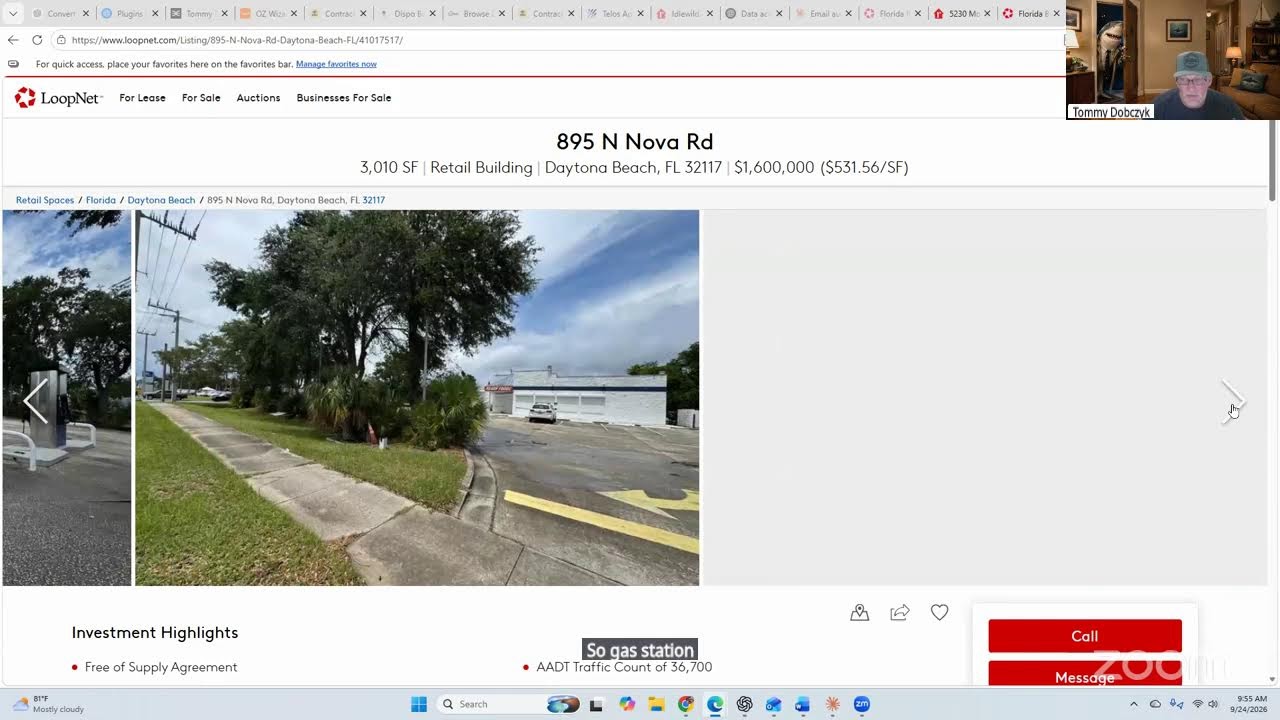
Yeah, make sure you email it because then you'll get your answers back in a different form. But to actually get a full blueprint, then our team will actually make one for you. And it only takes 35 minutes. I just redid mine yesterday and it took me 30. So it's not super strenuous, but the nice thing about it is it actually has for myself and each person that completes it, their ideal investments. So for me, I have structured real estate, creative acquisitions, purpose-aligned business, and then also different funds I can go into. So it says for myself to look into storage, multifamily, car washes, commercial with seller finance, and business acquisitions, and has a lot more information, which you will find out later on. But the way I actually find these deals, once you actually get your blueprint completed, is on CREXi or LoopNet. And without the blueprint, it's a little bit hard to have a plan because ultimately you want to have those guidelines so you're not just going in completely blind. Because I definitely find that we all have our own alignments with different things. We all have our own specialties, and once we know those specialties, it'll actually help us in the long run. So we're not just sourcing hundreds of deals because there are multiple of them. So I'm currently here on CREXi. I have an account, and the way I start is I'm here in California, so it just pops up in Los Angeles. And I can go through, and it just popped up almost 3,000 results right here. So I can go through all these, but since I know my buy box and I can go back to it, let's say I want to look for a multi-family Apartment or complex, I can actually go through some filters. I will look for sale. I'll go to property types. It has all these different property types: retail, multifamily, office, industrial, hospitality, and more. So I was just looking at multifamily and I'm just going to click on this and it has different ones inside of here. But just in general, for purpose sake, I'm just going to do all this and just have all of them that pop up. And then I'm going to remove that block. So then it'll show me this larger area. So just going through all these different deals, it's going to show the price tag on them and I I can do it based on recommended that says newly listed, square foot, NOI, and other things as such. So that's just a basic search, but something that is helpful is going into the filters because then this can actually give a lot more niche as I can go through different areas. I want to look for if it's a tenancy, different lease types for it depending on the property as they have net, triple net, absolute net, gross, modified, and ground. And then any of these definitions we can actually put into Deal Hunter by Land Shark and to break it down a little bit more. There's different classes I can go through from A to D, just super easily. But one thing that's very helpful that I use quite a bit is Opportunity Zone, as this is one thing that Tommy has mentioned that's a tax advantage. So if I actually turn on Opportunity Zone, that reduces my buy box. Now only 174 results. Now 252 as it just re-updated. So there's not going to be as many properties, but with this Opportunity Zone, it will allow for a tax advantage. So if I quickly just go through here, It's just, I'm looking at some of these properties and some of them pop out. Some of them may say unpriced. That just means the broker is not showing the current price online. You have to do a little more deep dive and actually reach out to them. So let's say I was interested in this property in Los Angeles, in San Pedro. I would just click on the property and then it's going to have all these photos on side of inside. I can scroll through those. This can have a lot more information over here, such as the property type. This one says an apartment building. It's only one story. It was built in 1923. The square footage, cap rate, the actual square footage, and then some other numbers that are the NOI, and then how many units there can actually be since this is multifamily. And it's going to have a description of what the property is, and then it has some contact information. And I have an account, so all this information is going to pop up. But if you don't have an account, then all this information down here will not pop up on CREXi. So what I normally do is I'll actually look at the OM, the operating momentum, and then it'll show— have all this information inside of here. And then I can download this and then run that into Deal Hunter by Land Shark. So this is CREXi. And then another similar website is LoopNet. So on LoopNet, very similar process. Let's say I want to go and look into multifamily once again. They have all the starting bars over here. I click on multifamily, and then I'm just going to do nearby where I live, Los Angeles, and then popped up all these different multifamily apartments. And then it has these different blue zones where it's actually inside of it. But let's say I want to go closer to where Catherine and Tommy work. If I want to go into Scottsdale, I can go over here to Scottsdale, and this is the entirety of Scottsdale right here. But it's only confined multifamily into there. Now you see there's only 10 apartments. So if I click out of this, it's going to open up that buy box a lot more, and now there's 112. So let's use the map view as an overall, and then there's a sort feature where you can go through from newest, oldest, based on prices. And then has very similar features to CREXi, where you can either ask for on sale, lease, or auction, and then the different asset type. So right now I have multifamily selected, but it has residential, retail, industrial, and some specialty ones— healthcare, hospitality, a bunch of different other areas. You can do your buy box for price, but I don't try to limit myself too much. And then they have filters as well, not as many as CREXi, but they do have some that are very helpful, such as triple net, or even they can say the seller is distressed. But one that I like to press is opportunity zone, as it just helps out with the tax advantage, and that will decrease the amount since not everything can qualify for an opportunity zone. Very similar thing. Hey, I like this property that's interesting, the 75-unit in Phoenix.
Blake, I can't hear you anymore.
I think he froze. I don't see him moving.
I don't see his screen at all.
No, I see his screen, but it's just black for me. Okay. Let's see if I can get him to stop sharing. And do you want to take over?
Yes, no problem.
Do this.
Okay, there you go.
Okay.
Hey, sisly, are you okay? Blake, what happened to you?
My Wi-Fi has been cutting out, but can you hear me now? Okay. My apologies for that. I'm just wrapping up over here.
You're doing a great job, by the way.
All right. Apologies about that. So very similar platform to CREXi. And then it's going to have more of the information below the description down here where any of these questions you can actually put right back into Deal Hunter, which Katya is about to go over very soon. If you don't know what occupancy is or you have no clue what an opportunity zone actually is or what the different zoning zones are or actual building classes, you can throw all that information inside and even ask Deal Hunter. So sometimes they'll actually have an OM down here that I download, but this one doesn't seem to have one. They're invisible. So this is just a quick way to actually find different properties. Now that you are able to find a property, what you can do is actually take this information and throw it into Deal Hunter. And then this is where I'll like cut to you. Take it away from here on how to actually throw that in and analyze them.
Perfect. Thank you so much, Blake. So right now I'm going to share with you guys how to utilize the Land Shark GPT to the max. So Cicely, are you familiar with, have you used it before?
The Land Shark?
The GPT.
Just the survey portion of it.
Just the survey.
Is that the same Land Shark that we use? Is the one that connected to—
No.
So I'll show you guys. Very exciting. And then Caitlin and Tamara, are they part, are they also interested in learning? Are they new to this?
They are new to this and they just did their— they sent over their results, so they should be getting back their plans soon.
Okay, amazing. So I'm going to introduce you guys to the Land Shark GPT. So can everybody see my screen?
Yes.
Okay. So right now I'm just on ChatGPT. So I go to the Google page and I just look up ChatGPT and I have the Plus version. And so I found that the Plus version, I think it's $20 a month. Month, but it really elevates the information you get and the quality of information that you receive. So go to ChatGPT, then click Explore GPTs down on the left side, and then type Deal Hunter by Land Shark, and then the name should be Thomas Dobrzek. So then you would start the chat. So, Sisley, when we were going over your investor survey, it specifically said to focus on multifamily and mobile home parks. Is that correct? So what I would recommend doing and what I have been doing is LoopNet and CREXi that Blake went over. That is a fantastic tool to dive into to explore the different deals. But also you can use Land Shark and prompt it to give you deals as well. So we're going to be going over those two strategies.
So we can ask it to give us deals.
Yes. And that's a really cool tool that you can use alongside looking for deals yourself. So we can start with this, this property right here in Corona, California. I found this on LoopNet, and all you have to do is come to the top, copy the link, and then paste it into Deal Hunter, and then ask it to run this deal. So the reason that I chose this piece of land is because me personally, I add value— that my investor survey, I add value to land, and I'm a little bit more focused on development. So this is why I chose this. It matches my buy box. So I put it in here and it runs through all the information. So Deal Hunter can act as your calculator, as your mentor. It can answer any questions, any clarifications. If you need it to rephrase something in a different way, it can as well. The amount of times I've asked it to summarize things in a third grade level is really funny, but it helps. So I had it explain to me the process of raising capital in third grade terms, and it gave me an example with the lemonade stand. So It was perfect. So as this is loading, you can see that the property I gave it just by the link, you can see the asset type, the broker, the status, the asking price, the lease signal, core issue. So it'll give you a property snapshot that you can look over. The back of the napkin income, so it calculates all the numbers and in different scenarios. And then basically you continue going through this one individual deal and then What I always ask is I go to my buy box. So for example, if I want a property that cash flows or if I want it to bring a 40% or more return on investment, make sure to ask that, hey, is this prop— does this property fit into this buy box or not? And it'll either tell you yes or no. So if it's a no, I just let it go and move on to the next one. And if it's a yes, then I pursue it a little bit more. So this is a great tool. What I found is that I can actually prompt Deal Hunter by Land Shark to find deals that fit my buy box. So for example, Sisley, you are focused on mobile home parks and multifamily. And so the goal for your investor survey, if you remember off the top of your head, was to start off in cash flow. Is this correct?
To start off like small duplexes and fourplexes.
Okay, perfect. So I'm actually going to prompt Deal Hunter by Land Shark, and you can listen and keep note of what Good morning. So I am looking for properties that fit my buy box right now. I'm looking for mobile home parks and multifamily in— sorry, Cicely, where are you located?
Northern California.
Good morning. So I'm looking at properties that would fit into my buy box. So specifically, I'm looking for multifamily duplexes or fourplexes in Northern California, as well as smaller mobile home parks that I can get started on to build my portfolio. This needs to be positive cash flowing deals that I can utilize and leverage for future deals. I was wondering if you could please send over 10 market properties and 10 off-market properties that I can analyze and move forward. So I prompt it this way and I ask it to give me 10 deals or 20 deals. So 10 on market, 10 off market, and then I just click go. And so it's going to pull from, let's see, so it's going to pull from all the different websites that it knows, and it's going to list out the properties, and it's going to give you the link to these properties, and it's going to give you a small summary, and it can even list the top 3 that it wants you to pursue first. So that's an incredible tool, and I like— it's crazy, and you can utilize it to your advantage and get through deals extremely quickly. Because what Catherine and Tommy always teach is that in order to get one deal, you have to find 1,000, analyze 500, really look into 100, maybe send offers to 10 to get one. So this just helps.
Well, and that may sound daunting, but how is it using Deal Hunter? Oh my gosh, how quickly do you get through those?
Even right now, like right now we're looking at 10 deals.
So don't let the numbers scare you, utilize the tool.
If anything, I think it's extremely exciting that Deal Hunter can help you get through them them so efficiently, and it helps you see things so quickly to the point where you can get into that momentum instead of feeling stuck with those numbers.
So for the questions that you're prompting it, because I may not remember those, do we have something, or can we create something where I can have like a reference to go back? Because you said it so perfectly, because I can tell you—
here's—
over and over.
Let me, let me jump in here because this is— you really— I get that you want to get it right. This is the perfectionist beast. That I so recognize when I look in the mirror. And what— here's what I've done, what I've learned is that give it a prompt, and when I'm not getting what I want, I say, okay, I open up a different tab and I say, listen, this is what I'm trying to accomplish. Give me the prompt that I can put into Deal Hunter to get that accomplished. And it'll literally tell me the prompt. And so I copy that from the other GPT window into Deal Hunter, and then it gives me what I want. Thank Like, I want you to— it's not about getting it right or getting it perfect. It's about you having a relationship with it so that it starts to really understand you.
Correct. And this thing, this prompt, took a lot of practice because at first I didn't know what to ask. And I actually asked Deal Hunter by Land Shark. I'd say, hey, I'm looking at multifamily and mobile home parks in Northern California. What are some questions you have for me that I can answer so that you can better meet the criteria. So then it'll ask you questions. Where exactly are you located? Have you invested before? And then you just answer these questions like a conversation, and then it can save all those and move it forward.
Okay.
So for example, we put in your information and now we have 10 on-market properties to analyze. So it gives you the name, market, the type, the ask, the signal, and the initial Shark read. You see that? Okay. And then you can click right here and it sends you directly to— okay, sometimes it does this where you need to copy and paste it. That was a bad example. Let's do this one. It'll send you directly to the investment. So you can either click the link that way or you can copy and paste this and put it into the top. And this is for sale.
Yes.
So all of these that we have on here are for sale.
Gotcha.
Okay.
So you go through the list and you can click these, or if it doesn't work out, sometimes it'll send you to like a general tab, like California mobile home parks for sale. You see right here versus this one gives you the specific mobile home park. So then you can take this and you can look at it if it's something that you want to pursue, and you can either open another Land Shark GPT tab and work on it one-on-one, or You can come back to the one where we have the 20 deals and you can say, give me the top 3 properties I should look into right now. So then it tells you exactly which ones to look at, the different types, the Shark Read, and what to verify immediately. So then here are all the links. It even gives you 2 different links so that you can compare on that one, 2 different links to compare on this one. And then one link here. So you take this information and then you go and then you start deep diving into all of these and ask it to ask you questions. And you can ask it how you should reach out to the broker, what information you're missing, offering memorandum usually that you find on the website. Let's see if they have it right here.
Yes.
So you would download this and then input that into the chat and all the information that you can find, you can even screenshot the information down here, you put it in there, and then just have a conversation. So I find this extremely helpful, and something that I'm actively pursuing is a Club Scottsdale version in Southern California. So I have an entire ChatGPT chat with Deal Hunter discussing these properties. So at the beginning of this chat, I told it exactly what I want, the exact division, the exact numbers, the exact business model that we discussed. And now every time I find a property, I put it in there. And then every time it has a property for me, it shows it and we work together. So it's almost like an assistant in that way. And it truly is incredible. And you don't need to be afraid to ask silly questions or display the wrong information. Is that fairly clear?
Yes.
Okay.
It seems I— Blake went over like all of the information where you can pull the information and then you showed where you can take that flyer and put it in. So my buy box, so my buy box is going to be basically, do I put, do I copy any information from the data we did for my buy box, or do I just say mobile home parks and then multifamily houses? Do I?
So what, no, you're gonna upload. Go ahead, Catherine.
Oh, so I took the presentation that Tommy's going to send you, and I also took the results from the investor survey and I put it into one ChatGPT conversation, and I had it summarize a prompt that I can use going forward that has all of my buy box details and everything that I'm working toward.
Okay. Yes.
Catherine, do you wanna add anything or is that what you were going to say?
So you can upload it into your, what's it called, your settings in GPT to be one of your, you can do it multiple ways. You can have it be as a part of your whole portfolio. Profile inside of GPT, or you can create like a project folder with that inside the GPT.
Got it.
So project folder, she's talking about you go here to the left side and you scroll down and you click project, new project. So I have a full real estate project folder where everything I do in real estate stays in there and it remembers those conversations.
So go ahead and show them how to create that because I think that's super important to have.
Thank you.
Okay, so on the left right here, You scroll down to projects, then you click new project and you can name it Buy Box, and then you can add a cute little logo so that you—
So let's, Katia, go ahead and have Sisley share her screen and why don't you walk her through, have her create it because she'll learn faster by doing it.
Perfect. Let's do it. Sisley, are you okay sharing your screen?
If you're okay with seeing my wildness. Yes, I am. Okay.
Honey, we're all wild. We're all in the same room.
Okay. I just downloaded the chat. The GPT, so it should be up. Okay. Can you see?
Yes.
There it goes.
So go to the left and scroll down a little bit. No, to the very left.
Oh, sorry.
So go, do you see where it says projects up at the top?
Yeah.
So click that. And so name it whatever you want associated with real estate. Now, do you see where it added that to the left-hand side where it says, now it says Sicily's Real Estate Investing. Okay, perfect. So has Tommy sent you the presentation or not quite yet?
I haven't got Sicilian email. Let me see here.
I can send it to you, Cecily.
Okay, there you go. Perfect.
So download this. That is a lot of tabs. I don't think I've ever had that many tabs.
I know.
Okay, I know my computer's super loud right now. It's like I hear the motor of it.
Okay, now put it in there. So you can click the plus or you can drag it over and then you can just type in, here is my investor survey, please analyze it and let me know what you think.
Analyze. Analyze is A-N-A-L-Y-Z-E. Analyze it and what? That's it.
Okay, now send that so that it gets cooking. So right now this is only on the regular ChatGPT. So now go to the Explore GPTs. Now type in Deal Hunter by Land Shark.
This one?
Yes.
Start chat. Now input your survey in there or your presentation there again. Perfect. And you can type or voice dictate. Here is my investor survey. Going forward, I'm going to be looking at properties and analyzing properties that fit my personality type and the plans based on this investor survey presentation.
Okay, here's my—
or something like that.
Can I have you dictate just because I don't— I don't remember what you said. Yes, no problem.
Here is my investor survey. I would really appreciate it if you could analyze it and look into it because I'm going to be using this presentation as a guideline going forward whenever I analyze deals to purchase and invest in. Perfect. And you can go for it. So now go to the left where it has the GPTs and projects. Scroll down here more.
Okay.
Where is it? The conversation that you're having right now? It should pop up on Recents. It should pop up on Recents and then scroll down again to where it says Recents.
Oh, Recents.
And then what happened to what you were just working on at the moment?
That's projects, right?
Yes.
Yes.
So click the investor survey analysis underneath that.
Uh-huh.
So we might have to, I don't know where it went. I don't know where your page went for the Deal Hunter. So go back to recent, the one that we just worked on within the Deal Hunter by Land Shark GPT. So scroll down.
Okay.
So you see where it says investor playbook analysis. So click the three dots and actually I think you can just click it and drag it into the Sicily Real Estate Investing folder. No, drag it up to the top where the folder is. Where projects— does that work?
No.
Okay, so then try the three dots and then click share. Okay. Exit out of that. For mine, it works when I just drag it up.
Should copy link?
I don't think so. For mine, I can just grab it and pull it into that folder and it works.
Okay, let's try again. I'll try again.
Yes.
I think it won't let me drag it.
There's not even if you double click.
No. Are you, do you have a Mac?
No.
There's no dragging. Doesn't wanna leave.
Catherine, do you, do you usually drag it into the folder?
No. Usually there's three dots. Dots on the right there. See the three dots?
Go to the Recents and then see—
go down, see the three dots right there? You click on that, it should say Add to Project Folder.
Share.
Oh, you might have to get out of it.
It's already—
isn't it already in the project folder?
No, because one is the Investor Survey Analysis, which is just charged.
Oh, sorry.
And the Investor Playbook.
So, Cicely, just click on like American Canyon Rent Control. Just click on that to get out of— just click there. Okay, now go up to Investor Playbook Analysis, the three dots, and see if it lets you—
huh, super weird.
That is weird.
It's a plus.
Go to click— I'm sorry, click back on where it says Investor Playbook Analysis again. Okay, in the top right-hand corner, see the three dots over beside Share?
View Files in Chat.
Go to your project folder where it says Investor Survey Analysis. Or no, Sicily's Real Estate Investing. There, it was already put in there. That's why, because you already put it in.
No, no, that's the incorrect one. So we need to put the one— can you scroll down on the left, Sicily? We need to put Investor Playbook Analysis in there. So actually try dragging it now. Nothing? No.
Go to your project folder, Investor Survey Analysis, and see if it got put in there.
It's in there.
It is.
Investor Playbook.
That's why.
But this is under just regular ChatGPT. It's not in the Deal Hunter by Land Shark. GPT. So we have to move the analysis done by the Deal Hunter by Land Shark, which is the Investor Playbook analysis, and we have to put it in that folder, but it's not letting us.
So, okay, here's where I'd open up a brand new chat window and I'd say, this is what's happening, help me fix it.
Okay. New chat.
When in doubt, just ask it what to do.
We can do that. Okay.
So go scroll to the top, click new chat.
So I'm working on moving— Any help, Katya?
No, it's okay.
You got this. Exit out. Just have a, just practice having a conversation with it. Like, don't worry about making it perfect. Like, hey, I need one folder that's in Recents and it needs to be in my project folder. What do I do?
So I need one folder that's in Recents on my ChatGPT to be moved into a project folder. Chat is not allowing me to drag it. So what should I do to be able to move it into the project folder? Open the chat first, click on the conversation you want, look for the three dots, move to project option.
So tell it it doesn't give you those two options.
Okay, so it doesn't give me the first or the second option. Seeing project, move to project in either the chat menu or the sidebar. A few things may be happening. The chat may already belong to a project, in which case it can't be moved from Recents because Recents is distributed. The version of ChatGPT you're using may not currently support moving existing. I have Plus, right? There may be a temporary UI bug. Refresh the page completely. Ctrl+Shift+R on Windows. Log back in, try another browser, check out the chat. Okay.
You may— sometimes ChatGPT works up with me when I have too many tabs open.
I know, that's what I'm thinking because my computer's really loud. Okay, should I stop sharing the screen and maybe delete like 10 tabs or 20 tabs?
Sure. But the basically the sum of it is now you have your folder and everything that you do within real estate to keep it organized. Organized, you can put it in that folder. Or if you have a very big project that you're working on and pursuing, um, I usually keep it all in one chat. But if you have several chats on that one property, then also put it in a project folder just to keep everything organized. So in your Sisley's Real Estate Investing folder, it will remember everything you talk about. So even if you click that, so click it right now, Sisley's Real Estate Investing, it will keep everything in that folder aligned.
So to be clear, we need to move that investor Playbook to the Sicily Real Estate Investing?
Yes.
Okay. All right. I'll have that be my homework to get that done.
But if anything, go to the Investor Playbook analysis down there. And so that's the one you'll see in the corner that it says Deal Hunter by Land Shark. So all conversations that you have, you want it to be with Deal Hunter by Land Shark. So make sure you see that and you can go through this and see what it says and ask it some questions, have it ask you some questions, and maybe you can even prompt it to find you 5 deals. In your area that you could start taking a look.
So I can work, I can work through this. I can work through the Investor Playbook analysis.
Yes. So you can just continue with this and have a conversation with it.
Okay.
There's, I've had chats with GPT that have been going on for 2 months already.
Okay.
On the same chat.
So to get started with the deals, I can start here until I figure out how to move it into its own folder. Correct. Okay. That makes sense.
Cool.
So I think that's it on my end, uh, for just a basic overview of Deal Hunter and ChatGPT and how to organize everything and tie your investor survey. So is there anything that I'm missing at the moment, you think, Catherine or Laura?
I think you did an amazing job. And now the homework is for everybody who watches this to go do it and then come back and let us know what the results are. And then we take it to the next layer of training. So I think that you and Blake did an amazing job. So thank you. Everybody give them a round of applause.
Yes, you did amazing.
I love this. Super excited. And so inspiring. Like, for me, the— I learned this years ago— is that the measure of a great leader is when you hear your words come out of somebody else's mouth, right? So I feel like a proud mama. All this coaching and mentoring, like, you're taking it and now taking it to a whole new level. Like, it's so extraordinary and exhilarating for me. It feels like a huge win for me. So deeply grateful that you guys are taking the coaching and taking it to a whole new This is the perfect example of I don't care what you know, I only care what you do. So freaking awesome. We're going to take this and turn it into classroom material. And Katya, I would say, as we have more things that you're teaching, we're going to keep doing more and more of these lessons because I think every little bit of this— Cicely, I think you'd agree— like, this helps.
Oh, because I— when you guys were running the deals, I was like, I don't know what they're doing. I'm just showing up and listening, and I'd hear little things here and but I wasn't actually registering what you guys were doing. And also I didn't have the Buy Box, so I just saw that you guys were looking for different types of deals and I thought you guys were just on LoopNet just randomly going through. And I was like, oh my, how much time is— my thought was, how much time is that gonna take? So this does look like it can go way faster and like I can spend 20-30 minutes at the end of the night going through something and that won't take away from my kids. Or I feel like I can do it faster, but I was overwhelmed with the of needing to spend hours on LoopNet or CREXi, right?
And it's actually not overwhelming, not overwhelming at all. And I, again, like, I came in February and I had, I had no idea what real estate was or what a deal was or what I look for or numbers or words. Like, I had nothing, like zero background or information with real estate. So, and now already I feel so much more comfortable in And it's like a huge part of that is because of Deal Hunter just having those conversations and breaking it down and asking it even more questions and going through the reps. But another thing really worth a lesson in my opinion is when you find a deal, taking the documents and putting them into a Google Drive folder. So we can do that another time.
Okay.
All right. Yep. So let's, I would say, Katya, let's map out like like when you're available to do these lessons at 10 AM, and we'll just one by one create these, because I think this is really awesome, because we're so busy doing the deals, but the fundamentals need to be taught.
Perfect. Sounds good.
You're amazing. Thank you, everyone.
Have a great rest of your day, guys.
Thank you. Bye-bye.
Bye.