5 USOS de IA que me Ahorran 20 Horas (Casos Reales)
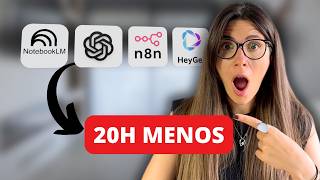
Laura Cilleruelo shows five AI workflows she uses daily: ChatGPT Projects for email drafts, Perplexity and NotebookLM to summarize research, a mobile AI assistant for tech support, AEN to generate personal avatars for social content, and n8n to scrape LinkedIn and auto-draft personalized messages. Together they save her 20 hours a week.
In this video today, I'm going to show you five exact use cases of how I use artificial intelligence to work half as much and achieve results that were previously unimaginable. What you're going to see aren't four tricks that you can find anywhere, but rather systems that I've built and developed over time and most importantly that I use in my day to day life for myself, for my business and for my clients. Just a couple of years ago, it would take me at least three hours to do any of the tasks that I'm about to show you now. It takes me 20 minutes at most and the result is 10 times better. And what's the difference? Well, I don't use artificial intelligence like the vast majority of people. The problem, and this is no secret to Anyone, is that 90% of people misuse GPT chat. They go there, ask someone a question and then think, well, that's absolutely useless. And the reality is that they're using a Ferrari as if it were a bicycle. If you implement just one of the methods I'm going to show you, you'll understand why artificial intelligence isn't the future of work, it's the present. And listen very carefully to what I'm going to tell you. Anyone who doesn't understand this won't be left behind, but there's a huge possibility that they'll have a really bad time. Before we start, three very important things. First, everything you're going to see you'll be able to do with the tools in their free version. If there's anything you need to do with the paid version, I'll specify it specifically. Second, what you're going to see are real use cases that I personally use. These aren't theoretical demonstrations. And third, we're going to go far beyond asking chat GPT basic questions. What we're going to see are workflows created so that they do the work themselves or at least help us reduce the workload by at least half. And be careful. I recommend that you stay until the end of the video because the last use case, the fifth one, an automation to get leads, which is very interesting and I want to show you. So if I were you, I would stay until the end. Now I won't ramble on any longer and let's get started. Okay, let's move on to the first use case and it's something that you've asked me about in other videos and comments and I'm going to show you how to solve it in both a free version and a paid version. It involves answering emails or humanizing our texts so that they are written as if we were writing them ourselves. Okay, let's start with the free version. And now, very recently, we have available the project function within Chat GPT. If you don't know what I'm talking about, I'm going to leave a tag up here with a video from the channel where we talk about projects. But I'll show you right now how it works so that when you've seen it, you can come back here and put it into practice.
Okay?
As I said, I have this project here called Emailwriter.
Okay.
So if I go to the top, right, the three dots edit instructions. I have some instructions here with my writing tone. This is very simple because I have taken texts written by me, I have put them in a new chat in ChatGPT, and I have told it to write a description of my tone. Once this is done, I have pasted these instructions here and then I have uploaded a document. If you notice, here it shows you project files. I have a daily newsletter which, by the way, I want to take this opportunity to tell you that I send it every day with super interesting information, all the latest news about artificial intelligence, and also very, very interesting uses. I'm going to leave you the QR code so that you can subscribe. Well, what I have done is taken a history of my emails, I have put them in a Word document, and I have put them here as examples. In this way, it is not going to humanize the texts as it wants, but rather it is going to base it on how I write. So with those instructions and with this example file here, it's very simple because, for example, I came here and simply said, create a response to this email where I ask for more information about your application before closing any collaboration. I received an email proposing a collaboration from a company. So I went to my email, copied the email, obviously removed the name of the company for privacy reasons, pasted it here, and look what it did. It thought about it for 1 minute and 17 seconds and made three versions for me. A slightly more direct and personal version, a more forceful version, and a slightly more formal version, but always based on my writing style. The next paid option, in this case the one I want to show you, is Gemini. And I say paid because for this you need to have it active in workspace.
Okay?
So here it makes things much easier for me for the following reason. I have, just like in Chat GPT, a project with all the information about my writing style and my examples here. I also have a gem would be like a personalized chat GPT with all my information. And I'll also take this opportunity to tell you that we also have a video about that on the channel. And I'll leave the tag here. Well, it has exactly the same information as my chat GPT project. That is the instructions in my example file. But here, having it connected to my workspace allows me to go. I'm going to call Gmail and I'm going to tell it the following. Find the last email you see from ossiflow Media and prepare a response to the company asking for more information before closing the collaboration. And here I'm going to put in parentheses, not to mention the company in the email for privacy reasons. Perfect. So we're going to ask him for this. And what's going to happen now is that he's going to go to my Gmail, look for that email, analyze it, read it, and prepare a response exactly as I write it so that I can simply check it, make any changes if I consider it appropriate, and from there respond. Note that it already says collaboration proposal. Hi Maria, thanks for writing what you're proposing. Sounds good. But before we talk about rates and dates, I need to understand something. A video is much more than a budget. It's my channel, my people, my way of doing things. So before I put a number on it, tell me what you hope to achieve with this. What's the key message you want people to take away? In other words, he's written an email with my tone, based on my examples, so that he can respond to this possible collaboration. As I said, it's an email that I would write exactly as it is, that I'm going to copy, paste and send. And this would be the first use case that is super useful. And now let's move on to the next one. The second use case for me is indispensable and super important. And that is that right now it is a hassle to keep up with all the trend reports about artificial intelligence. Also, if you create content on social media, it is even worse when you receive reports that may be from clients or other people on the team. And the truth is, as I said, this application helps me a lot. So. So let's get into it. Look, I want to give you this example because it is real and I have used it. Just a few days ago there was a report, a paper by ChatGPT where they talked about the reasons why artificial intelligence hallucinates or lies and how it could be solved. If you don't know what I'm Talking about there is another video on the channel where we analyze this and see how we can solve it. And I will leave it here for you. Well, I wanted to do some in depth research on this topic. The tools I usually use to do this are Chat GPT, Deep Research, because it's very good, I like it a lot. And also Perplexity, because Perplexity allows us to do a search and it's very up to date.
Okay.
So I went to Chat GPT and asked it for this in depth research. It gave me this here, I copied it and put it in a document. Then I went to Perplexity, as you can see here, and I asked it exactly the same question that you can see here. And it also gave me its entire analysis.
Okay.
All its research. I did it beforehand because both usually take a little while. So with these two reports, with these two in depth investigations, plus the report that OpenAI itself, the company that runs Chat GPT, has published, I went to NotebookLM.
Okay.
So here I came and loaded the information. I came here, I clicked on Add upload sources, in this case, select a file. Ok, I clicked on select a file on my desktop I have my folder, as you can see. So I've uploaded those documents. So when I upload it here, it gives me a short summary in the middle. But I wanted to go a step further and asked it to give me an audio summary. This way I save myself from having to read three reports that are hundreds of pages long. I simply upload them here, ask it to give me an audio summary and I can listen to it while I'm in the car, I'm doing sports, or maybe when I'm cooking, which I love. So let's come here and see if we can listen to it. Well, we downloaded it because when recording the screen it gives us an error. We download it here and now we're going to listen to it. Perfect. Welcome to this detailed exploration. Today we're going to delve deeply into why AI models sometimes seem to lie with surprising conviction. It turns out that as if it were a poorly designed exam, we could be or even get worse in the post training process. And this last point is mainly due to how we evaluate them. Look, we're not going to leave you with the whole thing because it's a 19 minute audio file, but we've just condensed hours of reading into a podcast format that you can watch at any time, allowing you to study and learn about any topic. But with this tool we can go a step further. Now I'm going to explain it to you a little bit so you can see what my workflow is like. But if you're interested in us making a video, going into more depth about how Notebook LM works and everything you can do, let me know in the comments.
Okay.
So this would be a usage model here. We could also ask it on the right hand side to make us for example, a video summary or a mind map. And this is precisely what I'm going to show you about the mind map. Look, I'm going to show you something that I use a lot, which is this chat that I have here. So this is what I use to create content. So here, notice that in the sources on the left side, I've loaded links to YouTube videos from creators that I like, mostly Americans.
Okay.
Then I've also loaded PDF books, for example, by Brendan Cain, who is quite an important social media content creator and has been doing this for many years. And then I've also loaded manuals on the latest trends in social media for 2025.
Okay.
Using the same process that I showed you earlier, which is both with GPT chat and with perplexity.
Okay.
So I've loaded all this documentation here and what I've done notice first I'm going to show you this one here. And with all this information, I've told it to act as my social media strategist. I've shared a specific carousel idea that I had. I'm going to show it to you. It's this idea here. I copied and pasted my carousel idea for each of the slides. So I pasted it and asked him to analyze it. And based on all the content he knows about that I shared with him, that is focusing only on those reports, YouTube videos and PDFs that I shared with him. Right? In general, he, he asked me to analyze this carousel, give me his opinion and tell me how I could improve it. Well, look, what he did was analyze my hooks on slides one and two. He told me he gave me his opinion and in general we can say that it's pretty good. He does that with each of the slides and at the end of it all he gives me some appropriate improvements, right? He told me to optimize the format, to use trendy audio, and he made some adjustments to the text section. So what it has done is that it has improved my content idea, but based not on the knowledge that it finds all over the Internet, but on the creators and resources that I find reliable.
Okay.
So it has not only done this, but then what I have told it here. Is that I was sharing that carousel with it again and I wanted it to write me a script for real, following all the good practices and advice and strategies that these creators, who are very successful propose. And indeed it has analyzed that carousel again. And in this case it has proposed to me a script for a 30 second reel. And I can assure you that it is of great quality and much better than if I had left ChatGPT. Gemini are cloud on their own by asking them a simple banal question like write me a viral script.
Okay.
So in this way you can come in this central part and for example, I have prepared it for you. Here we can tell it the following. It acts as an expert in creating content for social networks. Your goal is to advise and help the user create content based on your knowledge. Every time the user shares an idea or script, your task will be to verify that they follow the best strategies and best practices that their idea or script has good storytelling and if necessary, you will make the appropriate improvements to improve it. You will always justify your answers and recommend the ideal format for that piece of content. So with this promise, enter your information, your context and ask them based on the knowledge that you have chosen and uploaded. And finally, to finish with Notebook lm, for example, I don't know if you saw last week's video on the channel where I told you how you can choose the perfect one for you and know whether to pay for it or not and what each one is for. Well, I have prepared it for you so that you can watch it. You come here, you click on add and here you can tell them, look, YouTube. Here you can copy the link to the video, you insert it. This is what I have done here. If you see it appears here on the side. So he can directly access that video. So in this part you can simply tell him, explain what your situation is, what you do, your budget, what you use it for or would use it for in your day to day life. And based on this information, he will be able to advise you based on that video, which artificial intelligence or artificial intelligences are most recommended for you? And also if you want to have it even clearer, you can go to Mind map here on the right side and this will happen to you. It will create a mind map with the content of the video. So you can come in here there is a part of the video where I talk about how to choose the perfect AI. And now within that video he will start searching and tabs will appear. So Notebook LM gives us many possibilities. This second use case can help you save many hours. And now we go to the third. The third use case is that it is my technical support, 24 hours a day, seven days a week. I usually use this much more with the mobile application because it is much more practical for me and I usually send it audios and I use it for trivial things like maybe a fuse at home has blown and I didn't know why it was happening or what I should upload and what I shouldn't and I simply shared what I was seeing and that way it has helped me solve it. Also with things that can break at home and even appliances that I have bought and that at first I didn't know how to work. And also for work things like the one you are going to see right now and that I am going to explain to you step by step how I have been doing doing. The fourth use case that I want to show you. We recently started implementing it with some of our clients and I believe that in a very short time it will mark a before and after in content creation, in the type of content that we see on social media. And it will solve a bottleneck that many companies have and also many people who want to start creating their personal brand and that is the creation of our own avatar to then be able to create content on social media. Today, I am real. Here, whenever I appear on YouTube, I am real. Although sometimes you have asked me in the comments if I was an avatar. No, I am not an avatar. I am flesh and blood. But on social media we are already starting to see, especially on Instagram and TikTok, as I was saying, avatars of real people. And we are starting to put it to the test and today I want to share it with you because perhaps you are someone who has a hard time getting in front of the camera or simply do not have the time or resources to do so. So I'm going to show you a brief overview of this application called aen.
Okay?
You'll be able to use the free version of AEN and you'll be able to create a single avatar for yourself. But that's more than enough. So what you're going to have to do here is record a video of yourself quite close to your face, lasting between 30 seconds and two minutes.
Okay?
Where you're very natural, where you enunciate well, but as I said, natural with your gestures because it's really incredible what you're going to be able to do with this. Now I'm going to show you an example with myself and also, for example with one of my clients so that you can see the magic of what it can do. Just like we said before with NotebookLM, if you want a video where we go into more detail and step by step, you can leave it in the comments so that I can take it into account for future videos. But to give you an idea, it's as simple as going to avatars here, create new avatar here, you put a digital twin. So what you're going to do here is upload a video of yourself here where you can start. You're going to upload that video of yourself. You're also going to have to record yourself giving consent. And from here it's going to be as simple as you can put some text and it creates a video with your face, with your avatar saying that. Okay, so now I'm going to show you this one that I've created here. I've used a piece of a YouTube video of myself. It's this video here, so you can get an idea. So as I said in this one, I've uploaded this 40 second video. It wasn't a very long recording. Let's see if it loads. If not, in any case, we'll probably be able to watch it from here. Let's see in the avatars if it lets us. Okay, this is the video, as I said, that I've uploaded, okay, Of a piece of a YouTube video. A judge passed a whole one. Let's lower the voice a little. So I haven't even uploaded a very long video. It's 40 seconds. Obviously, if we upload a two minute video, which is the maximum allowed, it will be much better. But this way you can see it. So now I'm going to show you one of the examples with the text that I've uploaded because as I said, we've recently started implementing it with some clients and I wanted to try it out on myself too. So I want you to pay attention to this. It's not perfect yet, it needs to be edited. But I've never said that myself. It's simply a text that I've put in and that my avatar is now saying for me, if you investigate perplexity for free, it's perfect. And if you program deep seek for free, it's great. Do you really need to pay more? The truth is that it's incredible because at the speed at which social networks move in the short format of 30 seconds and with a little editing, it's practically imperceptible to the vast majority. In addition, this is also very powerful because you can create videos, in this case, for example, for your team, explaining certain internal processes of your company, for example, for training new team members or perhaps processes that you explain to new clients. And simply by putting the text of these systems that you have created and with an avatar of your own, you can automate all this. Now, I'm also going to show you here the example that I mentioned about my client. I'm going to put her original video here so that you can watch it. And based on this video that you're watching, the next thing we've done is the process that I showed you earlier. We've created her avatar and now we're in the testing process. Obviously think about how this will need editing later and it will be much more polished. So this, for example, would be a test so that you can get an idea. 60% of sales are bought by Spanish people themselves and the other 40% are for second homes or to rent. The problem is really impressive because there's almost perfect synchronicity. In some parts it isn't, but in the vast majority there is an almost perfect synchronicity between your mouth and the text we've put. In addition, this is very powerful because you can translate it into any language, even if you don't speak that language. So this is a use that you can start investigating because very likely in a very short time, it will allow many of those people, well, as I was saying, who don't have the resources, the time, or simply don't like being in front of the camera, to start creating content. And what's more, in a massive way, and now we're going to move on to the fifth use case. And for me, the little gem, the icing on the cake that we've just seen is an automation system to generate potential clients without you being present. It's true that what we're going to see is a little more complex than everything before, but if it's something that you're interested in going into depth with, as in the rest of the cases, leave it in the comments and I'll take it into account. Although it is a little more complex, I have been able to do it myself without any major complications, except by dedicating a little more time to it. So let's get started. I'm going to show you what this system is and how I use it. Look, we are going to use this application. It is called N8N and it is an application that allows us to create automations.
Okay?
So don't be scared by what you are Going to see now, which is this here. If we use this application through the online browser, it has a cost, although there is the possibility of being able to use it completely free of charge by downloading it to our computer. As I said right now I am not going to go into those technical details, but if it is something that interests you, let me know and I will take it into consideration. As I was saying. Well, to summarize, what this here does is that I give it an order to go away. In this case, I have it set up to be very specific, to create lists of Contact people for CEOs of real estate agencies in Spain and to create, as I said, a list with contact emails or failing that, LinkedIn, especially LinkedIn. So this system starts up when I click on it, okay. I have it set up like this so it follows this path that it does so that you can get an idea of what it's like manually. It goes with what you're going to see now as if it went here to Google. And notice that here there's a list of 10 CEOs of real estate agencies with their LinkedIn profiles. So there are 10 per page. And what this automation is going to do is create a list of these 10 contacts from each of the pages. And then what's going to happen is that it's going to put all those contacts in this Google sheet that you, you see here.
Okay?
Then it gives me the name, the position they hold, the URL that is their LinkedIn profile.
Okay.
So what I'm going to do next, once the automation has done its job, which is to make that list for me, we're going to go to a much simpler part that we're going to do. From ChatGPT, we open a new chat GPT chat. And here you're going to need the paid version. And what we're going to do is activate Agent mode.
Okay?
So we go to Agent mode, we click on it, and I paste a prompt that I've already designed where I tell it that I'm going to share a list of LinkedIn profiles. I want it to go to each one of them and I don't just want it to take a look, I want it to go and analyze the company, analyze its about me area, the about me. I want it to analyze its latest posts, its achievements. I want it to give me all the detailed information. After analyzing all this, I want it to extract elements for customization and then draft a message where I give it the exact guidelines of how I want that message to Be I don't let the artificial intelligence do it by itself because those messages aren't very useful. So we activate Agent mode, we give it the guidelines of what it should do, and we send it this. Now what's going to happen? It's going to use Agent Mode to configure its desktop, as you can see here and now, look, it tells us. I'm going to review each profile. Now it's opening this desktop of its own, okay? But it needs me to give it those addresses and it's going to ask me for them right away. Look, to start analyzing and drafting personalized messages, I need you to provide me with the list of profile URLs, and that's what we're going to do. We're going to copy that list and share it with it. Perfect. I shared it with him because as you can see, it takes quite a while. I've already shared a list of URLs, links and LinkedIn profiles. In this case, obviously he can do this because I've given him access to my own LinkedIn account.
Okay?
I've given him access, and he can enter my profile and interact as if I were the one doing it. So after sharing these links with him, what he did next was go contact by contact, as you can see here. And he wrote the messages exactly as I asked him to. So I asked him to send me these messages first so I could review them. Once they've been reviewed, notice that I've asked him to make some changes to rewrite certain parts. He does so. And once I have everything that I like that I think is good and that satisfies me, what I do is tell him to send them, okay? To take them and send all these messages himself. And what it is just me telling it to send them from here. What it does again is come to this little screen and send these messages by itself. This can take a little while, maybe 15 minutes, depending on the number of links we've given. Can take half an hour, an hour. But remember that all this is being done by itself while you're doing something else. If you've made it this far, you're no longer part of that 90% who use AI in a basic way. Now you have five systems that can help you increase your productivity and make your life and work a lot easier. Don't forget to let me know in the comments if you want us to make a video going into more depth about any of the things we've seen. In any case, thanks for watching. Don't forget to subscribe and I'll see you next week. Yeah.
More from Laura


El Error con Opus 5.5 y ChatGPT 6 que Comete el 95% (Qué Modelo Usar en Cada Caso)


Claude Ahora Recuerda Todo lo que le Cuentas (pero hay algo que NUNCA Guardará)


La verdad sobre las IAs chinas: ¿Gratis o estafa? #ia #tecnologia #noticias #kimik3 #deepseek
La Verdad de las IAs Chinas Que Nadie Te Cuenta: Gratis vs Realidad (Kimi K3, DeepSeek, Qwen y GLM)
Hablo a ChatGPT y Trabaja Solo en Mi Ordenador: 3 Casos Reales (y Lo Que Nadie Te Cuenta)