GEMINI: Funciones SECRETAS que Google no promociona (2025)
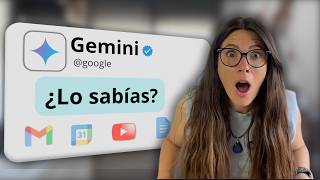
Laura Cilleruelo shows hidden Gemini features that work with Gmail, Google Calendar, and YouTube. Schedule meetings from emails, generate code apps in Canvas, turn PDFs into webpages with audio summaries, and use prebuilt Gems like a storybook generator with read-aloud.
Questions this video answers
September 2
10:00 AM
Pro: around $20 (per month); Ultra: about $275 (presenter notes a first-three-months discount)
Many people ask me, laura, with so many AI tools, do I really need to learn another one? And the answer is yes. Yes. If you're about to integrate an AI that's going to revolutionize and improve so many aspects of your life. ChatGPT is like a shining island, but Gemini is the ocean that surrounds it. The ocean that Google is building to connect with your documents, your email, your searches, with absolutely everything. In the next few minutes, I'm not only going to show you how you can use it, but we're going to see Google's strategy behind all this and how you can use it to your advantage. And most importantly, we're going to look at use cases and concepts that will last over time and that we don't run the risk of learning. And that will change tomorrow because we all know that this AI thing is fast paced. So I won't ramble on any longer. And let's get started. Okay, let's go to our Gemini interface. Here's the address so you can search for it in Chrome or your favorite browser and log in.
Okay.
We have the free versions, we have the Pro versions for $20 and something, if I'm not mistaken. And then we have the Ultra versions, which are $275, I think, with a discount for the first three months. But the Pro version is more than enough. Some of the features that we're going to see are in the free account, but the power of Gemini is in this Pro account.
Okay.
So a lot of the features that really save us time and make our lives easier are going to be in this account. So the first thing I want you to do is go to your Gmail. Yes, we're going to exit our Gemini and we're going to go to Gmail because I need you to check if you have some settings enabled.
Okay.
So we're going to go to our Gmail, we're going to go to Settings, view more Settings, and what we're going to do is scroll down and look for smart features, this feature here that's enabled, and then Google Smart features in Workspace. Let's go to Manage Smart Features settings and check that these two features are enabled.
Okay.
This is going to be very important for some of the things we're going to see. Now let's go back to Gemini.
Okay.
It's a very similar interface to ChatGPT. Most likely, if you're watching this, you're familiar with this type of interface. On the left bar, on the left menu, we have our gems, which would be the same as the custom GPTs of ChatGPT. Below we would have our recent chats, and then here we have the connection of our accounts. Here it says invite a friend. We have several little things here. We can search for chats. We can hide this from here. Anyway, the interface, as I said, is quite similar. The power that we have here and pay close attention to what we're going to see now is that by activating the features that we just saw from here, we can integrate absolutely our entire Google Workspace ecosystem from Gemini. Look, we're going to do the following. Let's click on it. And when we have it, some extensions will appear here. So we can call any of these Google applications, such as Google Calendar, Keep, Task, Gmail. This will allow us to consult any document or information that we have there. Email, even YouTube. If this doesn't appear when you do it and you have the Pro account, you can go to Settings and help, which appears here on the side applications and in Applications it will appear here below to see if you have them enabled or not. So if you don't have them, Google Workspace will appear. With this disabled, you simply click and activate it. And the same happens with Google Maps, flights, Google Hotels, YouTube. Okay, so you can decide which extensions to activate or not. So if we go to a new Gemini chat here, for example, we could do it in search, for example, in Gmail.
Okay.
And we're going to tell him, find my last three emails, learn about Flow Media's Clarity project, and make a list of the main points to discuss in our next meeting. I'll send that to him, quote, and now what Gemini is going to do is connect to my Google Workspace and that way be able to search for those emails. Look, do you see that it says connecting Workspace. And now once it has analyzed those last three emails, if everything works correctly, which is usually the case with Gemini, those points will appear.
Okay.
So look, Laura, here you have a list of the main points to discuss in your next meeting on September 2nd. I haven't told him the date. It's something he found in those email exchanges. He also tells me the points we're going to discuss.
Okay.
So what I'm going to ask him here, since he saw in the email that our next meeting is going to be on September 2nd, I'm going to call up Google Calendar and tell him to schedule this meeting. So now it's going to do exactly the same thing. It's going to analyze my request and it should automatically put it in Google Calendar, Although here it'll probably ask us for the time because I haven't indicated it. Okay, so, okay, in order to schedule the meeting, what time would you like it to be? Perfect. Well, we're going to tell it, the meeting will be at 10 in the morning. Perfect. So now with this information, it's going to automatically schedule this meeting for us from here. So once it's done that, we're also going to ask it for the following thing. Notice that here it tells us. Perfect. I've scheduled the meeting in your Google Calendar for September 2nd at 10. If we go here, our Google Calendar will open and indeed I have it scheduled here and also with the points to discuss.
Okay.
And it has done this completely by itself also. Now I'm going to tell it, I'm going to talk to perhaps docs and I'm going to tell it, write me an email or not. I'm going to have Gemini do it directly, which I'm going to put in Canvas so I can edit it and I'm going to tell it, write me a response email. Perfect. So now it's going to do the same thing and it's also going to open it in this Canvas option, which is exactly what just happened. This little screen opens on the right side with the subject and also with this possible response. If it seems right to me, I can copy this, go directly to Gmail and send it. Or I could make the modifications that I want and play around a little bit here because I can ask it to change the tone, make it shorter or longer. I can even tell it to suggest changes. Imagine I do this and I say suggest changes. So now it starts thinking again and it's going to offer me another version. We could iterate with it until we like this response. Then we simply copy paste it into our Gmail and we could send this response by email. And with this, I want you to realize that here, without you even realizing it, you are actually using the concept of an artificial intelligence agent. This is what Google has achieved with Gemini. Integrating it and being able to ask it in completely natural language just like you and I speak, to perform actions for us, to check our inbox, to schedule meetings for us, to generate responses for us and simply ask will take care of searching, making those clicks and investigating. And we simply have to invest the time here. Okay, now we are going to move on to another very interesting function that can help us go much faster when viewing content that interests us.
Okay.
Now for the example, I went to YouTube and searched for a video on how to make a paper airplane. But Here all I am going to do is copy the link.
Okay.
I'm going to go to Gemini and here I'm going to do, I'm going to call YouTube and I'm going to tell it, give me a summary with the most important points of the following video and I'm simply going to copy the link. So right now what it's going to do is go to YouTube, analyze that video and give me some points, the main points of that video so that I can make my paper airplane. Look, it didn't take long at all. This video shows how to make a paper airplane that flies. Well, below I'll summarize the most important points, the necessary materials and all the step by step instructions. And it's also putting this video right below. This is super interesting because we all consult YouTube looking for information of some kind, sometimes even a recipe to make crafts for our children, nephews, grandchildren, etc. Also to learn about application features or even like this video that you're watching now.
Right?
So if we don't have time, this allows us to copy that link directly from Gemini and it can extract from that video everything that might interest us. So the truth is that this is something quite powerful for all of us who use YouTube as a source of information and also of knowledge. Well, just with what we have just seen, you can save yourself many, many, many hours and it can be more productive and above all more efficient in both your work and your life. We have just seen an example with gmail, also with YouTube, with that email writing with Google Calendar. But you could search for any type of document in Google Drive, ask for a summary, ask it to write an email with that summary for your team. The truth is that the imagination is the limit here. And the most important thing is that you allow yourself to play and experiment with these tools. And now we are going to move on to the last three points that are really interesting and I am going to ask you to pay close attention. But before continuing, I am going to leave you the link to subscribe to my newsletter in the link of this video so that you do not miss any of the latest news from the world of artificial intelligence and tips like like these and even better ones every day at seven in the evening. With that said, let's continue. Okay, what we're going to do next is this. I'm going to ask you to create an application that will recommend what to eat every day as a celiac breakfast, lunch and dinner. It should be intuitive and colorful to make it visually appealing. I've Already told you in other videos that I have absolutely no idea about code. I'm not a technical person. Also, we talked about this and tested it with ChatGPT. I'll leave the link to the video up here so you can go watch it if you haven't already. So I want to ask you to do this so that I don't have to think every day about what to eat and to know about my celiac condition and help me. So when I tell you this, what I'm going to do is activate the Canvas option, the one we see here that just turned blue.
Okay.
So we're going to send this to you now. You're going to process my request and get to work and reasoning to give me this answer. This can take a little longer. Look, it's pretty fast, but code generation usually takes a little longer. As I said, I honestly don't have any idea and I let it work until it gets the result. If when it gives me the result, I see that there's something that doesn't work, I simply go to this part here where it says Gemini question and tell it of course in completely normal Spanish. Hey, this isn't working. I'll fix it. That's it. Look what it's created for us. It's just created your gluten free menu. So breakfast, lunch, dinner. It's also quite visual and in colors just as I asked it to. Also look, since today, this is for Tuesday, maybe here I could tell it I want another menu and it would suggest another menu and we could do it like this every day, right? It's pretty cool. I think it's quite well done. But with this we see the power of what we can do with artificial intelligence without having any idea of code. This used to be reserved only for those people who knew and were experts. And the truth is that obviously, you.
Know.
If we wanted to build something much more complex, a person who knows code is going to be necessary, or a code expert is going to continue to be necessary. But to make these small applications, the truth is that it works great. And as I say, I have no idea and I can use it, so you could too. Okay, I want to show you this example with something work related.
Okay.
So I've created another example here so that you can see it.
Okay.
So what I've done here is the following. I've given him a document that talks about the impact of AI on productivity. So what I've done next is give me a summary with the most important points. That's it. Okay, what he's done next is give me that summary of the impact of AI on employment and productivity. He tells me, well, I hope it helps you. And what I did when I opened this summary is the following. Look, I came here and where it says create here on the right, I can open it and tell it to create a web page, an infographic, a questionnaire with this information, if it's perhaps something that I should know about and that I've been studying to check, that I've really well assumed all that knowledge. And I can even ask for an audio summary. In this case, I told it to create a webpage for me. And the result, if it lets me do it here, that's to open it. It's this one here. What we're going to do is open it in a large format so that you can see it. We're going to share it here. Okay, creating a link. I'm copying the link. I could send this to any client, even someone on my team. Open a new tab, we paste this link and look at the page that Gemini has just created for us in just a second. I think this is a very different way of presenting a report because it's much more interactive, more visual. It has also created these graphs here, divided into sections. If we click on them, it takes us to that section. It's really incredible. Look, it has even made them drop down. It's amazing. Every time I see it, I find it even more amazing. And this is done by simply uploading a file, a PDF. Let's also see. Imagine that you have this long file. It's a report from someone on your team, and you don't have time to stop and read it and look at it in depth. What can we do with it? Well, we're going to click on upload files here. We're going to go and look for that file. In this case, look, I'm going to choose the same one. The impact of AI on productivity. And notice that it already suggests generating an audio summary. So we click here and what it will do next is analyze our PDF and generate that audio for us so that we can listen to it while we drive, play sports or take a shower, whatever we want.
Okay?
So this is also very useful and helps us gain in productivity and save a lot of time. We're going to move on to the last point. But first, I wanted to leave you with a little consideration. As you can see, using Gemini or any artificial intelligence is not just about writing a good prompt. It's about understanding that there is a fight between all these companies, not only to be the most used artificial intelligence, but the one that is most integrated into our lives, so that it becomes a fundamental part of us, that it is useful, and above all, that we use it constantly. And in the long run, it will be impossible for us to change it to another one, because our reference model, the one we are using, will have absolutely all of our memory and will know us perfectly, in many, many cases, even better than we do our. Clearly, this opens up fascinating questions, like what happens to our privacy? What happens to professionals who are currently in charge of organizing, documentation and planning? These aren't concepts for a tutorial, but they are concepts that we will discuss very soon on the channel. And now let's move on to that last point. Okay, this is something that we can use for our personal lives, which I think is really incredible. Fascinating, really. You're going to go to the left column that we have here, where it says discover gems. You're going to click there, and they will appear just like in the ChatGPT store. Here you have a small library with gems that are already trained.
Okay.
So what are we going to do? We're going to click on this one that says storybook. It's really fascinating. I've already done it, but we're going to see it together. What I did here is I went to Google. I searched for a cartoon, in this case, this giraffe. I took a screenshot, and you'll see that I have it here. What I did here was copy this image, and I put my nephew doesn't want to sleep at his grandmother's house. Create a storybook that helps him where the main character is this giraffe. Okay, what did Gemini do? He created this storybook here, which, as you can see, is. We're going to see it a little bigger so that you can see it, you can turn the pages. It's really incredible. He created a whole story for me with all the graphics of a book, a children's story. In addition, he takes into account that I told him that he is a child who does not want to sleep at his grandmother's house. And the whole story revolves around that. And to go a step further, if we wanted, we could also click on this part here that says listen, and he would read the story to us himself. The voice could be a little more realistic. I imagine they're still working on it, but it really is very creative and it's really amazing. Today we can do absolutely everything. Let's see if we can hear this voice. Rafa's Adventure at Grandma's House Rafa, the little giraffe, was going to spend the night at Grandma's house. He had his star patterned pajamas and his toothbrush, but he wasn't happy at all. I don't want to, Raffa whispered as he looked at his grandma's house. It was beautiful, with a thatch roof and windows. Spectacular. Really spectacular. And that's all. I hope you liked it. I hope you found it useful. If so, let me know in the comments because I love reading you and I invite you to subscribe so that you can watch videos like this every week. And as I was saying, we're going to discuss many other topics that are also completely current and very important, such as the future of work and also our privacy. I won't go on and on. Remember that you have the link to subscribe to the newsletter and I'll see you next week.
More from Laura


El Error con Opus 5.5 y ChatGPT 6 que Comete el 95% (Qué Modelo Usar en Cada Caso)


Claude Ahora Recuerda Todo lo que le Cuentas (pero hay algo que NUNCA Guardará)



La verdad sobre las IAs chinas: ¿Gratis o estafa? #ia #tecnologia #noticias #kimik3 #deepseek

La Verdad de las IAs Chinas Que Nadie Te Cuenta: Gratis vs Realidad (Kimi K3, DeepSeek, Qwen y GLM)
Hablo a ChatGPT y Trabaja Solo en Mi Ordenador: 3 Casos Reales (y Lo Que Nadie Te Cuenta)

El Nuevo Claude Design 2.0 NO Es Solo para Diseñadores (Casos Reales de Trabajo)