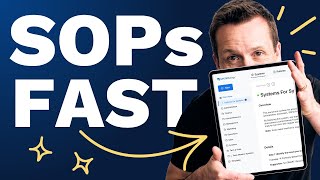
David Jenyns shows how to turn voice memos into draft SOPs using transcription and System Hub AI. He walks through a plumbing business example: record a call about kitchen renovations, paste the transcript into the AI, get a draft process, then refine it with your team.
Chapters
In this video, I want to show you the quickest and easiest way for you to document processes so you can get it out of your head and into a format that can be shared with a team member to start following. We're going to leverage AI and System Hub to get it done faster than ever. So the best thing I can do is actually give you an example. Let's do one together. I want you to imagine that I run a plumbing business and the process that I want to capture is the clarifying call. I have one of these calls and just after the inquiry comes in, but before I go out to quote, just to make sure that this is a job that I might be interested in. Now grab your phone and find the voice memo recording app. IPhones have it, Androids have it, it's all built in. I just find it really easy to talk through an SOP rather than writing it into a blank page. So let's go ahead and get started. I would like to document a standard operating procedure for our clarifying call. This. These calls help me to understand more about a job, avoid pricing mistakes and decide if ultimately I want to do the job. Now, the trigger is the inquiry comes through off the website and I get a little notification in my email about the inquiry for a bathroom or a kitchen. Renault generally. We'll route this to one of our estimators who will give that lead a call within 24 hours. Just prior to the call, we enter all of their details into our jobs management platform, SimPro. We'll try and enter in their email and phone number and any other details that we've got. Then we'll hop on the call. I'll explore a little bit more with the prospect, what it is that they're looking to get done, understand the size of the project and the timeline and if it's a really good fit, I then take those details, make sure that it's all plugged into SimPro and if everything's looking good, we'll go ahead and schedule an on site quote. That's the process right there. So I'm going to go ahead, I'll just save that one. So you see that saved. Now we're going to jump over to the computer now. Just going to come to the voice memo app recorder, go into the transcript section just here. It's already transcribed, all of that for us. So I'm going to go ahead and copy that now. Then I'm going to head over to System Hub and I'm going to come down to the AI and template section and Go to our AI assistants. We've got a few different AI assistants that can document process in various ways. The one I'm going to do is draft a process from scratch. I'm going to scroll down here. I'm going to let it know that I'm ready to begin. The AI will start by asking a few questions. So it asks about the industry, the size and the product or service. So I'm going to say that we are a plumbing business. We've got a team of 15 and we love kitchen renovations. And then I'm going to go ahead and I'm going to paste in our little voice memo. You'll see here, it's drafting out the title, the overview. It's identified the trigger. It's following through the steps and adding some additional supporting notes. Then we'll go ahead and create a new system. Come up to System Hub. Go, new system. I'll paste that in. This is the initial clarifying call. This is the overview. There are our steps and supporting notes. And this still needs to be reviewed by a team member. So I'm going to hit the orange button here and hit publish. Within a few minutes, I've got my first process out of my head into System Hub, and this becomes a great draft that can then be shared with the team member. Over time, you'll add additional recordings of these clarifying calls happening. You'll continue to work on them. You can round out your script. But this ends up being a fantastic starting point that anybody could do. Imagine as the tradesperson's driving around in the truck from job to job and they just record a bunch of different voice memos explaining various different processes in the business that can then be passed over to the office admin to get these ones documented in System Hub. Do this and you'll change your business. Give it a go inside System Hub now.