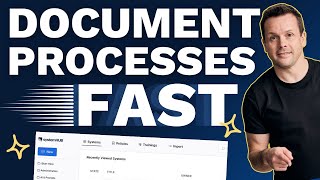
A short demo/tutorial by David Jenyns showing how System Hub’s new AI-powered assistants speed up documenting SOPs. It outlines three documentation methods (transcript-to-process, draft-from-scratch, tidy-existing-processes), then demonstrates using a recorded transcript to auto-generate a process, attach media, publish, and share with team members.
Chapters
Documenting your processes used to be the hardest part of systemizing your business. System Hub now makes it quick, easy and fun with our AI powered assistants. Let's go ahead and take a closer look at how it works. Firstly, I'll navigate to our AI assistants and I'm going to come to the documenting process. There are three ways we can document process. I want to give you an example of the transcript to process. That's my favorite method. But there are two other methods. There is the draft process from scratch. That's where you answer a few questions and let the AI build out the process for you. There's tidy processes where you might have an existing process that you're working with and you would just like to have it tidied up and then ready to load into your System Hub account. Or the last one is the transcript to process. This is my favorite. This is where you record a task being completed. Completed. You narrate it and then you take that transcript and load it into the AI assistant and then let System Hub do all the work for you. So I'm going to come down here and I've got a video that I've prepared earlier that has a transcript. It's an SOP of replying to Facebook comments on our social media. All I'm going to do is copy and paste the transcript from that call in here and then we let AI do the rest. You'll see here. It starts typing out the title overview trigger, going through the detailed steps, extracting all of this information from the transcript that I've provided. Now it's really easy to just go ahead and copy all of this info straight over into my System Hub account. I'm going to create a new system. We'll paste everything from the AI assistant. The AI assistant follows best practice. Identifying the trigger, walking through the steps, adding additional supporting notes and completion criteria. System Hub can also take different media formats. So I'm going to copy the link from this video, attach it straight to the system. The video will be embedded so it's easy for the team member to follow. I'm going to change the status of this and hit publish within a few minutes. I was able to create a high quality first draft system that can start to build out my team's knowledge. I can then invite other team members in to come and review it using the commenting features down below. Or I can share it with them. By hitting the share link, I can even generate a QR code that can then be stuck to a piece of machinery. So when someone's out in the field, they can quickly scan it and jump to the process when it's needed. System Hub with our new AI powered assistants makes it incredibly easy to document your best practice. To build up a systems driven business that runs without you, go ahead and give it a try today.