David Jenyns walks through a ChatGPT workflow to optimize YouTube videos. Import your transcript, run it through prompt templates to generate keywords, title angles, thumbnail text, descriptions with timestamps, hashtags, and social posts. Then review and clean up what ChatGPT produces.
Chapters
We basically say, I'm going to share the transcript below. Can you please pick 5 suitable keywords? Post that in here. Now the transcript is just this one here. So one of the first things when we create this document that we do is I grab the video, I go upload it into Loom and then I post it in the transcript because Loom will transcribe it for me. But there's plenty of different ways to transcribe descript and other services. But I just grab the transcript and then paste it directly into the document.
So just so that way you can.
See all of this happening. Here's my.
Example. Document content machine example. Yeah, you'll see, there we go.
I've popped the transcript just in here and I'm going to copy the transcript.
Now and we'll come back to here.
And then I'll just basically go through each one of these prompts now. So this, the first prompt that I'm asking is what are the keywords? I'm going to say sometimes it does this and you need to re ask it.
I am just looking for the keywords. Please just give me those, not the descriptions you provided.
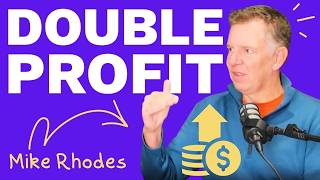
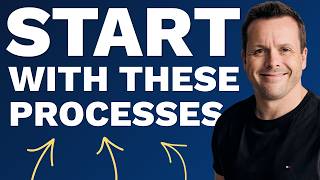
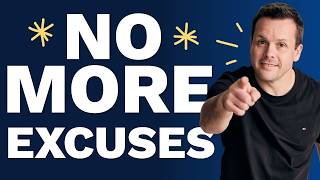
Now again, this is just something that Hate does and basically now takes these, comes to the document here and works with ChatGPT to populate each one of these. So oftentimes the primary keyword we just need to make a decision on what that's going to be and then we have the secondary keyword and then the next recipe here. And I've made a couple of tweaks. This will be new for Kate. Just as I was kind of reviewing this, we made a few little tweaks to some of the prompts. So this one here, I'm now asking it, can you write five catchy YouTube titles about the transcript? I'd like a few different angles. So this is the one that I'm finding I am doing more and more where I'll ask it to provide different appeals, different angles or I will direct it, otherwise the output ends up looking very similar. So I've said, hey, I want one that looks like a question. I want one that's quite direct. I want, I want one that follows Mr. Beast, who's a well known YouTuber and I want one that someone might type into YouTube and one like I would write it and then I'm going to hit this. And it'll go through and then post these. So this particular one's about YouTube, sorry about creating systems. What are business systems and how can they help you transform your operations? Mastering Business systems for scalable success. I changed my business with this simple trick. So you'll notice they got quite different styles. And then we just come in here and post these. And then as we go through this is just something that Kate does. She kind of tidies up as we go because then ultimately the writer gives it the final once over, selects which one they think is the best and works from there. So then I've got pick five suggestions for the YouTube thumbnail text.
So then I'll come back here and we'll just copy these in.
And I've again just started making tweaks where I'll mention things like I want some of them to include the keywords, some of them to be eye catching and interesting about the video and then it explains.
Which one's which and why it's made the selection.
So this would then be. If you think about the thumbnails that we end up creating, this is the text that goes with that.
Kind of.
Just keep moving down. The next one we ask for is a short description.
So I'll just post that in here.
The short description is the first sentence that gets published in a YouTube description.
So we ask it to do that.
The next one that we've got is the actual long description.
Now grab this here. Yeah, that's right. And I'll post this in here. Please write a YouTube description. Please keep it conversational, have a conversational tone.
Please finish with the timestamps. So the timestamps you'll need to have your transcription done by something like loom with the times down the the side of the transcript for this particular one to work.
But you'll see here now it's going.
To go off and create our long description. I've generally, I'm finding oftentimes chat GPT can kind of sometimes get overly hypey in their marketing. And what I'll end up doing is I'll. I'll say to avoid. And you can see this one's finishing in now. And then it even is doing the timestamps and then the timestamps. As you know when you look at a YouTube video you've got to actually have a First one saying 000. So we actually add that in manually. But then those timestamps almost like little chapters that you can skip through in the video.
And so I'll just go and post this in here.
And so that's that sometimes we also add in like the timestamps we used to actually do separate but now I think we can do that as part of this prompt. Then we add in some extra hashtags. Oftentimes we'll have a look at what the keyword is. We'll use hashtag systemology and David Jennings just so that way, like videos appear at the same time. But then we'll often add a keyword in from one of the keywords that has been selected above. Next I tell it that I'm going to write a personal post from David Jennings for my LinkedIn and can it draft that and then it'll go off and do that and the one after that while it's doing some thinking again, I have asked it where we used to do things like, hey, can you create three tweets for me? But now we mention things like write one with a question. Write one as though it was posted on a company account. Write one as an engaging, interactive style post.
So we can just see here, that.
Then becomes our post.
Here. And we're getting closer to the bottom here. We've got our Twitter posts. Yep, there's that one.
And. So this is, yeah, the different styles.
Popping in. Some emojis for us.
I'll just do one of the last ones because we have our social media.
Forums here, the circle. And there's just a slight variation for the two.
So this one's writing.
For the business owners forum. So that's this one just here.
And basically that's wave number one. Now, I mean, we can share this document and you can have a look. The copy straight off the bat is pretty good from a social media perspective, especially with a few of the tweaks that we've been adding in. Like I said, asking it to find different angles and things like that. Now that's one of the steps that we do in here. As I said, preparing the document.