David Jenyns separates project management software from systems documentation software. PM tools track who does what by when, but they're bad at storing how-to instructions. Linking documented processes into PM tasks reduces the risk of losing knowledge when someone leaves.
Chapters
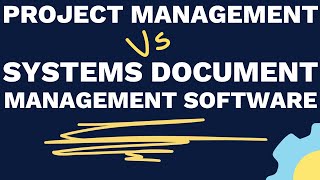
In this video we'll be talking about the difference between project management software versus systems documentation management software. And it's incredibly important you understand the distinction between the two because it's the primary reason a lot of business owners struggle to build a systems culture inside their business. So from a high level, project management software is all about managing projects. It's about identifying who is doing what by when. And it's about getting the assigning of tasks out of email and in into a central location where different team members and project managers can all login to see where things are. Up to now. When we compare that against systems documentation management, that is all about the how to, the step by step detailed instructions that explain how certain tasks and repeatable processes are done inside your business. You want to get all of that knowledge stored in one location. You want to get it out of Dropbox and Google Drive and scattered across people's desktop desktops and stuck in their heads. And you want to get it all into one central location so you can start to remove key person dependency. So at a high level, that's the difference between the two. Project management is who does what by when. Systems documentation management is the storing of that knowledge, the how to information inside your business. So if we focus now in on each in a little bit more detail and then we can talk about how the two work together to really build that systems culture inside your business. For project management platforms there are plenty to choose from. There's Asana, Podio, TeamworkPM, Trello Monday. You probably use one inside your business. It's very common for that to be the case. Where a lot of people go wrong with project management is they think that that is enough to make sure that something is done to an appropriate standard. And project management platforms do a really poor job at storing all of the how to information, whether that's embedding videos or step by step instructions or email templates or all of the associated documentation. That's just not what project management platforms were designed to do. Now we want to think about a systems documentation management software and that is a purpose built platform designed to solve that problem. And it gets you to move out of things like Google Drive and Dropbox, which very quickly, if you're trying to store your systems and processes in those platform platforms just becomes an unorganized collection of word docs that people just can't find what it is that they're looking for. Another problem that I often see is when you see your systems documentation management software also trying to be a project management platform, maybe They've got workflows or things that you're checking off, but it's inside the documentation. So you're trying to log who is doing what by when, but you're doing it inside the system's documentation, which then breaks things down and erodes the culture that you're trying to build. Because you want to have a central location that a project manager or a team member can go to know where something is up to. If you're splitting the marking off of certain tasks into two different platforms, then you lose that visibility. It's actually one of the reasons why we developed SystemHub. It's purpose built to store your business's systems and processes. It makes it incredibly easy to use. It gets the entire team involved. And you can create a URL, a link to each system and process that you create, that you can then drop directly into your project management platform. And that's where all of the magic happens. When you can assign a task to an individual and you have a due date and you have a link to the system that explains how that task is done. What you're doing is you're telling that team member that when they check something off, there is an expectation that they are completing it to the standard that you've outlined. Once you do that, you really start to change the way that your business works and you develop a systems culture and a culture of ownership. That's what System Hub is all about. So go ahead, give it a trial run. And of course, if you've got any questions, just reach out to the team and we can show you some more best practice.