Keep task management and process documentation separate to avoid confusion and show that procedures matter. Link every task to its how-to guide with one click, and design workflows so people hit your goals naturally, like a karate gym's QR code that routes students to timesheets after their checklist.
Chapters
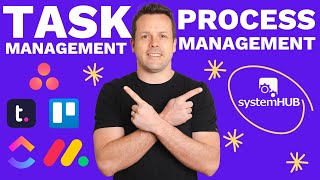
I have seen some new tools come out and some advancements where they're all in one, but I still think there's a lot of benefit for having the two spit split. Project management and SOP management. A big part of it is one splitting out and having your systems and processes separate sends a very clear message to the team that you value process to the point that we have this centralized place where all of our knowledge goes to. I also find that different departments and different teams as you grow and scale might use different software. So particularly in trades based businesses I see. Well, you might have a task management software that handles the bookings of the jobs, but that doesn't cover the tasks that might appear in your finance and HR and separate. So you might end up having two platforms, one that's like a task management or jobs management, then another but is handling some of the other back office stuff because the task management software doesn't cover it. And also as the team grows and scales and changes, typically that task management project management tool is often the one that will move around. Whereas SOP management is supposed to be simple, is supposed to be centralized. And if you can have that one central point, you can have any of the other project management task management platforms all referencing that one source of truth wherever you can, you want to avoid splitting things, not to mention when it comes time to sell. Also it's very easy to package it up and get a clear valuation multiplier by saying and here's my nice little tidy package of all of your systems and processes that explains how things are done that removes key person dependency like that's, that's a, that's value multiplier. And I know some of you aren't thinking about selling, but we might as well build as though we would sell. That's another thing just to keep in mind. So I don't really care what software you use as long as you've got something in place. That's probably the biggest takeaway. You just need to have something. I, I will give you a template in a moment that you can use and this is more for your systems champion. But as long as you've got a project management platform, that means that we're moving towards a transparent, accountable organization. I mean we saw it when everybody's sharing CCFs and DRTs and sasses inside circle it was starting to get out of control where different versions were popping up and I didn't know if I was looking at the latest version and how does that relate to the CCF and oh, I'm Looking at the DITC and SAS now, I kind of wish I had that. That's an example of trying to manage something where it's in a particular thread like an email or a Slack. And you can imagine if you're trying to assign and manage tasks to team members that way, it's very easy to kind of lose, you know, understanding and visibility of where are we up to again, just building the case for a centralized discussion point for these tasks which help to make it accountable and transparent. And then the trick is just to make sure that, that anytime that a task is being assigned, you're only ever one click away from getting to the how to document. That might be in a calendar invite, it could be in your project management platform, it could be on a bit of equipment. It could be you just want to have one click away to get to the how to. So that helps to then solve problems. Solve that piece. Now you can use this as an example. I just, I don't have my phone handy. I thought I did, but you can scan it right now. I just want to show you how easy using the QR codes are. Like just if it's in the real world, physical, just put that up, put your phone over the top, wait till it pops up with the link, click it and it jumps straight to the system. I only show you that just so you get a real visceral experience of oh, well, that was easy. And you want to think about how do I put those everywhere. Sometimes it's QR code, sometimes it's just a link. It depends on where someone is accessing it. But we're just removing the oh, but I didn't know. Which then moves us closer to making it easier to get the team on board.
There's a story I use around the Karate gym where people weren't following procedure when it comes to closing up the gym. They created a closing the gym system. They put it on a QR code, they stuck it next to the light and the sensei needed to scan it on their phone at the end of each class, followed the checklist and then when you hit submit and it jumps through to the next page, that rerouted them to filling out the timesheet for how they actually got paid. So they re engineered the system so that.
The outcome that they were after was achieved on the journey to the team member getting paid. And then everybody started to follow the system for hey, I've cleaned up the dojo and I've put everything away and it was ready to go for the next one. We want to build those types of things into your business. And and I use that example because that's an offline example. Sometimes you'll have online scenarios, and you'll have offline scenarios and online scenarios. Running it through an Asana Trello Teamwork PM is much easier, but there might be situations where you have to think a little bit more creatively.
Just a heads up, that clip was taken from a session in our Systems Champion Certification Program, which is the world's first and only program for systems champions to help you build a systems culture and and develop an AI first approach and roll it out inside your organization. To find out more, head over to systemology.com systemschand and I'll see you in.