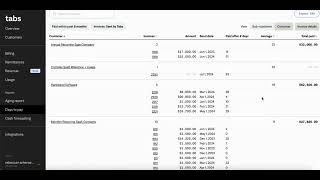
Ableform's reporting tools show invoice aging by customer, Days to Pay metrics including DSO, and cash forecasting built from draft invoices and historical data. You can drill into individual invoices, identify slow-paying accounts, and export forecasts to CSV.
Chapters
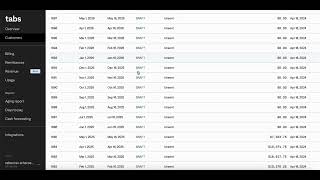
Ableform supports robust reporting based on our native understanding of your contracts, invoices, and payments. Our aging report gives you visibility into each of your customers' aging and which invoices are associated. You can always click into individual invoices directly from aging, and we also import invoices sent in prior systems like QuickBooks or NetSuite prior to your onboarding to Tabs. Our Days to Pay report gives you visibility into each of your customers and their AR performance, the actual invoice amounts, send dates, and performance around average DSO. This should allow you visibility into summary days to pay across your entire customer base and understand problem accounts and opportunities. Our cash forecasting builds off of all of the invoices that we have teed up for the entire life of your contracts in draft state in order to give you visibility into cash forecast by customer, by month, and by year, including giving you visibility into what has been paid and what is still forecast for the month. Our cash forecast similarly pulls in historical invoices to ensure that this is robust and accurate. Click into any of the individual invoices associated with the forecast for more visibility, and you can always export your cash forecast to a CSV file in order to analyze and make adjustments in other systems.