Tabs is an AI platform that automates accounts receivable for B2B companies. It parses contracts to extract terms, auto-generates invoices, handles usage-based billing, and provides cash-forecasting dashboards. The platform integrates with major ERPs, CRMs, and payment systems.
Chapters
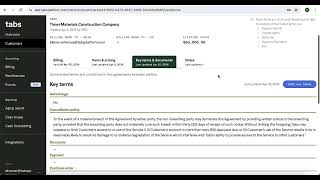
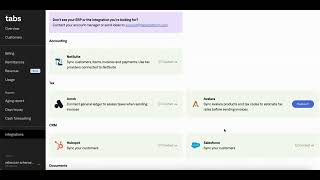
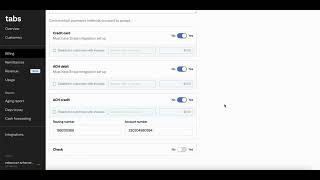
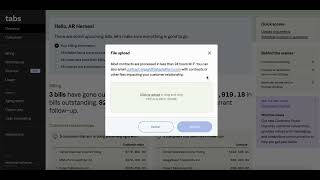
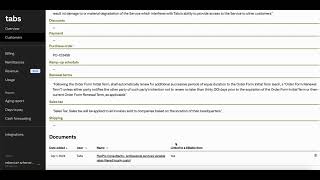
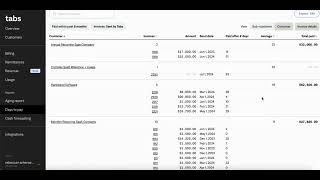
Welcome to a demo of Tabs, the first AI-enabled accounts receivables platform purpose-built for B2B. We're here now on the Tabs home screen. Here on the top right is where you can upload documents and contracts. You can also forward contracts directly to Tabs via email. Front and center, Tabs gives you a list of action items to ensure your upcoming bills and invoices get sent on time. And in this case, today Tabs is letting me know that all my customers' billing information is up to date and all my invoices are scheduled to auto-send in the next 30 days. And here you can see a headline under the billing section letting me know how many bills have gone out over the past 30 days and how many bills are overdue and warrant follow-up. Now let's see some customer data in our billing process. Let's look at this sample contract for Time and Materials Construction Co. Here, when we click into the company We can see the key terms that Tabs has parsed out from the contract. Instead of spending time and resources reviewing contracts manually, Tabs has generated this commercial tariff sheet with key terms like cancellation policy and renewal terms that govern our customer relationship. Tabs will then use all these key terms to correctly invoice customers throughout their lifecycle. As the terms change, a historical record is created for easy auditing and analysis. Here we're in the items and pricing page, where Tabs keeps track of how much to bill for each item and on what cadence. If we click into billing, we can see the entire list of invoices automatically populated. And if we click into an invoice, you can edit, void, or submit the invoice. In our billing page, you can easily confirm your billing information, set your invoice number, configure your payment methods, and configure your reminder emails. Optimizing dunning emails and payment methods is a proven way for increasing customer payment speed and bringing down days sales outstanding. And if you have usage data that needs to be computed in your invoicing process, you can upload it here in our events tab, and the Tabs calculation engine will auto-compute it for upcoming invoices. Let's move on to our reporting section. In our aging report, We have a consolidated view of all unpaid outstanding invoices along with the customer details, the actual amount owed, and their duration. In our average days to pay report, you can see how many days on average it takes a customer to pay you based on their historical invoices. In our cash forecasting report, you can get the projected cash that's incoming across your customers, helping you plan and forecast your business. You can also view the historical data on the left side here for benchmark or comparison. Let's hop into our integrations page. Tabs connects to all major ERPs, CRMs, tax, payment, and AP portals. In the months to come, Tabs will be adding additional functionality with more automation features, enhanced reporting, and revenue recognition in addition to our core contracts-to-cash functionality. We're building AI-powered accounts receivable software to help B2B companies save time analyzing contracts, improve cash flow, and avoid billing errors. To learn more about Tabs and get a custom demo based on your contracts and commercial data, head to tabs.inc/demo.