My Facebook Ads Breakdown | How I Cut Costs and Doubled Deals
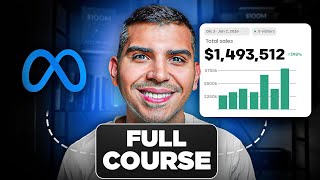
Real estate wholesaler shows how to run Facebook lead ads without an agency, starting with $50-$100 daily budgets. He shares his system for targeting sellers by city, writing video hooks, and qualifying leads through forms, plus real results: $2,000 spend generated 2 contracts at $1 per lead.
Chapters
If you're already wholesaling, maybe you're making $30K to $50K per month or you're using an agency or a paper lead company. In this video, I'm going to show you how to launch your first Facebook ad campaign without needing an agency. Because after I implemented this in my own business, I still scaled to 7 figures, but my cost per contract dropped all the way down from $5,000 to around $1,500 by running my own ads. So in this video, I'm going to give you this free course that way you can launch your own ads. And the better that you get at it, the more results that you're going to get, but if you could cut your cost per contract, would you launch this? Yes. So in this video, I'm going to walk you exactly on how to run your own campaigns, how to make the videos, how to put them in your ad account, how to set up the ad account, how to launch them, how to scale them, and basically how to get the motivated sellers on demand. So pay attention. Just so you know what's possible, I want to show you my account for the last, you know, 2 weeks. So just so you know, we're contracting 1 deal every 25 leads. And over the last 2 weeks, we have only spent around $2,000. And from this, we already got like 2 contracts on the holidays. So if you incorporate this correctly, you're going to crush. So the first thing that you need to do before you run the ads, I made this free document that shows you how to set up your Facebook Ads Manager, the ad account, the payments, how to link the Facebook page, all that stuff. I'm not going to go through it in this video. I'm going to just kind of walk you through the actual campaign, but I'm going to link this document in the description down below where I'm going to show you how to do the setup, how to make great video ads, how to make good static ads, and the ad copy and headline that you need to put into your videos and ads. So just kind of giving you a rundown of kind of what to expect here. Um, all of this, I'm going to share, uh, the stuff that we are doing right now. And I have examples of my own videos that we use and crush. That way you can just copy them and put them into your own business. Uh, so I have some videos and some images and a ton of ad copy and headlines. So with that being said, let's go into your Ads Manager. So after you set up the stuff that I showed in the guide, what you want to do is— this is basically your ad account. So what you need to do is you need to click on Create, and then you want to click on Leads, right? Because we're, we're trying to generate leads with Facebook. So on Facebook, you're going to have your campaign, your ad sets, and your ads. And I'm going to explain each of them individually. So the campaign is what the objective is, right? So for us, it's always leads. So you want to name it whatever your market is. So for me, it's the RGV. And then I like to put the date, 1/1/26. So happy New Year. This is my gift to you. And then you want to name it test or whatever. And I recommend having the budget, you know, starting at like $50 just to try out what works or $100. So for me, if you're already making $30,000, $50,000 per month, just, you know, spend $100 a day. That's like $2,700, $2,800 per month. And that should yield you one deal. Uh, cause the industry standards on Facebook is one contract for every 20 to 25 leads. And the way that you get motivated sellers is by having great ads, which I'm going to go over here. Right. So you can just copy and paste what I'm doing and you can launch your first campaign. So here, I don't change anything. We're trying to optimize for leads. And usually I'm going to do this on the ad set budget. That basically means that within your campaign, you can have multiple ad sets. So the ad set, the campaign is the objective, which is leads. And you know, you name it where you put the budget a lot of the times, or you can also put it in the ad set, right? So the ad set is the kind of like a sub thing from the ad account, and it's about the targeting, interest, behavior, you know, stuff like that, and the category that you're trying to target. So, you know, if you just kind of copy what I'm doing, you're going to be able to launch them. Uh, here I like to turn this off. So since you right now don't have ads that work, uh, you basically want to test stuff, and I'm going to show you how to do that, right? But usually you can choose the housing category, and if you can get away with not having to put it you're going to have better targeting and location. Uh, but just for the sake of it, you can just choose the housing for now. And then if you are having trouble getting your ideal city, you can try making a campaign without the housing category and you can pinpoint the, um, the location way better, right? So here, call it Ad Set 1, Ad Set 1 Test. And then you, you could optimize for them going into your website or having an instant form within Facebook. Uh, for the sake of this, I'm going to do instant forms, uh, because it basically stays within Facebook, right? So what do you need to do is click on your page. So for me, I'm going to choose my company, right? And then you could do maximize conversion of leads or maximize number of leads. Um, I think just choose the conversion leads. So just click on that. And then if you don't have a pixel, it's not gonna allow you to choose this option, but pixel is kind of all the, how you collect all the data for people who submit on your website. But if you are doing Instant Forms, you don't really need that. So if that doesn't work, just do the other option. I don't put anything on here. And then usually the dynamic creative, we leave that off if we are testing ads, But here you can test the budget, right? So let's say on this one you're testing videos or images. You can just set the— whatever the goal is, you can put the start date. And then over here, I don't really do anything, but the only thing I do is put the location, right? So let's say you were doing Dallas, Texas. You can do the city, you can also do, uh, the county, or you could do Dallas DMA. Where is it? DMA. So the DMA is what that section, that, you know, section is called, right? So just so you know, within each ad set, you should one, try the city and then try the county and see which one performs better. So each is gonna be a separate test. Just for the sake of this video, I'm gonna stick to the city, but just so you know, one can perform better than the other one. Okay, so after we do that, we With the advanced targeting and audience, you know, we're gonna keep this broad. We're just trying to let the ad run and, you know, for it to give us the clients that we're trying to get, which are the motivated sellers, right? So I don't choose anything on here. And for the placements, uh, thank you. For the placements, I just leave it off on, on Facebook and Instagram, and I'm gonna turn off the audience network. Um, I just find that that doesn't work that good. And I turn this thing off here. I do the moderate inventory. So boom, there you go. Okay. Your ads are going to target the location and you're going to be using Instant Forms. And if you connected your Facebook page the right way, it'll be showing up here. So now we are going to go into the actual ads, right? So here you want to call them first ads. Boom. Okay. You connect your Facebook page. Um, I click on here, create ad, and then here you can basically create a form, right? But before we talk about that, I'm going to show you how to make videos and how to make images within, um, I'm going to show you how to make videos. So pretty much the reason why your marketing agency is charging you $2,000 is because they have a ton of videos that they're running. But if you could be the one on the ads, you're going to have way more trust. The seller is going to trust you way more, and you control what you want to put in the video, which if our goal is to get motivated sellers, then our ads should be about things that talk to our motivated sellers, right? So in order to do that, we need to have first, number one, the target and promise, right? So who is our ideal client? Homeowners who need to sell fast, right? So our ideal sellers are people who are behind on payments, people that inherited a property, maybe they're going through divorce, location, or bad condition. And then it's kind of like, okay, like, what do you do and how do you help them, right? So the who is the homeowners, motivated homeowners. The promise is what do we do and how do we help them, right? You know, fast closing, guaranteed sale, no headache, stress, fees, trusted option, right? Um, example, like, we'll buy your house for cash in 7 days or less, no repairs, no fees, no hassle, right? And number 2 is what do you want to do is Facebook launched a new update that's called the Andromeda update. And basically what they want is that you have different types of ads, uh, that's not the same, but they're like totally different, right? So usually when it comes to selecting your audience, you're going to have people that are problem aware. Example, I need to sell because I'm dealing with foreclosure type of seller, right? Those are problem aware. They know that they have a problem, but they don't know you exist. Number 2 is going to be solution aware, which just people that know that there's cash buyers out there. But here, the way that you differentiate yourself is you explain how you work and what's in it for them to contact you, right? So where you showcase, you know, like maybe some testimonials, how you help people. If the cash offer doesn't work, uh, you can offer other things. You know that there's no, um, no strings attached with the offer. So stuff like this is going to work very well. Product aware is okay, like what makes you different, what do you do What do you do very well when it comes to your home buying company, right? Maybe it's communication, customer service, timeline, uh, you know, stuff like that. So you just wanna pinpoint different, uh, areas when it comes to making your videos, cuz you wanna have multiple videos that you can test out, right? So now we're gonna go into the hook, right? The hook is the first 5 seconds of the video, but number 1 is you wanna write out 20 hooks that call out the who, right? So if you are running ads just in Dallas and that's your market, you always want to have like, hey, Dallas homeowners, because that says, okay, this ad is for me. Yes, I am a Dallas homeowner. Right. And when it comes to doing the ad is okay. Number one is the hook, the value and the call to action. Right. So I want you to think of the value equation, right? What is their dream outcome for them to sell or to solve the problem? Right. What is the perceived likelihood of achievement? You know, like, I can buy your property in 7 days without the headaches, closing costs, commissions, right? Time delay, you know, how fast do we do it? Effort and sacrifice, it's so easy, all they need to do is click on the link to receive the cash offer, right? So these are some templates on the hooks that you can have in your videos. They're called the if-then, right? So like, if you're downsizing and you just need to sell your house now, I can pay you cash for your house and pay for your fees, right? So that'll be the hook. And I put here different examples here. This is not what we use, um, just something that you can use as a rough draft. The second thing is going to be yes questions, like, hey, are you sick of getting low balls on your property? So that'd be an example. Would you sell your house— will you sell your house this week if you don't have to fix anything? The other thing would be open questions. What would you— open questions. What's the fastest way to get rid of a property you're done with, right? Direct label, call-outs, homeowners behind on payments, this is for you. Out-of-state landlords, you know, if you inherited a house, this is for you. You also have commands. It's like, hey, before you call a real estate Before you call a realtor, listen to this 20-second tip. Um, you know, stuff like this. You also have pain plus there's a better way, right? Are you dealing with this? We can do this instead. So these are some examples. Story starters, you're sharing a story. How do you help a homeowner? Whatever, right? So after you have kind of like the hook that you want to go after, you need to have, okay, the hook, the hook, the value, and the call to action. And you want to have record 5 to 20 videos and then see which one's going to perform best, right? So now we have the hook. What are we going to target? So for your recommend, look at your last couple deals, see which one, which deals are the ones that you got the most sellers from, and, you know, dive deep on that. Next thing is going to be the location and format. So location, it's usually you can do like selfie style where you stick out your phone and you're talking in an office, walking in a property outside, outside walking through the distressed home to a seller, talking to a seller you help or with your team, or at a closing table, right? Or you can also have other people that are recording you and you are talking, right? Um, which, like I said, I'm gonna link some of my videos in this guide here. Uh, and then basically what you want to do is you have a house that looks like this. I mean, we want to buy it without the fees, repairs, or something like, hey, did you inherit a property that looks just like this one? We just bought this one in 7 days and the seller didn't have to do X, Y, and Z. All they had to do was click the link down below. My team called them, we got a deal that they liked, and we purchased that property, right? So that's a super basic example. Um, but basically, for each hook, I want you to pick one, right? So what is going to be pain-based, testimonial, education, or story? And you can just write the hook, what it's about, and the type. That way you know which are your ads. And then with the script, when it comes to the actual you know, recording, um, first call out who is this for and you know, that, that hook, right? That if then all those sort of things that I showed you earlier and then the value, right? What, who, when, right? What do you do? How do you help them and what they need to do, right? Without the common headaches that they usually get. And then towards the end, you need to give them a call to action, which is how do they get in contact with you and what they need to do. So you need to tell them in the video, 'all you need to do is click on the link down below so that my team can give you a call and give you a cash offer,' right? So that is an example of a call to action. Uh, recording takes, you know, 5-10 minutes. In the beginning, you may suck, but you're gonna get better at this. Um, now your tone, you should be like calm, neighbor to neighbor, you know, uh, help. And then use your location as proof of context. Uh, if they see you walking by a property that they it looks like a property that they own, chances are they're going to submit their information to the property that looks just like theirs, right? And when it comes to editing, I like to use the Edits app because it's part of Meta and the captions and the font are better. Um, and you want to start the hook pretty quick because if the, the hook doesn't grab the attention, you're not going to have good performance of that video. And what you can do is you can have big captions on top of the video where Let's say your ad was about foreclosure. You can put something on top of the video that's on the entire video. It's like, facing foreclosure, watch this, right? Something like that. And then the length, you want it to be anywhere from 30 to 60 seconds. And then basically you want to launch probably what, like 5 ads per ad set. And then what you want is after a couple of days, if in one of the ads it's not spending, Meta saying that they don't like it. So after, you know, 4 or 5 days, if it's not spending, you can turn that ad off, which I'm going to show you how to do. Basically, you're gonna start finding your winning ads, right? Because if you find the ones that work, you're going to be getting probably 2 to 3 leads a day if you're spending $100 per day. And if the conversions are 20 to 25, I mean, you're going to be getting a contract. And I can guarantee that's going to be cheaper than what you are doing right now. So here I linked a folder with some of the videos that I have made. And then this is kind of like the edit tab, but just so you kind of see what this looks like. Yeah. So that's one. It's another one. This is what I was saying about the headline. He can stay up there for the whole video. And you always want to have captions in the video because people watch the ads without sound a lot of times, but they can read. So those are good examples. And then I'm going to show you how to make static image ads. What I like to use is Claude. It's way better than ChatGPT. Uh, all you need to do is go to Claude and type this command. I want you to make me static images for my home buying company where we help distressed homeowners who wanna sell fast with no repairs, no commissions, fees, less headache. Our ideal client is someone who is downsizing, moving, divorce, inheritance, uh, foreclosure, you know, dealing with stuff financially, right? Make me some variations of static images calling out these pain points that are captivating and stop of the scroll, right? And make sure that they are in square size so that they can run on Facebook. You can tweak them as you see fit, but I want to give you kind of like an example of what this would look like. Um, you can even download these and run them if you want. They do get you leads. Um, but you can see how it works, right? So this one, need to sell your house fast, the bank breathing down your neck. I mean, that's kind of like foreclosure angle. This one is an inherited property. This is divorce, right? Another foreclosure stuff, right? Another inherited ad. Too many repairs. Um, you know, we have different variations of that, but I want to show you kind of what it would look like on the Claude. So where's it? It's here. I was playing around with it. And also Claude is way better at ad copy and headline than ChatGPT. So I recommend you use that. So yeah. Yeah. So check this out. I just told it like, hey, give me some, um, ads. So it's like pretty generic. I think you can still get leads from this, but you can tweak it to however you think, uh, gonna be better. But what you want is to do it pain-based. That way, if someone clicks on any of these, you know that it's your ideal client because they're distressed. And then this is another example. I mean, this kind of sucks, you know, just kind of want to show you how you can use AI to do these ads in 2-3 minutes. You can test as many as you want from these and just run them. After you have your ads, you need to have, um, your ad copy in the headline, which is the text that goes below the actual ad. Oh, for example, this is one that I'm running here in my market. Hidalgo County homeowners, we buy houses fast in any condition, any situation, cash offer in 24 hours. And we want the text is for it to be relatable to them on the distress points, right? Life happens. When they say you can be dealing with divorce or separation, foreclosure, inherited a property you don't want, overdue taxes, can't afford the mortgage payments, job relocation, you know, all this stuff. And then all you need to do, like once you have these, you can plug them, the ones that you think are gonna be the best fit for your ads. So that's gonna be the ad copy. And then the headline is the short text that is below the call to action button, which they look like this. Where, you know, we can do like problem headlines, benefit, comparing the traditional home buying process, curiosity, local, urgency. So just pick the ones that you think are the best for you and your ads. So if we go back to the Ads Manager, all you need to do is you're going to add the ad. So all you need to do is set up ad creative and then image ad, right? So like, let's say It was one of the ones you made. It was this one and this one. You select them. So you click here. Boom, boom. And then just hit next. And then what you want is your ad copy. Be this one. All you need to do is copy it. And I would just, uh, fix this a little bit like that. Life happens. You understand you may be dealing with boom foreclosure. Just make it look a little nice, right? Boom, boom. There we go. We have your first ad copy. And all you need to do is, you know, you can select up to 5 and then just put them on there. So you need to do just click on there and then add the other— add copies. And then you're gonna do the same thing for the headline, which are down here. Let's say we use this one right here, the guarantee. Boom, put it here. And then you want to have 4 to 5 different variations because we don't know which one's going to work best. So right now what we're doing is we are testing. And then I don't put anything in the description, but here I like to put I put Learn More, click Next, and then just be careful with some of these enhancements. Um, some work well, some don't, but for the sake of this one, I'm gonna leave this one on. So click Done, and now you have your first ad. But before we can run it and launch it, we need to have a lead form, right? Which are the questions, like, once they click on Learn More What's gonna be the question that you're gonna be asking? So what you can do is I'm gonna show you an example on how to improve the lead quality, right? So usually how I like to name it is MB, it's called more volume and broad, right? And then just name it however you, you, uh, can identify it. But I click on more volume, I turn this thing off, and then you're gonna go into the intro and then you can ask Claude to make you, uh, an image and be like, hey, I'm running ads for my home buying company and I'm using a lead form. Can you make me an image when the seller clicks? That way they know what to expect. And then you can just add that on here. So this will be your headline. So for us, what I'm running is get your free cash offer, no repairs, no agents, no fees. And then they get like a small paragraph right before they start the, um, the questionnaire. Now in the beginning, there's something that's called the conditional logic. Right? So basically what this does is like, let's say you don't want to get any listed properties. You can turn this on and filter for quality, right? So basically the way it works is you turn this on and then you ask if your home— is your home listed with a realtor? If they click yes, it's not going to allow them to submit the lead, right? So Facebook is not going to charge you. It's just going to redirect them somewhere else. But if they click no, then it's going to take them into the next question, which is question number 2. How soon do you want to sell? And then once they answer any of these questions, they can move on into the following questions. Uh, the other thing that you can ask is after the listed, it could be which one sounds more like you. I want top value for my property and I'm not urgent to sell. If they select that, they can't submit because that tells us they're not motivated. And then the second option would be I want to sell fast even if it's not market value, right? Which will tell us if that's a motivated homeowner. Just be careful in the beginning. In the beginning, I don't recommend that you do the conditional logic because a lot of the times we're able to still capture those leads. And if you put more filters, uh, your cost per lead is going to go up. Um, but these are the questions that I'm asking. Uh, you can ask less questions, uh, but I do recommend asking for the timeline at least and why they're thinking about selling. And then the way that we ask for the address is here, right? Um, what is the address that you're looking— what is the address of the property you're looking to sell? And then I would put, make sure you type the full address, 123 Main Street, whatever city, Texas, right? That would be type the full address. And then you can ask for an asking price. Um, usually I don't even fill this out, but once you have this, after that it's going to take them into the next thing, which they're going to give you their name, email, and phone number. And then all you need to do is click on, put your policy for your company over here. And then in the ending, you can tell Facebook what you want it to happen once they submit their form, right? So, okay, for this, it's like, hey, so for example, for me, once they submit their information, it's gonna take 'em into my website where I have a thank you video that explains what we do. Right. Which is like a, so I mean, you can copy this if you want. So I'm taking them into, into that one. And basically, yep. They get that. They can watch that video and they know more on how we work. And then if it's not a lead, you can be like, hey, thanks for your interest, but we don't buy listed properties. We recommend you talk to a realtor. And maybe you can send them to your website as well, but if they submit on your website, it's not gonna charge you. So, you know, just be mindful of that. Click on create form and your form is going to be linked on there. So all you need to do after that is hit publish. Also another thing, if you're getting a lot of spam leads, you can turn this thing on, which they're gonna get a code before they submit. It's going to up the lead, the cost per lead, but you're gonna know that that's the, for sure, the homeowner, right? So you have all those things, and then what you want to do is just duplicate this one. And then what we need to do is— so let's say this was, you know, off-market ad, and then the following, we're gonna have the other ad, right? Add to, uh, name it whatever, however you can identify it. But we're going to leave everything the same. We're just going to delete this ad and add another image ad, right? So let's say it's this one, and like that, boom, just click next. You know, the ad copy and headline are going to be saved. You do the same thing, boom boom, and you put all your ads on there. And then once you're done, you're going to click on publish, right? And then it's going to take, you know, probably a couple hours before they are approved for your first campaign. But after that, all you need to do is set up the, um, I'm gonna discard this. I was just showing you like how we do it, uh, but you just need to link the lead form into your CRM. And to do that, just Google how to integrate Zapier to get my leads from Facebook, and you're going to be able to do that. Now, after you launch them, how do you know if your ads are, you know, performing good? The way that I look at it is depending on how big your market is, uh, you want to be getting a lead every 5, like a campaign that's doing very well, you'll be getting 1 lead for every less than 5 link clicks. That tells us that the campaign is really good, right? And we want this to be, you know, in that range, 'cause that's gonna keep your cost per lead down. And if this number is high, it means that either the ad is not good or the ad copy or headline it's not resonating with the audience. So then, you know, give it a couple of days, 5 to 7 days, and then see which one performs the best. And then how we do it, how we track it, uh, is what you want to do is like, let's say that we ran those 5 ads and those 5 headlines and, um, and ad copies. What do you want to see is, okay, I want to see the breakdown between the text and ad copy, right? So let's say that we put 5 ad copies and we know that one, maybe one is giving us most of the leads. Then in the new variation, we can put— we can leave all the ads the same and we only leave one ad copy. And we want to do the same with the headline. So we pick which one's the best. And now we're doing what Facebook is telling us, right? Which is, okay, these are the top performing ad copies. So if you duplicate the ad set that you made, like let's say it was this one, and then you click on the ad set, you're going to click on duplicate. And then you want to name it Optimize, and then just remove the other headlines and just leave the ones that were giving you the results. So Facebook is not going to spend money on the other ones, only on the best ones. And therefore your cost per lead is going to be way less than what you're doing right now. So, I mean, this is a super quick guide and I know this can help you. And we'll basically, we help a ton of wholesalers kind of do this in teaching them how to do this the right way. So for example, this is kind of one of my clients, you know, he crushes, you know, $25 per lead, $13. I'm not saying that yours are gonna be like this, but what this can do for your business is crazy, right? If you could get high intent and quality leads that you are getting $20, $25 leads to a contract, I mean, what would that do for your business, right? So if you need more help implementing this quicker, or you actually learn this, or maybe you just want us to help you manage this for you, uh, click on the link down below and book a call with me and see how I can help you. You're going to be doing more than $30K per month and you're going to be willing to spend on ads and actually wanting to grow your business. Because if not, I mean, just use this guy to run it yourself, right? But yeah, we have a ton of clients that we are helping and they're all crushing. So I'm going to leave this document in the description down below that can just follow it alongside with the video. And with that being said, let me stop sharing my screen. Yeah. But with that being said, I hope that was helpful for you guys, and I'll catch you on the next video. Thanks.
More from Fidel
I Restarted My Wholesaling Business 4 Days Ago With AI And Already Got A Contract


The best marketing funnel that will make homeowners beg you to buy their house at a discount
He Closes 20% of His Leads. Other Wholesalers Called It Luck. He Just Hit $100K This Month.