Tutorial of how to "read" (chat with!) my new book: Joyful Productivity 3rd Edition (NotebookLM)
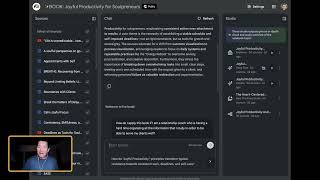
George Kao walks through NotebookLM, the tool he used to turn Joyful Productivity into an interactive book. The chat answers only from his uploaded chapters and videos to avoid AI making things up, and Studio generates video explainers, audio deep-dives, debates, and mind maps from the same source material.
Chapters
Hi, everybody. George Kao here. I'm excited to share with you a new type of digital book that I think will probably become more and more popular in the coming years. But right now it's still unusual, which is why I'm making this tutorial video to show you how to use it. This is how I am publishing my next book, Joyful Productivity Edition Number three. So I already have two editions on Amazon. You can buy it on Kindle or buy it in paperback if you want to. For those earlier editions, for this newest edition, I'm going to use AI to help you integrate the book more effectively. So let me tell you why I'm doing it this way. Now, instead of just reading the book, instead of reading the book, really, you chat with the book. You create resources based on what's relevant for you. That's based on the book's material. So let me show you what I mean. First of all, now that you've bought the book, congratulations, you are given this private link. And this link brings you to a Notebook LM. This is using Google's technology and it's called NotebookLM. And what I've done is I have uploaded all the chapters of the third edition of the book, along with a couple of bonus videos that are related to the book that I thought would add to it. And when I said you could read the book, you can, you can simply come in here and read it chapter by chapter by clicking on it. Let's go ahead and do that. And in fact, when you click on one of the sources, so let me, let me just briefly, let me show you around the interface. When you come in here, notice you have three sections. This left side section are the sources that are that. This, this tool is built on the sources. You can see that there are somewhere. It says 50 there. There it is, it says 50 sources. Okay, over here, I'll make this, I'll make this bigger so a little bit easier to see. Okay. And then in the middle section is the chat area. Well, if you have used Chat GPT or Claude or Gemini, you'll be familiar with how AI chat works. You basically click where it says start typing and you ask it questions and the answers will be contained, constrained to what the sources say. So this solves one of the big problems in AI, which is called hallucination, meaning when you ask ChatGPT to give you an expert opinion on a topic, it takes the average of the Internet regarding that topic and serves the response back to you. And a lot of experts who look at what ChatGPT says about their field can see that there are a lot of falsehoods essentially, or things that are not quite up to date, or things that are that Ms. Important Nuance. That's called AI hallucination. For the average person who doesn't know that topic, they think it sounds really good because AI is really good at sounding confident and correct. But the experts who look at the responses about their own field see that there are often important context or ideas missing that can mislead. Mislead someone. So with this tool, it reduces hallucination by a whole lot because it constrains the answer to what the sources that I've uploaded actually say. In other words, you are getting much more about the truth of joyful productivity from my perspective. But it is always going to be tailored to what you ask it. So for example, you can ask anything to say, how do I apply this book? If I am a, if I am a relationship coach who want. Who is having a hard time organizing all the information that I study in order to be. To be able to serve my clients well? I mean, this is kind of a long question, but you can ask it anything. You could look at your own current business, your own productivity challenges, and you ask it very specifically. And here's the thing. I will not know what you ask and what is answered when you come into this tool and you have a chat. I don't have access to it. So you are welcome to be real with it. Now also know that whatever you chat and ask it, if you refresh this webpage and come back and close this webpage and come back to later, the. The chat has been lost. So what you should do is if you like an answer that it gives you, I. I'm not going to read this right now because it's going to be. It's going to be too much. If you, if you like the answer that it gives you, here's what you do. You. Wow, it's quite a. Quite an interesting answer. What you do is you can save the answer as a source so that the next time you come back to it, um, it is. It is available to you. Okay, actually I, I take that back. I realize that because you are not an administrator, you. You cannot save this answer except by doing the following. You scroll to the bottom, you click on copy. So you've now copied the answer. Now you can open up a Google Document Doc New Doc New. And you open up a Google Document in your own Google Drive. It's. That's where it's going to sit and Then you can paste by doing command, edit, paste. Okay, okay, whatever. I'm just going to paste it. There it is. You see it complete with the table as well. So that's pretty impressive, right? So you can basically keep chatting with it and then keep pasting the answers for future reference. Or you can just come back and chat with it again, you know, and it'll give you very similar answers because it's constraining its answers to just the sources. So I was going to tell you there are three parts to this interface. The sources on the left, which by the way, you can collapse the source panel if you want. Bigger space over here. Okay, collapse. All right. And the refresh, by the way, if I click on refresh, it's going to clear the chat history. But like I tell you, even if you close this window and then come back to the link later, it won't have kept your chat history. So just make sure you want to, you want to save it. The other thing I should show you is that at the bottom here, let me see if I can. Anyway, you could see, sorry, my video is blocking it a little bit here. But at the bottom there are suggested follow up questions. Okay. So you can select one of those suggested follow up questions if you want a response. Or you can simply do your own typing and you know, do your own typing to ask it, whatever other question. Okay. But yeah, the questions, the answers are quite thorough. And not only are the answers thorough, they also, they also have additional citations is what I'm trying to say, citations of the source material. So it's pretty, pretty interesting. You know, you move your mouse over it and tells you where this information comes from in the source. Okay, so left side panel, sources, middle part is a chat and right side part, I'm going to just collapse. This right side part is what's called Studio. This is really cool. Studio is where I have gone ahead and created some resources for you to better learn the material. So you can click on. This is a video explainer video. Click on play and once it finishes loading, you can even download the video if you want to. Okay. But once it's finished loading, okay, you can't. I don't think I shared the audio with you, but you could play it and it works through. It has multiple images. Yeah, it has multiple images to try to make it interesting. So that's the video and you can collapse, close the video and you can also see there's a deep dive. If you click on the deep dive. The deep dive is basically 42 minutes of summarizing the source material and what's also cool about it, you can click on interactive. So if you click on Interactive, you click on play, start playing thing and then at any point you can click on join. I'm not going to do that right now. But you can click on join button when it, when it's playing. While it's playing, you can click on the join button and you can literally ask the hosts. There are two hosts, like a podcast episode, they're talking about this material. You can ask to host any question you want and it'll generate an audio response for you. It's pretty fun. This works on a mobile device as well. So if you go on this link on a mobile browser, you can do the same thing. So that's, that's a lot of fun. Have, have fun playing with that. I've also given you a debate. So if you click on this, it is a particular audio 42 minutes that. I think it's this one that. Oh, 15 minutes, sorry, 15 minute debate on a particular core issue in the source material. If you want me to create a debate on a particular topic from the source page, please just let me know. Comment below this video and I will be happy to click a few buttons and create it for you so that the next time you come back and refresh this page, that debate will be there. So that's pretty cool. And then it has a guide that I've created based on this resource. Again, I created this. It was really easy for me to do it. It's very in depth guide. So. And you can, you can. Oh, you can't chat with the guide. I don't think you can chat with it, but you can certainly ask it question, Ask questions in the middle panel here again, the chat panel. You can ask it about anything. You can, you can, you can select a particular paragraph, you can paste it in and say please explain more about what this means or whatever. Okay. And then if you want me to create a report about any particular topic in this joyful productivity book, if you have a request, comment below and I will be happy to create that report in depth report. And the next time you refresh it, you'll be able to see it. And then finally, the mind map. The mind map is also fun because it works just like a mind map. You can collapse the nodes by clicking this or you can expand the nodes by clicking the right side arrow and then you can move around by clicking and dragging. And then these are the topics. Maybe according to AI Anyway, these are the core topics of the book, click on it to see the subtopics and then click on it to see even more on and on and on. And if you want more information on anything, you just click on the topic itself rather than the arrow. So I'm going to click on this topic and it instantly says discuss what these sources say about leads to skillfulness in the larger context, the value of consistent practice. So it's really smart. It's asking the question about this in context of that which is the parent node. Okay, so this, the, the point of the mind map is to give you a overview of the ideas and allow you to chat with any details if you'd like. So I think this is enough to share with you. Again, you can, you can collapse these side panels. If you want to make the chat larger. You can zoom in on your browser window to make the words bigger. Not to a certain extent, otherwise it starts covering up the chat. So to a certain extent you can zoom in. And I hope you will really benefit from, from this. I hope you'll enjoy the material more than you have with other books because you can really talk to the material customized to your needs, your problems, your goals, your interests, knowing that whatever you chat with, it is, you know, I can't see it. I can't even see anonymous. Anonymous chats. I can't see any chats from this. So go for it. Have fun. And I look forward to seeing your feedback below. Let me know how it goes. And. Oh, I was, I was going to show you. You can open up any of these sources to read the entire source or to watch the video. If I click on this video, it actually, if you scroll down, you can scroll down in this panel for a summary or you can scroll down in this bottom panel and click click watch to actually watch the video. And this, there's, there's more here. So. Oh, I think this is the, this is the transcript of the video. Oh, I'm sorry. You can also click on this, pop out, open in a new tab. This opens the video in a separate, you know, YouTube. YouTube tab. So what else I want to show you, I want to also show you, okay. To open the document, one of the chapters, you click on this and then you scroll. You can't open this document in a new tab, but you can scroll down. And this bottom section, this top section is summary and this bottom section is the actual chapter itself. Sorry, it's kind of, with my video being here, you can't, you can't see it very clearly. But this is the actual entire chapter. Itself. You can scroll like that. So you can do that with any of these sources. All right, Enjoy. I look forward to your feedback. And thank you so much for getting the third edition of Joyful Productivity.