Iman Oubou shows how to build a multi-channel campaign in Vocable.ai. Enter a message prompt, pick your channels, select a brand profile, set language and goal, then generate a 30-day content plan with post briefs you can edit before creating individual posts.
Chapters
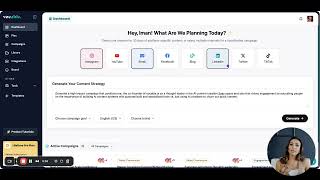
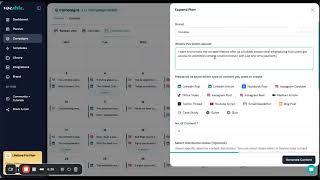
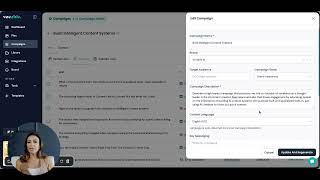
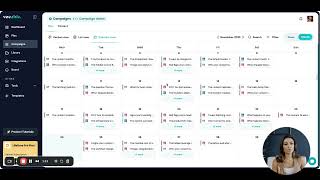
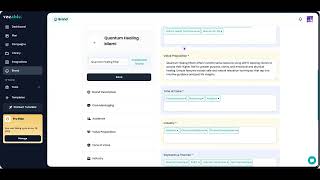
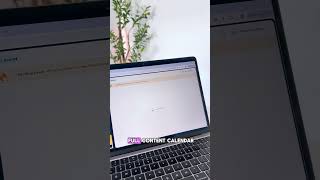
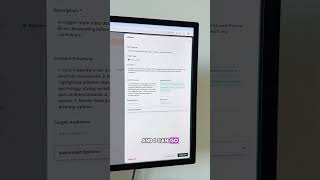
Okay, so this is your main default screen every time you log in to Vocable, which allows you to create multi channel content campaigns tailored to any brand that you have already saved here in your brand tab using just one main prompt. So you start by giving Vocable your core message here. This can be either super high level or detailed depending on how much insight you want to give the AI. Maybe you want to create evergreen content for your channels to build thought leadership in your area of expertise like I am doing here with this prompt. Or maybe you're promoting a new offer you're launching. Whatever your core idea or message is, just drop it in here to guide AI in creating your campaign. Then you pick the channels you're creating content for. You can pick one or multiple channels at once. Next you select your brand profile. So Vocable pulls from your voice tone value proposition or offer audience and everything you trained it on. Then choose your language and then choose your campaign goal and that's it. Now just hit generate. Invocable will automatically create a 30 day content plan optimized for the channels you selected and breaks down each post idea into a detailed brief with a headline and a description, which essentially is a pre populated detailed prompt that you can also tweak before you start generating each post.