In this technical demo, J.C. Novoa walks through a prototype that bridges an on‑prem Avaya telephone system with Amazon Connect and related AWS services. The flow begins with a caller reaching the Avaya system, which then transfers the call to Amazon Connect via PSTN. The demo showcases four IVR options: return to the original on‑prem agent (using a SIP‑enabled desk interface), route to a live Amazon Connect agent via the Contact Control Panel (CCP) embedded in a CRM, engage a Lex‑powered virtual agent with Lambda fulfillment, or request a callback. Throughout the interaction the caller’s phone number (ANI) and contact ID are captured and propagated across all components, ensuring a single customer view. The presenter also demonstrates an API‑driven outbound call using Postman to invoke an API Gateway endpoint, which triggers a callback into the Amazon Connect queue. All conversation data—whether originating on‑prem or in the cloud—is coalesced for downstream workforce optimization, quality management, sentiment analysis, and other analytics. The demo emphasizes seamless handoff, consistent customer context, and the ability to unify on‑prem and cloud contact data.
Chapters
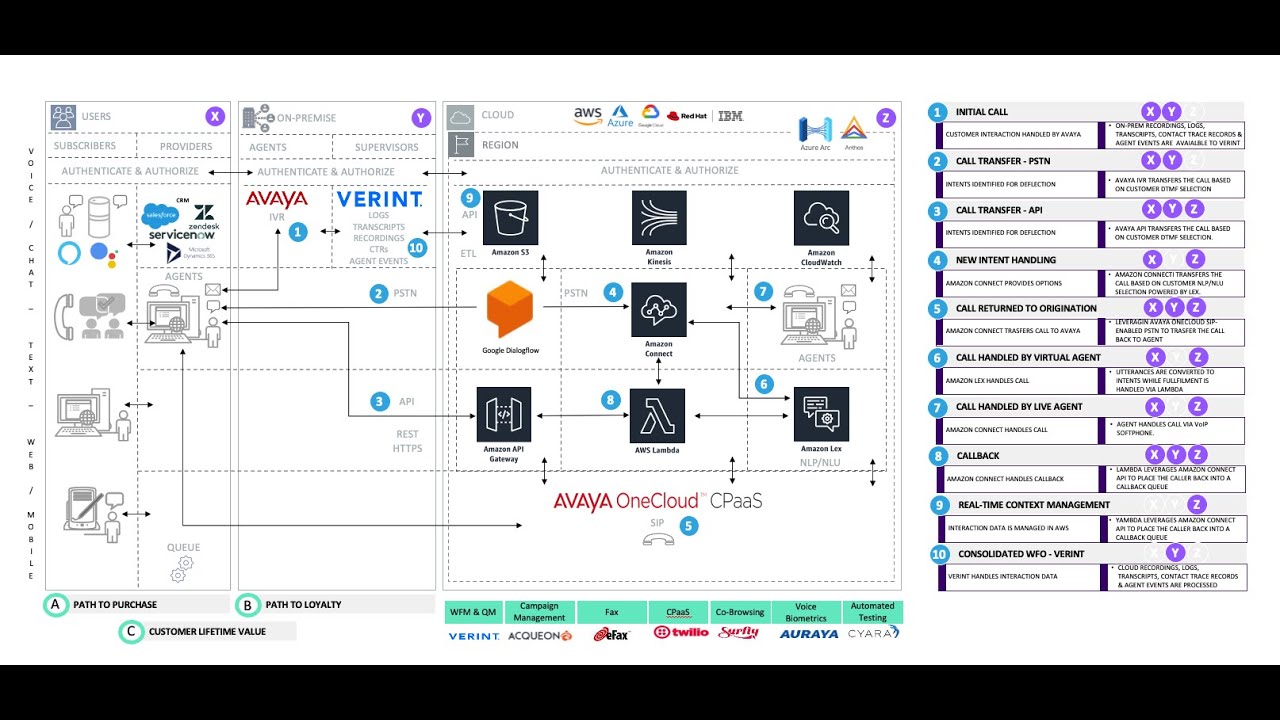
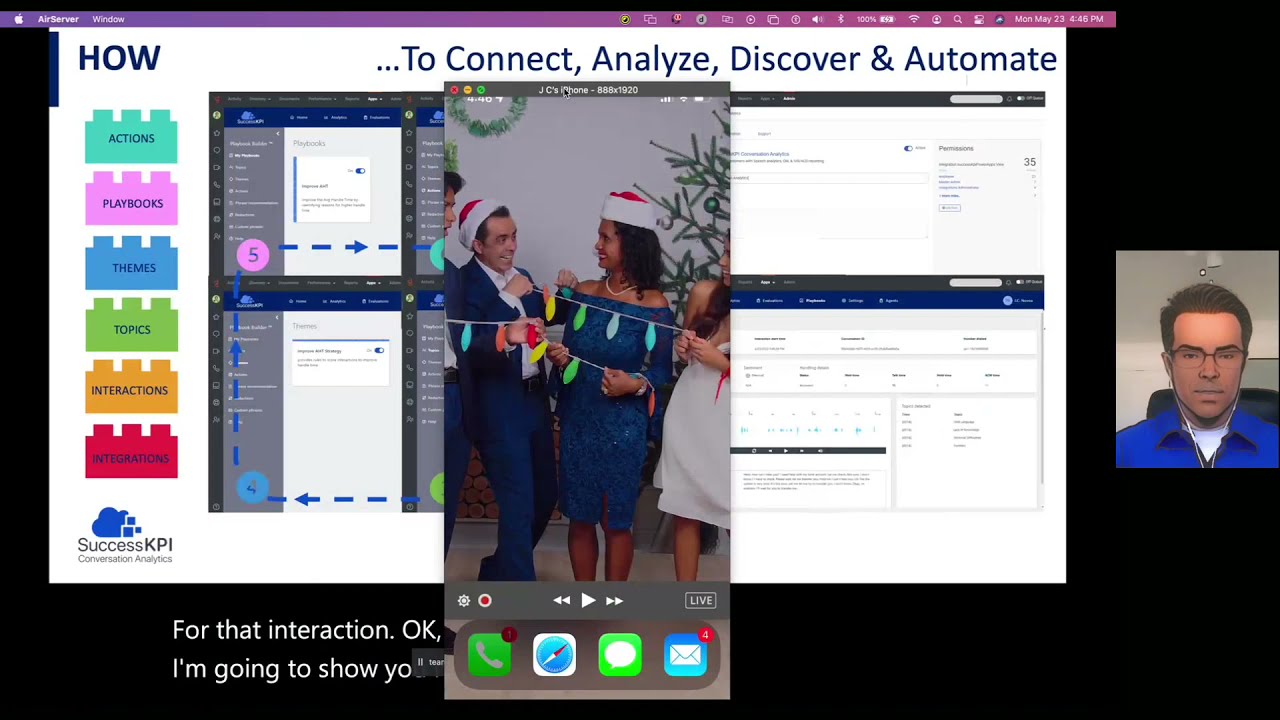
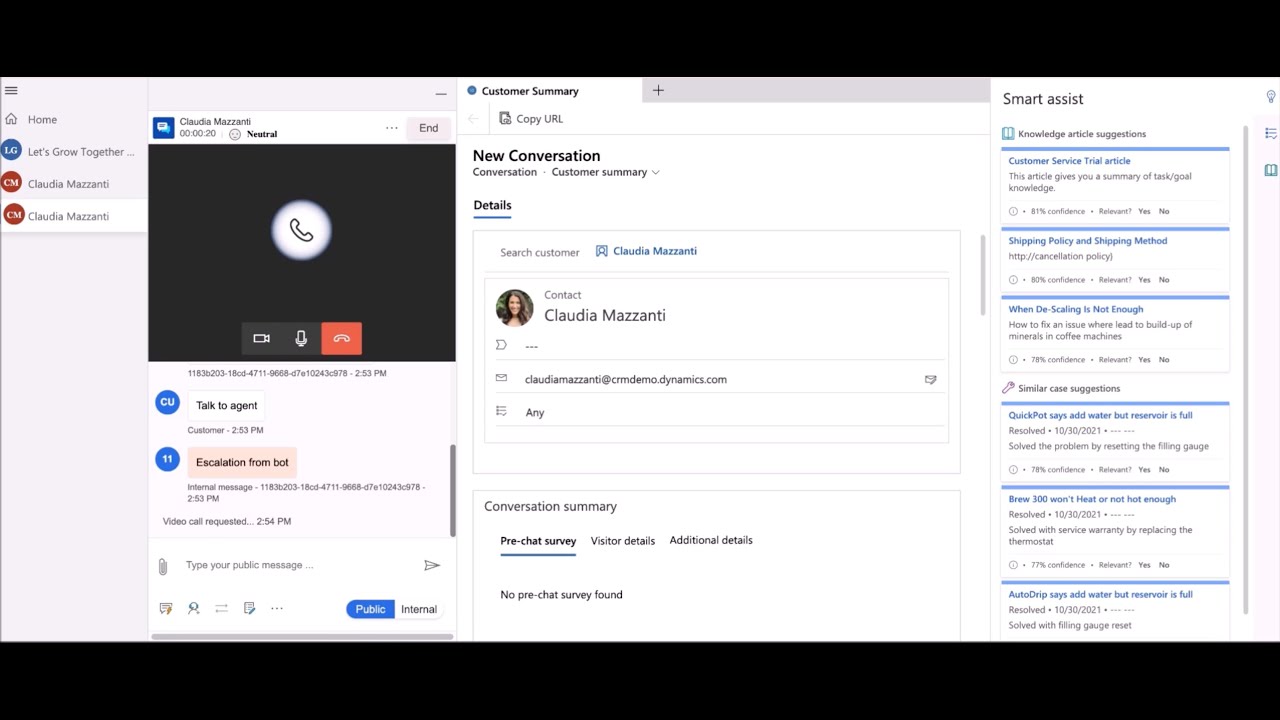
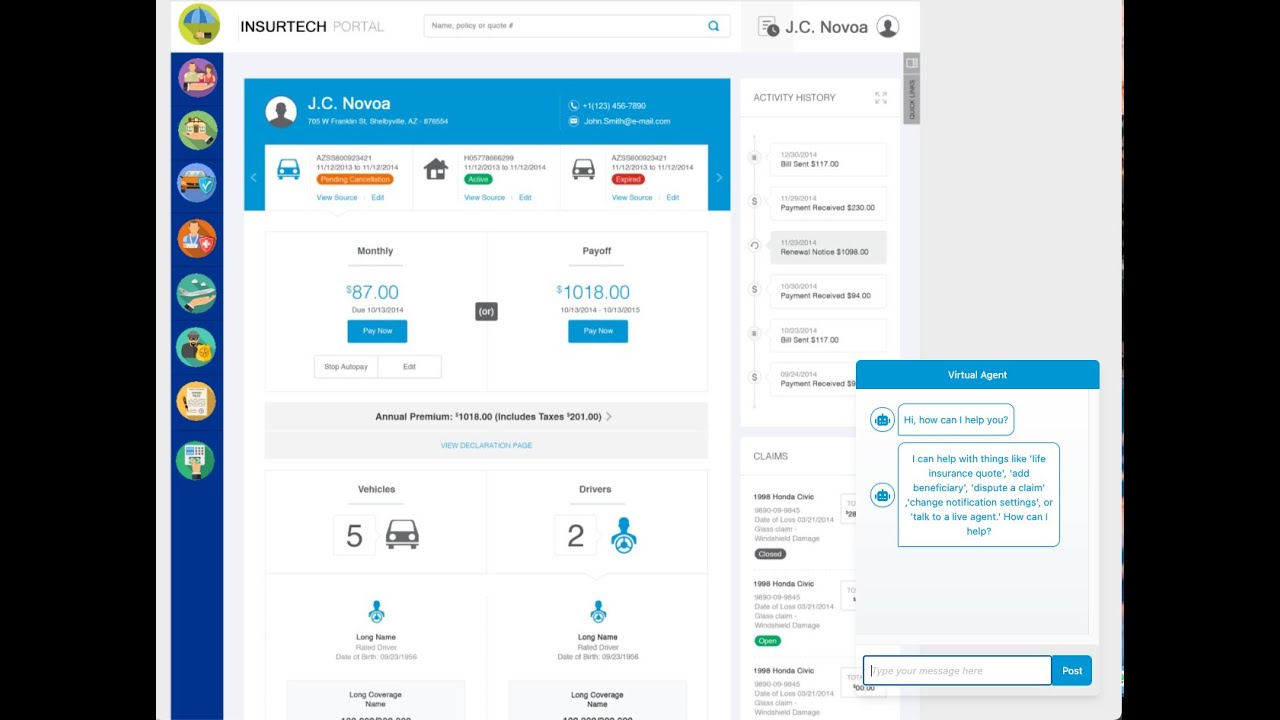
Hello everyone. In this example, we're going to walk through a prototype of an integration between an Avaya telephone system, which in this case sits on-prem, with Amazon Connect and related AWS services. And in this example, you know, a customer will call When the call drops, will be transferred via PSTN. As an example, we're going to walk you through that. And also we're going to showcase how we can transfer this call via an API call using Postman. Once the call drops into Amazon Connect, the caller will be presented with 4 options. You know, the first one will be to have the call returned to the origination, and that it will be Back to the agent, and we're going to leverage a via One Cloud SIPAS interface, which provides a mechanism to provision a phone number that is SIP enabled. And so once that SIP address is configured on the agent desktop, that looks like this. You know they'll receive a call once it's transferred back. Once that call ends, Amazon Connect will hold on to that call and then will send back to the queue. And then you'll be able to select another option in the menu, which could be to talk to a virtual agent or talk to a live agent. This live agent, again, handling the calls via Amazon Connect. Instead of using this SIP-enabled desk interface, they're going to use the CCP. You know, this CCP can actually be a custom CCP that is integrated with the CRM, or it could be an embedded CCP softphone that is embedded inside a CRM like Dynamics, Salesforce, Zendesk, or ServiceNow. And the agent will answer it using that interface. The other option they'll receive is to have the call handled by the virtual agent, and that's going to be powered by Lex. You know, the fulfillment of those intents will be handled by Lambda. And once you complete that virtual agent interaction, you'll be then prompted to Connect to an agent if you wanted to, or to terminate a call. The other example that we're going to walk through is the callback. That callback will prompt the customer to be called back into that queue using the phone number that they have used to dial the initial call. Throughout this whole interaction, in every single one of these steps, you'll see that one thing remains consistent, and that is the phone number of the customer, the Annie, that gets captured here will be made available everywhere else, and you'll see it pop up and appear in all of the other steps of this conversation that will happen using all these components. At the end of the day, the data and the context will be Coalesce if it happened in cloud, in cloud if it happened on-prem, on-prem. But eventually all that data will then be married together inside varying systems where workforce optimization will happen, whether it's workforce management, quality management or sentiment analysis or any other kind of analytics, they will all be available there regardless of whether the conversation happened on-prem or in cloud. So let's get to walking through these steps. So let's initiate a call. I'm just going to bring up my phone, and the first thing that's going to happen is it's going to transfer to Amazon Connect.
Hello, thanks for calling. We are now transferring your call. Hello, thank you for calling. This is an example of what you can do with Amazon's web services. Press 1 to speak to a remote agent. Press 2 for answers to frequently asked questions. Press 3 to start over and try to speak to an agent on site, or press 4 to receive a callback at 1-561-376-3742.
So now that I answered the call as an agent that is on-prem and hung up because I completed my interaction, You'll hear what happens. The call then will be transferred back automatically to Amazon Connect, and from then the caller will be given the same options again to go through this interaction.
So we're going to try being transferred back. Press one to speak to a remote agent. Press two for answers to frequently asked questions. Press three to start over and try to speak. Please wait while we connect you to an agent on-site or press 4 to receive a callback at 1-561— How may I help you? Do you have a question?
Office schedule.
Sorry, I could not understand.
Office schedule.
Which branch are you looking information about?
Miami.
Office schedule of Miami is 9 AM to 5 PM. If you have more questions, press 1. Press 2 to hang up or press 3 to speak to an agent. Thank you for calling. Your call is very important to us and will be answered in the order it was received. Basic queue.
So now that I answered this call, I was able to answer it through through the CCP using Amazon Connect, right? So now we're going to hang up that call. And now we're going to try the next example to have So let's see.
Hello, thanks for calling. We are now transferring your call. Hello, thank you for calling. This is an example of what you can do with Amazon's web services. Press 1 to speak to a remote agent. Press 2 for answers to frequently asked questions. Press 3 to start over and try to speak to an agent on site, or press 4 to receive a callback at 1-561-37— Hello, thank you for calling. This is an example of what you can do with Amazon's web service.
So then I— the call, because there's nobody in the queue waiting, right, the call happened effectively immediately. But I could schedule that call to happen at a later time. So let's see if I can now showcase making this call from an API, right? So I'm just going to use this API using Postman to make a call to this API Gateway endpoint using these parameters. And now I have a contact ID and my phone is ringing.
This is an example of what you can do with Amazon's web services. Press 1 to speak to a remote agent. Press 2 for answers to frequently asked questions. Press 3 to start over and try to speak to an agent on site. Or press 4 to receive.
And you'll notice that the number that The rings here is still the same number: five six one three seven six three seven four two. And if I go back to the contact panel, you'll see once it rings again, I'm gonna. Once it transfers again, I'm going to have it call back the live agent in Amazon Connect versus the desktop agent, which is using Avaya SIP. And then you'll see the phone number show up here. All this is being handled via this simple contact flow.
Press 2 for answers to frequently asked questions. Press 3 to start over and try to speak to an agent on site or— Press four to receive a callback at one five six one three seven six three seven four two.
I'm going to press one.
Thank you for calling. Your call is very important to us and will be answered in the order of the first.
I'm going to accept the call. I'm just going to end it and close the contact, right? So whether is initiated from here. To PSTN through an API or then revert back to the agent after my selection was done using DTMF or after speaking with Lex, which was handling the NLP/NLU. The calls get routed and then effectively that ANI is visible and available through all these interactions. That is what provides the key In addition to this, what you'll see here, this contact ID, which is available for us to then coalesce all the data that will be stored in cloud and then pass this data to Varent. And that's it.