TurnCloud EHR: A Game-Changer for Chiropractic Practices with Josh Nation
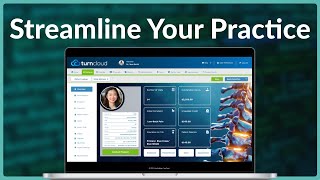
Josh Nation from Forte Holdings discusses TurnCloud, a cloud-based EHR for chiropractors that combines practice management and SOAP notes. The software uses macro templates to reduce clicks, integrates billing with auto-posting, and includes patient communication tools like text and email campaigns. Forte spent 10 years refining the interface based on fire and EMS software experience.
Chapters
You know, a lot of people that come to us, the first little barrier that we have to break is my old software. I had to do these 40 steps for my visit and I'm like, you don't have to do any of that. None of that. The best feature of a software is one that keeps you out of the software, not in it. Right.
Hey everybody. As promised, I am here with Jos Nation, product manager over at turncloud ehr and they are a fantastic company we're going to dive into. What does turncloud offer, why you need to pay attention, and some unique features that they can offer your practice to make things a lot easier day in and day out. Josh, thanks for coming on and chatting today.
Yeah, thanks for having me, Jeff.
It is my pleasure. So for the docs out there, let's pick it up right at the start. There's a lot of different EHR companies out there. Turncloud might be a new name to a lot of listeners. Why don't you highlight a few, a little bit of history of how turncloud came to be, how long you've been doing this for and kind of set the stage for where we're going today.
Yeah, absolutely. So our company's Forte holdings, and while you might not have heard of Turncloud because it is newer, we've been in the chiropractic industry for over 30 years now. That being the case, you probably know our other product, Cairo 8000, it's a desktop chiropractic, full EHR and practice management. And, and you know, for 30 years, 30 plus years we've been doing the chiropractic side. But then about 10 years ago we actually started with fire and EMS and so kind of branching off a little bit on the side there. And you can probably kind of imagine EMS has very unique needs in terms of what it is that they do. You know, when you start talking about things like first responders and basically just the time that it takes for them. So they need a software that needs something to it checks off all the boxes. But at the same time they have such a rotating staff and they're in emergency situations so they only have seconds to essentially not just use the software, but learn how to use it. And so we took those principles and then that's where we were able to apply kind of the same approach where it's minimalistic design and approachability. And that's where we came up with Turn the Cloud. And that's our cloud based chiropractic ehr. So it's got the full practice management and ehr. But again, kind of that underlying EMS principle which was how can we make it as approachable as ever. We like to use the term that you don't need to use a software manual, you know, and that's one of my big things is there's a lot of great softwares out there. The problem is there's so many features buried within 12 subscreens and you know, you got to pull out the manual and figure it out. That that's kind of where we, we ended with turncloud is just pick up and play, do what you need to do.
I love that. And this is a critical component because I know a lot of docs out there, they actually just struggle with implementing and operating their EHR is day in and day out. Because if you, as you kind of highlighted, sometimes the feature set can be so robust you might only use 5% of it and 95% of it is getting in your way, which is literally the opposite of being able to stream all your practice. So let's dig a little bit deeper when you think about ease of use design and how a doctor goes about using the technology. You know, what are some of the core tenants that you think turncloud does a really, really good job at?
There's the two major tenants, of course, which is practice management on one side and then you've got EHR on the other side. Practice management being all your day to day. So your patient management needs scheduling, all that other stuff and then you've got the actual SOAP note side of it. But if you were to break those down, you know, I definitely think that you're going to look at scheduling an appointment reminder seems to be that one thing that just it's got to be right, it's got to be easy. So I think that's one of the things we absolutely are just knocking it out of the park with visits. You know, chiropractic, we do a lot of the same things repetitively when it comes to the documentation side. And so being able to. Look, I'll stop for a second. Most people don't like using the software that they use at work.
Right?
Why? Unless you've got a really weird, you know, habit or hobby when you're outside of work that you love just using tax software or this, that or the other. Right. It's just not something that anybody does. And so the visit was something that we really wanted to hit on and just making sure that, yeah, we know how important it is, but at the same time, how can we make it so it takes you a minute or two, tops, out the door to get everything that you need out of it. So I think we really, really do well on that side. Patient communication is key. I mean it's, it's the modern age, right? So now we're all interconnected. We all have a phone at our side. And so things like being able to email or text message and live chats, that's like a thing that everybody expects nowadays. And I think we do that really well. And the other thing too, and it's funny because I can go at length to it, you know, I'm a little biased, I'm the tech support manager, but tech support, you always hear it as kind of this bullet point, but through my years of working here and helping people out, I definitely see the difference in what good tech support is versus just your standard. Yeah, what's your problem? Have a good day.
Yeah, that's a really important component. I'm glad you bring that up because anytime you've hit, you know, I know as, as a doc myself too, it's, you know, you're working within a system and if you have a question, if you have a challenge, you know, sometimes that can really hold up your day. So I, I'm glad that you bring up the point of robust and timely support because it's such a critical component to being able to keep the engine of a practice going. And ultimately anytime somebody's with the new software, there's going to be questions. So I, I love that you bring up standing behind really having a robust tech support because it, that just I think lowers the barrier. Right? Switching EHRs is super hard. Like many dogs like, oh my goodness, this is, this is challenging. So when you know you have a team that you can lean into and when you know you have an expert like you that you can lean into to assist in that process and answer any questions that just, I think takes care of so much and just eases not only the burden of that switch, but actually makes it pleasurable because you get on the other side of it and you're like, man, I, I can't believe I didn't do this earlier. And one of the items that I want to dive into is kind of relative to how this works in a practice. My understanding is that turncloud is cloud based. Some docs out there maybe are still living in the server. A server based system, Cloud versus server. What's the advantages of cloud and how does turncloud put that into action for the practices that you work with?
You Know, one of the biggest things that you probably see all the time with the old server based things that you're constantly fighting the, you know, the upgrades is our operating system upgraded, is the software up to date? And oh, you don't have enough RAM or hard drive space or. I mean, it goes on and on a lot of times. You see, and this is something that I would see on the desktop side all the time is backups and catastrophic failures. You know, I mean, goodness, you, you hear of people and in, back in the day it was, it was common for me to hear something of like, you know, we had our computer went down. Do you back up? Yes, we do. Okay, great. Where's that backup? Oh yeah, it's on that computer. I got bad news for you. Just lost everything, you know, and, and that's where you look at cloud. You've taken away every one of those things. So now you can work from anywhere. You can go if you have different locations, if you have, you know, a lot of times nowadays the, the pandemic really kind of changed the face of how business is done nowadays. You know, you may have somebody that's doing scheduling in one area, you have somebody that's doing the billing in another. You're moving between offices. The cloud is truly just meaning that you can log in from anywhere, you're not worrying about any hardware stuff and you can just get to work.
I love that that is so critical because I know a lot of docs out there, they want to be able to access, whether it's the reports, whether it's the notes, as you mentioned, whether just checking out their calendar for tomorrow on the way home or on the way into the office. So being able to access that information anywhere, it's like practically unimaginable to me at this point to not be able to do that. So it's great to hear that turncloud is really, I'm going to say, leading that charge. And when I talk about reporting, one of the things that comes to mind is billing. Tell me a little bit about Turncloud and billing. Can this work in a cash based practice as well as an insurance based practice? How does it work?
Yeah, yeah. So you can do insurance or cash, you know, work comp, automobile accidents, you name it. I mean really, it can do everything under the sun. So you're talking individual, you're talking batch paper, electronic, you can do it all. One of the really unique features that we have that others don't necessarily is integrated billing. So kind of the next gen of billing. Right, Which Is now we tie in any clearinghouse out there and what that allows you to do is create your claims electronically send those off with just a click of a button. You never leave the program. Then you can your messages for the claim statuses, are they accepted or rejected? If they are, why all comes beaming back into the software. You got a package with your clearinghouse that does the arrays, pull those directly into. You want to do auto posting or, or something like that. Nowadays you can do all of that through it. So not only can it do all the billing, but you can do it all connected to your clearinghouse without ever leaving the software.
I love that that easy use is really critical because there are so many times I know when docs just struggled to ship the bills out the door, so to speak. Right. And it's like that, that that impacts operational cash flow, which is an absolute killer when you're trying to run a small business. So having integrated billing across the board I think will be music to, to a lot of people's ears. Now when I think about billing, the next thing I think about is the reporting. Talk to me a little bit about reporting within turncloud. What can docs expect? Maybe even what some of the reports that are your favorites that turncloud makes it easy for docs to see are available.
Yeah, so we've got the whole gamut when it comes to that. So we've got the reports for the medical side of things. Right. So if we want to do our initial SOAP report, if we want to do a work comp report, Medicare report, anything like that, we've got built in. We've got all the financial reports, reports down to any field that's available in the software on, on patients because of course you're going to need a custom need. But I'd say probably my favorite feature. It's funny because I'm not copping out here, I promise but it's really the fact that what I've learned in doing this, now this is my 15th year and supporting chiropractors and what I've learned over the years from talking with them is that every single chiropractor has their own way of doing things and their own reporting needs. Everyone that I talk to will tell me up and down that theirs is the only way to do it. And they're not wrong in that, you know, there are things regionally based or payer based or patient need based and it changes. And so my favorite feature is the ability to go in and, and mold your own report. So I have a Report that is only me, Josh, you know, the report that is, it's exactly perfect for me. And you could make one exactly perfect for you. So you can pad what's at the top, you can macro in whatever it is that you need. And then down below, there's, there's your report. So you can keep building it as you need, you can clone from it. To me, that's more powerful because no chiropractic software should be telling a chiropractor what they need in their report. Be the opposite.
Yeah, that's, that's really a breath of fresh air because I know docs that have EHRs that then have to buy other software systems to be able to extract the data that they need. So being able to build, as you mentioned, kind of customized reports based upon the most important items to you and how you classify those items is a really, really big deal. And it's one of the first times that, that I've heard that. So I want every doc listening and watching really to understand and take that in and sink in for a moment that, you know, being able to utilize a system like TurnCloud that gives you the opportunity to build the reporting that is right for you and utilizing the technical support team to assist you in getting there, not only does that save you a tremendous amount of time because now you're not having to live in spreadsheets, so to speak with, but it also can save you a significant amount of money because now you're not needing to buy ancillary products and services just to extract the data out of the place that should be able to provide the reporting to begin with. So that's awesome. We mentioned billing reporting. Let's hop over to sort of the note taking side briefly. You mentioned scheduling. But when doctors, you know, the crux of every chiropractic practice, right, you're having patients come in, you're documenting that visit, moving along to the next patient. The more efficiently and effectively you can do that, the more that opens up the opportunity for you to maximize your patient flow, maximize the people that you help, and maximize your revenue. When you look at the ability to, let's say soap notes, intake forms, things like that, how does turncloud make that easy for docs?
So I think we've just, you know, again, that same principle of making it easier than anything else that's out there kind of that, that 911 premise that I was talking about, which is, you know, we've set it up in a way you can have as many patient files as you need open, you can schedule at any point. You can access your schedul schedule. And I really see that as multiple components there, because one, you know, like you said, patient intake forms, things like that, I can just, with one click of a button, send out those forms so they can fill out the information right there. We have essentially a virtual kiosk. Right. So at that point, they can do it from the comfort of their home, they can do it in the lobby, on their cell phone, wherever. You don't need any other technology. They hit a button and boom, it's into the software. You also can control what it is that you want them to capture. Capture. I'm sorry. And, you know, along those lines again, going back to how every chiropractor is different. You know, I have some that will want the intake paperwork to include what are any of the complaints that you have today? And then I have some that say, no, they're not medically trained. I don't want them putting that in. That's something I'll have to undo in my software. So I think still being able to capture all that information from wherever you want with the click of a button, but still being able to customize it like those reports, you know, that's key.
Could not agree more. So you brought up a variety of different, I think I'm going to say features and benefits of turncloud. I want to take a few moments and maybe pick apart and highlight some of your favorites. When you look at the development cycle of how turncloud has really become one of the fastest, easiest to use EHRs out there for chiropractors, what are some of the. Let's start with the first one. What's the first thing that comes to mind when you're like, this is a feature. And I'm going to go, let's go with one that is your personal favorite. And then let's go with one that might be flying under the radar, that maybe even turn cloud users right now. You're like, I don't understand why everybody's not using this within our system. Because it's such an impactful. It's such an impactful part of what we do.
Yeah, I would say first and foremost would be the macro visit, you know, being able to. To customize, you know, so if you got based off a complaint, let's say low back, you know, something like that. And you've got certain tests, you've got certain things that you want on every one. Well, you can get that all locked in so that you can use it time and time again on any of your future patients and then being able to customize other ones. Maybe you've got one that's set up exclusively for work comp exams because you know the special needs that they have on that side. So you've got something very unique. But I would say that's probably the one that is my favorite. Just because I'm a huge fan of giving the end user the control. I like it for myself, I like it for the end user.
I love that when you, when you think about that in terms of how a doc practically applies it and really how it saves them time, dig a little deeper for me.
So I would say where, where it probably saves you the most time is, is just being, you know, the suffering of clicks in any software where again, you're going through pages and pages of pages. So being able to say, no, I'm going to control the content of this right here and now. I'm going to set that for this your standard visit. This is what I want. This is my standard exam, this is my standard follow up. And it of course evolves, it changes. We know that a lot of times in many situations with billing and things like that, we're having to send copies of these reports along with the claim. So we're going, you know, my notes going to be there. It's a document that's technically, I mean, it's a legal document, right. So we want to make sure that it's still got the heft and content that we need. But I want to spend time with my patients. I don't want to sit there clicking and clicking and hold on. So you know, that's where I say you don't understand. You know, a lot of people that come to us. One of the things that I usually the first little barrier that we have to break is they come in. Well, my old software had to do these 40 steps for my visit, you know. Okay, so, and they're walking me through why, because, you know, we, we want to make sure that we're stepping them into the software. And I'm like, you don't have to do any of that, none of that. Let, let's go take two minutes and set up a visit the way you want. Click this, this, this save, you're done now anytime you want to use it, moving forward. And it's really that dream. I mean the best feature of a software is one that keeps you out of the software, not in it, right? And so the fact that then you're spending one minute in the software and you're spending that much more time with the patient. I think that's the best thing ever.
That is very, very well said. Before we wrap, I want to talk patient communication. You brought up text and email earlier. This is a really critical component as well. We know, you know, with doctors that are running paid advertising, which most are a variety of different things, appointment reminders are absolutely critical. And being able to communicate with patients based upon, you know, their actions or inactions in some cases is really, really important. Highlight maybe your favorite feature and the benefits of it. Regarding patient communication within the TurnCloud system.
Outside of just the, the standard ability to do chat, real time chat with anybody, you can, you know, link who gets to see it, maybe only certain staff members. There's so many things that you don't think about that once we were designing the feature we're like, oh yeah, that's a problem that I don't think a lot of people have dealt with. And that is if you got a lot of staff, you've got all this going on. Who's responding to this patient? What if somebody is? Do you want to overlap on top? Where does it stand being able to give who has access to it a visual indicator of is that patient already being engaged so I can move on to the next? That's important for me personally though, if you were asking me, the best part that I like about it is there's, there's a feature where you can do mass text. And, and so for that, I mean, you were just saying, you talk about marketing and campaigns where some people are paying thousands of dollars a year. The ability to group your patients and then send something out via text for nothing, you know, it's all included on that side. I mean, I think that's really powerful. I, I see a lot of people where they just touch the surface with that chat, but they don't go any deeper with it. Being able to go out and get to those groups even outside of marketing, you know, hey, Medicare, new cards are out, new insurance cards, we need everybody to bring them in. Boom. And I'm looking at a 10 second text to set that up with the group. And I think that's really cool.
That is cool. And I want to highlight this to everybody listening and watching what you just said probably can make the chiropractors listening. Enough revenue just by getting updated cards from people to pay for their EHR for an entire year because of the loss revenue associated with not updating insurance cards, not updating the pertinent information that's necessary to run a business. And yeah, that stimulated that thought with me. I'm like, oh my gosh. Yeah, I haven't even thought outside of the marketing space, but in the operations space you're 100% correct. Patient communication can be absolutely critical to ensuring coming full circle here, timely billing and the ability to be able to operate, you know, have operational cash flow coming through. So I know there is a variety of other things that we we could go into today. We'll get to them in some subsequent episodes, but I want to let every doc listening know we're going to drop a link down in the show notes or in the video here, please click over. If you are somebody who maybe has been unhappy with your ehr, maybe you're pretty happy, but you know there might be better options out there for you. It is worth having the conversation with the Turn Cloud team, ask your questions, connect with their team and see if turncloud is going to be able to help you make your practice more streamlined, more efficient and ultimately just a better work experience. We all live in our EHRs all day, every day and it should be a pleasurable experience. So if your experience currently is not a 10 out of 10, connect with their team, have a conversation. Josh, I really appreciate you coming on and sharing with us today.
Yeah, I appreciate your time. Thank you.
Thank you so much for watching this video on the Evidence Based Chiropractor channel. If you don't want to miss a single thing, please subscribe to our YouTube channel so you can get notifications of every video we put out. And we put out new content each and every week, so be sure to subscribe today.