Unlocking Telehealth for Chiropractors: Step-by-Step Guide with Doxy.me
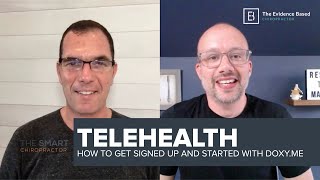
This YouTube video (Jeff Langmaid with Jason Deutsch, March 20, 2020) explains why chiropractors should adopt telehealth during times when in-person visits are limited and demonstrates how to set up and use the Doxy.me telehealth platform. They describe two primary remote services appropriate for chiropractors—guided therapeutic exercise and ergonomic/home-workspace assessments—and then walk through creating a Doxy.me provider account (free tier available), customizing the waiting-room URL, basic settings (profile, meeting history), and legal/operational notes such as the Business Associate Agreement (BAA) and HIPAA compliance. The hosts also discuss practical promotion (email/social), device requirements for patients (camera-enabled device), billing/visit-duration tracking, and the Smart Chiropractor resources for templates and help.
Chapters
Hey everybody, how's it going? Dr. Jeff Langmid here with Dr. Jason Deutsch. And if you are tuning in, you probably saw we're going to be talking about telehealth. We're going to talk about it and we're also going to do a screen share in a moment and show you how to literally get started and get set up in a system called Doxy Me that we happen to find, we think looks great on the surface. And there's so many questions around this. We thought it was a great opportunity to go through this, live together and give you a step by step and also start out by laying a little bit of context into the telehealth space because there is a lot of turbulence going on for a lot of people's practices right now.
There is. And if you are like many chiropractors, friends, family members and so on that are out there concerned about your revenue, concerned about your income, if for whatever reason, in some states we've seen practices have to close this week for a month at a time, others of you are just working with essential care only just having people who need care to come on in. And obviously people are staying at home. So there may be those wellness oriented people that just are staying at home as they're told. The question you have to ask yourself is what are you going to do? What can you do as a chiropractor to provide value to other people without the ability to use your hands? That's the question we have to ask. No, we never think that this should replace an adjustment. That's not even part of what we're thinking. We are thinking that you have more value to people beyond just your two hands. So in times of crisis like these, when the question becomes, if people can't come to my practice, what's the best alternative solution? I have to generate revenue by providing value to my community and to my patients. Telehealth is your answer. Jeff, let's unpack how this all works.
Yeah. So before we screengrab, I think there's two things that Jason and I have been spending a lot of time thinking about this as I think a lot of docs have over the last few days. And you know, there's really two big avenues that we see. As Jason said, you know, obviously you can't deliver a manipulation or an adjustment through your screen. Right. But what you can do, we believe breaks down to two essential components. One of them is being able to give guided exercise. That means you could guide it yourself, but it also means that There are so many great platforms out there that allow you to assess a patient visually via video telehealth and then be able to follow up and give them specific exercise recommendations. We know how important whole body movement is to overall health and how important that is for a lot of docs in the active care pieces of their practice. So that's one avenue. The other avenue, which we think there's a huge opportunity, is everybody is working from home. And ergonomic assessments on somebody's workspace is another huge value add that you can give. So when we think about the context of, again, we're going to screen share in a moment and literally go A through Z how to sign up with one of these tools. But when we think about, well, how does this fit in? And I've seen these questions, how the heck does that apply to chiropractic? You know, I think you have to think a little bit differently. You have to think a little bit outside the box, but you also have to think about what are the important benefits that you can help a patient with. That's always number one, right? Patient centricity. What, what are the things patients are struggling with that you can help them with and how can you deliver that? So we know the delivery via telehealth is going to be video, right? Predominantly that video connection. So. So you have the ability to not only hear audio, obviously, but to see how they move. So movement assessments can come in big, but definitely you can recommend specific exercise. Absolutely. I think that's a huge value add. And the second component, especially if you're a clinic gym hybrid person, where you have a gym in your space and now nobody can go in there, being able to recommend at home care specific to the individual, super critical and important. And the second aspect of that, again, I'll repeat the are the ergonomics people are working at home and like this kind of thing, people didn't have desks ready for this. Right? I mean, many of us are like, gosh, where am I working? Awkward positions. The opportunity to showcase good ergonomics while people work at home perfectly tailors in to the skill set and recommendations that us as chiropractors can make regarding, you know, posture, regarding, you know, good, you know, balanced posture, essentially making sure people are in good positions where they're spending eight to ten hours a day is a darn good thing. And making sure they're moving when they're not in those positions where through specific recommended exercises by you as a chiropractor, we believe is a huge opportunity to connect and drive and add value to your patients. And in a way that quite frankly, you can and should be monetized for that time.
That's again, just to reiterate and make sure people are hearing what we're really saying. These are not normal times. This is not just some innovative, unique way to get chiropractors to earn a few extra bucks or some way to distort what we know is the basis of what chiropractic is, which of course is providing chiropractic adjustments. It is, however, emergency measures. These are unprecedented times which require unprecedented actions. This is for those doctors who are saying to themselves, my revenue is going to go down. I got to figure something out. And becoming a bartender isn't an option any longer. So the real question is, again, just putting this into the context of today's times. You may continue to do some version of this in the future, but so it's heard correctly, this is a sort of stopgap measure. What do I do in times of crisis when people physically can't come into my practice? What value can I provide to my community in exchange for revenue so that you can keep your doors open and survive some way financially if your only or primary source of income is people coming into your practice and they can't come in any longer. So be creative. Jeff and I will throw out ideas. We're also collecting best practices. When you join the Smart Chiropractor, we have lots of, I'll say behind the scenes group members only conversations about best practices. Who's doing things that are working, who's done things that haven't worked so well. That's part of the extra benefit of the Smart Chiropractor membership. But we always work both ways. We want to teach these ideas to as many people as we possibly can. Those of you that want extra help, some of our done for you services, some of the technology that makes it easy for these things to happen, that's part of our paid Smart Chiropractor program. Whichever you choose, we're here to help you. So hopefully the idea makes sense to you. People are going to. You see this everywhere. You might have gotten emails from other health professionals, from your gym, from personal trainers, from other service providers that are experiencing the same thing. Everybody's figuring out what can you do via video that is of value to your target audience. That may even be stress management, calm meditation training. Okay, there are things you know as a doctor and wellness oriented and performance interested human being that you can teach people. It doesn't always have to be just an adjustment or nothing. So think about ergonomic evaluations, home assessments. You know, if your family member called you and said, listen, I can't go cross country to come into your office, but this is hurting, what should I do? Would you offer them any recommendations? If so, what would be the best you could offer them under these crisis circumstances? That's what we're talking about. So part of this program, again, is, number one, what we're doing here, understanding how to think about this. Two, understanding how do I position this language, this, promote this. There will be a series of emails that will be part of our package that we offer to you. But three, and where we're going next is, okay, how do I do it? What technology do I use? What systems do I use? And this will be a combination of our calm campaign content that you use to connect and build your audience to let them know what's going on. What's the latest update? Hopefully you're using our tools to teach your community and your practice. While they're at home looking for things to do. They should be learning from you online, hopefully like you are from us. But the third and most important part, as I said, which we're going next, is how do I deliver this? And we found Doxy Me. Jeff, let's get right into how do you set up an account?
Yeah. So Doxy Me was a technology that Jason and I came across. We don't have anything to do with it, but what we did is we came across the technology. We thought it looked really good. The pricing is great, starts at free and the design is good and it looks really easy to use. So we're going to walk through getting started together so everybody can see how easy or how challenging it is. First of all, I'm going to click on the pricing tab just so everybody can get a good feel. There is a free option. It is free forever. So there is no hook and you can allegedly get started in just a few minutes time. If you want some advanced options, they do have some monthly availability there. If you feel as though those are better for you, you can take a peek at it. But chances are everybody's going to get started with the free. So big blue button in the upper right corner, sign up for free. Let's see what happens. I'm a provider. I am a provider. I'm going to click on that and knock on wood. I'm expecting to see a signup screen. Okay, cool. So it's going to give your salutation, I guess they say up there, doctor, we'll Put in first name, Jeff Langmaid room name as in Dr. Welch. Let's see if there's another Dr. Langmaid out there or whether I'm the first one. Oh, catch up there. All right, all right, I'm claiming my name here, so I'm assuming that's for sort of the digital reception area or waiting room. We'll go Jeff at the evidence. If I spell it right. Base chiropractor dot com. Yes, it is the longest one ever created as far as an email is concerned. And we will do a little password there. I'm using this as a provider, not a patient. I'm going to check that, agree to terms and conditions. We're not going to read that right now. We're going to hit sign up. Let's see what happens next. Gives me a green arrow, I think that said something good was happening. Let's see. Sweet. We'd like to save this password. I will click save. So initial thoughts right now from me, Jason. Great design. Not too busy. I'm seeing what's going on. What are your initial thoughts? Just upon getting signed up there.
That's good. Great user interface. Doesn't get much easier than that. Starting it free for a lifetime is a great place to start.
Looks great, no doubt about it. So I did look at a couple of the Frequently Asked Questions videos before, so I got a little bit of insight. So you're going to notice it would say your name here, right? Dr. Deitch, Dr. Langme, Dr. Your name there. And then whatever waiting room or reception area you chose is your doxy me doctor last name, if that's available for you. Now here's the beautiful part about this. From my understanding, when it says copy right here, so you can literally copy this and then email it to any of your patients and that enables them just to click the link. No special technology, nothing wild or crazy. We'll do a follow up video with Jason and I actually doing a mock telehealth visit. This is all about setup, but that is your URL. So anytime you want somebody to come into your digital waiting room, you can just copy and paste that, get it into an email, send it to that individual the day before, the morning of, five minutes before their appointment and they can hop into the waiting room. One thing that I'll take a peek at here is as patient Q in the upper left. That is where if you're logged in as a doctor and you had three or four visits today, if somebody was waiting for you right now, like it's, it's 4:36 Eastern Time. If you had a 4:40 appointment and they were four minutes early, you would see the patient's name right there. And if somebody was waiting, then the stress builds, but you'd see them all building up waiting for you to get through. So it's nice because you really get to track, in my opinion, you really get to track where you're at in your day, especially as you start to stack some visits and get some ergonomic appointments, as we talked about. Get some assessment and recommendations for exercise appointments, as we talked about. You'll be able to see your patients queued right there. We'll take a look into account settings as well.
So it's a virtual practice.
Exactly. I mean, to me, this is super impressive because as I'm clicking through, everything's big, everything's clear, everything's easy to understand, which, especially if you're not as technology. Technology driven as a provider, this makes things super easy. So it looks like you can absolutely go in and expand or change any of your personal information. You know, billing settings were free, so that's easy. One thing I'll take a peek at, though, and I'm going to encourage everybody to do is this baa. A baa is between you and doxy. I'm not an attorney, I'm not a health care attorney, so there are jurisdictions where obviously this doesn't matter. As you can see there at the top, it says, I don't need a baa. But a baa basically is between you as a healthcare provider and a technology provider. It doesn't really have to do with the patients at all. It has to do with the fact that you're saying, yes, I am a licensed provider. And they're saying, you know, we're gonna do whatever steps they're legally obligated to do to protect that information. One of the things we didn't say, but doxy, as far as we know and what they promote is, is that they are HIPAA compliant and that they really are a telehealth. Telemedicine. I think of it in terms of telehealth within the chiropractic space. They are a provider that's been built for years. They've been building this technology. So they didn't come out yesterday with it. And you can tell just based upon my opinion of how they have the design orientation right now, this is a.
Really cool form other technology that I'll tell you that we're working with. That's part of what we're doing is learning and working with Some of the owners of some of these technologies to figure out how do you piece together what technology. So text is another way or Facebook messenger is another way. You're going to start commuting with people now again during this crisis, I know that HIPAA has been sort of laxed because of the obvious. However, what we're trying to work on is a system that will work with you as we get back to normalcy. This will be a new way of delivering services. We will never go back to the way things were completely before. So learning we'll have future videos about, you know what we recommend as far as text technology? Understanding that you may have what you call a text ability to your patients, but according to the law, the way we understand it, that you are only allowed to legally text patients specifically around their appointment reminders. Once you have conversations above and beyond an appointment reminder and an appointment, you are now in a uncompliant zone. We will do everything we can to always keep you on the right side of being compliant. So that may be another way that you communicate with people. Some people are communicating that way with having their people stay in their cars until they're ready. They'll text them. You may use text as far as texting them their link in order to be able to join you. Jeff, you've got more to go into.
Yeah, we have. You know, I'm just expanding some of the things here. So I'm in the settings. Right. It enables you to change any of your information able to put in that you're a chiropractor. They have that as a default, which is nice. Right. So that's an option that they give you not other. You know, it's a chiropractor, they give you the opportunity to put in your MPI number, your state, et cetera. And then they give you the opportunity from a room setting perspective, which this is where it gets interesting because it looks like you can have a profile picture, the name of the room. Obviously you can choose doctor, you know your name, or you can probably have your practice name as well. That's up to you. You get to customize your display name. So however you have your patients address you, you can change it. So again, this is nice because in my opinion it works seamlessly with how you operate within your practice. Right. It's not weird and clunky if you are Dr. Jeff, if you're a Dr. Langmaid, if you're. Hey, you, you know, you can put however you are addressed in your practice and that's a comfort level. With your patients. Again, for a lot of individuals, this is going to be their first opportunity to engage with you on a telehealth perspective. So understanding that the more that you go in here, it's really simple, but the more that you go in here, take two minutes and customize it, that's going to add additional comfort to your patient when they see it doesn't. Oh, this isn't totally different. No. Okay. It's Dr. Jeff, it's Dr. Langmaid, it's Dr. Dice, it's Dr. Jason, whatever it might be. You can put that in there, which is really, really great. And again, all of these are just really well designed and easy to use. It's expand and close. You put in the information, you click update, it's going to save the information. So I like it. It looks like on the left hand side there's a meeting history. So if you ever had to look back, obviously we haven't had any meetings and that's what it's telling us. So it's doing the right thing. But as you have these appointments, as you have these meetings, it can, it'll give you a nice, it looks like a nice linear sheet time based as far as who you saw when you saw them. And if the video I saw earlier is correct, it also tells you the duration of that meeting, which is also nice, especially when we start talking about, you know, the, the opportunities, I guess, the challenges with billing. Get the opportunities with billing, which is a very fluid situation right now. Having an understanding of who you're seeing, when you're seeing them and how long you spent with them are three important things. So overall, I'd say doxy me, super, super easy to get started. You could see, literally it took us less than 60 seconds. Once we get everything squared away to enter in our information and kind of essentially get up and running. If we wanted to have a visit, which we're going to do a mock visit that will record and put up within the next day or two. You can just copy and paste your waiting room, your reception area link, email it to that individual when they click it. They don't need any special technology. Now, clearly they need to be on a device that has a camera, right? So an iPhone, an iPad, a computer with a camera so that you can have the visual component, but it doesn't necessarily require, from our understanding any special apps, any special equipment, any downloads or anything like that. This is an easy way to connect with your patients and get started in the telehealth space very, very easily. The second component of that of course is also how do you let people know that this is what you're doing and how do you get people on the books? Right. That's what we'll be talking a lot more about over the next few days as well. We'll building a complete email automation that means done for you email within chiro emails as the part of smart chiropractor that's going to do that for our clients. So if this, if a telehealth solution like this, like the one that was brought up on, you know, in some of the other platforms like Jane, et cetera, are resonating with you and you want help filling up those initial appointments, I'd encourage you shoot us a dm, let us know how we can help or certainly become a member@the smartchiropractor.com because we're going to give you access to all the, all these trainings, all these tools, some advanced versions of them. But most importantly, we're going to help you market, promote and get revenue in the door. All under the overarching banner of doing what's best for your patients when they can't be in your practice and you necessarily can't be in their house. You have to be able to meet somewhere. Meeting online through a solution like this or any of their competitors seems like a great option to do. So we went through in the other video that will kind of link up I think with this one as well, from a strategic perspective how you can think about that as a chiropractor that can't deliver the hands on care that we're all known for. There are opportunities there, there will continue to be opportunities for you to be able to help people and create revenue for your practice. But you need to be open to it. You need to be a little bit fluid and dynamic and I'd encourage everybody, now is not the time to stop marketing and to go silent. Now is the time to get out there, to have communications, to understand that it might not be perfect every single time and each day might bring a new challenge. But getting out there and leading that communication for your patients specifically and then broader to the people in your community is going to be a huge advantage. If you are a doc in your community that gets out there and has telehealth available, that is a huge additional value. Add that other docs might not take up that opportunity. So, so I'd encourage you to explore the platform that's right for you. Doxy me looks awesome to me. I think to Jason as well. We're Gonna shoot subsequent videos on this because it's free and because it's easy. We think that's awesome. But keep an eye out for the smart chiropractor. We're here to help ultimately, so never hesitate to shoot us a dm. If you have a specific question, leave it in the comments. We are absolutely here to help. That is our number one goal. Our second goal is to enable the practices that really want to step things up, to give you the tools and resources to do so. And if that is you, if this is making you a little bit panicked these last few weeks, if you think it's going to be clinic crisis time, telehealth is a great avenue you need to explore, but you need to be able to fill those seats. You need to be able to get people knowing about that. We do that through email. We do that through a complete social campaign. We do that through training. We are launching that all in the early part of next week. Knock on wood. We are literally building it right now because this is a huge need for chiropractors. So we'll drop a link to the smart chiropractor below. Feel free to check it out if it resonates with you. Awesome. We've also decreased the price for a enrollment period because we are here to help you and your practice survive and knock on wood, thrive despite these difficult times. So I got way off topic as far as the walkthrough here, Jason, but I think it's important for docs to really hear that and understand that telehealth is not, as you said on our last video, just some new thing you should do. It's probably going to be a critical part of your practice moving forward from here on out, even as things get back to normal. So if you go through, if you get those reps in, if you start promoting it early, you are going to have a huge advantage. But most importantly, the incidence of spine and musculoskeletal issues is not going down right now. If anything, the stress that people are under and the lack of exercise and maybe the increase in lifestyle factors that are detrimental are increasing the amount of people who have challenges, musculoskeletal and spinal and being a resource for them is critically important. So I went way off on a tangent, Jason, but I'll let you say your closing thoughts here.
Hopefully everybody's got it. I don't. You said it perfectly. As far as I'm concerned, if you want free help, go to calm campaign.com. that's C A L M as in keep calm calm campaign dot com. That's if you want free help, if you want extra help, like the full meal deal kind of thing, then check us out at the smart chiropractor the done for you solutions, right? The free stuff is tools for you to use yourself. The paid versions is, the extra help is we'll actually do much of this for you. So whoever you are, whatever your circumstances are, we have help for you. We've got free help for those that want it. We've got extra bonus help for those of you that want us. If you want to automate it and have us do it and have access to all of the extra materials, extra conversations and all that goes along with it. We do have one question here from Mike. I'm part of a large multidisciplinary group including MDs and PTs. We're using our work emails possibly. What do you think about that? If I understand the question, I think work emails would be a appropriate to use. I'm assuming when signing up for doxy is my assumption of the question.
Yeah, that's good. I asked what specifically he was asking about. So Jason, I think you're 100% correct. Yeah, I'd use your work email. I mean you certainly could use personal but I mean realistically guys, this is going to be a part of your practice moving forward. So if you have a practice email, if you have a work email, I'd encourage you to use that because I have a feeling that some of the email communication that will go back and forth will be via of course the email you sign up with. So I'd encourage you just keep it clean, keep it easy and keep it on your practices email because again as things I think you can change your email later on. I don't think that's a big deal in the account settings but to be clean, to be easy and to be congruent, I'd say yeah, absolutely. Use your, use your practice email for sure.
I think the other part that you are asking here, Mike, is take a look. You're going to I think have two options here. You'll have to make your own decision based on doing a little bit of research. But I think what, what I think you're asking is should each of these doctors sign up for their own account for free or if you notice, I think it's their third level is specifically for multi doctor practices, multi doctor clinics and so on. So you may want to go to. If you're going to implement this across all doctors in multiple doctors, multiple clinics, you may need to Go to one of the paid versions. Their prices seem extremely reasonable from what I can tell.
Awesome. Yep. And I just clicked really quickly here. I clicked on the edit waiting room on the left hand side. So this gives you exactly what as you can see here, it shows you exactly what your patient would be seeing. So welcome. We'll start the video call in a moment. It gives some tips. It's got great design. I like their font choices and their graphics. This just looks like a really clean solution to me. So you know, we'll see. I mean we're going to again we'll, we'll give a subsequent video, a follow up video. We will literally test this between Jason and I live and see what it looks like. We'll screen grab that and then we'll drop it in. I'm not going to promise we're going to do that one live, but we'll make sure we get it up and get it out via our email channel. So if you're not following The Smart Chiropractor facebook.comThe Smart Chiropractor post a lot of great content over there. I encourage you to do so. Obviously you're watching this on the evidence based chiropractor. You're going to see a lot more coming through here. We, we're going to be sharing the content across all of our channels because we know different docs are in different places. The most important thing is that you get the information. We'll also be sending all this out on practically daily emails, sort of updating things with where we're at and what we're seeing in the space. So if you are not subscribed on any of the email lists, I'd encourage you to do so. Big call to action. As Jason said. Visit Comm campaign. That's really our toolkit, social toolkit to help give you some tools and resources to get out there and not be tone deaf to what's going on in your community but be empathetic with what people are dealing with with be that place of calm. Second big component and priority that we're going to be focusing on over this next week or so is helping you get up and running with telehealth. So if you have any questions, leave them in the comments. Shoot us a dm, shoot us an email. We're happy to be here as a resource for you. And as you get up and running, if you encounter any friction, any challenge with getting people scheduled or you're just saying I want help to Maxim, I want to have the best result possible because I've already seen clinic volume start to struggle. Then please check us out atthe smart chiropractor.com. we're building in those email automations into the smart chiropractor. We're building in additional trainings into the smart chiropractor. We're building in the social media graphics announcing telehealth at your practice, the video scripts that you can hop on Facebook live and announce telehealth in your practice. We are launching that all within the next four to five days. We are working practically, literally around the clock right now to make sure we get that out because we realize we've just seen so many comments, so many messages of people that quite frankly are a little bit panicked and a little bit scared, but that are looking for, hey, what do I do in this telehealth space? We're not going to be perfect as we start. You're not going to be perfect as you start. But the most important thing is to get started, find the solution that's going to work for you, ask for help when you need it, lean into the community and find those tools, those systems, those resources that are going to help you get your practice out front. And while I don't feel it's the correct term to market your practice over these next few weeks, I think it is still about being front and center in your community, putting out consistent content, building your health tribe and offering services to the people that already know, trust and like you. That's our specialty. That's what we take pride in. That's what we do every single day at the Smart Chiropractor. So if you're looking for help and assistance with that, visit us over there. Otherwise I went long winded again. But otherwise we'll see you soon. In a subsequent follow up video, we're going to show you how this platform performs. When we're actually doing a telehealth visit, we're going to show a little bit of follow up and we'll keep walking step by step through the process together. So until then, Jason, I went long. I'll talk to you soon.
Yeah, before we go, what I want to invite everybody to do, just maybe to help each other out. If you have been watching this, if you're thinking about, you know, hey, I'm thinking I would offer blank service via telehealth. Leave a comment please. You know, let us know you're watching, let us know what you're thinking. We love to collect ideas from other people we don't think of. You know, we get lots of great ideas from lots of people. So this is the place for us to work together as a group, as a team. Go ahead, leave a comment below. If you were going to do telehealth services, what would you offer? Offer? What would you recommend offering? What do you, what are you thinking? And if you've got a question between one or two, ask us. Let's put the group together to work here. We'd love to know what you're thinking, love to know what, what your thoughts are around, what type of services to provide. With all of that said, until next time, stay connected to us. We've got much more to come working around the clock. We'll get through this together. Thanks for being here. Thanks for watching. Please consider sharing this with some of the colleagues you know. Need some help as well. Bye bye.