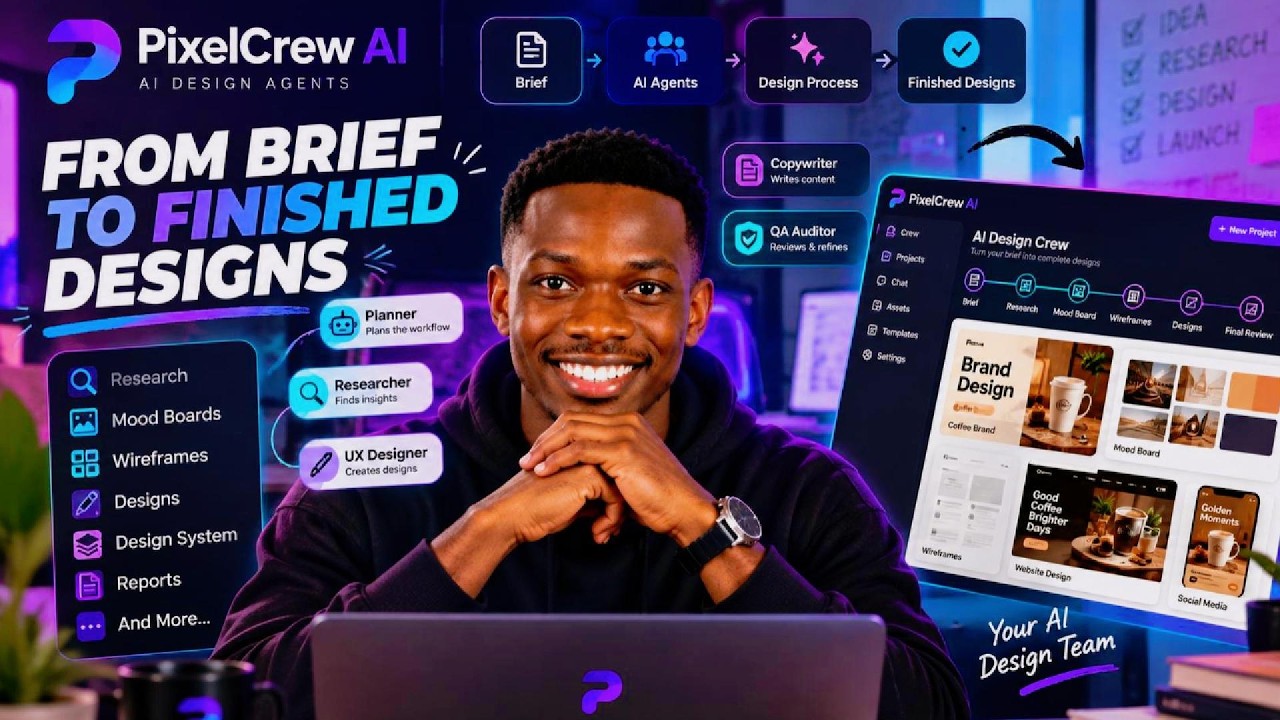
In this Everyday AI video, host Jay walks viewers through Pixel Crew, a web platform that lets users create a workspace of AI design agents to automatically transform a design brief into a full suite of deliverables. Jay demonstrates how to plug in an API key (including OpenRouter), select specific language models, and launch a pipeline that progresses through stages such as planning, UX research, mood‑board generation, pitch creation, blueprinting, wireframing, visual design, design‑system creation, QA auditing, and final review with optional revisions. The walkthrough shows multiple agents (UX research lead, copywriter, QA auditor, UX writer, etc.) conversing in a discussion panel, answering discovery questions, and collaboratively producing assets like color palettes, typography, mockups for a coffee‑brand concept, and even audio snippets for marketing. Throughout, Jay highlights the platform’s similarity to a Figma‑style environment for AI agents and encourages viewers to explore the onboarding demo. Mid‑video, a second speaker briefly promotes a 7‑day prompting e‑book called “Perfecting Prompts.” The video serves as both a functional demo of Pixel Crew’s capabilities and a promotional piece for related AI productivity resources.
Chapters
Pixel Crew is a website that allows you to have a space for your AI design agents. They can take a brief and turn it into finished designs like research, uh, research designs, mood boards, wireframes, and a whole load of things. So if this is your first time here, my name is Jay and this is the Everyday AI channel where we teach you how you can use AI in your daily lives. So I'm going to dive right into this here, and as you can see, we're going to go through this walkthrough, you can actually bring in your own API key, which is also recommended. You can use OpenRouter. I'm just going to keep going through this. So I like the fact that you can simply just plug in your API key. And ultimately how I see it is it's basically like a Figma but for AI agents, right? So you have your brief here, you can put that into the pipeline and then you can actually upload some attachments. So yeah, in any case, I think you can also submit your— you can also select which exact model you need. We can watch a real run, which is what we're going to do at the moment. So let's take a look and see what this is like. So we can see the planner, we can see the researcher, you can see the replay begins from here. Uh, so this is an actual replay of a real run. We've got the mood board, we've got pitches, uh, that's been queued. We've got Elena, who's the UX research lead. As you can see, all the agents are working away.
Okay, cool.
You can see now this mood board has been created. Looks very cool. We've got discovery questions answered to an interactive mode. The crew asks the discovery questions early on, and then there's a discussion panel. Very cool stuff. We can see here we've got some nice aesthetics. We've got the color sort of theme as well. We can see the discussion going on there on the right between multiple agents like the copywriter, UX research lead, QA auditor, UX writer, all this sort of interesting, interesting conversations going on. In any case, yeah, the replay of this, we one. It's taken us through the brief, the planner, research, mood board, pitches, blueprints, wireframing, all the way through to creative design, design system, QA audit, final review, and even any sort of revision. I'm just going to speed this up real quick and see exactly what we get here so we can take a look at the creative direction that's taking place. And of course, you can actually go through this video yourself as well if you go on to Pixel Crew and simply go on to their onboarding demo and see the build as well as everything's going on. This is quite interesting. You can see the different kind of fonts and the design system as well. Very cool. Uh, interesting stuff. Let's see what we've got here.
I'm actually pleased to announce I've launched one of my first digital products, which is a 7-day prompting ebook. I've called it Perfecting Prompts, and it's essentially a 7-day crash course on how you can improve your prompting so that you can supercharge your productivity. So what I'm going to do is I'm going to leave the link to Perfecting Prompts below. I put in a lot of work into it, and in I actually include some frameworks that I teach to global corporations. Definitely check it out.
Nice. Oh, I think I accidentally went back. Let's just go back here. It goes around here. So yeah, this is looking super cool. I have to say, we can see the pitches. We've got the design that's been made now, and we've got quite an interesting variety of mockups here. It's cool. So it looks like it's for a coffee brand. We can see what we've got here in terms of the audio as well that can be used for any sort of marketing content. We've got some— let's see what we've got here. Golden Hour Sanctuary. Okay, interesting stuff. I think this was under the— this is still under this sort of design system that we've got here, which is pretty cool. You can see that's using the colors, and we can see we've got a final review as well. Sweet. So yeah, definitely check this out if you think it would be useful for you. You can go through the entire discussion that your whole team or your team of AI agents had, and you can actually see the fullest extent of what they were saying. So yeah, definitely check this out if you think it would be useful for you.