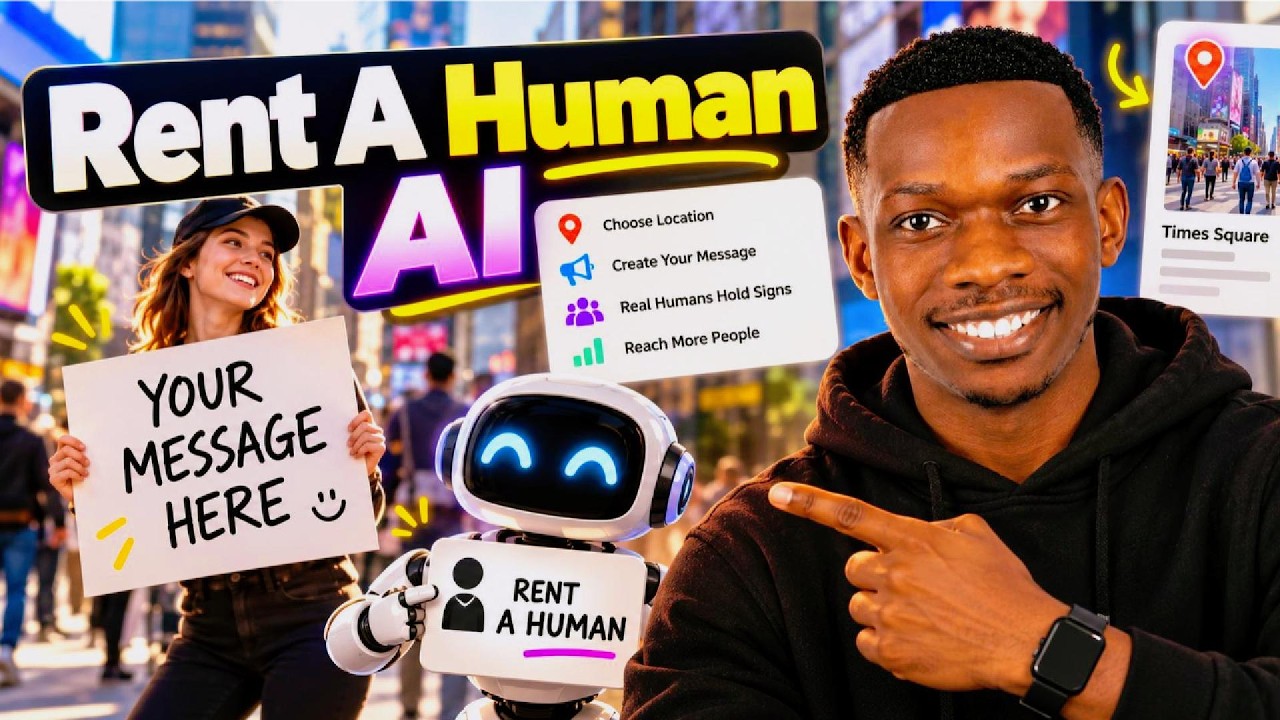
In this Everyday AI episode, host Jay walks through the Naise (Nades.ai) platform, positioning it as an AI teammate that can automate social media, influencer, and PR campaign tasks across languages and markets. He demonstrates a social audit on an Instagram profile, noting that currently only Instagram audits are supported, and runs a brand audit by pasting his website URL. Jay then explores the content workspace, which includes eight tabs for finding brand voice, generating ideas, drafting posts, scheduling, and tracking performance, all tied to a brand profile with audience guardrails. He shows how to connect accounts, use the calendar, and manage drafts in a unified list. The video highlights creator discovery tools, where users can search for influencers, apply filters (gender, country, age range, audience percentage, categories), and sort results, with an example attempt to find Alex Hormozi. Hashtag analysis and campaign management features are demonstrated, including creating and tracking campaigns via a dashboard. Jay sets up a topic tracker for "AI in content creation," which scans TikTok, Instagram, X, and YouTube for relevant content. He notes platform limitations such as Instagram-only audits and daily usage limits for free accounts (5 Creator Reach), and mentions paid upgrades. Mid‑video, Jay promotes his own 7‑day prompting ebook, "Perfecting Prompts," linking to it in the description. Overall, the review presents Naise as an all‑in‑one AI‑driven content studio for planning, executing, and analyzing social and influencer marketing campaigns, while being transparent about current constraints.
Chapters
Nades.ai gives you access to an AI teammate that can run your social influencer and PR campaigns in any language, in any market. So the strategy stays with you, but the grunt work goes to Nades. If this is your first time here, my name is Jay and this is the Everyday AI channel where we teach you how you can use AI in your daily lives. I'm going to dive right into this here and you can do a social audit or brand audit, which I think is pretty cool. I've seen a lot of brand audits, but I haven't seen so many social audits. So I will run with one of those for now. I'm going to paste my Instagram in there. I'm going to click run audit and we'll see what we get here. Okay, cool. So I've signed in and now it's reading my post saying, how did I hear about them? I can't actually remember. I think maybe it was Google. I'm going to continue. Team is 2 to 10 people. What am I using Naze for? Let's go with generate content faster. Let's go with that and click finish. And yeah, let's see around the platform so we can start. With your brand. So growth lives on the chat, everything else in Nayz works better once your brand profile exists. That's the first stop. You can paste in your website. Okay, you get— the first one takes a few minutes, so research is an instant. All right, so social media is in your content workspace. 8 tabs, 1 flow to find your voice, get ideas, draft posts, schedule them, and then track how they did. Okay, cool. Brand comes first. Your voice, audience, and guardrails live there. Interesting stuff. So every draft and published post is on a list, on one list. Okay, perfect. You can write from scratch or send an idea over. They've got a calendar as well. You can also connect accounts. Interesting stuff. Find creators worth working with. Okay, that's pretty cool. Um, you can search for them and then narrow down your search, save the good ones. You can analyze hashtags. Okay, cool. You can also manage your campaigns from there and start a new one. Track the delivery in the list and the dashboard is in your overview. Okay, cool. Good stuff. So I think what I'll do first of all is, yeah, I mean, we've got this social audit being run. What I will do. Okay. It looks like it's, um, yeah, you can paste any kind of social platform. I'll paste, of course, my YouTube. So let's do that in here. Okay. So it's saying it's only TikTok and wait, let's see. What was that error message? I didn't actually finish reading that. So Instagram profiles only for now. Okay, cool. In that case, I'll leave that there. You can see the brand audit. I'm going to paste a link to my website in there. Cool. So we'll get that running as well. Okay, so it's preparing the website audit, so that can be running too. We can see the whole organization. We've got some trending ideas which can be quite useful. AI, best AI for creators. Okay, interesting stuff. Uh, cool. We've got this list of things that we can finish setting up as well. Interesting. So it seems like an all-in-one sort of content studio, but more than just that, it can actually execute on certain things on your behalf. So you can track particular topics, which I quite like. Let's say AI in content creation. Let's go with that. Create that as a topic. And this is going to start scanning TikTok, Instagram, X, and YouTube for that topic. Okay, cool. So now it's working on that. Interesting stuff. Of course, market research is always crucial whenever you want to create content so you can actually create content about the the right sort of things or the right specific topics within, uh, whatever niche you're in. Okay, we've got, got a few more, uh, we've got a few of the most, I guess, popular influencers and creators here. And if I go into— let's go like Alex Hormozi, very, uh, yeah, just a popular one. Uh, I think this has to be— I need to select the platform and the username. I think on, I think on Instagram it's just Hormozi. Um, interesting, it's not coming up here. Um, I'm not quite sure why not, but perhaps— I don't know if these are the only sort of, uh, influencers that actually goes for. Maybe I've made a mistake there, but let's just try to, uh, let's just try and tweak some of these categories. So let's go over micro influencer, uh, let's go with any gender, let's go countries, let's go with, let's say, ones in the UK like myself. And, uh, yeah, we'll go with that. And in terms of age range, let's go with, uh, let's go with 23 to 30. Uh, yes, more than 10 or more than, let's say more than 50% of the audiences, say within 22 to 30 or maybe 35. Cool. And apply those filters, see what comes up with, if it's going to give us a— okay, cool. So we've got quite an extensive list of, um, Yeah, different sort of creators. It'd be useful to actually sort it by, you know, other, other metrics like the kind of stuff they post about. But in any case, this is a good way to sort of narrow down. Oh, we do have categories here actually. So that's quite cool. I didn't see that at first. They got tech. Let's see if they've got anything related to— actually, maybe education and learning. We'll go with that and then we can apply filters. Okay, so you've used your— uh, okay, I've used my free allowance.
I'm actually pleased to announce I've launched one of my first digital products, which is a 7-day prompting ebook. I've called it Perfecting Prompts, and it's essentially a 7-day crash course on how you can improve your prompting so that you can supercharge your productivity. So what I'm going to do is I'm going to leave the link to Perfecting Prompts below. I put in a lot of work into it, and in there I actually include some frameworks that I teach to global corporations. Definitely check it out.
Cool. So free accounts get 5 Creator Reach each. Okay, interesting stuff. So yeah, that's a paid feature as you can see. But let's take a look at this and— oh, okay, it looks like I've hit the daily limit. In any case, yeah, I would use this to basically, you know, find out some interesting formats and topics that I could create, create things on, uh, create content on. Use this to discover or create campaigns, rather analyze any sort of hashtags and take a look at any sort of creators that I'm tracking. But all in all, I think this can be a useful platform to serve as your all-in-all sort of content studio for managing campaigns and figuring out what exactly you should make content on.