How to go from Piles to Productivity Class | Lisa Woodruff | Organize 365
Lisa Woodruff teaches her color-coded productivity system using the Corporate Work Box: gather all income work in one place, set 1-3 weekly goals, block time on your calendar, and do a Friday review. She promises up to eight saved hours per week and covers boxes for entrepreneurs, teachers, real estate agents, and other roles.
Chapters
Hey everyone, we're going to get started with the From Piles to Productivity masterclass here in a few minutes. This is Lisa Woodruff. I want you to go ahead and find the chat. There is a chat feature. Go ahead and find that, open that up. And make sure that you're going to send your response to all panelists. And attendees, and I want you to tell us, where are you joining us from? Obviously spelling is optional. Hi from Ontario and Dallas. Des Moines, Iowa. That is where my grandfather is from. Still have a family farm out there. I have no idea where it is. Houston, Montana. Another Des Moines, Iowa. You guys should be friends. Rhode Island, North Carolina, Dallas. Great. It should be going to all panelists and all attendees. If it only says all panelists, then your question's not going to get answered later because Emily Kelly is going to be joining us. And she will not see your question if it only says to all panelists. I am the only panelist. So we have Missouri, Tennessee. I love Nashville. All right, let's see if I could find Emily. Welcome to this webinar. Thank you so much for joining me. Yes, you'll be getting a replay at the end, so you don't need to worry about that. This webinar is for From Piles to Productivity. We're going to talk about what do you do with all the paper piles that are associated with your work and how can you become a more productive person. My name is Lisa Woodruff. If you have not met me before, or if somebody gave you this link to start this webinar with me, I have a podcast called Organized 365 and I help women get their home and paper organized in 1 year with functional organizing systems that work. I have 2 kids. My daughter doesn't like to be photographed as much as my son does. This is our son. He graduated from high school last year and he's going to a trade school for audio engineering. Our daughter is a junior and I am currently homeschooling her. She's getting science experiments ready in the other room. I have a couple of podcasts. The Organized 365 podcast is the oldest one. We will be hitting 4 million downloads in the next 10 days. I'm super excited. I also have a podcast just about organizing your paper. A couple of the things you're already mentioning in the chat are for household organization paper, that's the Sunday Basket. And the Sunday Basket podcast is 28 episodes. They're super, super short. You can literally listen to the podcast, follow along, and get all of your household papers organized and under control. I also have a couple of Amazon number one bestselling books. The first one I released in 2016 about the mindset of organization, and specifically in this Book, I'm talking about the fact that, first of all, your mind has to be right about getting organized. And then secondly, there are different phases of life that you go through in your house, especially if you've lived in your house for 10, 15, 20, 25 years. You'll notice that the organization you put in place when you moved in or 10 years in or 15 years in really does not work for everything. So your phase of life changes. And as your phase of life changes, then you have to change your organization as well. Okay, I think I allowed you to talk, Emily. Emily, are you there?
Yes.
Yeah, great. Okay, Emily is our Director of Marketing, and when we get to question and answer times, she will be looking at what you have in the chat so that we can talk back and forth. Make sure that when you put something in chat, it says to all panelists and attendees. And thanks, Stacy, for the 4 million downloads. I'm really excited. Wait till you see what I do on my Instagram story when that actually happens. So anyway, there are these phases of life, and often you may feel like you're really organized with home and work, and right now you may feel out of balance. It could be that you're changing phases of life. The next thing— the next book I wrote was How ADHD Affects Home Organization. So How ADHD Affects Home Organization really studies the prefrontal cortex of the mind and the 8 executive functions that our brain does for us. I know it sounds like I'm a scientist. I'm not. I'm just a wacky researcher with 2 ADHD kids and just a love of researching. And I really have understood now how our brain can defeat us when we go to get organized. And we're actually all a little bit ADHD. So this book really dives into the mindset of getting organized. Now stay, stay on with the end because I want to do the question and answer part at the end. But also, you're going to be getting in your email inbox. You don't have to search for them anywhere. Wherever you registered, you're going to be getting these printables at the end, and this will help you organize your calls and your tasks. And it's really a great way. It helps you a lot with any nine to five type business in your work box. All right, we're going to talk about creating systems that really help your life. I am a functional organizer. If you're looking for Pinterest. Perfect. If you're looking for, you know, like every single thing color-coded and your to-do list all being checked off, that's not reality. That's not the kind of organizer I am. But the systems that we have are really going to improve your life. And we have specific products that will really help you get more productive as you use the system. So the systems will help you get you organized, and as you use them, you will go deeper and deeper into productivity. So our agenda today, we're going to talk about paper disorganization in the workplace. And it's okay if you work from home. I work from home, but we do— this is for people who have a paid working job is primarily who this is going to speak to the most. Common workplace organization challenges, like in working not by yourself, not as a solopreneur, when you're working with anyone else, you're just going to have things that happen that come up. And what are those workplace challenges? And how do you juggle them all? Best practices for workplace organization, like what's one system that everybody can use that will actually work? A complete approach to organization, how to organize your work and yourself, because sometimes we're the rabbit that we have to get back on the right trail, right? And then we'll have a nice long question and answer session. All of that will be recorded. Did you know that office workers waste an average of 40% of their workday. And most of that is because we don't prioritize and we don't organize our tasks. And I'm telling you, if you're working from home, it's the same thing. I find myself doing it any day that I don't have a prioritized list or plan the night before. I can easily waste 20, 30, 40% of my time just figuring out what to do next. Actually, the whole half an hour before this webinar, I didn't get anything productive done because I didn't have anything on my list to do before this webinar. Which is okay, but it is wasted time. So if 43% of Americans categorize themselves as disorganized, I want to know, do you feel like you're disorganized at work? Go ahead and type it in the chat box. Do you feel that you are disorganized at work? And if you don't feel you're disorganized at work, do you feel the people around you are disorganized at work? Sometimes you're like, I'm not disorganized, but the rest of these squirrels need to be lined up or something. OK. Yes, yes, no. Lots of exclamation marks. I love it. Oh my gosh. Emily, this chat box is very distracting. I like reading all of these. You have the fun job.
Right. Thank you so much.
OK. Room for improvement. Emily, you read these better than I do.
Yes, yes, yes, yes, yes, yes, yes, yes, yes.
So true, so true. The whole entire chat is saying we have a hubby who's challenged.
We always get that answer with the hubby being the hangup. But there's a— I mean, it's 98% yes, 2% no. And it seems like a lot of people are struggling with the people around them.
Yeah, people dumping things on your desk. The boss— I am the boss, by the way— the boss coming in and getting you derailed. I know I do that to my team. Like, even sometimes as I'm doing it, I'm like, oh, I'm totally gonna take their train off track. It's really a bad thing. You know, it's really hard when you are the boss that understands productivity, because then sometimes you don't give out tasks because you don't want to ruin their productivity. So anyway, I think we're all in the right place, right? Here are some things that you may not know, some statistics you may or may not have heard before. 15%, 15% of all paper handled in a business is lost. All of it is lost. Like, it's gone. You're like, great, because I never print anything out. Well, that's no good either. 30% of your time is spent looking for things. So I often say to household owners, 55 minutes per day is spent looking for things in American households. Well, in work, it's worse than that. It's 30%. Where did I put that paper? What is that note? I did— I had it here a minute ago. How many times have you said that? Did you know 95% of all information is still processed in paper forms, with employees printing an average of 45 sheets of paper a day? I know I do that, and I'm actually going to encourage you to keep doing that. That's why any WorkBox that I sell is designed for paper. We think in paper. It has been statistically proven that you think differently when you write something with your hand. You process something different on a printed piece of paper. Than you do if it's on a computer screen. A few more statistics for you. These issues are often overlooked because time and require— nobody knows how to train you. That's really the bottom line. Here's why it's overlooked. It's like, okay, great, we're going to buy this whole new system. We're going to spend $1,000, thousands of dollars. We're going to get this consultant. Everybody's going to be on Workforce, Asana, whatever it is. And we try to put these systems in place. That are going to organize our work, but it never works because we spend so much time learning the system and trying to put everything in the system and following the system and not as much time working on the actual work. But I have great news for you. And the great news is organization is something that you can learn. You just probably were never taught it. And I love this. I quote this quote like daily, practically. For every minute you spend organizing, you get 3 to 4 back in planning, in productivity, and not looking for things. I promise you, promise you, promise you, if you put a WorkBox into place, any of the, any of the WorkBoxes into place, it will take a while to get it started, but you will immediately the next week notice a 1 or 2 hour extra hours that you have because you had planning. And the more you do it, the more time you will end up getting. It is amazing. It's like magic. So people say you can't buy time. I completely 100% disagree with this. I think you can totally buy time if you plan. Planning is how you buy future time. So we're going to look at 5 things in the workplace that are causing you stress and challenges and how this specific WorkBox addresses all of them. And they are time, ineffective workflow, lack of prioritization, Lost ideas and stress and anxiety. So we're going to take these one at a time, starting with time. So how many times do you feel like you're chasing your tail because you don't have any planning and you don't have any time to plan? Like, yeah, yeah, this is all great, Lisa. I'll take the time to plan when I have time, which is right, never, right? It's never— you're never going to have extra time. And we don't want to take work home and we don't want to spend work time working. And home time working, but we do, like we just flat out do. So if we're going to spend home time working and work time thinking about home, let's start to find a way to at least put the majority of our work time at work and the majority of our home time at home. So this is the Sunday Basket for home. We go through it on at home. If you've never heard of the Sunday Basket, there's another masterclass. We just added it today. You could sign up for that over at organized365.com/masterclass. But the Workbox, the specific Workbox we're going to talk about today, is where all of your work is going to go. And the beauty of this is the majority of time that we think about is not the physical, like, I have to do this paper time. It's the, did I put that meeting on my calendar? Did we order more pens? I wonder where we are on that project. Like, you're just thinking about— you don't even know where things are in your business because— so you're spending a lot of your time just thinking about Are things even on your to-do list to begin with? So we're going to eliminate that part of the time. We're going to have one box where everything goes in, like everything that we have is going to go in this one box. And Friday at 2 o'clock— you could pick a different time, but if you work 9 to 5, do it Friday at 2 o'clock— you're going to empty this entire box. And at that time, you're going to see we need to order more pens. That's fine, because pens are not that urgent. People can use the same pen all week. If the note you were telling yourself is to order more toilet paper, I would like you to stop and do that immediately. That does not go in the work box. So the one rule is, if it goes in the work box, it can wait until Friday. Because time is our most valuable resource. Would you not agree? The fact that you're giving me 90 minutes of your time is amazing. It shows that you are very committed to changing, that you want more productivity, and you believe that I can give you the answer. The average person has 36 hours of work on their desk. Would you agree that you have 30— I have 36 hours of work on my desk just in my book proposal alone. Like, we have 36 hours of work on our desk and we spend 3 hours per week sorting piles to find the next project to do next. I want to say to you, if we're going to spend 3 hours sorting through this paper anyway, why don't we spend that 3 hours doing a system that is going to sort through it but is going to give you time back the next, the next week? And here are a few more statistics on that. I just love all the statistics about time because I think So often time and money are like a yin and yang. Sometimes you have more money, sometimes you have more time, sometimes you think you don't have either, sometimes you have both. Very few people have both. Most of us feel like we have neither. But it is a yin and a yang, back and forth. And too often we equate money over time, like, well, I'll save that, that 50 cents by— or that $5 delivery charge by driving to Staples myself. Would you please pay, you know, Order another toner and get it delivered for free and save yourself an hour of driving. You know, like, time and money are not equal. And I think we need to start prioritizing our time. When we prioritize our time, we will increase our income. As you can see, I really like time quotes. All right, our next thing is ineffective workflow. And I think this is the big thing. A lot of you have already touched on that. 2 things happen with ineffective workflow. Number one, you have ineffective workflow and you sit down and you get ready to do a project and you go, oh, I don't have all the pieces and parts for this. Like, for example, you're going to get a little printable in your email. That's called a lead magnet. Whenever I have a printable to give out to my team, I send an email over to my graphic designer to make the printable. And then I tell my virtual assistant, Pat, my executive assistant, Pat, I say, hey, Will you make that a lead magnet? Forgetting that in order to make it a lead magnet, she needs like 8 things. I never give her the 8 things that she needs. So now she has a little checklist and she's like, great, I need these 8 things if you want this lead magnet. So she's doing great at her job. Like she sits down to work on it and she realizes the boss has only given her 1 out of 8 pieces of information. So you're ready to get started, but you don't have everything you need. The next thing that happens with workflow is You're doing just fine. You do have what you need and you're working on it. And then the boss or somebody else comes in and they're like, hey, did you know that we need— we have a newsletter that's going out tonight. We don't even have it written yet. Or we just got a new sales order. I want you to drop this and move on to the next thing. So you do, you drop this to do what they need to do and you never seem to get back to your own project. So the workflow of being able to get your work done in a timely manner with all of the stuff you need without stopping and starting all the time. Is a big struggle whenever you're working with a team. The next one is lack of prioritization. We often— I mean, just even before this webinar, I was like, well, I've got 15 minutes. So you know what I did? I did exactly what you do. I checked my email. There was no new emails. There were emails in there I was supposed to reply to. I was like, yeah, I don't really want to do that yet. So I checked Instagram because I'm the boss and I can. I checked Instagram. I went downstairs. I let my dog out. Like I got nothing done during that 15 minutes. However, all day long I've been checking off this little this checklist, and all day long as I've looked at my list that's told me what to do, I've gone from one task to the next just fine. But because I didn't have something on my list, I was totally clueless as to what to do next. So I totally wasted that time. And it's not just that we're wasting that kind of time. Like that's okay. It was lunchtime anyway. I had lunch in like 10 minutes. I can take a 25-minute lunch if I want. That's not really the issue. The issue is there are some big things I should be working on, like even if I just printed out the most recent draft of my book proposal so I'm ready to read it later. That would have been a better use of my time, but I wasn't thinking in that prioritized order. So being able to think about what is the big thing that you're working on, and I am usually only working on 1 to 3 things each week. This week it was this presentation. My book proposal and the special thing we're coming out with in March, which I keep almost giving away, but I haven't done yet. If you know your top 1, 2, or 3 things you're working on this week, then when you have that extra time, you could be like, oh yeah, the book proposal. I can at least print out so that when I'm ready to edit, everything is already printed. Here's a big one. Here is a huge one. Loss of ideas. And then these can be ideas from I think we should move different states and become a corporation and have a new warehouse structure to we need more toilet paper. Like, literally every single thought that goes through your brain is an idea. And some go through your brain and go out the other side and it's no big deal. The problem is the ones that need action, the thoughts that need to have action on them. Like, um, just anything, anything that you're thinking about, you're probably thinking about a lot of things right now. And you can Write those down as things that are ideas. When we put these ideas in a box, what we do is we say to our brain, oh, that's a great idea. I will think about that later. We write it down, we put it in the box. So we're training our brain to keep coming up with good ideas. That's great. We will look at all those later when we have time to look at them. That's a great thing to tell your brain. The other thing we're saying is, I'm not determining if this is a good idea, if this isn't a good idea, if I should get budget approval for this, anything. I had a thought. I had a thought. I had a thought. What happens is when you start to write down all your thoughts and you sort them for home and work in these 2 boxes. Your thoughts start to get better because when you get to your box and you start pulling out your index cards and they're like, give the dog flea medicine, buy toilet paper, buy milk, you're like, okay, that's a grocery list, basically. Pretty soon you're going to have really big thoughts along with those little thoughts. Your thoughts will get better and your brain will start to trust That the thoughts it gives you, it will give you more of. And you could just put them in this box. And if it can wait until Friday, or if it can wait until Sunday in your home box, you just go through with that. So what I love about this system is it's not just your actionable to-dos, your texts, your emails. It's those ideas. It's the thoughts that you have. It's when you're driving home, you get this great idea for this campaign for a product that you're selling. Any of those ideas you have can be captured. And then they're saved for a week. And at the end of the week, it's real easy to look at 100 ideas and quickly toss out 50 to 75 of them, save 10 for later, and then take 15 that you think are good enough that you should take to the team next week. Stress and anxiety. Type in, type in the chat. Does anybody have any stress or anxiety?
Do you?
Tell me about it. There's nothing going on in our chat. Yes, you have stress? None, LOL. A wee little bit. That must be our Irish friends. A wee little bit.
Oh, this person says nope. God bless you.
Would you like to take over teaching the webinar? Yeah, let us know.
Are you zen? What's up?
How many of you are actually multitasking while we're doing this webinar, like checking that off, checking off, organizing the drive? Box, opening mail. Hmm, how did you know?
Oh, thank God this person was just joking.
Can't you feel this lady's stress? Like, this picture, I'm like, oh, I want to give you a hug. You need to be embraced. Like, that is how we— we as women, it's like we're nurturers. And I don't even think I'm that great of a nurturer, honestly. But just in general, like, we take on way, way, way more than we do. Then we can, right? We just say, yeah, I could do that. I could do that. I can do that. Did you know— I'm sure you knew— there's a lot of research coming out right now that clutter actually increases anxiety and cortisol production. And I would say if they did a further study, they would find out that paper is even worse. Like, I think the fact that you walk in and there's so much paper on your desk at home or at work or wherever it is, it's overwhelming because at least if you see a cluttered room. You could say, hey family, get in here, we're cleaning this room. Let me know if that works for you. It never works for me. It's always me. But when you're getting in there, like, and you get the physical release, and when you're done, you look at the room and it is organized. So you can at least get the endorphins. And as you get organized with the 100 Day Program, like, you start to see progress, like it's getting more and more organized and these rooms don't need to be decluttered and organized as much. But when it comes to paper. Then there's more and there's more and it's coming in so many different ways and it causes so much anxiety. Whenever I'm getting ready to do a big project, I sit down and this is what I do. I say, okay, okay, okay. Used to be when I was a scrapbook consultant and I would go over to somebody and they'd be like, can you help me sort these pictures? I noticed I would say, okay, okay, okay. And I'd keep doing that until I got started and I started to say, okay, we've got baby pictures, teenage pictures, Christmas pictures, or we have You know, 3 years here, we have 1 year and we're gonna divide it out by months. Like, how am I going to tackle this project? And when you sit down at work and it's all paper, like, how do you even— how do you even get started? We just get really triggered by all of that stress. Okay, so tell us in the poll, what are your organizational challenges? What holds you back from being as organized as you'd like to be? And how is disorganization impacting you? We're going to search through some of these and read them. So go ahead and take a few minutes. Specifically, after I've gone through all this stuff and now you're like, great, Lisa, I'm more stressed than I was when I came here. Like, if you could put it into a sentence, what is it that you, that you want to fix? So somebody's saying health, like it's impacting your health. They're saying sitting is the new what, Emily? Whatever.
I don't know, but our little Sunday Basket Workshop organizer from Canada, shout out to you, Maya, is taking on the same track that you always say. September brings her back to childhood. Paper reminds her of school paper. You always say office supplies in September.
True, true.
Systems, systems, systems. Well, that's what Lisa's for.
I love this. I'm navigating through the insanity that is a hospital while watching and listening to this with earbuds in. People are looking at me and think I'm nuts. You know what's even worse, Maggie, is when you're recording Facebook Lives and you're just walking through life in the middle of Home Depot or wherever and people like look at you and you just keep recording. It's awesome. I love it. It's hilarious. So many categories. You find one, Em?
So much to do. Overwhelmed. The paper, the paper, the paper. Somebody works at home, so everything's scanned and emailed. So they do everything digitally. And I think that's a good That is awesome for you.
You know, if you, if you have figured out digital, that's awesome. That's like the step beyond me and I don't comprehend. So sorry, I can't speak to that.
Well, your email box to zero in the All Access, you know, they're like 8 people in there. No, I mean, you teach people how to do that.
Yes, I do. I do. Your personal, with your person. I love this one. The influx of information through multiple channels— email, paper, meeting notes, etc. That is why I like the Corporate Workbox or any Workbox whatsoever, because if it's an email, I'm going to tell you to print it. If it's paper, it's already paper. Meeting notes, Post-it notes, cards, they all are going to fit in this system. So we're going to get all of that stuff printed in one place so that we can spread it out and look at it. Like, if you're looking at an email and a paper here and a note over there, like, your brain is seeing that as 3 different things. And have you ever heard of task switching? Like, there's task switching. Again, I don't know if they proved this. This is why I want to get my PhD so I can prove all this stuff. I know that if I'm looking at a piece of paper on my desk and email and Post-it note to-do lists over here, that's 3 different ways of taking in media. Whereas when I grab one of these slash pockets out and I'm looking at everything's in here, even though I have a Post-it note and I have printed papers and I have emails and I have postcards, I have all this stuff. I spread it out like you're doing a research project in 8th grade back in the '80s when we did not have a computer. And you're looking at your index cards and all your papers and everything, and you can move it around. Like, you can literally take this and move this over here and change the stacks and reorder the paper. So you can reorder what you're doing. I can't do that digitally. That's what I have trouble with digitally is I want to reach out there and I want to move everything physically around, and I can't do that yet. Love the standing desk.
We had somebody in Greg's category. They gave him a box and he— she said it just sits There.
Yes, Greg is too organized for even the box. Inconsistent schedule is huge. This will work with that. Other people interrupting us. 8 locations, 8 different locations, having to be portable, it's a huge problem. Anything else? And there's a lot in here.
No. Yeah, IKEA and the standing desk. I worked for a man who had his desk on— it was attached to a treadmill. He'd stand up there and make his calls on a treadmill with the desk attached.
Yeah, that's what a standing desk is.
Engineer.
Yeah, it's really cool. Alright, so remember when I said that organization can be learned? Well, now we're going to start learning it. I want you to think about having one box to put all of this paper in. We're going to take all the paper off of your desk and we are going to put it in here. I'm going to show you how we're going to categorize it and how it is going to Change the way you do your workflow. The corporate work box manages your actionable to-dos, helps you plan your week, emphasizes your priorities, sets your goals, and helps you track and implement ideas and projects. So why does this work? This works because there's one place to put everything and you go through it once a week. If you can't go through it on Friday or Saturday or Sunday or whatever, if you can't take the time to go through it once a week. Then the system will not work. And I will tell you, there will be seasons where you need multiple boxes. When I was in— all the Friday boxes come with a Facebook group that I'm in every other week and I answer your questions. And there was someone, she has like 150 clients and she's in busy season or whatever. And I actually said, I think you need 12 boxes. Like, you need one system plus 12 boxes, like a box for every single month, because she has different clients who have their year-end at different times of year and need different actions. And she's going to have the slash pockets of those people in those boxes. Now you may say, I'm trying to get digital, I'm trying to get paperless, I'm trying to have less boxes. How's that? First of all, how's that working? It's not working for me. If you look behind me, I have 4 boxes there. I have one here. I have one in this drawer. So I have 6, like I have 6 boxes, but my house functions really, really well. It runs homeschooling, a corporation, my entrepreneur ideas, a coaching program I'm in. And my Sunday basket, and a couple of those have 2 boxes. That's why we have more boxes. So don't worry about the number of boxes right now. Just think about the flow. This box will teach you the skill of organization and give you a place for everything. We already covered that. We want it to be on your desk. So get a color that you like so it's on your desk and it can act as like a fun place to put all of your ideas in. We want you to do this on Friday at 2 o'clock. I have found personally, by the time you get to Friday afternoon, I don't know about you, but my brain is fried. I like to review everything I've done over the week, make sure there aren't any meetings I was in or webinars I was on that I didn't follow up, send any follow-up emails. I like to send emails on Friday to plan my next week. Like if I notice I'm meeting with someone on Tuesday, I'll send them an email and say, hey, we're meeting on Tuesday. That's when I find out if we need to reschedule any of those things. Friday at 2 tends to be a great time because everyone you email is also just refreshing their email, waiting for it to be 5 o'clock and to move on to their weekend. The Corporate WorkBox and our Sunday Basket use slash pockets, and we divide things into slash pockets, papers, active paper, and archival paper. A slash pocket is a plastic binder insert with a tab on it. Like, it can go in a binder. It has 3 holes so that it will go in a binder. But we don't use it in a binder. We put it in a box. It's see-through, it's portable, so you can see what's inside of there. I love that. When I was using file folders, things would fall out of it. This is sealed on 3 sides, so nothing falls out of it, and you can move them into binders later when they become more archival paper. Active paper is anything that's not finished. 85% of what you are doing in your business is papers that are not finished. That's why they're on your desk. You have them on your desk so that you don't forget to do them, but they aren't even due for 3 or 4 more weeks, but you don't want to put them anywhere else because you might forget them. We're going to solve that problem. And then archive paper is paper that's a completed project. It's a completed something. You don't need that anymore. You would have in the past put it in a filing cabinet. Maybe you still do, or maybe you use binders, or you can scan it and digitally store it, but it's something that's done. It's complete. You are only going to reference it if the client needs it again, or you're going to do another project like that in the future, or you need it for an IRS statement or something like that. We're not going to address archival papers in this. So how does the corporate WorkBox system work? This is for actionable papers only. You have 2 sets of rainbow-colored slash pockets and then one set of a set of 20 Solid color slash pockets. So the first ones are 1.0 slash pockets. They're called 1.0 because I bought them first because I had to manufacture all this stuff, you guys. So the 1.0 slash pockets are labeled Monday, Tuesday, Wednesday, Thursday, Friday. And then we also have a couple of actionable ones, but Monday, Tuesday, Wednesday, Thursday, Friday are mainly how you're going to do the first 1.0 slash pockets. For the majority of you, you're actually not going to put anything in these slash pockets.
What?
Yeah, you don't want to fill these slash pockets. These are for like, I have a meeting on Tuesday and I want to remember to, you know, ask Emily this question. So I'll put a note in there for Tuesday because I'll check my Tuesday folder. But none of your ongoing projects or anything going to go in these slash pockets. The other thing that you might have in the Monday through Friday slash pockets are any repetitive tasks that you do, like every Friday I check inventory, I reboot my computer, I check to see if The bathroom needs any supplies, whatever. If you have like a checklist for Friday or checklist for every day of the week, you could put your daily checklists in there. That's pretty much what's going to go in your Monday through Friday. The beauty of these systems, this system, are these solid colored slash pockets. So here I have, I'll show you my purple ones. These are my personal. But you have 4, 5 slash pockets that are all the same color. They don't make these any other place. You have to get these from Organize 365. I had to manufacture these this way. The beauty of this is you need more than one pocket for each color. And when your mind sees all 5 of these, it thinks one thing. If these were all rainbow colored, your mind would think 5 different things. And these colors are going to flow through your workflow. The WorkBox is going to give you workflow. And every WorkBox is designed for whatever workflow you have. So I know we have some teachers on here. The teacher workflow is totally different than more of a Sales workflow. The teacher workflow is— I'm gonna forget. Emily, can you look it up? Can you grab that and find out what the pink, purple, and blue and green are?
Sure.
For everyone else, for entrepreneur, direct sales, corporate, realtor, they're all very similar. Pink is going to lead to purple, purple is going to lead to blue, blue is going to lead to green. It's like a circle. Pink is your new leads, your new projects, your new ideas, your marketing, your social media, your outreach, like, hey, I'm in business, work with Me, do something with me. It's going to look differently depending on what you're in. Like, if you're in direct sales, it's going to be mostly social media and getting people to book a party. If you're in corporate, it could be your next brand initiative. It could be the next partner that you want to reach out to. It could be the next person you want to hire. If you are in— where are some of the other things I had written down? If you're in administration, it could be like, we have a new director of operations. She is figuring out new systems for our business. She's researching those and bringing them to me. Nothing in pink has been greenlighted. Nothing in pink has any money behind it. It's all organizing your ideas. You have a whole set of 5 slash pockets to organize just your ideas. For an entrepreneur, a lot of your WorkBox is going to be pink. And you can order more sets of slash pockets. So personally, I have like 15 to 20 slash pockets that are all pink. All these ideas Lisa wants to do next. I don't have any team members working on those. I haven't spent any money working on those. I'm still deciding if I'm going to have enough energy to work on those. An entrepreneur is going to have a lot of pink. A salesman is going to have a lot of leads, a lot of pink. The next color in the pipeline is going to be purple. Purple is where the most of the revenue comes in in your business. This is for current projects that need to be finished. This is for current clients, paying clients. These are for booked parties if you're in direct sales. These are for houses that you have actually listed if you're in real estate. It's for anything that is, okay, this is a go. Like, we are actually gonna put all of our effort behind this until it is complete. And then blue, this leads to blue, 'cause if you do purple really well, you're gonna need blue. And blue is your team. So that's what I have right here. These are my current team members that I meet with every week, and they each have a slash pocket. So I could put Post-it notes on the top and print out things and just sort them in here. So when I have a call with anybody on my team or I meet in person with anybody on my team, I've been compiling in there everything I want to say to them. So here's a cool thing. Start this way. Get one slash pocket with your boss's name on it if your boss is the one that's driving you crazy. And every time they come in to drop off something to you, they say, oh great, I have a list for you. Grab the slash pocket. And then you say, can we order more toilet paper? Yes. Okay, can we do this? Yes. Can we do this? So instead of them interrupting you and then you interrupting them every time you need something, you stop interrupting them. And every time they come to you, say, oh great, just wait one second. Okay, 1, 2, 3. And you might not have a question, but anytime they interrupt you, instead of seeing it as an interruption to your day, I want you to start thinking of it as Oh great, they want— we're going to talk about lists for each other. Great. This is my list for you. You have a list for me. And at least that'll keep your workflow going when you have something that you need from them. And it'll start to train you to wait. Wait, your boss could be an entrepreneur like me. They don't know how to wait. Like, they have a brilliant idea, they have to share it right now. And they need to act on it right now. And so you're learning patience, you're learning prioritization by writing it down. If you don't need to email them or ask them, start making a little Post-it note and every time they come in, say, oh great, I was just wondering 1, 2, 3, and then off they go. Maybe they'll stop coming in because they don't want you to ask them any more questions. Whatever it takes. That's all I have to say. So if you are a manager, this is where you'll put people that you are managing. If not, this is where you're going to put all your personal development, any CEUs that you have to earn, any meeting notes. Anything corporate related that you need for your corporation. Like if you are, you know, if you're a real estate agent and you have an agreement with Comey Shepherd or Keller Williams or whatever it is, any of the upcoming information from that or newsletters would go in blue. And then green is for money. This is where any of your repetitive tasks would go, any financial that you need to do, mileage tracker, all of those things, money and administrative tasks. Emily, were you able to find the teacher thing?
Yes, sorry, I posted it in the chat. The teacher workflow is pink professional development, purple is students, blue is school, and green is papers to grade. And we have someone whose name starts with a C that wants to know, would pink in the corporate box also include professional development, or would that be blue? Just interrupting because you're my boss.
No problem whatsoever. Yeah, I couldn't remember. So So for teachers, it's you, you invest in you for pink. Blue, again, is your biggest, you know, moneymaker is those kids. So that's your main part of your job is purple. Blue is anything administrative or school-related. And instead of green for money, we have green for grading. You could change that to something else if you want. What was the second thing you said to me that you were interrupting me about?
Sorry, would pink in the corporate box also include professional development, or would that be blue? One of our attendees.
It's going to be blue. And the reason why I'm going to be a stickler on this is because if I let you have pink be anything other than leads and ideas, you're going to suck it up. If you're not naturally an idea generator like I am, you're really great that I'm reading this book. That's one label. And I'm taking this class. That's one label. And you're not going to have any room for leads. And in order for a company to be exceptional, everyone in the company has to be coming up with leads. Like everyone in Organize 365 contributes to the awesome products that you see. I would be nothing without our team. Like Every single person on our team is always coming up with ways for us to save money, to provide better for you guys, to innovate our products even more. Like, every day everyone on our team is giving me ideas for making Organized 365 better. So making pink be leads and idea generation causes you to allow your brain to come up with those things. Anything else you see coming up over there in the chat, Emily?
Nope, that's it so far.
All right, great. So I want you to just see this flow of colors, and I'm going to run through a couple of different scenarios as to how much time you would spend in each of these colors. Doesn't mean how many pockets you have. You can have 42 of each color if you would like. But once you sit down on Friday with your pockets and there's too much to get done in a week, because I think it's hilarious, you guys think you're going to get any of it. You're not going to get it done. You're not gonna get it done. You have to prioritize. So how you prioritize is different in your time. So if you are a project manager, like your job is to project manage or manage nurses or whatever like that, you'll be spending about 10% of your time doing ideas or generating leads. 80% of your time will be purple. So everything you're doing is purple. You have 5% maybe team and 5% Green. If you're in administration, so you are not a project manager, but you are a manager, then you would be spending 5% in pink. So 5% in leads and generation because you already have the people that you have to manage. 50% in purple. So 50% making sure everybody's doing what they're supposed to be doing. 10% in personnel, blue, and 35% in green. Sorry, that wasn't— That was an admin. An admin would be 5%, 50% in doing projects, 10% in managing people. 35% in repetitive tasks. So a manager would be 10% in pink, probably 40% in purple doing projects, 45% in managing your team, and 5% in administration. And then somebody who's in sales or a CEO type role, you're going to be spending 30% in generating ideas, 30% in actually doing projects or working with clients. 30% in working with your team and on your personal development, and 10% in administrative tasks. Anything about that? I hope that that helps give you some breakouts. Any other people I didn't hit where you're like, well, how would mine break out time-wise? And here's the thing, that would be the ideal. But it's going to be different when you first start. You may find out when you first start, you're just doing a bunch of green because you don't have good systems in place.
What about articles to read?
Blue.
How does green for repetitive tasks differ from the rainbow slash pockets?
So if you are an admin, like you're an executive admin, you will have more repetitive tasks than happen every Monday through Friday. So every Monday through Friday, you may do inventory every single Friday, but then like in our company, we always have a blog post. So the blog post comes out on Friday. But you may do that on Tuesday. So you may have a green slash pocket that is next blog post. So that is a repetitive task every week, but you don't necessarily do it on a certain day of the year.
My problem is being a realtor. I have lots of clients with lots of files. Not sure how current clients would work. Do I have a pink slash pocket for each client?
Okay, so you have a pink slash pocket for each client whose house is not listed. They have not signed a contract. As soon as they sign a contract, they become purple. And I take these off all the time. Like, I'll tell you, I'll just take— Abby's gone. So I take these off and I relabel them all the time. And you're going to find on Friday you're probably relabeling a lot of slash pockets because you're finishing projects. So don't worry about that. They move from pink to purple after they are closed and done, then their information goes into a binder. So they are pink and then they are purple.
How about a percentage breakdown of each pocket for direct sales?
So direct sales, this is excellent. If you're brand new in direct sales, then you're going to be spending 50% on getting leads, 30% on the clients that you have, 20% on your team, which is— you don't have a team, which is you, your personal development, and then 10% on your administration. As soon as you do have a team and you have an assistant, then you'll move more to like 30% leads, 50% clients, Clients, 20% admin, majority over on all— and all your green will go to your assistant. You won't do green anymore. You'll give it to your assistant. As Emily will attest, these numbers don't always add up to 100.
You know, it gets it close. Whatever.
220. Details, details.
Whatever it takes. What was the breakdown for the project manager?
Okay, project managers, 10%, 85%, and 5%.
How about professional organizer?
Professional organizer should be— hmm. So professional organization is going to be— the jobs take a lot of time. So your purple is like actually doing the job, which takes a lot of time, but you usually don't work with very many clients, 3 to 5 clients usually at any one time. So you need to be spending the majority of your office time on pink. So the majority of your calendar time would actually be on purple because you're physically going to people's houses and organizing. But when you're sitting in your office, 40% of the time you're sitting in your office should be spent on pink, getting new leads, 10% on your current clients, you know, like whatever email that you have to do with them. I would say 20% or so on building your personal self-worth and getting a team member. And then whatever the extra is on green for invoicing, billing, keeping up with taxes. And then when you can get an executive assistant to do that for you, give them all your green/pockets and then take any of that time and put it towards blue and growing your team. For assistants, a breakdown for assistant would be you're not going to have very much pink time because it's not your job to come up with the ideas. But I would still give yourself 5% for pink time because often the assistants have the best ideas. You would be probably doing 80% of your time doing the project. For whoever you're working for. And then 10% on personal development and team and 5% on routine tasks. You may want to divide what you do as a personal assistant into purple and blue like this. Purple is new projects that are directed at you by your boss and, and green are repetitive. So every week I do these. And as your calendar gets full, this is what happens to assistants and why I've hired 9 people to help with that. Is I give Pat all of my ideas. Well, some are like harebrained ideas or new ideas that are purple, like they have a start and a stop to them. And some of them are green, like once she starts doing it, she will be scheduling these webinars forever. She will be posting the blog posts forever. Those are green repetitive tasks they have. I delegated it to her, but it happens every single week. And with assistants, what tends to happen is 85% of your time is spent on green, so you don't have any time for people Pink, purple, pink, or blue. And when you can show that to your boss and look at a calendar and say, I understand you have these great purple projects that you want me to do, but you've assigned me 85% of my working hours are green. I can't eliminate any of this green. There is no room for these brilliant purple projects you have. So either we can get an assistant for me that will take some of the green off, or you can hire somebody else to do the purple, but I am full up on green over here. So just Being able to say how you're dividing out your work, especially for an assistant, for an entrepreneur, is great because we forget that we gave you a task that goes on until the rest of the world. And we have to know that if we want you to do purple, we need to give up an old green.
That takes a lot of guts, Lisa, just so you know.
Well, no, no, no. Organized 365 employees can listen.
No, I'm saying these people are thinking like, wow.
But I go in and when we can really print out the emails and put them in the colored folder and then assign time to them. It's very concrete for your boss to see how much you're doing. I will often say, like, I just had a conversation with Kelly. I put everything on Pat. I don't even know what's on her to-do list. And I'm very conscious of that. And that is literally why I hired 8 people in 8 weeks last year was because I had put way too much on Pat and she couldn't do it. It took 8 people to do what she was doing. Because this is what we do. We delegate and then we forget.
Which WorkBox for an aspiring professional organizer, entrepreneur or professional organizer?
Professional organizer. Professional organizer is the entrepreneur WorkBox with professional organization on top of it.
If I'm a caregiver and trustee and I handle all her medical coordination and administrative details to run the house, and a lot of these are projects. Which box?
Caregiver and a trustee. Hmm.
Entrepreneur? I feel like we're playing a game.
I know.
I would do—
I would do corporate. Email us that question. Email us that question. We'll get back to you on it.
We'll take a poll.
Michelle will know. Right.
So if you have items like ongoing new blog to write each week, new webinars quarterly, would you keep these in purple?
Yes. Here I have all—
I thought this— hold on. I thought the same thing, Caroline. For the caregiver, wouldn't it be the binder? I thought the same thing.
Yes, the binder is great. Like, To take with you places, they definitely need a medical and a financial binder. Probably a Sunday basket with a medical and financial binder. That combination.
Ooh, we got a president of a volunteer organization. What percentage of slash pockets for them?
For the president, which would be the CEO type person, your goal is to have no purple. So if you are the CEO, your goal is to have no purple. That's my goal this year is to have no more purple where I am either working with my team or I already have no green. I already delegated all green. That's what you get rid of first. I want to have all ideas and work with my team and do all the forward-facing. I don't want to do any more of the detail part of the projects. I want to have the big idea. And then you turn around and, oh, we have a WorkBox. It's glorious. It's magic. It's like magic. So if you are the president, you filter in all of the ideas and then you filter out through your team how it's going to get done. So you— the how is happening through your people. And your goal then is to treat your people like gold, know what makes them tick, know who does what best, encourage them, motivate them, inspire them. Okay.
There's a lull if you'd like to move to the next. Okay.
Great. All right. Keep those questions coming. We will get back to those again later. I have no idea where we are on time.
Okay.
So let's dive deep into just purple. Okay. So now we're just going to think about purple, one color. We've kind of already done this, but I want to show you this. This is current for the, for the majority of us. This is where your money is. Purple is where the income is for whatever you're doing. So it doesn't matter if you're a nonprofit, there's still money involved. Doesn't matter if you're a teacher. These are the students. This is where you're— you deliver on the promise of your job. Whatever the focus of your job is, is going to come out through purple, through clients, through projects, through new products, through people. The first thing that you're going to do is you're going to collect all of your paper. You guys, this is going to take— this is going to take some time. I want you to print out the emails. I want you to gather all the paper. I want you to sit on the floor and make a big rainbow around you of all these slash pockets. Do not get out your label maker yet. Use Post-it notes to label all your slash pockets until you're done and then get out your label maker. And you may not even want to use your label maker for the first couple of weeks. So when you think about purple, so I'm going to think about when I was a professional organizer, my current clients would, would have each gotten a purple folder or right now purple are all of my programs. So All Access 100 Days, these webinars are purple. What else is purple? Our paper organizing retreats, the Embrace Conference is coming up. Any, any initiative that actually is being worked on by the team is purple. You're going to print out all of the emails related to whatever those projects are. You don't have to do all colors at one time. We're just going to do purple. So I'm going to print out all the emails about the live events and all access and the planner and whatever needs to be changed and updated. And I'm going to put those in my slash pockets. And then I'm going to take all of my ideas that I have on index cards and I'm going to put those in the slash pockets. And then I'm going to take— let's say I'm going to meet with the people that helped me do my paper organizing retreat. And I'm going to put a Post-it note on top of there and I'm gonna say, oh yeah, remember that next time we don't want the salad bar created, we want the salad bar to be able to be like everybody makes their own salad. So I'd write that idea down, or we want to have the shred-it bins delivered the night before. Any of these ideas that I have before I meet with people. Then when you're ready to work on your project, you open up that slash pocket, you take one at a time and you work on it. But we're going to just sort them all into all of the different colors. Each current project or product should have its own slash pocket. And go buy index cards at the store. They're like 50 cents or $1 a pack. So cheap. Every idea you have, I want you to write on a separate index card. That way you can just start putting the index cards into your slash pocket. So I have over here. This is my podcast slash bucket. I've used it for years. Look at how many little pieces of paper I have in here. Like, these are all ideas I have for different podcasts, things I would tell you in podcasts. So many little pieces of paper, papers ripped out of journals. This is a big piece of paper I cut apart. Like, this does not have to be pretty, people. Um, I have all kinds of emails you guys have sent me about podcasts that you want to do that I have in my podcast folder. And then I asked you on Facebook what podcasts you wanted, and so we copied and pasted that out into a Word document and I printed that out. So in my podcast folder, I have Facebook messages, Notes to myself, emails, all kinds of stuff. And when I sit down to create the next batch of whatever the next 4 to 8 weeks of podcasts will be, I lay all this out. I look at them again. I think about the seasonal time of year and I go, oh, that's right, we really should work on organizing your kids or organizing your pets or whatever it is. So if it doesn't make the cut now, I put it back in there. If I think, you know what, I'm never going to talk about organizing your pets. That's when I get rid of that idea. So you need all of it together. Doesn't have to be beautiful so that when you sit down, you have everything that you need. The biggest benefit of this system is that you don't lose your ideas. What you think is the problem is that you don't have enough time, or pretty much that you don't have enough time. The problem is you don't have everything that you need in one place when you're ready to do it. You can't remember where you left off last time that you did the project. Now you're going to have all of that information in one place. Are you spending the majority of your time doing the easy things on your to-do list and whatever's on top of the pile? I have so been there. What you're going to do in the corporate work box here, we're going to take you through the whole file, is we're actually going to go to having 1 to 3 goals for the week and focusing on those versus focusing on what is easiest to do. So let's talk about the whole corporate work box system routine. First, we filled the box, right? We took one day, which is going to take a while, and we started putting everything in the labels and we labeled it. And then once everything is in the slash pockets and it's laying out in front of you, then you're going to open up your calendar. And you're going to look at next week and you're going to see how your time has already been allocated in meetings, offsite things. Vacation days, whatever. How much time do you have available to you to prioritize on these purple slash pockets? It may be only 5 hours. You may only be able to find an hour a day or one half day next week where you can do it. That is okay. It's 100% okay. I want you to look at next week. Let's say 80% of your time is already allocated for— I want you to email everybody that you're going to see next week. If there's any projects coming up, email anybody on your team that you still need information from to do your part. And then I want you to, on that hour a day or 5 hours a week that you have, I want you to put a block on your calendar that says project number 1 or whatever. And I want you to look at these purple slash pockets. Which one needs the most attention? Which one, if you would just give it an hour a day, you could get it off your list? The goal is to completely eliminate slash pockets and get new projects in their place and to constantly be rotating through what you're doing. Not to be doing the same 5 projects for the rest of your life. Even if you're doing the same 5 projects for the rest of your life, they're going to get better. They're going to get more productive. So I know you don't have the time to plan, but trust me, you're spending it anyway. So commit to the schedule. Go through it every Friday afternoon. Wrap up your current week. Plan out your next week. Look back over last week. Look forward to next week. Organize everything on your calendar and start to calendar block out your calendar. For this productive time. If you can just find an hour a day the first week, then on Friday, do your box again. See if you can get 90 minutes a day. See if you can get 2 hours a day and just slowly start to inch up the amount of time that you're working on your top 1 to 3 tasks for the week. I promise you, if you do this system, you are going to save at least 8 hours per week after you've been doing it 3 weeks. When you start to plan like this, There's really no way that you can't. And if you want to add fuel to the fire, when you leave either front— at the end of the workday, I want you to open up your calendar and look at what you're doing the next workday. And then I want you to make an index card like this of the list order of what you're going to do the next day and fill in all the time. Like, spend every minute you have before you actually have it. So let's say you have a 90-minute block of time the next day that's not allocated for meetings or whatever, I want you to write down in detail order what you're going to do. I'm going to do these 10 10-minute tasks, or I'm going to do this one big project and I'm going to spend the whole 90 minutes on it. And then when you look at that postcard, I want you to say to yourself, okay, if I were to do that at 8 AM when I first get in, do I have everything I need? And do like I did, print out your slides the night before and put them there, or You know, queue up whatever you need, print out whatever you need the night before. So when you sit down and you have that 90 minutes, you just get started on the task. You're not figuring out what you're going to do or where it is. You are ready to go. I'm going to say it again because you guys email me and you say, please just say it again because nobody else says it. Just please say it again. You cannot do it all, you guys. You cannot. The expectation on everybody is ridiculous. It is ridiculous. I don't know if you know this. I say it all the time. It takes 36 hours a week to maintain a household, not including children. This is grocery shopping, taking a shower, doing your laundry, you know, cleaning the car, getting gas, getting out money, doing your lawn. It takes 36 hours. That typically breaks out to 2/3 to a woman and 1/3 to a man. So 2/3 of the time ends up being for the woman and 1/3 Tends to be for the man. Work does not stay at work. Work comes home, especially if you work from home. I'm surprised I haven't had a visitor in here. And it's hard to delegate. So because we can't delegate to other people, we're going to delegate our household to our Sunday basket and do that on Sundays, and our work to our Friday box, and we're going to do that on Fridays. Progress over perfection. You're not going to get this right perfectly. It is going to take a solid 4 to 6 weeks to get the Sunday basket or a work box functioning the way you want it to. To function. You must learn to give yourself grace for 2 reasons. Number one, because you deserve it and you just need to give yourself grace. And number 2, once you get really good at giving yourself grace, you will be able to give other people around you grace as well. The thing that I love about the Friday Work Box is it increases your confidence. You already know how to do your job. You're amazingly awesome at what you do. But sometimes when your boss says, where is this? And you don't know, you feel like, oh, I should know. Or when you get to the end of the day and you've worked hard like a dog and you are dog tired, but you did not get that to-do list checked off, you feel like, what the heck? I can't work harder. I can't work longer. I know you can't. You just need to reorganize what you're already doing. You will be amazed how much time you will gain in your week if you start doing these, these things on Friday. All right, so your free printables are probably already in your email inbox, and we're going to talk about the different work boxes and specifically what is in those, and then I'm going to answer your questions. So I'm going to go through the corporate work box first. Hold on one second. It does not come in a binder. I just have them in binders because can you imagine if I also had all of these work boxes all over the place? So inside of each work box, you're going to actually get like an ebook. Mine is in sheet protectors just so it's easier to flip for you, but you get an ebook inside of every single work box. And they are specific for how you should set up that work box. And then each one we lay out what we think would be great starters for each of your 20 slash pockets, 5 of each color. Remember, you could buy extra if you need them. These may not be the exact labels that you use, but they get you started. I find often if somebody can get me started and my juices start flowing, then I can keep going. Often I will say to Emily, can you just type me up an email for that? Or can you just get me started on that project? And then I'll go in and I'll start to modify what she has. And the next thing you know, I have like 18 pages written. So I love something that will help me get started. So thanks for doing that all the time.
Oh, you're welcome. Hey, Lisa, they're saying they can't see what you're holding up. I don't know. I can, but they are probably just looking at this corporate Friday.
No, no, you can. It's— I'm in the little teeny tiny square up here. It's okay, it's okay. Okay, you see the little teeny tiny square? I'm dancing for you. Um, okay, you're going to get 2 sets of rainbow slash pockets, and those are Monday through Friday in this corporate work box. It's Monday through Friday and then next Monday through Friday. That's how we have these divided out. If they're different, we tell you. Like, I know they're different in the teacher work box. And then here are these, all the other slash pockets that are organized for each color. So every WorkBox comes with 2 sets of those rainbow colored ones. And one complete set of 20 of these, what I call 2.0 slash pockets, that workbook I showed you, and a box in the color of your choice. So here are all of our colors of boxes that we have. Whenever you buy your WorkBox on organize365.com/shop. There's just a dropdown and you can pick out which color box that you want. The Entrepreneur box is similar. The difference is going to be just in how we do that very first page. So the very first page is the biggest difference in every single WorkBox. It's what we say each of your tabs should be. Now here is something that we just started doing today. Once you buy one WorkBox. You can just buy the playbook for any Workbox that you want for $75. So if you're like, well, I think I should have a direct sales and a corporate, well then great, buy one complete set and then go buy just the workbook for the other one, and then that will unlock your dashboard. Because on your dashboard at Organize 365, we have videos. So this video told you a little bit about how to set up your Workbox. In the videos on the dashboard, we literally set up all of these. I tell you everything to put in here. I go color by color for whichever work box you're in. I explain why I labeled them, how I labeled them, how you might want to do it, all of that. It's much more teacher-directed. And by the end of those videos, you will have your work boxes set up. We also have the real estate agent work boxes. Now this is different. Instead of $150, it's $250. And the reason why is because you get an additional basket. You get an additional set of 20 2.0 slash pockets and you get 3 of the 1.0s because we know if you're a real estate agent, you have an office and then you're in your car most of the time. So we've set it up for a car box. And an office box. And on Friday you bring the 2 together, mesh everything, get done what you can, and separate them out again for the week. And then we also have the direct sales WorkBox. If you go to organize365.com/workboxes. There's a flowchart there that will also walk you through all these different work boxes. And you can also email us, lisa@organized365.com. Michelle is really good about explaining which work box works best for you. And I'm actually going to interview her on the podcast about it because she is so good about figuring it out. I also talked quite a bit about the Sunday Basket System. You can find that in the Organized 365 shop as well. It is $97 and it comes with videos to help you put that together as well. And I will keep us on this Corporate Friday Box page in order for me to answer any questions that we have. Okay.
Let me go back up here. I have the Teacher Work Box and I'm getting my husband the Corporate Work Box. He works 1 week a month at their office in another state. Should he get 2 Work Boxes or carry his folders with him when he's at the other office?
So the box is not designed to be truly portable like that. I would get— I would buy the Corporate Work Box system for him and then buy one extra $38 Sunday basket so that he has 2 boxes and he just puts the slash pockets in his briefcase and takes the slash pockets that he needs to the other office and then brings them back. So port the slash pockets, not the box.
I'm an independent sales rep that is always in the car. I'm also considered self-employed, but the companies I work for handle marketing and some lead generation. I looked at the flowchart, but I'm still not sure which box I should buy.
Okay, say it one more time.
I'm an independent sales rep that is always in the car. I'm also considered self-employed, but the companies I work for handle marketing.
I would do direct sales. I think, I think you'd like the direct sales one. And yes, we can ship them to the UK, Tracy.
And is there a way for me to share this webinar with my assistant? Everybody will get the replay in their email inbox by 6 o'clock tonight, so you can rewatch it with your assistant if you want to.
Yes, and we're not going to make this replay go away, so you will be able to watch it. Tracy, I would have your son do a Sunday basket. And just have them use the green slash pockets as the job slash pockets.
Is office playbook equal corporate? That would— no, I think she means— so the Real Estate Friday Box has 2 playbooks. There is one for your office, the office playbook, and there is one for your car, the car playbook. Then there is a work box for corporate, and there is just one playbook in that, and that is the corporate playbook. Type in if that doesn't answer your question, whoever's starting with a DE in their name.
Okay, how is he—
how is the Entrepreneur Box different from corporate? Well, I mean, entrepreneur has to come up with all their own ideas, I would say, is the number one reason.
Entrepreneur and homeschool are very off the beaten track, so to say. So The biggest thing is, if you think you are that or something else, go with the or something else. Because you see how we have these all and tell you what they all are in homeschool and in corporate. It's very— or entrepreneur. It's very hard for me to tell you what they're going to be because the possibilities are endless. So you're going to get a little bit more structure not in the entrepreneur or the homeschool box. Does that make sense?
I am a part of all our onboarding and terminating, I think, of employees, as well as other HR admin tasks, purchasing and inventory, other miscellaneous. Do you—
I think—
I mean, it's not—
Yeah, I think that you could have just buy one corporate work box, and then I would actually buy a blue box and a green box. And then put your blue files in one and your green files in the other. And the blue is all your hiring and firing and the green is all your administration.
Rental business entrepreneur.
I wonder if rental would be— rental business.
I would think entrepreneur.
Yeah. Or real estate.
I thought that too. Yeah. I own a music teaching business but bought the curriculum and training from another company. So I'm a solopreneur teacher, maybe direct sales because I bought the product. Oh yes, I also homeschool.
Yeah, maybe a couple boxes.
Which box should I buy? And then should I purchase the other playbooks? Yeah, I would definitely buy a couple playbooks. Did you have anything to add on that one, Lisa?
Did you keep talking? Are you still there?
Yeah, I'm sorry.
Okay, so let's see, direct sales. Direct sales works great for a franchise, for a freelancer. Direct sales is really great. The only thing that you don't have in direct sales that you're going to have like in an entrepreneur box is designing the product, because in direct sales you don't design the product. And really, You do some marketing, but you don't create like the catalog like we made our own catalog. So for entrepreneurs, I do tell you what these are. You just do a lot of your own. It's still going to be leads and marketing for pink, customers and sales for purple, team and growth for blue, and green is money. So yeah, I think entrepreneur. I think entrepreneur.
And they might want to add on a teacher playbook.
Yeah, but teacher is really very much for a— not a public school setting. So I would, I would not— is this for the yoga teacher one?
I'm a music teaching business, but I bought the curriculum from another company. So I'm a solopreneur teacher, maybe direct sales. Also homeschool.
I think entrepreneur and then homeschool if you want to do homeschool. I don't think teacher.
Okay. And yes, you will have access to the video for your work boxes within a short period of time when you purchase the work box.
It's instantaneous, pretty much. Yeah, it's all automatic.
Do you differentiate between administrative assistant and secretary with respect to how the 2.0 pockets should be used?
No.
You mentioned a few questions we should ask as we're reviewing our boxes on Friday. What free time is available? What times are needed for upcoming meetings?
Yeah, and I go through all that in the training, like how you look at your calendar and how you look at this. That part I go through a lot once you buy the WorkBox. But you're looking at is like, like when I look at next week, I already know when I have scheduled meetings with people, you know, I'm getting my haircut. Abby's going to the dentist. Like, those are things that I can't move. But then there are open spaces on my calendar where I can schedule in time. That's what I mean by open spaces.
Wondering how much I'd use the 2.0 part of my Workbox as a secretary as opposed to the 1.0.
Well, I, I would think all your administrative tasks or financial tasks would be green. Any of the projects that you're You know, whoever your direct report is or you report to would be purple. Blue would be the company that you're part of, their team meetings. So I think you would use them all. You don't want your Monday through Friday folders to be like your school folders where you had like all your work for Monday, all your work for Tuesday. I guess you could use it that way. But the point of the system is that there is a place for you to put all of your ideas. So if you had everything that you do on Monday in the Monday folder. And let's say on Monday you always meet with your boss and you place purchase order requests and you meet with one direct report and you do inventory for the company. Let's say those are the 4 things you do every Monday. If you put all 4 of those things in Monday, well, yes, you do them on Monday and you could keep shoving ideas in there. The benefit of having actually all of those in separate slash pockets is that On Thursday when you're like, okay, the next time I place a PO, I need to order more whatever, you could just jot that idea down and put it in that slash pocket versus in Monday. Because if you go, okay, I need to order that. Oh yeah, what day do I do that? Okay, I do it on Monday. You do it on Monday. Now what if you weren't in on Monday? And because Monday is when we have the most holidays and now you come in on Tuesday. So you've got Monday and Tuesday to do. And how do you prioritize of those 4 things that you did on Monday. Maybe you always know that no matter what, if you don't work on a Monday, you don't do inventory, but you always do placing purchase orders. Now you're digging through that file for where's the purchase order stuff. Like, we don't want that. We want that when you pick up a slash pocket, whatever it is, you're like, oh, Susie Q, and I'm organizing her house, and here's everything for that. There's no deciding what's in there, guessing what's in there. Like, you're trying to make this kindergarten-ish, you know, so like Like all your brainpower is left. If you have an idea, it gets written down and gets put in the box. On Friday, you, you decide how you're gonna do it. And then when you pick up the slash pocket, the only thing that's left is to do what's in the slash pocket. There's no trying to figure out— you never want to have more than one thing in a slash pocket.
We have a couple more special cases. Is that okay?
Yeah.
Okay. I wear a whole lot of different hats. Tutor different children part-time, teach craft at a volunteer group, run books for our family business, grow my own food and cook from scratch, and do a weekend farmers market selling handmade goods. Currently, I use a Sunday basket with many slash pockets for all of these. What is your suggestion for all of this? I'm also looking into a long-term goal of professional organizer.
Okay, great. I would get an entrepreneur box and I would keep your Sunday basket only for things related to your house. Your kids, your husband, yourself. And then I would move all of these projects over into the entrepreneur box. But I would not do it how I have it designed at all. You said 4 different things, and I would give each of those things a color. So what were the things again, Emily? So it's like a farmers market, that would be green. And then a tutoring business, that would be purple. And then what else did she have? Are you muted? Where'd she go?
Yes, sorry.
Okay, where'd she go?
Okay, uh, next up. My job has gone alternative work sites, so my office is wherever my computer is. However, I can go to a dropdown, quote unquote, to work. I do economic development, which means I work with new clients that can include site selection of facilities like real estate. Then I work with elected officials for 9 different counties. Then I have projects within each county. So I'm like real estate, direct sales, and corporate. What do I need to do? We need a remote corp— we need a remote Friday box.
So first of all, where is your office? So your office must be at home.
But she could be working at a Starbucks.
I would start with corporate. You need your box to be wherever your desk is, which must be at home. It must be at home. And then do this on Friday and go through all that again. You will probably want to buy the corporate box and then buy some additional boxes so you can separate out these roles as you get into it. Don't do it all at once. And then just every night, sit at your desk and make this like I do and pull out however many slash pockets you need for the next day and then put those in your bag with your laptop and off you go.
I am an assistant but also manage several teams. So I have several hats. I could do this with one corporate box with a lot of blue and green slash pockets, right?
Yes. And/or if you manage multiple teams, you could have one team be pink, one team be purple, and one team be blue if that's all you do is manage teams, and then green for your administrative responsibilities.
I manage a small office and at least half of that is reception and follow-up on requests from patients, all short-term and needs to be done that day or within the next week. I end up with stacks on my desk. How can I use the slash pockets?
Okay, read it one more time.
I manage a small office and at least half of that is reception and follow-up on requests from patients, all short-term and needs to be done that day or within the next week. I end up with stacks on my desk. How can I use the slash pockets?
Okay, I think the best thing for you is to get a spiral notebook And then as each request comes in, you write the request down in the book. And then as you do them each day, you just fishy it like this. So my husband does every day. He has a notebook. And I think this is a corporate training. Like, you just make a little fishy like this on it, like when it's done. So when you scan the page, you know it's done. And then what he does is when he gets down to a page and all of those are done, then he turns the tab down. So then he knows that that whole page is done. And then he keeps all of those notebooks, like, for substantiation because he's corporate. I noticed that Janet, who used to be in corporate also for us, she does the same thing. First thing she did is she came to Organize 365, had a notebook. So I think then for you, what I would do at the end of the day is I would look through and anything that is not fished and that is not done, that then you print out the email or whatever, and then that could go into a slash pocket for the next day. Why don't you try that first? Try a whole week of just doing the notebook with the fishy thing to figure out what is— what can be like gone, gone, and having an in and out. And then you may find that every Monday I have this, or I have these people to call, and I can print out ahead of time that I need to call people for all of their surgeries or whatever they do, and you make all your calls on Tuesdays and Thursdays. You might find a way to use the box. But first, see if you can get a lot of it done just with that notebook.
And the last question we have is about additional slash pockets. How much are they and how do they get them?
So once you— you have to buy a Sunday Basket or WorkBox before you're allowed to buy additional slash pockets because I don't want to be an office supply store. So the 1.0 slash pockets are $15 each and the 2.0 are $25 each for a set of 20. And once you buy a Sunday Basket or you buy a WorkBox, if you go to organize365.com/shop. Magically, the little choice to buy those will appear right away. Thanks, Rachel. All right, that is all we have. I got it done in less than 90 minutes. That's amazing because I'm such a good talker. Emily, thank you so much for reading all those questions and helping us out.
You bet.
And I know Kelly, our Director of Operations, has been on here as well. She's been reading and giving you guys links. So we would love to help you with anything we can with your Corporate Work Box, with your Sunday Basket, with getting your home organized. Thank you so much for showing up to this webinar and go ahead and go over to organize365.com/masterclasses to find out when we're doing another one. Thanks everyone.
Have a great day.
More from Lisa


Podcast 726: Time, Money, and the $300 Million Impact of Household Productivity
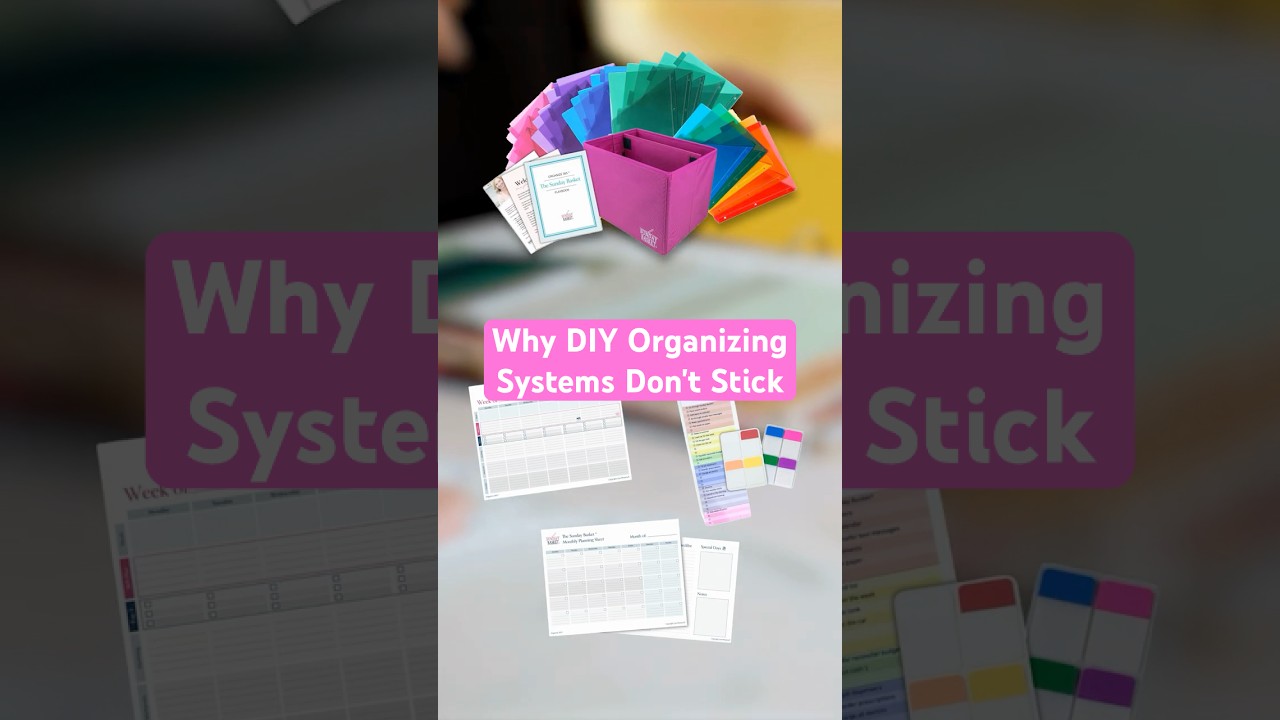

Parenting Isn't the Only Caregiving Role That's Draining Your Energy #Parenting #Caregiving

Turning 40 Isn't About Age, It's About Responsibility #TimeManagement #Organizing #MentalLoad
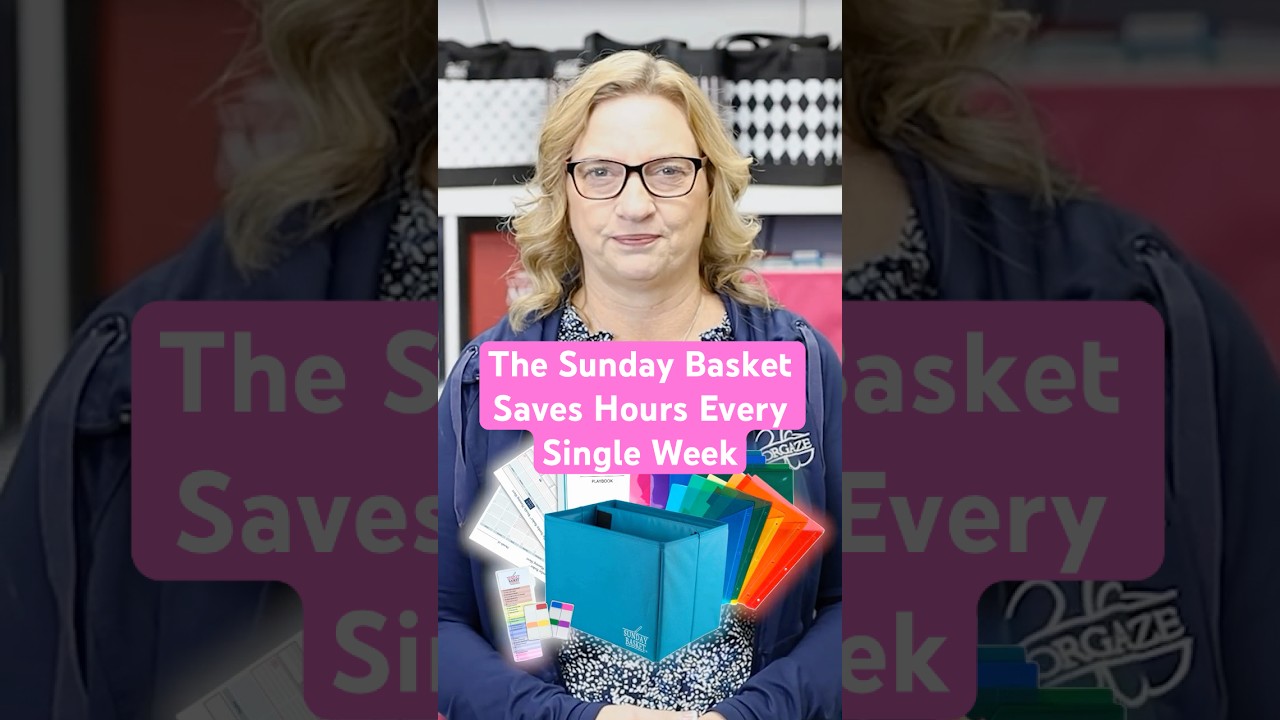
The Sunday Basket Saves Hours Every Single Week #SundayBasket #Organizing #TimeManagement

Your To Do List Will Never Be Done, and That's Normal #TimeManagement #Organizing #MentalLoad