How I Turn Every New Follower Into a Paying Client (Copy-Paste Template)
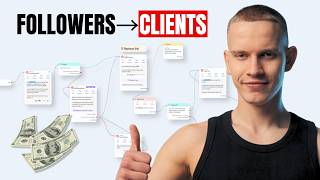
Maciek Horomajski shows fitness coaches how to use ManyChat to turn Instagram followers into clients. Instead of generic thank-you DMs, he uses a reciprocity strategy: offer a free lead magnet like a recipe pack or workout split, capture emails, send a voice note asking about fitness goals, and book calls from qualified leads.
Chapters
Hey, it's Maciek here and welcome to the video on how to properly use ManyChat to convert your new followers coming into your page into high-ticket paying clients. Most coaches use the high automation to just say, hey, thanks so much for the follow. Are you on a fitness journey or just enjoying the content? Everybody's using this and you are missing out on so much money. So I'm going to give you the exact plug-and-play automation you can install into your ManyChat account to start implementing this method today. We are seeing insane results with our clients with this. So implement it today and you'll start as well. Now, if you don't know who I am, my name is Maciek Horomajski and I'm on a mission to help online fitness coaches systemize their businesses so they can enjoy more freedom and make getting new clients easy. So let's jump straight in. Hey, thanks so much for the follow. Are you on a fitness journey or just enjoying the content? 50% of coaches use this exact script right now. I can tell you it feels instantly robotic and impersonal. It provides zero value and asks for something immediately. You blend in with every other coach in their DMs, and it's a pattern people are trained, literally trained these days to ignore. If your automation looks and sounds like everyone else's, you will get ignored like everyone else. So the key is give first and then ask. The goal is to start the conversation, not just get the reply. And we do this by Leading with value, no strings attached gift. We can actually attach a call to action at the end, but I'll show you that in a second. And this triggers the law of reciprocity, which means if we give something to somebody, they will be inclined, they will feel inclined to give something back. Okay? And that's a great way, obviously, if somebody's just coming to your page from your free content, they don't know you, they have no clue who you are, and you give them something for free that is pretty valuable but will not help them lose weight, you know, forever, but it's pretty valuable. They will feel inclined to give back. They'll give you a follow. They will obviously like, maybe they'll apply for coaching in the future. Positions you as an authority and a giver and not a taker. It puts you in a category of one because everybody's asking whilst you are giving. We want to give out a freebie that should solve a small specific problem for your ideal client. So I'm going to show you the exact automation in a second. But first, like, the script is basically, hey, so you followed. As a welcome gift, I wanted to give you my freebie name that can help you achieve this outcome. Want me to send it over? The example of freebies can be a lot. It can be my high protein recipe pack that helps you build muscle without eating boring food. My 5-day fat loss challenge that helps you kickstart your metabolism. It It can be some recipes. It can be a free 3-day workout split, for example, like a free workout split that you can give out to people. This is a simple yes/no question. It's very low friction. Once they say yes, you can ask them for their email to send it as well. You can build a list and at the end you can actually put a call to action, which I'll show you how in a second. So you are not just giving something for free, you will actually convert them into clients. So how you have this qualifying question. So an hour after they get the freebie, you send a follow-up and the magic combo is to send a prerecorded voice note, which you can do in ManyChat and a text message with the exact same script. So the script is something along the lines of, hey name, I saw you got the free workout split. I might have a few other things that could be even more valuable depending on your current situation. What would you say is your number one fitness goal right now? This opens a natural conversation and their answer tells you if they are a potential client. And it sounds natural because it sounds like you send them a personalized voice note. So again, you're activating that law of reciprocity where they feel like you recorded a voice note for them, so they just got value from you. You recorded the voice note for them, you're stacking this reciprocity, and then they feel inclined to at least reply to you. So you can start the conversation, your appointment setter can start the conversation, and you can obviously qualify them and potentially book on a call. So in the description of the video, you will see a link to copy this automation and just plug it into your account. So you want to click save to ManyChat, and then you want to continue with these steps.
So after you uploaded the automation to your ManyChat, there's one extra step that you need to take to be able to make it work. So First, you are going to see this automation imported to your account. And second, we need the current automation.
You should already have it.
If you don't, you go to new automation and you select it here. It should pop up here near the top.
And it's going to be the Say Hi to New Followers.
Now, ManyChat only allows for one automation in your entire account, on your entire account, to be triggered by this trigger when somebody follows you, which means we need to edit this automation. We cannot unfortunately add that trigger to this automation, you just need to copy everything from this automation that you just imported into the current Say Hi to New Followers. So I know it might sound complicated, but just follow along. So you would open the Say Hi to New Followers in one window and open the, the imported automation in another one. Now what you need to do here in the Say Hi to New Followers, go to three dots in the top right corner and click Switch to Flow Builder.
It's going to be a button like that.
And from there, like I said, there can only be one automation that is triggered by this trigger. So you go back to this, to the automation that you just imported. You click Edit Automation. It's going to look a little bit scary, but I'll explain that in a second. You go to the Say Hi to New Followers. Make sure you click, after you switched it to the Flow Builder, make sure you are in the edit, editing mode of this automation that you imported. Hold Shift on your keyboard and just drag it with your mouse. And just click Ctrl+C or Command+C depending whether you're on Mac. On Mac is going to be Ctrl+C, sorry, Command+C.
And you go back here to this automation and you just paste.
As you can see like this.
This doesn't really matter, you can just close this.
And now what you want to do is just unlink the automation that was by default to the Say Hi to New Followers. Just unlink that and then link this trigger to your, to the first note of this imported automation. And that's how you set this up. So let's jump into the explanation on how it actually works.
So just to give you an explanation, we went over some of it, but the trigger should be say hi to new followers. So you can add the trigger here. Next, the first message, hey name, I saw that you followed and wanted to congratulate you on that with a free welcome gift. It's freebie that will help you achieve this outcome. Tap this button and I'll send it to you for free, or I'll send it to you instantly. Like I said, a few more examples that you can check out here. Next, like I said, we can collect email addresses so you can then reuse them later on in your email marketing. It's always great to build an email list as well. So You can take it out if you don't want emails, if you want to reduce friction. But I would say it's still, it definitely is still worth it. So it will check if ManyChat already has their email address. If it doesn't, it will essentially say, hey, will do, all I need is your email so I can grant you access to the freebie by entering your email. You give us permission to send you this freebie and some extra gifts. And if they don't respond to that, it will basically follow up with, did you still want me to send your freebie? And they can go back to this flow. If you already have their email, it will just automatically send them the freebie. As promised, here's your gift. 'Just click here for instant access to your freebie,' and they can open it here. Obviously, make sure that you replace the links here. You go here and you replace that with your specific link. Next, it will wait 3 seconds and say, 'I might check back to see if you liked it.' Next, if they have clicked the link, we will attach a tag to them. So we don't necessarily retarget people that don't really view the link, right? We retarget people that have already seen the link. So it will wait 5 minutes after you send the freebie. They will check if they have opened their link by checking if they have this tag attached. If they did, you will send them this voice note that we went over. So essentially this is the script, is very similar. Hey, I saw that you got the freebie. I might have a few other things that could be even more valuable to you depending on your situation. What's your number one fitness goal right now? And here you send them the voice note so you can prerecord it in voice memos on your phone and send it over, attach it here, and then they will just get a voice note that sounds and looks in the Instagram app. It looks like it was recorded for them. And it will also wait 25 seconds here between the voice note and the text message. So it looks like you typed it manually. Now, if they have not viewed the freebie by this point, it will actually ask them, hey, did you still want your freebie? They say yes. And it will actually say, hey, just click this button for instant access. And it will send them the link again. And after 5 minutes, it can again go back and send them this voice note and essentially kind of pitch them again open the conversation, your appointment setter can take from there and you can book a call if you see that they are qualified. So as you can see, this is a huge difference between just saying, hey, thanks so much for the follow, are you on a fitness journey or just enjoying the content? You're actually qualifying people and you are booking calls with people with new followers if they are qualified. So there's a huge difference. You can start booking a lot more calls just from this automation, especially if you are growing organically. If you're running follower ads, this is an amazing way to convert the highest percentage of those people as possible. Now in the description, there will be this flow with the ManyChat automation. I will also attach a template for the freebie that you can use inside of Canva so you know how to structure it to also optimize it for maximum conversions with a call to action at the end. You will see what I mean after you open that template. So that's it for this video. If you found it helpful and you are struggling with growing your online fitness coaching business, uh, or you don't know how to retain clients, you can click the first link in the description. It's not a free webinar or, or a free case study or whatever. It's a video of me explaining how my company can help you solve this problem. If we have the solution, we've scaled a bunch of coaches, you are struggling with growing, Why is there a gap, right? But I don't care if you check it out. You can check it out if you have a client acquisition problem or any kind of problem in the operations of the business. Now, like I said, I hope you found this video helpful. You can comment under this video any ideas, any questions that you have. You can also DM me on Instagram directly. And thanks so much for watching this video. You can like this video if you did. Subscribe for more videos like this that keep you engaged and watching until the end. And see you in the next one.