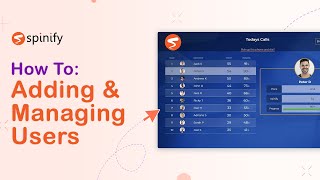
This is a YouTube video titled "How To Add Users In Your Spinify Account" created on September 29, 2022. The content features a tutorial-style presentation by a single speaker named Mia from Spinify, explaining how to set up different types of users (admins, players, fans) in the Spinify platform, including details on user roles, avatars, media settings, and team assignments. The video aims to guide users through the process of adding and managing users within the Spinify system to enhance team performance.
Hi, it's Mia from spinify. So you didn't just come here to compete against yourself. How boring. You need competitors. And that's why today I will show you how quick and easy it is to set up your users in your MySpinify account. So today I'll walk you through how to add a user in your MySpinify account. There are three types of users that you can set up in your account. We've got admins like yourself who look after the setup. They can also participate in competitions, receive achievements, participate in prize wheels, everything like that. We've then got players who are participant only, so they can't look at any of the setup, but they can partake in the competitions, receive recognition and achievements and rewards. And then we've got fans who. Who purely use the system to observe. So they can't actually be active in their competitions, but they can watch them happen. So to add a new user, the first thing you want to do is to come over to the left hand menu and click on the users icon. From here we'll click on Add User. Okay, so here we fill in the player's information, okay? And we can also upload an avatar. So we've got either avatars preloaded into our system you can use, or if there's a particular photo or file that you want to use as the player's avatar, you can do that through here as well. So for their birthday, this will be their next birthday, not their date of birth. So it will be a date either from today or in the future. And their work anniversary is the date that they started working for your company. Just make sure that they are in the right time zone as well from where they'll be working. And now it's time to set up their license. So this will be either admin, which will be looking after the setup of competitions and achievements, but also participating in them. Then you have players who just participate. And then we've also got fans who just observe the celebration video will play on the TV screen whenever the player unlocks their achievement. So you can choose either to have no media play at all. You can choose a custom sound, if there's a sound file you would like to upload for them, or. Or if there's a music video that you would like playing in the background, you can do that too. So that can either come from YouTube, just paste the URL in here, or you can select one that we already have in the system. You can also set up a particular start time for that video from where you want it to start playing. So you can restrict the player to view only certain channels as well. So you just do that here. You can also add them to particular offices if you have them, or you can add them to teams as well. So these fun leaderboard avatars will set up by default, but you can change them if you want to, just by clicking on the icon and selecting a different avatar. Once that's all set up, come up to the top and click on Add User. There he is there. So you can also send an invitation from here just by clicking on this little invitation icon over there. You can view their stats or you can edit their player. You can see which integrations they are involved in as well. And that is pretty much it. Nice and easy. I can't believe how easy that was. Don't forget to hit that like and subscribe button. Plus, if you're new here, jump on over to spinify.com and book your free personalized demo. Or if you're an existing customer, reach out and let us know how you use Spinify to boost your team's performance. Thanks for watching and we'll see you again soon.