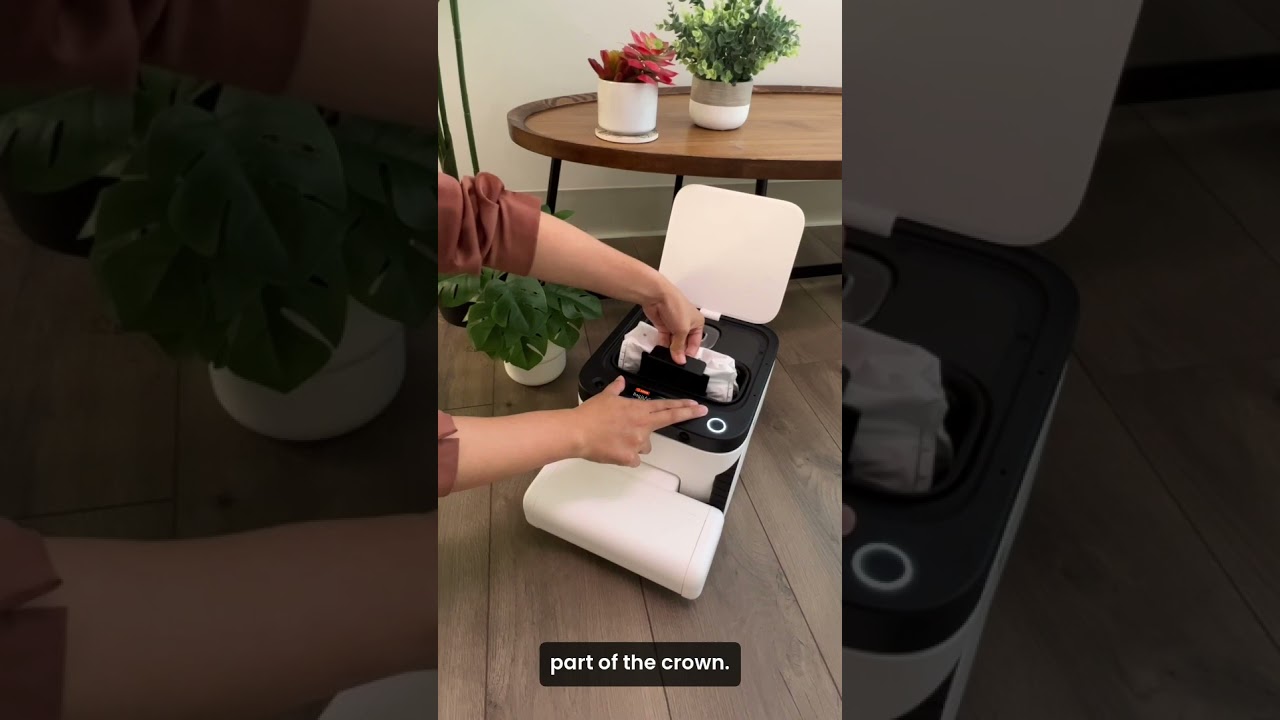
Replace your Matic's HEPA bag by opening the lid, pulling out the old bag's black plastic part, and clicking in a new one until it locks. Push down on the outer crumb, not the rubber lining, to avoid damage.
Chapters
To replace the HEPA bag, first open Matic's lid. Pull up on the black plastic part of the bag. If you need an extra hand to help pull the bag out, push down on the outside part of the crumb. Do not push down on the rubber lining around the bin, as it can wear down over time. Take a new HEPA bag and make sure the bag is open, the bag cover is pushed all the way down, and make sure that you can see the opening. Then insert the black plastic part into the front of the bag cavity until you feel it click in. Close the lid and then push the play button to resume cleaning.