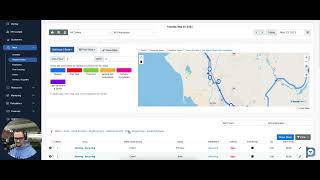
Christian compares how Jobber and Copilot CRM handle budgeted hours. Jobber doesn't calculate them at all, while Copilot shows budgeted hours on a capacity chart, dispatch board, and visit lists. Copilot's paid-for-performance feature launches this summer.
Questions this video answers
Christian — tech support, sales and consulting.
No — the speaker states Jobber does not support calculating budgeted hours.
Coming in summer — suggested June or July (speaker expresses this as an estimate).
Budget-hour capacity chart on visit creation, line-item quantity-to-hour calculations, and totals shown on the dispatch board and visit list form.
Mike Andes.
Chapters
What's up copilot family? Christian here with tech support, sales and consulting. Today we're going to be doing another comparison video kind of talking about paid for performance and the ability for the software to support the budgeted hour capacity and just calculating budgeted hours in general. So most CRMs aren't going to support that. Jobber does not support that. As you see, I'm here in their product and service line under quotes they calculate quantity, unit price, whatever, total. They just don't support it. You're not going to see it in their product and service nor going to see anywhere else in their software where it's going to be calculating budgeted hours. Jumping over to Co Pilot real quick. Obviously Mike is the co founder of Co Pilot and the founder of Paid for Performance. So you know his CRM is going to support with innovation the B the ability to be able to calculate budgeted hours as well as integrate with paid for performance. And that's going to be coming here real soon. Through summer, I believe, June or July. But when creating a new visit and you're going to see it everywhere, we have this budget hour capacity chart that essentially takes, you know, the budget hours that you have for the full week for all of your employees. And as you're starting to add visits, you start to see this kind of shift and fall and see what you're putting in terms of the man hours and OT and stuff like that on your cruise. So even just shifting from single to recurring visit, you see that that rises. I'm getting into the nice 90 percentile of pushing the budgeted hours that I have allotted for my people. So you're going to see that that's one way to definitely notice and make sure that you're keeping track. Another thing is, is once we're adding in a line service or a description or a package, you see here we got different, you know, quantity to hour, cost to rate. It starts to calculate your budgeted hours for you over time as well as when you're actually operating in the dispatch board. So we'll scroll over to the dispatch board. When I'm actually operating, I'm changing routes for my guys, what have you.
We'll slide down here. If I want to check to see from one, we'll hold shift to visit eight how many budgeted hours in revenue I'll be making through those visits. I can go ahead and show stats here and now I see how much money I'm essentially making for those selected visits there. Now I kind of keep track on where, you know, how much I'm essentially going to be paying my guys based off of the percentage of paid for performance and how that all works. So I can also scroll down to the bottom of my list form and I can see the total here as well. Just for the total, you know, list for the actual day. All the visits kind of accumulated. So multiple different areas where you're going to see budgeted hours being supported and calculated. For those who've been following Mike Andes, I'm sure you're very excited to bring that in, be able to pay your high performers. I definitely recommend you guys to still check out Copilot University, gather a little bit more information on paper for, paid for, read into it, see how it's going to integrate and where you can create a workflow with it all. I hope you guys enjoyed this video. I'll talk to you guys soon.