Copilot CRM vs Service Autopilot CRM: Integrations & Support
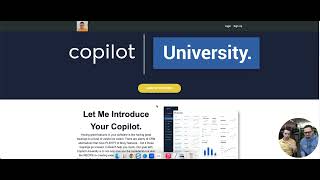
Christian and Mike Andes compare Copilot and Service Autopilot CRMs, focusing on their integrations with QuickBooks and Zapier, plus support options like Copilot University and live chat.
Chapters
What's up? Copilot family Christian here with tech support, sales and consulting. We got another comparison video with Mike Andes between Service Auto and Copilot. And today's topics really are going to be about integration. What, what the capabilities of it, the price points on that, and also the tech support between the two as well. And kind of just what both of those things look like. So we're going to start with integration. Mike's going to take over and kind of talk about what Service Auto has to offer.
Cool. So inside servers all part, they connect with a couple different things. It's a pretty closed off ecosystem. There's not a lot of integrations. Their main ones are going to be your QuickBooks integration and probably just your payments. So if I bounce back into, we'll make a different video on just the payment side of things. But really their main integration is just their QuickBooks integration. It's $25 a month inside a Copilot. It's baked into our enterprise level user. So if you have enterprise, you can use it very simply and inside of your account. If you do connect to QuickBooks, if I jump into here, it's very easy to QuickBooks sync and do it right from here. And once you connect your account, it literally takes less than a minute. You're gonna have this QuickBooks map right here where you can quickly map out any sort of things that are not connecting correctly and you can see the discrepancies very easily. So a lot of people that have moved into Copilot really like the simplicity of the QuickBooks integration and the ability to map things very easily in terms of service. Autopilot's quickbook integration, we stopped using it four or five years ago. So I can't speak to it honestly a lot. We just had a lot of issues with a lot of the payments, double entries, et cetera. So our hope is that with Copilot that never happens. And a lot of it obviously is on intuit side of things, which is the developer of QuickBooks. But our goal is to simplify the connection point using the integration. Now the thing that's really exciting about Copilot is the integration with Zapier. So Zapier connects your Copilot account with over 5000 different apps. Everything from like you got here, Google Meet, but you got Google Calendar. You can connect with calendly, so you can book directly from your website, you can book estimates and in person meetings with your customers using the integration right from here. So slack integration. So for example, if you have a sales department and a service department and you have a larger organization you can have based upon the certain type of leads, it can notify different groups. In Slack, you can integrate this with mailchimp. If you already are using mailchimp and you really like it, you can integrate it there. Shopify if you have products that you want to sell. For example, if you sell a $500 design build fee just to give a design to a customer, you can literally have them get charged and then go ahead and be integrated into the site. And furthermore, again, integrate with something like Calendly to be able to actually schedule the appointment with you. And that would then sync up with your Google Calendar to make sure that it's actually not going to interfere with any other visits on your schedule. Inside of Copilot and it's really simple. Like if you look at Zapier triggers and actions show you exactly what allows you to have triggers as well as go down here a little more, you can see all the different actions that you can write. These very, very customized automations and integrations with literally 5,000 plus different apps. So it is definitely a first step towards kind of open source and it allows you to really make the world your oyster in terms of what you want the software to do because it integrates with so many different other SaaS products.
What if I had like a software like maybe CompanyCam that I really enjoyed that I've been working with and I wanted to see if it was compatible with copilot. Yeah.
So this is just a few of the examples as you scroll down here of the different things that it can do, right. In terms of the different integrations and they just use a lot of their kind of standard and most commonly used different integrations in terms of Google Calendar, looking for to dos, inside of copa, et cetera. It's very slick. However, what I would do if you have a very specialized, you know, you know, software you're using, you just searching here. So Company Cam, there you go. You can literally see how can I integrate with CompanyCam right off the bat. Now if they have not built specific ones already for you, like ZAP templates, that's fine because as long as you have triggers and actions, you get to determine how those automations are going to be built. So I'd be looking if there's a specific, very specific type of software you want to use. Just search it right here and you can literally see what it integrates with in terms of different calendars, you got calendly, etc. It's just a phenomenal way to be able to integrate with other products you're already using, including HubSpot. Like if you really love HubSpot and the ability have funnels and different things like that, just integrate it with Copilot so that you can do all of your invoicing and the more of the CRM side on copilot and the routing, the dispatching that HubSpot does not do and then allow HubSpot to handle your marketing inbound leads.
Yeah, brilliant.
Well cool.
Let's go and just jump into support. I don't really know what that looks like on service auto side, so let's go and start there.
Yeah, Service Autopilot has a few things. They have a quick help. They really try to push you towards that. You can schedule training and I believe get one or two.
You know, a setup one and then maybe one help one down the road. If you're trying to get support in terms of like an over the phone, we just found that it's very difficult to get someone that is a high level user of the product and we usually have used the product more than them.
So you said you get one or two allotted to you. That's it.
I'd have to check their exact feature set now, but based upon what my remembrance of when we got Pro plus is we got like one when we set up the account and then we got one other consulting if we wanted like over a zoom call. Like live training. Yeah, they're a lot of their, their training in terms of scheduling. It is they, they do try to get you in person for, you know, paid training. It's pretty expensive, several thousand dollars to send your office staff to get training. And our goal at Copilot is to be able to have what we call Copilot University where you're able to actually have your users, whether it people out in the field be able to just quickly go to Copilot University and immediately be able to see all the videos, all the training, all the tutorials and not just show the features, but actually show how to use the features. And so it's like, it's like I always kind of look at it as a dish, like a great recipe. I don't want to just give you the ingredients like oh, these are great quality ingredients. They're fantastic. I think all the features of the software and that's all great and fine but I need the recipe, I need the actual workflows to how to use these features to make my business more profitable. Because that's honestly what I'm really Caring. Caring about. And so we've made Copilot University, and this is how we train our office people at Augusta. We have people, they'll sit down for four or five hours, watch all these videos, and by the end, they're 90% efficient and proficient at utilizing all the workflows inside Copilot.
Yeah, and this is how I was trained. I was just hired on, you know, less than a month ago. And the reality is, is I didn't really. I wasn't too involved with the tech industry. I came in here, I executed the copilot University, and now I'm providing tech support. Right. And talking to people and consulting. So the reality is, is. Is the biggest question I get is how long is it going to take for me to transfer over and. And what's the learning curve going to be like? It's fast. It's fast. Absolutely.
Another thing we have inside of Copilot that they, I do believe have, and that is the live chat. So the live chat inside of here is more of a ticketing system we found with service all. But we had the struggles with just the overall timeframe, which they got back to us. Sometimes we wait two or three days before we have to contact our, you know, a different rep via email because we were not getting response from the live chat. So inside of Copilot we have what we call air traffic control or atc. And so from here, you're able to contact the likes of people like Christian. You can actually see he's on board right now, him and Steven. And so you can create a new conversation with them. Also from here, you can also look for articles and answers on different topics. So in case it is after hours, you could type in something like dispatch board and immediately get help articles on all those different tasks that you might be looking for. And these are going to be very quick help articles, maybe a quick video, but like less than a couple of paragraphs, really. If you're looking for workflow and really want to see things from start to finish, that's going to be more in the lines of Copilot University, but that's what we call air traffic control. But what I'm really excited about is we use AI on our zoom calls from a book of calls. So it's really cool. Again, if assuming that you are above the starter package in your paid user inside of Copilot, you're able to actually book a support call very easily. And you can do it via phone call or zoom call. So, for example, if like, hey, I need help tomorrow. I want to be right first thing tomorrow morning 7am you can book it right here. Your name, your email and then if you want a phone call or Zoom call and what's really cool, if it's a zoom call, we're able to use AI to be able to give you a recording as well as a summary and a transcript of that call. And if you're on Zoom we can actually remote control into your account and actually control your cursor and walk you through different steps so you get educated seeing your data and it's not like over the phone us telling you okay click in the top right hand corner and we're trying to find which button we're talking about. We're actually able to take control control of your computer, look into your account with you and make sure that you're actually able to understand the workflows.
Yeah, this has been huge to develop really good relationships between the support and our users as well. We definitely believe in high level communication as you've seen in our other videos, maybe our Automations videos you guys have been checking out what have you and so just being able to provide high level support to people to for high level performers is a must here at Copilot. So it's definitely optimal and we definitely want to continue to innovate our support for you guys. I hope you guys enjoyed this video. I look forward to talking to you guys soon and helping you out. Take care of.






