CopilotCRM.com Product Demo
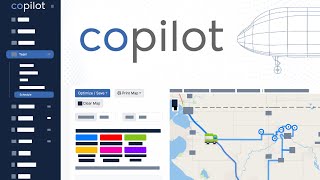
Mike Andes demos Copilot CRM, built for home-service businesses with features existing CRMs missed. The platform includes mobile apps, GPS tracking, satellite property measurement, automations, and client portals. Solo tier is free up to 50 customers; additional users cost $15 per month.
Questions this video answers
Mike Andes (co-founder & CEO)
Patrick Cash (co-founder & CTO)
Mike Andes owns 60%; Patrick Cash owns 40%.
March 2023 (speaker says "recording this in March 2023").
Launched "last month" (i.e., launched in February 2023, per speaker comment).
Chapters
Hey everyone, it's Mike Andes. I'm the co founder and CEO of copilotcrm.com and today I'm going to talk to you about Copilot, show you a full demo of the software and try to do it as unedited as possible just so that you get a real sense of what the CRM can do. And let me be very clear that my goal and intention making this demo is not to sell you on Copilot CRM. The objective is to give you an educated basis for which to make a decision decision as to what CRM is best for you and your business. We don't try to pitch this, we don't try to sell this, we don't believe we're right for everyone. I made a completely separate video, 40 long, 40 minute long video, comparing some of the top CRMs and comparing them to Copilot and was very plain and clear about which ones would actually be a better fit for you given certain circumstances in your business, in terms of size of your business, what projects or if you do recurring. So definitely check out that video. We have a complete tab and page dedicated on our website just to comparing the different CRMs that are available and whether or not Copilot is the right fit for you. So today I'm not trying to sell you on anything, I want to show you what Copilot entails. So that way you can consider potentially joining up for the free version or potentially even the paid version and jumping in and getting your business started. So I'm going to walk you through a whole bunch of different features and just really show exactly how the software works. Now, why does Copilot exist? Because I honestly did not want to build a CRM software system. Like I knew it was hard, difficult, stressful, expensive and not easy to do. And there's lots of competition out there, however, with Augusta Lawn Care. I'm the founder and we have over 120 locations around North America and we trialed, demoed and used multiple CRM packages. And over the past two to three years what I found is that so many of these CRMs just kind of stalemated. They sort of just stagnated and plateaued in their innovation. They stopped making useful features and things that we really needed as small business owners. And I was looking constantly for a new CRM for Augusta Lawn Care that I could use and I could use with our franchisees that would be integratable, that would be mobile, responsive, that was on the cutting edge trying to figure out AI, trying to figure out Tools to make very useful the information and data that was inside the software for the business owner. And I just wasn't seeing it. And so after the past couple years just seeing absolutely no real innovation, we determined we had to build our own product. And that's copilot CRM.com which is available to all service based businesses. So if you do any sort of anything from roofing on top of the house, cleaning inside of the house or landscaping outside of the house or plumbing in between the walls of the house, whatever you are doing when it comes to home services, we can get you have everything handled inside of copilot CRM.com so the reason we exist is to make sure that the features, the support, that everything that is done at the CRM is done with the intention of helping the small business owner. I understand what it takes to run a small business. We have 120 plus of them in Augusta and I have interacted with thousands and consulted with thousands of different home service providers in every single home service industry. And I understand what it, what it means to be able to have a software that integrates well with you making decisions in the business. And I'm just flabbergasted by the fact that so many other CRM packages outside the home service industries are think about AI and taking analytics and being able to give decision making frameworks to the business owners. And somehow in the service based business we don't have that. And that's why Copilot CRM exists. And we have the intention of the user first. Not Wall street, not investors. We don't have investors, we don't have venture capital or angel investors. I own 60% and 40% is owned by Patrick Cash, the CTO and he and I together are co founders in the business, run the, the daily operations and are running this thing as lean as possible to ensure that every single dollar and every single minute is spent trying to innovate and create features that are useful for small business owners. That's what we care about, that's what makes us different. And if you're wanting a one liner of what, what Copilot, how it, how it's different is we focus on the user first, not our board, not what our investors think, not raising the next round of venture capital, not going and showing off our business to Wall Street. We don't care about those things. We're thinking about the small business owner and that's why Copilot exists. So I want you to really make a very conscious decision of what CRM you're going to use. Whether that's Copilot or not, I don't care. I need you to focus on the fact that software is one of the most innovative and effective ways of improving your profits in your small business. Tracking your efficiency, tracking your labor. For the vast majority of small business owners that are in the home service industry, labor is your biggest variable cost outside of just materials. And so it is in your best interest to track that labor, make sure it's efficient, make sure it's profitable. And I want to make sure that copilot, CRM.com gives you that chance. So in no real specific order today, I'm going to go through the different features, things that I enjoy, things I love. Just keep in mind, we literally just started, I'm recording this in March 2023, we launched last month and we have a massive amount of features and innovation in 2023 that I believe we need to do just to catch up to some of the best features across all these different serums that I have used and demoed and trialed. And so in 2023 we're really trying to play catch up in terms of becoming a great CRM. In 2024 and beyond, we'll start really focused on innovation around the AI space and really focusing on giving you the not just the data and the analytics, but then giving you the actual decision making framework that you need for your business. When you should hire people, which customers you should raise prices on the based upon the precipitation and the rate of the weather next week we can tell you how many budget hours you'll probably need to be pushing off or get done early. These are the type of things that AI and the information that's in your CRM can already do. The information is there, it's just having a software development team that is business minded and they can give you that information and say, oh like based upon the service area and the radius that you are serving customers in, these 20 customers are so far outside of your customer service area that like you either need to raise prices by 25% or you need to cut them because they're just unprofitable. And you're spending so much in fuel, fuel consumption to getting their house every single day and wearing down your guys in terms of their efficiency and profitability on labor. So these are the type of things that data can absolutely do and that's what we're focused on in the long term. But let me be very clear that in 2023 we do have over 40 features that we are integrating from across different platforms to what we feel is going to allow companies to scale beyond $2 million in annual revenue. Right now, if you're doing under $2 million in annual revenue, we could probably sufficiently do a lot of the features and things that you need. But if you're doing above $2 million in revenue, you'll prob job costing price matrixes and some really in depth automations. And those are coming throughout 2023. So let's go ahead and just jump into the software. I'm going to show you as many of these features as quickly as possible and hopefully enjoy it. And I'll be kind of sprinkling in some things throughout some of the things that I really most enjoy about Copilot. So the first is the mobile app. One thing that's unique about the mobile app that we've done with Copilot is ensuring that just about every single thing that can be done the desktop version, can be done on the mobile app. I'm talking literally 98% of things, everything from sending estimates that look really good to customizing your automations. There's just so many things that we've seen other software systems that it's so limited in the mobile app. So we worked very hard to ensure that almost every single feature inside the desktop version can be done on the mobile app. And then you can restrict mobile users and your employees to not see certain things. If you don't want them to be able to customize automations or see invoices, you can simply toggle off their user rights and permissions inside of their settings. Now the next thing I want to go over is advanced time tracking. Not only do we just track the time in and out of every single job, we track things like the fuel economy in your trucks and we track the drive time versus the time on the job versus the time loading up. There's so many different ways that you can customize the time tracking to really create some really cool reports and modify the time tracking to however you want. So depending on the industry that you're serving, you can really customize it to every single aspect of your business to allow your crew to punch in and punch out a specific task throughout the day. Now, right from the invoice, the customer can pay their invoice, but we also have automatic charging of credit cards. Bulk like you select a whole bunch of invoices, click charge and immediately they're all being paid if they have a credit card on file. But what's really cool is we also have ach it stands for Automated Clearinghouse. And the fees on ACH is way lower. A lot of these CRMs are pushing the fact that they want you to use credit card processing because they're making 3, 4% on fees on every transaction where ACH, it's much lower. And they don't really push ACH. That's why a lot of times they, they won't allow you to have ACH on recurring because they want the more fees from credit card processing. We have industry, the industry's lowest ACH payment fees of 0.8% with a cap of $5 per transaction. So instead of paying 3% on that $10,000, you know, wall installation or $10,000 project that you just did, 3% of that is literally going to be $300. Whereas if they do ACH through, through copilot, they're gonna be paying $5 as an ACH fee. And so this is the type of power that we've allowed as well as allowing people to have ACH on recurring basis. So that way it's not just credit cards that can be automatically charged, but their bank can be as well. Now obviously there's a little more latency. You don't have the ability to be able to authorize a credit card immediately like on credit cards, you have that ability. On ach, you don't. But the fees are literally minuscule. And when you start talking about a large business that does hundreds of thousands of dollars in annual revenue, you are talking about thousands of dollars every single month being spent on processing fees. For example, one of my locations spends over six to seven thousand dollars per month on credit card processing fees. And so the amount that you pay on the subscription for CRM software is actually inconsequential. The price that you're going to pay in credit card processing fees as your company scales. So having an ACH like this can save you thousands of dollars as your company grows and expands. Inside Copilot, we have the ability to be able to do bulk price increases. So if you have contracts, packages, or if you have specific recurring services that you want to raise the prices on over the course of a couple hundred jobs, you can do that very, very quickly. We're adding in some more functionality for filters around this so you can filter out exactly what type of service or which zip code or type of customers you want to raise prices on. But right now, the functionality for bulk pricing is already there to be able to select a whole bunch of and raise prices across the board. Now let's jump into Automations and I'll show you what we currently have and keep in mind the fact that we have plans to make this much more in depth throughout 2023. Let me show you what we can do right now in automations because even though we are limited compared to some other larger software systems, I actually believe that 98% of people could use these automations and it worked just fine. So let me show you the automations. Let's go and create a new one. There's going to be certain templates and ones that we've created already for you that you can just turn on. But let's go ahead and go into new automation. Let's go ahead and make a estimate, follow up process, right? Where after the estimate has been sent that we follow up with the customer. Now this is what's really cool about Copilot is we have created prepackaged automations for all of these different types of triggers, right? So when a visit is added, a to do is added, a meeting is added, maintenance, you can just see all these different triggers that would allow you to be able to create a lot of automations right out of the bag. Even if a customer leaves a review at all vs if they leave a higher review vs if they removed a bank account. Like if they remove their bank account, you can have an automation go out. So these are the type of things that these triggers honestly will serve 95% of people, probably 98% of people just using these basic triggers. And what's really cool, as you're going to see in a second, it is super easy to be able to modify these automations. Let's go to the triggers. Me, the estimate is sent and I want to do it, let's do it one day after. And the action here is gonna be I'm going to go ahead and email the customer, I'll do another one that later on I can literally just text the customer as well as a reminder, the email template. I literally just go select the email template that I want to be able to install there and I could modify that email template right up top here, sub action. I would potentially run another automation and do this whole process again the day after, right? So I might do another automation for day two and then do this like one day after the first automation runs. So that's when it might text me as the owner and say, hey, give this person a call, make sure that they got their, they got their estimate and go over the proposal with them. This is the very simplistic way we have built automations so that anyone, anyone should be able to use this, these powerful automations, you don't need to hire someone else to train you on it or set them up for you. You can simply go in here and the amount of triggers in here and the drag and drop functionality that we are building even in the future for more complicated automations is extremely intuitive. You can literally go edit your text message templates, edit your email templates, and then make a workflow like this very simply. And you'll see in here we already have the ability to text and email your employees, your customers and you. So the functionality even of this so far is beyond that of other software systems that are quote, unquote, more sophisticated. Adding and removing tags, push notifications on the mobile app to be able to let your employees know specific things. And you don't want to like text them or email them, you just want to send them a push notification. All of that functionality is already there. Also, if you're concerned about the automations being automatic, you can go in the bottom here and click click review before execution. And if you check that on your My Day page at the very top, when you log in to your account, there's going to be a list of automations that you need to approve so that before they go out, you have a kind of a double check just to ensure you're not sending someone to collections or telling them you're sending collections when the check is still just sitting on your desk. Another feature that is already in Copilot is the ability to add before and after pictures. We are really focusing on in 2023, the ability to add multimedia to your estimates. We already have the ability to add photos to your estimates, but we're going to have the ability to add photos to individual line items as well as videos that are attached to the estimate. That's coming later in 2023. But already you have the ability to attach before and after photos to the invoice for the customer and then the ability for them to be able to see the pictures in the estimate invoice or in their client portal. Speaking of the client portal, it's one of the things I love most about COPA is just how simple it is. The ability for the customer to log in and out. I see their login information from their account profile. So if they ever have issues, it's very simple. There's not security questions and a whole bunch of verification process they have to go through. And using the Stripe API that is connected with Copilot, they can easily manage their credit card and bank account directly from their client portal. They can also have a work order request directly from there. So as they're checking out or paying paying their invoice, they might request more work right from their client portal. In the client portal they can also see any before and after photos that you would want them to see just in case they want proof of every single job if they're out of town or something like that. Copilot enables you to be able to measure properties from satellite images using a very simple interface to be able to measure the area and the perimeter and linear distance of the driveway, the roof, the lawn, the fence. Whatever service you're needing, it gives you the data to be able to run it through a price matrix and charge by the square foot or linear foot based upon what service you are offer. There are customizable templates inside of copilot for both emails and text messages. So you can easily drag in photos, put in URLs, put in links, and there's a whole lot of customizations. We're building on top of this to be able to add things like one click estimate emails where customers can request an estimate by just clicking a button. If you can use something like Google Docs or Microsoft Word, you can absolutely use our estimate template editor and put in the pictures, links and the text that you need to be able to set up all your email documents and text documents. Speaking of emailing and texting, you already have the ability to mass email inside of Copilot and you don't need a mailchimp integration or anything like that. You'll be able to send out hundreds, if not thousands of emails to your customers using filters based on what service, what zip code, what area they're in. It's a phenomenal way to be able to get all of your customers on a monthly newsletter. Keep them warm, keep those leads warm. They're inside of your database over the course of time. Same thing with two way text messaging. I have seen some CRMs that just it's very complicated to set up the process of getting text messages. Two way text messaging inside of COPPA is extremely seamless. You see the interface and what's really cool, you can do it right from your phone as well. We're working right now on being able to make sure that you get push notifications so that way you don't miss any sort of text messages when you're out in the field working. And you can text right back and forth inside of the app to your customer using a given phone number and you select the phone number. It's very simple. It's like a dropdown. You put in your area code, you select the what phone number you want to have and you keep that phone number in perpetuity. It's two ways. And not just pushing out to customers, it's also coming back. And if you don't want text messages coming back to you, we are going to be building in the integration of auto text. So if someone replies back to you and you don't want them to keep doing that, you can just say, hey, call the office at a specific number. And it'll be coming out in summer 2023. CoPilot currently has the ability to integrate with Stripe for payment processing, both credit cards and bank transfers, as well as QuickBooks Online. And it's a very seamless integration to be able to bring customers over invoices. If you're already using QuickBooks Online, you definitely can do that. But what's really cool is Copilot integrates with a company called Zapier. Zapier has integration with over 4,000 different apps. So just about everyone you could possibly think of, from mailchimp to Twitter to HubSpot, like you literally mention an app, it has an integration with it. And we'll be adding more and more zaps or triggers events inside of Copilot throughout the year. But there's already a lot of them. And you can build some really cool features and customizations in those other apps if you already are using them or you want to be able to integrate Copilot with those other applications you already are using. One of the biggest things that is so critical for Copilot is the ability to be able to scale your business to ten plus million dollars in revenue. We don't, we are not building this, this software for small, little, tiny companies. And you can see that in the compare notes, the compare tab, when we talk about other software systems that would be better for small operators earning 50, 60 thousand dollars in annual revenue. But we really want to build these enterprise level features that are going to allow you to scale very large. And one of the biggest things is the dispatch board. Extremely important to have a very powerful dispatch board where you can have hundreds of jobs in a day and dispatch very quickly. So on the dispatch board for Copilot, we have the ability to be able to see all your jobs on a map, draw a polygon around the jobs that you want to select and, and quickly assign route and dispatch those to your employees. It's extremely intuitive. And we're building tools like multi select tools and the ability to see the map as you scroll down 2, 3, 400 jobs down on a dispatch board, be able to quickly assign route and dispatch jobs for multiple crews and thousands of jobs per day. We also have some really cool tools on the dispatch board to be able to see things like traffic as well as fuel consumption of your vehicles on the dispatch board for each crew. I've already talked about the ability to be able to automatically charge customers, but there's also the ability to automatically invoice customers, the ability for them to be able to add a tip very easily when they're in the checkout process, as well as to be able to add late fees based on certain parameters automatically. You don't have to think about, you have to call them, you don't have to put, just put the parameters for each customer. Each customer. You can customize this and make it exactly tailored to what you want them to be charged if they're not paying their invoices on time. In addition to the dispatch board, there is also the calendar view. Now the calendar view is drag and drop. So if you're trying to move things really quickly, you can grab something on the calendar, just move it. You don't have to go find the customer, find the visit. Nothing like that. Drag and drop on the calendar. Awesome. As well as for things like equipment maintenance, we have automations around equipment maintenance as well. You can get reminders for things like oil changes, checking the tires, doing brake inspections. These are all things that can be reminders automatically for equipment maintenance and keep track of each asset inside of the software. We also allow you to get the HTML to be able to directly integrate a work request order into your website. So instead of just having an estimate request form come to your email and then you have to copy that information into your CRM, it directly integrates and there's no extra cost. You literally can take the HTML code that we give you, give it to your designer, they can customize however they want in terms of colors, fonts, shapes, whatever, and then put it on your website. And when someone puts information in, it goes directly into your CRM and it notifies you that a new work order request has been made. Now, one of the things I am most excited about when it comes to copilot is the KPI cockpit. KPI stands for Key Performance Indicator. And we're Copilot. We step into the cockpit of our business and we see the dials and the knobs and all the data we need to be able to correctly fly the plane. And in this case your business is the plane, we gotta land the thing safely, we gotta take off. And in order to do that, you need data, you need the analytics, but you also need the ability to be able to be given information and told what decision to make in a certain framework work, what employees to hire, when to hire, how many budget hours are on the schedule, and the fact that you're kind of overbooked and you need to hire someone to push some jobs off. These are the type of things that the KPI cockpit is doing. And we are going to add massive amounts of functionality throughout 2023. The ability to be able to track things like time to close your attrition rate, how many customers are leaving. These are important key indicators of where your business is at, the health of your business, and is absolutely the data you need to make good decisions for your company. Like what your customer acquisition cost is. That's a big determining factor. Like how is your customers leaving your attrition? What's the lifetime value of your customer? You can only determine how much you can spend on customer acquisition if you know what the lifetime value of that customer is and how much money you're going to make on them over the next couple years if they become an actual customer. Now coming in just the next few weeks, we're already adding a few more features, one of which is Buy Now, Pay later is an integration with wisetac. The ability for customers right from the estimate to be able to do financing. You get your money and it's all between them and wisetac. It's all handled. There's no extra cost. Buy Now, Pay later for big projects that customers can get 10% down or 0% interest for a certain amount of time. And that all is done through wisetack. You don't see any of it. It's all integrated. It's a beautiful integration. Buy Now, Pay Later. Another thing that's gonna be added next couple weeks is the ability to have live GPS tracking on your employees throughout the day on a map. And it's good tracking. It's not like every 25 minutes updates. Whenever that, whenever that phone is being operated in the background, we are able to track that device. And you're able to either give them a company iPad or phone or their own phone. As long as the app is installed, we can track that device and you're able to see them on a map, where they're out, where they're at throughout the day. So if they're doing a break, have it. If there's a breakdown or you need someone to move across and give someone else other more materials or a piece of equipment. Very, very simple. One of the things that we are really focused on is building a world class support team. Now it's very difficult when we're growing, expanding every single day. Literally we're fixing bug, adding more features and trying to innovate. It's extremely difficult to have a support team because they all have to be upgradated and brought up to speed. However, we ensure that the community that is involved inside of Copilot is the thing that we can be proud of when it comes to support. You can have live chat in the bottom right hand corner. You can just literally talk to a rep as long as it's during business hours. You can also schedule a phone call or a zoom call so you can share your screen and they can show you exactly what to do. Because guess what? Over text, you know, on chat it might take you five minutes to figure out something. Then a phone call would take one minute, but on a Zoom call could take 15 seconds because they see exactly what you're missing or one button that you're not you're failing to click on. So the ability to go in there and schedule these instead of having where you phone, you're on the phone, you're waiting for like two or three hours for support or they hang up on you or something stupid, you literally can go in there and use calendly to book a specific time that works well for your schedule on Zoom or a phone call and talk to support the Facebook group is awesome. We have a Facebook group that's private just for paying members at Copilot and every other weekend on Saturday I as a CEO hop on an off what we call office hours and do a live stream with our members. I'm going to talk about new features, show you the back end of everything that we're working on. But also use this as a business mastermind. Ask me questions about business marketing, your company hiring. This is the ability to be able to tap into a community that cares and is all using the same software. So we're able to talk the same language. We're able to communicate about best practices of of email messaging, text messaging, the ability to market inside of the software. These are the type of key relationships and connections and networking that is so valuable to you as a business owner to meet other people inside of your industry and in other home service industries that give you great ideas. And you can implement those ideas because you're using the same language, you're using the same framework. Using the same automations and the same dispatch board and you understand exactly what they're saying. But every other week I'll literally myself personally right here be doing a live stream with our members to make sure that I stay connected and my feet are on the ground of what the business owners actually need. And the last thing I want to do is show you the actual options and tiers of subscription. At Copilot, we don't hide what our prices are. We are very confident the pricing that we charge compared to our other CRM counterparts is extremely competitive and we want to make that more and more valuable as time goes on, as we add more features and innovate. Just keep in mind, although we are in the mid to high end in terms of pricing, the fact of the matter is we don't make money on our credit card processing. We give that strictly to use as you grow your business. The fact is you're going to save hundreds, if not thousands of dollars on card processing and ACH processing fees compared to other using other companies. So just keep that in mind. We want to make it just as transparent as possible where we're making our money and we want our money to be made where, where innovation and our time should be spent, which is the software, not just buying out CRM systems so that we can, you know, monopolize their credit card processing and push everyone towards that. So the pricing, let's jump into it. CRM pricing for, for Copilot. Every one of these plans include one user which is probably you as the owner and then every Additional user is $15 per month. All right, you can do build monthly or build yearly. If you do the yearly option you're going to save a two months worth. So instead of paying for 12 months, you're going to pay for 10. All right, so it's what, like maybe 15, 20% savings if you want to pay for the entire year up front. So let's go ahead and go through these different options solo. This is if you're a solo operator, if you're just trying to try the software, it's completely free, up to 50 customers. And honestly there's a lot of stuff inside of here. You can go to this page, you can look through all the different features of what it includes. But there's a lot in here, it's very functionable. You have all the automations, you have a client portal, you have a lot of things in here that most people would charge absolutely for their software in terms of being able to have credit cards on file, being able to have, you know, do all these things, bulk price increases, everything is inside of here. It's really a great software to get started with. And our goal in that is that we truly believe by using Copilot, you're going to grow your business and you'll need these other packages. As you grow the Starter, Pro and enterprise level packages, you can see the different upgrades as you begin to move up. Obviously starters where you get unlimited customers as well as the client login widget so people can log in directly from your website. Live tracking of the gps, there's a lot of features that are being added as well as chat support. That's when you're able to get the chat support in the bottom right hand corner. And then as you go to Pro and Enterprise, that's when you have access to the Facebook group and the ability to be able to have the office hours. The office hours is when we have the live chat directly, live stream directly with me. And as well as a lot of features down the road, we really will tie to the enterprise level. I really recommend using that if you're going to be growing your business, right. If you're just getting started, if you have one, two employees, Starter or Pro will probably be sufficient for you as you get a couple hundred customers. But as you go beyond that, enterprise is where we're really trying to focus our attention on in terms of, of building these enterprise level features. Job costing, price matrixes, advanced automations, integrations with pay for performance, things like that down the road. So if you do get the enterprise level and for some reason you're not happy or whatever, and three months go by, you can ask for a refund and I will personally send you a video back and apologize for the fact that we let you down. I really do believe that being in the enterprise level is going to see the real power of Copilot. And I stand behind that. And I truly believe if you do it for the next three months, even if you literally are watching this right when this video comes out, even over the next three months, you're going to see just how much we add to the product. We fix any bugs that are in the beta program and innovate and start adding features, and I think you're going to see that the future of what we become is worth the initial bumps that might be along the road. As we're adding a lot of features, things will break, there will be bugs, there will be problems, I will make mistakes, we will make mistakes. But I truly believe that you'll see over the course of 90 days that copilot is on a rocket ship compared to a locomotive auto train. A lot of these other CRMs are just focusing on sharpening the pencil, cutting out support, increasing their profit margin, raising massive amounts of venture capital or hiring celebrities come talk for them. It's a joke. It's not focusing on the small business owners. And so I truly believe if you come for three months, use the enterprise level, you'll be convinced that the community, the camaraderie, the software, the team and the leadership of where Copilot's going to be over the next several years is that of a vehicle you want to be with and a part of something that you want to be with for the long run. So I appreciate all of your attention. If you are interested, definitely check out the starter free version, poke around, see if you enjoy it. You can import all of your customers very easily using a CSV file and we can definitely help you if you have any questions. So thank you so much and I look forward to seeing you inside the cockpit. It.






