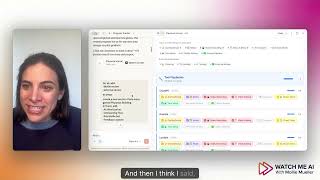
Mollie Amkraut Mueller built a visual project tracker in Claude Chat for her AI Business Playbook by giving it a few prompts. The tracker lists nine production steps for each playbook section: outline, slides, recording, editing, cheat sheet, and more. She clicks items to mark them complete and uses follow-up prompts to rename or reorder sections, getting immediate visual feedback without much effort.
Chapters
I'm launching my AI Business Playbook this week, and instead of finishing it, I built this tracker to help me finish it. So I'm really excited about this, and I'm gonna give you a quick demo of how I built this in like 2 or 3 prompts in regular Claude, as in Claude Chat, not Claude Cowork, not Claude Code. So first, let me just show you what this thing is. I'm building the AI Playbook, and within the playbook I have a bunch of tool playbooks. They're listed out here, and then I have a bunch of functional playbooks, and then I'll come back to this. So because there's so many sections in there, I was having trouble tracking my progress because for each set I first start with an outline or a script, and then I make slides, and then I record the video, and then I edit the video, and then I create a cheat sheet that goes on the site, and then I create a Your move section, and then I'm gonna add chapters so it's really easy to navigate. And then I do a Mollie review, and then in theory I'm gonna have someone do an external review. Let's see when that happens. Um, this was my starting prompt in Claude, just regular Claude chat. I said, I need a simple visual checklist so I can track which sections I've recorded/built and what's open. And then I said, here are all the sections. I wanna be able to check them off as I complete them. And so Claude got busy and it built me this thing. Now this says open in cursor. I have never once done that. I literally just click here and it opens it as this preview, and this is where I use it. So just in here, I can click on this and click out of this and it saves it. It's— I'm having so much fun. So it made that. And then I think I said, okay, for all of these playbooks, you need to add these steps, the Mollie review and the external review. And then I need a new section that's more general playbook building with authentication and onboarding flow. That's the section down here, since I'm building the entire thing in Lovable as a standalone product. I needed to make sure that I was building all these and I've been adding some of these as I go. So same as with the, the different sections, I can just check these as I go and it tracks my progress. But this is it. This is now my tracker. And I am having so much fun using this as I go because I get such a great reward every time I track, every time I accomplished a step. And not to mention, it has been genuinely helpful for visualizing what still needs doing and which step each thing is at. So again, super simple, literally built it with that prompt in Claude Chat, and I update it by clicking in here, or I give it a prompt like, can you change the name of the revenue section to revenue planning and move it to just above marketing? And it it does that up here. So I hope this is helpful if you have any project planning or project tracking to do. It's as easy as a couple prompts in Claude Chat. The playbook launches this week, so if you want to see more stuff like this, subscribe, follow along, and consider purchasing the playbook.