Mollie Amkraut Mueller walks through Relay.app's new Assistant feature, which builds AI workflows from plain English. She creates an automation that pulls weekly AI news, summarizes it with ChatGPT5, converts it to a 10-minute podcast, and emails it to her.
Chapters
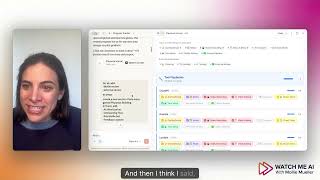
Hey, I'm Molly Mueller with Watch Me AI and today I want to show you a new feature in Relay App, my favorite AI agent filter that makes it so incredibly easy to build an AI agent. Seriously, it was already easy. And you're going to find this so easy, anyone can do it. Let's dig in. Okay, so open up Relay app and I'm going to log in here. You're going to need an account. If you don't have one already, Absolutely worth it. You can start for free. Now I'm in my dashboard and I'm going to hit new workflow and it's going to open up this blank canvas. Now here is the really cool new feature. It's called Assistant and I've already got it open here on the left and I can tell it anything in plain English and it will build it for me. I can just tell it my goal or what I'm trying to do. So in this case I'm going to say create an automation that pulls the latest AI news once a week and turns it into a 10 minute podcast I can listen to. Send me this podcast via email. That's all I'm gonna say. I'm gonna hit send and let's see the magic happen. All right, so it's saying back to me what I, it's confirming what it what I wanted and it's giving me the plan. And now we're watching it build it step by step. So it's starting with a trigger. It's saying every Tuesday it's gonna search Google for the latest AI news. Then it's going to use ChatGPT5 to analyze it and summarize it into a podcast. Then it's going to take the text and turn it into speech and then it's going to send an email to me. Now I can go in and I can update all of this so I can change it from Tuesday to Wednesday. I can change it from searching Google to specific news sources that I want and give it more guidance on what kind of AI news. I can go in here and edit the prompt so that again, it's being more specific to the type of news that I want. I'll have to, if it doesn't already know my email address. If you're new to this, you'll have to put that in. But all of that is really easy to do. Anyone can do it. It's so easy. And once it's all ready, all I do is turn this on. And now it's going. And now Next Tuesday at 8am I'm going to get this podcast with the AI news so I can stay relevant. It's that easy, so give it a try. Let me know if you have questions and how it goes for you.
If you found this helpful, make sure to follow me. I share lots more tutorials, tools and creative ways to use AI in your work and life.