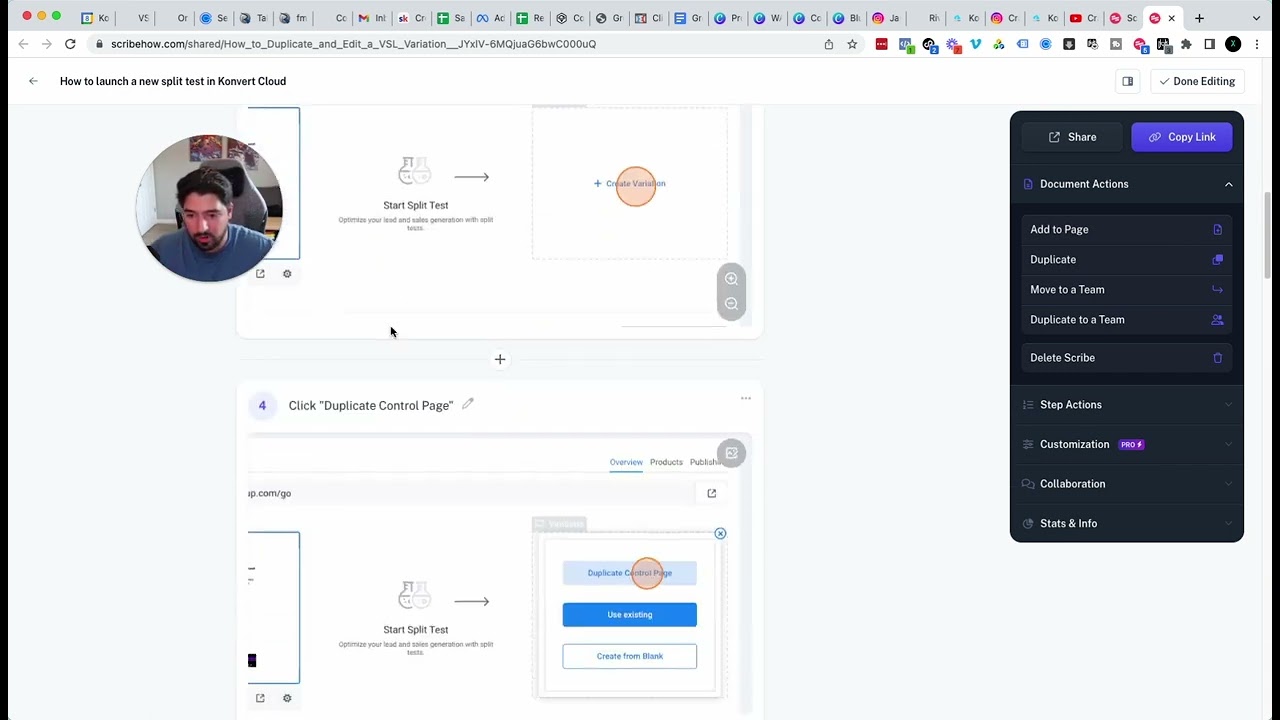
Scribe is a free Chrome extension that records your screen and automatically turns clicks into step-by-step guides. The presenter shows how to create an SOP for a split-test in ConvertCloud, then pairs it with a Loom video so your team gets both written and visual instructions for onboarding and scaling.
Chapters
Hey, how's it going? And in this video, I've got a really cool, quick tactic for you to implement for your business if you want to start to leverage your operations and just have a really streamlined operational process for your business so you can onboard more, take on more clients, scale a little bit better and faster, and make sure everyone on your team is doing what you want them to do, how you want them to do it. So what I'm gonna share with you guys today is a software called Um, this is awesome. It's been a huge benefit to my business and I've been using it for my VA that I have as well as some of my team members. And I've been instructing my team members to use it to make SOPs every single time they're doing something that is a repeatable process. So SOPs are really, really powerful. Um, they can also be very cumbersome and boring and annoying, but you can make them really easy to follow. With using something like Scribe. So let me give you an example of how I like to use it and how the thing works. And then obviously you can go and grab it on the Google Chrome extension store as well and use it for yourself. So in the example that I'm gonna share here, I'm going to show how to start a split test on a landing page inside of this software that I use called ConvertCloud. Um, and just kind of show that whole process across the board. So what we'll do is we'll hit Scribe and then we'll say start recording. And it's now recording everything that I'm doing. And you guys will see how cool this is. So what we'll do is let's say we wanted to go to this page right here, and we're gonna go ahead and start a split test. So we'll just duplicate the control. We'll go ahead and edit that page because I'm showing them how to make a split test. Then it's basically, Just wait for this to load. And what makes this so cool is that no matter how quick you're going through things, because I like to go through things really quickly, this can, this can eliminate that process. If you like to move quick, move quick, it doesn't matter. So then we'll change the headline, change subheadline to whatever you want, hit save and leave. And then that can be your SOP, how to launch a split test, right? And then you can even Drag this traffic here, hit Apply. Okay. And then that can be your process. So then what you'll do is when you're done doing the action, you will complete that recording. And let me go back and do this real quick. And then that'll make an SOP, how to duplicate and edit a VSL variation. So then you can change this, you could just say, how to launch a new Split test in ConvertCloud. You can add a description. What's really cool is that it shows how many steps it took and how many seconds or how long it took, right? Navigate to here, click on VSL funnel version 2. So what you can do is instead you can say click on the funnel, on the funnel you want to split test. And then, it shows everything here. Click create variation, duplicate control, edit, edit page. Then, say, change the headline to the new one. Change the subhead to the new one. Save. Click that back button. Click the range field. And then we could say, make the range 50/50, and then click apply. And you can see how quick this takes me to do just to kind of review it. And then you're done. You can copy the link, you can add it to a page, you can move it to your team. And it's really easy to collaborate on it as well. This is a super clean and easy way And a really quick tactic so you can take the repeatable things you're doing every single day, turn it into a really simple, clean SOP. I like to do it along while I'm filming a Loom video. So I film a Loom and I'm recording it on Scribe while I'm doing it. And then when I give the person the SOP, they actually have a live video example of me doing it, as well as the page of the SOP where it's not a video. So some people will prefer either or. This is awesome. I've been utilizing it a ton for the past couple of weeks and it's allowed us to really do a lot more, um, while not spending as much time doing it. So check it out. The app is called Scribe. It is totally free. They even give you recommendations for different scribes to use. So big shout out to them. Um, this is a really cool app that I found out about around a month ago and I've been using it consistently ever since. So that's all I got for you today on a quick tactic to help you grow your business. If you have any questions, just reach out and I hope you guys enjoyed this one.