How to effectively manage Facebook Ads (daily guide)
A daily Facebook Ads workflow: check yesterday's metrics (clicks, cost, CTR, CPM), expand to 3 and 7-day views to spot trends, then diagnose problems in targeting, copy, or creative. Cut underperformers, scale winners.
Chapters
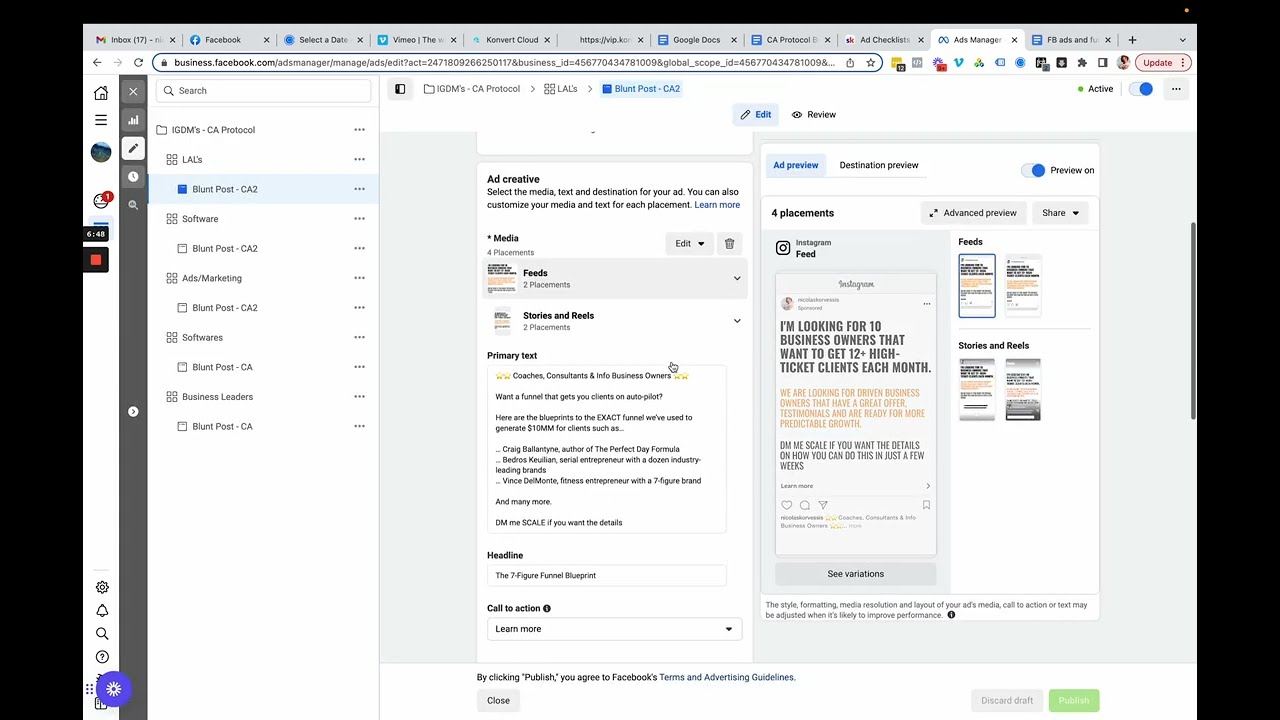
Hey, how's it going? So in this video, I'm gonna show you the daily workflow that I like to follow when I am managing different ad campaigns. I'm gonna keep this super simple for this video, and then we'll get into more advanced stuff if you'd like in the future videos. But this one is just very simple. It's gonna cover the bare necessities, and I'm using a sample account, which is running some stuff at a really low budget. So you can use as a pretty good example. So what I always like to do is once I, you know, whatever your schedule is, I like to do this first thing in the morning. Basically after I do a couple other things, I'll log in and I'll check my ads. And the first thing to do is I look at how yesterday performed first. So just to get our bearings straight, when you're in the Ads Manager here in the top right, you can choose your timeframe. And I always just click the yesterday button, does everything that I need. And that's what we're gonna do. The next thing, just final housekeeping, is you'll see this columns button right here. And when you click that, you can choose your different metrics. Now you can create your custom metrics. So like, I like to have this one that I pre-made called main metrics, and it shows everything that I really need to see all in one spot. To make this, you just go to customize columns and then you can add all of them. Right? So you can add this one. You can add anything that you need to do. Obviously, in some of our last modules, we talked about the troubleshooting. Let me show you guys this real quick. So in this ad checklist, we talked about all the different metrics that actually matter. So if you're gonna make a custom metric like I'm just doing here, These are probably the ones that I would put in: your clicks, cost, your link clicks, click-through rate, CPM, unique outbound CTR, and your cost per result, right? That's what I would probably put in here. And that way you can just see everything that's working all in one spot. When in doubt, and if you don't want to do that, if you want the simple hands-off route, you just do performance and clicks is the one that I would do. It's going to show you everything that's necessary for you to see. So first things first, we're gonna look at yesterday's stats and we're gonna look at the main metrics. So in this case, I'm doing a messaging campaign. If you're doing purchases, leads, anything else, um, they all basically run off the same thing. So first things first, look at how many results you got yesterday and what you paid for that result. So yesterday I got one person to message me for $35 a message based on our KPI sheet and the results that we need to be getting. This is outside of KPI. We're paying too much here, right? So obviously before we go any further, we want to look inside the campaign. So by ticking that box and going to the ad set tab, we're going to get a little bit more of a detailed view. I'm just going to delete that really quickly and we'll be able to see a little bit more specific results. So we actually paid specifically for this one message right here, $31.42 per message. Still outside of KPI. Instead of panicking and turning it off and oh my gosh, this isn't working. That's not true. We want to see why this isn't working and where can this be improved? What can I change right now in order to fix this? Now before we do that, we want to check is this a fluke, right? Is is just this one day just like bad luck and we're just not on a good streak, or is it really consistently just not doing good and overall it's not? A good ad. Now, in order to check this, just filter. I like to do yesterday and then look at the past 3 days. So the 3 days before that, actually, there we go. We can see, okay, still not looking too hot. So overall, this isn't too good. But then we wanna look overall. Let's look at the past 7 days. It looks a little bit better and it looks like it started to go on a downward trend. So we started off, wasn't spending on Monday. This was spending and that one was doing okay. Wednesday, this one was doing very, very well. Then Thursday, it didn't do good. Friday, it didn't do good at all. And yesterday's when it actually started to do something. So for now, I don't wanna totally turn this off because it was doing well. But I want to look deeper and see why this one's not performing well. So we can just scroll to the right here and then we can get a deeper look of the metrics. And yet my big rule of thumb is if yesterday, if your timeframe that you're looking at is not giving you enough clues, you want to expand that time range so you can get enough clues so you can solve the puzzle of why this thing is or isn't working. Right. So, For yesterday, just looking at this, I have a good idea of why it's not working. This is too expensive and so is this, but it's also not giving me enough to figure out why. So I'm gonna go to the past 7 days and the same metrics are really sticking out to me. We're paying way too much for the audience that we're in and we're paying a lot per link click. And if we look, It looks like it's more so a copy and audience problem than anything else. And to easily show that, we've got our link click-through rate here is not in KPI at all. And our cost per link click is not looking good either. Those are big copy metrics primarily. And the click-through rate is a big audience one. And at a 2% click-through rate, that's not bad. You know, we're, if we look at our sheet here, our click-through rate, we want it at 2% or higher. And that's exactly what we're doing here. So the, the creative isn't really a problem. Um, it's primarily the audience and the copy. Now, what I want to do from here is run a test to see if we can fix that problem. Um, we can even look at everything today. And actually, I was a little bit proactive and I already launched the tests to hopefully fix that. And you can see here, these 2 tests right here that I launched, these are 2 different audiences, as well as some different pieces of copy. To see if it fixes everything. And if we take a look, look at this lookalike audience that we made. The audience is still a little bit expensive, but look at how much cheaper this cost per link click is. And look at how much better this link click-through rate is. Tremendously better, right? Sure, the click-through rate isn't the best, but in comparison, you know, if we look at the past 7 days, It's doing tremendously better than any other of these campaigns, right? And in this one, we changed the audience. And it also looks like we did a new piece of copy, I believe. Yeah, because if we look at ads and marketing, which is the primary one, same copy, I'm looking for 10 business owners, I'm gonna get 12+ high-ticket clients. And this one, So it was a strict audience test and just changing that audience alone really, really helped out. And today it hasn't gotten a message. Yesterday didn't get a message, but it's showing some promising results. So I want to see what we can do there. So that's really what it looks like when you're managing your daily ads is you're going to look at the primary result. Are we in KPI or are we not? If you're inside KPI, if you're doing what you're supposed to be doing, if it's winning, then you wanna see, okay, how can I increase the volume? What can I do to get more of this thing? And you can, once again, you'll visit the stats and you'll see what's holding me back, right? And then you can obviously just scale, which we'll be talking about scaling in the next one. And then, or if it's not doing well, then you once again look at the ad stats to tell you what to do. You never want to function. You want to take all emotion out of the decisions that you're making inside of the ads manager. It's very, very scientific. It's really calculated. You don't need any emotion in here. At least at this current stage, when you're looking at the metrics, you know, when you're looking in deeper and you're looking at the creative itself and seeing, okay, but why wasn't this getting clicks? Am I saying something wrong? Am I talking to the wrong people? The metrics are going to give you very good hints to that. But you're never truly gonna be able to know until you look deeper into the actual creative for what you can change even further. So that's my ad flow. And just to reiterate, I, I really wanna slow this down and make this really clear. It's super simple. And I think I talk about this here, this daily workflow. So you filter for yesterday and you identify the losers. Once you identify those losers, you wanna filter to the past 3 and 7 days and observe those trends. Cut anything that's been losing for 3 consecutive days. Lower budget for anything that's been losing just for 1 day. Once again, once you figure out these losers, even if you cut them, right? So say something's been losing for 3 consecutive days and say you decide to cut it. That's fine. But you want to look at why was it losing? What was wrong with this? So say this one here for the past 3 days, This is out of KPI, right? I should probably cut this. I wanna let it go a little longer because I wanna prove something later on when we keep messing with this campaign. But if we did cut this, we wanna learn from it. 'Cause if we just cut it and throw something else at the wall and hope it sticks, it's not gonna work unless we figure out why was this not working. And by looking at the metrics, we can clearly tell it's a copy, um, and an audience problem. Right now I have some other older campaigns that I used to run, and I actually don't know if I have it in here. I don't. Um, but that's really what's super important is looking at why are we cutting this thing? Why are we scaling it? What's good? What's bad? What can be improved? What can be, um, what is working fine as is? So I hope this is a good little introduction video to a daily workflow. To cutting losers and whatnot. In the next couple of videos, we're gonna go over scaling, um, and then just even more scaling stuff because scaling is really the hardest thing to do on Facebook ads and any advertising platform. And we're gonna show you how to best structure that so you can take your funnel that we helped you build. We're gonna, and you can take this asset and you can start to leverage ads behind it to grow besides just your organic assets. So I hope this is helpful. If you have any questions, let me know and I'll see you in the next one.










