How to structure instagram ad accounts for ROAS
Nicolas Korvessis shows how to build Instagram ad accounts for maximum ROAS. Start with the right campaign objective (sales, not awareness), use manual campaigns in three tiers (prospecting, testing, scaling), and set daily budgets between $30 and $50. Test multiple creative angles before scaling with Campaign Budget Optimization.
Chapters
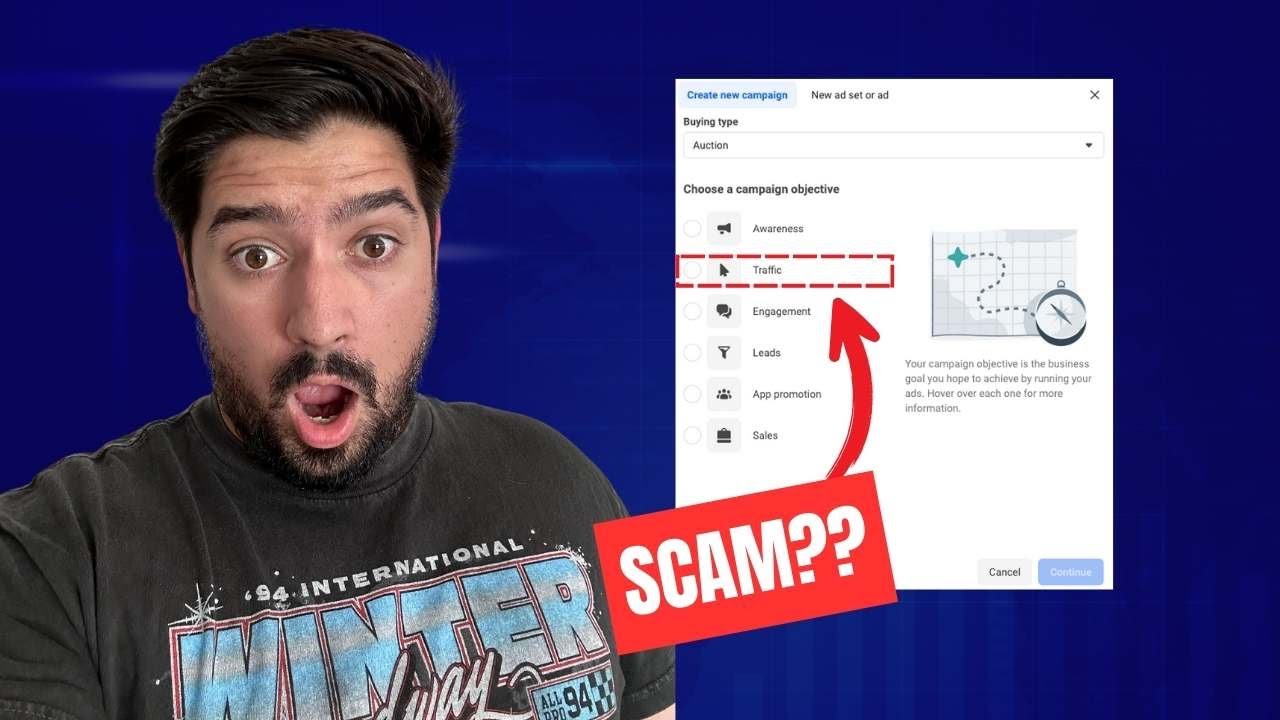
Let me show you the best way to structure a Facebook and Instagram ad account for actually a return on ad spend. A lot of people structure ad accounts, set up objectives, and launch campaigns based on just what they feel works best or what other people have told them. I wanna show you based on proof, based on some experience with the best way to structure these Instagram and Facebook ad accounts are to actually get you a return on ad spend. I believe that's the best way to utilize, utilize these ad platforms is to actually bring you return on ad spend. So let me show you how to do that. Um, in this video, I'll take you step by step through everything. So in this example ad account here that I have, I wanna show you how you actually set things up if you were doing this for the first time, or maybe you've ran some ads and you're just not sure if you've done it correctly. Let me show you how to kind of fix that. So first things first, if you are creating a brand new ad, you'll go here to create, and a lot of people will want to choose Awareness, traffic, engagement, or even some of these other ones. The big problem with that is the algorithm has become so good. And this goes for even YouTube ads if you're, if you're doing something there, but in Instagram and Facebook, the algorithm has become so advanced that it knows exactly the kind of person that you're looking for based on the objective. So let's say you're sending people to a page and let's say you want them to opt in for something. Well, if you send them to a page and let's say the copywriting is phenomenal, and you just chose traffic or awareness, that's all it's gonna give you. It's just going to drive awareness. It's just going to drive traffic. It's not going to give you anything else. Even if the copywriting on the page is amazing, even if the offer is incredible, it doesn't matter. The algorithm has gotten so good. The pixel has gotten so smart that awareness and traffic don't really do anything if you actually want to get an action, whether that be an opt-in, Whether that be a sale or a purchase or a booked call or things like that. Do not mess with traffic or awareness. You're just gonna spend money on just numbers that look really good. So where do you start from here? I would recommend for most people, once again, depending on what you're doing, if you're looking to opt— get leads and get opt-ins to grow your email list, you're gonna go the leads route. If you're looking for purchases and sales, you're gonna want to go the sales route. So let's assume we want purchases. We'll choose that objective. And as of right now, once again, if you're watching this video in the future, some of this may change, but you always wanna do the manual setup. It gives you more control. And you can always choose this at a later point if you wanted to. Now, how I usually like to structure things is by having 3 different campaigns. And I like to have a general prospecting campaign, a testing campaign, and then some kind of scaling campaign. And that scaling campaign may actually be 2 or 3 separate scaling campaigns. But at a bare minimum, I love to have general prospecting, some kind of asset testing, and then scaling. And I'll actually show you what this looks like in another account. So you'll see here in this account what this actually kind of looks like. I've got my one prospecting campaign, which when I started this account just has a ton of different, very broad tests. I'm just trying to figure out what really works. Then from there, from that prospecting, We've got our 2 winner campaigns and these are structured as a CBO. So a campaign budget optimization. If you don't know what that is, I can get into that here in a minute. And then you can see here, there's also asset testing. So in this asset testing, I kind of pick and make sure it's very clear what exactly it is that I'm testing. And in this case, I tested a ton of different audiences. I could duplicate these and test creatives, copy headlines, et cetera. So that's generally how I like to structure a lot of the ad accounts that I work in. Now, when you're actually setting everything up here, once again, I wanna show you guys how to set everything up to get the highest return on ad spend for your Instagram ads. You'll go here, and this right here is where it gives you this first kind of option is Advantage Campaign Budget. I'd recommend turning this off because what this basically does is it's going to split your budget across however many different ad sets that you have in here. And if you had 5 ad sets and you're testing some new things, well, it may send all your $25 daily budget in this case to one thing only. And you'll have no idea if the other ones are working or not. So I recommend turning this off. That's the best way to set this up. Then from there, we'll go into the ad set itself. So at this point, you're gonna be choosing website because you're driving purchases. In this example, you'll choose your pixel and you'll choose, I'll just use one of these ones and you'll choose your result. In this case, purchases. Now from there, you don't need to worry about anything else. I would not recommend using dynamic creative at first. It's actually very similar to the Advantage campaign budget that I just mentioned. If you can upload up to 10 different creatives and Instagram will basically shuffle between 10 of them and figure out which one works best. But what could happen is all the spend could only go to one creative specifically. Then you choose your budget. Once again, depending on your offer is what you want your starting budget to be at. I would recommend between $30 to $50 a day is a great starting point. Then you'll choose your audience options like location and then your actual audience itself. Now, something I want you guys to be aware about, because this is a new feature, hopefully this doesn't change in the future, but this is how it is now. This Advantage Plus Audience, This is essentially saying that, hey, if you put in, let's say, 33 to 50, and you put in the interest of Tom Cruise, right? Let's say you did that. It is with an advantage plus it's taking what you just put in as a suggestion, not as a guideline. So all that means is it'll start maybe in this age bracket going after people that are interested in Tom Cruise, but it'll start to go outside of that. Once again, that's good and bad. Facebook's algorithm has gotten so good that there's a really good chance that it's gonna find the right person. However, especially when you're starting things off, it's probably a better idea just to go to the original audience option and make it a strict guideline, 'cause then you actually know what works. If you're doing the Advantage Plus, what's good, especially for your first few tests, you're not gonna sure what, you're not gonna be sure exactly what's working. So make sure you do the original audience options. As soon as you have some data around what creatives work, what copy works, what audiences work, great idea to switch to Advantage Plus because the algorithm is so good. Like I said, it's going to find the right person, but for testing's sake and for your sanity, so you actually know what works, I'd recommend going with the original one for your first few tests. Um, then we'll go to placements here. This is important to select because we're setting this up in the Facebook Ads Manager. But if you're running Instagram ads, you're gonna wanna make sure you change your placement to Instagram only. So you can untick everything, leave Instagram on, and feel free to even customize some of these a little bit more. I would recommend just to keep on all the automatic options for Instagram specifically in this case. Um, and you can always come back at a later point and say, get rid of the search results one or get rid of Reels if you wanted to. But you can also turn on profile Reels. Let's see. I think everything else is on, so that's perfect. Then we'll go to the next step. And finally, this is where your ad comes into play. Now, I think the ad is the most important piece of your marketing arsenal. You gotta make sure you test a decent amount of angles and styles. So different looking creatives, different sounding pieces of ad copy that are addressing different market topics and what people are actually interested in. That's the most important thing. Once you set up this initial prospecting campaign and you're kind of seeing what works and what doesn't, That's where you can go here and start setting up these different tests. So kind of like I mentioned a minute ago, when you're all said and done, and let's say you have your prospecting and a few other ones, your ad account will look something like this. You'll have your prospecting campaign, your winners campaign, and your asset testing. And you may have more than one winning campaign, which is totally fine. And you can see here, I've tested some different ways of scaling. You'll figure out which ones work best. This is the most profitable for me right now. That's what's worked really well for us. So this is the best way that I found in a very simple fashion to structure your Instagram and Facebook ad account and to get the best results. Facebook likes simplicity. So if you're setting up dozens of different campaigns and have tons of them running and there's no organization to it, it's gonna be hard for you to manage. And Facebook likes it when there's everything consolidated into one or two different things. Now lastly, if you're not sure on really how to review Facebook data, or Instagram data and how to figure out what ads work and what don't. If you see below in the description, I have a free cheat sheet. It'll actually give you a full guide on the key KPIs, what they mean and how to influence them. And then there's also this deep dive sheet, which you can get for free as well, that goes over the KPIs again, what it means at like a 3rd grader level, how to, what it affects, and then how you can influence it. And actually film mini training videos for each one. So say your cost per link click is really high, these are the 4 different ways that you can make it better. So I hope you enjoyed this video. If you want me to cover anything specific in the next one, just be sure to comment, like, and subscribe for the next video and go out there and start making some money with Instagram ads.










