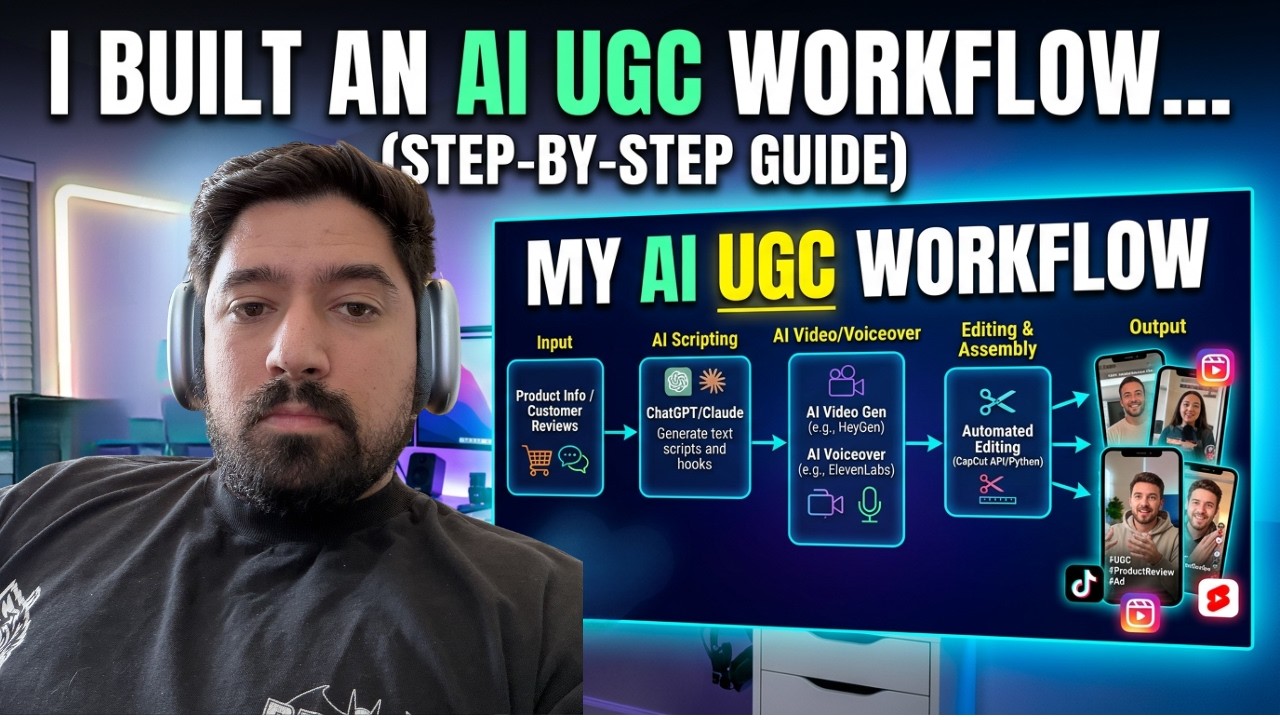
Nicolas Korvessis walks through an automated workflow that uses Claude to write UGC ad scripts and Kling to generate videos, triggered by a Slack command. A typical video costs $15 to produce versus $100-$500 hiring a creator, with scripts built around mandatory segue lines and a 50/50 tone split between pain-based and aspirational hooks.
Chapters
I built a workflow that generates UGC-style creatives all using AI, and we're running them against real client campaigns right now. Let me show you exactly how it works and exactly how we built it. If you're spending money on UGC ads, hiring creators, waiting on deliveries, paying per revision, you gotta watch this whole video because it changes the math on everything. We built this entire UGC workflow and static image workflow and integrated it directly into Slack where we work with all of our clients. And all of our team. What's super cool is once all the UGC ads are done, it delivers them for you in a full Google Drive folder, whether you want to organize it per client, per offer, etc. It's super cool. Before I show you exactly how we built it, let me just start by explaining what this problem solves, because if you've never hired UGC creators before, some of this context might not be as obvious. Now, the big benefit with UGC creators is that, A, it looks like real native content and it tends to perform really well. But the 3 big problems are, first off, cost. A single UGC video from a decent creator can be anywhere from $100 to $500. And if you multiply that by the number of actual variations you need to test, the math can get really painful really quickly. Time is another really big problem. Once you brief the creator, wait for the script approval, wait for filming, wait for edits, and then on top of that, you're probably going to have revisions. It can take a week or longer. Just to get a batch of creative. Meanwhile, your campaign is sitting running on old assets and you're falling behind other people that are testing faster. And lastly, which I think is one of the hardest things, is the inconsistency. Even great creators are inconsistent. One video could crush it and the next one doesn't, and you can't fully control why. It's hard to isolate what's working and what's not when creative production is a black box. Now, AI UGC doesn't replace human creativity entirely, But for testing angles at volume to prove what works and what doesn't, and then you can actually give those winners to real people, it changes the equation entirely. And we're actively testing whether it can compete with traditional UGC on actual conversion metrics. I'm gonna walk you through the full workflow, showing you the scripts, the prompts that we're using, the outputs, and how we're controlling and adjusting things, what models we're using, and how we actually end up creating a flow That's easily used. So let's get right into it. So first, just to give a high-level overview of the setup, we've got the input, which is going to be a really big creative brief. We have Claude that generates the scripts, and then we have an output that happens with an API key using Kling and a few different models. Sora is gone. Kling is just as good. Let me show you some of these examples so you can see what they look like.
Girls don't want to admit this. But the second a guy starts texting us back, instantly we lose all interest. If that sounds familiar, you need to hear this.
One more.
My best friend's sister rejected millionaires for years. Now she's hopelessly obsessed with a flannel-wearing guy named Dave. If you're sick of it too, this is worth your time.
So as you can tell, they look really realistic, and you have to have some kind of trade-off. These were made with Kling Standard and Kling 3.0 Standard. You can also do them with Pro, but ends up eating a lot of credits. It costs like $15 to make 2 or 3 creatives, which isn't bad. It's a lot cheaper to UGC AI, like, or to normal UGC videos, but this ends up being just as good, right? So how we've got this all built out is with these inputs here, and we have everything here built out as a custom skill. In Claude through VS Code. So once you have this all done, it's going to look something like this. You'll be able to message something like, hey, I need 5 UGC ads for this offer. Please make them for me. It'll generate 5 hook scripts, 3 pain, 2 aspirational, or whatever we specify. It'll build the Kling optimized prompts, submit all of those things to Kling 3.0 Standard, download them, upload them to the specific Google Drive, and also post those Drive links to a Slack channel. where I want those to be done. It's super simple to set up. And the big piece of it is honestly making a very solid UGC hook generation engine. This is super important. Now, what we like to do in these prompts that we'll make to give to AI is we have the master prompt to kind of give it an overview of what it's actually making. From there, we have really big non-negotiables. So we'll make sure to tell it, hey, this is something super important to do. And for UGC ads, The 2 things are the segue line, where every single video must end with a keep watching segue. And the next is the 50/50 tone split. It has to deliver a balanced mix across a few different hooks, right? After that, then we kind of go through and give it its role, the variables for clients, what tones that it can do this in, examples of different segue lines, et cetera, et cetera. The key to these prompts is telling it what to do and telling it its role. But also giving it clear examples and clear directives. At the end of the day, I can't go through this whole thing, but if you're interested in getting access to this, it's in our school community. You can click below to join as a free trial and get access to this to start using it for yourself. Once you have that UGC generation engine, it's all about just setting everything up here inside of Claude in VS Code. What I like to do is I'll basically just give it that image generation prompt and say, hey, This is a prompt. I want you to help me make a skill where you can make these UGC hooks on demand. And the prompt does pretty much all the work. Now, once you plug it in and it does its thing, it actually needs to fetch some— what I found the best setting to do is to actually have it fetch an API key, not directly from Kling, but from something called Poyo.ai. This is a really great software. It's pretty cheap. And you can hook up API keys for a lot of different stuff. For image ads, which I've built a workflow around that, and then for video ads as well, right? There's Cling 3.0, Turbo, Pro, et cetera, et cetera. And this ends up being really great because the pricing is pretty good too. It's super effective and it's very, very clear. And that's as simple as that. It's really just about taking that workflow, which is this prompt, giving it clear outlines, right? Master prompt, 2 non-negotiables, And then what tones and what voices is it gonna speak in? We do frustrated and pain-based, pain angles, aspirational and positive. And then we give it a hook structure and those segue lines. That's what makes them work so, so well. Now what's great is you can take this same format once you make one for yourself. And even if it's just as simple as that, you could do something similar for image ads. And we've done the exact same thing. We have a similar process where we'll ask for image ads. It drops it in this Drive folder for multiple clients or multiple offers. And it'll actually create some pretty good-looking creatives. And we've tested these and these have worked pretty well. So super easy to set up. It's nothing too complicated. If you have VS Code set up in Claude, it makes it even better because then you can message it on the go from Telegram and have it spin up some UGC ad creatives for you. And it delivers them to me in Slack, delivers them to me in a Google Drive that I have, and I can go and start testing them and clip them together with other UGC ads. Make them longer, etc. So I hope you enjoyed this video. Big resources that you're going to need is Claude and VS Code. I have other videos on that. And then the Poyo API is a really great tool, super cheap to get started. $15 will get you a lot of videos if you just use like CLING 3.0 standard, and the quality is just as good. Use these to test your ad creatives. They've crushed it for us, and I hope you enjoyed.