Viral Organic + Facebook Ads Strategy (2023)
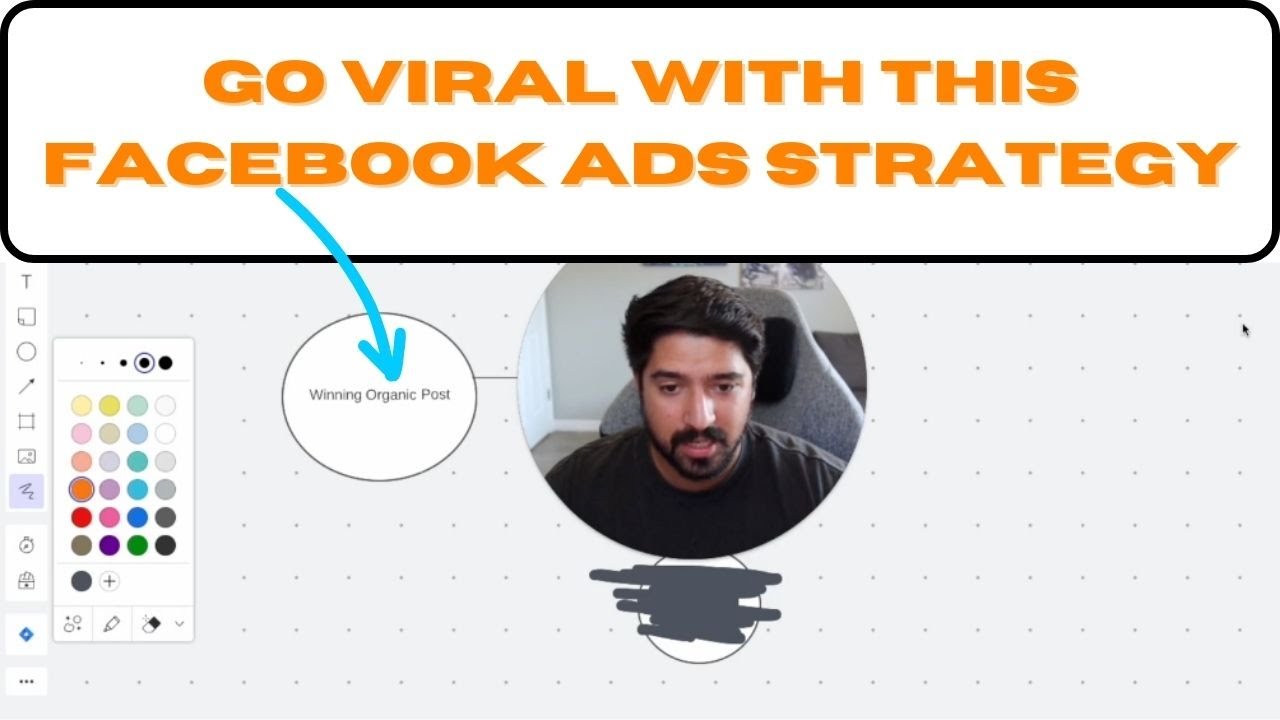
In this tutorial, the presenter walks through a plug‑and‑play system for turning high‑performing short‑form organic posts (Reels, Shorts, TikTok, etc.) into a paid funnel that generates qualified leads. The process begins by publishing an organic video and waiting 24‑48 hours to identify a "winning" post based on organic metrics. The winning post is then promoted via a Facebook Ads Manager campaign using a video‑views (or engagement) objective, with precise location, demographic, and interest targeting, and placements limited to the platform where the original post appeared. After the ad runs for a few days and accumulates several thousand views, a custom audience is built from users who watched at least 50 % of the video (within a 90‑day window). That audience is retargeted with a lead‑form ad that directs viewers to a Facebook group or other lead magnet, using simple, recognizable creative (thumbnails, memes, or text) and concise copy that emphasizes the free community offer. The presenter demonstrates each step using a case study with Sharon Travatsa’s "World’s Largest Accountability Group" video, and highlights the strategy’s benefits: rapid follower growth, higher‑quality leads, and efficient reuse of organic content.
Chapters
In this video, I'm gonna show you a really cool strategy that you can use to start leveraging your organic content that you're already posting out there on social media and take that to a next level and really start to leverage it past just posting and hoping for engagement or hoping for something to come out of it besides just engagement. So this is gonna be an awesome, really step-by-step plug-and-play system. I'm actually gonna show how to implement using our guinea pig, which is gonna be Sharon Travatsa. My partner and friend, we've been working together for a while, and he thought it would be really, really cool to kind of share this with everyone. And I think it's going to be a great strategy as well. So here's exactly how this is going to work. I'm going to walk through this step by step, kind of as a high-level overview first, and then I'm going to show you exactly how to do this. Feel free to pass it along to your team, however you want to do it, if you want to do it yourself and actually make the strategy work for you. So let's get right into it. Okay, so first things first, let's just go over a broad overview of what the strategy actually is. The first thing that you wanna do is you actually wanna post your social media content. This is really gonna be best used for something like an Instagram Reel, YouTube Short, TikTok, Facebook Reel as well, and things like that. This is what this is really best used for, and ideally on Instagram and Facebook, but you can totally pull content from wherever. The first thing you're gonna do is actually post your organic content, and then you wanna wait 24 to 48 hours to actually see if that thing even works. So wait 24, and excuse my handwriting because it's really bad. Wait 24 to 48 hours is all that's saying until you kind of decide to go to this next step here. The reason why is we actually want to give the content some time to marinate and actually make sure that this thing works. If you notice that your post that you just posted 24 to 48 hours ago is doing much better than your average pieces of content, and what's great is Instagram and Facebook and even YouTube will usually tell you when your content is doing better than your previous ones, but keep an eye on it 24 to 48 hours later. If it's doing better, that's your trigger to move on to the next step. So content's doing better than most. Great. Let's move on to the next step. What you're gonna do is inside of the ads manager, you don't want to do this as a boosted post. And the reason why, just very high-level view right now, is boosted posts do not give you as much control or as good tracking as you can inside the ads manager. So I'd really recommend to just get familiar with it. Once you start learning it, it's super quick and you can pass this along to a team member as well. So what you want to do is you want to post it as one thing first, and that's going to be a video views or engagement ad. That's the first thing you want to do because we're going to be using this later on for something else, which I'll show in a minute. But you want to actually post it as an engagement ad. So let me show you how to do that bit first. And what we're going to do is we're going to be using this video from Sharon, the I Have the World's Largest Accountability Group, and you'll see why. But this is the video that we'll be using. The world's largest accountability group. Here's what I mean. Many years ago, I started So this is the short-form video that we're gonna be using for Charon. And here's kind of how this works. So we'll be here in the Ads Manager. And what you're gonna do is you're gonna hit the green create button in the top left. That's gonna pull up this screen. And the objective that you choose is very important for this first step. And in this case, it's going to be engagement. So we'll tick that and you'll hit continue. And that'll actually pull this up so you can start creating your campaign, name it, whatever you'd like it. I would recommend naming it something like, Winning Posts Video Views, because what you can do is every time you get a winning post and you want to execute this strategy, you can drop them in the same campaign just so it's really organized for you. So you go ahead and do that, scroll down, all this you can leave alone, and you'll go ahead and hit next. Then what you're going to do is make sure that your conversion location is going to be on your ad itself. So that's super important. And the engagement type, I would recommend doing video views. However, you could test and do post engagement as well. I prefer video views. I think it's more valuable, but just know that you have that option. Event responses isn't useful in this case. Um, but you'll go ahead and do that. Now, in this case, let's say we want to go after a very specific group of people in a very specific location. So in this case, let's just say we only want to target people in Orange County, California. We'll go ahead and drop that in. And just a couple of kind of rules of thumb here. Make sure on the location to change this to people living in the location. You don't want people living in or recently there. You want people there, right? So you're gonna do that. Then you're gonna go ahead and change the age range how you'd like. Let's say we change that here. Change the gender if you'd like to. And if you want, you could even add detailed targeting. So, If you're trying to go people that are on Zillow, I'm not sure if you want to go after people that are interested in productivity, right? You could choose whatever interests you want to make sure you're targeting a very specific market. So in this case, I'm targeting people that are interested in productivity or Zillow inside of Orange County, California. So make sure you do that. Adjust your targeting however you'd like. You know, if we're in the US, I'd recommend just targeting English all just so you don't hit any people that don't understand your ad. And that would be good. Now this last step before we get to the next point here is the placements. This is super important as well. It may seem simple to just leave it on Advantage Plus, but for this kind of objective where we really want video views, I would recommend keeping it on the same platform, where you posted this original piece of content. Now, if it was on YouTube, you could feel free to do it on any platform if you'd like. However, if in this case Sharon posted this on Instagram, I think we should keep this on Instagram. So what I'd recommend doing is unchecking Facebook Audience Network and Messenger and just keep it on Instagram alone. You could do feed, profile feed, the explore page is fine, stories and reels is totally good. I would remove everything else. It just helps the ad to optimize better. And I found from experience that if it's posted on Instagram, let's leave it there and let's let it do its thing on Instagram. So we'll go ahead and do that. And then finally, this last option here, leave this as a through play. All the through play means is that we're optimizing for people to get at least 15 seconds, right? For a video that's longer than 15 seconds, this will optimize for people most likely to pay— play at a bare minimum 15 seconds of your ad. So you wanna keep it on through play and you'll be good on this step. Then you'll move on over here. You will choose your page. So in this case, we're gonna choose Sharon's and then we'll actually make the ad. Now here where it says ad setup, instead of create ad, you wanna go ahead and click use existing post. So we'll tick that one and then you'll actually be able to select the post. Now this could be kind of crazy because there's so many posts and Sharon posts a lot. And this post in particular, and the reason I picked this one is because this was actually done near the beginning of the year. So you can see here, January 20th is when this was posted. And what's great is you can just filter this thing. So you can do Instagram filter and let's just do all of January. Then we can take a look and keep going, keep going. Boom. The world's largest accountability group. Perfect. This is the one that he posted. So we'll go ahead and tick that one and we'll hit continue. From there you'll see all this stuff come up and you can see here it's even saying, here it was, hey, this needs to be uploaded to Facebook if you want to advertise for it on Facebook. Like I mentioned, this, we completely avoid that whole thing because we're only going after people on Instagram. So it solves that problem. From there you're essentially ready to go. Now there's a couple of things that you can choose to do here. If you just simply want video views, don't include a button, right? You can see here if I choose to include learn more, it'll put a learn more button there. And if you'd like to, you could send them back to their profile. So in this case for Sharon, we could do something like this, right? Where the video's up, there's a learn more button. If they click it, it'll send 'em right back to Sharon's profile. However, in some cases, I don't think it's usually beneficial to do that if you just want video views, because this now looks more like an ad with that learn more button. We want it to look native as possible, and I know it's not showing it here, but it will not have that learn more button and it'll look a lot more native versus having a button where people can click and people can go there, right? So that's kind of the idea here is to make it look native as possible and not have a button. However, if you wanna leverage it, send people to your profile, Go ahead and do that. That's totally fine. So what we'll do is let's go ahead and publish this thing, and that'll be this first step in this campaign. We'll publish this, and that's step 1, right? We're posted it as a video views slash engagement ad. That's step 1. Once you've got that post creative, you're starting to get more views on that original post that was doing better on organic, and you're starting to just rack up a ton of video views and engagement. What you're going to do is this last step here is you're going to turn it into a lead form ad. And how you're actually going to do that is by retargeting the video views with this lead form. This is a really awesome way to take the people that are watching this video that you're racking up and retarget them and actually get some substance from them and get something tangible out of the people that are just watching it instead of just vanity metrics. And let me show you how to set that part up. So once you've actually set everything up, your video views are running. I would let them run for at least 3 days and rack up some views, at least a couple thousand views. What you're gonna do next is you're gonna now actually retarget those people. So from the Ads Manager, you'll hit these 3 lines and then you're gonna go to the Audiences tab and you'll hit a page that looks kind of something like this. What you're gonna do is you're gonna hit Create Audience, a custom audience, And then you're gonna base this off of a video specifically. So you go ahead and click that and you'll hit next. Then you're gonna choose the content type. What I would recommend doing is retargeting anyone who has watched at least 50% of your video. I think this ends up being a good chunk of people and it's people that have watched more than just 15 seconds, right? So let's go ahead and choose the videos and you'll do kind of something very similar to what we've done previously. You will find the page. There we go. So we'll get Sharon's page up and then we will go ahead and actually find this post. Now in this case, you may have to just flick through some pages and go back a couple of months. So in this case, I got to go back to January 20th. We're almost there. There we go. World's Largest Accountability Group. You'll go ahead and tick that box and you'll hit confirm. Now remember, what's great is we will be hitting the people that organically watched it, but we're also going to be hitting the people that have actually viewed it from your boosting the post because we use the existing posts in the first step. For as far as retention, this is how far back you want to target people. I'd recommend 90 days just because anywhere past that they could have forgotten about it. In this case, for Sharon, he posted this, you know, back in January. So we're getting near that mark. And most of you guys will never have a problem with this because usually you will do this strategy within that week of you posting and seeing that an organic video is doing well. So what I would go ahead and do is always do 90 days. And then for the audience name, you can say, call it anything that you know what you'll remember it with. So video views, right? You hit create. It'll take a little bit to load and kind of create the audience. But then what you'll do is you'll actually be able to leverage this and make a lead form campaign. So we'll go ahead and we'll do the same thing. We'll do leads, we'll hit continue manual. Some of you will see that, some of you won't, 'cause Facebook changes stuff all the time. Name the campaign whatever you'd like. All this is okay. Name this whatever you'd like. The conversion location needs to be an instant form. Choose the page that you'd like to retarget with. Choose your budget. Choose your location. You could do the same thing that you did originally. The placements can be whatever, because in this case, we're gonna be using a different creative. You hit next, and then you're at this step. So now you have a couple of options. The reason we actually structured everything this way is because you cannot use an existing post in a lead form ad. It needs to be a brand new ad. So you have a couple of options here. You could one, just upload your video again and retarget them with the same video, except this time send them to a lead form. Or what I would recommend doing, I would just make a really simple post. You could pull from your Instagram profile. You could make a super simple blunt post if you're familiar with those. I've talked about those in other videos. Um, but just keep it really, really simple. In this case of Sharon, what I would do, is you could just take the thumbnail from that video that he was actually filming. And that's totally fine because what's great is that people are gonna recognize that. And I'd obviously wanna edit this to get rid of that little Reels logo. This isn't gonna be perfect, but the point is it doesn't matter. This part doesn't need to be perfect. You just need to make sure you get the click. So it's totally up to you what you end up actually using here. I'll show you some more examples right now. You could use memes. You could use AI-generated creatives. You could use very simple Canva templates. You could use text only. And you could even just use some portraits as well. Like you could do things like this. We've got a ton of stuff of Sharon just like pointing at the camera, and that's usually more than enough. So it's totally fine to be able to use some of that stuff. Let me just pick something that's easy as an example. You can see we could do a lot of memes. Like this one. This is a super easy one. This is a Photoshopped image of Sharon with a cool background behind him. So it can really be as simple as that. It doesn't need to be anything crazy at all. That's going to be your creative. As far as your copy and everything, you can kind of tweak that. In this case, we want to send people to a Facebook group. So what we're going to do is you're going to put in the headline, you'll say join my free Community, and you really want to try to give them a reason like why, why should they join the community. You can say get access to networking opportunities and a free 4-week MBA course. You could even do a free buyer's guide, you could do a free lead magnet, do whatever it is that you would like to actually give away to these people. And that's totally fine. Keep it simple. Once again, for the call to action, I'd make sure it's set to learn more, not sign up. And finally, what we're gonna do is actually create this form. And this is usually pretty easy to do. You'll just name it whatever you'd like to name it, choose the headline, put a couple of bullet points. Once again, why should they be joining this group? In this case, you can see here it says this 3 Rules of Productivity training will reveal This, this, this, and this, right? 3 rules of productivity training in my group will reveal— sell the group once again. And for the questions, you can ask name, email, phone number. So that's good enough inside the group. Reiterate what's going on. So enter your information below and get instant access to the training inside the group. Privacy policy, put your website in, easy enough. And then lastly, this is the important bit. So what you could do is for this headline, I'd really recommend making sure you stop them in their tracks, right? You could say, uh, final step, final step. Say congrats, uh, you are that much closer to getting access The training, just click below, join the group, watch the training inside. See you there. Super simple. And then for the call to action button, instead of view website, or instead of any of these ones, we're going to do view website, and then drop in the link to your Facebook group. And then for the call to action text, I would keep it simple again. Join group now. Watch the training. Super simple. The biggest point here is to resell them actually joining the group. So let me know if you guys have any questions. And this is a really easy strategy that you can deploy to one, really leverage your organic content to basically add fuel to the fire on top of your organic content that's already doing well so you can really rank up quickly, you can get a lot more engagement and more followers. I've seen more followers come from this. I've had cases where I gain a couple hundred followers in a day on other accounts that I've tested this on and it's worked very well, so that's always great. The third thing is that you actually end up getting really good leads from it 'cause you're only retargeting people that have watched around 50% or more of your ad or your main video, so they know you, they like you, they trust you a little bit, they've seen you. And this ends up doing a really great job. And then you can get 'em in your Facebook group or wherever you want your free community and start to pour into them more and they become a really, really good lead. So if you have any questions, please let me know. Go out there and deploy this strategy. It's worked great for Sharon and other people that I've worked with, and I've seen a multitude of benefits from it as well. I'll see you guys in the next one, and I hope you enjoyed this.










