Best Productivity Tools: 6 That Stuck With Me
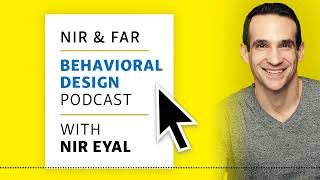
Nir Eyal shares six productivity tools he actually uses: Google Calendar for weekly reviews, Pocket for reading during workouts, Fitbod for guided exercise, Kindle for sleep, Forest to block phone time, and FocusMate for accountability sessions. The core idea: pick tools you'll stick with and pair them with behavioral tricks like timeboxing and temptation bundling.
Chapters
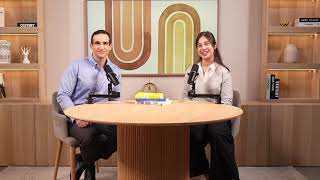
Hello everybody and welcome to the near and Far Podcast. My name is Nick. I will be your reader, but you're here probably to listen to near and I have Nir live on the line. Nir, can you hear me?
Sure can Nick. Thank you so much again. Just want to let everyone know what's going on here. We did this once before and it was so well received by the listeners that we wanted to do it again. And so the way this works is Nick Gray is a fantastic friend of mine and he graciously offered to read some of these articles and discuss them kind of in real time. So you get a little bit more than just the article being read to you. We're also going to discuss some points, maybe make some updates kind of elaborate in some places. So here we go.
I am so excited to dive in. Today's article is best productivity tools 6 that stuck with me. Since writing Indistractable, I'm often asked what tools and apps I personally use to get the most out of my day. But after years of research into the psychology of productivity focus and the causes of distraction, I've learned that there is no one magic best productivity tool. Rather, the best tool is the one you'll actually use. Which is why I only rely on a few to be at my best. Find the handful of tools that serve you well enough and tailor them to suit your needs instead of wasting time searching for the perfect solution. Below are my most frequently used productivity tools. We're going to read those for you here. They work for me and hopefully will work for you. Well, a break from that near I'm just checking in. We're recording this September 22nd of 2022. Are these your latest and greatest? Is this a new article?
Yes and no. I mean, these are tools that I've been using for years and years since I started writing Indistractable. But some of them have been updated with more recent tools and we'll get into which one of those they are as we talk about them. But it is a good point also to emphasize I think a lot of folks who are trying to manage their time they really can fall into. And I'm guilty of this in the past as well, when I was always looking for the latest and greatest, right? Always looking for what's the the most splashy tool out there. Many times that led to a time wasting vortex because again, the best tool is the one you actually use. And so in many ways these aren't the most high tech. These don't have all the fancy bells and whistles but that's intentional because it's the ones that stick around the longest that people find the most benefit from.
I love that. And that leads us into the first tool that you've listed. Perhaps the most important tool number one is Google Calendar for scheduling. As anyone who has read Indistractable knows, timeboxing is the best productivity hack out there. Can I just take a second? It says in the article timeboxing is a time management technique that's far more effective than a to do list and it's a critical component of becoming indistractable. Google Calendar is where my timeboxed can calendar lives. Every Sunday I set aside 15 minutes to review my schedule for the following week and make any necessary adjustments. But for those of you who don't like digital calendars, I also create a free schedule maker template that you can use to time block your agenda in 15 minute increments. You can also check out these other time boxing apps. Now for you to get Near's free schedule maker template, you can go to nearandfar.com for forward/ schedule maker. That's schedule S C H E D U L E dash Maker M A K E R NIR can you just say a second about what is timeboxing?
Sure. So timeboxing is planning out in advance how you will spend your time. And so I typically time block in about 30 minute increments, much less than that. It starts to get too nitty gritty. So many times if I have a bunch of admin tasks I'll put them into that 30 minute time block. The reason this is so effective is that it uses this technique called setting an implementation intention. And that's just a fancy way of planning out what you're going to do and when you're going to do it. Sounds simple. And it's incredibly effective if you do it. And study after study has found this. Literally dozens of studies of peer reviewed studies that have appeared in reputable journals have found this simple technique is incredibly effective. And it's even more effective than what most people do is they write a to do list. And there are many problems with a to do list. To do lists in many ways, if you don't use a to do list properly is something that's going to actually negatively affect your productivity. Because to do lists have no constraints. You can always add more and more and more to your to do list. And so you get home from work at the end of the day and because you have all these things that you haven't done in your day you are reinforcing your belief that you're no good at time management, right? And day after day, week after week, you're reinforcing this self image that something's wrong with you. Look, here's this list of things I still didn't accomplish. Whereas if you use a time box calendar, all you have to do is the thing you plan to do. It actually doesn't matter what that thing is. It's about can you do it without distraction. And so people who measure themselves not by how many cute little boxes they checked off, but rather did they work on what they said they were going to work on for as long as they said they were going to. Those people turn out achieve more than the to do list people. So it's really important. You know, taking things out of your brain and putting them in an app or in a piece of paper, that's a good thing. I'm all for that. What I'm not for and how most people use a to do list is they don't coordinate it with their calendar. So just keeping a list of things you have to do is not good enough. You also have to plan out when you're going to do it. And that's what time boxing is all about.
That's fantastic. If you guys could see me listening to the audio, my eyes are wide open. I'm like, I cannot wait to start doing timeboxing. Hey, a quick plug. If you want to leave a review for the near and Far podcast, this new style where we do this interview with near as we listen to his articles. Please leave a review for near and Far in whatever app you listen to for podcast or write back. Send Nir a message if you like this style and we'll do a couple more of these. Moving on the next tip on Nir's tip, here is Pocket for information overload. Once upon a time, I would often fall into hours long black holes because the Internet tempted me to read an online news article, then another, and yet another. The situation became so dire that I had to set a hard boundary for myself. I will never read another article article again. Not in a web browser anyway. Instead, I have them read to me by two apps, Pocket and Voice Dream. When I see an article I want to read, I use Pocket to flag it in my browser and the app pulls the text from the webpage and saves it to the app on my phone. I only allow myself to listen to those articles using Voice Dream when I exercise. Katherine Milkman at the University of Pennsylvania's Wharton School calls this technique Temptation bundling or leveraging a behavior we want to do can help us do things we know we should do. Studies show it's an incredibly effective form of multi channel multitasking, and it's worked for me for years. Near. Any thoughts? I love that. Multi channel multitasking. Temptation bundling.
Yeah. So this is, you know, I'm kind of dispelling a few myths here. One is that we can't multitask. In fact, we can multitask if we do on different channels. So you can't solve two math problems at the same time. You can't read two articles at the same time. You can't do a lot of things at the same time, but you absolutely can do certain things at the same time, as long as they use different sensory channels. So the reason I use Pocket every single day along with this app called Voice Dream is that I'm multitasking while I'm doing things I don't really enjoy. The motivation to do them can be this reward of hearing an article read to me. So it's really a triple win, right? Because not only do I save that time of not going down this context vortex when I'm on my laptop, I never read articles on my laptop. I also use them as a reward for doing the things that sometimes aren't as fun, like going to the gym or getting some exercise, whatever the case might be. So that becomes my reward. And so that combination of Pocket, it's a free app. Voice Dream is very cheap. I think it actually might be free unless you pay for one of these upgraded voices. It's amazing because I'm a pretty slow reader. I was diagnosed as dyslexic as a kid and, and so I read pretty slowly. So this is really a godsend for me because I can listen at a much, much faster pace than I can read. So my, my words per minute is about 300 words per minute when I read. But if I'm listening, I can go at about 550 words per minute. And that's all because of these two apps, Pocket and Voice Dream.
Wow. I'm inspired to try this out for myself to get in some cardio, which I usually avoid. I feel like I fall into that bucket as well. So those two things near mentioned temptation bundling and multichannel multitasking.
Sometimes I'll listen to podcast episodes, but I find that the problem with a lot of podcasts is that it's just open ended. It's just two people, you know, shooting the breeze, which is nice.
Oh, no, I'm getting attacked.
It's great. It's great. No, this is, this is a hybrid model, right? So what I like is some kind of pre work, right? Something that the people in the podcast have done in advance, right. And so what's great about listening to articles on Pocket Voice Stream is that these are articles you wanted to read anyway. So when you do that, this is something that an author has spent a lot of time sitting with the idea and actually coming to, you know, a point and evidence and a conclusion. And you don't really get that when you just listen to open ended podcasts. What we're doing is a hybrid, right? We're talking about content that has already been written. So maybe that's the best of all worlds.
I think it really is because you've spent so much time in these articles. I know how much time you spend writing and, and now I just love this format to get this added details and hey, maybe somebody's listening to this while they're exercising. If you are, send Nir a little message or an email and let them know that you like this format. We're going to move on. Speaking of exercise, there's an app that near likes, he says. Fitbod for exercise. Fitbod is the one fitness app that hooked me for good. The creators relied on my hooked model to build the app. As someone who was once clinically obese, fitness is one of my top values. Since I was a kid, I tried and failed to develop an exercise habit. Despite the best intentions, I could never stick to a commitment to regularly go to the gym. But fitbod has helped me consistently exercise for more than two years, partly because it generates a customized workout for me every time I use it, removing the discomfort of not knowing what to do. Others seem to feel just as strongly as I do about FitPod because it's been downloaded by more than 5 million people and is consistently ranked among the top grossing and top rated apps in its Apple App Store category. I've never heard of it.
Oh, it's a great app. And I think part of the reason it's such a great app is that it is so habit forming. So when I first bumped into this product, I think I might have seen it in the Apple App Store and I said, okay, I've had a lot of trouble forming a gym habit and I used pretty much every fitness app I could find and I was incredibly frustrating because I didn't find any them to be very habit forming. They were all a lot of work. And I downloaded this app and I Started using it and I kind of said, wow, this is, this is really well done. So I, there was a tech support email that is in the app and I emailed it and I said, by any chance, have you read my book hooked? And within 30 seconds I get a reply back from one of the founders. Said, yes, we read the book and in fact we designed it into this product. And I'm super proud. I mean, I'm so happy that they're doing so well. I actually use it as a case study in the updated version of my book, Hooked up. And it's so well designed. And the idea here is that it's not for the person who's just getting off the couch, it's for someone who I used to be that I would go to the gym and I would look around and all these muscle heads seem to know what they're doing and I didn't. Right. Like, I didn't know how to use these machines that everybody seemed to know what to do and how to, you know, in the proper way to keep track of your fitness. And so that's really what fitbod is for. It's for the person who is maybe a little bit active, but maybe not consistently active, especially when it goes to, when it comes to the gym. And so to build muscle, you need that consistency and you need to track how well you're doing and the reps and sets on every exercise. And that's what fitbot does really well. You can go to the gym and essentially be mindless. You can zone out while I'm listening to an article. As we talked about in just the previous section, fitbot does all the rest of the work. So what it does, it'll tell you which exercise to do, the reps, the sets, the weight, all that. It tells you automatically. How does it know? Because it looks at what you did last time. So if you go to the gym and you work out, I don't know, biceps, it'll tell you next time, don't do biceps because they're not fully recovered. Do triceps. And here's how to do that. And so it's a really well designed app and I use it at least five days a week when I'm in the gym.
It's great, really great app suggestion. The app name is fitbod, spelled F I T bod. Next tip from near is Kindle for sleep. The question of what productivity tools to use is also a question of what tools to stop doing. You have to ditch the ones that aren't working for You. That's why the Kindle is the only digital device I allow in the bedroom. My wife and I decided to ban the TV and our smartphones from the bedroom a long time ago. In the past, when I had trouble sleeping, I would pick up my smartphone. Big mistake. Inevitably, I would find myself working or scrolling through Twitter. The Kindle has become my sleeping aid. Now when I wake up, because my mind is racing, I pick up my Kindle to read. Hot tip. Get a book that you find interesting but slightly boring, and it will put you right to sleep. Reading is the best sleeping aid I'd ever tried.
Yeah, so this one works like a charm still. I mean, I still have a Kindle right by my bed. We don't have the TV in the bedroom. We don't sleep next to our cell phones. But that is the one digital device that I do allow in the bedroom for a few reasons. One, it has a blue light blocking. At least the new Amazon Kindles don't emit blue light, so they fix that problem. And just the cognitive wandering that you're allowed to do while you're reading a book is incredibly effective. In fact, there's a lot of research around this that if you can just stop ruminating, right, that the number one cause of insomnia turns out for the vast majority of people and not any kind of chemical imbalance or physical disorder, it turns out the number one cause of insomnia is worrying about insomnia. It's actually the rumination of, oh, if I don't get to sleep soon, I'm gonna have a crappy day tomorrow. And then what about that big meeting? And, oh, I forgot this. And then before you know it, you're up for hours and hours. So the solution to that is to break this rumination chain. And the way you do that is by thinking about something, anything else. And so that's where reading on a Kindle can be incredibly effective. And I keep saying Kindle because for me, I like these backlit devices as opposed to having to turn on the light in the room and wake up my wife. So that's why I really turn to the Kindle instead. And again, if you can find a slightly boring book that you enjoy, but nothing riveting, right? So I tend to read nonfiction or, like, historical, a history book or maybe an autobiography. Those tend to be really good for me at least. But, you know, you gotta find the genre that you like but is not too, too exciting to keep you up.
The key takeaway for me there is that hot tip that you said, get a book that you find interesting but slightly boring and it'll put you right to sleep. Great tip.
Sometimes even that doesn't work. Like, sometimes your body just doesn't need more sleep. And so it's imperative that you change the attitude around what happens when you don't get sleep. Because, look, sometimes the body just doesn't need extra sleep. And so as opposed to saying, oh, there might be something wrong with me, I better go to the doctor, I better get a pill. In some occasions that's the case. Maybe for some people. But what we find that for the vast majority of people, if you just change your attitude about sleep, meaning if you can't sleep one night, it's no big deal. And so a mantra that I'll often repeat to myself is, the body gets what the body needs. So if that means that sometimes I'll stay up for an hour or two reading, well, I take that as a gift. As opposed to before, I kind of thought that was a curse. Why can't I sleep? Why can't I sleep now? I say, oh, cool, I get to catch up on some reading. And you know what happens the next night I'll sleep great. Because the night before maybe I didn't have such a great night. So it's really about reframing your attitude around sleep as well.
That's great. The body gets what the body needs. Forest for focus Forest is perhaps my favorite distraction proofing app. It helps people complete step four of my indistractible model, which is to prevent distraction with pacts. Every time I want to make an effort. Pact with myself to avoid getting distracted on my phone, I open the forest app and set my desired length of phone free time. As soon as I hit a button marked plant, a tiny seedling appears on the screen and a timer starts counting down. If I attempt to switch tasks on my phone before the timer runs out, my virtual tree dies, which discourages me from tapping out of the app. Sometimes I'll take it a step further and use forest when someone else is in the room reinforcing the pact. For example, if my daughter has homework, we'll do it at the same time and earn trees together.
Yeah, so this one's really self explanatory. It works exactly as advertised. It's very, very simple. It seems silly, but it's so effective, right? Just making that pact with yourself. You plant this cute little tree. You don't want to be a virtual tree murderer, so you just stay off your phone for that period of time and you can adjust that over time. Right. Don't start with a three hour time block. Start with 15 minutes and see how that goes and then work your way up if you so need.
Try the Forest app and like Nir said, start with 15 minutes. Start with a small, small pact. The last one on the list is Focus Mate to fight distraction. Speaking of effort packs, Focus Mate, of which I'm an investor because I found it to be so effective, facilitates Effort packs via a one to one video conferencing system. The first time I used it, I was paired with a Czech medical student named Martin. I knew he would be waiting for me to cowork at our scheduled time and didn't want to let him down. While Martin was memorizing human anatomy, I stayed focused on my writing. Focus Mates are discouraged from skipping meeting times because they leave reviews for each other. It continues to be my go to when I need someone to hold me accountable but a friend is unavailable. You want to talk about Focus Mate for a second? I too am a user by the way of FocusMate. I think it's so wild. And the Focus make community I want to give a shout out is one of the most supportive. It's just a bright spot of the Internet. It's kind of beautiful.
Absolutely, yeah. It's almost like chat roulette without the nasty bits. You show up but you don't know who you're going to be matched with. And one of the things that I think it's super effective for is if you are the kind of person who has trouble getting started. And this is definitely me, right? That when you make one of these time blocks and you have the best of intentions but you know, let me just make that quick cup of coffee or let me just scroll through my email or let me just do this one thing real quick. And then you wanted to start bright and early at 8am at your desk getting to work. But now it's 8:05, 8:10, 8:15, 8:30 and that could be a disaster for the rest of your day. What you could do is by setting a time with your Focus Mate, that sense of accountability, right? The fact that if you don't show up on time, not only do you get a bad review but you're, you're just kind of being a jerk, right. Like it's not good karma to tell somebody you're going to be there and then you don't show up. So by having that partner who's there ready to go, that is depending on you, it's incredibly effective and so it's. It's highly recommended. You don't have to necessarily do this online, right? I used to have a group of writers that would get together. Nick, you were part of that group as well from time to time. And we would just sit together around a table and write. Same thing. But if you are working from home or you're having trouble finding others who want to work at the same time, FocusMate is always there for you.
Focus Mate is a great tool. It's spelled Focus F O C U S mate M A T E. You can find it@focusmate.com so there you have it. Those are Near's best productivity tools, ones that he uses in his day to day to be indistractable. This roundup is just a sample of the apps that near has tried on his website. There's an exhaustive list of all the tools he knows and recommends. You can find that@nearandfar.com go forth and find what works for you. My name is Nick Gray and Nir and I are recording this podcast as a test, as a trial. If you like these, would you please leave a review for the near and Far podcast on whatever app that you use? Nir reads all of these and it really mean a lot. If we get a couple reviews, we'll do more of these. Nir, is there any final words you want to add?
Yeah. You know, I need to plug your book as well because you're so modest you won't do it yourself. But I want everyone to know out there that Nick's book is called the Two Hour Cocktail Party. How to Build Big Relationships with Small Gatherings. It is an awesome, awesome book and you don't have to take my word for it. I'm literally looking at Amazon right now and it has 233, five star reviews. It is a perfect rating and let me tell you, it is worth it. So if you're looking for ways to reconnect with people, if you've always wanted to host a party but you thought it was too much work, Nick blasts away all these myths. He tells you step by step by step exactly what to do. So go out get this book right away. The Two Hour Cocktail Party.
A fun thing for those that are listening because it's inside baseball. Near actually helped me come up with the title for the book. He used the title. I tried to come up with other ones. He held firm to it and it really was the best possible title and subtitle. So I'm so thankful to him for that and I'm thankful for you for our listeners. Thanks for letting us share some more of Near's knowledge. He has a wealth of knowledge for all these topics. Thank you very much for listening. This has been the near and Far Podcast. Go forth and find what works for you.
More from Nir


Your Beliefs Are Sabotaging You (Here's Why) - Beyond Belief for Athletes with Nir Eyal