7 Tips for Working Remotely During COVID-19 Crisis
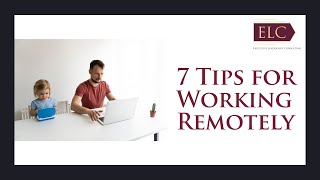
Sonya Shelton, CEO of Executive Leadership Consulting, shares seven practical tips for remote work during COVID-19. Set boundaries between work and home, create a dedicated workspace, and use focus blocks to stay productive. Limit news consumption to manage stress and establish routines that work for your household.
Chapters
Hi, and welcome to 7 Tips for Working Remotely in a Crisis. As most of us have been asked to work remotely from home here at elc, we have been talking with our clients about the challenges that they and their teams have been having. And we took their questions along with our own best practices because we as a company have always operated as a virtual team. And we wanted to give you some tips to consider as you're shifting to working remotely. And some of you have been doing this for a little while now, but still might have questions or might be able to do it more efficiently. So my name is Sonia Shelton and I'm the CEO of Executive Leadership Consulting, where we partner with organizations to align their strategy and their culture. And I'm happy to share some tips that we've been sharing with our clients about how to support their teams who are now working remotely. So, diving right in. These are definitely changing times. Working from home. We know that in this time of COVID 19, we have brought many challenges to the workplace. For some people, they've worked from home occasionally, but they haven't worked on full virtual teams before. And for others, they've never worked remotely before. This is the first time they've had to work remotely. And yet others may have already been working remotely as part of their job, but now they have their whole family at home with them, which is bringing additional challenges and changes to their ways of working. Whatever situation you fall into, we've put together some tips and guidance to make sure that you can be more productive and effective while reducing the stress that comes with these changes. So the first thing you want to do is manage your mindset. And I love this quote from McKinsey and company. What leaders need during a crisis is not a predefined response plan, but behaviors and mindsets that will prevent them from overreacting to yesterday's developments and help them look ahead. So it's really about keeping your mindset positive and calm and hopeful for the future. And then you also want to limit your information inputs so, you know, be aware of, you know, there's lots of information out there, there's lots of misinformation out there. It can keep you in a state of stress and fear. So you want to limit where you're receiving your information, making sure they're credible sources, but also limiting the time that you're watching the news and looking at social media and keeping up to speed on what things are happening so that you can stay focused and more productive. We can learn a lot about agile methodologies in times like this. So looking at when you're working remotely, try new things, test it, learn from what works, what doesn't work, and then adapt. So thinking of that Agile cycle of test, learn and adapt as you're working from home and developing your own processes to be more productive, and then focusing on your values, your personal values, as well as your company values and your team values, you want to keep your values top of mind, both at home with your family, as well as in the work that you're doing. And then finally, you want to plan for the future and then be present in this moment. So in times of great uncertainty, we can only control what we're doing right now. In, in this present moment, the most important thing is to keep each other safe. And right now the future is just an idea. We can plan for it, but we can't control it. And it's changing week by week, so it doesn't really help our energy or focus to live in what could happen or all the what ifs. But just stay in the present moment. And if you'd like some tools on how to reduce stress and keep your mindset focused and positive and in the moment, we have a free book on executiveleader.com called how to Reduce Stress at Work. So if you look under the resources section, you can download that for free. So you want to maintain work life balance. So even though you're working from home, it's still important to keep your work life balance in order to stay safe and healthy. We need to put life first and then work. So you want to do things like practicing self care, make time for exercise, eating right, meditation, if you do that, relaxation, doing the things that, that you love and that bring you joy or explore, learning new things or new hobbies that you can do for yourself or with your family. And of course taking regular breaks. You want to get up and move throughout the day, not just sit at your desk all day. You want to make sure that you're taking bio breaks, that you're taking a full lunch break so that you keep that work life balance. You can keep your energy up and your mind focused. So several of our clients have been talking about missing that few minutes. They used to have to stop by the restroom or get something to drink or even just stretch as they walk between meetings during the day when they were in the office. So even though you're at home, keep those things up. You know, take, take a moment to, to stand up and stretch or walk around a little bit. You may have heard the phrase that sitting is the new smoking so while I'm not a doctor, research has shown that it' good for you to sit in front of your computer without taking breaks. And we all want to stay healthy right now. So some of our clients are doing things like suggesting walking meetings when they're doing one on one check ins or more informal conversations or informal meetings to do those meetings where both people or, you know, the few people that are in the meetings where it's more informal are all taking a walk together in their, in their own neighborhoods as they have the meeting together. So that's another thing that you can try. You also want to maintain your work life boundaries. So you want to create and start work and end work routines. So end your workday at the regular time that you did before. So working from home doesn't mean working every free moment. If you don't have a separate space for work, you want to create one so you can close your laptop and turn off your work related email notifications on your phone after hours. So it's really important during this time to be careful of overworking so that you can sustain your energy and your health. Just because you have to stay at home doesn't mean that you have to spend all of your time working. And I've heard some clients say, you know, I have meetings starting at 7am and they go till 7pm just because we can, that's not going to be healthy for you or for your family. So you want to keep that work life balance in place and put those boundaries in place. We have some quick tips for parents. So getting creative. So negotiating parenting responsibilities with your spouse. You know, how this not having the kids home and trying to do homeschooling and childcare at the same time that you're trying to get work done. Especially if both parents work can be challenging. So you want to explore some creative possibilities. You know, maybe work complimentary work schedules or you know, just getting clarity on how you're going to work together as a family and then taking advantage of downtime. So sometimes when the kids are asleep, that's an opportunity for you to focus early in the morning maybe and then signal when you're working. You know, some clients have said they put a post it up or they close the door if they have a separate room or they put on a special work hat or they have a green ribbon or red ribbon on the door handle. Whatever works. You know, doing something that signals when you're in important meetings for your family, your kids to understand when you need to really focus. The next tip here is to Schedule the day. So you want to plan your day in 30 minute increments so variety equals focus. And then post the schedule for the whole family each morning. And that way everybody knows what to expect and it heads off many questions about what's going to happen or what's next. And then for kids, you might want to consider choosing a project for them each day. So remember, imagination is their greatest toy. So you can enlist, you know, kids in doing different projects, you know, projects around the house, doing more chores, that's a double win, right? So looking at scheduling the day and then finally creating family rituals. So connect with your family before you're doing anything. That is a deep work where you, you need to be super focused. Or if you know that you're going to be going into several hours of meetings, just spending a few minutes of connecting time with your family can then for you to focus. And then of course, as I mentioned before, keeping your shutdown ritual. So you need to decompress after a day of work and they need to have you home from work once the workday is over. So those are some of the things that our clients, who are also parents, have suggested. So the next tip is to be flexible and to align on expectations so we know that things will continue to change and we're constantly going to need to adjust our priorities through this time. And then even after this crisis is over, going back to, going back to work, things will continue to change. So you want to ask for flexibility if you need to accommodate self care, health care if you need child care needs, you know, ask, ask for flexibility when you need it and then set up commitments and agreements with your teams so that, so that you know when you need to be flexible with, with others on your team. And then you also know what's expected. Everyone knows what's expected from each other. We've set up commitments and we, we are living up to those commitments. We're accountable, accountable to those commitments. So if you had those conversations ahead of time, it reduces any confusion or miscommunications or misaligned expectations down the road. And then you also want to keep in mind different time zones. So some people may be working with different locations and just being or if people have traveled and they're stuck somewhere, you just be aware of different time zones when you're working with people at other locations. So staying productive. So some tips on how to stay productive when you're working virtually. First one is to have a dedicated workspace. So a place where is in your home, that is the place where you go to work, whether that's a special table, whether it's a separate room, that that is your workspace. So that when you come to work, you're in that workspace and when you leave work, you leave that space and then build in time for focus. So blocking focus time for the work that needs your best effort, schedule it at the time of day when you're the most productive. So you can also use something like noise canceling headphones to help with focus too. And so when you're present with that time that you know you're working on that special project or you need that focus time, you can be present at that moment and not have any distractions. Then of course, you can use technology tools where appropriate. Don't look for productivity tools for the sake of IT or because other companies are doing it. There's a lot of people that are looking at different technology tools for better collaboration and things like that. And that's great, but you want to make sure that you have a reason why you're using that technology and it's filling a need not just to do it because other people are doing it, because there's enough change happening already. So if you find that a workflow is breaking down or issues are being created by working virtually, you can find a tool to solve it and then be clear on how that tool is going to be used. If you need recommendations for tools to solve particular challenges, feel free to reach out to us here at elc. We'd be happy to share what we've seen that works for us and what we've seen, what we've seen our other clients using, and then focus on your priorities and objectives. So there's a lot of chaos happening. There are things that are, that are changing day to day, but really being clear on what your priorities are and objectives and what's expected of you as you're working remotely, you want to be clear on that. And if you're not sure, ask to make sure that you're focused on the right things. So you want to have effective meetings. Make sure that your meetings have an agenda or an outcome objective for the meeting. You want to move things like status updates or status reports to, you know, more of an email format so that you can keep meetings for discussions and decisions and you can limit the number of meetings that you have to be in. So, and then, you know, make sure that you're in meetings that you need to be in. So I love. Elon Musk has a great rule. If you're not adding value to A meeting, you leave the meeting. So you can, you can drop off if you feel like you're not adding value to a meeting so you make better use of your time. And accountability is really important when you're working virtually. And so not all of us are built for, you know, being self motivated. So if you need help with accountability, ask for it. Some people who work remotely miss the subtle accountability of having peers around them where someone can walk by your desk at any time and you're less likely likely to go online shopping or look at your social media. And you can gain that positive peer pressure by buddy buddying up with somebody online. So one of your, one of your peers, one of somebody that you work with, you can ask for that person to be your buddy and you can do accountability check ins with them at the end of the day to make sure that you got done what you said you were going to get done. Some people get on, you know, an online, online video so that they can see each other. They're not talking, but they can see each other working. And then there's even a company called FocusMate that's created an online business around the science of accountability through behavioral triggers. So the, their studies show that having a live person on the screen with you will actually boost your focus. And they, and they have a tool where you can do that with people from other companies as well. So the key with working virtually is communication, really good communication. So everyone has their preferred mode of communication. Writers love email, talkers love the phone, quick starts, sometimes prefer texts. But written communication sometimes misses the nonverbal cues that we get when we communicate with each other. So that leads to the danger of being misunderstood. So depending on the content that you're trying to communicate or if you're communicating something and there is a misunderstanding, it's important to default to higher context modes of communication. So you know, you want to prefer video conferences over conference calls. Or if an email or text results in confusion, elevate immediately to a phone call or getting on a video conference as a five minute video conference can actually prevent several hours of wasted time trying to unravel a confusing email thread where there's misunderstandings and confusion. So McKinsey came up with a chart that shows the different communication channels that you can use for working remotely. And I love how they divided up the different channels and what you use them for. So the one on one call or voice call for those individual catch ups and building relationships or for discussing sensitive or difficult topics, you know, your video conference for problem solving and co Creation, you can use a whiteboard, you can share screens to share documents, you can use video for weekly planning and review sessions when you need to make decisions. If there are workshops or trainings that you need to do, any types of team talks and retrospectives. And then chat is great for process syndication, for quick questions or when you need guidance on something, you want to ask a quick question. Keeping up to date in real time and social team talk. So just checking in on people to see how they're doing. Video captures and voice notes. When you can record something, you can showcase or explain work. If you want to talk somebody through a process, you could just record it either on video or on a voice note and send it to them. For managers that have limited time, they can send a quick voice note to somebody on their team. And then for debriefs after meetings. If somebody misses a meeting and you want to just send them a summary of what they missed in the meeting, you could just record it and then send it to them and then finally email for updates and status to large groups of people. This would be one to many formal communication inside and outside the company. For successful video conferences, you need a clear agenda and a moderator to keep the discussion on track. So you want to have the camera turned on throughout the meeting to build relationships and pick up nonverbal cues. And you know, sometimes in the case of a home office, if you feel like your environment's not presentable on camera. A lot of video conferencing software also offers virtual or blurred backgrounds. And it's really important for problem solving to be able to have screen share, virtual white whiteboards, or even co editing documents in your video conference. So whatever your, whatever you're noticing, whatever channel you're using, if you're noticing that it's not working, elevate to the next level so that you can avoid unnecessary conflict and confusion. Communication is really important so we know that this isn't going to last forever. Eventually we're all going to go back into the office, into our offices. So it's also important to think about what's next. And so while you're staying present, you want to capture those ideas that are working and the things that you're learning with your agile mindset so that that test, learn and adapt. You know, what are some things that you want to keep when you go back into the office? What are some of the mindsets that you want to do or the behaviors or processes that when you go back into your office or workplace that you want to keep those routines going because you're finding that they're more effective or efficient. So that wraps up the training. If you need help, if there's anything that we can do for you, feel free to reach out. Let's talk. We're here for you. You're welcome to book a free 30 minute consultation with us or one of our consultants or coaches can get on the phone with you and help you with some challenges that you're having working remotely or developing virtual processes. These spaces are limited for these calls, but we're happy to help you and remember that we're all in this together. So if there are other tools or skills that you'd like to see us do a training on to help you through this, through this challenging time, just contact us@executiveleader.com on our contact page and we're happy to help you with more trainings like this. We're here to support you as we all move through this time and so just let us know what your need, what you need. So thank you for taking the time to participate in this training and we hope that you all stay safe, stay healthy and stay positive and hopeful through these challenging times.
More from Sonya


#Burnout on the Rise: Navigating the Disturbing Trend @wilempowered #workplacetips #toxic

Uncover Your 'Why': The Foundation of Purposeful Living @wilempowered #leadership
How Your Environment Shapes Leadership @wilempowered #leadership #effectiveleadership

Are Leaders Born or Created? Unraveling the Leadership Debate #Leadership @AncaStefaniaIorgulescu
📚 Sonys's Book: Your On-Desk Executive Coach! 💼 #leadershipbooks @AncaStefaniaIorgulescu

Not Happy at Work? Sonya Helps People Feel Fulfilled #LifeTransformation @AncaStefaniaIorgulescu

How My #FamilyBusiness Roots Shaped My #Leadership Journey #SuccessStory @AncaStefaniaIorgulescu
My Experience Working At #disney @debbieheisercoach #executivecoaching #culture