Short video/transcript where Christina Hall explains how she uses Wix Studio Automations to streamline her paid website-audit service delivery. She describes triggering an automation when a CMS form (the audit order form) is submitted, immediately sending a branded confirmation email, and notes this saves time, sets expectations (1–2 business days for the audit), and improves brand trust.
Chapters
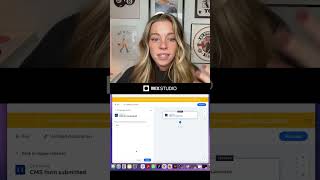
Let me show you how I'm improving my customer experience with WIX Studio Automations. Many of you know I offer a website audit service where I take a look at someone's website, I do a loom recording of myself auditing their site and I send it to them. The way I can make this process so streamlined is with automations. The process is supposed to be super simple. So once they decide they want the website audit, they fill out their form, give me their website address. But once they check out, I want to make sure that they have an amazing branded experience so that they know that they're in good hands and that I'm going to be recording their video within a couple of days. Here, here's how I do that. I create an automation and I set the trigger for a CMS form that's been submitted, because that is exactly what my website audit form is. Once the form is submitted, I use an action to immediately send them an email. I can create for them a branded email that automatically gets sent to them once they check out, so that they know I received the payment and what to expect in terms of next steps. This also buys me time because these typically take me one to two business days to curate and they're instantly informed of that so that they know exactly what to expect. This simple automation has taken the work off of my plate and already improved my brand trust with my clients and customers. I plan to use even more automations like like this on my new website. But how could you imagine yourself using this to take the work off of your plate and improve your customer experience?